
HP ZBook Firefly G11 Windows Compatibility In 2026: Drivers, Apps, And Limitations
HP ZBook Firefly G11 delivers excellent Windows 11 compatibility in 2026 with enterprise drivers, firmware support, and long-term professional software stability.

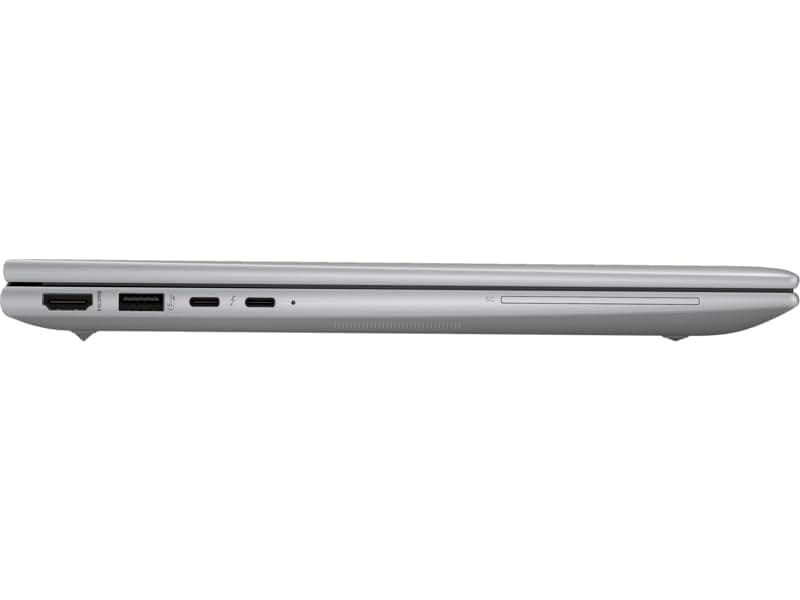
TL;DR The HP ZBook Firefly G11 remains fully compatible with modern Windows environments in 2026, making it one of the safest enterprise workstation investments for long-term professional usage. Powered by Intel Core Ultra architecture, the system officially supports Windows 11 enterprise deployments, modern security frameworks, and upcoming Microsoft update cycles. HP continues providing certified drivers, firmware updates, and BIOS stability through its commercial workstation lifecycle program, ensuring reliability for corporate, engineering, and creator workflows. Applications such as Microsoft 365, CAD platforms, analytics tools, and enterprise VPN ecosystems operate without legacy compatibility issues. Buyers considering Refurbished HP ZBook Firefly G11 units through verified platforms like Refurbo benefit from continued driver availability and predictable update behavior. In practical terms, the Firefly G11 is positioned as a future-ready Windows workstation, not merely a current-generation laptop.
Windows Version Support in 2026 (Windows 10 vs Windows 11 vs Future Updates)
By 2026, Microsoft’s operating system ecosystem has transitioned strongly toward Windows 11, and the HP ZBook Firefly G11 Workstation Laptop aligns directly with this shift. Unlike older workstation generations that required workaround installations, the Firefly G11 is officially designed around modern Windows security architecture including TPM 2.0, Secure Boot, and virtualization-based security frameworks. These hardware requirements allow seamless deployment of Windows 11 Pro and Enterprise editions without performance penalties.
Windows 10 support technically remains functional in 2026; however, Microsoft’s announced enterprise lifecycle indicates reduced mainstream updates approaching end-of-support timelines. Running Windows 10 on newer Core Ultra platforms limits access to scheduler optimizations designed for hybrid CPU architectures. As a result, professionals using analytics tools, virtualization environments, or multitasking-heavy workflows experience noticeably better efficiency under Windows 11.
Future Windows feature updates also favor AI-assisted operating system components such as Copilot integration, NPU acceleration, and background workload optimization. The Firefly G11’s architecture ensures compatibility with these evolving OS-level features, improving longevity compared to earlier mobile workstations.
Windows Compatibility Overview
For Indian enterprise buyers evaluating HP ZBook Firefly G11 Review insights from Refurbo, the system clearly favors Windows 11 deployment for long-term stability.
Official HP Driver Availability and Lifecycle Support
A major advantage separating ZBook systems from consumer laptops is HP’s commercial driver lifecycle policy. The HP ZBook Firefly G11 Specs platform belongs to HP’s enterprise workstation category, meaning drivers are maintained significantly longer than standard notebook lines. HP distributes validated driver packages through HP Support Assistant and enterprise SoftPaq repositories, ensuring controlled update deployment.
In 2026, drivers will remain actively maintained for critical components including Intel graphics, optional NVIDIA workstation GPUs, Thunderbolt controllers, Wi-Fi 6E modules, fingerprint sensors, and power management subsystems. This matters particularly for businesses running standardized IT environments where driver stability directly affects productivity. Unlike gaming laptops that frequently rely on experimental updates, ZBook drivers undergo ISV certification testing for professional software compatibility.
Firmware-level driver integration also reduces post-update failures commonly seen after major Windows upgrades. Audio stacks, docking station controllers, and enterprise networking drivers retain backward compatibility across feature updates, allowing professionals to upgrade Windows builds without risking peripheral instability.
For buyers considering the Refurbished HP ZBook Firefly G11, continued driver availability ensures that even non-new units remain operationally relevant for several years. This long lifecycle support significantly improves resale value and total ownership cost compared to short-support consumer devices.
In practical deployment scenarios, the Firefly G11 behaves closer to a managed enterprise workstation rather than a rapidly aging laptop platform, reinforcing its suitability for long-term professional environments.
BIOS Updates and Firmware Stability in 2026
Enterprise workstations such as the HP ZBook Firefly G11 differ significantly from consumer laptops when evaluated from firmware reliability and update longevity perspectives. HP maintains structured BIOS release cycles for ZBook platforms through its commercial support ecosystem, ensuring firmware compatibility with evolving Windows builds well into future update generations.
In 2026, BIOS updates for the Firefly G11 primarily focus on improving power management behavior, hardware security validation, and compatibility with Intel Core Ultra scheduling mechanisms. Firmware optimizations help Windows correctly distribute workloads between Performance cores, Efficient cores, and integrated AI processing units. This results in improved multitasking responsiveness during enterprise workflows such as virtualization, analytics computation, or multi-application office environments.
HP’s BIOS architecture also integrates enterprise-grade protections including HP Sure Start, runtime BIOS verification, and automatic recovery mechanisms. These systems detect firmware corruption or failed updates and restore stable configurations automatically. Such safeguards are particularly important for corporate deployments where downtime directly affects operational productivity.
Another important advantage visible in 2026 usage scenarios is firmware stability during Windows feature upgrades. Many consumer systems experience boot conflicts after major OS updates, but ZBook firmware validation minimizes these risks. Docking stations, Thunderbolt peripherals, and external GPU bridges continue functioning reliably after updates because firmware and driver stacks are jointly certified.
For Indian professionals purchasing through Refurbo, refurbished Firefly G11 units retain full BIOS update eligibility, meaning long-term usability remains comparable to newer enterprise deployments.
Compatibility With Microsoft 365, Office, and Enterprise Applications
Modern professional workflows depend heavily on ecosystem compatibility rather than raw hardware specifications. The HP ZBook Firefly G11 Workstation Laptop demonstrates strong optimization for Microsoft 365, enterprise collaboration tools, and productivity suites widely used across Indian corporate environments.
Applications such as Excel, Power BI, Teams, Outlook, SAP interfaces, ERP dashboards, and browser-based enterprise portals operate efficiently due to Windows 11 optimization combined with DDR5 memory bandwidth and hybrid CPU scheduling. Large Excel financial models involving millions of data points benefit from improved thread allocation across performance cores, reducing recalculation delays compared to earlier workstation generations.
Cloud-integrated productivity environments also perform reliably. Microsoft Teams video conferencing leverages hardware media acceleration, reducing CPU load during long meetings. Background synchronization processes from OneDrive or SharePoint show minimal performance interference, enabling uninterrupted multitasking across office applications.
Enterprise Application Compatibility Overview
For buyers evaluating HP ZBook Firefly G11 Price in India, the workstation’s enterprise certification ensures predictable performance in business environments rather than consumer-focused usage patterns.
Performance Optimization on Latest Windows Builds
Windows optimization in 2026 increasingly depends on hardware-level intelligence rather than manual tuning. The Firefly G11 benefits from Intel’s Core Ultra platform, which integrates workload-aware scheduling and AI-assisted performance balancing directly within Windows 11 environments.
Modern Windows builds dynamically assign foreground workloads such as CAD drafting, browser analytics dashboards, or IDE compilation tasks to performance cores, while background services shift toward efficiency cores. This improves battery efficiency while maintaining responsiveness during heavy multitasking. Professionals running simultaneous applications including Excel modeling, Teams meetings, browser tabs, and scripting environments experience smoother transitions between workloads.
Another optimization advantage arises from integrated NPU acceleration, which newer Windows features utilize for background AI tasks such as noise suppression, camera framing, and system prediction models. Offloading these operations from CPU resources improves sustained performance during productivity sessions.
Storage optimization also contributes significantly. NVMe SSD scheduling improvements within Windows 11 reduce latency during large file transfers and application launches, benefiting creators and analysts handling datasets or project assets.
However, achieving optimal performance still depends on maintaining updated drivers and firmware through HP’s enterprise update channels. Systems configured correctly demonstrate workstation-class stability even after major Windows feature releases.
In real-world professional deployment, the Firefly G11 shows balanced performance behavior rather than benchmark-focused spikes, reinforcing its identity as a long-term enterprise productivity platform.
Limitations to Consider Before Upgrading to Latest Windows
While the HP ZBook Firefly G11 demonstrates strong compatibility with modern Windows environments, upgrading immediately to every new Windows release is not always the most practical decision for professional users. Enterprise workstations prioritize stability over early adoption, especially when workflows depend on certified applications or legacy enterprise tools.
One limitation observed in early Windows feature rollouts involves driver maturity. Newly released Windows builds occasionally introduce scheduling or graphics stack changes that temporarily affect workstation GPU drivers. Applications used in CAD visualization, analytics dashboards, or virtualization environments may encounter minor performance inconsistencies until HP releases validated driver packages. This issue is not hardware-related but arises from synchronization delays between Microsoft updates and OEM certification cycles.
Another practical concern relates to enterprise plugins and proprietary business software. Many Indian organizations continue operating internally customized ERP systems or accounting tools optimized for specific Windows builds. Upgrading prematurely may cause authentication modules, macros, or legacy extensions to behave unpredictably. Professionals working in finance, consulting, or engineering environments often benefit from delaying upgrades until long-term stability patches are released.
Storage encryption transitions also require attention. Systems using BitLocker or corporate security frameworks may require BIOS validation updates before major OS migrations. Without proper preparation, users could face boot verification prompts or policy conflicts.
Therefore, although Windows 11 upgrades are technically supported, professionals should treat upgrades strategically rather than automatically. Stable deployment typically occurs several months after major releases, ensuring driver maturity and workflow continuity.
Security Updates and Long-Term Usability Outlook
Security lifecycle support represents one of the strongest advantages of enterprise workstation platforms like the HP ZBook Firefly G11 Workstation Laptop. Unlike consumer laptops that lose firmware attention quickly, ZBook systems remain aligned with corporate IT security requirements for extended operational timelines.
In 2026, Windows 11 security architecture integrates hardware-assisted protections including virtualization-based security, TPM 2.0 authentication, and kernel isolation. The Firefly G11 fully supports these mechanisms through enterprise-grade firmware integration. Features such as secure boot validation and encrypted credential storage operate efficiently without noticeable performance penalties.
HP additionally reinforces protection through proprietary enterprise tools like BIOS self-healing and hardware threat isolation technologies. These systems continuously monitor firmware integrity and automatically recover from corruption attempts, significantly reducing risks associated with malware targeting low-level system components.
Long-term usability outlook remains strong due to Microsoft’s extended Windows 11 support roadmap expected to continue toward the end of the decade. Combined with ongoing firmware updates, refurbished units purchased through Refurbo collection page remain viable professional machines for multiple upgrade cycles.
For Indian professionals and organizations investing in refurbished enterprise hardware, this extended security support translates into lower total ownership cost. Instead of frequent hardware replacement, users can safely operate systems for years while continuing to receive critical vulnerability patches and compliance updates.
In practical deployment scenarios, the Firefly G11 maintains a reputation for secure, predictable long-term operation, which is essential for enterprise adoption.
Driver Support for External Devices and Docking Stations
Modern professional workflows increasingly rely on external ecosystems including docking stations, multi-monitor setups, storage arrays, and specialized peripherals. The Firefly G11 is engineered specifically to operate within such enterprise expansion environments.
Thunderbolt 4 integration enables compatibility with high-bandwidth docking solutions supporting multiple 4K displays, Ethernet connectivity, USB peripherals, and charging through a single cable connection. Windows automatically recognizes most enterprise docks once HP-certified drivers are installed, minimizing configuration complexity for office deployments.
External GPU enclosures, while technically supported through Thunderbolt interfaces, remain limited by bandwidth constraints typical of thin workstation designs. However, for productivity workflows involving additional displays or accelerated visualization tasks, docking performance remains stable and reliable.
Driver availability for accessories such as smart card readers, biometric authentication devices, conference cameras, and enterprise audio systems continues to receive official HP validation. This ensures compatibility across Windows updates without recurring driver conflicts commonly observed in consumer laptops.
USB-C charging interoperability also improves travel flexibility. Professionals moving between home offices, coworking spaces, and corporate environments can rely on standardized chargers without proprietary limitations.
In 2026 enterprise usage, the Firefly G11 functions effectively as both a portable workstation and a desktop replacement when docked. This hybrid deployment capability significantly enhances productivity while maintaining workstation-grade reliability across peripheral ecosystems.
Who Should Upgrade and Who Should Stay on Current Windows Version
Choosing whether to upgrade Windows on the HP ZBook Firefly G11 in 2026 depends less on hardware capability and more on workflow dependency and software ecosystem stability. From a technical standpoint, the system fully supports modern Windows builds due to Intel Core Ultra architecture, enterprise firmware validation, and long-term driver availability. However, professional deployment decisions should prioritize operational continuity rather than feature adoption speed.
Users working in modern productivity environments benefit the most from upgrading to the latest Windows 11 versions. Professionals using cloud-first workflows, Microsoft Teams collaboration, browser-based ERP platforms, analytics dashboards, and updated development environments gain measurable efficiency improvements from enhanced thread scheduling and background resource management. Windows 11’s optimized hybrid-core scheduling aligns particularly well with Core Ultra processors, improving responsiveness during multitasking scenarios involving spreadsheets, conferencing, and simultaneous application usage.
Conversely, professionals operating legacy enterprise software may benefit from remaining on stable validated builds. Engineering firms, accounting offices, and consulting environments sometimes depend on internally maintained applications designed for specific Windows revisions. Immediate upgrades may introduce compatibility inconsistencies with macros, licensing frameworks, or older plugins. For such environments, remaining on a proven build while continuing to receive security updates represents a safer operational strategy.
Refurbished enterprise deployments sourced, often follow staged upgrade cycles similar to corporate IT policies. This approach ensures tested drivers, validated peripherals, and predictable performance behavior before large-scale migration.
In practical terms, early adopters and modern workflow users should upgrade confidently, while mission-critical enterprise users should prioritize stability until updates mature.
Final Recommendation And Decision Framework
The HP ZBook Firefly G11 Workstation Laptop stands among the most future-ready thin mobile workstations available in 2026 from a Windows compatibility perspective. Its combination of enterprise firmware support, modern processor architecture, and long-term driver lifecycle ensures smooth operation across present and upcoming Windows environments.
For professionals evaluating refurbished workstation investments, the most important decision factor is not whether the device supports Windows updates, it clearly does, but how those updates align with workload stability requirements. Users focused on analytics, consulting, software development, MBA-level productivity workloads, and hybrid remote work environments will experience tangible advantages after upgrading to optimized Windows 11 builds. Improvements in power efficiency, background scheduling, and security frameworks directly translate into smoother daily usage.
At the same time, workstation philosophy emphasizes reliability over experimentation. Organizations or individuals dependent on certified CAD pipelines, proprietary enterprise software, or regulated IT environments should adopt controlled upgrade timelines. The Firefly G11 allows this flexibility because HP continues delivering BIOS and driver support well beyond consumer laptop lifecycles.
From a long-term ownership viewpoint, refurbished Firefly G11 systems offer exceptional sustainability. Instead of replacing hardware every few years, users can extend usability through OS evolution supported by enterprise-grade engineering.
The decision framework therefore becomes straightforward: upgrade when workflow compatibility is confirmed, maintain stable builds when operational continuity is critical. In both scenarios, the Firefly G11 remains a dependable professional platform through the later part of the decade.
Frequently Asked Questions (FAQs)
Q. Does HP ZBook Firefly G11 support Windows 11 in 2026?
A. Yes, it fully supports Windows 11 with enterprise security features, hybrid CPU scheduling, and long-term update compatibility.
Q. Can HP ZBook Firefly G11 still run Windows 10 reliably?
A. Yes, Windows 10 runs smoothly, though long-term security and feature support favor Windows 11 deployment.
Q. Are official HP drivers still available for Firefly G11?
A. Yes, HP continues providing enterprise driver packages and firmware updates through its commercial workstation lifecycle.
Q. Is upgrading immediately to the newest Windows version recommended?
A. Only after verifying compatibility with critical professional applications and enterprise workflows.
Q. Does Windows 11 improve performance on Intel Core Ultra processors?
A. Yes, improved hybrid-core scheduling enhances multitasking efficiency and overall responsiveness.
Q. Are docking stations fully supported on Firefly G11?
A. Yes, Thunderbolt 4 and USB-C enterprise docks function reliably with certified HP drivers.
Q. Will refurbished HP ZBook Firefly G11 units receive Windows updates?
A. Yes, refurbished units receive the same Windows and security updates as new enterprise systems.
Q. Are BIOS updates necessary before upgrading Windows?
A. Yes, updating BIOS helps ensure firmware compatibility, security validation, and upgrade stability.
Q. Can legacy enterprise software run on Windows 11?
A. Most applications work correctly, but older proprietary tools should be tested before upgrading.
Q. How long will HP ZBook Firefly G11 remain professionally usable?
A. With continued driver and firmware support, it should remain viable well into the late 2020s.






