
HP ZBook Firefly G11 Refurbished Checklist 2026: GPU, Battery, Warranty, And Condition
This refurbished checklist for the HP ZBook Firefly G11 explains how to verify GPU performance, battery health, warranty coverage and physical condition in 2026. A practical guide for engineers and students buying workstation laptops smartly.

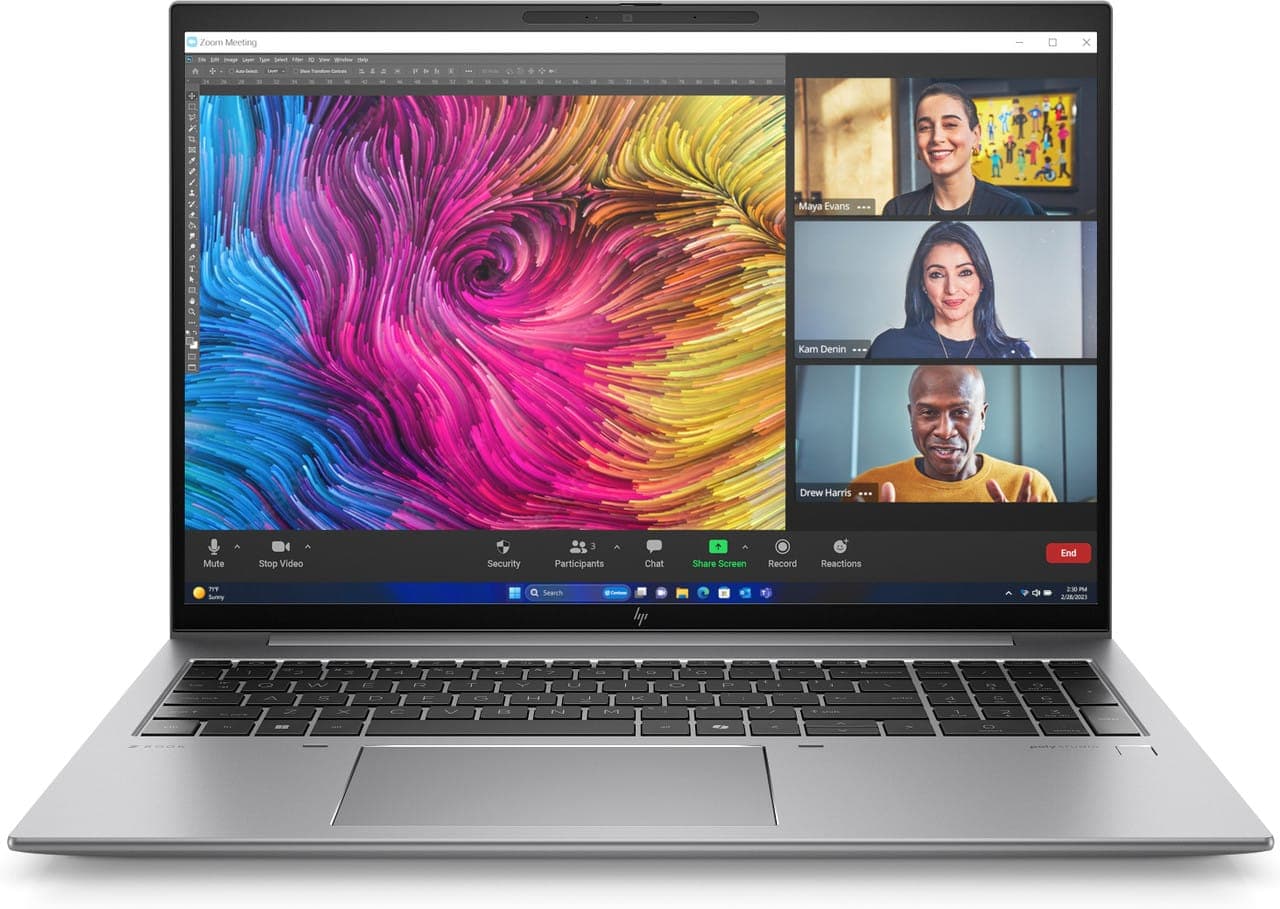
In 2026, refurbished workstation laptops are no longer considered secondary options. Engineering students, startups, and professionals increasingly choose refurbished systems to access enterprise grade hardware at a controlled investment. However, buying refurbished requires careful evaluation. Unlike new devices, condition, configuration accuracy, and testing standards matter significantly.
The HP ZBook Firefly G11 refurbished checklist becomes especially important because this model is a professional mobile workstation. GPU configuration, battery health, warranty support, and physical condition directly impact long term usability.
This detailed guide explains exactly what to verify before purchasing a refurbished HP ZBook Firefly G11 in 2026.
Understanding The HP ZBook Firefly G11 As A Workstation
The HP ZBook Firefly G11 is designed for professional workloads such as CAD modelling, simulation, data analysis, and content creation. Unlike consumer laptops, it includes workstation grade build quality, certified GPU drivers, and enterprise reliability standards.
When buying refurbished, it is critical to confirm that the internal configuration matches your engineering or professional requirements. Firefly G11 models may differ in processor type, GPU configuration, RAM capacity, and storage.
A refurbished purchase should always begin with configuration verification.
Step 1: Verify GPU Configuration
The most important component in a workstation purchase is the graphics configuration. The HP ZBook Firefly G11 refurbished GPU check ensures the laptop meets professional software requirements.
Some Firefly G11 units include integrated graphics only. Others feature NVIDIA RTX professional GPUs. For engineering workloads such as SolidWorks or simulation software, RTX configurations offer better stability due to certified drivers.
Before purchase, confirm:
- Exact GPU model
- Dedicated VRAM capacity
- Driver compatibility
- No display artefacts or graphical glitches
- GPU temperature under load
If possible, request stress test screenshots or short video proof of GPU performance under workload. GPU replacement in thin and light workstations is not feasible, so this step is critical.
Step 2: Check Battery Health And Cycle Count
Battery health directly affects portability. In 2026, many refurbished systems are 1 to 3 years old, which means battery wear is possible.
The HP ZBook Firefly G11 battery condition should be carefully reviewed. Ask for battery health percentage and cycle count.
Important battery checks include:
- Battery health above 80 percent
- No sudden shutdown during moderate load
- Consistent charging behaviour
- No swelling or chassis bulging
If the battery has degraded significantly, negotiate replacement or price adjustment. For engineers who travel across campus or offices, reliable battery life is essential.
Step 3: Inspect Physical Condition

The physical condition of a refurbished workstation impacts both aesthetics and durability. Minor cosmetic scratches are normal. However, structural damage should be avoided.
Examine:
- Screen for dead pixels or pressure marks
- Keyboard for worn keys
- Trackpad responsiveness
- Port alignment and looseness
- Hinge firmness
- Chassis cracks or dents
The Firefly G11 is built with professional durability standards, but heavy previous use can affect longevity.
If buying online, request high resolution images of all sides, including close ups of ports and display panel.
Step 4: Confirm Warranty And Support
Warranty coverage differentiates a safe refurbished purchase from a risky one. The HP ZBook Firefly G11 refurbished warranty should be clearly documented.
There are typically three possibilities:
- Remaining manufacturer warranty
- Seller provided warranty
- No warranty
Prefer at least 3 to 6 months seller warranty. If manufacturer warranty is active, verify its status using the serial number.
Workstation laptops are designed for long term professional use. Having warranty coverage reduces financial risk.
Step 5: Verify RAM And Upgrade Flexibility
RAM capacity directly influences engineering performance. Some Firefly G11 configurations may have soldered memory, while others allow upgrades.
Before purchasing, confirm:
- Installed RAM capacity
- RAM type
- Whether memory is upgradeable
- Maximum supported RAM
For engineering and simulation workloads in 2026, 16GB is minimum. 32GB is strongly recommended for smoother multitasking and long term usability.
If RAM is soldered and limited to 16GB, ensure that aligns with your workflow requirements.
Step 6: Check SSD Health And Storage Performance
Storage reliability is critical in professional environments. NVMe SSDs are fast, but heavy use can reduce lifespan.
Ask for:
- SSD health percentage
- Total bytes written
- Boot time performance
- No unusual clicking or delays
Engineering projects often involve large files. A failing SSD can cause data loss and downtime. If SSD health is below 85 percent, consider requesting replacement.
A 1TB SSD configuration is practical for managing CAD, MATLAB, and simulation software simultaneously.
Step 7: Test Ports And Connectivity

Ports are frequently used and may show wear in refurbished units. The HP ZBook Firefly G11 port inspection should include testing every connection.
Test:
- Thunderbolt charging and display output
- HDMI external monitor output
- USB-A data transfer
- SD card detection
- Audio jack functionality
Loose ports or inconsistent connectivity can affect daily productivity, especially for engineers using docking stations or external monitors.
Step 8: Thermal And Fan Behaviour
Workstation laptops must maintain stable thermals during sustained load. Ask for stress test results or observe fan noise levels during heavy CPU tasks.
Check for:
- Excessive overheating
- Sudden throttling
- Unusual fan noise
- Proper air exhaust flow
If possible, request benchmark screenshots during stress tests. Stable thermal performance is essential for simulation and computational workloads.
Step 9: BIOS Lock And Security Status
Enterprise laptops sometimes come with BIOS passwords or corporate management locks. Before finalising purchase, confirm:
- No BIOS password lock
- No enterprise asset tracking lock
- Clean Windows activation status
- Secure boot functioning
Failure to verify this may result in restricted access later.
Step 10: Compare Price Against Condition Grade
Refurbished units are typically graded as Excellent, Good, or Acceptable condition.
A fair refurbished purchase balances:
- Cosmetic condition
- Hardware configuration
- Battery health
- Warranty duration
- Price advantage compared to new
If price difference from a new unit is minimal, reconsider value. Refurbished purchases should provide meaningful cost savings.
Who Should Buy A Refurbished Firefly G11 In 2026
A refurbished Firefly G11 is ideal for:
- Engineering students
- Startup professionals
- Freelance CAD designers
- Researchers on budget
- Small business owners
It provides workstation level reliability without premium new pricing.
Limitations To Understand
Buying refurbished carries certain considerations:
- Possible cosmetic wear
- Reduced battery lifespan
- Limited warranty duration
- Configuration variability
However, with proper inspection and reliable sellers, risks can be minimised.
Conclusion
The HP ZBook Firefly G11 remains a strong mobile workstation in 2026. Buying refurbished can offer excellent value, but only when evaluated carefully.
Always verify GPU configuration, battery health, warranty coverage, RAM capacity, SSD condition, thermal stability, and physical integrity before purchase.
A properly tested refurbished Firefly G11 can deliver professional performance for years. A rushed purchase without inspection can lead to avoidable problems.
Careful evaluation ensures smart investment.
Frequently Asked Questions
1. Is it safe to buy a refurbished HP ZBook Firefly G11 in 2026?
Yes, provided you verify GPU configuration, battery health, SSD condition, and warranty coverage before purchase.
2. What GPU should I look for in a refurbished Firefly G11?
For engineering workloads, choose configurations with NVIDIA RTX professional graphics for certified driver stability.
3. How much battery health is acceptable in a refurbished unit?
Battery health above 80 percent is generally acceptable. Lower percentages may require replacement.
4. Should I prioritise RAM or GPU in a refurbished workstation?
Both are important. However, GPU configuration cannot be upgraded later, so prioritise correct GPU first, then ensure adequate RAM.
5. Is warranty necessary for refurbished laptops?
Yes. At least 3 to 6 months seller warranty is recommended to reduce financial risk.
Ready to upgrade your tech?
Browse our collection of quality refurbished products at unbeatable prices.






