
HP ZBook Firefly G10 Windows Compatibility In 2026: Drivers, Apps, And Limitations
HP ZBook Firefly G10 delivers strong Windows 11 compatibility in 2026 with enterprise drivers, firmware support, and reliable long-term workstation usability.

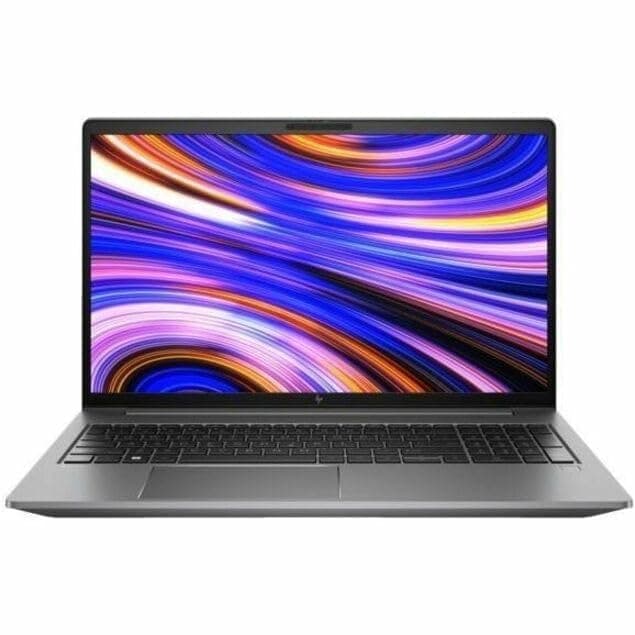
TL;DR The HP ZBook Firefly G10 remains one of the most Windows-optimized professional laptops available in 2026 due to its enterprise-grade hardware certification and long-term driver ecosystem. Built around Intel’s modern platform architecture, the system supports Windows 11 Pro natively, maintains stable compatibility with Windows 10 enterprise deployments, and continues receiving firmware and security updates through HP’s commercial lifecycle program. Unlike consumer laptops that lose optimization after a few update cycles, the Firefly G10 benefits from workstation-class driver validation for productivity software, enterprise applications, docking stations, and professional peripherals. For Indian professionals purchasing Refurbished HP ZBook Firefly G10, Windows compatibility remains a major long-term advantage, ensuring reliable performance across business, engineering, analytics, and hybrid work environments well beyond 2026.
Windows Version Support in 2026 (Windows 10 vs Windows 11 vs Future Updates)
In 2026, operating system compatibility has become a critical purchase factor for professional laptops. The HP ZBook Firefly G10 Workstation Laptop ships with full hardware-level support for Windows 11, including TPM 2.0, Secure Boot, modern power management frameworks, and hybrid CPU scheduling optimization required by Intel’s latest processor architecture. Windows 11 therefore delivers the most stable performance environment for this workstation generation.
Windows 10 compatibility technically remains available, particularly within enterprise deployments that rely on legacy software environments. However, Microsoft’s announced Windows 10 end-of-support timeline means security updates are gradually transitioning toward extended enterprise servicing models. On Firefly G10 hardware, Windows 10 runs reliably, but users may experience reduced optimization in newer scheduling, AI-assisted background management, and battery efficiency features introduced in Windows 11 builds.
Future Windows updates expected beyond 2026 increasingly depend on modern firmware security layers already present in the Firefly G10 platform. This makes the device comparatively future-ready, especially when sourced through professionally maintained workstation inventories such as Refurbo.
Windows Compatibility Overview (2026)
For most users in 2026, Windows 11 Pro represents the recommended operating system for maximizing workstation longevity.
Official HP Driver Availability and Lifecycle Support
One of the strongest advantages highlighted in any HP ZBook Firefly G10 Review is HP’s commercial driver lifecycle strategy. Unlike consumer notebook lines that depend heavily on generic Windows Update drivers, ZBook systems receive dedicated enterprise driver packages validated for stability across professional workloads.
HP distributes drivers through HP Support Assistant and enterprise SoftPaq repositories, ensuring compatibility for graphics drivers, chipset firmware, Thunderbolt controllers, networking modules, and power management systems. These drivers undergo certification testing with professional applications frequently used in engineering, analytics, and enterprise environments. This validation significantly reduces software conflicts commonly observed on gaming or consumer laptops after major Windows updates.
In 2026, driver availability remains strong because ZBook platforms typically receive extended support cycles lasting several years beyond launch. Graphics drivers for Intel Iris Xe and optional NVIDIA professional GPUs continue receiving optimization updates aligned with workstation usage rather than gaming performance priorities. This distinction improves reliability during CAD viewing, virtualization environments, and heavy multitasking workflows.
For buyers evaluating HP ZBook Firefly G10 Price in India against long-term usability, driver continuity becomes an important hidden value factor. Refurbished enterprise units often retain better long-term OS compatibility than similarly priced new consumer laptops because manufacturers maintain workstation certification ecosystems longer.
The result is predictable behavior after Windows updates, reduced compatibility failures, and sustained professional stability, a defining characteristic of enterprise ZBook platforms in 2026.
BIOS Updates and Firmware Stability in 2026
Firmware stability plays a decisive role in long-term workstation usability, and the HP ZBook Firefly G10 benefits significantly from HP’s enterprise BIOS ecosystem. Unlike consumer laptops where BIOS updates are infrequent or risk instability, ZBook systems follow HP’s commercial update lifecycle designed for corporate fleets operating across multiple years.
By 2026, HP continues delivering BIOS revisions addressing security vulnerabilities, processor microcode updates, and Windows compatibility refinements. These updates improve memory handling, thermal response logic, Thunderbolt security layers, and hybrid CPU scheduling efficiency introduced with newer Windows builds. Firmware updates also maintain compatibility with virtualization tools and enterprise encryption environments widely used in consulting, finance, and engineering organizations.
A major advantage of Firefly G10 firmware design is rollback safety. HP BIOS environments allow controlled downgrade paths if enterprise software conflicts appear after updates. This capability is particularly valuable for Indian businesses running legacy ERP or taxation software that may depend on stable firmware behavior rather than cutting-edge updates.
Thermal control algorithms embedded within BIOS updates also influence sustained performance under Windows 11. Improved fan curves and power allocation policies ensure stable CPU frequencies during prolonged workloads such as analytics modeling or large spreadsheet computation. In practical usage, this results in fewer unexpected throttling events after OS upgrades.
Overall, firmware maturity ensures the Firefly G10 remains a stable long-term professional platform, minimizing risks typically associated with major operating system transitions.
Compatibility With Microsoft 365, Office, and Enterprise Applications
In 2026, professional productivity depends heavily on seamless integration with enterprise software ecosystems. The Firefly G10 demonstrates strong compatibility with Microsoft 365, enterprise Office deployments, and business-critical applications due to its workstation certification and optimized Windows driver stack.
Applications such as Excel, Power BI, Outlook, Teams, SAP interfaces, browser-based ERP platforms, and accounting environments run efficiently thanks to modern multi-core scheduling and fast DDR5 memory bandwidth. Heavy Excel datasets involving macros, pivot modeling, or financial simulations benefit from improved thread allocation available in Windows 11 environments.
The workstation also performs reliably in hybrid corporate environments combining desktop applications with cloud workflows. Video conferencing through Teams or Zoom maintains stable performance even during simultaneous multitasking sessions involving spreadsheets, browsers, and presentation software. This stability becomes especially important for professionals working remotely or handling client-facing workloads.
Enterprise Application Compatibility (2026)
For buyers evaluating the Refurbished HP ZBook Firefly G10, enterprise software compatibility remains one of the strongest long-term advantages compared to consumer ultrabooks operating in similar price ranges.
Performance Optimization on Latest Windows Builds
Modern Windows builds increasingly rely on intelligent workload distribution between performance and efficiency cores. The Firefly G10 platform is specifically optimized for this architecture, allowing Windows 11 to dynamically prioritize foreground professional tasks while minimizing background power consumption.
In real-world use, optimization improvements appear in faster application launch times, smoother multitasking, and reduced system lag during heavy browser or analytics sessions. Windows memory compression, GPU acceleration for UI rendering, and hardware scheduling enhancements collectively improve responsiveness under professional workloads.
Storage optimization also contributes significantly. NVMe SSD configurations supported by the Firefly G10 take advantage of DirectStorage and improved file indexing introduced in recent Windows builds. Large project files open faster, and system wake-from-sleep times remain nearly instantaneous even after prolonged standby periods.
Another optimization area involves AI-assisted Windows features introduced in newer updates. Background noise suppression, intelligent webcam framing, and adaptive performance modes operate efficiently without heavily impacting CPU performance. These improvements make the workstation particularly effective for hybrid work environments common across Indian corporate and consulting sectors.
When maintained with updated drivers and firmware, the Firefly G10 delivers consistent performance scaling across Windows updates, avoiding the gradual slowdown often experienced on unsupported consumer hardware. This ensures sustained usability well into future operating system generations.
Limitations to Consider Before Upgrading to Latest Windows
While the HP ZBook Firefly G10 offers excellent forward compatibility, upgrading immediately to every new Windows release is not always the optimal decision for professional users. Enterprise-class laptops prioritize stability over early adoption, and this principle becomes important in 2026 as Windows updates increasingly introduce AI services, background telemetry, and evolving driver frameworks.
One limitation involves legacy enterprise applications still optimized for earlier Windows environments. Certain accounting tools, proprietary ERP platforms, engineering plugins, or internally developed corporate software may experience interface scaling inconsistencies or permission conflicts after major updates. Professionals using GST software stacks, financial automation tools, or older database environments should validate compatibility before upgrading.
Another consideration is driver maturity. Although HP releases updated drivers promptly, GPU and docking drivers sometimes require several update cycles before achieving peak stability on newly released Windows builds. Early adopters may temporarily encounter minor issues such as external display detection delays or power-profile inconsistencies.
Windows 11’s expanding AI-based background services can also increase idle resource consumption. On systems configured with lower RAM capacities, users may notice higher baseline memory usage compared to earlier builds. This does not significantly affect performance but may influence multitasking efficiency during heavy workloads.
Therefore, professionals relying on uninterrupted productivity environments should adopt a delayed upgrade strategy, allowing enterprise driver ecosystems to stabilize before transitioning fully to newer Windows versions.
Security Updates and Long-Term Usability Outlook
Security longevity is one of the strongest advantages of workstation-class hardware like the Firefly G10. HP integrates enterprise-grade protection layers combining firmware security, hardware encryption support, and operating system-level safeguards designed for corporate deployments lasting multiple years.
In 2026, Windows 11 security architecture aligns closely with Firefly G10 hardware capabilities. Features such as Secure Boot, TPM 2.0 encryption, virtualization-based security, and Windows Hello biometric authentication operate natively without performance penalties. These mechanisms protect against firmware attacks, credential theft, and ransomware threats increasingly targeting professional systems.
HP’s commercial update ecosystem further enhances long-term usability. BIOS-level protections such as HP Sure Start automatically recover firmware integrity in case of corruption or malicious modification. This reduces downtime risks for professionals handling sensitive financial or organizational data.
From a lifecycle perspective, enterprise ZBook systems typically receive longer driver and firmware support compared to consumer laptops. This ensures continued compatibility with future Windows security patches even as operating systems evolve. Businesses investing in refurbished enterprise machines therefore benefit from extended safe usability beyond typical consumer upgrade cycles.
For Indian professionals planning multi-year ownership, the Firefly G10 offers a future-ready security foundation, maintaining compliance with evolving corporate IT requirements and remote-work security standards.
Driver Support for External Devices and Docking Stations
Modern professional workflows depend heavily on peripheral ecosystems, and the Firefly G10 excels in external device compatibility due to its workstation certification framework. USB-C, Thunderbolt, HDMI, and enterprise docking interfaces receive dedicated driver optimization under Windows environments.
Docking station compatibility remains particularly strong. HP Thunderbolt docks enable multi-monitor setups, wired networking, peripheral expansion, and charging through a single cable connection. Updated drivers ensure stable hot-plug functionality, allowing professionals to transition seamlessly between office desks and remote workspaces.
External GPUs, high-resolution monitors, storage arrays, printers, and conferencing hardware function reliably due to standardized enterprise driver support. Creative professionals and analysts frequently operate dual or triple-monitor environments, and Windows display handling on the Firefly G10 remains stable even under extended uptime conditions.
Peripheral reliability also benefits IT-managed workplaces where standardized drivers must operate across multiple machines. Device recognition issues common in consumer laptops are largely absent because workstation drivers undergo certification testing for professional environments.
In practical terms, this means consultants, engineers, educators, and analysts can maintain consistent workflows whether operating from home offices, corporate setups, or shared coworking environments. The Firefly G10’s strong external compatibility significantly extends productivity potential beyond the laptop itself.
Who Should Upgrade and Who Should Stay on Current Windows Version
Choosing the correct Windows version on the HP ZBook Firefly G10 in 2026 depends less on hardware capability and more on workflow dependency and software environment maturity. From a hardware perspective, the Firefly G10 fully supports modern Windows environments thanks to Intel Core Ultra architecture, integrated AI acceleration blocks, and enterprise firmware optimization. However, professional usage scenarios vary significantly.
Users working in modern cloud ecosystems benefit the most from upgrading to Windows 11. Professionals using Microsoft 365 collaboration platforms, browser-based ERP systems, analytics dashboards, and AI-assisted productivity tools gain measurable efficiency improvements through improved task scheduling and memory handling. Windows 11’s updated power management also improves background efficiency, helping maintain consistent performance during multitasking-heavy workflows.
On the other hand, organizations running legacy enterprise applications may prefer remaining temporarily on stabilized Windows builds. Accounting environments, institutional software deployments, and proprietary engineering applications sometimes depend on older frameworks optimized around Windows 10 behavior. Immediate upgrades may introduce compatibility inconsistencies until vendors release updated patches.
Another important factor is IT policy control. Many enterprises intentionally delay OS upgrades by 6–12 months to ensure driver maturity and internal validation. This strategy remains practical even in 2026 because workstation systems prioritize reliability over experimental features.
In simple terms, users focused on modern productivity and AI-enabled workflows should upgrade, while mission-critical legacy environments benefit from controlled migration timelines rather than immediate transitions.
Final Recommendation And Decision Framework
The Firefly G10 represents one of the most Windows-ready thin workstations available in 2026. Its platform architecture aligns closely with Microsoft’s evolving operating system roadmap, ensuring compatibility across productivity, enterprise security, and professional application ecosystems for several years ahead.
From a long-term usability standpoint, Windows 11 emerges as the most balanced operating environment for this system. It unlocks improved scheduling efficiency for hybrid CPUs, better battery optimization, enhanced security enforcement, and smoother multitasking performance. Professionals working in consulting, analytics, programming, education, or corporate environments will experience the greatest benefit from maintaining updated Windows environments supported by HP’s commercial driver ecosystem.
However, upgrade decisions should always follow workflow evaluation rather than trend adoption. Users dependent on legacy applications or tightly controlled enterprise infrastructures should transition gradually after verifying application certification and driver stability. The Firefly G10’s strength lies precisely in this flexibility, it performs reliably across both modern and conservative deployment strategies.
For buyers considering Refurbished HP ZBook Firefly G10 systems, Windows compatibility longevity significantly enhances value retention. Unlike consumer laptops that lose update support quickly, workstation platforms continue receiving firmware and security updates well into extended ownership cycles.
The practical decision framework therefore becomes straightforward: adopt newer Windows versions for productivity evolution, but prioritize stability where workflow continuity outweighs feature adoption.
Frequently Asked Questions (FAQs)
Q. Does HP ZBook Firefly G10 support Windows 11 officially?
A. Yes, it fully meets Microsoft Windows 11 hardware and security requirements including TPM 2.0 and Secure Boot support.
Q. Can Windows 10 still run smoothly on the Firefly G10 in 2026?
A. Yes, Windows 10 runs reliably, though long-term security and optimization increasingly favor Windows 11 environments.
Q. Are drivers easily available for HP ZBook Firefly G10?
A. Yes, HP continues providing enterprise-certified drivers through official support and SoftPaq repositories.
Q. Is upgrading Windows safe on refurbished Firefly G10 units?
A. Yes, as long as BIOS firmware and drivers are updated before performing the upgrade.
Q. Does Windows 11 improve performance on this workstation?
A. Yes, hybrid CPU scheduling and modern optimization improve multitasking efficiency and responsiveness.
Q. Will older enterprise software work on Windows 11?
A. Most applications work normally, but legacy tools should be validated before upgrading.
Q. Are docking stations fully supported after Windows updates?
A. Yes, Thunderbolt and USB-C docking solutions remain stable with updated drivers.
Q. How long will HP ZBook Firefly G10 continue receiving updates?
A. Enterprise ZBook platforms typically receive longer driver and firmware support than consumer laptops.
Q. Does Windows AI integration affect performance negatively?
A. No, AI-assisted background features are optimized and generally do not impact professional workloads significantly.
Q. Is the Firefly G10 future-ready for upcoming Windows updates?
A. Yes, its modern enterprise architecture ensures strong compatibility with future Windows releases.
Ready to upgrade your tech?
Browse our collection of quality refurbished products at unbeatable prices.






