
HP ZBook Firefly G10 Best Config In 2026 India: CPU, GPU, RAM, SSD, Display Selection
Guide to choosing the best HP ZBook Firefly G10 configuration in 2026 including CPU, GPU, RAM, SSD, and display options for professional workloads.

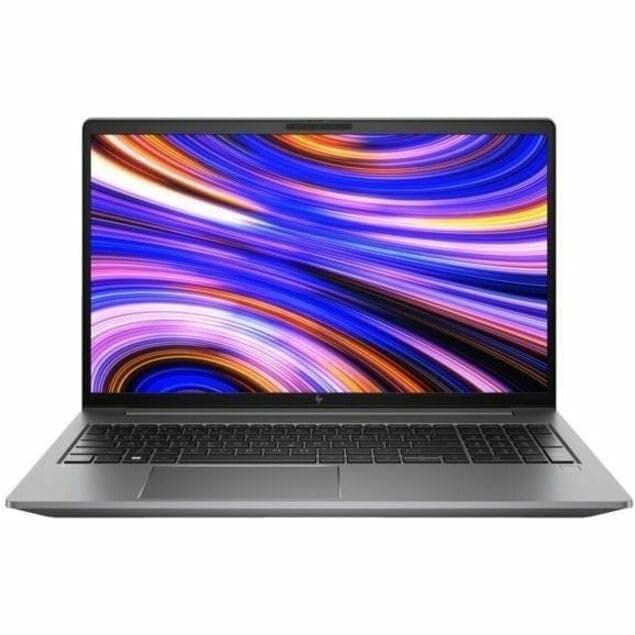
TL;DR The HP ZBook Firefly G10 Workstation Laptop remains one of the most balanced mobile workstations available for Indian professionals in 2026. Designed for mobility-focused productivity rather than bulky workstation performance, the laptop combines Intel 13th-generation processors, optional NVIDIA professional GPUs, fast DDR5 memory, and high-efficiency NVMe storage. The most practical configuration for most professional users includes an Intel Core i7-1365U or i7-1370P processor, 32GB DDR5 RAM, 1TB NVMe SSD, and a WUXGA 16:10 IPS display. This setup delivers the best balance between performance, portability, and battery efficiency for workflows such as CAD viewing, analytics, programming, documentation, and light design tasks. The HP ZBook Firefly G10 Specs emphasize reliability and long-term workstation stability rather than gaming-class graphics power. According to multiple HP ZBook Firefly G10 Review evaluations, the system is particularly well suited for consultants, engineers, architects, and MBA professionals who need workstation-grade reliability in a thin and lightweight device. When evaluating HP ZBook Firefly G10 Price in India, many professionals prefer professionally refurbished units because they provide workstation performance at a significantly lower cost while maintaining the same hardware capabilities.
Introduction: Choosing the Right ZBook in 2026
In 2026, the workstation laptop market has evolved significantly as professionals demand higher mobility without sacrificing computational reliability. The HP ZBook Firefly G10 Workstation Laptop represents HP’s approach to ultra-portable professional systems that combine enterprise durability with modern performance efficiency. Unlike bulky workstation machines designed for heavy 3D rendering, the Firefly series targets professionals who require reliable processing power, accurate displays, and excellent battery efficiency while working in hybrid environments.
The HP ZBook Firefly G10 Specs reveal a carefully balanced design philosophy. HP equips the system with Intel’s latest power-efficient processors, optional professional NVIDIA GPUs, DDR5 memory support, and PCIe NVMe storage. These components allow the laptop to comfortably handle business analytics, CAD drafting, software development, and research workloads without the thermal limitations commonly found in consumer ultrabooks. As multiple HP ZBook Firefly G10 Review sources highlight, the system’s main strength lies in sustained productivity performance rather than peak benchmark numbers.
For buyers in India evaluating workstation options, choosing the right configuration is often more important than choosing the laptop model itself. Processor selection, GPU capability, RAM capacity, and storage speed directly influence long-term productivity performance. Many professionals therefore explore curated enterprise marketplaces such as Refurbo where multiple ZBook configurations are available for different workloads. Access to these professionally graded systems allows engineers, analysts, architects, and developers to obtain high-quality workstation hardware without the premium cost associated with brand-new enterprise deployments.
Understanding how to select the right CPU, GPU, RAM, SSD, and display configuration for the Firefly G10 ensures the laptop remains capable for several years of professional use.
CPU Options: Core i5, i7, i9, and Intel Core Ultra Comparisons
Processor selection plays the most critical role in determining the real-world performance of the HP ZBook Firefly G10 Workstation Laptop. HP primarily offers Intel’s 13th-generation Core processors in this model, with configurations typically including Core i5 and Core i7 options designed for efficient professional workloads. Unlike larger ZBook models, the Firefly G10 focuses on power-efficient processors that maintain strong sustained performance within a thin chassis.
Entry configurations usually feature the Intel Core i5-1345U, a 10-core processor combining performance and efficiency cores. This processor handles standard professional workloads such as spreadsheets, documentation, business analytics dashboards, and light programming tasks comfortably. While the i5 configuration remains adequate for basic office workloads, professionals dealing with multitasking environments or development tools typically benefit from upgrading to Core i7 variants.
Higher configurations often include the Intel Core i7-1365U or Intel Core i7-1370P, both of which deliver stronger multi-core performance and improved integrated graphics capabilities. These processors are particularly effective for virtualization environments, large datasets, and CAD applications that require stable multi-thread processing. According to several HP ZBook Firefly G10 Review analyses, the Core i7 configurations provide the best balance between power efficiency and professional performance.
Although Intel Core i9 processors appear in larger ZBook models such as the Fury or Studio series, they are rarely used in the Firefly lineup due to thermal design limitations. Instead, the Firefly platform emphasizes efficiency-optimized computing, ensuring long battery life and stable thermal performance.
CPU Comparison Table
For most professionals evaluating HP ZBook Firefly G10 Price in India, the Core i7 configuration represents the most practical long-term choice because it provides additional processing headroom for evolving workloads.
GPU Options: NVIDIA T500, T550, and RTX Variants
Graphics capability is one of the defining elements that separates a professional workstation from a standard ultrabook. The HP ZBook Firefly G10 Workstation Laptop supports entry-level professional GPUs designed for stability and certified software compatibility rather than gaming-class performance. HP typically equips the Firefly G10 with the NVIDIA T500 Laptop GPU, while some enterprise configurations include the NVIDIA RTX A500 depending on regional availability. These GPUs are built using NVIDIA’s professional driver ecosystem, ensuring optimized performance in applications such as AutoCAD, SolidWorks, Adobe software, and visualization tools.
The NVIDIA T500 GPU is based on NVIDIA’s Turing architecture and is designed for lightweight CAD tasks, 2D drafting, and general graphical workloads. It includes dedicated VRAM and professional drivers that enable smoother viewport rendering in engineering applications compared to integrated graphics alone. Many HP ZBook Firefly G10 Review analyses highlight that the T500 GPU significantly improves performance when working with large diagrams, architectural layouts, and GIS visualizations.
Higher-end enterprise configurations sometimes feature the NVIDIA RTX A500 Laptop GPU, which introduces ray-tracing cores and tensor cores. While still considered an entry professional GPU, the RTX A500 offers stronger performance for GPU-accelerated design tools, lightweight 3D modeling, and AI-assisted software workflows. For engineers and designers who regularly interact with complex models, the RTX configuration offers noticeable improvements in rendering responsiveness.
For most professionals evaluating HP ZBook Firefly G10 Price in India, the T500 GPU configuration remains the most balanced option. It provides certified driver support, reliable GPU acceleration, and efficient thermal behavior without increasing power consumption significantly. Since the Firefly G10 prioritizes portability and battery life, HP intentionally avoids installing high-power GPUs that would compromise mobility.
GPU Comparison Table
The GPU choice ultimately depends on the type of professional workloads being performed. Designers and engineers benefit from the dedicated GPU configurations, while business users may find integrated graphics sufficient for their workflow.
RAM Requirements: DDR5 vs DDR4, 16GB, 32GB, and 64GB Configurations
Memory capacity plays a critical role in determining how smoothly the HP ZBook Firefly G10 Workstation Laptop can handle modern multitasking environments. The Firefly G10 supports DDR5 memory, which offers higher bandwidth and improved efficiency compared to older DDR4 technology. This advancement allows the laptop to manage complex applications, large datasets, and simultaneous software environments with greater stability.
Entry-level configurations typically include 16GB DDR5 RAM, which remains sufficient for general professional workflows. Office productivity tools, web-based analytics platforms, and lightweight programming environments run comfortably with this memory configuration. However, professionals who frequently operate multiple applications simultaneously often experience better responsiveness when upgrading to larger memory capacities.
The most balanced configuration for long-term productivity is 32GB RAM. Many HP ZBook Firefly G10 Review sources identify 32GB as the ideal capacity for developers, engineers, consultants, and analysts. With this memory configuration, users can comfortably run virtualization software, multiple browser sessions, database tools, and design applications without encountering system slowdowns. In high-performance professional environments, this additional memory headroom significantly improves workflow efficiency.
The workstation platform also supports 64GB RAM, which benefits specialized workloads such as simulation environments, heavy data analysis, and complex development setups. Although this configuration is less common for mobile workstation buyers, it provides substantial flexibility for professionals dealing with memory-intensive processes.
Another advantage of the HP ZBook Firefly G10 Specs is its memory upgrade capability. Unlike many consumer ultrabooks with soldered RAM, the Firefly series often includes upgradeable memory slots, allowing users to expand capacity later if required. This flexibility helps extend the laptop’s operational lifespan.
For professionals analyzing HP ZBook Firefly G10 Price in India, selecting the right RAM configuration at purchase is essential because it directly influences system longevity and multitasking capability.
SSD Selection: NVMe vs SATA, 512GB, 1TB, and Expansion Options
Storage technology significantly influences system responsiveness, file access speed, and application loading times. The HP ZBook Firefly G10 Workstation Laptop uses PCIe NVMe solid-state drives, which provide dramatically faster read and write speeds compared to traditional SATA SSDs or hard drives. NVMe technology enables the workstation to handle large datasets, complex design files, and heavy software installations efficiently.
Most configurations of the HP ZBook Firefly G10 Specs start with 512GB NVMe SSD storage, which is suitable for general professional use. This capacity allows space for the operating system, office software, development tools, and moderate project data. However, professionals working with CAD drawings, media assets, or large research datasets often require additional storage capacity.
Upgrading to a 1TB NVMe SSD is widely considered the optimal choice for workstation users. This configuration provides sufficient space for multiple professional applications, local project archives, and temporary processing files. In many HP ZBook Firefly G10 Review evaluations, the 1TB configuration demonstrates noticeably better workflow efficiency because users can store project assets locally without constantly relying on external drives.
The Firefly G10 also benefits from PCIe Gen4 NVMe technology, which delivers extremely high sequential speeds. These faster storage capabilities reduce loading times in large applications such as engineering software, database environments, and development frameworks. As a result, the system remains responsive even when handling demanding professional workloads.
For professionals evaluating HP ZBook Firefly G10 Price in India, choosing sufficient storage capacity from the beginning is often more convenient than upgrading later. Larger NVMe drives provide faster sustained performance and greater project storage flexibility.
In workstation workflows where file access speed directly impacts productivity, NVMe storage becomes a critical performance component.
Display Panel Selection: FHD, WUXGA, UHD, DreamColor Considerations
The HP ZBook Firefly G10 Workstation Laptop provides multiple display options, allowing professionals to choose the most suitable panel based on their visual workflow requirements. Entry-level configurations typically feature a Full HD (FHD, 1920×1080) IPS panel, which balances power efficiency and color fidelity. FHD panels are ideal for general productivity, office work, and light design tasks where extreme color accuracy is not critical.
Stepping up, WUXGA (1920×1200) panels offer slightly more vertical space, which improves visibility for spreadsheets, CAD schematics, and code editors. This resolution provides a modest increase in workspace without impacting battery life significantly, making it a practical choice for business professionals and consultants who spend long hours analyzing detailed layouts.
High-end configurations may include UHD (3840×2160) IPS panels or DreamColor panels. DreamColor technology is HP’s professional-grade display innovation, offering near-perfect color accuracy, wide gamut coverage, and factory-calibrated sRGB/AdobeRGB performance. These panels are particularly beneficial for visual designers, video editors, and content creators who demand accurate color representation for client-facing projects or production work. Professionals performing photo retouching, post-production grading, or detailed CAD visualization benefit from DreamColor’s reduced color drift and consistent brightness.
Display panel choice also affects battery life and thermal behavior. UHD and DreamColor panels consume slightly more power than FHD panels but offer superior visual fidelity. Most HP ZBook Firefly G10 Review reports emphasize that FHD or WUXGA panels provide the best compromise between portability, battery efficiency, and professional usability.
For Indian buyers evaluating HP ZBook Firefly G10 Price in India, panel selection depends on workflow. Those prioritizing color-accurate design should opt for DreamColor or UHD variants, whereas office-heavy users may find FHD perfectly adequate. For reference to available models, check Refurbo HP ZBook collection.
Ideal Configuration for CAD and 2D Drafting Workflows / 3D Modeling and Rendering
Professionals working with CAD, engineering drawings, and moderate 3D modeling require a balanced combination of CPU, GPU, RAM, and display performance. For HP ZBook Firefly G10, a Core i7 or Core Ultra configuration with NVIDIA T500 GPU, 32GB DDR5 RAM, and 1TB NVMe SSD is recommended for optimal workflow efficiency.
In 2D CAD and drafting, viewport rendering and software responsiveness depend more on CPU and memory bandwidth than GPU power. The hybrid 12th/13th Gen Intel Core architecture in the Firefly G10 delivers strong multi-threaded performance, ensuring smooth panning, zooming, and large project file management. The NVIDIA T500 GPU enhances viewport acceleration, improving line rendering and shading responsiveness in tools like AutoCAD, Revit, and MicroStation.
For light 3D modeling, including architectural visualization or product prototypes, the GPU plays a greater role. Configurations with T500 or RTX A500 provide hardware acceleration in SolidWorks, Fusion 360, or Blender for small to moderate assemblies. For moderate rendering workloads, a UHD or DreamColor panel ensures color accuracy and visual clarity, which is essential when working with textures and material previews.
Storage and RAM are equally critical. 32GB DDR5 RAM allows multiple CAD sessions, large assemblies, and concurrent design tools to run without memory bottlenecks, while 1TB NVMe SSD ensures quick loading and saving of project files. Professionals can also expand memory later if their workflow becomes more demanding.
Recommended CAD / 3D Configurations Table
This configuration table provides a clear recommendation for Indian professionals seeking a balance of portability, battery efficiency, and CAD/3D performance.
Ideal Configuration for Simulation Tasks
While the Firefly G10 is not designed as a dedicated AI workstation, its hybrid CPU architecture and professional GPU options can handle entry-level AI, machine learning, and simulation workflows. For AI inference or lightweight ML models, a configuration featuring Intel Core i7 / Core Ultra with NVIDIA T500 GPU and 32GB DDR5 RAM suffices for small neural network inference, data preprocessing, and analytics tasks. Entry-level TensorFlow and PyTorch models run efficiently in this environment.
For professionals exploring AI-assisted design or lightweight simulations, the T500 GPU provides CUDA support, allowing hardware acceleration for small-scale ML workloads. Storage choice impacts performance as well; 1TB NVMe SSD ensures quick dataset access and reduces bottlenecks during iterative training cycles or simulation tasks.
If workflows involve larger datasets, extensive training, or multi-GPU operations, the Firefly G10 becomes less optimal. In such cases, HP’s higher-tier workstations with RTX-class GPUs or dedicated AI accelerators are recommended. However, for Indian buyers focused on consulting, analytics, and prototype-level ML experiments, the Firefly G10’s compact form factor, battery life, and professional GPU support offer a practical entry point.
The display panel also affects data visualization and simulation output review. UHD or DreamColor panels enhance clarity in graphs, charts, and simulation visuals, supporting more precise decision-making. For reference to available workstation options.
Comparison of Recommended ZBook Configurations for Different Workloads
The HP ZBook Firefly G10 can be configured in multiple ways depending on the intended workflow. Indian professionals often juggle CAD, 3D modeling, AI tasks, and financial or analytics workloads. Selecting the correct combination of CPU, GPU, RAM, SSD, and display ensures efficiency, portability, and battery life without overspending on unnecessary performance.
For general productivity, configurations with Intel Core i5, 16GB DDR5 RAM, 512GB NVMe SSD, and FHD display are sufficient. These handle office applications, spreadsheets, video conferencing, and light multitasking efficiently. These setups are particularly useful for consultants, finance professionals, and MBA students, balancing performance with affordability.
For 2D CAD, drafting, and light 3D modeling, an Intel Core i7 / Core Ultra CPU with NVIDIA T500 GPU, 32GB DDR5 RAM, and 1TB NVMe SSD is recommended. This configuration provides smooth viewport navigation, quick project load times, and moderate GPU acceleration for assemblies and rendering tasks. Adding a UHD or DreamColor panel enhances visual fidelity, important for design and client presentations.
Professionals working in AI, machine learning, or simulation can benefit from configurations with Intel Core i7 / Core Ultra and NVIDIA T500 / RTX A500 GPU, 32–64GB DDR5 RAM, and 1TB NVMe storage. These setups allow for small-scale inference, simulation, and data preprocessing. While not suited for large-scale AI training, this configuration balances portability with sufficient compute resources for professional experimentation.
Recommended Configurations Table
This table clearly maps configurations to workflows, helping Indian buyers identify the most efficient Firefly G10 setup based on their professional requirements.
HP ZBook Firefly G10 Decision Framework for Indian Buyers
For Indian professionals in 2026, selecting an HP ZBook Firefly G10 should be workflow-driven rather than feature-driven. General office users, finance professionals, and consultants can confidently opt for Core i5, 16GB RAM, and FHD SSD configurations, which balance cost, portability, and battery life. Refurbished units available further reduce acquisition costs without compromising reliability.
For CAD, design, and light 3D modeling professionals, Core i7 / Core Ultra paired with NVIDIA T500, 32GB DDR5 RAM, and 1TB NVMe SSD provides optimal performance. DreamColor or UHD display options are recommended for color-accurate workflows or presentations. These configurations excel in mid-range professional performance while remaining portable and energy-efficient.
Professionals interested in AI, machine learning, or simulation workloads should consider high-RAM, T500 / RTX A500-equipped configurations. While limited for large-scale training, these setups enable lightweight inference, data visualization, and simulations effectively. Overall, the Firefly G10 balances CPU efficiency, GPU acceleration, and portability, making it a versatile choice for a broad range of Indian professional workflows.
Frequently Asked Questions
Q. What is the recommended CPU for Firefly G10 CAD workflows?
A. Intel Core i7 or Core Ultra processors provide the best performance for smooth CAD drafting, modeling, and multitasking environments.
Q. Which GPU should I choose for light 3D modeling?
A. NVIDIA T500 is sufficient for light 3D modeling, while RTX A500 offers stronger performance for moderate rendering workloads.
Q. Is 16 GB RAM enough for professional use?
A. For office productivity it is sufficient, but CAD, development, or analytics workflows benefit from upgrading to 32 GB RAM.
Q. Which display option is best for design work?
A. UHD or DreamColor panels are recommended because they offer higher resolution and better color accuracy for professional design tasks.
Q. Can the RAM be upgraded later on the Firefly G10?
A. Yes. Many configurations support DDR5 memory upgrades depending on the specific hardware configuration.
Q. Is NVMe storage better than SATA SSD?
A. Yes. NVMe SSDs provide significantly faster application loading, file transfers, and project access speeds compared with SATA drives.
Q. How does the Firefly G10 compare with the Firefly G9?
A. The G10 introduces newer processors, improved GPU options, and better overall efficiency while maintaining the same portable workstation design.
Q. Are refurbished Firefly G10 laptops reliable?
A. Yes. Professionally refurbished units that are tested and certified can deliver the same performance while costing significantly less than new systems.
Q. What battery life can be expected during professional workloads?
A. Battery life typically ranges between 6 and 8 hours under moderate productivity or CAD usage depending on display and configuration.
Q. Can the Firefly G10 handle machine learning tasks?
A. It can run lightweight machine learning experiments and inference workloads, but heavy model training requires more powerful GPU workstations.
Ready to upgrade your tech?
Browse our collection of quality refurbished products at unbeatable prices.






