
HP ZBook Firefly 14 Upgradeability In 2026: RAM Slots, SSD Slots, And Service Access
Explore HP ZBook Firefly 14 upgradeability in 2026. Learn about RAM slots, SSD expansion, battery replacement, and service access before buying refurbished.

TL;DR The HP ZBook Firefly 14 remains one of the smartest thin-and-light professional laptops to buy in 2025, and its value becomes even stronger in 2026 because upgradeability directly improves long-term ROI in the refurbished market. Earlier generations, especially G7 and G8, continue to stand out for their dual RAM slots, NVMe SSD flexibility, battery accessibility, clean service layout, and enterprise-grade maintenance friendliness, making them far more future-ready than many sealed premium ultrabooks. For engineers, MBA students, analysts, developers, consultants, and creative professionals, this ability to scale RAM, replace storage, refresh the battery, and maintain thermals can easily extend usable life by several more years.
Why Upgradeability Matters More Than Ever in 2026
In 2026, the smartest laptop buying decisions are no longer made purely around processor branding. A newer CPU may look attractive on paper, but real long-term value increasingly depends on whether the machine can adapt to changing workloads over the next three to five years. Professional workflows now involve heavier browser sessions, larger Excel models, multiple collaboration tools, cloud sync folders, local AI tools, data dashboards, virtual machines, and increasingly larger project libraries. In this reality, a laptop that cannot scale often feels restrictive long before its processor actually becomes outdated.
This is exactly why the HP ZBook Firefly 14 remains highly relevant. HP’s workstation-first design philosophy means that many generations still preserve meaningful access to RAM, SSD, battery, cooling, and wireless modules, which gives buyers much stronger long-term ownership confidence. Instead of replacing the entire machine when workloads increase, users can often solve the problem through targeted upgrades.
For Indian buyers, especially those exploring the refurbished market, this changes the economics significantly. A slightly older Firefly with upgrade-friendly internals often provides better three-year and five-year value than a newer sealed ultrabook, because RAM, SSD, and battery improvements can be done later at a fraction of the cost of buying a new laptop.
Understanding Generation Differences Before You Buy
One of the most important parts of buying a ZBook Firefly 14 is understanding that upgradeability differs by generation. Many buyers make the mistake of assuming that every Firefly 14 offers the same internal flexibility, but this is not always true. The exact model year directly affects how safe the laptop is as a long-term investment.
The G7 and G8 generations remain the strongest recommendations for buyers who care about future upgrades. These models most consistently include dual SO-DIMM RAM slots and accessible NVMe storage, which makes them ideal for refurbished buyers who may want to start with a lower-cost configuration and improve it later. These generations also continue to offer excellent service access for battery and cooling maintenance.
Some G9 variants require more caution. Certain SKUs introduced LPDDR5 soldered memory, which means future RAM upgrades may not be possible. While the laptop itself may still be excellent for fixed workflows, it loses one of the biggest reasons professionals choose the Firefly line in the first place. That is why buyers focused on maximum long-term flexibility should strongly prioritise G7 and G8 whenever possible.
Generation Upgradeability Table
| Generation | RAM Type | RAM Upgrade | SSD Upgrade | Best For |
|---|---|---|---|---|
| G7 | DDR4 SO-DIMM | Excellent | Excellent | Developers, analysts |
| G8 | DDR4 SO-DIMM | Excellent | Excellent | Engineers, MBA users |
| G9 | Mixed LPDDR5/DDR5 | Varies by SKU | Good | Fixed long-term workflows |
RAM Upgradeability and Why It Changes Long-Term ROI
The biggest long-term advantage of the Firefly 14 G7 and G8 is its RAM flexibility. Most of these models provide two physical SO-DIMM slots, which allows true dual-channel memory performance along with meaningful future scaling. This matters because RAM demand increases much faster than most buyers initially expect.
A student or professional may begin with 16GB RAM and feel comfortable in the first year. But over time, workloads expand into Power BI dashboards, heavier Excel files, SQL tools, local Python notebooks, Tableau, Docker containers, Figma, browser-heavy research, and multiple Teams sessions. In these environments, moving to 32GB or 64GB RAM dramatically improves responsiveness and multitasking comfort.
This is exactly why upgradeable RAM improves ROI. Instead of selling the laptop after two years, the buyer can simply add more memory and restore the machine’s responsiveness for modern workloads. In the refurbished market, this makes the Firefly far more financially rational than premium consumer laptops with fixed memory.
RAM Expansion Table
| Starting RAM | Future Upgrade Path | Best Use Case |
|---|---|---|
| 16GB | 32GB | MBA, coding, analytics |
| 32GB | 64GB | VMs, data science, CAD |
| 64GB | Maximum practical | Enterprise heavy multitasking |
SSD Expansion and Storage Growth for Modern Workflows
Storage flexibility is the second major reason the Firefly 14 continues to age so well. Modern professional laptops are no longer used just for documents and presentations. Users now store local datasets, SQL backups, Docker images, Adobe assets, video files, Power BI exports, client archives, project folders, and even offline AI models.
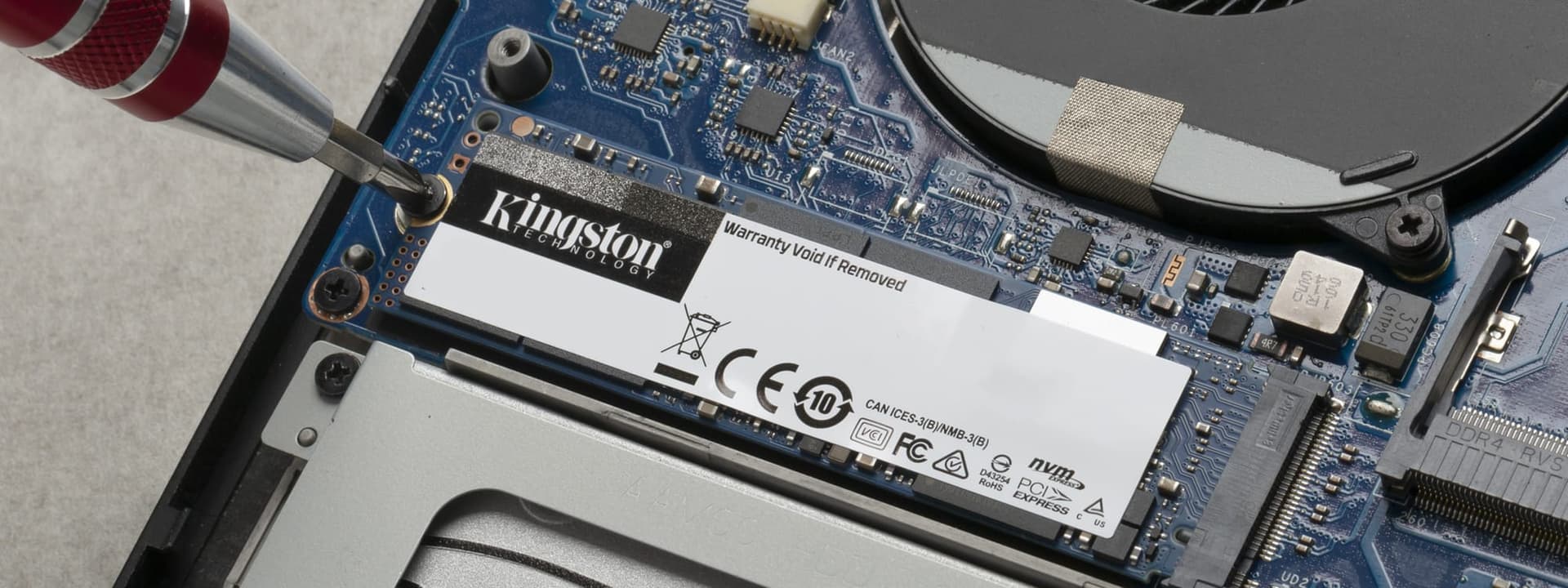
Most Firefly 14 units include at least one M.2 NVMe SSD slot, which makes moving from a 512GB drive to 1TB or 2TB NVMe storage a very practical 2026 upgrade. For many professionals, this single change dramatically improves workflow efficiency because there is no longer constant pressure to offload files or rely too heavily on cloud storage.
Some higher-end configurations may also include support for an additional SSD slot. This creates a much better professional file strategy where the OS and applications stay on the primary drive, while project archives, VM images, or media files live on a second SSD. Over multiple years of ownership, this separation significantly improves file organisation and recovery simplicity.
SSD Upgrade Table
| SSD Type | Recommended Size | Best For |
|---|---|---|
| Primary NVMe | 1TB | OS, apps, office workflows |
| Secondary NVMe | 1TB or 2TB | Projects, VMs, media |
| PCIe Gen | Gen 3 / Gen 4 | Confirm per generation |
Battery Accessibility and Why It Extends Usable Life
One of the most underrated strengths of the Firefly 14 is its internally accessible battery. In many consumer ultrabooks, battery wear permanently reduces ownership quality because replacement is expensive or difficult. The Firefly’s enterprise layout solves this problem much more elegantly.
After removing the bottom panel, the battery is usually straightforward to access. This means a refurbished buyer does not need to reject a good unit simply because battery health has dropped. Instead, the battery can be replaced, restoring the laptop’s portability and making it feel significantly newer in daily use.
For Indian buyers, this dramatically improves long-term value. A refurbished Firefly with a fresh battery can often deliver years of additional reliable mobility, making it far more practical for MBA classes, office commutes, consulting travel, and hybrid work routines.
Cooling Maintenance and Sustained Performance Stability
Upgradeability is not just about adding RAM and SSDs. The ability to maintain thermals is equally important in 2026, because older professional laptops often lose performance due to dust buildup and thermal paste aging rather than weak hardware.
The Firefly 14’s service-friendly design allows access to the fan, heatsink, and thermal assembly, making it easy to clean dust, inspect fan condition, and replace thermal paste. These maintenance steps often produce immediate gains in sustained performance, especially in long sessions involving analytics dashboards, coding, browser research, and Excel-heavy workflows.
This is a major reason enterprise laptops often outlast consumer ultrabooks. A laptop with serviceable thermals can regain stable performance through maintenance, while a sealed machine often slowly declines over time.
Maintenance Benefit Table
| Maintenance Task | Performance Benefit |
|---|---|
| Dust cleaning | Better airflow |
| Thermal paste refresh | Lower CPU temperatures |
| Fan inspection | Reduced throttling |
| Battery replacement | Better portability |
What Refurbished Buyers Must Check Before Final Purchase
The smartest Firefly purchase always starts with verification. Buyers should never assume upgradeability based only on the product name. Instead, always verify the exact generation, RAM slot layout, soldered vs removable memory, SSD slot count, SSD health, battery cycle wear, BIOS lock status, and physical screw condition.
Damaged screw heads, missing screws, or visible internal tampering signs can indicate poor prior service quality. SSD SMART wear percentage is equally important because a heavily used drive may need immediate replacement to avoid data-loss risks. Checking these details before purchase ensures the laptop remains a true long-term investment rather than an unexpected repair project.
For refurbished buyers in India, this verification-first approach is what separates a high-ROI workstation buy from a short-term compromise purchase.
Pre-Purchase Checklist Table
| Checkpoint | Why It Matters |
|---|---|
| RAM slots | Future memory scaling |
| SSD SMART health | Storage lifespan |
| Battery cycles | Mobility confidence |
| BIOS lock | Ownership flexibility |
| Screw condition | Service history clues |
Why the Firefly 14 Still Remains a Smart Professional Investment
The HP ZBook Firefly 14 continues to remain one of the smartest workstation-style ultrabooks because it preserves something increasingly rare: thin portability with meaningful hardware flexibility. In a market filled with soldered memory, sealed batteries, and fixed SSD limits, that flexibility is a major differentiator.
For engineers, consultants, MBA students, developers, analysts, and enterprise professionals, its real value lies in the confidence that the machine can grow with heavier RAM needs, larger storage demands, future battery replacements, and thermal servicing cycles. That makes it much more future-safe than many premium ultrabooks that look modern but age poorly.
In 2026, especially in India’s refurbished market, this combination of serviceability, enterprise reliability, and upgrade headroom is exactly why the Firefly 14 remains one of the best long-term thin workstation investments.
Frequently Asked Questions
Q. Is the HP ZBook Firefly 14 still RAM upgradeable in 2026?
Yes. The G7 and G8 models are especially strong because they usually provide dual SO-DIMM slots, allowing practical upgrades up to 32GB or 64GB in many configurations.
Q. Which generation should I choose for the best upgradeability?
The G7 and G8 generations remain the best choices because they most consistently offer removable RAM, NVMe SSD flexibility, and better long-term serviceability.
Q. Can I upgrade the SSD to 2TB?
Yes. Most Firefly 14 configurations support practical 1TB and 2TB NVMe SSD upgrades, depending on PCIe generation compatibility.
Q. Is battery replacement realistic in refurbished units?
Yes. The battery is internally accessible after removing the bottom panel, which makes replacement significantly easier than most consumer ultrabooks.
Q. Is it still worth buying refurbished in 2026?
Absolutely. When RAM slots, SSD health, battery wear, and BIOS status are properly verified, the Firefly 14 remains one of the safest thin professional workstation buys in India.
Ready to upgrade your tech?
Browse our collection of quality refurbished products at unbeatable prices.






