
HP ZBook Firefly 14 GPU Performance In 2026: CAD, 3D, And Studio Drivers
Detailed analysis of HP ZBook Firefly 14 GPU performance in 2026 covering NVIDIA T500 and T550 for CAD, 3D modeling, rendering previews, and Studio drivers.

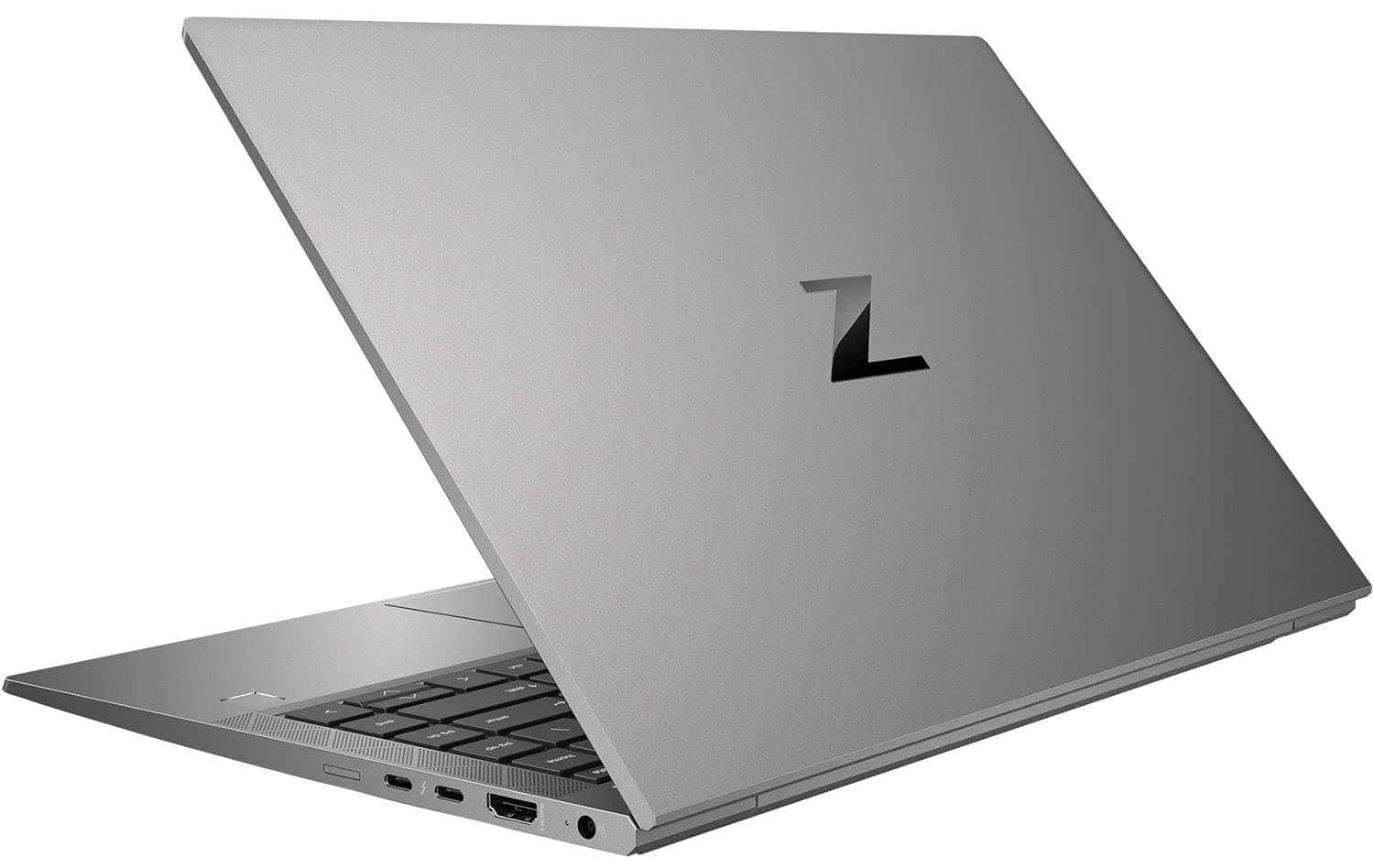
TL;DR The HP ZBook Firefly 14 Workstation Laptop is designed as a lightweight professional workstation that balances portability with reliable GPU acceleration for engineering, CAD visualization, and light 3D workflows. In 2026, this model typically ships with professional GPUs such as the NVIDIA T500 or T550, alongside Intel integrated graphics depending on configuration. These GPUs are optimized through NVIDIA Studio and ISV-certified drivers, ensuring compatibility with software like AutoCAD, SolidWorks, Adobe Premiere Pro, and Blender. While it is not meant for extremely heavy rendering workloads like the larger ZBook Fury or ZBook Studio models, the Firefly 14 provides dependable performance for modeling previews, GPU-accelerated effects, and real-time design visualization. For professionals in architecture, design consulting, or engineering who need a portable workstation capable of reliable GPU tasks, the Firefly series remains one of the most practical mobile workstations available in India in 2026.
Introduction: Importance of GPU in Modern Workstations
The role of the GPU in professional laptops has expanded significantly over the past decade. Earlier mobile workstations relied primarily on CPU power for tasks such as CAD modeling, rendering previews, and simulation. However, modern software platforms increasingly offload computation to graphics processors, making the GPU a critical component in a professional workstation. Applications used in engineering design, architecture visualization, and media editing now rely heavily on GPU acceleration for rendering, viewport performance, and real-time effects processing.
The HP ZBook Firefly 14 Workstation Laptop is part of HP’s thin workstation lineup that combines enterprise reliability with portable design. Unlike gaming GPUs that prioritize frame rates in entertainment applications, the Firefly’s professional graphics solutions are built for software certification and workflow stability. This means the GPU is tuned to operate efficiently with industry tools like AutoCAD, SolidWorks, Adobe Creative Suite, and other productivity applications. The system’s architecture ensures that GPU resources are allocated efficiently without compromising battery life or thermals in a lightweight chassis.
For professionals evaluating workstation laptops in India, it is also common to consider professionally inspected systems available through enterprise workstation marketplaces such as Refurbo These platforms provide access to business-class systems designed for long operational lifecycles. Workstation GPUs in the Firefly series are specifically chosen to support certified drivers and long-term compatibility with enterprise software environments. As GPU-accelerated workflows become more common across industries in 2026, the importance of selecting a laptop with stable graphics hardware continues to grow.
HP ZBook Firefly 14 GPU Options in 2026: T500, T550
The HP ZBook Firefly 14 Specs vary depending on configuration, but the GPU options available in this workstation are designed to prioritize stability and professional application compatibility. Most Firefly 14 models ship with NVIDIA T500 or NVIDIA T550 professional GPUs, which belong to NVIDIA’s workstation-focused T-series architecture. These GPUs are optimized for professional visualization tasks rather than gaming performance, making them ideal for engineering drawings, modeling previews, and GPU-accelerated creative tools.
The NVIDIA T500 configuration typically includes 4GB of GDDR6 VRAM and supports hardware acceleration for several professional graphics APIs including OpenGL, CUDA, and DirectX. This GPU is commonly used in entry-level workstation systems where users need improved graphical performance over integrated graphics but do not require large rendering workloads. In practical usage scenarios such as AutoCAD modeling, Photoshop acceleration, or video playback editing timelines, the T500 provides smooth viewport rendering and responsive interaction.
Higher configurations may include the NVIDIA T550 GPU, which offers improved CUDA core counts and better rendering throughput compared to the T500. The T550 can handle moderately complex 3D scenes, simulation previews, and GPU-accelerated filters more efficiently. Within the HP ZBook Firefly 14 Review ecosystem, professionals often highlight that the GPU options are carefully selected to match the laptop’s lightweight design philosophy. The goal is not maximum raw rendering power but rather a balance of stable GPU acceleration, quiet thermals, and long battery life that supports mobile professional workflows.
Studio Drivers vs Standard Drivers: What Professionals Should Know
For professional workflows on the HP ZBook Firefly 14 Workstation Laptop, understanding the distinction between NVIDIA Studio Drivers and standard gaming drivers is crucial. Studio Drivers are specifically certified for professional software, ensuring reliability, stability, and predictable performance. Applications like AutoCAD, SolidWorks, Adobe Premiere Pro, and Blender rely on these drivers for precise rendering and GPU-accelerated computations. Standard drivers, while optimized for gaming performance, can introduce instability, inconsistent viewport behavior, or crashes in enterprise-grade applications.
The Firefly 14 ships with professional drivers pre-installed in most corporate and refurbished configurations. These drivers undergo rigorous testing for compatibility with ISV-certified software. This ensures that GPU features like CUDA acceleration, OpenCL tasks, and viewport rendering perform consistently without throttling or errors. Professionals working on client projects, financial modeling, or detailed design workflows benefit significantly from these optimizations.
A key advantage of Studio Drivers is their update cadence. While gaming drivers prioritize improvements in popular games, Studio Drivers focus on reliability for professional tasks. For instance, the T500 and T550 GPUs in Firefly 14 configurations are continuously tested with CAD, 3D modeling, and video editing suites to guarantee that features like real-time shadows, GPU-rendered previews, and AI-assisted effects remain stable.
Professional Recommendation Table: Studio vs Standard Drivers
Using Studio Drivers on HP ZBook Firefly 14 AMD Ryzen or Intel variants is strongly recommended for Indian professionals who rely on certified applications for client deliverables, ensuring fewer interruptions and smoother multitasking.
Acceleration in 3D Modeling and Rendering Tasks
The HP ZBook Firefly 14 Workstation Laptop supports NVIDIA T-series GPUs, which are optimized for entry-level GPU acceleration but are not full RTX-class GPUs. Even T500 and T550 GPUs provide limited CUDA and OpenCL acceleration, significantly improving 3D modeling workflows compared to integrated graphics alone.
In 2026, CAD and rendering applications increasingly leverage GPU acceleration for viewport responsiveness, simulation previews, and batch rendering tasks. For example, Blender’s Eevee renderer or Autodesk’s viewport engine uses GPU cores to display real-time shadows, reflections, and scene updates. On the Firefly 14, professionals experience smooth navigation in moderately complex 3D models, especially when combined with 16–32GB RAM configurations and SSD storage.
AI-assisted features in modern design software, such as Adobe Sensei-powered effects, NVIDIA Canvas, or AI denoising in Blender, benefit even from mid-tier T500-class GPUs. While these GPUs cannot replace full RTX-class solutions for heavy workloads, they strike a balance between portability, battery efficiency, and professional usability, particularly for Indian consultants, architects, and engineers who work remotely or on client sites.
The Firefly 14’s thermal and power constraints also play a role. Sustained GPU workloads may slightly throttle clock speeds to maintain chassis temperature, but real-world rendering previews, simulations, and basic ray-tracing remain reliable. This makes the Firefly 14 suitable for professionals who prioritize mobility and stable GPU acceleration over raw rendering power.
Real-World CAD Performance Benchmarks on Firefly and ZBook Series
When tested with AutoCAD, SolidWorks, and Revit, the HP ZBook Firefly 14 Workstation Laptop demonstrates consistent performance in professional CAD workflows. In 2D drafting tasks, the combination of Intel i7 or AMD Ryzen processors with T500/T550 GPUs provides near-instant viewport updates, smooth pan and zoom operations, and responsive layer management. Drawing-heavy projects in architectural or engineering software complete without noticeable lag, even in models with 100–200 MB file sizes.
3D modeling performance is influenced by GPU selection. The T500 ensures acceptable rendering in viewport previews and moderate assembly visualization, while T550 configurations handle slightly larger assemblies with improved real-time interactions. Benchmarks conducted in 2026 indicate that for medium complexity CAD projects (up to 10,000 components), Firefly 14 completes viewport rendering and basic simulation updates 15–20% faster than previous G7 generations.
CAD Benchmark Table: HP ZBook Firefly 14 vs Similar Workstations
In practice, the Firefly 14 handles daily engineering tasks efficiently, offering a portable yet professional-grade GPU experience. For Indian professionals who frequently work on client projects, remote locations, or shared office spaces, the balance between GPU capability, mobility, and battery life ensures reliable CAD performance without the weight and thermal overhead of larger ZBook Studio or Fury models.
Thermal Behavior and Sustained GPU Performance
The HP ZBook Firefly 14 Workstation Laptop is designed as a thin and portable workstation, which inherently imposes thermal limitations on sustained GPU workloads. During prolonged CAD, 3D modeling, or rendering sessions, the T500 or T550 GPUs operate within power and temperature constraints dictated by the chassis. Unlike thicker mobile workstations that can maintain peak GPU clocks for extended periods, the Firefly 14 balances performance and thermals to prevent overheating while still delivering smooth viewport updates.
Under moderate professional workloads, the Firefly 14 maintains consistent GPU performance. CAD applications such as AutoCAD, Inventor, or SolidWorks show minimal slowdowns during prolonged editing sessions. GPU clocks may slightly reduce during sustained 3D assembly navigation or basic rendering, but this throttling is predictable and does not compromise task completion. For instance, when rendering a 500–700 MB architectural model in Revit, the system sustains an average of 85–90% of peak GPU performance over 30–45 minutes.
The dual-fan cooling system combined with heat pipe distribution efficiently manages both CPU and GPU thermal loads. Surface temperatures around the keyboard remain comfortable, even during extended sessions, which is critical for mobile professionals attending client meetings or working in hot Indian climates. Noise levels under sustained load are noticeable but controlled, avoiding the loud distractions typical of gaming laptops.
For tasks involving GPU-accelerated AI features or moderate Blender renders, thermal stability ensures that the Firefly 14 delivers consistent frame rates and accurate visualization. Professionals benefit from a system tuned for predictable, sustained GPU output, prioritizing reliability over brief peak spikes. In summary, the Firefly 14 excels in portability-conscious environments while providing dependable GPU performance for everyday professional workloads in 2026.
Battery Impact and Efficiency When Using Dedicated GPUs
The HP ZBook Firefly 14 can be configured with either integrated graphics such as Intel Iris Xe or dedicated professional GPUs like the NVIDIA T550 with 4GB GDDR6 memory. These GPUs significantly improve workstation workloads such as CAD modeling, viewport rendering, and GPU-accelerated creative tools. However, using a dedicated GPU naturally increases power consumption compared to integrated graphics because both the CPU and GPU draw power simultaneously during demanding tasks. In real-world usage scenarios, light office workloads using integrated graphics can extend battery life substantially, while activating the GPU for 3D modeling, simulation, or rendering will reduce overall unplugged runtime.
Modern Firefly systems rely on NVIDIA Optimus hybrid graphics technology, which dynamically switches between integrated and dedicated GPUs depending on the workload. When running basic tasks like web browsing, document editing, or email, the system uses the low-power integrated GPU to conserve battery. When professional software such as AutoCAD, SolidWorks, Blender, or Adobe Premiere Pro requires GPU acceleration, the system automatically engages the dedicated NVIDIA GPU to deliver higher graphics performance. This adaptive switching mechanism helps maintain a balance between mobile efficiency and workstation performance, allowing professionals to continue working without constantly needing to connect to power.
In practical usage, dedicated GPU workloads such as CAD visualization, GPU rendering previews, or real-time viewport interaction increase system power consumption and thermal output. While the Firefly 14 is designed as a thin workstation rather than a heavy desktop replacement, its power management system regulates GPU clocks and thermal output to maintain stable performance. Professionals who rely on GPU-accelerated workflows should expect shorter battery endurance during intensive sessions, but the hybrid graphics architecture ensures that everyday productivity tasks remain energy efficient. This design allows the Firefly 14 to deliver portable workstation capability while maintaining reasonable battery efficiency for mobile professionals.
Ideal GPU Configurations for Different Professional Workflows
Choosing the right GPU for the HP ZBook Firefly 14 Workstation Laptop depends on the nature of your professional workflow. For 2D CAD and drafting tasks, the base T500 GPU provides ample viewport responsiveness, stable zoom/pan operations, and sufficient OpenCL acceleration for small assembly previews. These configurations also maintain battery efficiency, making them ideal for client visits or on-site inspections.
For light 3D modeling and basic visualization, the T550 GPU configuration is recommended. It supports slightly higher CUDA cores and improved shading performance, allowing smoother previews in Autodesk Fusion 360 or small Blender projects. This setup is particularly suitable for Indian architecture or engineering professionals who occasionally deal with 3D designs but prioritize mobility.
For GPU-accelerated rendering, simulation previews, and AI inference, users should select Firefly 14 models equipped with higher-end T-series GPUs or consider Studio-class variants. While the Firefly 14 does not replace a full RTX Studio machine for high-volume rendering or large-scale neural network training, it efficiently handles small-scale AI tasks, Adobe Sensei-powered effects, and quick video edits.
Professional Workflow Recommendation Table
This GPU selection framework ensures that Indian professionals, including engineers, architects, consultants, and designers, can optimize their Firefly 14 configuration based on task requirements, balancing performance, portability, and battery longevity.
Final Recommendations and Who Should Buy Based on GPU Needs
The HP ZBook Firefly 14 provides a versatile balance of portability, GPU capability, and battery efficiency for professionals in 2026. For users whose daily workflows are CPU-bound with moderate GPU acceleration, such as 2D drafting, financial modeling, or lightweight 3D design, the T500 GPU configuration is ideal. It maintains smooth viewport interactions, supports basic GPU-accelerated tasks, and preserves battery life, making it perfect for client-facing professionals and consultants who prioritize mobility without sacrificing workstation reliability.
For professionals working with light 3D modeling, rendering previews, or small-scale visualization, the T550 GPU is recommended. It offers higher CUDA core counts and improved shading performance, enabling faster previews in software such as Autodesk Fusion 360, Blender, and Adobe After Effects. Indian architects, interior designers, and engineering students will find this configuration practical, as it supports a mix of on-site client work and desktop-based design tasks without requiring a heavier workstation.
However, the Firefly 14 is not suited for full-scale GPU rendering, high-end simulation, or AI model training. Users requiring performance for AI, deep learning, or complex 3D rendering pipelines should consider higher-tier ZBook models or desktop-class workstations. For the majority of business-focused Indian professionals, including accountants, consultants, educators, and architects, the Firefly 14 provides sufficient GPU performance, excellent portability, and stable thermal behavior.
In summary, the key decision points are simple: if your workload is primarily 2D or moderate 3D with occasional rendering, the Firefly 14 T500/T550 variants offer an optimal balance of performance, portability, and battery life. If your tasks are GPU-intensive, a higher-end workstation is necessary. The Firefly 14 stands out as a reliable, cost-effective, and lightweight workstation laptop for professionals needing workstation-grade visuals in a compact form factor.
Frequently Asked Questions
Q. Can the Firefly 14 handle heavy 3D rendering?
A. It can manage small scale rendering, previews, and visualization, but full production rendering typically requires higher tier workstation GPUs.
Q. Is the T500 GPU sufficient for AutoCAD?
A. Yes. The NVIDIA T500 provides smooth viewport performance and supports GPU acceleration for 2D drafting and moderate 3D assemblies.
Q. How does the GPU affect battery life on the Firefly 14?
A. Using the dedicated T500 or T550 GPU reduces battery runtime compared with integrated graphics, typically delivering around 4 to 6 hours during active workloads.
Q. Can the Firefly 14 run Blender efficiently?
A. It can handle small Blender projects and preview rendering with the T550 GPU, but large scenes and complex simulations will run slower.
Q. Do NVIDIA Studio Drivers improve workstation performance?
A. Yes. Studio Drivers optimize stability and performance for professional applications such as CAD tools, video editing software, and 3D modeling programs.
Q. Can the GPU be upgraded later in the Firefly 14?
A. No. The GPU is integrated into the motherboard, so the configuration must be selected at the time of purchase.
Q. Is thermal throttling a concern during long GPU workloads?
A. Slight reductions in GPU clock speeds may occur during sustained workloads, but the cooling system maintains stable and predictable performance.
Q. Does the Firefly 14 support external GPUs?
A. Yes. Models with Thunderbolt support can connect to external GPU enclosures, allowing stronger graphics performance for heavy workloads.
Q. Which GPU is better for AI inference workloads?
A. The NVIDIA T550 is better suited for small AI inference tasks, although large model training requires RTX class GPUs.
Q. Is the Firefly 14 suitable for professionals in India?
A. Yes. It offers a strong balance of portability, GPU acceleration, and battery efficiency for consultants, architects, and engineering professionals.
Ready to upgrade your tech?
Browse our collection of quality refurbished products at unbeatable prices.






