
HP ZBook Firefly 14 G9 Ports Review: Thunderbolt 4, HDMI, USB-A, SD Card, And Docking Explained
Explore all ports on the HP ZBook Firefly 14 G9 in 2026 including Thunderbolt 4, HDMI 2.0, USB-A, SD card reader, and docking capabilities. A detailed connectivity guide for professionals.

TL;DR The HP ZBook Firefly 14 G9 continues to remain one of the most practical mobile workstations because it combines Thunderbolt 4 connectivity, HDMI 2.0 output, USB-A legacy support, SD card reader convenience, and enterprise-grade docking compatibility into a thin-and-light professional workstation design. Unlike many ultrabooks that aggressively remove ports in favor of minimal aesthetics, the Firefly G9 strongly focuses on real-world professional workflows involving external displays, docking stations, storage devices, projectors, cameras, and enterprise peripherals. Combined with its balanced port layout, USB-C charging flexibility, multi-monitor support, and workstation-oriented connectivity ecosystem, the HP ZBook Firefly 14 G9 remains one of the smartest mobile workstations for engineers, architects, analysts, creators, and enterprise users seeking long-term usability and workflow flexibility.
Why Connectivity Matters More Than Ever
Modern professional workflows increasingly depend on external devices because users frequently connect monitors, docking stations, SSDs, projectors, networking accessories, cameras, and enterprise peripherals throughout the workday. Connectivity therefore plays a major role in long-term workstation usability.
Another important factor is hybrid work environments because professionals regularly move between offices, home setups, client locations, coworking spaces, and conference rooms that require different hardware connections.
Many modern ultrabooks aggressively remove ports to achieve thinner chassis designs. However, workstation users still heavily depend on flexible connectivity ecosystems for engineering software, business workflows, content creation, presentations, and enterprise deployment environments.
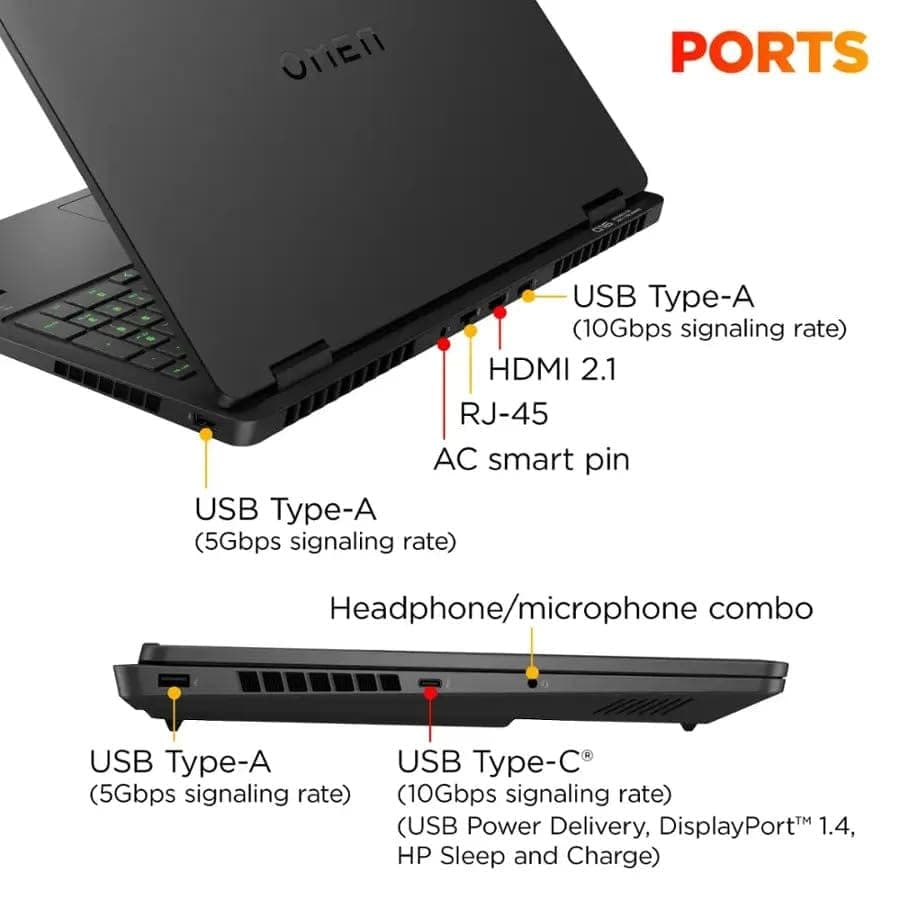
HP ZBook Firefly 14 G9 Ports Overview
| Port Type | Purpose |
|---|---|
| Thunderbolt 4 USB-C | Docking, charging, displays, storage |
| HDMI 2.0 | External monitors and projectors |
| USB-A 3.x | Legacy accessories and storage |
| SD Card Reader | Camera and media workflows |
| 3.5mm Audio Jack | Headsets and conferencing |
The port selection clearly shows why the Firefly G9 remains highly practical because HP strongly prioritizes real-world workstation usability instead of minimalist consumer-ultrabook aesthetics.
Another important factor is long-term compatibility because the workstation supports both modern Thunderbolt ecosystems and older USB-A hardware simultaneously.
Why Port Selection Has Become Critical In Professional Workflows
Professional users increasingly rely on multi-device environments because modern workflows often involve external displays, projectors, cameras, SSD arrays, wired networking, and docking stations. Port limitations therefore directly affect productivity.
The HP ZBook Firefly 14 G9 especially benefits because it avoids forcing users into heavily dongle-dependent workflows unlike many ultra-thin consumer laptops.
| Connectivity Need | Why It Matters |
|---|---|
| External Monitors | Better multitasking |
| Docking Support | Easier desk setups |
| USB-A Compatibility | Legacy device support |
| SD Card Reader | Faster media workflows |
| HDMI Output | Presentation compatibility |
Another important factor is enterprise efficiency because broader connectivity reduces accessory costs and simplifies IT deployment.
Thunderbolt 4: The Most Important Connectivity Feature
One of the biggest strengths of the Firefly G9 is Thunderbolt 4 support because Thunderbolt dramatically improves docking flexibility, display support, charging convenience, and high-speed data transfer capabilities.
The workstation especially benefits professional creators and analysts because Thunderbolt 4 enables stable high-bandwidth workflows for external storage systems, monitors, and workstation accessories.
| Thunderbolt 4 Capability | Benefit |
|---|---|
| Up to 40Gbps Bandwidth | Faster data transfers |
| Dual 4K Display Support | Better multitasking |
| Power Delivery Charging | Simplified charging |
| Docking Compatibility | Cleaner workstation setup |
| External NVMe Storage Support | Faster professional workflows |
Another important factor is future readiness because Thunderbolt 4 remains one of the most advanced and versatile workstation connectivity standards available today.
Why Thunderbolt 4 Is Essential For Workstations
Modern professional workloads increasingly involve massive datasets, large project files, high-resolution displays, and high-speed external storage solutions. Standard USB connectivity often becomes limiting in these environments.
The Firefly G9 especially benefits because Thunderbolt 4 simplifies workstation environments by allowing displays, charging, networking, and peripherals to function through a single cable.
Another important factor is enterprise scalability because Thunderbolt-based docking ecosystems dramatically improve hot-desk flexibility across corporate offices.
Real-World Thunderbolt Workflows
Thunderbolt 4 becomes especially valuable during professional multitasking because users increasingly connect multiple high-bandwidth accessories simultaneously.
The HP ZBook Firefly 14 G9 especially performs well for:
| Professional Workflow | Thunderbolt Advantage |
|---|---|
| CAD And BIM Work | Multi-monitor support |
| Video Editing | Fast external SSD transfers |
| Corporate Docking | Single-cable setup |
| Financial Analysis | Trading desk monitor support |
| Large Dataset Workflows | High-speed storage access |
Another important factor is desk cleanliness because Thunderbolt docking dramatically reduces cable clutter.
HDMI 2.0 Support And External Display Flexibility
The dedicated HDMI 2.0 port remains highly practical because business environments still heavily depend on HDMI-compatible monitors, TVs, conference room displays, and projectors.
The Firefly G9 especially benefits professionals who frequently deliver presentations because direct HDMI connectivity eliminates the constant need for USB-C display adapters.
| HDMI 2.0 Feature | Benefit |
|---|---|
| 4K 60Hz Support | Sharp external displays |
| Plug-And-Play Compatibility | Easier presentations |
| Audio And Video Transmission | Simplified setup |
| Conference Room Compatibility | Better enterprise usability |
Another important factor is infrastructure compatibility because many enterprise meeting rooms still rely heavily on HDMI connectivity.
Why Native HDMI Still Matters
Many premium ultrabooks increasingly remove HDMI ports entirely despite business environments still relying heavily on HDMI infrastructure. This often creates unnecessary workflow friction.
The HP ZBook Firefly 14 G9 especially benefits because native HDMI support improves reliability during meetings, classrooms, conferences, and client presentations.
Another important factor is travel simplicity because professionals no longer need to carry additional display adapters constantly.
USB-A Ports And Legacy Compatibility
Despite the rapid growth of USB-C ecosystems, USB-A remains heavily used across enterprise environments because organizations still depend on older accessories and peripherals.
The Firefly G9 especially benefits because native USB-A support improves compatibility with flash drives, security keys, printers, scanners, industrial hardware, and wireless receivers.
| USB-A Use Case | Benefit |
|---|---|
| Flash Drives | Faster direct access |
| Wireless Mouse Receivers | Easier connectivity |
| Security Dongles | Enterprise compatibility |
| Legacy Office Hardware | Better support |
Another important factor is reduced adapter dependency because integrated USB-A ports simplify everyday workflows significantly.
Why Legacy Ports Still Matter In 2026
Many enterprise environments continue using older hardware ecosystems because replacing large-scale office infrastructure is expensive and time-consuming. Legacy compatibility therefore remains extremely important.
The HP ZBook Firefly 14 G9 strongly benefits because mixed modern-and-legacy connectivity improves long-term adaptability across industries.
Another important factor is operational continuity because professionals frequently encounter older devices during client work and enterprise deployments.
SD Card Reader Advantages
The integrated SD card reader remains highly valuable because creators, architects, photographers, and engineers frequently transfer files directly from cameras and field equipment.
The Firefly G9 especially benefits mobile creators because integrated SD support eliminates the need for external dongles during travel and field work.
| SD Card Reader Benefit | Real-World Advantage |
|---|---|
| Direct Camera Transfers | Faster workflow |
| Cleaner Setup | Fewer accessories |
| Faster Field Editing | Better mobility |
Another important factor is content creation efficiency because integrated media workflows improve productivity during on-site editing and documentation tasks.
Docking Station Compatibility
The Firefly G9 is heavily optimized for enterprise docking because Thunderbolt 4 and USB-C support allow the workstation to transform into a complete desktop environment quickly.
The workstation especially benefits corporate environments because employees can instantly connect monitors, networking, storage, and peripherals through a single cable.
| Docking Capability | Benefit |
|---|---|
| Multi-Monitor Support | Better productivity |
| Ethernet Through Dock | Stable networking |
| Single-Cable Workstation Setup | Cleaner desk management |
| Hot Desk Flexibility | Better enterprise mobility |
Another important factor is desk standardization because docking ecosystems simplify enterprise IT infrastructure management.
Why Docking Ecosystems Are Growing Rapidly
Hybrid work models increasingly require users to transition quickly between office and remote setups. Docking stations therefore dramatically improve workflow flexibility.
The Firefly G9 especially benefits because Thunderbolt docking allows charging, displays, networking, and accessories to function through a single connection.
Another important factor is workspace cleanliness because docking ecosystems reduce cable clutter substantially.
Multi-Monitor Productivity Support
Modern professional workflows increasingly depend on multiple displays because engineers, analysts, architects, creators, and financial professionals frequently multitask across several applications simultaneously.
The Firefly G9 especially supports strong external display workflows because Thunderbolt and HDMI connectivity allow multiple high-resolution monitor configurations.
| Multi-Monitor Workflow | Benefit |
|---|---|
| Engineering Simulations | Better visibility |
| Financial Dashboards | Improved multitasking |
| Architecture Workflows | Easier model referencing |
| Content Editing | Better timeline management |
Another important factor is workflow efficiency because larger multi-display environments improve productivity significantly.
USB-C Charging And Power Delivery Flexibility
USB-C Power Delivery support significantly improves portability because professionals can charge the workstation using compatible USB-C chargers, docking stations, and travel adapters.
The Firefly G9 especially benefits travelers because USB-C charging reduces dependency on bulky proprietary chargers.
| USB-C Charging Advantage | Benefit |
|---|---|
| Universal Charging Support | Better convenience |
| Dock Charging Compatibility | Cleaner desk setup |
| Travel Simplicity | Reduced charger bulk |
Another important factor is ecosystem flexibility because USB-C charging improves compatibility across laptops, smartphones, tablets, and accessories.
Enterprise Security And Professional Features
Certain Firefly G9 configurations include enterprise-focused security features because business and government organizations require stricter hardware security standards.
Possible enterprise features include:
| Enterprise Feature | Purpose |
|---|---|
| Kensington Lock Slot | Physical security |
| Smart Card Reader | Enterprise authentication |
| BIOS Security Controls | Device management |
Another important factor is compliance because many industries require additional device-level security controls for enterprise deployment.
What To Check In Refurbished Firefly G9 Units
Connectivity inspection remains extremely important when purchasing refurbished workstations because ports experience heavy wear in enterprise lease-return environments.
Buyers should verify:
| Inspection Area | Why It Matters |
|---|---|
| Thunderbolt Detection | Docking reliability |
| HDMI Output Stability | External display support |
| USB-A Port Tightness | Peripheral reliability |
| SD Card Reader Functionality | Media workflow support |
| Charging Consistency | Power stability |
Another important factor is physical inspection because bent USB-C pins and loose connectors may indicate heavy prior usage.
Why The HP ZBook Firefly 14 G9 Remains One Of The Most Practical Mobile Workstations
The most important takeaway is simple, the HP ZBook Firefly 14 G9 succeeds because it balances Thunderbolt 4 connectivity, HDMI practicality, USB-A compatibility, SD card convenience, docking flexibility, and professional workstation usability much more effectively than many ultra-thin consumer laptops. Instead of aggressively removing ports for aesthetics, HP strongly prioritizes real-world professional workflows and long-term enterprise practicality.
The combination of Thunderbolt 4 support, multi-monitor compatibility, docking ecosystem integration, USB-C charging flexibility, legacy USB-A support, and SD card reader convenience especially helps the Firefly G9 remain highly competitive for engineers, architects, analysts, creators, and enterprise professionals alike. These connectivity features work together to create a highly adaptable workstation experience suitable for hybrid work environments, enterprise offices, travel workflows, and professional multitasking setups.
At the same time, buyers should understand that enterprise workstations prioritize professional workflow flexibility rather than minimalist consumer aesthetics. However, for users seeking one of the smartest thin-and-light mobile workstations with strong professional connectivity, docking compatibility, multi-monitor support, and long-term enterprise usability, the HP ZBook Firefly 14 G9 remains one of the best workstation choices available today.
Frequently Asked Questions
Q. Does the HP ZBook Firefly 14 G9 support Thunderbolt 4?
Yes, the workstation includes Thunderbolt 4 ports supporting up to 40Gbps bandwidth, docking, charging, and multi-display connectivity.
Q. Can the Firefly G9 connect to multiple monitors?
Yes, the workstation supports multiple external displays through Thunderbolt 4 and HDMI connectivity options.
Q. Does the HP ZBook Firefly 14 G9 include HDMI?
Yes, the workstation includes a dedicated HDMI 2.0 port for external monitors and projectors.
Q. Are USB-A ports still useful in modern workstations?
Yes, many offices and enterprise environments still rely heavily on USB-A accessories, flash drives, wireless receivers, and security dongles.
Q. Does the Firefly G9 include an SD card reader?
Yes, the workstation typically includes a full-size SD card reader useful for creators and photographers.
Q. Can the Firefly G9 work with docking stations?
Yes, the workstation is heavily optimized for Thunderbolt and USB-C docking workflows.
Q. Does the HP ZBook Firefly 14 G9 support USB-C charging?
Yes, the workstation supports USB-C Power Delivery charging through Thunderbolt 4 ports.
Q. Is the Firefly G9 good for professional workflows?
Yes, the workstation strongly supports engineering, architecture, analysis, content creation, and enterprise productivity workflows.
Q. What should buyers check in refurbished Firefly G9 units?
Buyers should inspect Thunderbolt functionality, HDMI output, USB-A stability, SD card detection, and charging consistency carefully.
Q. Why does the HP ZBook Firefly 14 G9 stand out compared to ultrabooks?
Unlike many minimalist ultrabooks, the Firefly G9 retains practical workstation-focused connectivity with modern and legacy port support.
Ready to upgrade your tech?
Browse our collection of quality refurbished products at unbeatable prices.






