
HP ZBook Firefly 14 G8 For Engineers In 2026: SolidWorks, MATLAB, And Simulation Loads
Learn how HP ZBook Firefly 14 G8 performs in 2026 for engineers using SolidWorks, MATLAB, and simulation software. Performance and hardware insights.

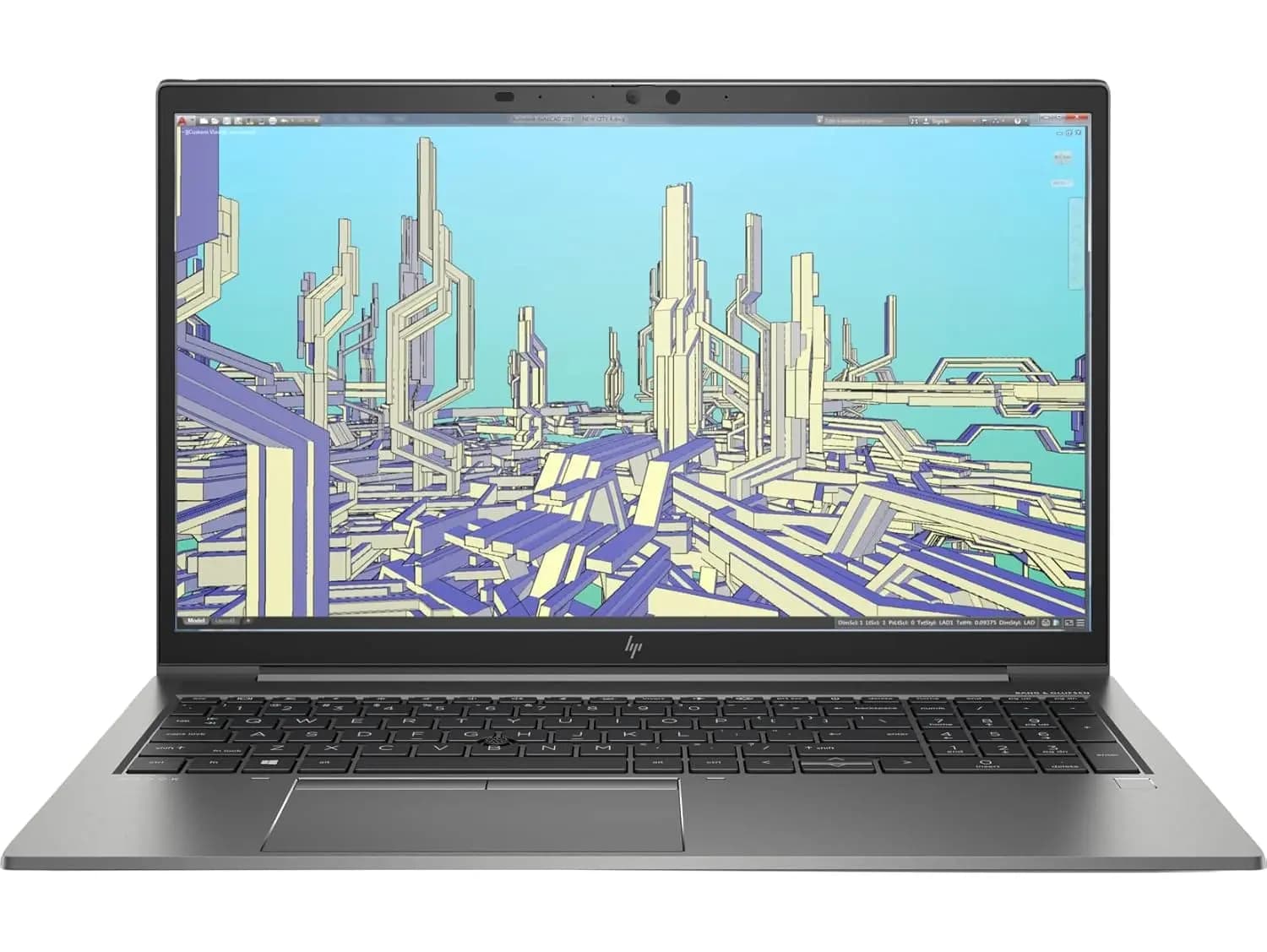
TL;DR The HP ZBook Firefly 14 G8 remains one of the most practical refurbished mobile workstations for engineering students and professionals in India in 2026 because it balances ISV-certified graphics, strong single-core Intel performance, upgradeable RAM, fast NVMe SSD storage, and true portability. For workflows involving SolidWorks, MATLAB, CAD assemblies, finite element simulations, circuit modelling, and multi-monitor desk setups, it delivers reliable professional performance without the bulk of traditional workstation laptops. While it is not meant for ultra-heavy industrial simulations or GPU-intensive rendering, it remains an outstanding long-term engineering laptop for students, design professionals, and early-career engineers who need mobility, software stability, and strong value in the refurbished market.
Why Engineering Laptops Need a Different Buying Mindset in 2026
Engineering laptops are fundamentally different from standard student laptops because their workloads are built around precision, stability, and sustained computation rather than simple browsing or document work. Modern engineering students and professionals now work across CAD modelling, parametric assemblies, simulation environments, numerical analysis, embedded tools, and documentation-heavy workflows. These tasks place unique demands on the processor, memory, storage, and graphics stack, which is why consumer ultrabooks often struggle despite looking powerful on paper.
The HP ZBook Firefly 14 G8 continues to remain highly relevant because it was designed as an enterprise mobile workstation rather than a consumer productivity laptop. That means its hardware choices prioritise driver stability, certified GPU compatibility, sustained thermal balance, and predictable long-session performance. For engineering users, these qualities matter far more than flashy specifications because software crashes, viewport glitches, or unstable simulations can directly affect project accuracy and deadlines.
As this conversation extends into 2026, the Firefly G8 continues to stand out in India’s refurbished workstation market because it gives students and professionals access to professional-grade workstation hardware at a far more accessible price point than newer ZBook or Precision models.
Processor Performance for CAD, MATLAB and Parametric Modelling
The 11th Gen Intel Core i7 processors, especially the Core i7-1165G7 and i7-1185G7, remain one of the biggest strengths of the Firefly G8 for engineering workflows. Unlike gaming laptops that focus heavily on GPU power, engineering software often benefits more from strong single-core boost performance, especially in CAD environments where sketch updates, feature regeneration, and assembly interactions are heavily CPU-dependent.
In practical use, this means the Firefly G8 feels responsive during SolidWorks sketching, model rebuilds, assembly edits, AutoCAD drafting, PCB design, MATLAB scripting, and finite element setup stages. The processor’s high boost clocks make interactions feel fast and fluid, which is critical for engineering students working on assignments or professionals iterating through multiple design revisions in a single day.
While desktop-class CPUs still outperform it for extremely large simulation models, the Firefly G8 delivers an excellent mobility-to-performance ratio. For classroom work, lab use, research workflows, and moderate professional projects, the processor remains more than capable in 2026.
SolidWorks and CAD Workflow Performance
One of the most important reasons the Firefly G8 remains relevant for engineers is its NVIDIA T500 professional GPU in higher configurations. Unlike gaming GPUs, the T500 is tuned around certified OpenGL performance, driver stability, and viewport accuracy, which directly improves CAD workflows.
For SolidWorks, CATIA, Fusion 360, Inventor, and moderate Creo workloads, the laptop handles medium assemblies smoothly with dependable viewport rotation, shaded modelling, and wireframe interaction. Certified drivers reduce the random glitches and visual instability that consumer GPUs can sometimes introduce, which makes the overall modelling experience much more predictable.
This is especially valuable for mechanical engineering students, product designers, and professionals handling client-facing CAD work because stability is often more important than raw frame rates. In 2026, this continues to make the Firefly G8 one of the safest refurbished workstation choices for SolidWorks-focused engineering use in India.
MATLAB, Simulations and Numerical Workloads
The Firefly G8 also performs strongly in MATLAB-heavy academic and professional workflows. MATLAB tasks such as matrix computation, signal processing, control systems, numerical optimisation, data visualisation, and algorithm development rely heavily on CPU responsiveness and sufficient memory, both of which this system handles well.
When configured with 16GB or 32GB RAM, the system remains stable even during longer computation sessions. Students working on electronics, signal processing, robotics, communication systems, control loops, and embedded simulations will especially benefit from its balanced processor performance and stable memory handling.
For finite element analysis, thermal modelling, structural simulations, and academic ANSYS or COMSOL projects, the Firefly G8 remains highly capable as long as the workload stays within moderate workstation boundaries. Extremely large industrial simulations still favour higher-wattage desktop replacements, but for most engineering students and early-career professionals, this machine remains highly practical.
RAM, SSD and Why Upgrades Matter for Engineering Students
Engineering productivity is directly affected by RAM capacity and storage speed, often even more than raw CPU specifications. Large CAD assemblies, simulation outputs, MATLAB datasets, documentation folders, and multiple engineering software environments can quickly consume memory.
The best Firefly G8 configurations start at 16GB RAM, but 32GB is the much safer long-term engineering sweet spot, especially for students handling larger assemblies, FEA outputs, and multi-software workflows. The ability to scale higher in supported models is one of the biggest reasons workstation laptops continue to outperform sealed consumer ultrabooks in engineering workflows.
Fast NVMe SSD storage is equally important. It improves project opening times, simulation output saving, application launches, and large file transfers. For engineers managing multiple software ecosystems, 1TB SSD storage offers the most comfortable balance between speed and project capacity in 2026.
Multi-Monitor Productivity, Ports and Desk Workflows
Engineering workflows often become dramatically more efficient with multiple displays. One screen may hold the CAD model, another may show simulation results, while a third may contain reference documentation or MATLAB outputs.
The Firefly G8 supports this workflow beautifully through Thunderbolt 4 and HDMI connectivity, making it ideal for lab setups, docking stations, research desks, and hybrid home-office engineering workflows. This is particularly useful for civil, mechanical, and electronics engineers who constantly compare design outputs with documentation and simulation logs.
For students, this also makes the laptop highly future-ready because it can easily transition from campus mobility to full desk-based workstation use without needing a larger workstation laptop.
Why It Remains One of the Best Refurbished Engineering Laptops in India
The HP ZBook Firefly 14 G8 remains one of the most balanced engineering laptops in India’s 2026 refurbished market because it solves the three biggest engineering laptop problems exceptionally well: software stability, portability, and long-term upgrade comfort. It is light enough for campus movement and field use, yet powerful enough for SolidWorks, MATLAB, simulations, and moderate professional CAD workflows.
For engineering students, the biggest advantage is ROI. A well-refurbished unit with the NVIDIA T500 GPU, 16GB or 32GB RAM, strong battery health, and SSD storage can comfortably last through an entire engineering degree and even into the first years of professional work.
For professionals, consultants, and design engineers, it remains one of the safest workstation investments if portability matters more than brute desktop-replacement performance. That balance is exactly why it continues to remain so relevant in 2026.
Frequently Asked Questions
Q. Is the HP ZBook Firefly 14 G8 good for SolidWorks in 2026?
Yes, especially models with the NVIDIA T500 professional GPU. It handles medium assemblies, viewport navigation, and CAD modelling workflows very reliably.
Q. Is 16GB RAM enough for engineering students?
Yes for most academic CAD, MATLAB, and moderate simulation work, but 32GB is strongly recommended for larger assemblies and long-term use.
Q. Can this laptop run MATLAB and ANSYS smoothly?
Yes, it performs well for matrix computation, signal processing, finite element analysis, and moderate academic simulations.
Q. Is the Firefly G8 better than gaming laptops for engineering?
For CAD stability and certified driver support, yes. Gaming laptops may offer more GPU power but often lack workstation driver reliability.
Q. Is it worth buying refurbished in India in 2026?
Absolutely, provided battery health, GPU configuration, RAM, SSD, and warranty are verified properly.
Ready to upgrade your tech?
Browse our collection of quality refurbished products at unbeatable prices.






