
HP ZBook Firefly 14 For Engineers In 2026: SolidWorks, MATLAB, And Simulation Loads
Explore how the HP ZBook Firefly 14 handles engineering workloads in 2026. From SolidWorks modelling to MATLAB computations and simulation tasks, learn if this mobile workstation suits students and professionals.

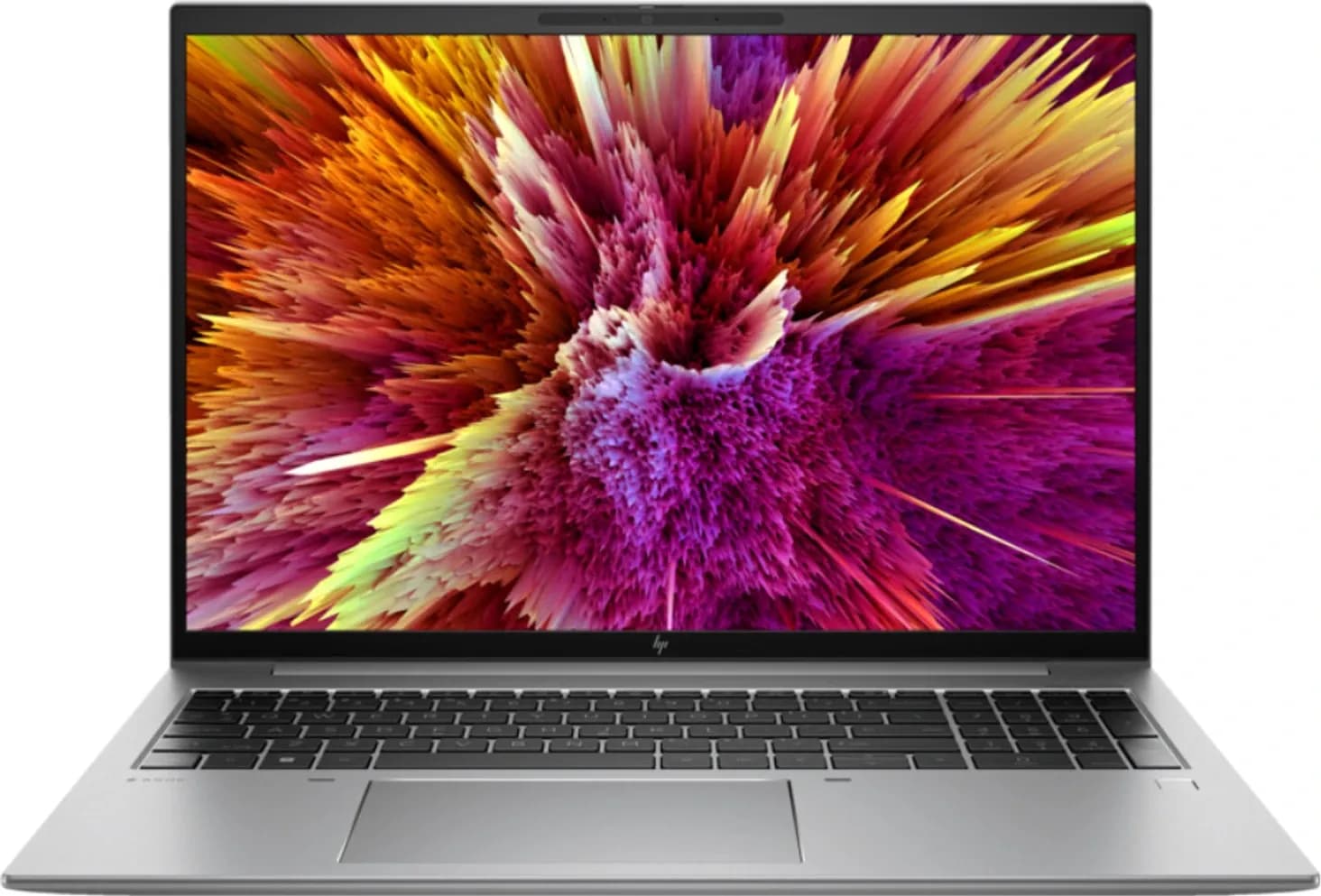
TL;DR The HP ZBook Firefly 14 in 2026 is a thin and light mobile workstation designed for engineering students and professionals who need stable performance for CAD, MATLAB, and moderate simulations. It delivers reliable CPU performance, certified GPU stability, upgrade flexibility, and strong portability, making it a practical choice for academic and mid-level professional workloads.
Why Engineering Laptops in 2026 Require Stability Over Raw Power
Engineering workloads in 2026 are significantly more complex than before, with increased reliance on simulations, modelling software, and data-heavy computation. Unlike general laptops, engineering machines must sustain performance over long sessions without thermal throttling or instability. This makes consistency more important than peak benchmark performance.
Students and professionals now work across multiple tools such as CAD software, numerical computing environments, and simulation platforms. These tools often run simultaneously, creating continuous load on the system rather than short bursts. A laptop that cannot maintain stable performance under these conditions becomes a bottleneck in productivity.
The HP ZBook Firefly 14 is designed to address this exact requirement by balancing portability with workstation-grade reliability. It does not aim to replace high-end desktop workstations but instead focuses on delivering dependable performance in real-world engineering scenarios where mobility also matters.
HP ZBook Firefly 14 Specifications and Practical Meaning
The Firefly 14 is built around components that prioritise efficiency, stability, and compatibility with engineering software. Its configuration supports both academic and professional workflows without unnecessary complexity.
| Specification | Details |
|---|---|
| Processor | Intel Core i5 / i7 (G8, G9 generations) |
| GPU | NVIDIA Quadro P520 / NVIDIA T500 (select variants) |
| RAM | 16GB to 64GB (upgradeable in select models) |
| Storage | NVMe SSD (up to 1TB+) |
| Display | 14-inch Full HD / high resolution options |
| Ports | Thunderbolt, USB-A, HDMI |
| Form Factor | Thin and light workstation |
The processor performance ensures smooth operation in modelling and computation tasks. High turbo frequencies improve responsiveness in CAD operations, which depend heavily on single-core performance. This allows faster edits and smoother interaction with design elements.
The inclusion of professional GPUs in certain configurations adds stability for CAD workflows. These GPUs are certified for engineering applications, ensuring better compatibility and fewer graphical issues during complex operations.
Processor Performance for Engineering Tasks
Engineering applications rely heavily on CPU performance, particularly for modelling and numerical computation. The Firefly 14 offers strong single-core and multi-core performance, which directly impacts how quickly tasks are completed.
For CAD workflows, this results in faster sketch regeneration and smoother manipulation of models. Engineers working on assemblies benefit from improved responsiveness when editing parameters or navigating designs. This reduces delays and improves workflow efficiency.
In computational environments, the processor handles calculations more efficiently, reducing waiting time for results. This is particularly important for students and professionals working on time-sensitive projects or iterative simulations.
SolidWorks Performance and GPU Stability
SolidWorks and similar CAD tools require stable graphics performance to handle complex assemblies and visualisations. The Firefly 14 includes professional GPUs in certain variants, which provide certified drivers and improved reliability.
These GPUs ensure smoother rotation and interaction with 3D models, even when working with moderately complex assemblies. They also reduce graphical glitches and improve overall stability, which is essential for professional work.
While the laptop is not intended for extremely large industrial assemblies, it performs reliably for academic projects and mid-level professional tasks. This makes it a suitable choice for most engineering users.
MATLAB and Numerical Computation Performance
MATLAB is widely used in engineering for data analysis, simulations, and algorithm development. The Firefly 14 handles these workloads efficiently due to its strong CPU performance and memory support.
The system supports parallel computing tasks, allowing faster execution of complex operations. This improves productivity for users working with large datasets or advanced simulations. The ability to handle multiple processes simultaneously ensures smooth performance.
For best results, higher RAM configurations are recommended. This allows the system to manage larger computations without slowdowns, making it more suitable for advanced academic and research tasks.
Simulation Workloads and Thermal Stability
Simulation software places continuous stress on CPU and memory, making thermal management a critical factor. The Firefly 14 is equipped with enterprise-grade cooling systems that maintain stable performance during extended workloads.
Dual fan setups and intelligent thermal control ensure that the system does not overheat under moderate load. This prevents performance drops and maintains consistency during long simulation sessions. Stable thermals are essential for maintaining accuracy and efficiency.
While it is not designed for extreme industrial simulations, it performs reliably for student-level and mid-range workloads. Proper usage and ventilation further enhance thermal performance.
RAM Requirements for Engineering Workflows
Memory is one of the most important components for engineering laptops. Insufficient RAM can lead to slow performance, crashes, and delays in loading large files.
| Workload Type | Recommended RAM |
|---|---|
| Basic CAD and MATLAB | 16GB |
| Moderate simulations | 32GB |
| Advanced workloads | 64GB |
Upgradeable RAM in certain models adds flexibility, allowing users to scale performance as their needs grow. This is particularly useful for students who plan to use the laptop over several years.
Choosing the right RAM configuration ensures smooth multitasking and stable performance across different applications.
Storage Performance and Project Handling
Engineering projects often involve large files, including assemblies, simulation outputs, and datasets. Fast storage is essential to handle these efficiently.
The Firefly 14 uses NVMe SSDs, which significantly improve load times and data access speeds. This reduces waiting time when opening projects or saving files. Faster storage also enhances overall system responsiveness.
A minimum of 1TB storage is recommended for users managing multiple projects. This ensures that there is enough space for software, files, and backups without constant cleanup.
Multi Monitor Support and Productivity
Engineering workflows often require multiple screens for better productivity. The Firefly 14 supports external displays through modern connectivity options.
Users can connect multiple monitors to view models, documentation, and analysis tools simultaneously. This improves efficiency and reduces the need to switch between windows. It is particularly useful in lab and office environments.
Docking support further enhances usability by enabling quick connections to peripherals. This creates a seamless transition between portable and desk setups.
Battery Life and Portability for Engineers
Portability is a key advantage of the Firefly 14, especially for students and professionals who move between different locations. The lightweight design makes it easy to carry throughout the day.
Battery performance supports typical academic and professional usage such as note-taking, coding, and light modelling. This allows users to work without constant access to power outlets.
For heavier workloads, battery consumption increases, which is expected for workstation tasks. However, the overall balance between portability and performance makes it highly practical.
Refurbished HP ZBook Firefly 14 for Engineering Students
Refurbished models have become a popular option for engineering students in India. They provide access to workstation-grade hardware at a lower cost, making them more accessible.
These devices are built for durability and long-term use, which makes them suitable for academic environments. When properly tested and verified, refurbished units deliver reliable performance.
Buyers should ensure that key components such as RAM, storage, and battery are in good condition. This ensures a smooth and dependable experience over time.
Who Should Choose the HP ZBook Firefly 14 in 2026
The Firefly 14 is best suited for engineering students and professionals who need a balance between performance and portability. It supports CAD, MATLAB, and moderate simulations effectively.
It is ideal for mechanical, electrical, and civil engineering workflows that do not require extreme computational power. Researchers and designers working with moderate datasets also benefit from its capabilities.
However, users working on very large industrial simulations or high-end rendering tasks may require more powerful workstation models. The Firefly is designed for balanced performance rather than extreme workloads.
Why the HP ZBook Firefly 14 Remains a Practical Engineering Workstation in 2026 and What to Expect Ahead
The most important takeaway is simple. The HP ZBook Firefly 14 succeeds because it delivers stable and reliable performance for real engineering workflows rather than focusing only on specifications.
Its value lies in balancing portability, performance, and upgrade flexibility. This makes it a dependable choice for students and professionals who need a system that works consistently across different tasks. It supports long-term usage without becoming a limitation.
Another important aspect is its adaptability. As engineering tools evolve and become more demanding, the ability to upgrade RAM and storage ensures that the laptop remains relevant. This extends its usability and improves overall value.
Looking ahead, engineering laptops will continue to focus on efficiency, thermal stability, and compatibility with advanced software. The Firefly 14 already aligns with these priorities, making it a practical and sensible choice for users in 2026 who want reliability without unnecessary complexity.
Frequently Asked Questions
Q. Can the HP ZBook Firefly 14 run SolidWorks smoothly in 2026?
Yes, it handles small to medium assemblies well, especially with professional GPU configurations.
Q. Is 16GB RAM enough for engineering software?
It is sufficient for basic tasks, but 32GB is recommended for smoother performance.
Q. Can it handle simulations?
Yes, it supports moderate simulations efficiently but is not designed for extreme workloads.
Q. Which generation is best for engineering students?
G8 and G9 models offer better performance and efficiency.
Q. Is it suitable for MATLAB?
Yes, it handles MATLAB workloads and numerical computations effectively.
Q. Does it overheat during heavy tasks?
No, it maintains stable temperatures under moderate workloads.
Q. Is it portable for students?
Yes, its lightweight design makes it easy to carry daily.
Q. Are refurbished models reliable?
Yes, when properly tested and purchased with warranty.
Q. How much storage is recommended?
At least 1TB SSD is ideal for engineering projects.
Q. Who should buy this laptop?
Engineering students and professionals needing a portable and reliable workstation.
Ready to upgrade your tech?
Browse our collection of quality refurbished products at unbeatable prices.






