
HP ZBook Firefly 14 For Creators In 2026: Editing, Design, And Colour Workflows
HP ZBook Firefly 14 delivers reliable editing performance, DreamColor accuracy, NVMe speed, and portability for creators handling design, photography, and video workflows.

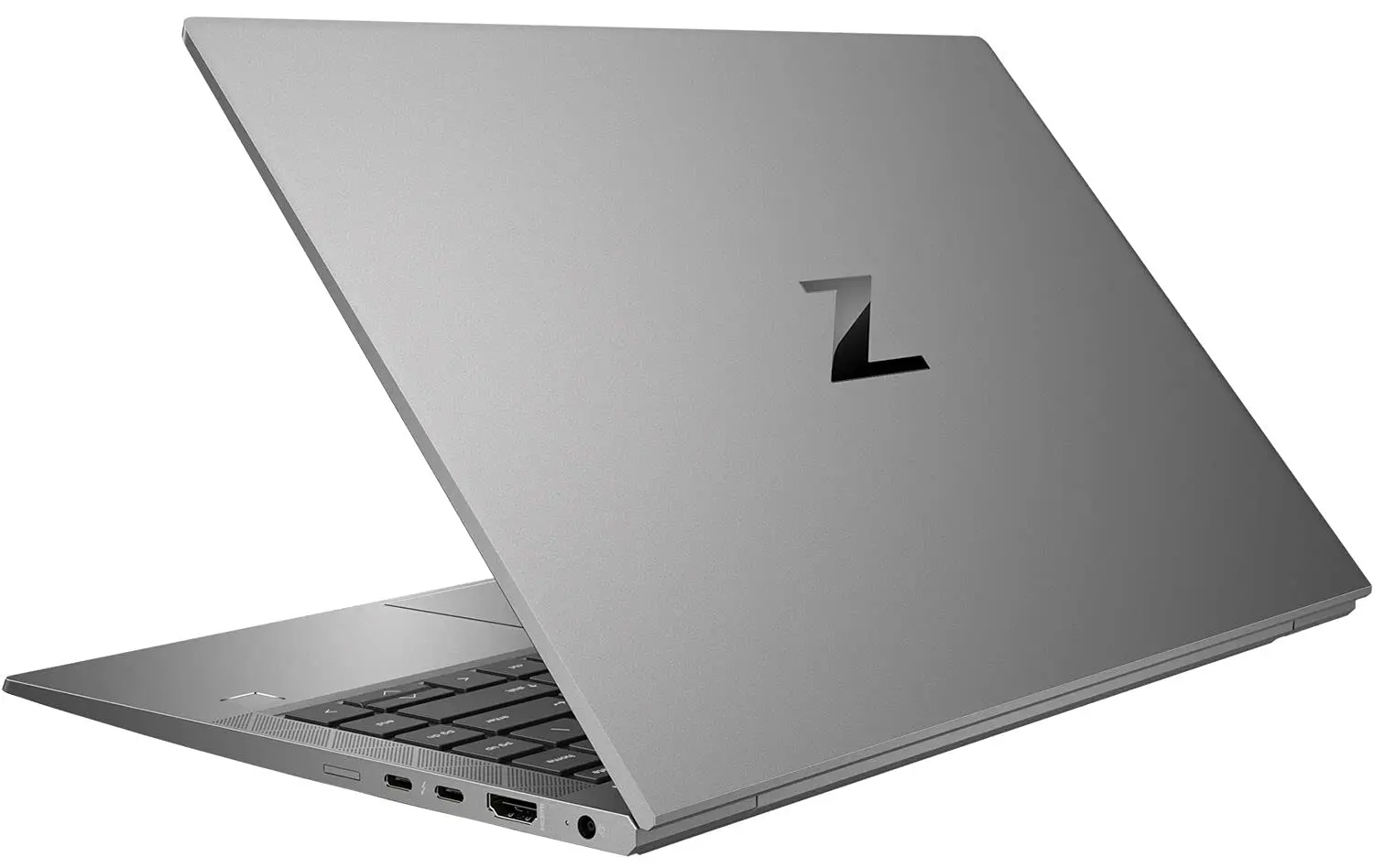
TL;DR The HP ZBook Firefly 14 remains one of the most practical creator-focused lightweight workstations available in 2026 for professionals handling photo editing, digital design, lightweight video production, and colour-sensitive workflows. Rather than targeting cinematic rendering workloads, the Firefly 14 focuses on calibrated displays, stable CPU performance, certified GPU drivers, and portability required by modern creators working across offices, studios, and remote environments. Its DreamColor display options, fast NVMe storage, and workstation-class optimization allow smooth performance in Adobe Creative Cloud applications while maintaining mobility advantages absent in larger creator laptops. For Indian buyers choosing refurbished workstation systems, it represents a cost-efficient entry into professional creative hardware without compromising workflow stability.
Overview for HP ZBook Firefly 14 for Creators in 2026
Creative workflows in 2026 increasingly demand systems capable of balancing performance accuracy with mobility. Designers, photographers, content strategists, and digital creators rarely operate from fixed studios anymore. Instead, workflows span home offices, client sites, coworking spaces, and travel environments. The HP ZBook Firefly 14 Workstation Laptop addresses this shift by combining enterprise workstation reliability with creator-oriented display and performance tuning.
Unlike gaming laptops that emphasize raw GPU power, the Firefly 14 prioritizes predictable performance and colour consistency. Applications such as Adobe Photoshop, Illustrator, Lightroom, Premiere Pro, and Figma benefit more from sustained CPU responsiveness and calibrated displays than peak benchmark numbers. HP’s workstation certification ecosystem ensures optimized drivers and stability during long editing sessions, reducing crashes that frequently affect consumer-grade creator machines.
For Indian creators exploring refurbished professional hardware, platforms such as Refurbo provide access to enterprise-grade systems originally deployed in corporate and design environments. These machines are engineered for multi-year professional use cycles, meaning display quality, keyboard endurance, and thermal stability often remain superior even after refurbishment.
In practical creator scenarios, the Firefly 14 becomes less about maximum rendering power and more about workflow continuity. It allows photographers to edit full-resolution RAW files on location, designers to finalize layouts during meetings, and content professionals to complete revisions without relying on heavy desktop setups.
HP ZBook Firefly 14 Specs Overview for Creative Workflows
The HP ZBook Firefly 14 Specs position the device within the lightweight professional workstation category rather than traditional creator laptops. Most configurations feature Intel Core i5 or Core i7 U-series or P-series processors paired with integrated Intel Iris Xe graphics or optional NVIDIA T500 professional GPUs. These GPUs are optimized for viewport acceleration and creative application stability rather than gaming performance, making them suitable for Adobe and CAD-adjacent workflows.
Memory configuration plays a critical role in creative usage. Firefly 14 systems typically support up to 64 GB DDR4 or DDR5 RAM depending on generation, enabling smooth multitasking between editing software, browser assets, preview rendering, and background exports. Creative professionals working with layered Photoshop compositions or large Illustrator projects benefit significantly from higher RAM configurations.
Storage implementation further strengthens workflow efficiency. PCIe NVMe SSDs deliver fast project loading, rapid cache access, and reduced export wait times compared to older SATA-based systems. This directly improves productivity when handling large RAW photo libraries or video timelines containing multiple assets.
Display options remain one of the defining creator advantages. HP offers FHD, WUXGA, and DreamColor panels delivering strong brightness uniformity and reliable colour reproduction essential for design validation and grading workflows. Combined with Thunderbolt connectivity for external calibrated monitors, the Firefly 14 integrates easily into hybrid studio environments while maintaining ultraportable mobility.
Resolution Options and Impact on Design Productivity (FHD vs WUXGA vs UHD)
Display resolution directly influences workflow efficiency for creators, especially those working in layered design environments, video timelines, or colour-critical interfaces. The HP ZBook firefly 14 Workstation Laptop offers multiple panel resolutions across configurations commonly available in refurbished markets, allowing creators to select based on workflow priorities rather than marketing specifications.
Full HD (1920×1080) panels remain the most widely available option in Refurbished HP ZBookfirefly 14 systems. For creators focused on social media graphics, UI design, blogging visuals, or Lightroom editing, FHD provides sufficient sharpness while maintaining excellent battery efficiency. Lower pixel density reduces GPU strain during rendering previews and improves unplugged usage time, which is valuable for mobile creators working outside studios.
WUXGA (1920×1200) panels introduce a 16:10 aspect ratio, offering additional vertical workspace. This seemingly small increase significantly improves productivity in Adobe Premiere Pro timelines, Photoshop layer panels, and coding or design environments where vertical scrolling interrupts workflow continuity. Many creators in 2026 prefer 16:10 displays precisely because toolbars and editing panels remain visible simultaneously.
UHD or 4K panels provide maximum sharpness and are ideal for photographers and colour professionals managing high-resolution assets. However, they demand higher GPU resources and reduce battery endurance during sustained editing sessions.
For most Indian creators evaluating HP ZBook firefly 14 Price in India, WUXGA configurations offer the strongest productivity-to-efficiency balance in real creative workflows.
Calibration Capabilities and Factory-Optimized Profiles
Colour accuracy remains one of the strongest differentiators between workstation laptops and consumer creator devices. The HP ZBook firefly 14 Review ecosystem consistently highlights HP’s factory calibration approach, particularly on higher-tier panels supporting professional workflows.
Many Firefly configurations ship with factory-tuned colour profiles optimized for sRGB workflows, ensuring predictable output across digital publishing platforms. For photographers and designers, this reduces dependency on immediate external calibration hardware, allowing usable accuracy directly out of deployment. Consistency becomes especially important when exporting assets for print vendors, marketing teams, or cross-device viewing environments.
Higher configurations may include HP DreamColor-class panels or wide-gamut IPS displays capable of covering nearly full sRGB space and substantial portions of AdobeRGB or DCI-P3 ranges depending on generation. Even standard IPS panels maintain stable viewing angles, minimizing colour shifting during collaborative work or presentation scenarios.
Another advantage lies in workstation GPU driver integration. Professional NVIDIA drivers maintain colour pipeline stability across Adobe applications, preventing gamma inconsistencies sometimes observed on gaming GPUs. Creators working in Photoshop, Illustrator, or DaVinci Resolve benefit from predictable preview rendering when switching between internal and external displays.
In 2026 workflows where creators frequently move between laptop screens, calibrated monitors, and client displays, this consistency matters more than peak brightness figures. The Firefly 14’s calibration ecosystem supports long-term professional use rather than casual media consumption, making refurbished workstation units particularly attractive for freelance creators building reliable editing setups without premium hardware investment.
GPU Performance for Video Editing and 3D Design
GPU capability determines how smoothly modern creative software performs real-time effects processing, playback acceleration, and rendering tasks. The HP ZBook firefly 14 Workstation Laptop typically integrates NVIDIA professional GPUs such as the Quadro T500 or equivalent workstation graphics depending on configuration.
Unlike gaming GPUs optimized primarily for frame rates, workstation GPUs emphasize driver stability and certified application performance. In Adobe Premiere Pro, GPU acceleration improves timeline playback, colour correction responsiveness, and transition rendering. Editors working with 1080p or moderate 4K footage experience smoother scrubbing compared to integrated graphics systems.
For motion graphics and light 3D workflows using Blender or Fusion 360 visualization, the T500 GPU supports CUDA acceleration, enabling viewport rendering and preview simulations without major lag. While not intended for heavy cinematic rendering pipelines, it performs reliably for freelance creators, YouTubers, architects preparing previews, and marketing professionals producing visual content.
Integrated Intel Iris Xe graphics found in some configurations remain capable for photo editing and lightweight video editing but struggle when layered effects or multiple video tracks are introduced. Therefore, GPU-equipped refurbished configurations deliver significantly better longevity for creative workflows.
Real-world creator usage in 2026 increasingly combines GPU acceleration with cloud rendering. Creators often edit locally while exporting heavy projects via cloud services, allowing thin workstations like the Firefly 14 to remain viable production machines despite compact thermal limits.
In practical terms, the Firefly 14 functions best as a mobile editing workstation rather than a full rendering rig delivering dependable performance for creators prioritizing portability, software stability, and efficient workflow execution.
CPU and RAM Considerations for Heavy Editing Software
Creative workloads in 2026 are increasingly dependent on balanced CPU architecture and sufficient memory bandwidth rather than GPU power alone. The HP ZBook firefly 14 Workstation Laptop is designed around Intel U-series or AMD Ryzen Pro processors that prioritize sustained professional workloads instead of short benchmark bursts, which directly benefits creators working in Adobe Creative Cloud environments.
Video editing software such as Premiere Pro, After Effects, and DaVinci Resolve relies heavily on multi-core CPU performance during encoding, exporting, proxy generation, and background rendering. Modern Firefly 14 configurations typically feature quad-core or hexa-core professional processors capable of maintaining stable clocks during extended export sessions. Unlike consumer ultrabooks that throttle aggressively, workstation firmware tuning allows predictable performance across longer editing timelines.
RAM capacity becomes equally critical once creators begin multitasking across applications. Running Photoshop, Illustrator, browser references, asset libraries, and editing software simultaneously quickly exceeds 16 GB memory usage. Refurbished configurations upgraded to 32 GB dramatically improve responsiveness by eliminating disk swapping delays.
Memory scalability is one of the strongest advantages when evaluating Refurbished HP ZBookfirefly 14 systems compared with soldered consumer laptops.
For creators evaluating HP ZBook firefly 14 Specs, CPU stability combined with upgradeable RAM ensures long-term usability even in evolving software environments.
Photo Editing and Color Grading Workflows (Lightroom, Capture One)
Photography workflows demand consistency more than raw computational power, and this is where the HP ZBook firefly 14 Review positioning becomes particularly relevant for creators in 2026. Applications such as Adobe Lightroom Classic and Capture One rely on a combination of CPU responsiveness, fast storage access, and accurate display reproduction.
RAW image processing involves intensive demosaicing calculations, preview rendering, and batch export operations. Firefly 14 processors handle these operations efficiently due to optimized single-core performance, which directly impacts slider responsiveness during exposure correction, colour grading, and masking adjustments. Editors working with large DSLR or mirrorless image libraries experience smooth catalog navigation when paired with NVMe SSD storage.
Colour grading workflows also benefit from workstation GPU drivers that maintain stable colour pipelines. Adjustments made in Lightroom or Capture One translate consistently when exported for web publishing or print delivery. For freelance photographers managing wedding shoots, commercial product photography, or social media campaigns, predictable colour output becomes more important than extreme GPU power.
Another practical advantage lies in mobility. Photographers often review and edit images immediately after shoots. The Firefly 14’s lightweight chassis enables real-time editing without requiring desktop workstations, making it highly suitable for on-location workflows common across Indian creative professionals.
Even in refurbished configurations, calibrated IPS panels combined with fast SSD access ensure efficient photo workflows. For creators comparing HP ZBook firefly 14 Price in India, refurbished workstation units frequently provide better editing reliability than similarly priced consumer creator laptops.
Storage Speed and Workflow Efficiency: SSDs and NVMe Drives
Storage performance directly affects creative productivity, particularly when handling large project files, RAW assets, or multi-layer video timelines. The HP ZBook firefly 14 Workstation Laptop supports NVMe SSD storage, which represents a major advantage over older SATA-based systems still found in budget laptops.
NVMe drives dramatically reduce project loading times, preview cache generation delays, and file transfer bottlenecks. Video editors working with multiple footage streams notice faster timeline initialization, while photographers benefit from near-instant RAW image previews. In practical workflows, storage speed often determines perceived system responsiveness more than processor upgrades.
Creators managing growing asset libraries also benefit from expandable storage options available in many refurbished workstation configurations. Unlike sealed ultrabooks, Firefly systems frequently allow SSD upgrades, enabling users to scale storage economically over time rather than replacing entire devices.
High-speed storage also improves background operations such as autosave, media caching, proxy creation, and rendering scratch disk performance. These processes run continuously during editing sessions and significantly influence workflow smoothness.
For creators choosing Refurbished HP ZBookfirefly 14, upgrading to a larger NVMe SSD often delivers the single biggest real-world performance improvement, ensuring faster exports, smoother previews, and efficient long-term project management.
Portability vs Performance: Workstation Mobility for Creators
One of the biggest shifts in creative workflows by 2026 is the movement away from fixed desktop editing setups toward mobile workstation environments. The HP ZBook firefly 14 Workstation Laptop represents HP’s attempt to balance professional performance with real mobility, something increasingly important for designers, photographers, editors, and freelance creators working across locations.
Traditional creator workstations often prioritized raw GPU power but sacrificed portability, resulting in heavy 2.2–3 kg machines unsuitable for daily travel. The Firefly 14 instead focuses on sustained productivity within a lightweight chassis typically around 1.35–1.45 kg. This allows creators to comfortably carry workstation-grade hardware between studios, offices, cafés, and client meetings without workflow interruption.
Battery efficiency further strengthens mobility advantages. Creators performing photo editing, UI design, illustration, or content review can realistically work several hours unplugged. Combined with USB-C charging support, the system adapts well to travel scenarios common among Indian freelancers and agency professionals.
Performance trade-offs do exist. Thin workstation thermal limits mean extremely heavy GPU rendering workloads are better suited to desktop-class systems. However, for editing, design iteration, and creative production stages, portability frequently outweighs peak hardware capability.
For most professionals evaluating HP ZBook firefly 14 Specs, mobility-driven productivity becomes a decisive advantage over bulky creator laptops.
Who Should Buy Based on Creative Workflow Needs
The HP ZBook firefly 14 Review positioning clearly indicates that this workstation targets creators whose workflows prioritize consistency, portability, and professional display accuracy rather than extreme GPU acceleration. In 2026, creative professionals increasingly divide workloads between local editing systems and cloud-based rendering platforms, making balanced mobile workstations highly practical.
Graphic designers working extensively in Adobe Illustrator, Photoshop, Figma, or Canva benefit significantly from the Firefly 14’s responsive CPU behavior and calibrated IPS display. These applications depend more on system responsiveness and colour accuracy than GPU rendering power, allowing the Firefly to deliver professional performance without excessive hardware overhead.
Photographers represent another ideal user group. Wedding photographers, commercial editors, and social media content creators frequently process large RAW libraries while traveling. The laptop’s fast NVMe storage and reliable thermal management ensure stable editing sessions even outside studio environments. For such workflows, refurbished configurations often deliver exceptional value relative to new creator-focused laptops.
Video editors handling YouTube content, corporate media production, and short-form marketing videos also find the system suitable, particularly when working with proxy workflows or optimized codecs. However, full-time cinematic editors handling heavy multi-layer 6K or 8K timelines may require higher GPU-class workstations.
For buyers comparing HP ZBook firefly 14 Price in India, refurbished workstation units align especially well with freelance and independent creator economics.
Why the HP ZBook Firefly 14 Still Remains One of the Smartest Lightweight Creator Workstations in 2026 India
The strongest closing takeaway is simple: the HP ZBook Firefly 14 remains one of the smartest creator-focused refurbished workstation buys in 2026 because it solves the exact problem modern creators face how to maintain professional display accuracy, smooth Adobe workflows, and long-session stability without carrying a bulky rendering laptop. For photographers, UI/UX designers, brand designers, digital marketers, and content creators working across home desks, coworking spaces, client meetings, and on-location shoots, the Firefly 14 delivers a far more practical balance of mobility and workstation reliability than most consumer creator laptops in the same refurbished price segment.
What makes it especially relevant in India’s 2026 creator market is workflow realism. Most professionals are not rendering cinematic 8K timelines all day. Their actual work revolves around Photoshop compositions, Illustrator exports, Lightroom catalog management, Figma collaboration, proxy-based Premiere timelines, social media asset creation, and fast review cycles with clients. In these environments, DreamColor-class display options, stable NVIDIA professional GPU drivers, fast NVMe storage, and upgradeable RAM matter significantly more than chasing gaming-class GPU benchmarks. The Firefly 14 aligns perfectly with this creator reality while preserving the lightweight portability that freelancers and agency teams now prioritise.
The smartest buying framework is to treat the Firefly 14 as a calibrated mobile editing workstation rather than a desktop replacement. If your workflow depends on colour-sensitive photo work, layout design, moderate video editing, fast exports, and the ability to work confidently from anywhere, it remains one of the safest refurbished investments heading into 2027. The only caution is workload fit. For heavy 3D artists or full-time cinematic editors, larger GPU-class workstations still make more sense. But for most real-world creators, the Firefly 14 still remains one of the most rational lightweight professional machines you can buy today.
Frequently Asked Questions
Q. Is the HP ZBook Firefly 14 good for Photoshop and Illustrator in 2026?
Yes, it remains excellent for Photoshop, Illustrator, Figma, and other design-heavy workflows because the calibrated display options, stable CPU performance, and professional GPU drivers prioritise workflow consistency over benchmark spikes. This makes it especially strong for designers and digital creators.
Q. Can the Firefly 14 handle Lightroom and Capture One photo editing?
Absolutely. It is one of the safest lightweight workstation choices for RAW editing, colour grading, batch exports, and catalog management, especially when paired with NVMe SSD storage and at least 32GB RAM. The display accuracy layer is one of its biggest strengths for photographers.
Q. Is the HP ZBook Firefly 14 suitable for video editing?
Yes, for 1080p and moderate 4K proxy-based workflows, it performs very well. Premiere Pro timeline scrubbing, transitions, and exports remain smooth on NVIDIA T500-equipped variants. However, extremely heavy multi-layer cinematic workflows are better suited to larger GPU-class workstations.
Q. How much RAM should creators choose on the Firefly 14?
16GB is workable for photo editing and lighter design work, but 32GB is the smarter long-term baseline for multitasking across Photoshop, Premiere Pro, browser assets, and background exports. Motion graphics professionals may even benefit from 64GB configurations.
Q. Who should buy the HP ZBook Firefly 14 in 2026 India?
It is ideal for graphic designers, photographers, UI/UX designers, digital marketers, social media creators, and moderate video editors who want a colour-accurate, portable workstation with professional stability instead of a bulky creator laptop.
Ready to upgrade your tech?
Browse our collection of quality refurbished products at unbeatable prices.






