
HP ZBook Firefly 14 For Architects In 2026: AutoCAD, Revit, And SketchUp Use
A detailed guide on HP ZBook Firefly 14 for architects in 2026 covering AutoCAD, Revit and SketchUp performance, hardware requirements and real world architectural workflows.

TL;DR The HP ZBook Firefly 14 continues to remain one of the best lightweight mobile workstations for architects because it balances workstation-grade reliability, strong AutoCAD and Revit performance, portable design, enterprise durability, professional RTX graphics options, DDR5 memory support, and excellent hybrid workflow flexibility into a highly practical architecture laptop experience. Unlike bulky desktop replacement workstations that prioritize maximum rendering power over portability, the Firefly 14 focuses heavily on professional stability, BIM workflow efficiency, smooth viewport navigation, multi-software multitasking, and long-term architectural productivity. Combined with Intel Core Ultra processors, AI-assisted optimization, Thunderbolt connectivity, enterprise cooling systems, and strong software compatibility for AutoCAD, Revit, SketchUp, Rhino, and Adobe Creative Cloud, the HP ZBook Firefly 14 remains one of the strongest architecture workstation laptops in India for 2026 and 2027.
Why Architecture Workflows Need Professional Workstations
Architecture workflows have become significantly more demanding because modern architectural environments now depend heavily on BIM collaboration, cloud synchronization, AI-assisted drafting, 3D visualization, rendering previews, real-time walkthroughs, and multi-software multitasking instead of only basic 2D drafting. Architects therefore increasingly require systems optimized for long-duration professional workloads.
Another important factor is software complexity because modern architecture workflows often involve AutoCAD, Revit, SketchUp, Rhino, Adobe Creative Cloud, Lumion previews, Enscape workflows, PDF documentation systems, and browser-based collaboration platforms running simultaneously. Lightweight consumer laptops frequently struggle under these layered workloads.
The rise of hybrid work environments also contributes heavily because architects increasingly move between offices, studios, classrooms, construction sites, client meetings, coworking spaces, and remote collaboration environments throughout the week. The HP ZBook Firefly 14 strongly benefits because it balances workstation performance and portability much more effectively than large workstation systems.
HP ZBook Firefly 14 Specifications Overview
| Specification | Details |
|---|---|
| Processor Options | Intel Core i5, i7, and Core Ultra |
| Graphics Options | NVIDIA RTX Professional Graphics |
| RAM Support | DDR5 Memory |
| Storage | PCIe NVMe SSD |
| Display | 14-inch Professional Display |
| Connectivity | Thunderbolt and HDMI |
| Cooling System | Enterprise Dual-Fan Cooling |
| Best For | AutoCAD, Revit, SketchUp, BIM |
| Form Factor | Lightweight Mobile Workstation |
| Target Users | Architects, BIM professionals, students |
The specifications clearly show why the HP ZBook Firefly 14 positions itself differently from gaming laptops because the system prioritizes professional software stability, enterprise reliability, thermal consistency, and long-duration productivity instead of only gaming-focused GPU performance.
Another important factor is workstation certification because professional RTX graphics drivers and enterprise optimization significantly improve compatibility and stability across architectural software ecosystems compared to standard consumer GPUs.
Why Lightweight Mobile Workstations Are Becoming More Important
Lightweight mobile workstations are becoming increasingly popular because architects now require professional-grade systems capable of handling BIM workflows, cloud collaboration, rendering previews, and multi-monitor productivity without carrying extremely heavy desktop replacement machines. Portability therefore matters much more in modern architectural environments.
The Firefly 14 especially benefits because the lightweight chassis allows architects and students to comfortably move between meetings, studios, classrooms, and construction sites while still maintaining workstation-level software compatibility and reliability.
Another important factor is hybrid collaboration because architecture teams increasingly work across distributed environments involving remote consultants, cloud-synced BIM files, and collaborative design platforms. Mobile workstations therefore dramatically improve workflow flexibility overall.
Processor Performance for Architectural Workflows
Architectural applications continue depending heavily on strong CPU performance because drafting, BIM coordination, viewport responsiveness, file indexing, and project regeneration tasks still rely substantially on fast processor architectures. The Firefly 14 strongly benefits from modern Intel Core and Core Ultra platforms optimized for professional productivity workloads.
The latest Core Ultra configurations especially improve multitasking efficiency because AI-assisted background scheduling, hybrid core architectures, and thermal optimization help maintain smoother responsiveness during simultaneous architectural workflows. This significantly improves long-duration usability overall.
Another important factor is sustained performance because architecture professionals frequently work across multiple applications simultaneously during prolonged sessions. The Firefly 14 therefore balances efficiency and professional responsiveness much more effectively than many consumer ultrabooks.
Why CPU Performance Matters for Architects
Architecture software behaves differently from gaming workloads because applications such as AutoCAD and Revit rely heavily on stable single-core performance and viewport responsiveness instead of only raw GPU horsepower. Processor optimization therefore directly affects drafting fluidity and modeling speed.
The Firefly 14 especially benefits because modern Intel architectures improve project indexing, drawing regeneration, viewport manipulation, and multi-layer design workflows significantly compared to older workstation generations.
Another important factor is multitasking because architects increasingly run Adobe applications, browsers, PDF markups, Teams meetings, and BIM collaboration systems simultaneously while managing projects. Efficient hybrid-core scheduling therefore becomes increasingly valuable.
AutoCAD Performance and Stability
The HP ZBook Firefly 14 performs extremely well for AutoCAD workflows because the software relies heavily on CPU responsiveness, stable graphics support, and fast storage systems during drafting-heavy workloads. Residential plans, structural layouts, HVAC drafting, and moderate 3D projects therefore remain highly manageable on the system.
Architects especially benefit because the Firefly 14 maintains smooth viewport navigation, stable drafting responsiveness, and reliable project handling during prolonged AutoCAD sessions. This dramatically improves productivity consistency overall.
Another important factor is NVMe SSD performance because modern AutoCAD releases increasingly benefit from fast file access, rapid project loading, and responsive storage systems during cloud-connected workflows and large drawing environments.
Revit and BIM Workflow Performance
Revit remains substantially more demanding than AutoCAD because BIM workflows involve layered project datasets, collaborative synchronization systems, real-time modeling environments, and heavier memory utilization during architectural projects. The Firefly 14 strongly benefits from DDR5 memory support and RTX workstation graphics configurations during these workloads.
The system especially performs well for small and medium BIM projects involving residential, institutional, educational, and mixed-use developments where portability and collaboration flexibility matter heavily. Students and freelance architects therefore gain highly practical professional usability overall.
Another important factor is multitasking because BIM environments increasingly involve simultaneous collaboration platforms, rendering previews, documentation systems, and communication tools operating together during production workflows.
Why BIM Workflows Require More Powerful Hardware
BIM environments continue becoming more resource intensive because collaborative design ecosystems now integrate rendering previews, clash detection systems, cloud synchronization, material libraries, and live documentation workflows simultaneously. Traditional productivity laptops therefore increasingly struggle under architectural workloads.
The Firefly 14 especially benefits because workstation-certified graphics and DDR5 memory support improve viewport responsiveness and BIM navigation stability significantly during moderate professional workloads.
Another important factor is future readiness because architectural firms increasingly depend on cloud-connected BIM ecosystems and AI-assisted workflow systems. Modern workstation hardware therefore improves long-term professional usability.
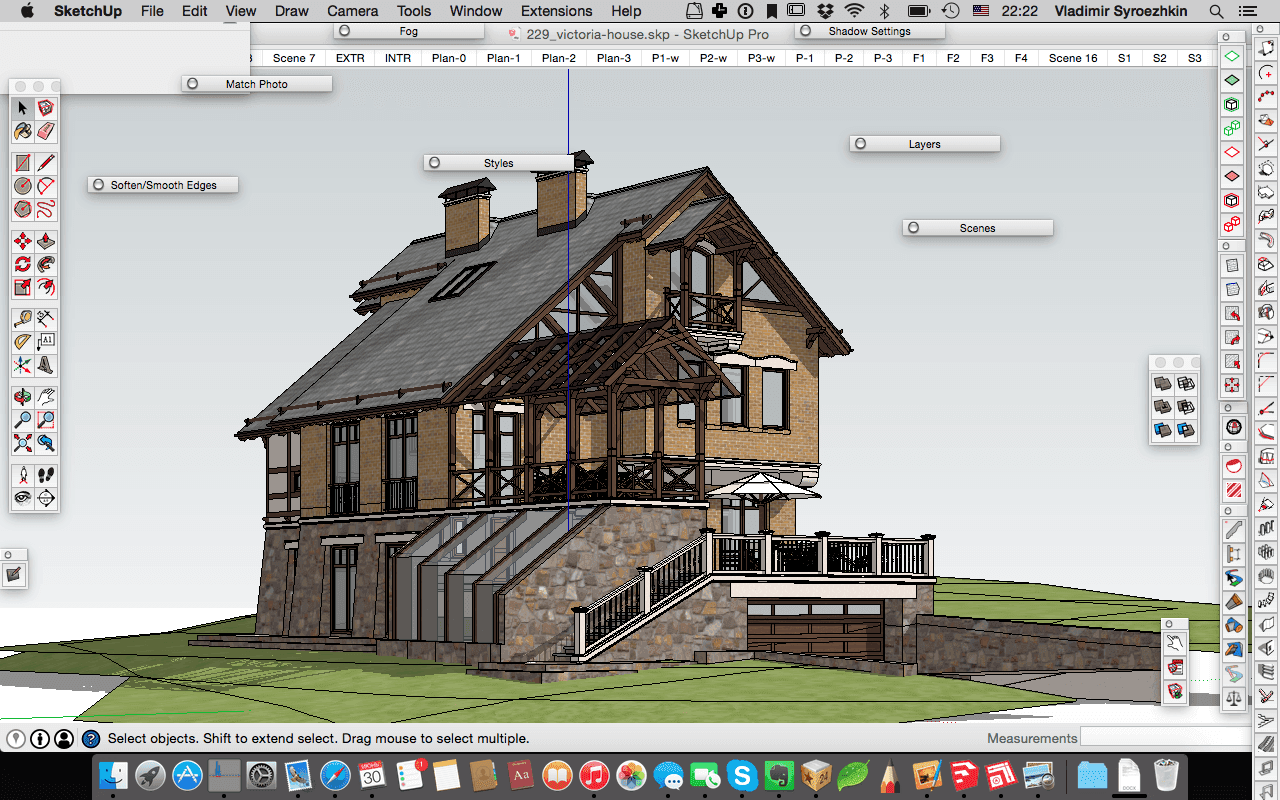
SketchUp and Conceptual Design Workflows
SketchUp workflows operate very smoothly on the HP ZBook Firefly 14 because the software benefits heavily from GPU acceleration during orbiting, real-time viewport rendering, conceptual modeling, and design presentation workflows.
Architecture students and freelance designers especially benefit because conceptual development, walkthrough preparation, and client-facing presentations feel highly responsive even on lightweight workstation configurations. This dramatically improves early-stage architectural workflows overall.
Another important factor is RTX graphics acceleration because rendering previews through V-Ray, Enscape, and Twinmotion workflows benefit substantially from professional GPU optimization during design visualization tasks.
RAM Requirements for Architecture Software
Modern architecture workflows increasingly depend on large memory capacities because BIM environments, rendering previews, Adobe applications, browser tabs, cloud collaboration platforms, and visualization systems frequently operate simultaneously during professional sessions. RAM capacity therefore directly affects workflow smoothness.
The Firefly 14 especially benefits because upgradeable DDR5 memory configurations improve long-term flexibility for architecture students and professionals planning to scale project complexity over time. This significantly improves workstation longevity overall.
Another important factor is future-proofing because 32GB RAM increasingly becomes the practical standard for modern BIM and rendering workflows instead of 16GB configurations used in earlier workstation generations.
Recommended RAM Configurations
| Workflow Type | Recommended RAM |
|---|---|
| AutoCAD Drafting | 16GB |
| SketchUp Modeling | 16GB |
| Revit BIM Projects | 32GB |
| Rhino and Rendering | 32GB |
| Heavy BIM Collaboration | 64GB Preferred |
The memory requirements clearly show why upgrade flexibility matters because architectural software ecosystems continue becoming significantly heavier every year with larger datasets and cloud-integrated workflows.
Another important factor is multitasking behavior because insufficient memory often causes viewport lag, slower regeneration speeds, and rendering preview instability during layered design sessions.
Storage Performance and Project Management
PCIe NVMe SSD storage remains extremely important for architecture workflows because BIM files, CAD archives, rendering assets, texture libraries, and cloud synchronization systems increasingly depend on high-speed storage performance during professional usage.
The Firefly 14 especially benefits because modern Gen4 SSD configurations dramatically improve project opening times, rendering cache handling, application launches, and large asset management workflows. This significantly improves productivity consistency overall.
Another important factor is long-term storage planning because architects frequently manage large client archives, drone survey data, visualization assets, and rendering libraries simultaneously across multiple projects. Higher-capacity SSD configurations therefore become increasingly valuable.
Display Quality and External Monitor Support
Architectural workflows rely heavily on visual accuracy because drafting, rendering previews, material visualization, documentation preparation, and presentation environments all require consistent display quality during prolonged sessions. The Firefly 14 strongly benefits from professional-grade panel options with improved brightness and color consistency.
Architects especially benefit because external monitor support through Thunderbolt and HDMI connectivity dramatically improves multitasking productivity during BIM coordination, CAD drafting, and rendering workflows involving multiple windows simultaneously.
Another important factor is anti-glare usability because architects frequently work under studio lighting conditions, client environments, classrooms, and outdoor meeting spaces where reflective displays reduce usability.
Thermal Stability During Long Design Sessions
Thermal consistency remains extremely important because architecture workflows often involve prolonged drafting, rendering previews, viewport navigation, and multitasking-heavy production sessions lasting several hours continuously. Consumer ultrabooks frequently throttle heavily under these conditions.
The Firefly 14 strongly benefits because HP’s enterprise cooling architecture maintains stable workstation performance during long-duration professional workflows without excessively aggressive fan noise. This significantly improves long-term usability overall.
Another important factor is reliability because thermal stability directly affects BIM responsiveness, rendering previews, and viewport smoothness during larger projects. Professional cooling systems therefore remain essential for architectural productivity.
Portability for Site Visits and Hybrid Work
Architects increasingly move between construction sites, offices, studios, client meetings, classrooms, and remote collaboration environments throughout the week. Lightweight workstation portability therefore becomes substantially more valuable than oversized desktop replacement systems.
The Firefly 14 especially benefits because the lightweight chassis allows professionals to comfortably transport workstation-level performance during mobile workflows without sacrificing enterprise durability or professional software compatibility.
Another important factor is battery efficiency because hybrid architectural workflows increasingly require systems capable of handling meetings, presentations, and project reviews without constant charging access.
Refurbished HP ZBook Firefly 14 for Architecture Students
Refurbished workstation laptops continue becoming increasingly popular among architecture students in India because professional workstation hardware remains expensive while academic software requirements continue growing more demanding. Refurbished Firefly 14 models therefore provide excellent long-term value.
Students especially benefit because enterprise-grade durability, workstation-certified reliability, upgrade flexibility, and professional software compatibility remain substantially better than many mainstream consumer laptops in similar pricing ranges.
Another important factor is long-term sustainability because refurbished workstation systems often remain highly usable for several academic years when properly configured with sufficient RAM, healthy SSD storage, and reliable battery health.
Who Should Buy the HP ZBook Firefly 14
The HP ZBook Firefly 14 remains highly suitable for architecture students, BIM coordinators, interior designers, freelance architects, urban planners, landscape architects, Rhino users, and professionals seeking a balance between workstation reliability and portability.
Students and freelancers especially benefit because the system comfortably handles AutoCAD, Revit, SketchUp, Adobe Creative Cloud, and moderate rendering workflows while remaining portable enough for daily travel and collaborative environments.
Another important factor is professional flexibility because architects increasingly require systems capable of transitioning smoothly between studios, client environments, construction sites, and remote collaboration workflows without compromising stability.
Why the HP ZBook Firefly 14 Remains One of the Best Lightweight Architecture Workstations
The most important takeaway is simple, the HP ZBook Firefly 14 succeeds because it balances workstation-grade software compatibility, professional reliability, BIM workflow efficiency, lightweight portability, RTX graphics optimization, enterprise durability, and long-term architectural usability much more effectively than many traditional consumer laptops or bulky mobile workstations. Instead of prioritizing raw rendering benchmarks alone, HP focuses heavily on sustainable professional productivity.
The combination of Intel Core Ultra performance, RTX professional graphics, DDR5 memory support, NVMe storage, enterprise cooling systems, Thunderbolt connectivity, and strong AutoCAD and Revit compatibility especially helps the Firefly 14 stand out because these features work together to deliver smoother drafting, BIM collaboration, SketchUp modeling, architectural visualization, and hybrid workflow experiences for 2026 and 2027.
At the same time, buyers should understand that the HP ZBook Firefly 14 primarily targets portable professional workflows instead of extremely heavy cinematic rendering or ultra-large commercial visualization environments. Users requiring advanced real-time rendering or large-scale GPU-heavy workflows may still benefit from larger workstation platforms with higher-wattage graphics systems. However, for architecture students, BIM professionals, interior designers, and architects seeking one of the best lightweight workstation laptops with professional reliability and strong CAD software compatibility, the HP ZBook Firefly 14 remains an exceptionally practical long-term investment.
Frequently Asked Questions
Q. Can the HP ZBook Firefly 14 run AutoCAD smoothly in 2026 and 2027?
Yes, the HP ZBook Firefly 14 handles 2D drafting and moderate 3D AutoCAD workflows smoothly because of its strong CPU performance, NVMe SSD storage, and professional graphics optimization.
Q. Is the HP ZBook Firefly 14 good for Revit and BIM workflows?
Yes, the Firefly 14 performs very well for small and medium BIM projects when configured with sufficient RAM and RTX workstation graphics, making it highly suitable for Revit workflows.
Q. Does SketchUp run well on the HP ZBook Firefly 14?
Yes, SketchUp runs smoothly on the Firefly 14, especially on configurations with NVIDIA RTX graphics that improve viewport rendering and conceptual modeling responsiveness.
Q. How much RAM is recommended for architecture software in 2026?
16GB RAM remains suitable for AutoCAD and SketchUp workflows, while 32GB RAM is increasingly recommended for Revit, BIM coordination, rendering previews, and multitasking-heavy architectural environments.
Q. Is a refurbished HP ZBook Firefly 14 good for architecture students in India?
Yes, refurbished Firefly 14 models provide excellent value for architecture students because they combine workstation reliability, upgrade flexibility, professional durability, and strong CAD software compatibility at lower pricing.
Q. Is the HP ZBook Firefly 14 still worth buying in 2026 and 2027?
Yes, the HP ZBook Firefly 14 remains one of the strongest lightweight mobile workstations because it balances portability, professional software compatibility, BIM workflow performance, enterprise reliability, and long-term usability extremely well for architects and architecture students.






