
HP ZBook Firefly 14 For Architects In 2026: AutoCAD, Revit, And SketchUp Use
Discover how the HP ZBook Firefly 14 handles architectural workloads in 2026. Learn about AutoCAD drafting, Revit BIM performance, SketchUp modelling, RAM needs, and ideal configurations for architects.

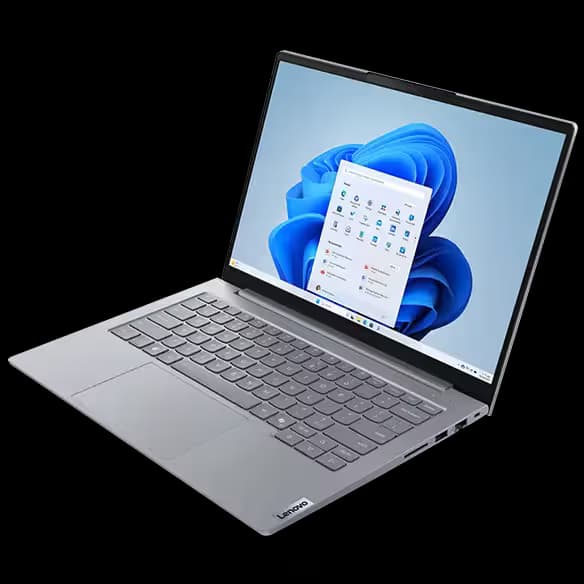
Architecture workflows in 2026 demand precision, visual clarity, and consistent performance under layered design loads. From drafting floor plans to rendering conceptual models, architects rely on machines that are stable, colour accurate, and capable of handling complex project files. The HP ZBook Firefly 14 offers a portable workstation solution designed for professionals who need mobility without sacrificing reliability.
For architects working with AutoCAD, Revit, and SketchUp, performance is not just about raw speed. It is about smooth viewport navigation, memory capacity, thermal consistency, and multi-display flexibility. Let us examine how the Firefly 14 performs in real architectural workflows.
Processor Performance For Architectural Design
Architectural software often depends heavily on strong single-core CPU performance, especially during drafting and model manipulation. The Firefly 14, particularly G8 and G9 generations, includes Intel Core i5 and i7 processors with high turbo frequencies.
For architects, this means:
- Faster drawing regeneration in drafting software
- Responsive 2D and 3D modelling
- Efficient file saving and exporting
- Smooth switching between design layers
While it is not a high-wattage desktop workstation, it delivers consistent performance for small to mid-scale architectural projects. For most studio, freelance, and academic environments, the processing power is more than adequate.
AutoCAD Performance And Stability
AutoCAD remains one of the core tools for architects in 2026. It relies primarily on CPU speed and stable graphics support.
The Firefly 14 handles AutoCAD efficiently due to:
- High single-core processor boost speeds
- Professional GPU options in select configurations
- Smooth 2D drafting performance
- Stable handling of moderate 3D drawings
For 2D drafting and medium 3D projects, the laptop performs reliably. Extremely large or highly detailed architectural visualisations may benefit from higher-end workstation models, but for most users, the Firefly offers balanced performance.
Revit And BIM Workflows
Autodesk Revit is more demanding than AutoCAD due to BIM data complexity and real-time rendering needs. Revit benefits from both CPU performance and adequate RAM.
The Firefly 14 supports Revit workflows effectively when configured with:
- At least 16GB RAM
- NVMe SSD storage
- NVIDIA professional GPU variants for smoother 3D views
For small to medium BIM models, navigation and editing remain smooth. For very large commercial projects with heavy detailing, performance may depend heavily on RAM capacity and project optimisation.
SketchUp And Conceptual Modelling
SketchUp is commonly used for conceptual modelling and early-stage design. It benefits from GPU acceleration for smoother orbiting and rendering.
The Firefly 14 performs well in SketchUp due to:
- Dedicated GPU options in select models
- Stable viewport rendering
- Fast SSD loading of design libraries
- Responsive real-time navigation
For architecture students and freelancers, it offers a portable yet capable platform for quick concept development and client presentations.
RAM Requirements For Architecture Software
Architectural projects can quickly consume system memory, especially when handling layered drawings or BIM models.
Recommended configurations include:
- 16GB RAM minimum for AutoCAD and SketchUp
- 32GB RAM ideal for Revit and larger BIM files
- Upgradeable RAM in G7 and G8 models for long-term flexibility
Insufficient memory often leads to lag during model regeneration and slower rendering previews. Choosing a model with RAM expansion capability protects long-term usability.
Storage Performance And Project Management
Architectural project files, texture libraries, and rendering assets require fast storage. NVMe SSDs significantly improve loading times and system responsiveness.
Benefits of NVMe storage include:
- Faster project opening and saving
- Quick boot and application launches
- Reduced delays during rendering exports
- Efficient handling of large design assets
Upgrading to a 1TB SSD is highly recommended for architects managing multiple client projects.
Display Quality And External Monitor Support
Architects rely heavily on accurate visuals. The Firefly 14 offers Full HD and higher resolution display options depending on configuration.
Important display advantages include:
- Good colour consistency for design previews
- Anti-glare panels for studio lighting conditions
- High brightness options in select models
With Thunderbolt and HDMI support, the laptop can connect to dual external monitors. This is especially useful when separating drafting space, rendering previews, and documentation workflows.
Thermal Stability During Long Design Sessions
Architecture work often involves long design sessions with multiple applications running simultaneously. Thermal management becomes important for maintaining performance consistency.
The Firefly 14 features:
- Enterprise-grade cooling design
- Dual-fan systems in most configurations
- Intelligent thermal control profiles
While extremely heavy rendering tasks may push its limits, it performs reliably for drafting, modelling, and moderate rendering loads.
Portability For Site Visits And Studio Work
Architects frequently move between office, studio, and construction sites. Portability is therefore a major advantage.
The Firefly 14 offers:
- Lightweight chassis
- Durable enterprise build quality
- Reliable battery life for meetings and reviews
This makes it suitable for presenting drawings on-site, reviewing BIM files during meetings, and working from different locations without carrying a bulky workstation.
Refurbished Option For Architecture Students
In India, many architecture students prefer refurbished workstation laptops to manage budget constraints. A refurbished Firefly 14 provides professional-grade durability at a lower price.
Before purchasing refurbished, verify:
- RAM capacity and upgrade potential
- GPU configuration
- SSD health
- Battery condition
- Warranty coverage
A properly tested unit can support academic and freelance projects for several years.
Who Should Choose The Firefly 14
The Firefly 14 is ideal for:
- Architecture students
- Freelance architects
- Interior designers
- Small studio professionals
- Urban planners handling moderate BIM projects
It may not replace high-end desktop workstations for very large-scale commercial rendering projects, but it offers a strong balance of portability and architectural performance.
Conclusion
In 2026, the HP ZBook Firefly 14 remains a dependable mobile workstation for architects working with AutoCAD, Revit, and SketchUp. It delivers stable drafting performance, smooth modelling capability, and flexible upgrade options in a lightweight design.
For students and professionals seeking portability without sacrificing professional software compatibility, the Firefly 14 offers a practical and reliable architectural computing solution.
Frequently Asked Questions
1. Can the HP ZBook Firefly 14 run AutoCAD smoothly?
Yes. The Firefly 14 handles 2D drafting and moderate 3D AutoCAD projects smoothly, especially with higher clock-speed processors and SSD storage. It is well suited for students and studio professionals.
2. Is the Firefly 14 good for Revit and BIM projects?
For small to medium BIM models, it performs reliably when equipped with at least 16GB or 32GB RAM. Very large commercial BIM projects may require higher-end workstation models.
3. Does SketchUp run well on the Firefly 14?
Yes. SketchUp runs smoothly, particularly on configurations with dedicated NVIDIA professional GPUs. It handles conceptual modelling and client presentations efficiently.
4. How much RAM is recommended for architecture software?
16GB is the minimum for AutoCAD and SketchUp. 32GB is recommended for Revit and larger BIM files to ensure smooth multitasking and rendering previews.
5. Is a refurbished HP ZBook Firefly 14 suitable for architecture students?
Yes, provided it has sufficient RAM, healthy SSD storage, and warranty coverage. Refurbished units offer workstation-level durability at a more affordable price, making them ideal for students.
Ready to upgrade your tech?
Browse our collection of quality refurbished products at unbeatable prices.






