
HP ZBook Firefly 14 Best Config In 2026 India: CPU, GPU, RAM, SSD, Display Selection
Guide to choosing the best HP ZBook Firefly 14 configuration in 2026 including CPU, GPU, RAM, SSD, and display options for productivity, CAD, and professional workloads.

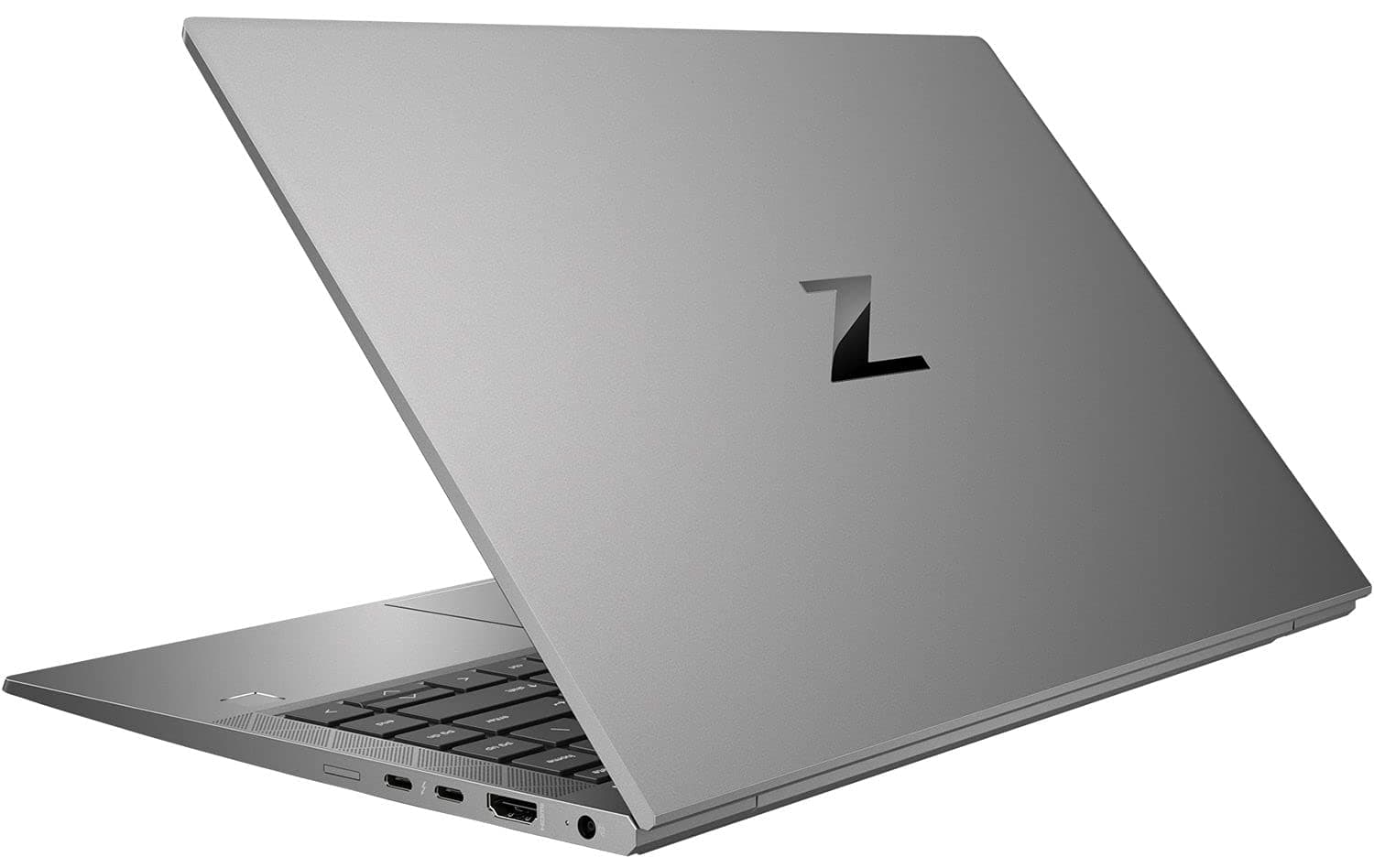
TL;DR For Indian professionals in 2026, the optimal HP ZBook Firefly 14 configuration balances an Intel Core i7 or Core Ultra 7 processor, 32GB DDR5 RAM, a 1TB NVMe SSD, and a WUXGA anti-glare display, which handles office work, analytics, and development smoothly. If you work with CAD or 3D modeling, you must opt for the NVIDIA RTX A500 GPU; for colour-critical design, prioritize a DreamColor display panel. While 16GB RAM and a 512GB SSD suffice for basic productivity, the higher configuration ensures long-term reliability. Ultimately, choosing the best HP ZBook Firefly 14 configuration in 2026 depends on workload type: productivity users prioritize battery and portability, engineers require GPU support, and analysts benefit most from higher memory capacity.
Introduction: Choosing the Right ZBook in 2026
The HP ZBook Firefly 14 is engineered for professionals who need workstation reliability in a portable chassis, making it ideal for engineers, analysts, and consultants across India. When selecting the best configuration in 2026, the CPU generation is the most critical factor, prioritize 13th Gen Intel Core i7 or newer Intel Core Ultra 7 processors for hybrid architecture that handles multitasking, financial modeling, and coding efficiently. For graphics work, the integrated Intel Iris Xe suffices for office tasks, but CAD users must opt for the NVIDIA RTX A500 GPU, while colour-critical work requires the DreamColor display panel.
Memory and storage determine long-term usability: 32GB DDR5 RAM is the sweet spot for running virtual machines, large datasets, and creative suites without slowdowns, while 16GB suffices only for basic productivity. A 1TB NVMe SSD ensures fast project loading and file transfers, crucial for analysts and content creators. The WUXGA (1920x1200) anti-glare display offers extra vertical space for documents and code, balancing battery life and visual clarity better than 4K options.
Many Indian professionals are increasingly purchasing enterprise workstations rather than new consumer laptops. HP ZBook models often originate from corporate upgrade cycles, meaning the hardware is built to enterprise durability standards. Platforms such as Refurbo provide access to professionally tested configurations that frequently include higher RAM and SSD capacities than similarly priced new laptops. When selecting the best configuration, buyers should focus primarily on CPU generation, RAM capacity, storage speed, and display resolution, as these components determine long-term usability more than marketing specifications alone.
CPU Options: Core i5, i7, i9, and Intel Core Ultra Comparisons
Processor selection is one of the most important factors when configuring the HP ZBook Firefly 14 because workstation workflows depend heavily on sustained CPU performance. Across different generations of the Firefly series, configurations may include Intel Core i5, Core i7, or newer hybrid-architecture processors designed to balance performance and efficiency.
Entry-level configurations typically feature processors such as the Intel Core i5-1135G7 or i5-1240P, which provide solid performance for general office productivity, spreadsheet work, web-based ERP platforms, and documentation tasks. These processors include multiple cores and strong integrated graphics, making them suitable for analysts, MBA students, and consultants who primarily run business software rather than engineering tools.
Mid-tier configurations with Intel Core i7 processors offer significantly stronger multitasking capability. CPUs such as the i7-1165G7 or i7-1265U introduce higher clock speeds and larger cache sizes, allowing smoother performance when running heavier workloads such as complex Excel models, programming environments, or moderate CAD drafting. In most real-world scenarios, the Core i7 configuration represents the best balance between price and performance for professional users.
Some workstation configurations also include high-end processor variants with higher core counts and improved turbo frequencies. These models are better suited for developers compiling large codebases, engineers performing simulations, or professionals working with analytics workloads that benefit from additional processing threads.
CPU Comparison Table
For most Indian buyers evaluating HP ZBook Firefly 14 Price in India, the Core i7 configuration typically delivers the most balanced long-term workstation performance.
GPU Options: NVIDIA T500, T550, and RTX Variants
The HP ZBook Firefly 14 comes with a range of professional GPU options, which are crucial for users who require smooth 3D modeling, CAD drafting, and GPU-accelerated workflows. Most entry-level configurations rely on Intel Iris Xe integrated graphics, which suffice for general productivity, 2D CAD, and lightweight visualization tasks. However, for more demanding tasks, dedicated workstation GPUs like the NVIDIA T500 or T550 offer significant advantages in rendering, viewport performance, and software acceleration.
The NVIDIA T500 GPU is an entry-level workstation-class GPU built on Ampere architecture. It supports OpenGL, CUDA, and professional driver optimizations, making it suitable for 3D modeling in software like AutoCAD, SolidWorks, and Revit, as well as for small-scale rendering. The T550, a slightly higher-end option, provides improved VRAM bandwidth and faster GPU cores, allowing moderate simulation and rendering workflows without needing a larger chassis. While RTX variants are not typical for the Firefly 14, some specialized configurations in market may include them for users testing AI inference models or GPU-heavy tasks.
Professional users in India who work on financial modeling, GIS, and consulting projects can often achieve satisfactory performance using T500-equipped Firefly 14 systems, especially when paired with 32 GB RAM and NVMe SSDs. These ones frequently provide higher GPU configurations than similarly priced new consumer laptops, making platforms Refurbo attractive for buyers seeking workstation-grade GPUs at lower cost.
GPU Options Table
For most HP ZBook Firefly 14 Price in India, configurations with T500 GPU deliver the best balance between portability, performance, and cost for professional users.
RAM Requirements: DDR5 vs DDR4, 16GB, 32GB, and 64GB Configurations
RAM capacity and speed are pivotal in determining how efficiently the HP ZBook Firefly 14 handles multitasking, large datasets, and memory-intensive applications. The Firefly 14 supports DDR4 and DDR5 memory, with DDR5 offering higher bandwidth and better power efficiency, crucial for CAD, analytics, and AI workloads in 2026.
Entry-level systems with 16 GB RAM are sufficient for productivity tasks, such as spreadsheets, accounting software like Tally, and standard office operations. These configurations also handle light multitasking well, making them ideal for professionals who primarily work with documentation, presentations, or web-based ERP solutions. For Indian buyers seeking affordable options, 16 GB DDR5 modules in tested Firefly 14 units offer extended lifecycle performance without bottlenecks in general workloads.
32 GB RAM configurations are optimal for most business and professional workflows, including moderate CAD, 3D visualization, and analytics modeling. Paired with the T500 GPU, these systems allow multiple applications to run simultaneously without significant performance drops. DDR5 memory improves viewport responsiveness and reduces lag in applications like AutoCAD, Revit, and SolidWorks, particularly when working on complex models.
High-demand users requiring large simulations, extensive 3D rendering, or AI model testing benefit from 64 GB RAM options. These configurations are mostly available in affordable enterprise Firefly units and are ideal for users who need high memory bandwidth, seamless multitasking, and long-term reliability. Choosing the right RAM capacity also affects battery life, as higher memory speeds can increase power draw, but DDR5’s efficiency mitigates this effect.
RAM Comparison Table
For Indian buyers evaluating HP ZBook Firefly 14, DDR5 32 GB configurations often represent the sweet spot between performance, cost, and longevity.
SSD Selection: NVMe vs SATA, 512GB, 1TB, and Expansion Options
Storage speed and capacity directly impact workflow efficiency on the HP ZBook Firefly 14. Modern Firefly 14 configurations offer NVMe SSDs, which provide significantly faster read/write speeds than traditional SATA drives. NVMe drives enhance boot times, software launch speed, and file transfer rates, making them particularly beneficial for large CAD files, 3D models, and business datasets.
512 GB NVMe SSDs are sufficient for most professionals who primarily work with productivity tools, small CAD projects, and financial data. They are often the default option in entry-level Firefly 14 units, offering a balance between storage cost and portability. For users needing local copies of larger datasets or multiple project files, 1 TB NVMe SSDs are recommended, especially when paired with 32 GB RAM and T500 GPU configurations.
The Firefly 14 also supports expandable storage options in some configurations. Users can leverage M.2 expansion slots or external SSDs for projects requiring additional storage, without compromising internal system speed. NVMe drives provide lower latency and better sustained throughput compared to SATA, making them ideal for professional Indian users dealing with GST reports, ERP databases, and large Excel workbooks.
SSD Comparison Table
For Indian buyers, selecting NVMe-based 1 TB storage in Firefly 14 ensures a future-proof solution for both professional and creative workflows.
Display Panel Selection: FHD, WUXGA, UHD, DreamColor Considerations
When evaluating the HP ZBook Firefly 14 for professional and creative workflows in 2026, display choice is critical. The Firefly 14 offers a variety of panels including FHD (1920×1080), WUXGA (1920×1200), UHD (3840×2160), and DreamColor options. Each panel type impacts visual clarity, color accuracy, and professional usability, especially in CAD, graphic design, and content creation.
FHD panels are the most common, balancing power consumption, cost, and readability. They are ideal for general productivity, 2D drafting, and office workflows. FHD provides adequate workspace for spreadsheets, ERP applications, and small CAD models without significantly impacting battery life. WUXGA panels increase vertical resolution, giving extra screen real estate for complex spreadsheets, multi-pane coding, or extended CAD drawings, which Indian professionals working on dense documentation or financial modeling may appreciate.
For users requiring high fidelity color work, UHD panels offer superior pixel density, enhancing clarity for detailed designs, video editing, and image retouching. UHD panels paired with DreamColor technology provide precise color calibration, wide sRGB coverage, and professional-grade display consistency, making them ideal for photographers, graphic designers, and engineers who rely on accurate visual outputs.
Display Panel Comparison Table
For HP ZBook Firefly 14 units, selecting WUXGA or UHD DreamColor panels ensures superior visual performance while remaining portable and cost-effective.
Ideal Configuration for CAD and 2D Drafting Workflows, 3D Modeling and Rendering
Professionals focusing on CAD, drafting, and moderate 3D rendering need a balanced Firefly 14 configuration to ensure smooth performance without overspending. For 2D CAD, drafting, and technical design tasks, Intel Core i5 or i7 CPUs, 16–32 GB DDR5 RAM, and 512 GB–1 TB NVMe storage provide reliable responsiveness. These specifications handle multiple files, complex drawings, and software like AutoCAD, Revit, or SolidWorks efficiently. Entry-level T500 GPUs assist in viewport rendering, providing a smoother modeling experience.
For light 3D modeling and small-scale rendering, configurations with 32 GB RAM, 1 TB NVMe SSD, and NVIDIA T500/T550 GPUs allow professionals to handle Blender, Fusion 360, or other visualization tools without system lag. UHD or DreamColor panels further enhance visualization by providing precise detail and color representation for design validation. While the Firefly 14 is not intended for heavy GPU rendering like RTX A-series workstations, it excels in mid-level 3D workflows, making it suitable for Indian engineers, architects, and product designers.
Recommended CAD / 3D Modeling Configuration Table
Firefly 14 units with this configuration offer excellent cost-to-performance value for Indian professionals, balancing portability, display fidelity, and rendering efficiency.
Comparison of Recommended ZBook Configurations for Different Workloads
Choosing the right HP ZBook Firefly 14 configuration in 2026 depends heavily on the workload type. Indian professionals and students require different balances between CPU, GPU, RAM, storage, and display depending on whether they are focused on CAD, 2D drafting, 3D modeling, AI tasks, or general productivity. Comparing configurations across workloads allows buyers to maximize cost-efficiency without overpaying for unused performance.
For general productivity, such as document editing, spreadsheets, and video conferencing, a Core i5 CPU, 16 GB DDR5 RAM, 512 GB NVMe SSD, and FHD display is sufficient. Upgrading to 32 GB RAM or WUXGA panels adds multitasking comfort but isn’t mandatory. For CAD and light 3D workflows, the sweet spot is Core i7 CPU, 32 GB RAM, 1 TB NVMe SSD, and NVIDIA T500/T550 GPU. UHD or DreamColor panels improve design visualization and model review, which is especially relevant for architects, engineers, and designers in India who work with multiple layered CAD files.
For AI, simulation, or machine learning tasks, a Core Ultra or high-end Core i7, 32–64 GB RAM, 1 TB SSD, and T500/T550 GPU configuration is optimal. While these configurations aren’t suitable for heavy neural network training, they handle preprocessing, inference, and visualization efficiently, particularly when combined with cloud computation platforms.
Configuration Comparison Table
These laptop options provide excellent value, allowing professionals to acquire high-spec configurations without overspending.
Final Recommendation and Decision Framework for Indian Buyers
For Indian professionals and students evaluating HP ZBook Firefly 14 in 2026, the decision framework should focus on workload requirements, portability, and cost efficiency. Core i5 FHD configurations cater well to office-based productivity, accounting, and financial analysis tasks. They offer long battery life and cost efficiency for frequent travel and client meetings.
Mid-tier configurations, featuring Core i7 CPUs, 32 GB RAM, 1 TB SSD, and NVIDIA T500/T550 GPU, are ideal for CAD, 2D drafting, and light 3D modeling. They provide smooth multitasking and rendering capabilities while remaining portable. DreamColor panels improve color accuracy and visualization, which is particularly beneficial for designers and architects in India working on client projects or presentations.
For those exploring AI, machine learning, or data-heavy workflows, the Core Ultra or high-end Core i7 configuration with 32–64 GB RAM strikes a balance between local inference capabilities and cloud-assisted computation. HP ZBook Firefly 14 units offer premium specs at lower cost, making them the smart choice for budget-conscious buyers who require workstation-grade performance.
The key decision question is simple: Is your work CPU-bound, GPU-bound, or focused on visualization and inference? If CPU-bound or visualization-heavy, the mid-tier to high-end Firefly 14 configurations excel. If GPU-heavy rendering is your priority, consider complementing Firefly 14 with cloud GPU resources. This framework ensures Indian buyers invest wisely without compromising productivity.
Frequently Asked Questions
Q. What is the best HP ZBook Firefly 14 configuration for CAD?
A. A Core i7 processor, 32 GB DDR5 RAM, NVIDIA T500 GPU, 1 TB NVMe SSD, and WUXGA or UHD display provides strong CAD performance.
Q. Is a refurbished Firefly 14 reliable for professional use?
A. Yes. Properly refurbished units from trusted sellers are tested and can deliver enterprise level reliability for professional workflows.
Q. Can the Firefly 14 handle AI workloads?
A. It can manage light AI workloads, inference, and data preprocessing with 32 to 64 GB RAM and a T500 or T550 GPU. Heavy model training usually requires cloud GPUs.
Q. Which display is best for designers?
A. UHD DreamColor panels are ideal because they provide higher resolution and accurate color reproduction for design and content work.
Q. Is 16 GB RAM enough for professional use?
A. It is sufficient for general productivity tasks. For CAD, analytics, or development workflows, 32 GB RAM is recommended.
Q. Does the Firefly 14 support NVMe storage upgrades?
A. Yes. Most configurations support NVMe SSD upgrades, allowing faster storage and larger capacity for professional projects.
Q. Are Intel Core Ultra processors better than Core i7?
A. Core Ultra processors generally offer improved efficiency and AI acceleration features compared with older Core i7 generations.
Q. Can the Firefly 14 support multiple external monitors?
A. Yes. The workstation supports high resolution external displays, including 4K monitors, for extended productivity setups.
Q. How does the refurbished price compare with new models?
A. Refurbished Firefly 14 systems can cost around 30 to 50 percent less while still delivering workstation level performance.
Q. Is the Firefly 14 portable for frequent travel?
A. Yes. Its lightweight 14 inch design and efficient battery make it suitable for consultants, students, and professionals who travel frequently.**






