
HP ZBook 15G3 Windows Compatibility In 2026: Drivers, Apps, And Limitations
HP ZBook 15 G3 remains usable in 2026 with stable Windows 10 support, legacy drivers, and reliable compatibility for professional workloads.

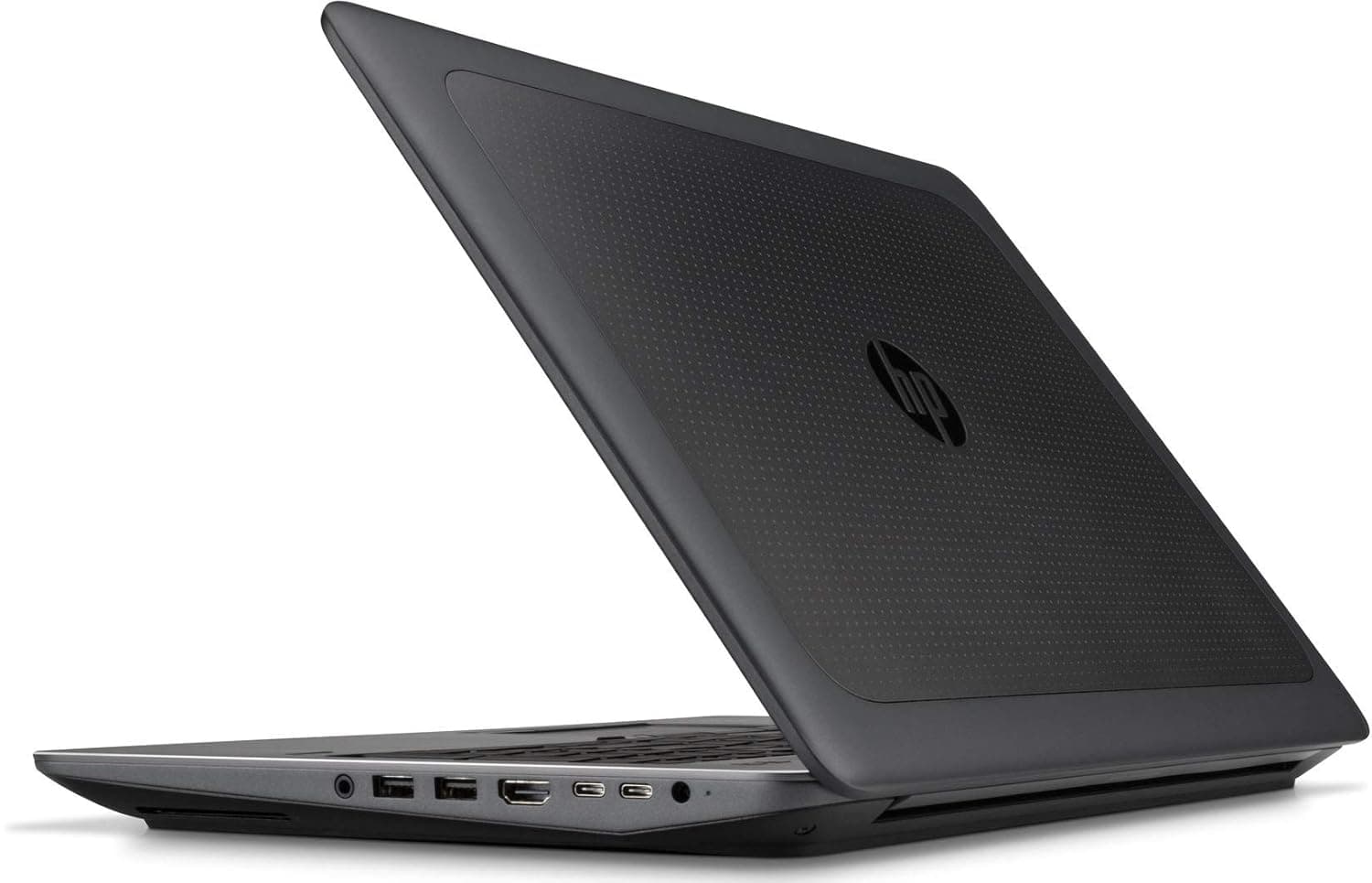
TL;DR The HP ZBook 15 G3 remains surprisingly usable in 2026 despite being a mid-2010s workstation platform. While originally designed for Windows 10 environments, the system continues to support modern productivity workflows through stable driver ecosystems and enterprise-grade hardware compatibility. Windows 10 remains the most stable operating system, while Windows 11 installation is possible with workarounds depending on configuration. Professional applications such as Microsoft 365, CAD tools, accounting platforms, and enterprise browsers continue running reliably due to Intel Xeon/Core architecture and NVIDIA workstation GPU driver continuity. For buyers choosing a Refurbished HP ZBook 15 G3 Workstation Laptop, long-term usability depends less on raw hardware age and more on selecting the correct Windows version and maintaining updated drivers sourced through trusted platforms like Refurbo in practical business environments across India, the ZBook 15 G3 still functions effectively as a stable productivity workstation when configured intelligently.
Windows Version Support in 2026 (Windows 10 vs Windows 11 vs Future Updates)
The HP ZBook 15 G3 Specs reveal hardware built around Intel 6th-generation Core and Xeon processors, released before Microsoft introduced modern TPM 2.0 and CPU eligibility requirements for Windows 11. As a result, Windows 10 remains the officially supported operating system for this workstation even in 2026. HP originally validated enterprise deployments of the ZBook 15 G3 under Windows 10 Pro, ensuring optimized thermal profiles, GPU stability, and workstation certification compatibility.
Windows 11 can technically be installed through bypass methods that disable hardware checks. Many refurbished workstation users in India successfully run Windows 11 for updated UI features and longer software compatibility. However, performance improvements are minimal compared to Windows 10 because scheduler optimizations in Windows 11 primarily benefit newer hybrid CPUs. On Skylake architecture systems like the ZBook 15 G3, Windows 10 typically delivers better driver maturity and fewer compatibility risks.
Looking ahead, Microsoft’s extended Windows 10 security timeline becomes critical. Enterprise and LTSC versions are expected to remain supported beyond consumer timelines, allowing businesses to continue secure deployment. For professional usage involving accounting software, ERP tools, browser workflows, and office productivity, Windows 10 still provides the most predictable experience.
Windows Compatibility Overview
In 2026, the smartest approach is optimized Windows 10 deployment rather than forced upgrades, which can be explored at Refurbo.
Official HP Driver Availability and Lifecycle Support
One major advantage highlighted in nearly every HP ZBook 15 G3 Review is HP’s historically long enterprise driver lifecycle. Unlike consumer laptops that lose support quickly, ZBook workstations were deployed in corporate fleets expected to operate for five to seven years or more. HP continues hosting official drivers including chipset, graphics, audio, networking, and BIOS packages through its enterprise support repositories.
The workstation commonly ships with NVIDIA Quadro M1000M or M2000M GPUs, both of which still receive legacy professional driver updates under NVIDIA’s long-term support model. This ensures compatibility with professional applications even when newer consumer GPUs discontinue optimization. ISV-certified driver stability remains one of the strongest reasons the ZBook 15 G3 Workstation Laptop survives productively into 2026.
Driver reliability becomes particularly important for Indian refurbished buyers using docking stations, external monitors, printers, or legacy enterprise peripherals. HP’s SoftPaq ecosystem allows clean reinstallation of validated drivers without dependency on unreliable third-party sources. Network drivers, Thunderbolt firmware, and storage controller updates continue functioning reliably under Windows 10 environments.
Even today, enterprise IT deployments prefer older ZBook systems precisely because driver ecosystems remain predictable. When sourced as a Refurbished HP ZBook 15 G3, users benefit from a mature platform where most compatibility issues have already been resolved through years of firmware refinement rather than experimental updates common in newer hardware generations.
BIOS Updates and Firmware Stability in 2026
The HP ZBook 15 G3 benefits significantly from HP’s enterprise workstation firmware philosophy, which prioritizes long operational stability rather than rapid feature experimentation. Even in 2026, BIOS revisions released during the workstation’s lifecycle continue to provide reliable hardware communication between CPU, GPU, storage controllers, and operating systems. Unlike consumer laptops that depend heavily on continuous firmware evolution, the ZBook 15 G3 reached firmware maturity years ago, which now works in its favor.
HP delivered multiple BIOS updates addressing thermal behavior, NVMe SSD compatibility, security patches, and power management optimization. These updates stabilized interactions with Windows 10 builds and enterprise deployment environments. As a result, users installing fresh operating systems today generally encounter minimal firmware conflicts, provided the BIOS is updated to the latest supported revision before installation.
Firmware stability becomes particularly important when upgrading storage or RAM in refurbished units. The system supports modern SATA SSDs and many NVMe drives through validated firmware pathways, allowing performance improvements without instability risks. Professionals using docking stations or external GPU displays also benefit from stable Thunderbolt and DisplayPort firmware behavior.
In practical 2026 usage, the ZBook 15 G3 demonstrates what IT administrators call a “mature platform advantage.” There are fewer unexpected BIOS incompatibilities compared to newer laptops still undergoing optimization cycles. For buyers choosing a Refurbished HP ZBook 15 G3 Workstation Laptop, ensuring updated firmware effectively restores enterprise-level reliability suitable for long professional deployment.
Compatibility With Microsoft 365, Office, and Enterprise Applications
One of the strongest reasons behind continued adoption reflected in many HP ZBook 15 G3 Review discussions is its excellent compatibility with modern enterprise software ecosystems. Despite hardware age, the workstation handles current versions of Microsoft 365 efficiently due to strong multi-core CPU architecture and workstation-class memory bandwidth.
Applications such as Excel with heavy financial models, Power BI dashboards, Outlook synchronization, Teams video meetings, and browser-based ERP systems run smoothly when paired with SSD storage and adequate RAM. In Indian corporate environments involving GST filing, accounting automation, consulting documentation, and reporting workflows, the system maintains stable responsiveness even under multitasking conditions.
Professional software compatibility remains equally strong. Engineering and analytics tools compiled for x86 architecture continue functioning reliably because Intel Skylake processors remain fully supported by modern Windows runtime environments. Legacy enterprise software often performs better on systems like the ZBook 15 G3 compared to newer ARM-based platforms.
Enterprise Application Compatibility Table
For business professionals evaluating HP ZBook 15 G3 Price in India against modern laptops, software reliability often outweighs hardware generation age, making refurbished workstation deployment economically practical.
Performance Optimization on Latest Windows Builds
Running modern Windows environments efficiently on older workstation hardware depends heavily on correct optimization rather than raw specifications. The HP ZBook 15 G3 Workstation Laptop performs best when unnecessary background services introduced in newer Windows builds are controlled carefully.
Windows 10 versions released after 21H2 include additional telemetry services, indexing behavior, and visual effects optimized for newer CPUs. On Skylake platforms, disabling non-essential startup services significantly improves responsiveness. Professionals commonly observe faster boot times, smoother application switching, and reduced thermal activity after optimization.
Storage configuration plays a major role in perceived performance. Migrating from legacy HDD storage to NVMe or SATA SSD dramatically enhances Windows responsiveness. Combined with 16 to 32 GB RAM configurations, the system continues delivering dependable performance for office workloads, programming environments, and technical documentation tasks.
GPU driver selection also affects optimization outcomes. NVIDIA Quadro drivers designed for stability rather than gaming performance ensure smoother CAD viewport rendering and reduced system crashes. Proper power profile tuning further prevents unnecessary CPU throttling during extended workloads.
In real-world enterprise deployment, optimized Windows installations allow the ZBook 15 G3 to function as a stable productivity workstation rather than an aging device. This explains why Refurbished HP ZBook 15 G3 systems remain actively used across consulting firms, educational institutions, and SME offices throughout India even in 2026.
Limitations to Consider Before Upgrading to Latest Windows
While the HP ZBook 15 G3 remains highly usable in 2026, upgrading blindly to the newest Windows builds without understanding platform limitations can reduce stability instead of improving usability. The most important constraint arises from Microsoft’s official hardware eligibility requirements introduced with Windows 11, particularly TPM 2.0 enforcement and supported CPU lists.
The Intel Skylake Xeon and Core processors used in the ZBook 15 G3 are not officially listed under Windows 11 supported CPUs, even though installation through workarounds remains technically possible. Users who force-install newer builds may experience missing driver optimizations, reduced update guarantees, or occasional compatibility warnings during future system updates.
Another limitation involves modern background services optimized for hybrid CPUs. New Windows scheduling systems assume efficiency cores and advanced power states unavailable on older architectures. This can result in slightly higher idle power consumption and reduced battery efficiency compared to officially supported systems.
Graphics support also introduces practical boundaries. While NVIDIA Quadro M-series GPUs still function correctly through legacy enterprise drivers, future Windows graphical frameworks may gradually prioritize newer GPU instruction sets. This does not immediately affect CAD or office workloads but may limit compatibility with next-generation visualization tools over time.
Therefore, professionals using Refurbished HP ZBook 15 G3 systems should prioritize stability-focused upgrades rather than version chasing. Windows 10 enterprise builds currently deliver the best balance between performance, compatibility, and predictable long-term operation.
Security Updates and Long-Term Usability Outlook
Security longevity is one of the biggest concerns when operating older workstation hardware. Fortunately, the HP ZBook 15 G3 continues benefiting from Microsoft’s extended enterprise ecosystem support in 2026, particularly through Windows 10 security servicing channels.
Windows 10 remains supported with security updates until October 2025, after which Extended Security Update (ESU) programs are expected for enterprise deployments. Organizations commonly continue operating certified workstations like the ZBook series under controlled update environments even beyond mainstream support periods.
Hardware-level enterprise security features further strengthen usability. The workstation includes BIOS protection layers, secure boot capability, TPM modules in many configurations, and enterprise authentication compatibility. These allow deployment in corporate networks where device integrity and encrypted storage remain mandatory requirements.
From a practical Indian business perspective, long-term usability depends less on operating system novelty and more on controlled security practices. Updated browsers, endpoint protection software, and network firewalls continue protecting systems effectively even when hardware generations age.
Refurbished workstation deployments typically remain viable for several additional years because enterprise-class systems were originally designed for extended lifecycle usage. For professionals evaluating HP ZBook 15 G3 Price in India, this translates into strong cost-per-year operational value, especially for consulting, education, accounting, and administrative environments where security reliability matters more than cutting-edge features.
Driver Support for External Devices and Docking Stations
A major advantage of workstation platforms compared to consumer laptops is peripheral compatibility, and the HP ZBook 15 G3 Workstation Laptop continues performing strongly in this area even in modern Windows environments.
The system supports a wide ecosystem of enterprise docking solutions, external monitors, storage devices, printers, scanners, and networking accessories. HP’s legacy driver repositories still provide stable drivers for USB controllers, Thunderbolt interfaces (on supported variants), Ethernet adapters, and display outputs. This ensures compatibility with multi-monitor office setups widely used in finance, engineering, and design workflows.
External display support remains particularly strong. The workstation can reliably drive multiple Full HD or 4K monitors through DisplayPort or docking stations, enabling productivity environments comparable to modern desktops. Professionals transitioning between office desks and home setups benefit from plug-and-play docking stability, which remains one of the ZBook series’ strongest advantages.
Peripheral compatibility also extends to specialized enterprise hardware such as biometric scanners, industrial USB devices, and legacy serial-interface equipment often used in manufacturing or laboratory environments. Newer ultrabooks frequently drop such compatibility, whereas workstation platforms maintain broader hardware communication support.
In 2026 usage scenarios, refurbished ZBook systems function exceptionally well as hybrid desktop replacements. This sustained ecosystem compatibility explains why Refurbished HP ZBook 15 G3 deployments remain common across SMEs and institutional setups where device expansion flexibility is critical.
Who Should Upgrade and Who Should Stay on Current Windows Version
Choosing the correct operating system in 2026 for the HP ZBook 15 G3 depends less on software trends and more on workflow stability requirements. Unlike modern consumer laptops that benefit from frequent OS upgrades, enterprise workstations typically perform best when operated on mature and fully optimized platforms.
Professionals working in accounting environments, ERP systems, documentation workflows, CAD drafting, education platforms, or enterprise administration benefit significantly from remaining on Windows 10 Pro or Enterprise builds. These environments prioritize driver predictability, application compatibility, and uninterrupted uptime over visual updates or experimental scheduling improvements introduced in newer Windows versions. Applications such as Microsoft Office suites, Tally ERP deployments, browser-based GST portals, and legacy corporate software continue operating flawlessly under Windows 10 with optimized drivers already validated by HP.
Users experimenting with development environments, virtualization tools, or modern UI-focused applications may consider Windows 11 installation only if they understand its unofficial support status on Skylake-generation hardware. While Windows 11 can run smoothly after configuration adjustments, future feature updates may introduce compatibility uncertainty. Therefore, upgrades should be approached cautiously rather than automatically.
Students, freelancers, and consultants purchasing Refurbished HP ZBook 15 G3 units in India often achieve the best long-term experience by maintaining a stable Windows configuration rather than pursuing the newest operating system version. In professional computing, reliability consistently outweighs novelty.
Final Recommendation And Decision Framework
In 2026, the HP ZBook 15 G3 demonstrates an important reality of enterprise hardware: workstation longevity depends more on ecosystem support than processor age. Despite being several generations old, the platform continues delivering dependable Windows compatibility because HP originally engineered it for professional lifecycle stability rather than short consumer refresh cycles.
For most Indian professionals evaluating HP ZBook 15 G3 Price in India, Windows 10 remains the most balanced operating environment. It provides mature driver availability, predictable updates, enterprise-grade security compatibility, and optimized performance tuning specifically validated for this hardware generation. When paired with SSD upgrades and adequate RAM, system responsiveness remains competitive for productivity and technical workflows even today.
Windows 11 adoption should be viewed as optional experimentation rather than necessity. Users requiring absolute reliability for office operations, CAD drafting, institutional deployments, or consulting work should prioritize proven configurations. The ZBook 15 G3 continues functioning best as a stable professional workstation, not as a platform chasing modern OS transitions.
The decision framework is therefore straightforward. If workflow stability, application reliability, and long-term operational cost efficiency are priorities, maintaining optimized Windows 10 installations on refurbished units represents the smartest professional choice in 2026.
Frequently Asked Questions (FAQs)
Q. Can HP ZBook 15 G3 run Windows 11 in 2026?
A. Yes, but unofficially. Installation requires bypass methods since the processor is not on Microsoft’s supported CPU list.
Q. Which Windows version is best for HP ZBook 15 G3?
A. Windows 10 Pro or Enterprise provides the best balance of driver stability, performance, and compatibility.
Q. Are HP drivers still available for this workstation?
A. Yes. HP continues hosting legacy enterprise drivers through its official support repositories.
Q. Does Windows 11 improve performance on the ZBook 15 G3?
A. Not significantly. In many cases, Windows 10 delivers more consistent performance on this hardware generation.
Q. Is the laptop secure enough for business use today?
A. Yes, when kept updated with security patches, antivirus protection, and proper system maintenance.
Q. Do docking stations still work on modern Windows builds?
A. Yes. HP docking stations and DisplayPort-based setups remain fully compatible.
Q. Will Microsoft Office run smoothly on the ZBook 15 G3?
A. Yes, Microsoft 365 and Office applications operate reliably with SSD and adequate RAM configurations.
Q. Can engineers still use CAD software on Windows 10?
A. Yes. Applications such as AutoCAD and legacy SolidWorks versions continue functioning properly.
Q. How long will the ZBook 15 G3 remain professionally usable?
A. With SSD and RAM upgrades, the system can remain productive for several more years.
Q. Is buying a refurbished HP ZBook 15 G3 still worth it in India?
A. Yes. It offers dependable workstation reliability at a significantly lower cost compared to new enterprise laptops.
Ready to upgrade your tech?
Browse our collection of quality refurbished products at unbeatable prices.






