
HP ZBook 15 G3 Upgradeability in 2026: RAM Slots, SSD Slots, and Service Access
Explore HP ZBook 15 G3 upgradeability in 2026 including RAM slots, dual SSD options and service access. A detailed guide for professionals planning long term performance upgrades.

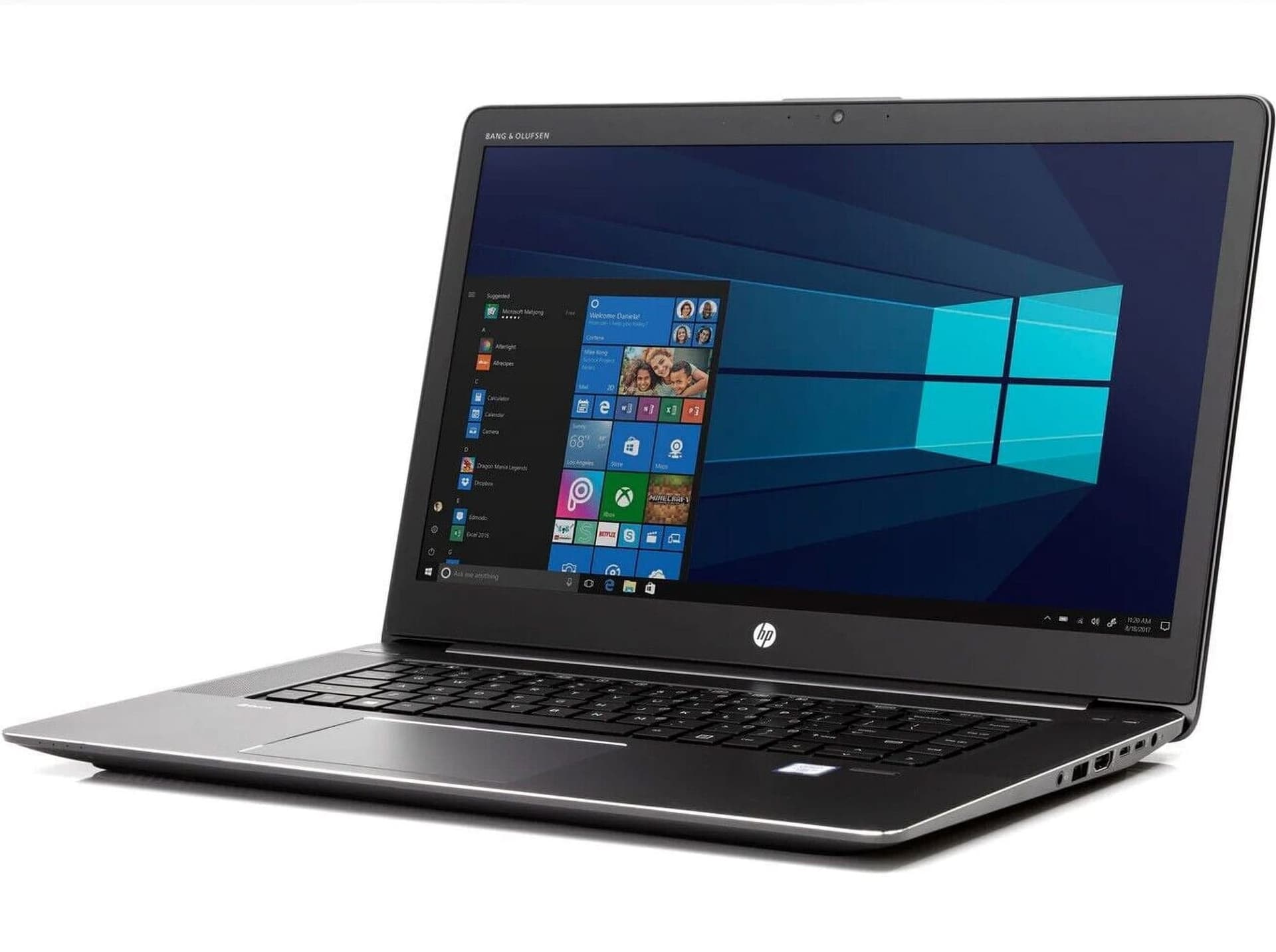
In 2026, many modern laptops are thinner, lighter, and more sealed than ever. Memory is soldered. Storage is limited to a single slot. Batteries are glued inside. Once performance starts to feel slow, the only option is replacement.
The HP ZBook 15 G3 belongs to a different era of workstation design. It was built not just to perform, but to be opened, upgraded, repaired, and extended. That philosophy is exactly why it still attracts attention in the refurbished market today.
If you are considering a ZBook 15 G3 in 2026, the most important question is not just how fast it is right now. The real question is this:
Can it grow with you?
This detailed guide explores the upgradeability of the ZBook 15 G3, including RAM slots, SSD expansion, internal access, serviceability, and how these factors influence long term performance for engineers, creators, and professionals.
Why Upgradeability Still Matters In 2026
Software does not stand still. CAD assemblies grow larger. Simulation meshes become denser. Data science projects expand. Even browsers consume more RAM than entire operating systems did a decade ago.
If your laptop cannot adapt, it becomes obsolete long before the hardware actually fails.
Upgradeability provides three major advantages:
- Extends useful lifespan
- Reduces long term ownership cost
- Allows performance scaling as workloads increase
The ZBook 15 G3 was designed with enterprise longevity in mind. That design decision now works in favour of refurbished buyers.
Opening The ZBook 15 G3: What Happens Inside

Unlike many thin laptops that require heat guns and specialised tools, the ZBook 15 G3 features a removable bottom access panel secured with standard screws. Once opened, key components are immediately accessible.
Inside, you will typically find:
- Two DDR4 RAM slots
- One 2.5 inch drive bay
- One M.2 NVMe slot
- Accessible wireless module
- Serviceable cooling system
This layout is refreshingly practical. For users comfortable with basic hardware handling, upgrades are straightforward and do not require complete motherboard removal.
That alone sets the ZBook apart from many modern sealed machines.
RAM Upgradeability: How Far Can You Push It?
Memory is the first upgrade most professionals consider. In 2026, 8GB is no longer viable for professional use. Even 16GB can feel tight during heavy multitasking.
The ZBook 15 G3 typically includes:
- Two user accessible DDR4 SODIMM slots
- Dual channel memory support
Depending on CPU and chipset configuration, many units support up to:
- 32GB
- 64GB
For context, here is how RAM scaling changes real world performance:
16GB RAM
Suitable for moderate CAD, coding, light simulation, and daily productivity.
32GB RAM
Comfortable multitasking with CAD, MATLAB, browsers, and documentation simultaneously.
64GB RAM
Handles larger assemblies, simulation datasets, and advanced multitasking without swapping to disk.
Because the RAM is not soldered, you can start with a lower configuration and upgrade later. This is especially valuable in refurbished purchases where base configurations may be modest.
Curious detail: many refurbished ZBook 15 G3 units were deployed in corporate fleets with only 8GB or 16GB installed. That means significant performance headroom often remains untapped.
SSD Upgradeability: Dual Storage Advantage
Storage flexibility is one of the most underrated strengths of the ZBook 15 G3.
It typically supports:
- One 2.5 inch SATA drive bay
- One M.2 PCIe NVMe SSD slot
This dual configuration allows creative storage setups:
Primary NVMe SSD for operating system and applications
Secondary SATA SSD for project files
Separate scratch disk for simulation or rendering
Backup storage drive for redundancy
Replacing an older HDD with a modern NVMe SSD alone can transform responsiveness.
Boot times shrink. Application launches become instant. Large project files open significantly faster.
In 2026, high quality NVMe SSDs are affordable. Upgrading both storage slots is one of the most impactful improvements you can make to a refurbished ZBook.
Service Access: Built For Maintenance
Performance is not only about hardware capacity. Sustained workloads require stable thermals.
The ZBook 15 G3 allows access to:
- Cooling fans
- Heat sink assemblies
- Thermal paste interface
Over time, dust accumulation reduces cooling efficiency. Cleaning the internal fans and applying fresh thermal paste can restore performance consistency.
Many refurbished sellers skip deep thermal servicing. If you are buying used, consider performing or requesting:
- Internal dust cleaning
- Fresh thermal compound application
This small maintenance step can significantly reduce throttling under sustained simulation loads.
Upgrade Scenarios That Unlock Hidden Potential
Here are three realistic upgrade paths that can dramatically extend the workstation’s usefulness:
Scenario 1: Entry Level To Mid Range
Buy a refurbished unit with 16GB RAM and a single SATA SSD.
Upgrade to 32GB RAM and add a high speed NVMe SSD.
Result: Noticeable boost in multitasking and application speed.
Scenario 2: Engineering Student Setup
Start with 16GB RAM.
Upgrade to 32GB RAM and replace HDD with NVMe SSD.
Result: Smooth SolidWorks and MATLAB performance.
Scenario 3: Data Heavy Workflow
Install 64GB RAM and dual SSD configuration.
Use one SSD exclusively for simulation output and caching.
Result: Reduced bottlenecks during sustained tasks.
Each upgrade costs far less than purchasing a new workstation.
BIOS And Compatibility Considerations
Before installing new components:
- Update BIOS firmware to latest supported version
- Verify supported RAM speeds
- Confirm NVMe compatibility
Firmware updates sometimes improve memory compatibility and storage detection.
Always match RAM modules for optimal dual channel performance. Mixing incompatible modules can reduce efficiency.
Spare Parts Availability In India
One major advantage of the ZBook 15 G3 in 2026 is component availability.
In India, you can easily source:
- DDR4 SODIMM RAM
- NVMe SSDs
- SATA SSDs
- Replacement batteries
- Cooling fans
Because this was a widely deployed enterprise machine, spare parts remain common in the secondary market.
That availability strengthens its long term value proposition.
What You Cannot Upgrade
It is important to set realistic expectations.
The following components are not practically upgradeable:
- CPU
- GPU
- Motherboard chipset
If your workload demands next generation processor architecture or high end GPU rendering, upgrades cannot solve that limitation.
However, for moderate to heavy professional workloads, RAM and storage upgrades often provide sufficient performance headroom.
Refurbished Buyer Curiosity Checklist
If you are considering a refurbished ZBook 15 G3, ask yourself:
How much RAM does it currently have?
Are both slots accessible?
Does it include an NVMe SSD or only SATA?
Has thermal maintenance been performed?
Are there free storage bays available?
The answers to these questions determine how much potential the machine still holds.
Why The ZBook 15 G3 Still Attracts Buyers In 2026
Many modern laptops prioritise thinness over flexibility. The ZBook 15 G3 prioritised durability and serviceability.
Its advantages include:
- Expandable RAM
- Dual storage flexibility
- Accessible internal components
- Enterprise grade build
For professionals who value control over their hardware, that design philosophy remains appealing.
In a market increasingly dominated by sealed systems, the ZBook 15 G3 feels refreshingly mechanical and practical.
Conclusion
The HP ZBook 15 G3 upgradeability in 2026 is one of its strongest assets. With two RAM slots, dual storage options, and easy internal access, it offers flexibility that many newer machines lack.
If you approach a refurbished purchase strategically, the ZBook 15 G3 can evolve with your needs. By upgrading memory, installing high speed NVMe storage, and maintaining cooling components, you unlock performance far beyond its base configuration.
It may not compete with the newest silicon in raw benchmarks, but in adaptability and long term service value, it remains surprisingly relevant.
For buyers who prefer machines that can be opened, improved, and maintained rather than replaced, the ZBook 15 G3 continues to justify its place in 2026.
Ready to upgrade your tech?
Browse our collection of quality refurbished products at unbeatable prices.






