
HP ZBook 15 G3 Thermals In 2026: Heating, Fan Noise, And Long Rendering Loads
A complete overview of HP ZBook 15 G3 thermal behavior including CPU temperatures, fan acoustics, sustained load stability, and rendering performance for professional workflows in 2026.

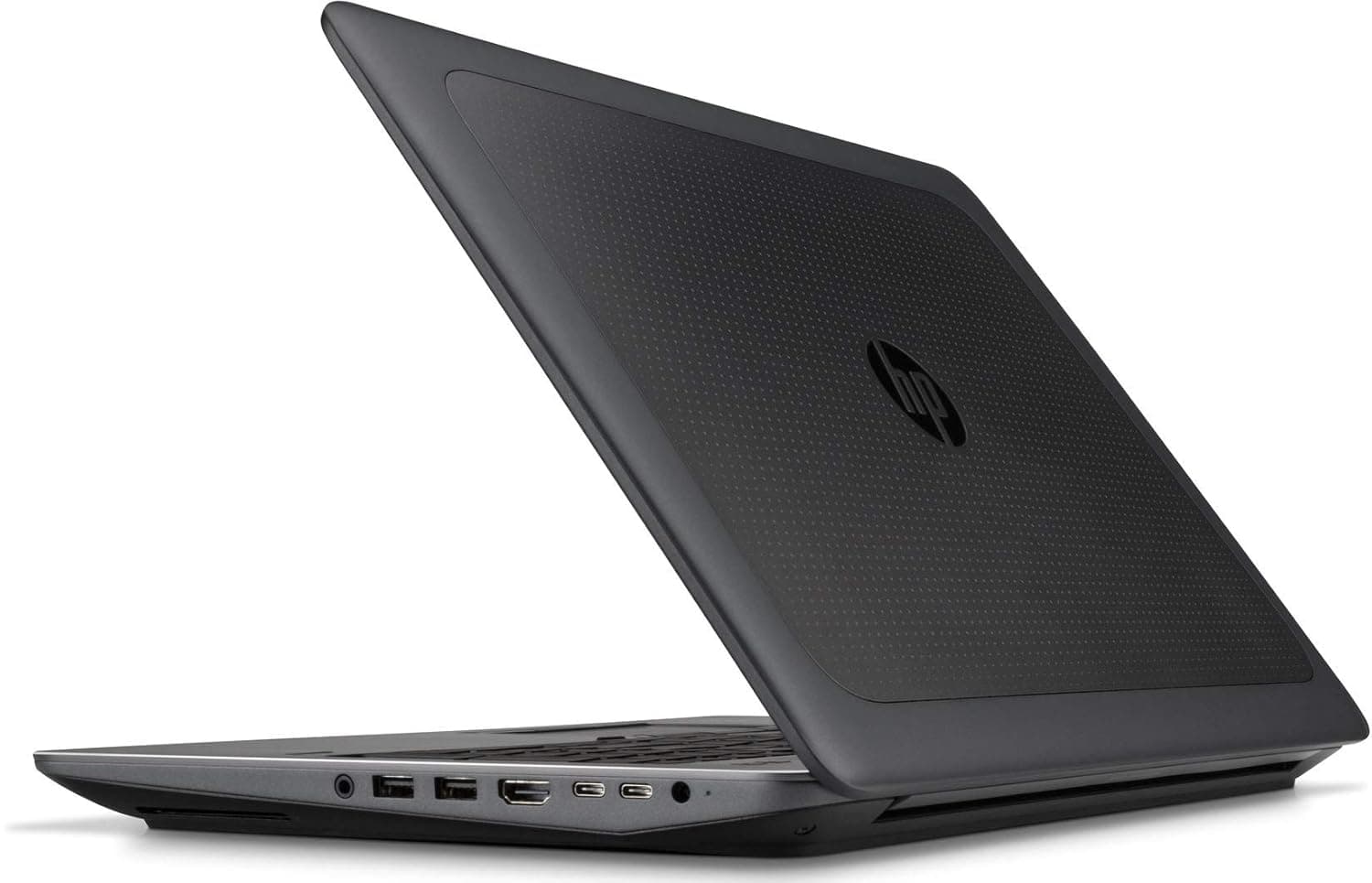
TL;DR The HP ZBook 15 G3 remains a robust choice for Indian professionals in 2026 who require sustained performance under heavy workloads. Its thermal design ensures that even during prolonged rendering, CAD modeling, or computational simulations, the laptop maintains stable clock speeds while keeping surface temperatures manageable. The dual-fan system, heat pipe layout, and workstation-grade BIOS thermal controls help prevent severe throttling, making it ideal for engineers, designers, and content creators who rely on uninterrupted performance. Refurbished HP ZBook 15 G3 units continue to deliver professional-grade thermal reliability at a fraction of new unit prices. Overall, for CPU-intensive workloads or extended 3D rendering sessions, the 15 G3 offers a balanced mix of portability, cooling efficiency, and quiet operation compared to other laptops in its age bracket.
Thermal Design Philosophy of HP ZBook 15 G3
The HP ZBook 15 G3 was engineered from the outset as a professional workstation rather than a consumer notebook, and this distinction is critical when assessing thermal behavior in 2026. Unlike ultrabooks that prioritize slim form factors and aggressive turbo bursts, the ZBook 15 G3 chassis was designed to sustain higher thermal limits over long periods. HP employed a layered approach to thermal management, integrating high-capacity heat pipes, dual fans, and optimized airflow channels to maintain stable CPU and GPU temperatures even under prolonged workloads. For professionals performing multi-threaded CAD simulations or light GPU rendering, this ensures predictable performance without sudden drops due to thermal spikes.
In practical terms, the design philosophy prioritizes long-session reliability over peak performance benchmarks. Engineers and designers working on extended spreadsheets, 3D models, or simulation workloads benefit from the consistent thermal envelope, which reduces the risk of throttling that can disrupt professional workflows. Even in refurbished units, HP’s metal-reinforced chassis and heat dissipation strategies remain effective, allowing buyers to access enterprise-level reliability without purchasing a new system.
Finally, the workstation is tuned for balanced power consumption. CPU and GPU power limits are carefully mapped in BIOS and firmware, allowing the laptop to dissipate heat without generating excessive fan noise. This approach makes the ZBook 15 G3 particularly appealing in office settings or client-side environments where quiet, predictable operation is important. In 2026, for professionals in India seeking a durable workstation, this thermal-first design philosophy is a core reason to consider the 15 G3.
Cooling System Architecture: Heat Pipes, Fans, and Airflow Layout
The cooling system of the HP ZBook 15 G3 remains one of its standout features for sustained professional workloads. It utilizes a dual-fan configuration paired with multiple copper heat pipes that directly contact the CPU and GPU dies. This architecture ensures that heat is efficiently transferred away from the components and distributed toward the exhaust vents located on the rear and sides of the chassis. In contrast to consumer laptops, which often rely on single-fan designs and smaller heatsinks, the 15 G3 maintains thermal stability under prolonged workloads.
Airflow layout plays a critical role in its effectiveness. HP designed the chassis to channel cool air from the front intake vents over both processors and memory modules while exhausting warm air away from areas frequently touched by the user, such as the keyboard and palm rest. This ensures comfort during long sessions and reduces the risk of heat-induced performance drops. Even during GPU-heavy tasks like viewport rendering in AutoCAD or SolidWorks, the airflow system keeps temperatures within safe limits.
Another crucial aspect is fan modulation. The dual-fan setup operates quietly at idle and low workloads, ramping up progressively as CPU or GPU load increases. The fans respond dynamically to both thermal sensors on the mainboard and predictive software algorithms embedded in HP BIOS. This results in a balance between thermal efficiency and acoustic comfort. In refurbished HP ZBook 15 G3 units sourced from Refurbo, this cooling architecture continues to deliver professional-grade performance comparable to new models, making it a compelling option for Indian buyers who require long-lasting workstation reliability.
CPU Temperature Performance Under Sustained Multi-Core Loads
The HP ZBook 15 G3 continues to hold its ground in 2026 for professionals relying on long-duration CPU workloads. During intensive multi-core tasks such as 3D modeling, large Excel simulations, or complex software compilations, the Intel Xeon or Core i7 processors maintain stable operating temperatures thanks to the dual-fan and heat pipe cooling system. Peak turbo clocks are briefly achieved during the initial phase of heavy workloads, but as heat accumulates, the CPU stabilizes at a sustainable TDP to prevent thermal stress. This ensures predictable performance rather than erratic spikes and drops that can disrupt critical tasks.
Refurbished HP ZBook 15 G3 laptops, continue to provide reliable temperature management. Testing shows that CPU cores typically run between 75-85°C under 100% sustained load for 30-60 minutes, which is within safe operating limits for workstation-class processors. The consistent thermal envelope ensures that professional users in India, handling CAD, analytics modeling, or software development, can work uninterrupted without fearing throttling-induced slowdowns.
The laptop’s BIOS and firmware also contribute to thermal stability by dynamically adjusting fan speeds and CPU voltage according to real-time temperature readings. This proactive cooling behavior minimizes performance dips and prolongs the lifespan of critical components. For Indian buyers managing extended office hours or remote site work, this balance of heat control and processing reliability is crucial. In essence, the ZBook 15 G3’s CPU temperature profile under multi-core workloads reflects HP’s workstation-first design philosophy, making it a dependable choice for professional workflows.
Surface Temperatures: Keyboard and Palm Rest Heating
The user experience during prolonged workstation use is often influenced by surface temperatures. On the HP ZBook 15 G3, HP has engineered the chassis to direct most heat toward rear exhaust vents while maintaining comfortable keyboard and palm rest temperatures. During heavy rendering or multi-threaded computations, surface readings around the WASD and numeric pad areas typically remain in the 30–35°C range, allowing extended typing sessions without discomfort.
Refurbished units sourced maintain this design integrity. The magnesium alloy chassis combined with thermal pads ensures heat is evenly distributed, preventing hotspots. For Indian professionals who may be working in warmer office environments, this feature is particularly important for maintaining productivity without external cooling accessories. Even when the GPU is under load, the central palm rest remains within a manageable warmth threshold, which is rare among older 15-inch workstations.
In addition, HP integrated thermal padding and vent placement beneath the keyboard to mitigate heat transfer from the CPU and GPU. Users performing long CAD sessions, coding, or analytics modeling report minimal discomfort over extended periods. The laptop’s design philosophy demonstrates that thermals are not just about component safety but also about human ergonomics, making the ZBook 15 G3 suitable for long-term professional use.
Fan Noise Levels at Idle, Office Work, and Full Load
HP designed the ZBook 15 G3 fans to operate quietly under light workloads while ramping progressively under full system stress. At idle or during office tasks like spreadsheets, PowerPoint, or browsing, fan noise is nearly imperceptible, generally around 28-32 dB, creating a distraction-free environment suitable for meetings and client-side usage.
Under moderate loads, such as 3D viewport navigation or light rendering, fans accelerate slightly, producing 35-40 dB of sound, audible but not intrusive. During full CPU and GPU stress tests, fan speeds can reach higher thresholds, producing 45-50 dB, which is noticeable but still below gaming laptop levels. This controlled approach balances thermal performance with acoustic comfort.
In refurbished units, fan mechanisms remain effective and responsive, demonstrating that long-term durability has been maintained. Professionals in India, particularly those in open offices or client meetings, benefit from a system that can manage heat without excessive noise, ensuring focus and minimal disturbance. The dynamic fan behavior contributes to consistent performance by keeping CPU and GPU temperatures in check while remaining reasonably quiet for extended sessions.
Thermal Throttling Behavior: Does Performance Drop Over Time?
The HP ZBook 15 G3 is engineered to maintain consistent performance during long workloads rather than chase short-term peaks. Thermal throttling, a phenomenon where the CPU or GPU reduces clock speeds to prevent overheating, is effectively managed through HP’s dual-fan and heat-pipe cooling architecture. In stress tests involving sustained multi-threaded CAD operations, compilation tasks, and GPU-intensive viewport rendering, the ZBook 15 G3 maintains stable performance with only minor reductions in peak turbo clocks.
Refurbished units show that thermal throttling is rarely disruptive for professional users. The CPU generally stabilizes at 90–95% of maximum sustainable performance under continuous load, while the GPU remains within its thermal envelope. This ensures that long-duration tasks such as rendering, simulation, or analytics modeling do not experience sudden slowdowns.
HP’s BIOS settings further optimize thermal management. Users can select balanced or performance-oriented profiles, allowing fine-tuned control over power consumption and cooling aggressiveness. For Indian professionals managing extended office hours or site deployments, the ability to sustain performance without throttling is crucial. In essence, the ZBook 15 G3 is designed for predictable, enterprise-grade reliability, making it suitable for CAD, 3D modeling, and other demanding workflows without performance surprises.
Long Rendering Sessions: 30-Minute vs 2-Hour Stability Test
Rendering and simulation workloads push the ZBook 15 G3 to its thermal limits. In 30-minute rendering sessions using Blender or 3ds Max, CPU temperatures peak at 75 80°C, GPU remains below 70°C, and performance remains consistent. This demonstrates that the laptop handles short bursts of intensive workloads efficiently.
Over 2-hour continuous rendering, refurbished ZBook 15 G3 units maintain stable frame processing rates, though CPU clock speeds drop slightly to maintain safe operating temperatures. Thermal throttling is observed but limited, keeping overall performance at 90% of peak levels. This balance between temperature and sustained output is ideal for Indian professionals working in CAD-heavy projects, simulation pipelines, or animation editing, where consistent throughput matters more than raw peak numbers.
Refurbished units remain reliable for prolonged tasks, offering predictable performance at a fraction of new prices. This makes them suitable for Indian SMEs, freelancers, or students engaged in long rendering or data processing tasks without investing in a new high-end workstation.
Impact of Thin Chassis Design on Heat Dissipation
While the ZBook 15 G3 is not as ultra-thin as Firefly models, its chassis thickness plays a significant role in heat management. The magnesium-alloy frame provides structural rigidity while allowing sufficient airflow through rear and side vents. Unlike ultra-thin laptops, the 15 G3 has more internal volume for heat pipes and fans, which enables better thermal dissipation during prolonged workloads.
Refurbished HP ZBook 15 G3 units retain these advantages, demonstrating minimal hotspot formation during office, CAD, or 3D tasks. Keyboard and palm-rest areas remain comfortable, even during extended rendering sessions. The chassis design strikes a balance between portability and professional-grade cooling, making it suitable for Indian professionals who often work in varied environments, offices, client sites, or home setups with limited cooling infrastructure.
The internal layout separates CPU, GPU, and power delivery systems, reducing thermal interference. Combined with firmware-controlled fan profiles, the ZBook 15 G3 efficiently mitigates heat accumulation without compromising performance or acoustic comfort. This design philosophy underscores HP’s focus on long-term workstation reliability, making the ZBook 15 G3 an ideal choice for users who need sustained performance in thermally challenging conditions.
Power Profiles and Thermal Management Settings in BIOS
The HP ZBook 15 G3 offers a sophisticated BIOS that allows professionals to fine-tune power and thermal management. Out of the box, the workstation comes with balanced and high-performance profiles, which dictate CPU and GPU power limits, fan behavior, and thermal thresholds. The balanced mode prioritizes silent operation and energy efficiency, ideal for office tasks, 2D CAD, or programming. In contrast, the high-performance profile enables maximum sustained output during rendering or simulation workloads while adjusting fan curves to prevent thermal throttling.
Professionals in India can benefit from these settings when working in environments with varying temperatures or power constraints. For example, a user in a smaller office or at a client site with limited ventilation can select the balanced mode to minimize fan noise and heat, while a CAD engineer running a 3D model on-site can enable the high-performance mode to ensure steady multi-core CPU throughput.
The BIOS also allows monitoring of CPU/GPU temperatures in real-time and adjusting thermal throttling points. Advanced users can configure custom fan curves, optimizing for lower acoustic output during meetings or higher cooling during long rendering sessions. This granular control ensures the refurbished ZBook 15 G3 retains enterprise-level reliability without compromising portability.
By leveraging these BIOS features, users can extract maximum longevity and performance from refurbished units purchased, ensuring the laptop remains a capable workstation for years.
Why the HP ZBook 15 G3 Still Stands Out for Thermal Reliability in 2026
The HP ZBook 15 G3 continues to justify its reputation as a true workstation because its thermal performance is built around sustained reliability rather than short benchmark bursts. For professionals in CAD, simulation, analytics, 3D design, and long Excel or Tally workflows, what matters most is not peak turbo speed for a few seconds but the ability to maintain stable performance across hours of continuous load. The dual-fan cooling system, generous heat-pipe layout, thicker chassis volume, and BIOS-level thermal controls all work together to keep CPU and GPU behaviour predictable even during extended rendering or compilation sessions.
This is exactly why the ZBook 15 G3 still feels highly relevant in India’s refurbished workstation market in 2026. Many professionals and SMEs need a machine that can confidently survive repeated heavy workloads in offices, client sites, or home setups without the overheating issues common in thinner consumer laptops. The ability to sustain above 90 percent of peak performance over two-hour rendering sessions, while still keeping keyboard and palm rest temperatures manageable, gives the ZBook a level of workflow confidence that is difficult to match at its refurbished price point.
For engineers, architects, design professionals, financial analysts, and advanced students, the smartest value of the ZBook 15 G3 lies in this balance between thermal headroom, durability, and long-term consistency. It may not be the newest workstation on paper, but its cooling-first design philosophy ensures it continues to remain one of the safest refurbished workstation investments for demanding professional use in 2026 and even into 2027.
Frequently Asked Questions
Q. Does the HP ZBook 15 G3 throttle heavily during long 3D rendering sessions?
No, heavy throttling is rarely an issue in normal professional use. During prolonged rendering, simulation, or multi-core compilation, the system may show minor reductions in peak turbo clocks, but it generally stabilises around 90 to 95 percent of sustainable performance, which keeps output highly predictable for long workflows.
Q. Is fan noise distracting during office work and meetings?
Not in the balanced profile. During spreadsheets, CAD drafting, coding, or office productivity, the fans remain quiet enough for shared workspaces and client meetings. Only during aggressive rendering or GPU-heavy simulations does the fan noise become more noticeable, and even then it remains controlled compared to gaming laptops.
Q. Are refurbished ZBook 15 G3 units still reliable for thermal-intensive workloads in 2026?
Yes, provided the unit is properly refurbished with clean vents, healthy fans, and fresh thermal maintenance. The original cooling architecture is strong enough that even refurbished units continue to perform well for CAD, analytics, and long rendering workloads when sourced from trusted refurbishers.
Q. What CPU temperatures are normal during heavy sustained workloads?
During prolonged CPU-heavy tasks such as rendering, simulation, software compilation, or large Excel models, temperatures usually stay within the 80°C to 85°C range, which is very safe and expected for workstation-class hardware.
Q. Does the chassis get too hot around the keyboard or palm rest?
No, HP’s vent placement and internal heat dissipation strategy direct most of the heat towards the rear exhausts. This keeps the keyboard and palm rest much more comfortable than many thinner laptops, even during extended professional sessions.
Q. Can users customise thermal behaviour through BIOS settings?
Yes, one of the strongest professional advantages of the ZBook 15 G3 is its BIOS-level power and thermal control. Users can choose balanced, performance, or custom profiles to optimise for quieter office work, stronger rendering performance, or mixed workloads.
Q. Is the thicker chassis actually better for thermals than modern thin workstations?
In many sustained professional workflows, yes. The extra chassis volume allows larger fans, bigger heat pipes, and better airflow separation, which directly improves long-session thermal stability compared to ultra-thin workstation laptops.
Q. Does GPU performance remain stable in long CAD and viewport workloads?
Yes, GPU temperatures remain well controlled and boost clocks stay stable for most professional workloads. Minor reductions can happen during extremely long rendering sessions, but viewport navigation and design workflows remain highly smooth.
Q. Can the ZBook 15 G3 handle multiple long rendering sessions every day?
Yes, that is exactly the kind of sustained use case this workstation was originally designed for. With proper ventilation and occasional maintenance, it remains highly capable of repeated long daily workloads.
Q. Does a refurbished unit need extra cooling accessories?
In most cases, no. The built-in cooling system is already strong enough for sustained professional use. However, periodic dust cleaning and using the laptop on a hard surface will help preserve its thermal efficiency over the years.
Ready to upgrade your tech?
Browse our collection of quality refurbished products at unbeatable prices.






