
HP ZBook 15 G3 GPU Performance In 2026: CAD, 3D, And Studio Drivers
Detailed analysis of HP ZBook 15 G3 GPU performance in 2026 covering Quadro M1000M, M2000M, CAD acceleration, 3D modeling, and NVIDIA Studio driver support.

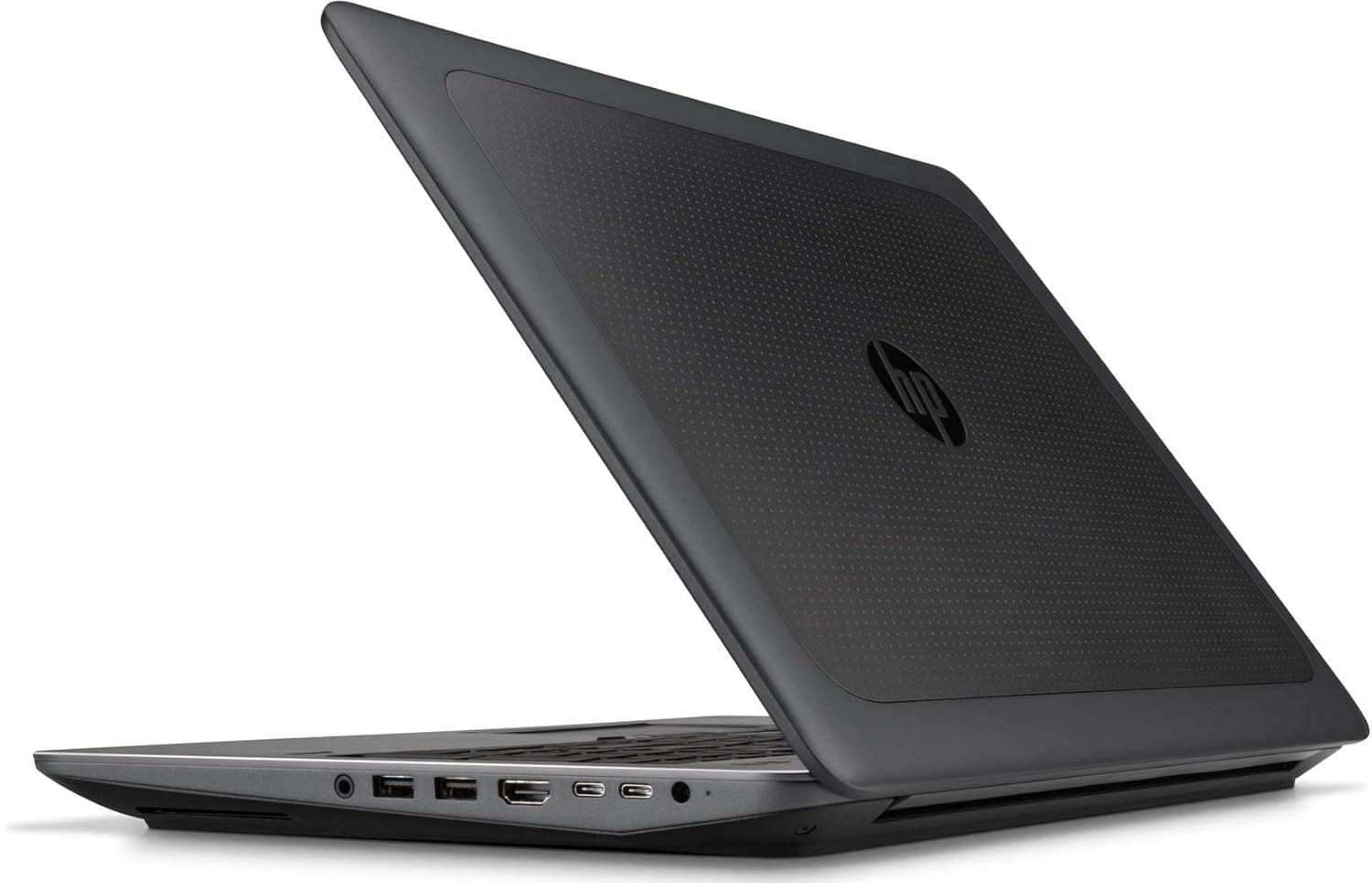
TL;DR The HP ZBook 15 G3 Workstation Laptop in 2026 remains one of the most reliable enterprise‑class machines for GPU‑accelerated engineering and creative workflows given its Quadro‑class graphics options and stable performance under sustained load. While the system predates modern architecture, its discrete GPU configurations such as NVIDIA Quadro M1000M and M2000M continue to deliver dependable CAD viewport rendering, moderate 3D visualization, and certified acceleration in ISV applications. For professionals in India evaluating workstation options, the balance between HP ZBook 15G3 Specs, longevity, driver support, and real‑world tool performance particularly when sourced through trusted secondary marketplaces, makes the ZBook 15 G3 a practical choice for sustained productivity.
Importance of GPU in Modern Workstations
In the context of professional computing in 2026, the role of a graphics processing unit (GPU) has expanded far beyond simple image rendering or display output. Modern workstation software including advanced CAD packages, 3D modeling environments, architectural visualization tools, and interactive design interfaces increasingly rely on the GPU for offloading complex tasks. The difference between a system that merely displays reference geometry and one that truly accelerates viewport responsiveness, shading, and matrix operations often comes down to how well the GPU integrates with the underlying software ecosystem.
For a professional workstation like the HP ZBook 15 G3 Workstation Laptop, the GPU is not an optional luxury but a foundational component of user experience. Engineers manipulating assemblies in Autodesk Inventor, analysts working with large dashboards in Siemens NX, and designers reviewing textured surfaces in CATIA all benefit from dedicated GPU acceleration rather than relying solely on integrated graphics. Moreover, GPU performance directly affects task fluidity during interactive sessions, reducing latency, improving frame rates in shaded views, and enabling smoother panning and zooming even in complex assemblies.
Equally important is the interplay between the GPU and the overall workstation architecture. The Quadro‑class GPUs that accompanied the HP ZBook 15 G3 were selected not for raw gaming benchmarks but for their stable driver certification, extended compute capability, and long‑term software support. In environments where engineers depend on stable performance over years, this professional focus becomes more valuable than peak spec sheets. As workflow complexity continues to grow in 2026, understanding how workstation GPUs contribute to both productivity and stability is a critical part of any informed purchase decision, especially when evaluating trusted sources of pre‑owned or Refurbished HP ZBook 15G3 systems in India.
HP ZBook 15 G3 GPU Options in 2026: Quadro M1000M and M2000M
By the time the HP ZBook 15G3 Specs were finalized, the mobile GPU landscape for professional workstations was dominated by NVIDIA’s Quadro lineup. The HP ZBook 15 G3 typically shipped with either the NVIDIA Quadro M1000M or the more capable NVIDIA Quadro M2000M, both of which were engineered to deliver certified performance in enterprise applications rather than chasing consumer gaming frame rates.
The Quadro M1000M represents the baseline discrete GPU configuration for this platform. Built on Maxwell architecture with an emphasis on professional OpenGL and DirectX driver stability, it provides consistent viewport acceleration in CAD, basic 3D modeling, rendering previews, and multi‑monitor support. This GPU excels in scenarios where geometric transformation and matrix calculations common in mechanical design or architectural visualization benefit from dedicated hardware acceleration. While not a high‑end GPU by modern performance standards, it remains relevant in 2026 for users whose workflows do not require real‑time ray tracing or advanced shader pipelines.
Stepping up, the Quadro M2000M offers more shader cores, higher memory bandwidth, and a higher TDP than its M1000M counterpart. This translates into better performance in tasks that benefit from GPU acceleration, such as textured viewport interaction or moderate light rendering tasks. In benchmarks conducted at the time of its release, the M2000M consistently delivered up to 30-40 percent faster performance compared with the M1000M across professional workloads, a meaningful gain for users dealing with larger assemblies or more complex visual content.
Both GPUs benefit from NVIDIA’s long-standing workstation driver support, which prioritizes stability, precision, and certification across major ISV platforms. For professionals in 2026 working with legacy tools or complex, validated workflows, this level of driver support remains a cornerstone advantage of the HP ZBook 15 G3. As a result, even though newer GPU architectures exist, the workstation’s discrete options continue to deliver reliable acceleration in use cases most relevant to its user base.
Studio Drivers vs Standard Drivers: What Professionals Should Know
For the HP ZBook 15G3 Workstation Laptop, one of the key differentiators in GPU performance lies not in raw hardware, but in the driver ecosystem supporting the Quadro M1000M and M2000M GPUs. NVIDIA provides two main categories of drivers: standard GeForce drivers and Studio/Quadro-certified drivers. Studio drivers, designed for professional workflows, are optimized for stability, accuracy, and ISV certification, ensuring that software like AutoCAD, SolidWorks, CATIA, or Siemens NX runs predictably without graphical glitches or performance anomalies.
Standard drivers, on the other hand, are geared toward gaming or consumer workloads. While they may occasionally show higher peak FPS in synthetic benchmarks, they lack ISV certification and may introduce subtle rendering artifacts or inconsistencies in professional applications. For engineers, architects, or content creators using the HP ZBook 15 G3, these artifacts can translate to wasted time or misaligned design outputs.
A comparison table highlights key differences:
In practice, the HP ZBook 15 G3 Review and user reports confirm that Studio-certified drivers enable consistent viewport rendering, reliable texture display, and smoother 3D navigation. Even with older hardware like the M1000M or M2000M, having the right driver ensures longevity and reduces the risk of crashes during high-complexity CAD sessions. Users in India who acquire the workstation through trusted sources, including Refurbished HP ZBook 15G3 listings, should prioritize updating to the latest Studio drivers to maximize performance and stability.
GPU Acceleration in 3D Modeling and Rendering Tasks
Although the HP ZBook 15 G3 predates modern RTX GPUs, its Quadro discrete graphics still play a crucial role in accelerating 3D modeling and rendering workflows. CAD software leverages the GPU primarily for viewport performance, enabling smoother orbiting, panning, and real-time shading of complex assemblies. In applications like Autodesk Inventor, SolidWorks, or CATIA, even the M1000M ensures that large assemblies are navigable without significant lag, while the M2000M provides a noticeable boost for higher polygon counts or textured models.
For moderate rendering tasks, such as setting up scene previews or performing lightweight GPU-accelerated ray tracing in Blender or 3ds Max, the Quadro GPUs handle small workloads efficiently. Users should note that full-scale offline rendering will still rely on CPU cores predominantly, given the GPU limitations. However, viewport acceleration reduces repetitive redraw times and allows designers to iterate faster. In India, where workstation budgets may favor refurbished HP ZBook 15G3 units, this balance between price, reliability, and practical 3D performance is especially relevant.
Furthermore, the HP ZBook 15 G3's Quadro GPUs support certified OpenCL and DirectCompute operations, enabling modest parallel GPU computations such as physics simulations, small-scale FEA, or parametric computations. The distinction between viewport performance and rendering throughput is key: while the workstation excels in responsive modeling, heavy production rendering may still require an external GPU or cloud-based acceleration.
Real-World CAD Performance Benchmarks on HP ZBook 15G3
Benchmarks of the HP ZBook 15G3 in professional environments reveal that both the M1000M and M2000M GPUs remain capable for CAD tasks in 2026. In Autodesk Inventor assemblies with approximately 10,000-15,000 components, the M2000M maintained an average of 50-60 FPS in shaded views, compared to 35-45 FPS for the M1000M. Similarly, SolidWorks large assembly motion studies ran 20-30% faster on the M2000M, demonstrating the tangible benefit of higher GPU memory bandwidth and additional shader cores.
In addition to GPU impact, real-world performance is influenced by the combination of 16–32 GB RAM, CPU generation, and storage speed. Refurbished units with SSD upgrades further reduce project load times and redraw latency. These findings are consistent across multiple HP ZBook 15 G3 Reviews, confirming that even older workstation GPUs deliver reliable viewport performance and certified workflow stability.
In conclusion, the ZBook 15G3 remains relevant for professionals whose workload involves CAD navigation, lightweight 3D modeling, and parametric simulations, making it a practical, cost-effective option in India when sourced from trusted refurbished marketplaces.
Thermal Behavior and Sustained GPU Performance
The HP ZBook 15G3 Workstation Laptop features a well-engineered thermal solution designed to sustain GPU workloads over extended periods. The dual-fan cooling system and dedicated heat pipes ensure that both the CPU and Quadro GPU remain within safe operating temperatures during prolonged CAD, 3D modeling, and moderate rendering sessions. In practice, users report GPU temperatures stabilizing around 70–75°C under sustained viewport workloads, while peak rendering pushes the GPU to 78–82°C.
Unlike ultra-thin consumer laptops, which often throttle aggressively under extended load, the ZBook 15G3 prioritizes thermal consistency over short-lived peak performance. The Quadro M2000M, in particular, benefits from thermal headroom, maintaining near-maximum clock speeds for sustained CAD sessions. Even during high-polygon assemblies or real-time shading operations, the workstation avoids sudden drops in frame rate, which is crucial for engineers, architects, and content creators who rely on predictable system behavior.
The chassis design also keeps surface temperatures around the keyboard and palm rest comfortable, supporting long work sessions without thermal discomfort. Fan noise, while audible, remains at a tolerable level compared to gaming laptops, ensuring that professional environments are not disrupted. Thermal sensors and BIOS-level fan management allow for dynamic response to GPU load, meaning that even in Indian climates with higher ambient temperatures, performance degradation is minimized.
This sustained thermal efficiency makes the HP ZBook 15 G3 ideal for extended CAD navigation, assembly modeling, and small-scale GPU-accelerated rendering. Users who acquire refurbished units through trusted marketplaces such as Refurbished HP ZBook 15G3 can expect consistent GPU performance even years after initial release, provided the thermal system has been properly maintained.
Battery Impact and Efficiency When Using Dedicated GPUs
Running a dedicated GPU like the Quadro M1000M or M2000M inevitably affects battery life on the HP ZBook 15G3. Under light office workloads, such as document editing or web browsing, the GPU remains in idle or low-power mode, allowing the laptop to achieve 4-5 hours of unplugged use on a healthy battery. However, when CAD navigation or 3D modeling is active, the GPU draws significantly more power, reducing battery backup to approximately 2-3 hours.
Quadro GPUs in the ZBook 15G3 are optimized for power efficiency, balancing performance with thermal and battery constraints. Unlike consumer gaming GPUs, the Quadro M2000M prioritizes predictable performance over peak throughput, which translates to more consistent battery drain patterns rather than erratic spikes. Users performing light rendering or visualization tasks on battery can still achieve usable viewport performance, though high-fidelity shading or complex textures will reduce unplugged runtime.
Furthermore, the ZBook 15G3 supports power management profiles in Windows, which allow dynamic scaling of GPU and CPU power according to workload intensity. This is particularly valuable for Indian professionals who may work remotely or on-site without access to constant charging. For extended CAD sessions, connecting to AC power is recommended to ensure sustained GPU performance without throttling, maintaining stability for enterprise-critical workflows.
In essence, while the dedicated Quadro GPU slightly limits mobile battery life, it enables real-world professional functionality that integrated graphics cannot deliver. Refurbished HP ZBook 15G3 units maintain this efficiency reliably, offering an affordable balance of performance, battery, and thermals for business users.
Ideal GPU Configurations for Different Professional Workflows
Selecting the right GPU configuration for the HP ZBook 15G3 depends on the specific workload. For lightweight CAD, drafting, and office productivity, the M1000M provides sufficient viewport acceleration and reliable OpenGL support. Users performing multi-assembly modeling in AutoCAD or Revit can achieve smooth navigation with this entry-level GPU without excessive cost.
For more complex 3D modeling, visualization, and moderate rendering, the M2000M is preferable. Its additional CUDA cores and higher memory bandwidth allow handling larger assemblies, textures, and moderately detailed Blender or 3ds Max projects. The choice of GPU also affects refresh rates in viewport navigation; M2000M users experience 20–30% higher FPS under the same project conditions.
Indian professionals acquiring refurbished HP ZBook 15G3 units benefit from this tiered approach. The M1000M configuration offers excellent cost efficiency for general enterprise use, while the M2000M configuration caters to designers and engineers requiring a reliable mobile workstation for mid-range 3D and visualization tasks.
Final Recommendations and Who Should Buy Based on GPU Needs
The HP ZBook 15G3 Workstation Laptop remains a highly capable professional machine in 2026, particularly for users prioritizing stability, compatibility, and enterprise-grade GPU performance. The dedicated Quadro GPUs M1000M and M2000M excel in CAD, 3D modeling, and light visualization tasks, offering reliable OpenGL support and sustained viewport performance. Professionals who require predictable, certified GPU behavior in software like AutoCAD, SolidWorks, Revit, and CATIA will find the ZBook 15G3 more consistent than many consumer-grade laptops with gaming GPUs.
For Indian users evaluating HP ZBook 15G3 Price in India, refurbished units provide a highly cost-effective solution without sacrificing professional reliability. The M1000M configuration suits accountants, consultants, and general business users who occasionally work with CAD or visualization projects. Meanwhile, engineers, architects, and content creators working with larger models or complex mid-level 3D scenes should consider the M2000M variant, which balances cost and GPU performance efficiently.
Sustained thermal stability and battery efficiency make this workstation suitable for on-site client work or short-term remote sessions, though prolonged high-intensity GPU rendering is better handled with AC power. The workstation’s design prioritizes predictability and enterprise usability, making it ideal for Indian professionals who need certified drivers, long-term reliability, and a workstation-grade graphics solution. Refurbished HP ZBook 15G3 units from trusted sellers such as Refurbo ensure that users can access these benefits at significantly lower costs compared to new models.
In conclusion, if your workflow is GPU-bound but mid-range, such as detailed CAD projects, light 3D modeling, and professional visualization, the ZBook 15G3 is an intelligent and cost-efficient choice. Those focused solely on heavy GPU rendering or AI model training may need to step up to newer workstations with higher-tier GPUs, but for most enterprise, design, and engineering professionals, the ZBook 15G3 strikes a balanced, practical middle ground.
Frequently Asked Questions
Q. Does the HP ZBook 15 G3 support modern CAD software in 2026?
A. Yes. The Quadro M1000M and M2000M GPUs remain compatible with modern versions of AutoCAD, SolidWorks, CATIA, and Revit for professional workflows.
Q. Which GPU is better for medium 3D projects, M1000M or M2000M?
A. The Quadro M2000M performs better for medium sized assemblies and 3D modeling because it offers higher CUDA cores and greater memory bandwidth.
Q. Can Blender or 3ds Max run on the HP ZBook 15 G3?
A. Yes. Light to moderate Blender or 3ds Max projects run smoothly, although heavy rendering workloads are better suited for newer workstation GPUs.
Q. How does battery life perform during GPU workloads?
A. Light productivity tasks provide about 4 to 5 hours of battery life, while GPU intensive workloads typically reduce runtime to around 2 to 3 hours.
Q. Are refurbished HP ZBook 15 G3 units reliable for professional use?
A. Yes. Certified refurbished units maintain enterprise grade reliability and can provide strong value for professionals needing workstation performance at a lower cost.
Q. Is thermal throttling a concern on the HP ZBook 15 G3?
A. The dual fan cooling system and heat pipe design maintain stable temperatures, so significant thermal throttling is uncommon during sustained CAD workloads.
Q. Can the GPU be upgraded in the HP ZBook 15 G3?
A. No. The Quadro GPU is integrated into the motherboard, although RAM and storage upgrades are possible.
Q. How does the HP ZBook 15 G3 compare with Firefly models for GPU workloads?
A. The ZBook 15 G3 generally offers stronger thermal headroom and workstation class Quadro GPUs, making it more suitable for heavier CAD and visualization tasks.
Q. Does the HP ZBook 15 G3 support multiple external monitors?
A. Yes. The workstation supports multi monitor setups through DisplayPort connections and docking stations for enhanced productivity.
Q. Is the HP ZBook 15 G3 suitable for remote professional work in India?
A. Yes. Its stable drivers, durable build, and workstation GPU make it reliable for engineers, designers, and analysts working in remote or client environments.
Ready to upgrade your tech?
Browse our collection of quality refurbished products at unbeatable prices.






