
HP ZBook 15 G3 For Architects In 2026: AutoCAD, Revit, And SketchUp Use
Explore HP ZBook 15 G3 performance for architects in 2026. Learn how it handles AutoCAD drafting, Revit BIM workflows and SketchUp modelling for modern architecture projects.

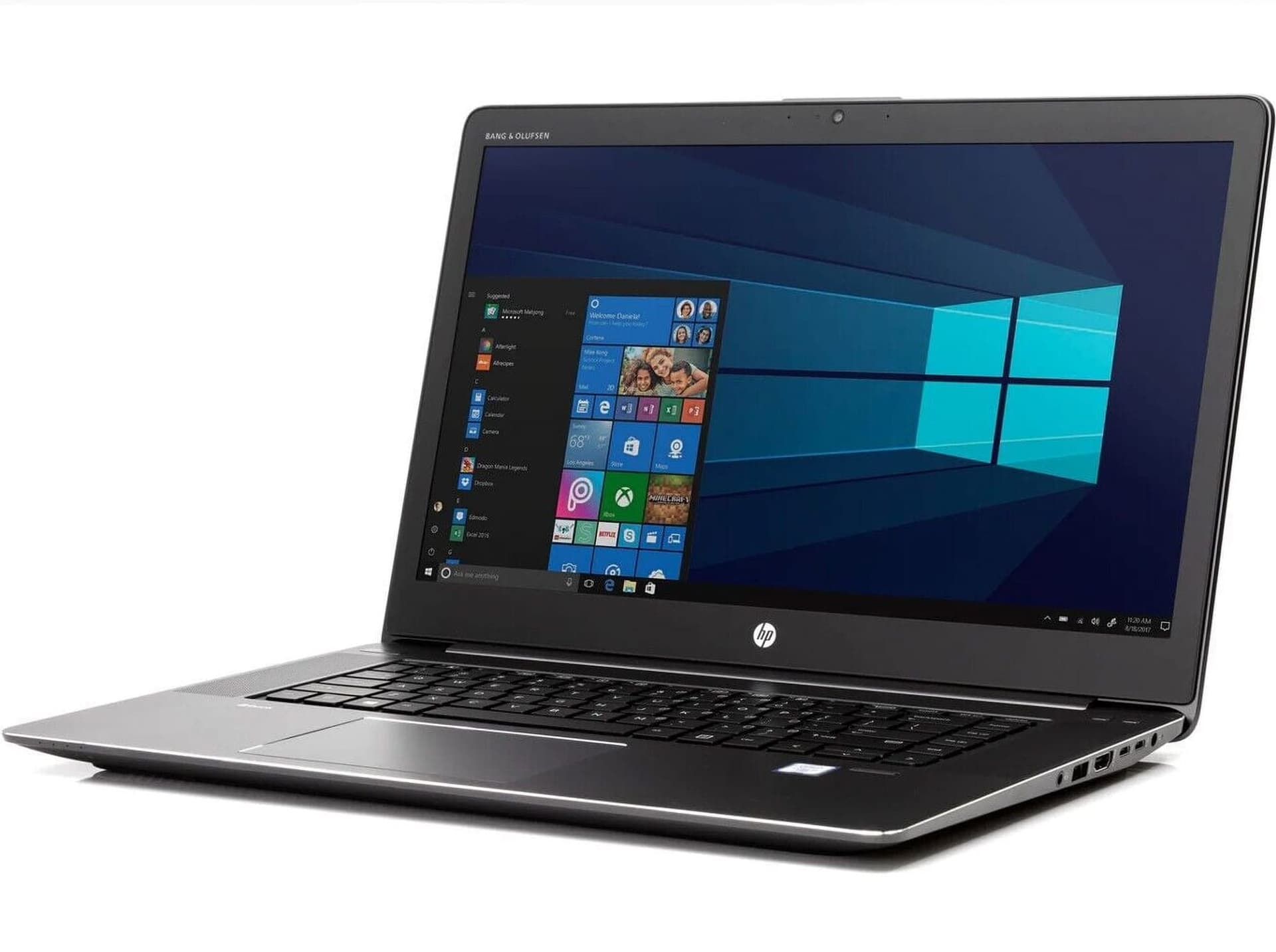
TL;DR The HP ZBook 15 G3 remains one of the smartest refurbished workstation buys for architecture students and junior professionals in 2026 India because it combines workstation-grade Quadro graphics, strong CAD stability, upgradeable RAM up to 64GB, and dependable thermal performance at a far lower cost than modern mobile workstations. For AutoCAD, SketchUp, and moderate Revit BIM projects, it still delivers one of the safest performance-per-rupee experiences in the refurbished market.
Why the HP ZBook 15 G3 Still Makes Sense for Architecture Workflows
Architecture workflows in 2026 are no longer limited to 2D drafting. Most students and professionals now move constantly between AutoCAD floor plans, Revit BIM models, SketchUp concept massing, Lumion previews, PDF documentation, and client presentations. This naturally increases the demand for laptops that can maintain CPU responsiveness, GPU stability, and memory headroom across long sessions. The HP ZBook 15 G3 still remains highly relevant because it was originally built as a true workstation rather than a consumer laptop trying to imitate workstation behavior. That design philosophy is exactly why it continues to feel dependable in architecture use cases.
The biggest reason it still makes sense in India’s refurbished market is workstation value compression. A modern mobile workstation with professional GPU drivers, enterprise durability, and large RAM scalability can quickly become expensive for students and early-career architects. The ZBook 15 G3 compresses much of that reliability into a far more accessible refurbished price band. For architecture students building portfolios, junior architects working on residential layouts, and freelancers handling concept development, this makes it one of the safest technical laptop investments.
Its long-term advantage is upgrade flexibility. Because architectural workflows naturally become heavier over a 3–5 year study or project cycle, the ability to scale RAM from 16GB to 32GB or even 64GB creates far better lifecycle confidence than many fixed-RAM consumer laptops.
CPU, GPU, and Why Workstation Hardware Still Matters
The HP ZBook 15 G3 commonly ships with 6th Gen Intel Core i7 or Xeon processors such as the Core i7-6820HQ or Xeon E3-1505M v5. While these processors are older, their quad-core workstation-oriented design still remains highly practical for moderate architectural workloads. Drafting, BIM regeneration, layout exports, and running multiple design tools side by side all remain comfortably within its performance envelope.
The real reason this laptop still stands apart is the NVIDIA Quadro GPU layer. Many refurbished units include the Quadro M1000M or M2000M, both of which are workstation-class graphics solutions designed specifically for CAD, BIM, and certified design software compatibility. This matters far more than gaming-style FPS numbers because architecture tools rely on viewport stability, accurate rendering pipelines, and certified drivers.
| Workstation Component | What It Means for Architects |
|---|---|
| Intel Core i7 / Xeon | Stable CAD and BIM responsiveness |
| Quadro M1000M / M2000M | Certified CAD viewport stability |
| Up to 64GB RAM | Large BIM model comfort |
| NVMe SSD | Faster project loading |
| Multiple ports | External monitor workflows |
The practical takeaway is simple: the ZBook 15 G3 is built to sustain technical software reliability, which is exactly why it still feels stronger than many consumer gaming laptops in architecture workflows.
AutoCAD, Revit, and SketchUp Performance in Real Use
For AutoCAD, the ZBook 15 G3 remains one of the safest refurbished performers because AutoCAD prioritizes CPU responsiveness and stable graphics drivers over aggressive GPU scaling. Floor plans, elevations, technical documentation, and moderate 3D CAD work all remain highly comfortable on this machine. This makes it especially suitable for architecture students and junior professionals focused on drafting-heavy coursework and client documentation.
Revit is naturally more demanding because BIM workflows combine CPU speed, RAM pressure, SSD responsiveness, and 3D navigation requirements. The ZBook 15 G3 performs best with residential BIM, small commercial projects, collaborative documentation, and moderate model complexity. The ability to move into 32GB or 64GB RAM configurations dramatically improves Revit comfort, especially for layered architectural documentation and family-heavy projects.
SketchUp is where the Quadro GPU feels especially valuable. Conceptual massing, urban layouts, client presentation models, and interior space planning all remain smooth because viewport stability remains strong even in textured scenes. For architecture students and freelancers focused on concept visualization, this remains one of the strongest reasons to choose the ZBook.
RAM, Multi-Monitor Workflows, and Real Productivity Value
Architecture workflows rarely happen inside a single application window. Most architects split their workflow between the main modeling software, PDFs, documentation references, browser tabs, Teams-style communication, and client notes. This is exactly why the ZBook 15 G3’s RAM scalability remains such a major strength. 16GB is workable for drafting and lighter CAD usage, but 32GB should be considered the safer baseline for BIM-heavy workflows in 2026. For larger Revit families, parallel SketchUp sessions, and rendering previews, 64GB creates exceptional long-term flexibility.
Its multi-monitor practicality also remains highly relevant. Through HDMI and workstation-grade ports, the laptop comfortably supports a desk setup with one or two external displays, which materially improves productivity for architects reviewing references, plans, and live BIM windows side by side.
The larger workstation chassis also helps thermals under sustained architectural workloads. Long drafting sessions, BIM sync tasks, and 3D viewport work remain more stable than many thin consumer laptops, which is a major reason this system still feels trustworthy for project deadlines.
Why the HP ZBook 15 G3 Still Remains a Safe Architecture Workstation Buy
The strongest final takeaway is simple: the HP ZBook 15 G3 remains relevant because architecture software still rewards workstation stability over consumer flash. Certified Quadro drivers, strong thermal design, upgradeable memory, and durable chassis quality all continue to matter more than simply owning the latest thin laptop.
Its biggest value in 2026 India is access to real workstation behavior at a student-friendly refurbished price. Architecture students, junior architects, and freelancers can run AutoCAD, SketchUp, and moderate Revit BIM workflows with far more confidence than on many similarly priced consumer laptops.
If your workflow revolves around drafting, BIM, concept visualization, and multi-year portfolio building, the HP ZBook 15 G3 still remains one of the smartest refurbished architecture workstation investments available today.
Frequently Asked Questions
Q. Is the HP ZBook 15 G3 still good for AutoCAD in 2026?
Yes, it remains excellent for 2D drafting, elevations, section work, and moderate 3D CAD tasks because the CPU responsiveness and Quadro GPU stability align very well with AutoCAD workflows.
Q. Can the ZBook 15 G3 run Revit smoothly?
Yes, it handles residential BIM, small commercial projects, and moderate collaborative Revit models comfortably, especially when configured with 32GB RAM or more.
Q. Is the Quadro GPU still useful for architecture students?
Absolutely. Certified Quadro drivers improve viewport stability, BIM compatibility, and CAD reliability, which often matters more than gaming-focused GPU performance.
Q. How much RAM should architecture students choose?
16GB is the minimum safe baseline for CAD work, but 32GB is the smarter long-term choice for Revit BIM and multi-application workflows in 2026.
Q. Is the HP ZBook 15 G3 worth buying refurbished in India?
Yes, it remains one of the safest workstation buys for architecture students and junior architects because it offers Quadro reliability, strong thermals, and RAM scalability at a far lower price than modern mobile workstations.
Ready to upgrade your tech?
Browse our collection of quality refurbished products at unbeatable prices.






