
HP ZBook 15 G3 Best Config In 2026 India: CPU, GPU, RAM, SSD, Display Selection
Guide to choosing the best HP ZBook 15 G3 configuration in 2026 including CPU, GPU, RAM, SSD, and display options for CAD, development, and professional workloads.

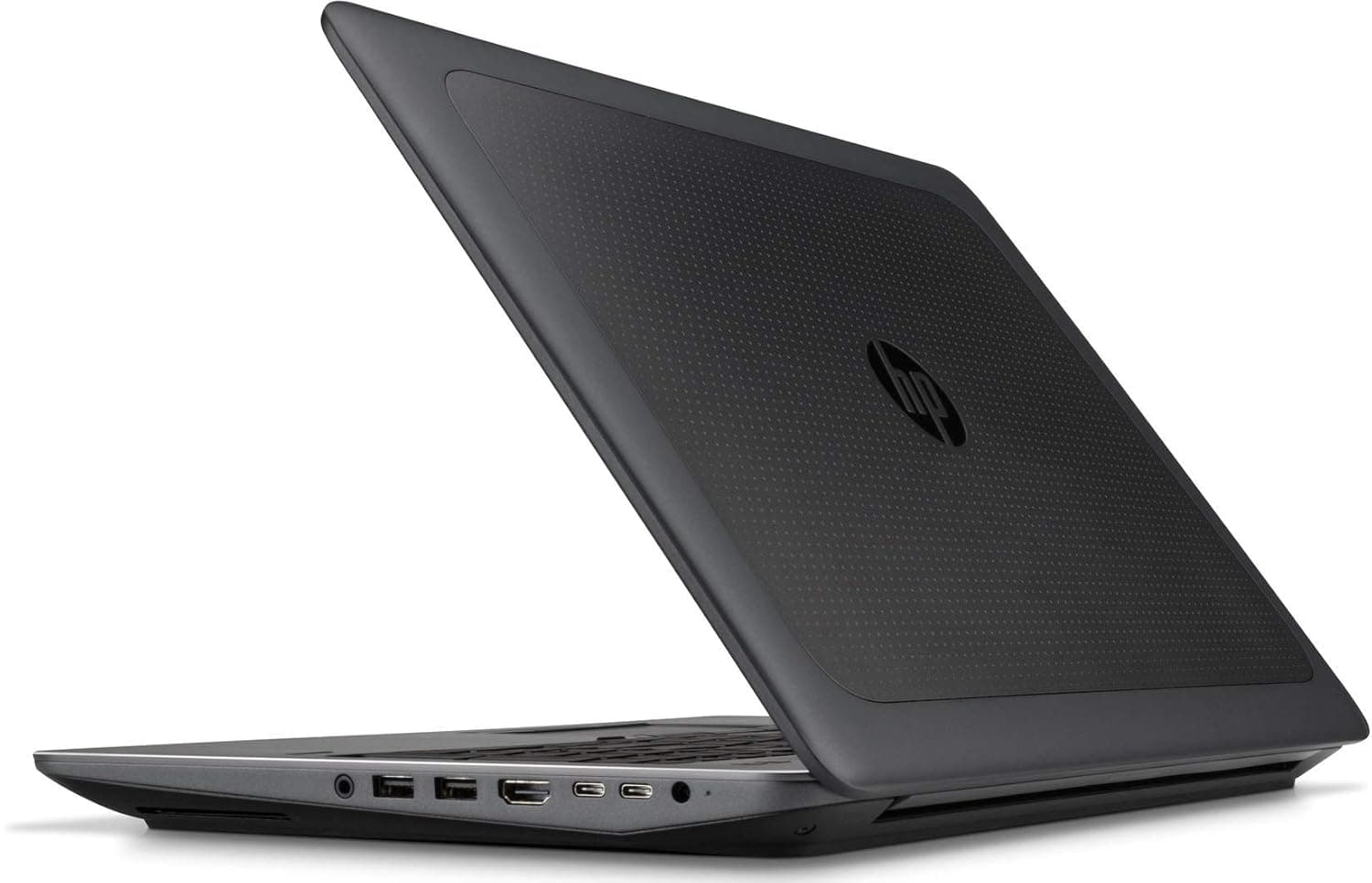
TL;DR The HP ZBook 15 G3 Workstation Laptop remains a practical mobile workstation option in India even in 2026 when configured correctly. Built around Intel 6th-generation Xeon/Core processors, professional NVIDIA Quadro GPUs, and expandable DDR4 memory, the system still supports demanding workloads such as CAD drafting, programming, analytics, and moderate 3D work. Choosing the right configuration is important because different CPU, GPU, and memory combinations significantly affect long-term usability.
For Indian buyers evaluating HP ZBook 15 G3 Specs, the most balanced configuration usually includes a Core i7 or Xeon processor, Quadro M1000M/M2000M GPU, 32 GB RAM, and NVMe SSD storage. These components allow the machine to handle modern productivity workloads while remaining affordable in the professional laptop market. When comparing HP ZBook 15 G3 Price in India, properly configured systems provide far better workstation capability than most consumer laptops in the same price bracket.
This guide explains how to select the best configuration of HP ZBook 15 G3 in 2026, including processor choices, GPU capabilities, memory requirements, storage upgrades, and display options. The goal is to help professionals, engineers, students, and analysts choose a configuration that matches their workflow without overspending.
Introduction: Choosing the Right ZBook in 2026
Selecting a professional laptop in 2026 is no longer just about buying the newest hardware. Many enterprise workstation platforms continue to deliver strong performance when properly configured, and the HP ZBook 15 G3 Workstation Laptop is a good example. Originally designed as a mobile engineering workstation, it was built with expandability, workstation-grade cooling, and professional graphics drivers, features that remain valuable for productivity workflows today.
The ZBook series has historically targeted professionals who require stable performance for CAD software, engineering tools, programming environments, and analytics applications. Unlike thin consumer laptops that prioritize portability over sustained power, the HP ZBook 15 G3 Specs emphasize long-term workload stability. Its architecture supports Xeon processors, ECC memory options, dual storage drives, and dedicated Quadro GPUs, enabling it to run professional software such as AutoCAD, SolidWorks, MATLAB, and large Excel models reliably.
For buyers researching HP ZBook 15 G3 Review insights in India, it is important to evaluate the available configurations rather than judging the laptop by a single specification. Different CPU and GPU combinations dramatically affect real-world performance. A base model designed for office productivity behaves very differently from a configuration optimized for engineering or development workloads.
Professionals exploring workstation systems can review available ZBook options throughRefurbo Understanding the correct configuration ensures that the ZBook 15 G3 continues to deliver dependable performance for engineering work, financial analysis, programming environments, and design software even many years after its original release.
CPU Options: Core i5, i7, i9, and Intel Core Ultra Comparisons
The HP ZBook 15 G3 processor lineup is built around Intel 6th-generation Skylake architecture, which includes Core i5, Core i7, and Xeon mobile workstation CPUs. These processors remain capable for many professional workloads when paired with adequate memory and storage. Understanding the differences between these processors helps determine which configuration delivers the best performance in 2026.
Entry-level configurations often include Intel Core i5-6300HQ, a quad-core processor designed for productivity workloads. While this CPU can comfortably run office applications and light development tools, it lacks the higher clock speeds and cache capacity required for more demanding workloads. Professionals using large datasets, engineering software, or heavy multitasking generally benefit from stepping up to a Core i7 processor.
The most popular configuration historically used Intel Core i7-6820HQ or i7-6700HQ, both quad-core processors with higher clock speeds and larger cache memory. These CPUs offer significantly stronger performance for CAD drafting, programming environments, virtualization, and spreadsheet modeling. Their architecture also supports higher sustained clocks under workstation cooling systems compared to thin ultrabooks.
For specialized professional workloads, the ZBook 15 G3 was also available with Intel Xeon E3-1505M v5 processors. Xeon variants support ECC memory, which reduces data corruption risks in mission-critical applications. Engineers, simulation professionals, and developers often prefer Xeon configurations for reliability in long computational sessions.
CPU Configuration Comparison
Although modern processors such as Intel Core Ultra chips deliver significantly higher efficiency, a properly configured HP ZBook 15 G3 Workstation Laptop with a Core i7 or Xeon processor still performs reliably for many productivity-focused professional workloads.
GPU Options: NVIDIA T500, T550, and RTX Variants
Graphics performance is one of the most important considerations when evaluating the HP ZBook 15 G3 Workstation Laptop for professional workflows. Unlike consumer laptops that prioritize gaming GPUs, the ZBook platform uses professional NVIDIA Quadro graphics, optimized for stability in engineering and design software. These GPUs use certified drivers designed for applications such as AutoCAD, SolidWorks, Revit, CATIA, and Adobe Creative tools.
The primary GPU options available in the HP ZBook 15 G3 Specs are the NVIDIA Quadro M1000M and NVIDIA Quadro M2000M. Both are based on NVIDIA’s Maxwell architecture and designed specifically for workstation workloads. The Quadro M1000M is generally found in mid-range configurations and is suitable for 2D CAD drafting, UI design, programming environments, and light 3D modeling.
The higher-end Quadro M2000M offers significantly stronger performance with more CUDA cores and higher memory bandwidth. This GPU can handle complex CAD assemblies, moderate 3D rendering, visualization workloads, and simulation previews much more efficiently than the entry-level option. For professionals evaluating HP ZBook 15 G3 Review insights, the M2000M configuration is often considered the most balanced option for workstation usage.
Modern workstation GPUs such as NVIDIA T500, T550, and RTX variants are significantly more powerful but are found in newer ZBook models rather than the 15 G3. However, the Quadro GPUs in the ZBook 15 G3 remain capable for professional workloads where driver stability and application certification matter more than raw gaming performance.
GPU Comparison Table
For most professionals researching HP ZBook 15 G3 Price in India, the Quadro M2000M configuration delivers the strongest balance of performance and long-term usability.
RAM Requirements: DDR5 vs DDR4, 16GB, 32GB, and 64GB Configurations
Memory capacity plays a critical role in determining how smoothly a workstation performs under heavy workloads. The HP ZBook 15 G3 Workstation Laptop uses DDR4 memory architecture, which remains widely used even in modern professional systems. Although newer laptops now use DDR5 memory, DDR4 still provides excellent performance for productivity and engineering tasks when sufficient capacity is installed.
The ZBook 15 G3 supports up to 64 GB of DDR4 RAM across four memory slots, which is one of the reasons it remains attractive for professional users even in 2026. Entry-level systems typically ship with 8 GB or 16 GB RAM, which is adequate for general productivity applications, coding environments, and moderate multitasking. However, professionals working with complex datasets or large design files often require significantly more memory.
For engineers, analysts, and developers reviewing HP ZBook 15 G3 Specs, a 32 GB RAM configuration offers a strong balance between cost and performance. This capacity allows smooth operation of CAD software, multiple development tools, large spreadsheets, and virtual machines without frequent memory bottlenecks.
High-end users such as simulation engineers or data scientists may benefit from 64 GB RAM configurations, especially when running virtualization environments, complex assemblies, or heavy rendering workflows. Xeon-based ZBook models can also support ECC memory, which helps prevent data corruption during long computational workloads.
Recommended RAM Configurations
Choosing sufficient RAM capacity ensures the HP ZBook 15 G3 Workstation Laptop remains responsive even when running multiple demanding applications simultaneously.
SSD Selection: NVMe vs SATA, 512GB, 1TB, and Expansion Options
Storage performance significantly affects how quickly applications load, files transfer, and large projects open. One of the strengths of the HP ZBook 15 G3 Workstation Laptop is its flexible storage architecture, allowing professionals to configure multiple drives depending on their workflow requirements.
The ZBook 15 G3 supports both SATA SSDs and PCIe NVMe drives, with NVMe offering substantially faster speeds. SATA SSDs typically deliver read speeds around 500 MB/s, which is already much faster than traditional hard drives. However, NVMe SSDs can reach speeds exceeding 2000 MB/s, dramatically reducing loading times for operating systems, software, and large project files.
For most users evaluating HP ZBook 15 G3 Review discussions, a 512 GB NVMe SSD provides an excellent starting point. This configuration ensures fast boot times, quick application launches, and enough storage capacity for essential professional software. Designers, engineers, and analysts who work with large datasets or project files may benefit from 1 TB NVMe storage, which provides greater flexibility without relying on external drives.
Another advantage of the ZBook platform is expandability. The system supports multiple storage devices through its internal drive bays and M.2 slots. Professionals often configure the laptop with one NVMe drive for the operating system and applications, and an additional SATA SSD for project storage and backups.
Storage Configuration Comparison
Selecting the right SSD configuration allows the HP ZBook 15 G3 Workstation Laptop to maintain strong productivity performance even when handling large engineering files, datasets, and complex applications.
Display Panel Selection: FHD, WUXGA, UHD, DreamColor Considerations
The display configuration is one of the most important factors when selecting the right HP ZBook 15 G3 Workstation Laptop configuration in 2026. Professional users such as engineers, designers, and analysts spend several hours every day looking at their screens, which makes display clarity, color accuracy, and resolution essential considerations.
According to official HP ZBook 15 G3 Specs, the laptop offers several display options, including Full HD (1920×1080) panels and the higher-end UHD 4K (3840×2160) panel. Both displays use IPS technology, which provides wide viewing angles and consistent color reproduction compared with traditional TN displays.
The Full HD display is the most common configuration available in the market today. This panel offers a balanced combination of performance, battery efficiency, and usability. For professionals working in coding environments, spreadsheets, browser research, and CAD drafting, the FHD panel provides sufficient workspace without scaling issues that sometimes appear on higher-resolution screens.
However, professionals involved in visual design, digital content creation, and detailed engineering work may benefit from the UHD 4K display option. The higher resolution significantly improves pixel density, which results in sharper text, more precise image editing, and better visualization of complex models.
Another important feature offered on select configurations is HP DreamColor display technology. DreamColor panels are specifically designed for professional color workflows, offering wider color gamuts and more precise color calibration capabilities. Designers and video editors often prefer DreamColor displays because they can accurately reproduce industry color standards.
Display Configuration Comparison
For most users evaluating HP ZBook 15 G3 Price in India, the FHD IPS panel offers the most balanced option. However, creative professionals may find the DreamColor 4K configuration more suitable for precision visual work.
Ideal Configuration for CAD and 2D Drafting Workflows, 3D Modeling and Rendering
Engineering and architectural professionals often rely on workstation laptops such as the HP ZBook 15 G3 Workstation Laptop for applications like AutoCAD, SolidWorks, Revit, SketchUp, and Fusion 360. These workloads require a combination of strong CPU performance, professional graphics, and sufficient memory capacity.
For 2D CAD drafting, CPU performance and RAM capacity play the most important roles. Applications such as AutoCAD rely heavily on single-core processing speeds, which makes the Intel Core i7 processor options in the HP ZBook 15 G3 Specs a practical choice. When paired with 16 GB or 32 GB RAM, the system can smoothly handle large technical drawings, multiple design tabs, and multitasking environments.
When moving into 3D modeling workflows, GPU performance becomes more important. The NVIDIA Quadro M2000M GPU, available in higher-end configurations of the ZBook 15 G3, provides better rendering acceleration and viewport performance compared with entry-level graphics options. Professional drivers for Quadro GPUs ensure compatibility and stability in engineering software environments.
For 3D rendering tasks, memory capacity and storage speed also play a major role. Configuring the laptop with 32 GB RAM and an NVMe SSD helps reduce loading times and improves workflow efficiency when working with complex assemblies or large project files.
Recommended Configuration for CAD Workflows
This configuration ensures the HP ZBook 15 G3 Review experience remains smooth for professionals handling architectural drafting, mechanical design, and mid-level 3D modeling tasks.
Ideal Configuration for Simulation Tasks
Although the HP ZBook 15 G3 Workstation Laptop was originally designed for engineering and design professionals, it can still serve as a capable platform for entry-level AI development, machine learning experimentation, and technical simulations when configured correctly.
Machine learning and simulation tasks often require high memory capacity and strong CPU performance. In the HP ZBook 15 G3 Specs, configurations powered by Intel Xeon processors offer advantages for these workloads. Xeon CPUs support ECC memory, which helps reduce data errors during long computational processes.
For AI experimentation and data processing workflows, RAM capacity becomes critical. Configuring the system with 32 GB or 64 GB RAM allows researchers and developers to run multiple virtual machines, development environments, and dataset analysis tools simultaneously without significant slowdowns.
GPU acceleration is also beneficial for machine learning frameworks. While the Quadro M2000M GPU does not provide the raw power of modern RTX GPUs, it still supports CUDA acceleration, allowing developers to experiment with frameworks such as TensorFlow, PyTorch, and CUDA-based research projects.
Storage speed is another important factor. A 1 TB NVMe SSD configuration allows faster dataset loading and efficient project management. Developers working with large datasets may also configure additional storage drives for model checkpoints and training data.
In real-world scenarios, many developers use the HP ZBook 15 G3 Review-recommended configurations as a secondary development machine while running large training workloads on cloud infrastructure.
Despite being an older workstation, a properly configured HP ZBook 15 G3 Workstation Laptop can still function effectively for simulation environments, and research development workflows in 2026.
Comparison of Recommended ZBook Configurations for Different Workloads
Selecting the right configuration for the HP ZBook 15 G3 Workstation Laptop depends heavily on the type of professional workload. Engineers, developers, designers, and analysts all require different balances of CPU power, GPU acceleration, memory capacity, and storage speed.
For office productivity and programming workloads, the system does not require the highest configuration. Developers working with coding environments such as Visual Studio, IntelliJ, or web development frameworks primarily benefit from strong CPU performance and sufficient RAM. A configuration with Intel Core i7 processor, 16 GB RAM, and NVMe SSD delivers smooth multitasking performance for these use cases.
Professionals working with CAD software and engineering design tools should prioritize a stronger GPU and higher memory capacity. Applications like AutoCAD, SolidWorks, and Revit rely heavily on workstation graphics drivers for stability and rendering acceleration. In these cases, the NVIDIA Quadro M2000M GPU combined with 32 GB RAM offers a much more capable environment.
For data analysis, simulation environments, and virtualization workloads, memory capacity becomes the most critical component. Users working with large datasets, multiple development environments, or virtual machines benefit from 64 GB RAM configurations and high-speed NVMe storage.
Recommended Configuration Table
This comparison helps professionals evaluating HP ZBook 15 G3 Specs identify the most practical configuration for their workflow requirements in 2026.
Best Decision Framework for Indian Buyers
Choosing the right configuration of the HP ZBook 15 G3 Workstation Laptop in 2026 depends on balancing performance requirements, upgrade potential, and budget considerations. Although this model was originally launched several years ago, its workstation-grade hardware architecture continues to make it a practical option for professionals who need reliable performance.
One of the most important strengths of the HP ZBook 15 G3 Specs is its expandability. Unlike many modern ultrabooks, the ZBook platform allows users to upgrade RAM, storage drives, and sometimes even networking modules. This flexibility enables professionals to gradually improve system performance as workloads evolve.
This configuration offers enough power to handle engineering software, programming environments, analytics tools, and moderate rendering workloads without pushing the system to its limits.
Budget-conscious professionals researching HP ZBook 15 G3 Price in India may also consider entry-level configurations with 16 GB RAM and 512 GB SSD, especially if their workloads focus on productivity tasks rather than heavy engineering applications.
Ultimately, the HP ZBook 15 G3 Workstation Laptop remains a strong option for professionals who prioritize durability, upgradeability, and workstation-class graphics drivers over thin-and-light consumer laptop designs.
When selecting the best configuration, buyers should focus on three key factors:
- Workload requirements
- Memory and storage scalability
- GPU performance for professional software
Using this decision framework ensures that the chosen configuration delivers reliable performance for several years of professional use.
Frequently Asked Questions
Q. What processor options are available in the HP ZBook 15 G3?
A. Common configurations include Intel Core i7-6700HQ, Core i7-6820HQ, and Intel Xeon E3-1505M v5 processors depending on the workstation setup.
Q. Is the HP ZBook 15 G3 still usable in 2026?
A. Yes. When configured with 32 GB RAM and NVMe SSD storage, it can still run programming tools, engineering software, and productivity workloads efficiently.
Q. What GPU does the HP ZBook 15 G3 use?
A. Most models include NVIDIA Quadro M1000M or Quadro M2000M GPUs designed for workstation applications such as CAD and engineering tools.
Q. How much RAM can the HP ZBook 15 G3 support?
A. The laptop supports up to 64 GB DDR4 RAM across four memory slots, allowing significant upgrade flexibility for professional workloads.
Q. What display options are available for the ZBook 15 G3?
A. Display choices include Full HD IPS panels and UHD 4K displays, with some configurations supporting DreamColor technology for color accurate work.
Q. What is the typical HP ZBook 15 G3 price in India?
A. The price varies depending on configuration and availability, but refurbished units are generally much more affordable than newer workstation laptops.
Q. Is the HP ZBook 15 G3 suitable for CAD software?
A. Yes. With Intel Core i7 or Xeon processors and NVIDIA Quadro GPUs, it performs well with AutoCAD, SolidWorks, and other engineering design tools.
Q. Does the HP ZBook 15 G3 support NVMe SSD storage?
A. Yes. The system supports high speed NVMe SSDs that improve boot times, software loading, and project file access.
Q. Can RAM and storage be upgraded later?
A. Yes. One major advantage of this workstation is its upgradeability, allowing users to expand RAM and add additional storage drives.
Q. Who should consider buying the HP ZBook 15 G3 in 2026?
A. Engineers, developers, CAD professionals, and technical users who need durable workstation hardware at a practical price can still benefit from this model.
Ready to upgrade your tech?
Browse our collection of quality refurbished products at unbeatable prices.






