
HP EliteBook 840 G5 to G11: Which Generation Is Worth Your Money?
Compare the HP EliteBook 840 G5 to G11 to find the best refurbished business laptop for your budget. Explore processor upgrades, display quality, RAM, battery life, and long-term value before buying.

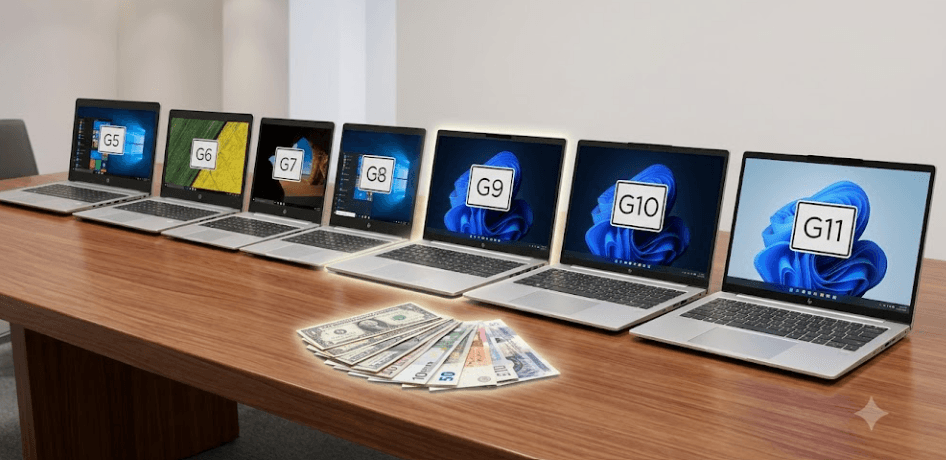
TL;DR: The HP EliteBook 840 series remains a practical choice for buyers looking for a dependable business laptop without paying flagship prices. The G5 is worth considering only at a very low price, while the G8 and G9 offer a sensible balance between performance and refurbished value. The G10 brings newer processors and DDR5 memory, and the G11 introduces Intel Core Ultra options, improved platform capabilities, and a more modern feature set. For most buyers in 2026, the G8 or G9 is worth considering on a tight budget, while the G10 or G11 is a better long-term investment if the price difference is reasonable. The final decision should depend on the actual configuration, battery condition, display, warranty, and total purchase price rather than the generation number alone.
Understanding The HP EliteBook 840 Series
The HP EliteBook 840 is a business laptop designed for professionals who need a portable computer for office applications, communication, multitasking, and everyday productivity. Unlike consumer laptops that often prioritize appearance or entertainment features, the EliteBook range emphasizes business-oriented security, connectivity, and manageability. Its 14-inch screen makes it suitable for working at a desk or carrying between meetings, classes, and home. Because older generations are now available through refurbished and used-laptop sellers, the series also appeals to buyers who want business-class hardware without paying the price of a new premium laptop.
The generations from G5 through G11 span several processor and platform changes. The G5 uses eighth-generation Intel Core processors, the G8 moves to 11th-generation Intel Core processors, the G9 uses 12th-generation options, and the G10 offers 13th-generation Intel Core processors. The G11 shifts to Intel Core Ultra 5 and Core Ultra 7 processor options. These changes affect processing capability, integrated graphics, memory support, and the features available on individual configurations. However, the processor alone does not determine the overall experience, since cooling, memory capacity, storage, and screen quality also influence everyday usability.
For refurbished buyers, the series presents an important trade-off between purchase price and remaining useful life. A G5 may cost considerably less than a G10 or G11, but its age makes battery wear, operating-system compatibility, and repair history especially important. A newer generation generally offers a stronger starting point for long-term use, although a poorly maintained newer laptop can still be a worse purchase than a well-maintained older one. The smartest approach is to compare the machines as complete products rather than assuming every newer EliteBook is automatically better value.
What Changes Between Generations?
The most meaningful changes include processor architecture, memory technology, connectivity, integrated graphics, and support for newer productivity features. HP's official specifications list two SO-DIMM memory slots on the G5, G8, G9, G10, and G11 configurations referenced in its documentation, although supported memory speeds and capacities vary by generation and configuration. This upgradeability is useful for refurbished buyers who want to start with a modest memory configuration and expand it later.
HP EliteBook 840 G5 To G11 Comparison
The G5 and G6 belong to the older end of this lineup and are best evaluated as inexpensive machines for basic computing. The G7 and G8 introduce newer processor generations, while the G9 and G10 move to more recent platforms and DDR5 memory support. The G11 adds Intel Core Ultra processors, with selected H-series configurations offering Intel Arc graphics and an integrated neural processing unit. These improvements can help with supported workloads, but they do not turn the EliteBook into a dedicated gaming laptop or workstation.
The following table summarizes the main differences buyers should understand. It focuses on the processor generation and buying position rather than listing a single set of specifications for each model. HP sells different configurations within each generation, so exact memory limits, screen options, wireless capabilities, and ports should always be verified against the product number. The G11, for example, supports Core Ultra 5 and Core Ultra 7 processors, and its available display options range from basic WUXGA panels to higher-quality, higher-refresh-rate displays.
| Generation | Processor Platform | Memory Platform | Best Buying Case |
|---|---|---|---|
| EliteBook 840 G5 | 8th-generation Intel Core | DDR4 | Very low-cost basic use |
| EliteBook 840 G6 | 8th-generation Intel Core options | DDR4 | Budget office work |
| EliteBook 840 G7 | 10th-generation Intel Core options | DDR4 | Basic multitasking |
| EliteBook 840 G8 | 11th-generation Intel Core | DDR4 | Value-focused productivity |
| EliteBook 840 G9 | 12th-generation Intel Core | DDR5 | Balanced refurbished performance |
| EliteBook 840 G10 | 13th-generation Intel Core | DDR5 | Stronger long-term value |
| EliteBook 840 G11 | Intel Core Ultra 5 and Core Ultra 7 | DDR5 | Modern business use |
Which Generation Offers The Best Value?
The G8 and G9 are sensible starting points for buyers comparing refurbished business laptops. The G8 provides 11th-generation processors, support for DDR4 memory, and a useful combination of productivity performance and upgradeability. The G9 moves to 12th-generation processors and DDR5 memory, making it an attractive middle ground for users who want a newer platform without paying for the latest generation. Neither model is automatically the best deal, because local refurbished prices and the condition of each machine can vary significantly.
The G10 is worth considering if you want a newer processor platform and plan to keep the laptop for several years. Its 13th-generation Intel Core options and DDR5 memory make it a stronger candidate for demanding office workloads, extensive browser use, and multitasking. The G11 is the more modern choice, with Intel Core Ultra processor options and selected configurations offering Intel Arc graphics. Nevertheless, buyers should avoid paying a large premium for the G11 if their daily work consists mainly of documents, spreadsheets, browsing, and video meetings.
Performance And Everyday Productivity
For common office work, the processor, RAM, and SSD should be evaluated together. An EliteBook with a capable processor, 16GB RAM, and an SSD can handle documents, spreadsheets, browser tabs, video calls, and business applications comfortably. Moving to a newer generation can improve responsiveness and provide more processing headroom, particularly when several demanding applications are open at once. However, a laptop with only 8GB RAM or a nearly full, slow storage drive may feel less responsive than its generation suggests.
The G5 can still handle basic computing when it is in good condition, especially if it has an SSD and sufficient memory. However, its older processor platform leaves less headroom for heavier multitasking and future software demands. The G8 and G9 are better starting points for users who regularly work with large spreadsheets, online collaboration tools, and multiple browser tabs. The G10 and G11 are more suitable for buyers who want a newer platform for a longer ownership period, although real-world performance will depend on the processor variant, cooling, and memory configuration.
The G11 deserves particular attention because Intel Core Ultra processors include an NPU in supported models, which can accelerate compatible AI workloads. Selected H-series configurations also offer Intel Arc graphics, while other configurations use Intel Graphics. These are meaningful platform differences, but buyers should not assume that every G11 has the same graphics performance or AI capabilities. For general office use, the display, keyboard, battery condition, and memory configuration may matter more than the extra processing features.
Display, Battery, And Build Quality
The 14-inch display is one of the EliteBook 840 series' practical advantages. It provides more workspace than a smaller ultraportable without making the laptop excessively large. However, display quality varies considerably by configuration. Some versions use basic WUXGA or Full HD panels with modest brightness and color coverage, while selected newer configurations offer brighter panels, wider color coverage, privacy features, or higher refresh rates. Buyers who spend long hours reading, working with spreadsheets, or editing images should check the exact display specifications rather than assuming every EliteBook screen is equally good.
Battery condition is particularly important when buying an older refurbished model. Even if a G5 or G8 originally offered useful battery life, years of charging cycles and heat exposure can reduce its current capacity. Newer generations may offer more efficient platforms, but actual runtime still depends on the battery, brightness, processor, workload, and power settings. Ask for a battery health report or full-charge capacity reading, and check whether the battery is original or has been replaced. A newer model with a worn battery may need immediate servicing, which can reduce its apparent price advantage.
Build quality is another reason to consider the EliteBook series. These are business-focused laptops designed for regular professional use, and their security and manageability features can be valuable in office environments. However, a business-class label is not proof that a used machine is undamaged. Inspect the hinges, keyboard, trackpad, display, ports, charging connection, and chassis for wear. Also check the webcam, wireless connectivity, and fingerprint reader if included. A clean, well-maintained G8 or G9 with a healthy battery may provide a better ownership experience than a newer model that has been heavily used.
Pricing And Refurbished Buying Value
There is no single reliable price for every EliteBook generation in India. Prices depend on the processor, RAM, SSD capacity, screen configuration, battery condition, warranty, seller reputation, and whether the laptop is used, refurbished, or sold as new old stock. For this reason, a generation-by-generation price ranking without current, configuration-matched listings can be misleading. Compare the final price of each machine with the cost of upgrading its memory or SSD, replacing a weak battery, and obtaining any necessary repairs.
A lower-priced G5 or G6 may suit someone who needs a secondary laptop for basic tasks, but it is harder to justify for a primary computer intended to last several more years. The G8 and G9 often make more practical candidates for value-focused buyers because they offer newer platforms while retaining upgradeable memory in the documented configurations. The G10 and G11 make more sense when the price premium buys a meaningful improvement in performance, condition, warranty, or expected ownership life rather than just a newer model number.
Before paying, ask the seller for the exact product number and configuration, a battery health report, and written details of the warranty and return policy. Confirm whether Windows is activated and whether the laptop has a BIOS password or company-management lock. Check that the charger is compatible and included in the advertised price. A seller who provides clear information and a return window can be worth choosing over a slightly cheaper listing with uncertain condition. For refurbished laptops, confidence in the machine you will receive matters just as much as the specifications on paper.
Common Mistakes When Choosing An EliteBook
One common mistake is assuming that the highest generation number automatically offers the best value. A G11 can provide a newer platform, but it may not justify a substantially higher price for someone who only needs office applications. The reverse mistake is choosing an older generation purely because it is cheap. If a G5 needs a battery replacement, has limited memory, and offers no meaningful warranty, the savings can disappear quickly. Compare the full ownership cost rather than focusing on the initial listing price.
Another mistake is judging performance by the processor name alone. The G11's Core Ultra lineup includes U-series and H-series processors with different core counts and performance characteristics. Likewise, not every G10 or G9 has the same display, memory configuration, or wireless options. Check the exact model number, RAM arrangement, SSD capacity, and panel specifications. If you are buying a laptop for design work, for example, display color coverage may matter more than a small difference in processor speed.
Finally, do not overlook software support and security. The G5's eighth-generation Intel processor may meet Windows 11's processor eligibility requirements in supported configurations, but buyers should verify the exact device, firmware, and operating-system status rather than relying on the model name alone. Windows 10's standard support ended on October 14, 2025, so a laptop still running it should not be treated as a fully supported long-term purchase without considering the available security-update options. For a primary work machine in 2026, prioritize a supported operating system, current security updates, and a device that meets your organization's requirements.
Frequently Asked Questions
Q. Which HP EliteBook 840 generation is best to buy in 2026?
The G9 is a strong middle-ground option for refurbished buyers, while the G10 and G11 are better candidates for those who want a newer platform. The best choice depends on the price, configuration, condition, and warranty.
Q. Is the HP EliteBook 840 G5 still worth buying?
It can be worthwhile at a very low price for basic tasks, provided the battery, SSD, and overall condition are good. For a primary laptop intended to last several more years, a newer generation is generally the safer choice.
Q. Is the HP EliteBook 840 G8 good for office work?
Yes. With a suitable processor, SSD, and preferably 16GB RAM, the G8 is well suited to documents, spreadsheets, browser-based work, email, and video meetings.
Q. Is the EliteBook 840 G9 better than the G8?
The G9 uses a newer 12th-generation Intel Core platform and DDR5 memory, while the G8 uses 11th-generation Intel Core processors and DDR4 memory. The G9 is generally the more modern option, but the price and configuration still determine its value.
Q. Should I buy the HP EliteBook 840 G10 or G11?
Choose the G11 if its Core Ultra platform and other configuration improvements justify the price difference. The G10 can be better value if it is significantly cheaper and already meets your performance needs.
Q. Can the RAM be upgraded in the HP EliteBook 840 series?
HP's published specifications list two SO-DIMM slots for the documented G5, G8, G9, G10, and G11 configurations. Check the exact product specifications before purchasing, since supported capacities and memory speeds differ by generation.
Q. Is the HP EliteBook 840 suitable for programming?
The G8 through G11 can be suitable for general programming, web development, and typical development tools when configured with enough RAM and SSD storage. Heavy virtual machines, large builds, and specialized workloads may benefit from 32GB RAM or a more powerful machine.
Q. Is the HP EliteBook 840 good for gaming?
It is primarily a business laptop with integrated graphics in the configurations discussed here. It can handle light gaming, but buyers looking for demanding modern games should consider a laptop with a dedicated graphics processor.
Q. What RAM and storage should I choose?
For everyday work, 16GB RAM and a 512GB SSD are a practical starting point. Developers and heavier multitaskers may benefit from 32GB RAM, while storage needs depend on how many applications, files, and projects you keep locally.
Q. What should I check before buying a refurbished EliteBook?
Verify the exact processor, RAM, SSD, display, battery health, charger, operating-system activation, BIOS status, warranty, and return policy. Test the keyboard, trackpad, ports, webcam, wireless connectivity, and hinges before accepting the device.
Final Recommendation
For most budget-conscious buyers in 2026, the HP EliteBook 840 G8 or G9 is the most sensible place to start. The G8 can deliver dependable everyday productivity at the right refurbished price, while the G9 offers a newer processor platform and DDR5 memory. If you want a laptop to keep for several years and can afford the difference, the G10 is worth comparing closely, and the G11 is the stronger choice when its newer Core Ultra platform and available features are useful to your workload.
The G5 and G6 should be considered only when the price is low enough to compensate for their age and the machine passes careful checks. Whatever generation you choose, prioritize 16GB RAM, an SSD, a healthy battery, a usable display, a supported operating system, and a trustworthy seller. The best EliteBook 840 is not necessarily the newest one. It is the one that gives you the right performance, condition, support, and lifespan for the money you spend.
Ready to upgrade your tech?
Browse our collection of quality refurbished products at unbeatable prices.






