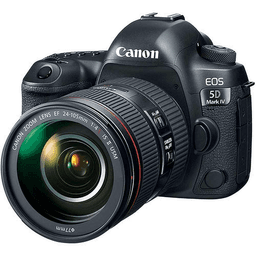
How to Photograph Diwali Lights and Fireworks: Phone and DSLR Tips
Capture stunning Diwali lights and fireworks with practical phone and DSLR photography tips. Learn the right exposure settings, improve focus, reduce blur, and create colorful, memorable festival photographs.

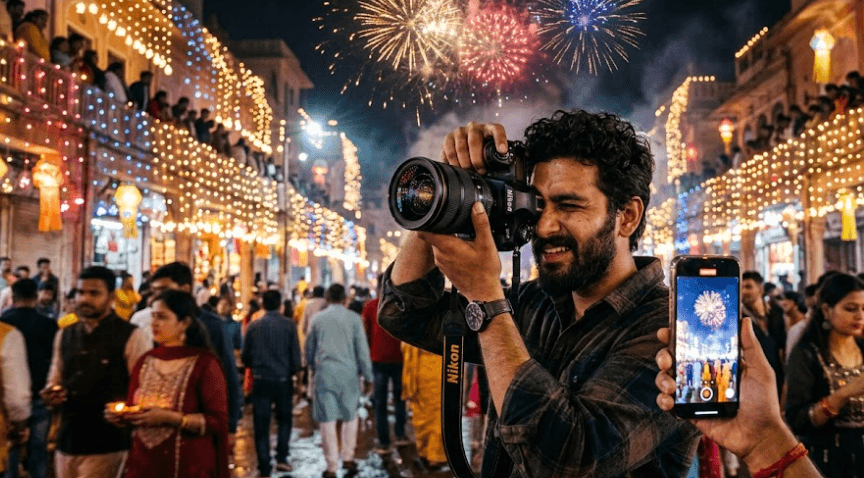
TL;DR: Photographing Diwali lights and fireworks is easier when you understand exposure, focus, and stability. For phone photography, clean the lens, turn off the flash, use Night mode for decorative lights, and keep the phone steady. For DSLR photography, start with ISO 100–200, an aperture of f/8–f/11, and a shutter speed of around 1–4 seconds for fireworks, adjusting after reviewing your first shots. Use a tripod for long exposures, frame diyas and fireworks creatively, and avoid overexposing bright lights. With a little preparation, you can capture colourful, sharp, and natural-looking Diwali photographs without expensive equipment.
Why Diwali Photography Needs A Different Approach
Diwali presents a unique photography challenge because the scene contains both darkness and intense points of light. Diyas, fairy lights, illuminated buildings, and fireworks can appear in the same frame, but each produces a different lighting effect. A camera that automatically brightens the entire scene may wash out the lights, while a darker exposure may hide important details in the surroundings.
The key is to decide what you want the photograph to highlight. If you are photographing a row of diyas, you may want to preserve the warm glow of the flames. For fireworks, the goal is often to capture colourful trails against a dark sky. If people are part of the composition, you must also consider their movement and whether their faces receive enough light.
You do not need a professional camera to get good results. A modern smartphone can capture attractive festival photographs, while a DSLR offers greater control over shutter speed, aperture, focus, and image quality. Understanding these differences will help you choose the right settings instead of relying entirely on automatic mode.
Prepare Your Phone Or Camera Before Diwali
Choose Your Equipment And Location
Start by cleaning your phone or camera lens with a microfiber cloth. Fingerprints and dust can create unwanted glare around bright fairy lights, making an otherwise sharp image look hazy. Check your available storage, charge your battery, and carry a power bank if you expect to photograph for several hours.
Choose your shooting location before the festivities begin. For decorative lights, look for an angle that includes the lights alongside a doorway, balcony, rangoli, or other interesting foreground element. For fireworks, find a safe, unobstructed viewing position with enough open sky in the frame. If you are using a tripod at a public event, check whether tripods are permitted and avoid blocking other people's views.
Prepare your equipment while there is still some daylight. Test the camera app, locate the exposure controls, and take a few practice photographs of distant lights. DSLR users should check their memory cards, lens settings, and tripod. Phone users can prepare a stable stand or secure surface. A little preparation prevents you from searching through menus when the best photographic moments arrive.
How To Photograph Diwali Lights With A Phone
Use Night Mode And Exposure Control
Night mode on supported smartphones can combine multiple frames or use longer exposures to capture more detail in low-light conditions. It works particularly well for relatively stationary subjects, such as decorative lights, rangoli arrangements, diyas, and illuminated buildings. Enable Night mode if your phone offers it, hold the device steady, and allow the capture to finish before moving it.
Pay attention to exposure when photographing bright lights. Tap the main subject on your screen to set focus and, on phones that support it, adjust the exposure slider to darken the image slightly if the lights look washed out. Avoid reducing brightness so much that the surrounding scene becomes completely black. The goal is to preserve the details of the lights while retaining enough background information.
Turn off the flash for most decorative-light photographs. The phone's flash may illuminate nearby objects unevenly without improving distant lights, and it can overpower the natural atmosphere of the scene. Use the main camera at its native focal length where practical, rather than relying on heavy digital zoom, which can reduce detail. If your phone offers a Pro mode, experiment with manual shutter speed, ISO, and focus controls.
Best DSLR Settings For Diwali Fireworks
Control Shutter Speed, Aperture, And ISO
A DSLR gives you greater control over how fireworks appear in a photograph. Start in Manual mode and use ISO 100–200 to help preserve colour and limit image noise. An aperture around f/8–f/11 is a useful starting point, while a shutter speed of approximately 1–4 seconds can capture the trails of a burst. These are starting settings, not fixed rules, and you should adjust them after reviewing your photographs.
Shutter speed determines how movement appears. A short exposure may freeze part of a burst but capture less of its full trail. A longer exposure records more of the fireworks' movement and can include multiple bursts, although too much overlapping light may produce a cluttered or overexposed image. For longer exposures, mount the camera on a tripod and use a remote shutter release or timer to reduce camera shake.
Check your first photographs before making adjustments. If the fireworks appear too bright or their colours look washed out, reduce the exposure, often by using a narrower aperture or a shorter shutter speed. If the trails are too dim, experiment with a longer exposure. Use manual focus once you have focused accurately on a distant subject, and check sharpness by magnifying the captured image.
| Setting | Starting Point | When To Adjust |
|---|---|---|
| ISO | 100–200 | Increase if you need a faster shutter speed |
| Aperture | f/8–f/11 | Use a wider aperture if the image is too dark |
| Shutter speed | 1–4 seconds | Shorten for fewer trails; lengthen for more movement |
| Focus | Manual after focusing at a distance | Recheck after changing composition or focal length |
| Flash | Off | Usually unnecessary for distant fireworks |
How To Photograph Fireworks With A Phone
Capture Bursts Without Losing Detail
Phone photography is more challenging when fireworks are moving quickly across the sky. Start by switching off the flash and choosing the main camera rather than using extreme digital zoom. If your phone has a dedicated fireworks mode or Pro mode, use it as a starting point. Otherwise, the standard camera can still produce good results when the phone is held steady and exposure is managed carefully.
Night mode can help capture a dark scene, but it is not automatically the best setting for moving fireworks. A long computational exposure may blur trails or combine movement in an unexpected way. Take several photographs using the standard Photo mode and compare them with Night mode results. If manual shutter controls are available, experiment with shorter exposures to preserve individual bursts or longer exposures for flowing trails.
Use a tripod or stable phone mount whenever possible, and consider a Bluetooth shutter remote if your phone supports one. This reduces movement caused by tapping the screen. If you do not have a tripod, brace your hands against a stable surface. Take several shots rather than expecting every photograph to be perfect, and review your results between bursts so you can correct focus and framing.
Compose Better Diwali Photographs
Include More Than Just Lights
A photograph becomes more engaging when it tells a story instead of simply showing bright objects. Place diyas in the foreground and illuminated decorations in the background to create depth. A doorway, balcony, rangoli, or decorated window can provide context and help viewers understand the festive setting. For fireworks, including a skyline or recognizable building can give the display a sense of scale.
Think about the orientation of your photograph. Vertical framing works well for individual fireworks that rise high into the sky or for a close-up of decorative lights. Horizontal framing is often better for wide displays, rows of diyas, or scenes that include people and buildings. Leave enough space around fireworks to accommodate their spread rather than cropping every burst tightly.
Be mindful of distractions before taking the shot. Streetlights, overhead wires, unwanted reflections, and brightly lit objects can compete with your subject. Move a little to change the angle rather than relying entirely on editing afterward. If people are part of the image, consider their expressions and silhouettes, and ask permission before photographing identifiable people for commercial or public use where appropriate.
Common Diwali Photography Mistakes To Avoid
Fix Blur, Glare, And Overexposure
One of the most common mistakes is using a long exposure while holding the camera in your hands. The result may contain blurred buildings, shaky light trails, or soft details. Use a tripod for long DSLR exposures and a stable support for phone Night mode. Remember that stabilization can reduce camera shake, but it cannot freeze people or fireworks that move during the exposure.
Another mistake is allowing bright lights to dominate the exposure. If fairy lights look like large white patches or fireworks lose their individual colours, reduce the exposure and take another photograph. Increasing brightness afterward cannot always recover details that were clipped during capture. Check the image on your screen and, if your camera offers a highlight warning or histogram, use it to identify areas that are too bright.
Finally, avoid overediting the photographs. Excessive sharpening, saturation, or brightness can make the festival look artificial and introduce visible noise into dark areas. Keep adjustments modest, preserve the natural warmth of diyas, and compare edited photographs with the original files. The aim is to improve the image without losing the atmosphere of the celebration.
| Problem | Likely Cause | Practical Fix |
|---|---|---|
| Blurry photographs | Camera shake or moving subjects | Stabilize the camera and adjust shutter speed |
| White, washed-out lights | Overexposure | Reduce exposure or shorten the shutter time |
| Grainy dark areas | High ISO or aggressive editing | Use a lower ISO where possible |
| Fireworks look like dots | Exposure too short or timing issue | Try a longer exposure |
| Night mode looks smeared | Movement during a multi-frame capture | Try standard Photo mode or a shorter exposure |
Final Recommendation
You can capture beautiful Diwali photographs with either a smartphone or a DSLR, provided you adapt the settings to the scene. For decorative lights, prioritize stable framing, careful exposure, and Night mode where it helps. For fireworks, concentrate on timing, focus, and controlling the amount of light recorded. Do not assume that the longest exposure or brightest image will always produce the best result.
If you are using a phone, begin with the standard camera, turn off the flash, and take test shots before experimenting with Night mode or manual controls. If you are using a DSLR, start with a low ISO, an aperture around f/8–f/11, and a shutter speed of a few seconds, then adjust according to the brightness and movement of the fireworks. A tripod and remote release can make a noticeable difference when using long exposures.
Most importantly, plan ahead and keep experimenting. Photographing Diwali is not just about capturing lights; it is about preserving the warmth, colours, and atmosphere of the celebration. A thoughtful composition and a few well-timed shots can often deliver better results than expensive equipment alone.
Frequently Asked Questions
Q. Can I photograph Diwali lights with a normal smartphone?
Yes. A smartphone with a working camera can capture attractive photographs of diyas, fairy lights, and illuminated buildings. Clean the lens, turn off the flash, and keep the phone steady in low light.
Q. Which phone camera mode is best for Diwali lights?
Night mode is a useful starting point for stationary decorations and low-light scenes. Standard Photo mode may work better for moving subjects, so compare both when possible.
Q. What are the best DSLR settings for fireworks?
Start with ISO 100–200, an aperture of f/8–f/11, and a shutter speed of around 1–4 seconds. Adjust the settings after reviewing your first shots because brightness and burst duration vary.
Q. Should I use flash when photographing fireworks?
No, not for distant fireworks. The flash will not meaningfully illuminate fireworks in the sky and may create unwanted light on nearby objects.
Q. Do I need a tripod for Diwali photography?
A tripod is helpful for long exposures, especially with a DSLR. For phone photography, a stable surface or phone stand can improve sharpness in low light.
Q. Why do my Diwali lights look white instead of colorful?
The image may be overexposed, causing bright colors to lose detail. Reduce exposure or shorten the shutter time and take another photograph.
Q. How do I capture long fireworks trails?
Use a tripod and a longer shutter speed, starting at around 1–4 seconds and adjusting as needed. Longer exposures can capture more movement, but too much light may cause overlapping trails.
Q. Is Night mode good for fireworks?
Sometimes. It can help in low light, but longer computational exposures may blur moving fireworks. Compare Night mode with standard Photo mode to see which produces sharper results.
Q. How can I photograph diyas without losing their warm glow?
Keep the camera steady, avoid excessive exposure, and include some surrounding detail. Preserve the natural warm tones during editing rather than increasing brightness and saturation too aggressively.
Q. Can I improve Diwali photographs after taking them?
Yes. Small adjustments to exposure, highlights, shadows, contrast, and white balance can improve the result. Avoid excessive sharpening or saturation, especially in dark areas where image noise is more noticeable.
Ready to upgrade your tech?
Browse our collection of quality refurbished products at unbeatable prices.