
How to Check iCloud Activation Lock Before Buying a Used iPhone
Buying a used iPhone? Learn how to check iCloud Activation Lock, identify warning signs, verify activation, and inspect the phone before paying. Follow these practical steps to avoid buying a device linked to someone else's Apple Account.

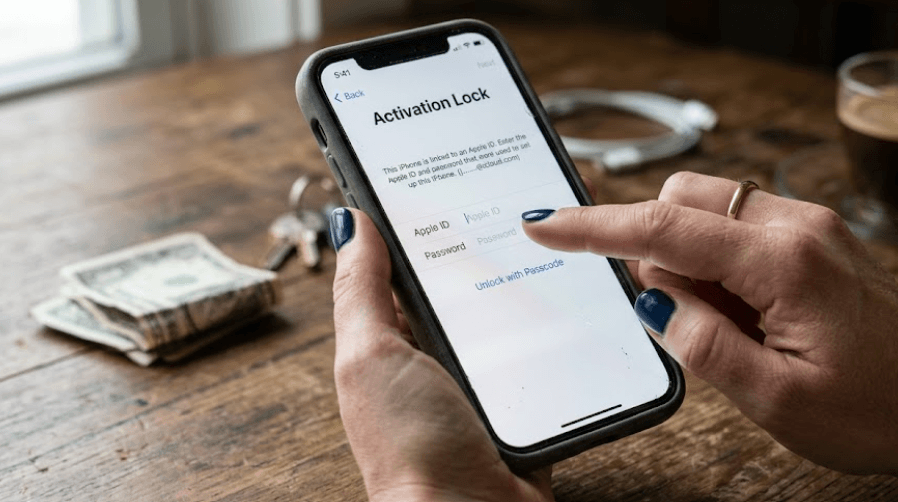
TL;DR: Before buying a used iPhone, check whether iCloud Activation Lock is still linked to the previous owner's Apple Account. Turn on the phone, follow the setup process, and check whether it asks for the previous owner's credentials. If you see an "iPhone Locked to Owner" screen or cannot complete activation without the previous owner's account, do not purchase the device. Ask the seller to remove the lock and erase the phone before paying. Also check the phone's physical condition, battery health, repair history, and network compatibility. These checks help you avoid buying a device that you cannot activate or use normally.
What Is iCloud Activation Lock?
iCloud Activation Lock is a security feature built into Apple's Find My service. When Find My is enabled on an iPhone, Activation Lock helps prevent another person from using or reactivating the device without authorization. The feature is particularly important when a phone is lost or stolen because erasing the device does not necessarily remove its association with the original owner's account.
For someone buying a secondhand iPhone, this creates a potential problem. A phone may look perfectly functional, have an attractive price, and even appear to have been reset. However, if Activation Lock remains enabled, the setup process may require the previous owner's Apple Account credentials. Without the owner's cooperation or an authorized resolution, you may be unable to activate the device.
It is also important to understand that Activation Lock is different from a carrier lock, a screen passcode, or an organization-managed device restriction. A carrier-locked iPhone may restrict which mobile networks you can use, while Activation Lock concerns the previous owner's account. A device enrolled in an organization's management system may also display a Remote Management screen during setup. Each issue requires a separate check before you complete the purchase.
Why You Should Check Activation Lock Before Buying
The biggest risk is paying for an iPhone that you cannot activate. Even if the seller hands over the phone, charging cable, and original box, those items do not prove that the device has been released from the previous owner's Apple Account. The only sensible approach is to test the actual phone before making payment.
Another concern is the possibility of buying a lost or stolen device. Activation Lock is designed to help protect devices in these circumstances. If a seller cannot explain why the phone remains linked to another account, treat the situation cautiously. Do not assume that a low price or an assurance that the lock can be removed later makes the purchase safe.
Checking Activation Lock also protects you from unnecessary repair and troubleshooting expenses. Restoring an iPhone through a computer does not automatically remove Activation Lock, and third-party unlocking claims should not be treated as a reliable solution. Confirm that the phone can be activated normally before you hand over your money, particularly when purchasing from an individual seller or an unfamiliar reseller.
Step 1: Inspect The iPhone Before Turning It On
Start with a physical inspection. Check the display for cracks, dead pixels, discoloration, and touch-response problems. Examine the frame, camera lenses, charging port, buttons, and speakers. If possible, test the cameras, microphone, Face ID or Touch ID, Wi-Fi, and charging function. A device that passes the Activation Lock check may still have hardware problems that affect its value.
Next, locate the iPhone's serial number and IMEI through the available device information screens or the original packaging, where applicable. Compare the details when possible and make sure the seller's description matches the phone. An IMEI or serial number can help identify a device, but it does not independently prove that Activation Lock has been removed or that the phone is not reported lost or stolen.
Finally, check the battery and repair history if the phone can be accessed. On supported models and software versions, Battery Health and Parts and Service History can provide useful information about battery capacity and certain replaced components. These checks are separate from Activation Lock, but they help you judge whether the asking price reflects the phone's actual condition.
Step 2: Look For The "iPhone Locked To Owner" Screen
Switch on the iPhone and observe what appears on the display. Apple's official guidance states that an iPhone protected by Activation Lock on iOS 15 or later displays an "iPhone Locked to Owner" screen when turned on or awakened. If you see this message, do not proceed with the purchase while the device remains locked.
If the phone opens directly to the Home Screen or displays a passcode lock screen, that does not prove it is ready for a new owner. The device may still contain the previous owner's information and has not necessarily been erased. Ask the seller to remove their account and reset the phone properly before continuing.
You may instead see the Hello screen, which begins the iPhone setup process. This is a useful starting point, but do not treat it as the only confirmation you need. Continue through the setup screens and verify that the device does not request the previous owner's Apple Account credentials. You should also check that no unexpected organization-management requirements prevent you from completing setup.
Step 3: Complete The Setup Process Before Paying
Follow The On-Screen Instructions
Swipe up from the Hello screen and follow the setup instructions. Select your language and region, then connect to a Wi-Fi network or use another supported activation method. The phone needs to contact Apple's activation servers to complete the process, so a working internet connection is important.
Continue until the phone checks its activation status. If a message asks for the Apple Account previously used to set up the device, the iPhone remains linked to that account. Stop the process and return the phone to the seller. Do not pay on the assumption that a factory reset, software update, or computer restore will resolve the problem.
If setup proceeds without requesting the previous owner's credentials, continue checking the remaining screens. Look for any unexpected Remote Management requirement, which can indicate that an organization manages the device. Complete the checks you can perform before paying, and make sure the seller agrees to resolve any remaining activation or management restrictions.
Understand The Results
The following table summarizes what different screens mean when checking a used iPhone.
| What You See | What It Means | What You Should Do |
|---|---|---|
| "iPhone Locked to Owner" | Activation Lock is active | Do not buy until the owner removes the lock |
| Previous owner's Apple Account requested | The device remains linked to that account | Ask the seller to remove the association |
| Passcode or Home Screen | The phone has not necessarily been erased | Ask the seller to reset it properly |
| Hello screen | Setup is available to begin | Continue setup and verify activation |
| Remote Management screen | The device may be managed by an organization | Ask the seller to resolve the management restriction |
| Setup completes without the previous owner's credentials | No previous-owner Activation Lock prompt appeared during the test | Continue checking the device's condition and other restrictions |
Step 4: Ask The Seller To Remove Activation Lock
If the iPhone is still linked to the previous owner's account, the legitimate solution is to have the owner remove that association. If the seller is the account holder and is present, ask them to follow Apple's instructions, authenticate with their account when required, and erase the phone properly. The device should then be ready for a new owner to activate.
If the previous owner is not present, ask the seller to contact them before the transaction. Apple explains that the previous owner can use a browser to access the appropriate Find My service and remove the device from their account. Do not accept a promise that the seller will arrange this after receiving payment.
After the seller confirms the removal, repeat the setup process yourself. Make sure the phone connects to Apple's activation servers and proceeds without asking for the former owner's credentials. If the problem remains unresolved, walk away from the deal. A legitimate seller should understand why a buyer needs to verify that a used phone can be activated.
Step 5: Check Other Important Details Before Buying
Removing Activation Lock does not automatically mean the iPhone is in excellent condition. Check the battery health, display, cameras, speakers, microphones, charging port, and available storage. Test mobile connectivity with a compatible SIM or eSIM where practical, and confirm that the phone supports the network you intend to use. A working iPhone should meet your everyday needs, not simply pass the activation test.
Also review the device's Parts and Service History, where available, under Settings > General > About. Depending on the model and software version, the section may identify certain replaced parts and provide information about their status. A replacement part or repair history is not automatically a reason to reject a phone, but unexplained warnings deserve further investigation.
Finally, compare the price with the phone's condition, model, storage capacity, and battery health. Request a receipt or written proof of purchase and retain the seller's details where appropriate. If the seller refuses basic checks, pressures you to pay immediately, or offers an unusually low price while avoiding questions, consider buying from a more transparent seller instead.
Common Mistakes To Avoid
One common mistake is assuming that a factory reset removes Activation Lock. Erasing the contents of an iPhone and removing its association with the previous owner's account are not interchangeable actions. A phone can be erased and still require the former owner's credentials during activation, so always test the device after the reset.
Another mistake is relying on an IMEI checker or a third-party unlocking website as proof that the iPhone is safe to buy. Identification tools can provide useful information about a device, but they should not replace Apple's recommended activation test. Be cautious of anyone offering guaranteed unlocking in exchange for an advance payment, account credentials, or remote access to your computer.
Finally, do not rush through the setup process just because the phone appears to work. Check for Activation Lock, unexpected management restrictions, hardware problems, and network compatibility before paying. If the seller cannot let you complete these basic checks, postpone the purchase until you can verify the device properly.
Final Recommendation And Decision Framework
When buying a used iPhone, the safest approach is to verify Activation Lock in person before completing the transaction. Turn on the phone, follow the Hello screen setup process, connect to the internet, and confirm that the previous owner's Apple Account is not required. If the device remains linked to someone else's account, ask the owner to remove it and repeat the test before paying.
Once activation is confirmed, inspect the phone's physical condition, battery health, repair history, network compatibility, and available storage. Ask for proof of purchase and keep a record of the transaction. These additional checks will not guarantee that every possible problem has been eliminated, but they reduce the risk of buying a device with avoidable restrictions or defects.
If the seller cannot remove Activation Lock, refuses to let you test the device, or insists that you pay first and resolve the problem later, walk away. A lower price is not worth buying an iPhone that you may be unable to use. Prioritize a device that can be activated normally, has a verifiable history, and meets your needs without relying on uncertain unlocking promises.
Frequently Asked Questions
Q. What is iCloud Activation Lock on an iPhone?
Activation Lock is an Apple security feature linked to Find My that helps prevent unauthorized use or reactivation of a protected iPhone.
Q. How can I check Activation Lock before buying a used iPhone?
Turn on the phone, follow the setup process, connect to the internet, and check whether the previous owner's Apple Account is required. Do not buy until the device can be activated normally.
Q. Is the Hello screen enough to confirm that Activation Lock is removed?
It is a useful starting point, but you should continue through setup and verify that the phone does not request the previous owner's account credentials.
Q. Can a factory reset remove iCloud Activation Lock?
Not necessarily. An erased iPhone can remain linked to the previous owner's account. The owner must remove the association through the appropriate Apple process.
Q. What does "iPhone Locked to Owner" mean?
It indicates that the device is protected by Activation Lock. Ask the previous owner to remove it before considering the purchase.
Q. Can I remove Activation Lock without the previous owner's password?
You should ask the previous owner to remove the device from their account. If you have legitimate proof of purchase, you can also check Apple's official support options. Do not rely on unofficial bypass services.
Q. Can an IMEI checker confirm whether Activation Lock is enabled?
An IMEI check alone is not a substitute for Apple's recommended setup test. Verify the activation status directly on the device before paying.
Q. What if the seller says they will remove Activation Lock later?
Do not complete the purchase until the seller has removed it and you have verified that the iPhone activates normally.
Q. Is a carrier-locked iPhone the same as an Activation-Locked iPhone?
No. A carrier lock restricts network use, while Activation Lock links the device to the previous owner's Apple Account. Check both separately.
Q. What should I do if I accidentally buy an Activation-Locked iPhone?
Contact the seller and request that the previous owner remove the device from their account. If you have valid proof of purchase, contact Apple Support to ask whether you qualify for assistance.
Ready to upgrade your tech?
Browse our collection of quality refurbished products at unbeatable prices.






