How Long Will Your Refurbished iPhone Get Software Updates?
Wondering how long a refurbished iPhone will receive software updates? Learn about Apple's update timelines, supported iPhone models in 2026, security patches, and what to check before buying a refurbished device.

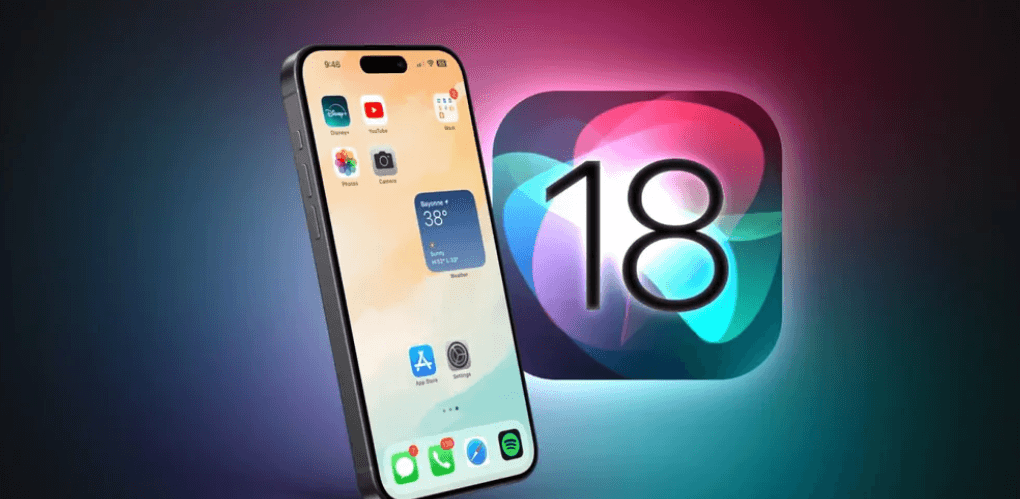
TL;DR: A refurbished iPhone can continue receiving software updates for years, but its remaining support depends on the model and when Apple originally released it. Apple has a history of supporting iPhones with major iOS upgrades for around six years or longer in some cases, although this is not a guaranteed schedule. As of October 2026, iOS 27 supports the iPhone 11 and newer models, while the iPhone XS, XS Max, and XR continue receiving updates on the older iOS 18 branch. Before buying a refurbished iPhone, check its model, current iOS version, and security update status. A newer model generally offers a longer remaining support window, making it a better choice for long-term use.
Why Software Updates Matter On A Refurbished iPhone
Buying a refurbished iPhone can be an affordable way to experience Apple's ecosystem without paying the price of a new device. However, the purchase price is only one part of the decision. Software support also affects how securely, smoothly, and reliably you can use your phone over the next few years.
Apple's software updates introduce new features, improve performance, fix bugs, and address security vulnerabilities. Some updates also improve compatibility with apps and services. When an iPhone stops receiving major iOS upgrades, it does not necessarily become unusable overnight, but it may gradually miss newer features and compatibility improvements.
For refurbished buyers, the important question is not simply how long Apple supports an iPhone from its launch date. It is how much useful support the device has left. A phone released several years ago may still work well, but a model nearing the end of its software lifecycle could become a less practical investment if you intend to keep it for another three or four years.
How Long Does Apple Support Its iPhones?
Understanding Apple's Update Timeline
Apple does not publish a universal guarantee that every iPhone will receive major iOS upgrades for a fixed number of years. However, its track record provides a useful reference point. In its June 2024 environmental report, Apple explained that iOS feature updates had historically supported devices dating back approximately six years from their original release. Some models have received support for longer, so this figure should be treated as a historical guide rather than a fixed cutoff.
It is also important to distinguish between major iOS upgrades and security updates. A major upgrade introduces a new generation of the operating system, while smaller updates address bugs, improve stability, or fix security vulnerabilities. Apple may continue issuing security updates for selected older devices even after they stop qualifying for its newest major iOS release.
This distinction matters when evaluating a refurbished iPhone. A device that cannot install the newest iOS version may still receive security patches for an older version. However, there is no guarantee that every older model will receive every future security update, so buyers should check Apple's official security release records rather than relying on the phone's age alone.
Which Refurbished iPhones Still Receive Updates In 2026?
As of October 2026, Apple's iOS 27 compatibility information lists the iPhone 11 and newer generations, including the iPhone SE (second generation and later), among supported models. The iPhone XS, XS Max, and XR are not compatible with iOS 27, but Apple's security release records show that these models continue to receive updates for iOS 18.
This means two refurbished iPhones of similar appearance or price can offer different software experiences. A refurbished iPhone 11 can run the current major iOS generation, whereas an iPhone XR remains on an older operating system branch. The difference affects access to new features and may influence future app compatibility, although it does not automatically make the older phone unusable.
The table below provides a practical overview of release years and current support status. It is a buying guide, not a promise of future support. Apple's compatibility decisions can change with future releases, and a model's precise remaining support period cannot be confirmed in advance.
| iPhone Model | Original Release Year | Software Support Status As Of October 2026 |
|---|---|---|
| iPhone XR | 2018 | Receives selected iOS 18 security updates |
| iPhone XS / XS Max | 2018 | Receives selected iOS 18 security updates |
| iPhone 11 Series | 2019 | Compatible with iOS 27 |
| iPhone 12 Series | 2020 | Compatible with iOS 27 |
| iPhone 13 Series | 2021 | Compatible with iOS 27 |
| iPhone 14 Series | 2022 | Compatible with iOS 27 |
| iPhone 15 Series | 2023 | Compatible with iOS 27 |
| iPhone 16 Series | 2024 | Compatible with iOS 27 |
| iPhone 17 Series | 2025 | Compatible with iOS 27 |
What Determines How Many Updates Your Refurbished iPhone Has Left?
1. The Original Release Date
The model's original launch date is a useful starting point for estimating its remaining software life. A refurbished iPhone 15, for example, is generally a better long-term purchase than an iPhone 11 because it was released four years later and belongs to a newer hardware generation.
However, release year alone cannot establish an exact end date for updates. Apple evaluates hardware compatibility when developing new software, and different models can have different support timelines. Avoid treating estimates such as five, six, or seven years as official guarantees.
2. Hardware And Performance
Newer iPhones generally have more capable processors and hardware that can support newer software features. As operating systems evolve, some features may require hardware capabilities unavailable on older models. A phone might remain compatible with the latest iOS version but not support every feature included in that release.
Performance also affects the everyday experience of using a refurbished device. Storage capacity, battery condition, and the phone's physical condition can influence how comfortably it handles apps and updates. Software eligibility and hardware condition should therefore be assessed separately when comparing refurbished models.
3. Apple's Security Update Policy
Apple's support for older devices does not always end when major iOS upgrades stop. Its security release history demonstrates that certain older models can receive patches for vulnerabilities affecting previous operating system versions. However, the timing, frequency, and availability of these updates vary.
For buyers, the practical approach is to check the exact model against Apple's current security release list. Do not assume that a phone is fully protected simply because it still switches on, runs familiar apps, or received an update several months ago.
How To Check Software Support Before Buying
Step 1: Identify The Exact iPhone Model
Ask the seller for the precise model name rather than relying on the listing title or product photographs. You can verify the model on an iPhone by opening Settings, selecting General, and tapping About. The model name and other device details appear on this screen.
If you are checking a device before purchasing it, ask the seller for clear screenshots of the About and Software Update screens. These can help establish the model and the installed iOS version. Make sure the screenshots correspond to the actual device being sold.
Step 2: Check The Installed iOS Version
Open Settings, tap General, and select Software Update. The phone will display its installed version and indicate whether a compatible update is available. An older version does not necessarily mean that the phone has reached the end of its support, as the device may simply need to be updated.
If the seller permits it, check whether the phone can install the latest iOS version supported by that model. Remember that an iPhone cannot necessarily install the newest iOS release just because it has enough free storage. Hardware compatibility determines which major operating system versions are available.
Step 3: Verify Apple's Official Records
Before paying, compare the model against Apple's official iOS compatibility guide and security releases page. These sources are more reliable than a seller's unsupported claim that a phone will receive updates for a specific number of years.
Also, remember that a refurbished phone's resale date does not restart Apple's software support timeline. A device refurbished in 2026 remains the same hardware generation as when it was originally released. Refurbishment can restore functionality or replace components, but it cannot extend the model's official software compatibility.
Is It Worth Buying An Older Refurbished iPhone?
An older refurbished iPhone can still make sense if your needs are relatively simple. Calling, messaging, browsing, taking photographs, and using compatible apps may remain perfectly practical on a supported older model. If the price is low and the device is in good condition, it may offer good value for short-term use.
However, the calculation changes when you intend to keep your phone for several years. An older model may have fewer remaining major iOS upgrades, a more worn battery, and less room for future app requirements. A low upfront price can become less attractive if you need to replace the phone sooner than expected.
For buyers planning to use their phone for three to five years, a newer refurbished model is generally the safer choice. The iPhone 13 or iPhone 14 may offer a useful balance between cost and remaining software support, while a refurbished iPhone 15 or newer may be preferable when budget allows. These are purchasing recommendations based on model age, not guarantees of future Apple support.
Final Recommendation
A refurbished iPhone can remain useful for years, but its remaining software support should be part of your buying decision. Apple has historically supported iPhones with major iOS upgrades for around six years or longer in some cases, while selected older models may continue receiving security updates after losing access to the newest operating system. Neither timeline is guaranteed for every model.
Before purchasing, verify the exact model, confirm its current iOS compatibility, check Apple's security release records, and assess the battery and overall condition. For a buyer in 2026, the iPhone 13 or iPhone 14 can be worth considering when priced appropriately, while the iPhone 15 and newer models are stronger candidates for longer-term use.
Ultimately, the best refurbished iPhone is not necessarily the cheapest one. It is the model that offers the right balance of price, condition, performance, and remaining software support for the time you expect to keep it.
Frequently Asked Questions
Q. How many years of software updates does a refurbished iPhone get?
Apple does not guarantee a fixed number of years for every model. Its historical record suggests around six years or longer of major iOS support in some cases, but the remaining support depends on the model and Apple's future decisions.
Q. Does a refurbished iPhone receive updates for less time than a new iPhone?
No. Refurbishment does not itself reduce the phone's software support period. The model's hardware generation and Apple's compatibility policy determine which updates it can receive.
Q. Will my refurbished iPhone still work after major iOS updates stop?
Usually, yes. Calls, messages, and compatible apps may continue working, although features and app compatibility can change. Security updates may also remain available for selected older models.
Q. Which iPhones support iOS 27 in 2026?
Apple's compatibility list includes the iPhone 11 and newer models, along with the iPhone SE (second generation and later). Check Apple's current compatibility guide for the complete list.
Q. Is the iPhone XR still receiving security updates?
Apple's security release records show selected iOS 18 security updates for the iPhone XR as of October 2026. However, it does not support iOS 27.
Q. Is it safe to use an iPhone that no longer receives major iOS updates?
It depends on its security update status and intended use. A phone that still receives relevant security patches may remain practical, but one that no longer receives security fixes carries increasing risks over time.
Q. Should I buy a refurbished iPhone 11 in 2026?
It may suit a tighter budget because it supports iOS 27. However, check its battery condition, price, and overall condition before purchasing, and remember that its future software support is not guaranteed.
Q. Is a refurbished iPhone 13 a good long-term purchase?
It can be a reasonable option when the price and condition are right. It supports iOS 27, but its exact remaining support period cannot be confirmed in advance.
Q. Does replacing the battery extend an iPhone's software support?
No. A battery replacement can improve battery life and usability, but it does not change Apple's software compatibility requirements for that model.
Q. How can I check whether my refurbished iPhone has the latest update?
Open Settings, select General, and tap Software Update. Then compare the device's available update with Apple's official compatibility and security release information.
Ready to upgrade your tech?
Browse our collection of quality refurbished products at unbeatable prices.