
Gaming Laptop vs Desktop in 2026: What Should You Choose?
Gaming laptops offer portability and an all-in-one setup, while desktops deliver higher performance, easier upgrades, and better cooling. Here is how to decide which gaming PC makes more sense in 2026.

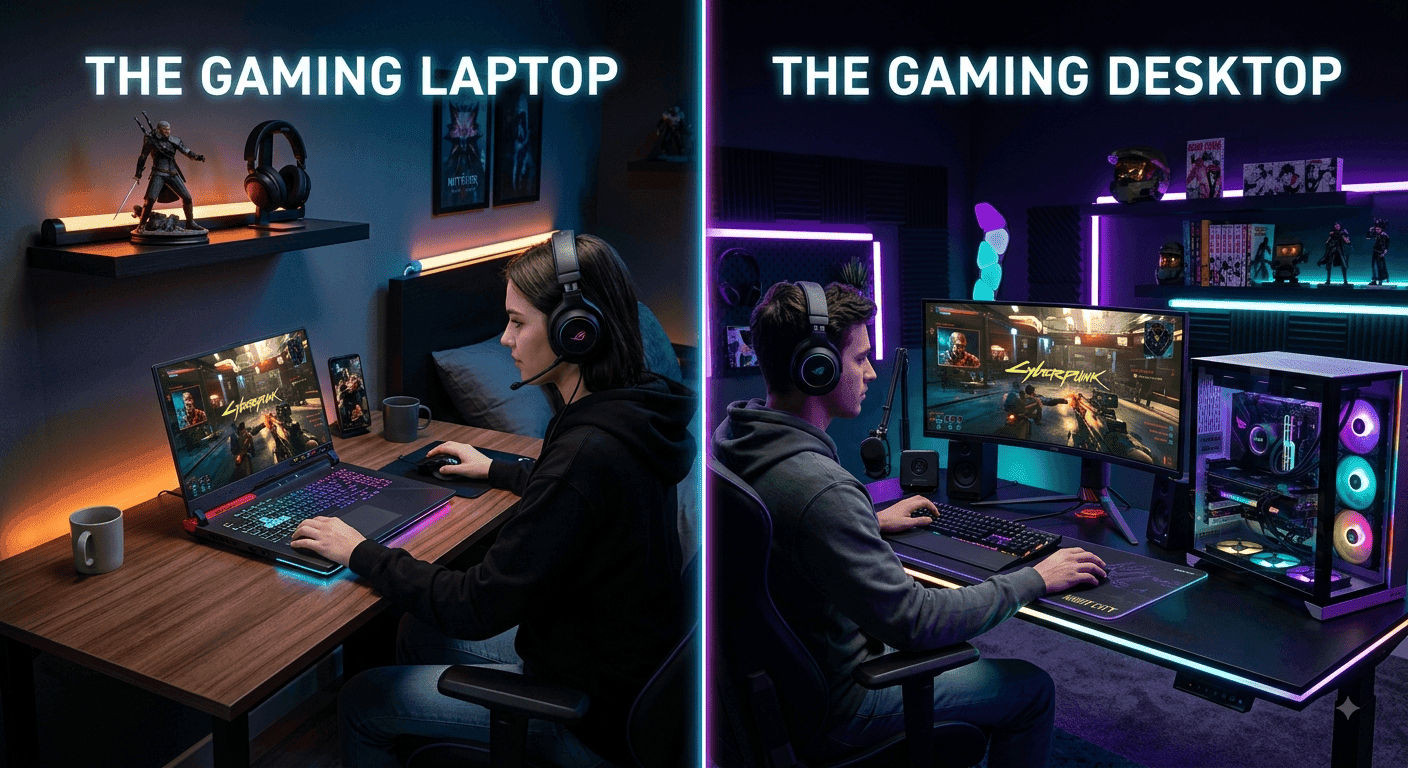
TL;DR Gaming laptops and desktops are both strong gaming options in 2026, but they are designed around very different priorities. A gaming desktop is usually the better choice if maximum performance, upgradeability, cooling, and long-term value matter most. A gaming laptop makes more sense if you need one machine that you can carry between home, college, work, or travel while still playing demanding games. Current hardware has made gaming laptops considerably more capable, with NVIDIA's RTX 50 Series Laptop GPUs bringing Blackwell architecture, DLSS 4, and dedicated configurations ranging from the RTX 5050 Laptop GPU through the RTX 5090 Laptop GPU. However, a laptop GPU should not be treated as identical to a desktop GPU simply because the model number looks similar, because laptop power limits and thermal constraints vary by design.
Gaming Laptop vs Desktop: The Basic Difference
The biggest difference between a gaming laptop and a desktop is not simply how powerful the hardware is. It is how that hardware is packaged. A gaming desktop separates the major components into a larger chassis with dedicated cooling, a desktop power supply, replaceable components, and usually a separate monitor, keyboard, and mouse. A gaming laptop puts the processor, graphics hardware, display, keyboard, battery, speakers, cooling system, and other components into one portable machine. That makes the laptop much easier to move, but it also places tighter limits on power consumption, cooling, and component replacement.
In 2026, the performance gap is more complicated than it used to be. Modern gaming laptops can deliver high-end gaming performance, particularly when they use powerful GPUs and are connected to their chargers. NVIDIA's current RTX 50 Series Laptop lineup includes the RTX 5090, RTX 5080, RTX 5070 Ti, RTX 5070, RTX 5060, and RTX 5050 Laptop GPUs, with laptop-specific power ranges depending on the GPU and system design. For example, NVIDIA lists the RTX 5090 Laptop GPU at 95W to 150W, while the RTX 5070 Laptop GPU ranges from 50W to 100W.
That is why comparing a gaming laptop and desktop only by the name of their GPU can be misleading. Two machines carrying similar-looking graphics branding can perform differently because of power limits, cooling capacity, CPU configuration, and the manufacturer's tuning. A desktop also has the advantage of sustained cooling through a larger chassis and more substantial cooling hardware. A laptop, meanwhile, gives you something a desktop cannot provide on its own: a complete gaming setup that can travel with you.
Gaming Laptop vs Desktop at a Glance
| Factor | Gaming Laptop | Gaming Desktop |
|---|---|---|
| Portability | Excellent | Poor |
| Gaming Performance | Very strong | Usually higher |
| Cooling | Limited by chassis | More flexible |
| Upgrades | Limited | Extensive |
| Display Included | Yes | Usually separate |
| Battery | Yes | No |
| Long-Term Repairability | More limited | Generally easier |
| Desk Space | Lower | Higher |
| Best For | Gamers who travel | Gamers who want maximum performance |
Gaming Performance and Graphics Power
If gaming performance is your first priority, a desktop still has the advantage in most comparable configurations. The larger chassis gives manufacturers more room for cooling and higher-power components, which is particularly useful during long gaming sessions. A desktop can also accommodate a larger graphics card, stronger cooling solution, and a more powerful desktop-class power supply. These advantages become more important when you are targeting high refresh rates at 1440p or 4K, especially in demanding AAA games with ray tracing enabled.
Gaming laptops have narrowed the gap considerably, but their GPU specifications need to be read carefully. NVIDIA's RTX 50 Series Laptop GPUs use the Blackwell architecture and support technologies including DLSS 4 and advanced ray tracing features, but their power ranges differ between models and laptop implementations. NVIDIA lists up to 24GB of GDDR7 memory for the RTX 5090 Laptop GPU, while the RTX 5080 Laptop GPU has 16GB and the RTX 5070 Ti Laptop GPU has 12GB. The RTX 5070 and RTX 5060 Laptop GPUs are listed with 8GB configurations.
This means a gaming laptop can absolutely be a serious gaming machine in 2026, but you should judge it by the complete configuration rather than the GPU name alone. Cooling, GPU power, CPU, RAM, display resolution, and the manufacturer's performance mode all influence the actual experience. A desktop remains the better option when you want the highest sustained performance and have no need to move the machine. A laptop becomes more attractive when slightly lower performance is an acceptable trade for portability.
Performance Priorities
| Gaming Need | Better Choice |
| Maximum FPS | Desktop |
| 4K Gaming | Desktop |
| High-Refresh 1440p Gaming | Desktop |
| Gaming While Traveling | Laptop |
| Competitive Gaming Away From Home | Laptop |
| Long Gaming Sessions at a Desk | Desktop |
| One Device for Gaming and Work | Laptop |
Portability and Everyday Convenience
Portability is where gaming laptops have an advantage that a desktop cannot realistically match. A laptop gives you the screen, keyboard, trackpad, speakers, battery, and computer in one package. You can use it at home, take it to college, carry it to the office, or connect it to an external monitor when you return to your desk. For students and professionals who move frequently, this convenience can be more valuable than a performance advantage that only exists while sitting at a desk.
A desktop requires a completely different setup. The tower itself may be easy enough to move occasionally, but the complete system also involves a monitor, keyboard, mouse, speakers or headphones, and cables. If you move between locations regularly, transporting the entire setup becomes inconvenient. A desktop therefore works best when you have a dedicated gaming space and expect the machine to stay there for most of its life.
There is also a practical point that is easy to overlook. A gaming laptop does not necessarily replace every advantage of a desktop, but it can replace the need to own two computers. You can use the same machine for gaming, assignments, presentations, video editing, browsing, and travel. Current gaming laptops can also be surprisingly capable outside gaming, with high-end models combining modern processors, discrete GPUs, fast displays, and substantial memory. Recent 2026 testing of gaming laptops continues to highlight portability as one of their major advantages, although battery life during actual gaming remains much shorter than when performing lighter tasks.
Upgradeability and Long-Term Value
Upgradeability is one of the strongest reasons to choose a desktop. In a typical desktop system, you can replace or upgrade components such as the graphics card, storage, RAM, power supply, and sometimes the processor and motherboard. This allows you to improve the system gradually instead of replacing the entire machine when one component becomes outdated. You can start with a reasonable configuration and upgrade the graphics card later when your gaming requirements increase.
Gaming laptops are much more restricted. Depending on the model, users may be able to upgrade RAM and SSD storage, but the CPU and dedicated GPU are generally not replaceable in the same way as desktop components. Some newer laptops also use soldered memory, which makes it particularly important to choose enough RAM when buying the machine. Storage expansion is often easier than graphics upgrades, but even that depends on the number and type of available M.2 slots.
This difference affects long-term value. A desktop can have a longer useful life because you can replace individual components as requirements change. A laptop can still last for several years, but eventually its fixed components may become the limiting factor. That does not automatically make laptops poor value. If portability is important enough that you would otherwise need both a desktop and another portable computer, the laptop can actually be the more practical purchase.
Upgradeability Comparison
| Component | Gaming Laptop | Gaming Desktop |
| RAM | Sometimes upgradeable | Usually upgradeable |
| SSD | Often upgradeable | Usually upgradeable |
| GPU | Generally not replaceable | Replaceable |
| CPU | Generally not upgradeable | Often upgradeable |
| Cooling | Limited options | Highly customizable |
| Power Supply | Not normally replaceable by user | Easily replaceable |
| Full System Upgrades | Limited | Excellent |
Price, Cooling, and Power Consumption
Price comparisons between gaming laptops and desktops can be misleading because the laptop already includes several components that a desktop buyer needs to purchase separately. A laptop normally includes a display, keyboard, touchpad, speakers, webcam, battery, and power adapter. With a desktop, the tower may be the main purchase, but you may also need to budget for a monitor, keyboard, mouse, and other accessories.
The desktop generally has another advantage in cooling. More physical space means manufacturers and builders can use larger heatsinks, multiple fans, liquid cooling, and larger graphics cards. That can help maintain performance during sustained workloads. Gaming laptops have become much better at thermal management, but their compact dimensions inevitably create more constraints. High-performance laptops can also become loud and warm when running demanding games at full power.
Power consumption is another consideration, although the answer depends heavily on the hardware. A high-end desktop can consume substantially more power than an efficient laptop, particularly when equipped with a powerful desktop GPU. At the same time, a gaming laptop also uses significant power during gaming and is generally designed to deliver its best performance while plugged in. Battery mode usually involves performance compromises because the system has to balance gaming performance with battery endurance.
Cost Factors to Consider
| Cost Factor | Laptop | Desktop |
| Computer Hardware | Included | Included |
| Display | Included | Separate |
| Keyboard | Included | Separate |
| Mouse | Touchpad included | Usually separate |
| Battery | Included | Not required |
| Upgrade Cost | Often higher or limited | More flexible |
| Cooling Upgrades | Limited | Wide range of options |
Gaming Experience and Display Quality
A gaming laptop has one major advantage when it comes to the out-of-box experience: the display is already there. You can buy the laptop, install your games, connect the charger, and start playing. Modern gaming laptops are available with high-refresh-rate screens and, in premium models, high-resolution OLED panels. Current 2026 gaming laptop testing shows that manufacturers are increasingly combining strong graphics hardware with high-quality OLED or high-refresh-rate displays.
A desktop gives you much more freedom over the display. You can choose a 1080p high-refresh-rate monitor for competitive gaming, a 1440p monitor for a balance of sharpness and performance, or a 4K display for visual quality. You can also replace the monitor independently when a better model becomes available. This flexibility is particularly useful for gamers who care about screen size, colour accuracy, refresh rate, HDR, or ultrawide gaming.
The trade-off is that a desktop setup requires more decisions. You need to match the monitor to the graphics card and your preferred resolution. Buying a powerful desktop and pairing it with a basic monitor wastes some of the potential performance, while buying an expensive 4K high-refresh-rate monitor for a lower-end system can also create an imbalance. A gaming laptop simplifies that decision because its display and hardware are designed as one system.
Who Should Buy a Gaming Laptop?
A gaming laptop is the better choice if portability is part of your everyday life. Students who move between home and college, professionals who travel, and gamers who do not have a permanent gaming desk can benefit from having everything in one machine. It is also a sensible choice if you need your computer for both gaming and general productivity and do not want to maintain separate systems.
The laptop also makes sense when convenience matters more than absolute performance. You can connect it to an external monitor and peripherals at home and then disconnect everything when you need to leave. That gives you a desktop-style setup without giving up portability. The trade-off is that you will generally pay more for the compact engineering and will have fewer options for upgrading the core hardware later.
For buyers choosing a laptop in 2026, do not focus only on the GPU model. Check the exact GPU power configuration, CPU, RAM, storage, display, cooling design, weight, and charger size. NVIDIA's own specifications show why this matters, because RTX 50 Series Laptop GPUs operate across different power ranges depending on the GPU model.
Who Should Buy a Gaming Desktop?
A gaming desktop is the stronger choice if you have a fixed gaming space and want the most performance for your money. It is especially attractive for gamers targeting high-end 1440p or 4K gaming, competitive players who want very high frame rates, and enthusiasts who enjoy building or upgrading their systems. The ability to replace individual components also gives desktops an advantage when you want to keep improving the system over time.
Desktops are also better suited to people who want a customized setup. You can choose the exact monitor, graphics card, cooling system, case, power supply, storage configuration, and peripherals. This makes it easier to build around a specific goal rather than accepting the compromises of an all-in-one laptop design.
The downside is convenience. A desktop stays where you install it, and the total setup occupies considerably more space. You also need to account for the monitor and peripherals when calculating the real cost. For someone who rarely moves their computer, however, that is often a worthwhile trade-off because the desktop's performance, cooling, and upgradeability can outweigh its lack of portability.
Best Choice by User Type
| User Type | Recommended |
| College Student Who Travels | Gaming Laptop |
| Frequent Traveler | Gaming Laptop |
| Dedicated Home Gamer | Gaming Desktop |
| Competitive Gamer | Gaming Desktop |
| Content Creator Who Travels | Gaming Laptop |
| PC Enthusiast | Gaming Desktop |
| First-Time PC Buyer With Limited Space | Gaming Laptop |
| Long-Term Upgrader | Gaming Desktop |
Common Mistakes to Avoid
One of the biggest mistakes is comparing a laptop and desktop only by the processor or GPU name. A laptop GPU has different power and thermal constraints from a desktop graphics card, and even laptops using the same GPU family can have different performance depending on their power configuration and cooling. NVIDIA explicitly publishes different power ranges for its RTX 50 Series Laptop GPUs, which reinforces why the complete laptop configuration matters.
Another mistake is ignoring the total cost of a desktop. A desktop tower may look cheaper than a gaming laptop at first glance, but the final setup can also require a monitor, keyboard, mouse, speakers or headphones, and other accessories. On the other hand, buying a laptop with specifications far beyond your actual requirements can also waste money because you are paying a premium for portability and compact hardware that you may not need.
The final mistake is buying based entirely on today's gaming performance. Think about how you expect to use the system for the next three to five years. If you want to upgrade individual components over time, a desktop gives you much more flexibility. If your circumstances could involve college, relocation, work travel, or changing study locations, the convenience of a laptop may be worth more than the desktop's upgrade path.
Frequently Asked Questions
Q. Is a gaming laptop better than a desktop in 2026?
A gaming laptop is better if portability and convenience are priorities, while a desktop is generally better for maximum performance, cooling, and upgradeability. The right choice depends more on how you use the computer than on which category is universally faster.
Q. Which gives better gaming performance, a laptop or desktop?
A desktop generally delivers higher sustained performance when comparing similarly positioned hardware because it has fewer power and cooling constraints. Laptop performance can still be excellent, particularly with current RTX 50 Series Laptop GPUs, but the exact configuration matters.
Q. Are gaming laptops worth buying in 2026?
Yes. Gaming laptops are worth considering if you need portability without giving up access to modern PC games. Current models can include high-end CPUs, discrete RTX 50 Series Laptop GPUs, high-refresh-rate displays, and fast SSDs, making them capable gaming and productivity machines.
Q. Why are gaming desktops usually more powerful?
Desktops have more physical space for cooling and can use larger graphics cards, stronger power supplies, and more substantial cooling systems. This allows manufacturers and builders to sustain higher power levels without the same compact-chassis constraints faced by laptops.
Q. Can a gaming laptop replace a desktop?
For many users, yes. A powerful gaming laptop can handle gaming, productivity, content creation, and everyday computing from one device. However, a desktop remains preferable if you want maximum performance, extensive upgrades, or a permanently installed high-end gaming setup.
Q. Can you upgrade a gaming laptop like a desktop?
Usually not. Many gaming laptops allow some storage and RAM upgrades, but the CPU and dedicated GPU are generally not user-replaceable like desktop components. The exact upgrade options vary by model, so they should be checked before purchase.
Q. Which is better for 4K gaming, a laptop or desktop?
A desktop is generally the better choice for demanding 4K gaming because desktop GPUs can provide higher sustained performance and the system offers greater cooling flexibility. A high-end gaming laptop can also drive a 4K external display, but performance depends heavily on its specific GPU and power configuration.
Q. Do gaming laptops have worse cooling than desktops?
Gaming laptops have more constrained cooling because of their compact design. That does not mean modern laptops cannot manage high-performance hardware, but desktops have substantially more room for fans, heatsinks, radiators, and airflow. High-performance laptops can also become warm and loud under heavy gaming loads.
Q. Is a gaming desktop cheaper than a gaming laptop?
A desktop can provide better performance per dollar, but the comparison should include the full setup. A desktop may require a separate monitor and peripherals, while a laptop already includes its display, keyboard, touchpad, speakers, webcam, battery, and charger.
Q. Should I buy a gaming laptop or desktop for college?
A gaming laptop is usually the more practical choice for college if you expect to move between home, campus, accommodation, and other locations. A desktop makes more sense if you have a permanent room and do not need to carry your computer around.
Final Recommendation
For most gamers who have a permanent gaming desk and care primarily about performance, the gaming desktop is still the better choice in 2026. It gives you stronger cooling, greater upgradeability, more flexibility in choosing components, and usually better sustained performance at a comparable hardware level. It is particularly compelling if you want to play demanding games at 1440p or 4K and plan to upgrade your system over several years.
A gaming laptop is the better choice when portability is not optional. If you are a student, travel regularly, move between home and work, or simply want one machine for gaming and everyday computing, the convenience can outweigh the desktop's performance advantage. Modern gaming laptops are no longer merely compromises for people without desk space. The current RTX 50 Series Laptop platform offers serious graphics capabilities, including Blackwell architecture and DLSS 4, across a wide range of laptop configurations.
The simplest way to decide is to ask yourself one question: Will you actually move your gaming PC regularly? If the answer is yes, choose a gaming laptop and prioritize the exact GPU configuration, cooling, display, RAM, storage, and weight. If the answer is no, put your money into a gaming desktop and use the flexibility to build a system around the performance you actually want. In 2026, neither category is universally better. The desktop wins on performance and long-term flexibility, while the laptop wins on mobility and convenience.






