
External SSD vs HDD: Which Should You Buy in 2026?
External SSDs are faster, lighter, and more resistant to physical shocks, while HDDs offer more storage for the money. Here is how to choose between them in 2026.

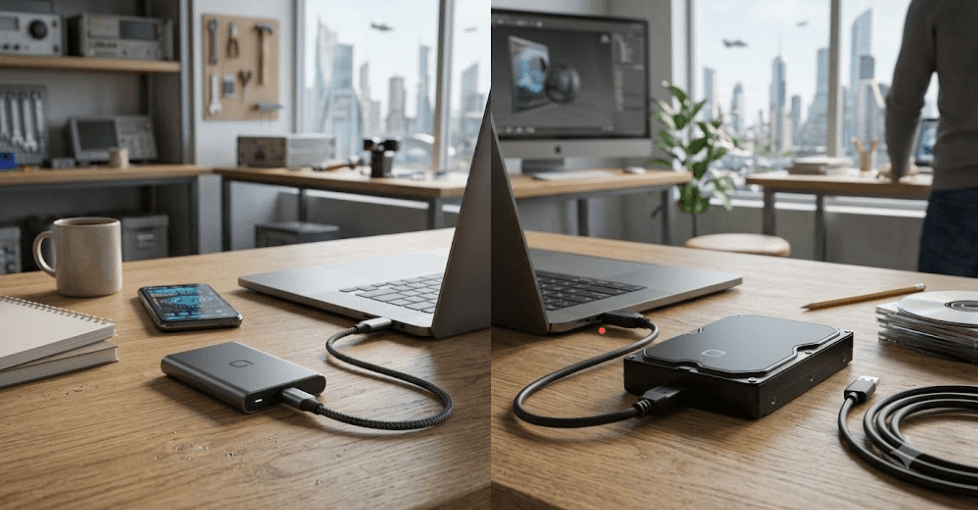
TL;DR External SSDs and HDDs still serve different purposes in 2026, so there is no single winner for every buyer. An external SSD is the better choice if you regularly transfer large files, edit photos or videos directly from the drive, carry your storage between locations, or want faster access to games and applications. An external HDD remains the more sensible option when your priority is getting several terabytes of storage at a lower cost, particularly for backups, media libraries, and files that do not need to be accessed constantly. SSDs have no moving mechanical parts, which generally makes them better suited to portable use, while HDDs continue to offer a strong capacity-per-rupee advantage. The right choice ultimately depends on whether speed and portability or capacity and value matter more to you.
What Is An External SSD And HDD?
An external SSD is a solid-state storage device that uses NAND flash memory to store data, while an external HDD uses magnetic platters and a mechanical read/write head. That difference is fundamental to understanding the external SSD vs HDD decision. Because an SSD has no spinning platters or moving read/write head, it can access data much faster and generally handles movement better than a mechanical drive. Modern portable SSDs can also be extremely small, making them convenient for laptops and other devices where portability matters. For example, Samsung's T7 Shield uses PCIe NVMe storage behind a USB 3.2 Gen 2 interface and is rated for sequential read speeds of up to 1,050MB/s and sequential write speeds of up to 1,000MB/s when the host system and cable support the required connection.
An external HDD takes a different approach. Data is stored magnetically on spinning platters, and the drive physically moves its head to read or write information. That mechanical design makes HDDs slower than SSDs, particularly when handling lots of small files or applications that require frequent random access. However, the same technology remains useful because manufacturers can provide very high capacities without the cost of flash storage becoming as significant. Current 2026 buying guides continue to position external HDDs as useful options for large-scale storage, backups, and media libraries, while portable SSDs are generally recommended when speed, portability, and durability are more important.
The important point is that SSD and HDD are not simply two versions of the same product. They are better suited to different workloads. If you are moving a 100GB video project between a laptop and an external drive, the performance difference can save considerable time. If you are storing several terabytes of movies, photographs, documents, or backup files that you rarely open, the higher capacity available from HDDs can be more useful. This is why comparing the storage technology alone is not enough. You also need to consider capacity, interface, portability, durability, and how frequently you will access the data.
External SSD And HDD At A Glance
| Factor | External SSD | External HDD |
|---|---|---|
| Storage technology | NAND flash | Magnetic platters |
| Moving parts | No | Yes |
| Typical performance | Much faster | Slower |
| Portability | Excellent | Good |
| Shock resistance | Generally better | More vulnerable to physical shock |
| Large-capacity value | Usually higher cost | Usually better value |
| Best suited for | Active files, creative work, gaming, travel | Backups, archives, media libraries |
Speed And Performance Compared
Speed is the biggest reason to choose an external SSD in 2026. The actual performance you get depends on the SSD, controller, USB interface, cable, computer, and workload, so a drive's advertised maximum should never be treated as a guaranteed real-world transfer rate. Samsung's T7 Shield, for instance, is rated for up to 1,050MB/s sequential reads and 1,000MB/s sequential writes, but Samsung specifically notes that reaching those figures requires a compatible USB 3.2 Gen 2 connection, suitable cable, and UASP support. This is an important distinction because connecting a fast SSD to a slower USB port can significantly reduce its performance.
HDDs generally cannot match the throughput or responsiveness of modern external SSDs because the mechanical components introduce physical limitations. Current testing and buying guides continue to show a substantial performance advantage for SSDs, particularly during large file transfers and workloads involving frequent file access. TechRadar's 2026 testing, for example, notes that even slower portable SSDs can significantly outperform typical portable HDDs in transfer workloads. That difference becomes noticeable when you regularly move RAW photographs, 4K video footage, large project folders, or game installations.
However, speed should not be the only reason you choose an SSD. If your external drive is mainly connected to a computer overnight for backups, you may not notice much benefit from paying extra for higher SSD performance. The same applies if your files are rarely accessed. A fast SSD makes the most sense when its speed saves you time repeatedly. If you transfer a few files once a month, capacity and price may be more important than maximum sequential performance.
Performance Factors To Check
| Factor | Why It Matters |
| USB interface | Determines the maximum connection bandwidth |
| SSD or HDD type | Directly affects storage performance |
| Cable | A slower or incompatible cable can limit performance |
| Host port | The computer or laptop must support the required interface |
| File size | Large sequential files usually show SSD advantages clearly |
| Workload | Random access and frequent transfers favor SSDs |
Capacity And Price Matter
For buyers who need a lot of storage, HDDs remain difficult to ignore. External hard drives are available in very high capacities, making them practical for large photo collections, video archives, backups, and other files that do not need to be accessed constantly. Current 2026 storage guides continue to highlight desktop external HDDs with capacities extending well beyond what is commonly offered by portable SSDs, reinforcing the HDD's position as a high-capacity storage solution.
External SSDs have become more competitive, but higher capacity can still increase the purchase price substantially. That does not mean an SSD is poor value. You are paying for a combination of flash storage, compact construction, fast access, and portability. For someone who works with large files every day, the time saved can make that additional cost worthwhile. A photographer who transfers several hundred gigabytes after every shoot may benefit much more from an SSD than someone who simply wants a backup copy of old documents.
The best way to compare value is therefore to calculate what you actually need rather than buying the largest drive you can afford. A 1TB or 2TB SSD can be a sensible primary external drive for active projects, while a larger HDD can handle bulk storage and backups. Using both technologies can also be more practical than forcing one drive to perform every role. Your active files can stay on the faster SSD, while older projects and backup copies can move to the higher-capacity HDD.
Capacity And Value Comparison
| Requirement | Better Choice | Reason |
| Large media archive | HDD | High-capacity storage is usually more economical |
| Active video projects | SSD | Faster transfers and file access |
| Photo backup | HDD or SSD | Depends on access frequency and budget |
| Frequent file transfers | SSD | Higher performance saves time |
| Several-terabyte archive | HDD | Better suited to bulk storage budgets |
Portability And Durability
Portability is another area where an external SSD has a clear practical advantage. Because an SSD has no spinning platters or mechanical read/write head, there are fewer moving components that can be physically affected while the drive is being carried around. This makes portable SSDs particularly attractive for students, professionals, photographers, and anyone who regularly moves between home, office, college, and travel. Modern models can also be remarkably small. Samsung's T7 Shield, for example, weighs about 98 grams and measures roughly 59 by 88 by 13mm.
That does not mean every SSD is automatically rugged or waterproof. Durability depends on the specific enclosure and design. Samsung's T7 Shield is a useful example because it carries an IP65 rating and is designed to withstand drops of up to 3 meters under specified test conditions. Those features are additional protections built into that particular model, rather than characteristics that should automatically be assumed for every external SSD.
HDDs need more care because their mechanical components can be affected by physical shocks, particularly while the drive is operating. A portable HDD can still be perfectly practical when handled carefully, but it is not the obvious choice for someone who expects to carry a drive loosely in a backpack every day. If your external drive will mostly sit on a desk and remain connected to one computer, portability becomes less important, and the capacity advantage of an HDD may outweigh its physical limitations.
Portability And Durability
| Use Case | Better Choice |
| Daily travel | SSD |
| Field photography | Rugged SSD |
| Desk-based backup | HDD |
| Carrying in a laptop bag | SSD |
| Occasional home storage | HDD |
SSD Vs HDD For Gaming And Creative Work
External SSDs are particularly useful for creative workflows because large project files can take a long time to transfer from a slower mechanical drive. If you regularly work with video footage, RAW photographs, audio projects, or large design files, the faster storage can make importing, copying, and opening project assets more convenient. A compatible high-speed SSD can also be used as a working drive for some creative applications, although actual editing performance depends on the software, computer, connection, and type of files involved. Samsung specifically positions the T7 Shield for demanding tasks such as video recording, editing, encoding, and rendering.
Gaming also benefits from SSD storage when you are frequently moving large game installations or loading data from the external drive. However, compatibility matters. Not every console or PC treats an external drive in the same way, and some platforms have restrictions on which games can be played directly from external storage. For PC users, an external SSD can be useful for storing game libraries and moving installations, but it should not be assumed that an external SSD will provide the same experience as a fast internal NVMe SSD.
HDDs remain useful for gamers who want inexpensive space for large libraries, recordings, installers, and older games. They can also work well as a secondary storage location when loading speed is not a priority. The same logic applies to creative professionals who need a large archive but do not constantly edit files from that archive. In both cases, an HDD can serve as the capacity-focused layer while an SSD handles the projects that are actively being used.
Which External Drive Should You Buy?
The easiest way to make the decision is to start with your routine rather than the specifications. If you are a student carrying a laptop between classes, a professional moving project files between locations, or a creator transferring large photographs and videos every day, an external SSD is usually the better investment. Its combination of speed, compact size, and resistance to physical movement makes it easier to use as active storage. The price premium becomes easier to justify when the drive is saving you time every week rather than sitting unused for most of the month.
An external HDD makes more sense when your main requirement is capacity. If you need a large destination for backups, movies, photographs, documents, installers, or older projects, you may get more usable storage for your budget by choosing an HDD. Desktop external HDDs are especially suited to this role because they can offer very high capacities, although they are generally less convenient to move around than portable drives. Current 2026 buying guides continue to recommend external HDDs for users prioritizing large storage capacity and affordability.
There is also a third option that makes sense for many buyers: use an SSD and HDD together. Keep current projects, frequently accessed files, and travel data on the SSD, while using the HDD for larger archives and backup copies. Most importantly, neither drive should be treated as a complete backup strategy by itself. A second copy protects against drive failure, accidental deletion, theft, and other risks. The best external storage setup is therefore not simply the fastest or cheapest drive. It is the one that matches your workload while keeping important data protected.
Best Choice By Requirement
| Your Priority | Recommended Drive |
| Maximum portability | External SSD |
| Fast file transfers | External SSD |
| Video editing | External SSD |
| Frequent gaming transfers | External SSD |
| Large backup library | External HDD |
| Maximum capacity for the budget | External HDD |
| Long-term mixed storage | SSD + HDD |
| Travel and field work | External SSD |
Common Buying Mistakes To Avoid
One common mistake is buying an SSD purely because it has a high advertised speed without checking the connection on the laptop or desktop. A drive rated for around 1,000MB/s cannot deliver that performance if it is connected through a slower interface. Samsung explicitly notes that the T7 Shield's maximum transfer figures require a compatible USB 3.2 Gen 2 connection, appropriate cable, and UASP support. This is why checking the drive, cable, and computer together is more useful than comparing one number on the product page.
Another mistake is assuming that SSD automatically means unlimited durability. SSDs have no mechanical moving parts, which is a major advantage for portable use, but flash storage still has finite write endurance and can fail. HDDs can also fail, particularly because they contain mechanical components. Neither technology should therefore be treated as a permanent replacement for backups. If the data is important, keep another copy rather than relying on the perceived reliability of one storage device.
The final mistake is buying far more performance than the workload requires. Someone storing tax documents, old photographs, and downloaded movies does not necessarily need a premium high-speed SSD. At the same time, a video editor who moves hundreds of gigabytes every week may regret saving money on a slow HDD. The best purchase is the one where capacity, speed, portability, and price line up with how you actually use the drive.
Frequently Asked Questions
Q. Is an external SSD better than an HDD in 2026?
An external SSD is better when speed, portability, and resistance to physical shocks are priorities. An HDD remains better suited to buyers who need large amounts of storage at a lower cost.
Q. Is an external HDD still worth buying in 2026?
Yes. External HDDs remain useful for large backups, media libraries, archives, and other storage workloads where high capacity matters more than fast file access.
Q. Are external SSDs faster than external HDDs?
Yes. SSDs generally provide substantially faster transfer and access performance because they use flash memory instead of mechanical platters and read/write heads.
Q. Which is better for backing up photos, SSD or HDD?
Either can work. An HDD is often more economical for large photo archives, while an SSD is more convenient if you regularly access or edit those photographs directly from the external drive.
Q. Is an external SSD better for video editing?
Generally, yes. The faster performance can make large file transfers and working with active project files more convenient, provided the computer, software, cable, and connection support the required performance.
Q. Can I use an external SSD for gaming?
Yes, but compatibility depends on the computer or console and the specific game. On PCs, external SSDs can be useful for storing and transferring game installations, while platform-specific restrictions may apply on consoles.
Q. Do external SSDs last longer than HDDs?
There is no universal rule that one technology always lasts longer. SSDs avoid mechanical wear from moving parts, while flash memory has finite write endurance. Both can fail, so important data should always have another backup.
Q. Why is my external SSD slower than its advertised speed?
Advertised speeds are usually maximum or sequential figures measured under specific conditions. The computer's USB port, cable, UASP support, drive temperature, workload, and other system factors can reduce real-world performance.
Q. Should I buy a 1TB SSD or a larger HDD?
Choose the 1TB SSD if you need fast, portable storage for active files. Choose a larger HDD if you need more capacity for backups, media, or archives and do not frequently access the files.
Q. Can an external SSD replace my internal SSD?
It can supplement internal storage and can be useful for many workloads, but an internal SSD is generally preferable for the operating system and applications because it connects directly to the system and avoids the limitations of an external connection.
Final Recommendation
For most people buying external storage in 2026, the decision should come down to what you do with the drive rather than which technology is newer. Choose an external SSD if you regularly transfer large files, edit photos or videos, move between locations, or want quick access to active projects and games. The performance, compact design, and lack of mechanical moving parts make it the more convenient option for active and portable storage. A good example is the Samsung T7 Shield, which combines USB 3.2 Gen 2 connectivity with advertised sequential speeds of up to 1,050MB/s read and 1,000MB/s write, although achieving those speeds requires compatible hardware and connection conditions.
Choose an external HDD if your priority is getting as much storage as possible for your budget. It remains a practical choice for large backups, media collections, archives, and files that you do not access constantly. If you have a larger budget and need both performance and capacity, using an SSD for active work alongside an HDD for bulk storage can be the most sensible setup. Above all, do not rely on either drive as your only copy of important data. In 2026, the smartest external storage choice is not simply SSD versus HDD. It is choosing the right drive for the job and maintaining a proper backup of anything you cannot afford to lose.






