
Dell XPS 15 9500 vs 9510: Which Creator Laptop Is Worth Buying?
Compare the Dell XPS 15 9500 and 9510 across processor performance, graphics, display quality, memory, battery life, and refurbished value to find the right laptop for photo editing, video production, and creative work.

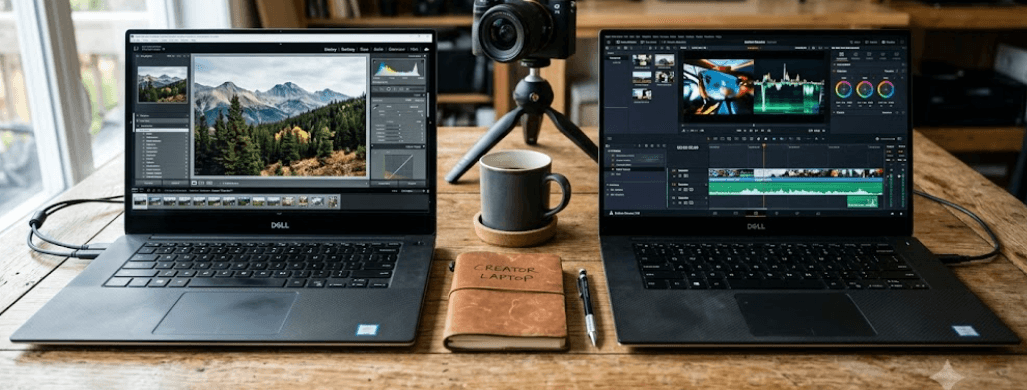
TL;DR: The Dell XPS 15 9510 is generally the better choice for creators who need stronger processing performance, newer graphics, and the option of a vibrant 3.5K OLED display. The XPS 15 9500 remains a capable alternative for photo editing, everyday productivity, and light creative work, especially when available at a substantially lower price. Both offer premium designs, 16:10 displays, and upgradeable memory and storage. Since these are older laptops in 2026, prioritize the exact configuration, battery health, display condition, and warranty when buying refurbished. The 9510 is worth the extra money only when its additional capabilities justify the price difference.
Dell XPS 15 9500 vs 9510: Quick Comparison
The Dell XPS 15 9500 and Dell XPS 15 9510 belong to the same premium laptop family. Both feature slim bezels, a 15.6-inch 16:10 display, an aluminium chassis, and a large touchpad. Their similar designs make them appealing to professionals who want a portable workstation without the bulk of a traditional gaming laptop.
The main differences are inside the machines. The 9500 uses 10th-generation Intel Core H-series processors and offers NVIDIA GeForce GTX 1650 Ti graphics in supported configurations. The 9510 moves to 11th-generation Intel Core H-series processors and offers newer NVIDIA GeForce RTX 3050 or RTX 3050 Ti graphics in supported configurations. Dell also introduced an optional 3.5K OLED display with the 9510.
For creators, these changes affect editing performance, graphics acceleration, display choices, and the laptop's useful lifespan for demanding applications. However, configuration matters: a 9510 with integrated graphics and limited memory may not be the right choice for every workload.
| Feature | Dell XPS 15 9500 | Dell XPS 15 9510 |
|---|---|---|
| Release year | 2020 | 2021 |
| Processor generation | 10th-gen Intel Core H-series | 11th-gen Intel Core H-series |
| Dedicated graphics | NVIDIA GTX 1650 Ti, where configured | NVIDIA RTX 3050/3050 Ti, where configured |
| Display options | FHD+ IPS, UHD+ IPS | FHD+ IPS, UHD+ IPS, 3.5K OLED |
| Memory | DDR4, up to 64GB supported | DDR4, up to 64GB supported |
| Storage | M.2 NVMe SSD | M.2 NVMe SSD |
| Thunderbolt | Thunderbolt 3 | Thunderbolt 4 |
| Best suited for | Budget-conscious creators | Creators needing newer hardware |
Design And Build Quality
Both laptops use Dell's premium XPS design, with an aluminium exterior, a carbon-fiber or woven-fiber palm-rest finish depending on configuration, and narrow display bezels. Their large touchpads and comfortable keyboard layouts make them suitable for extended editing sessions, office work, and multitasking. The familiar design also means that moving from the 9500 to the 9510 does not involve a major change in everyday handling.
Portability is broadly similar. The laptops weigh approximately 1.8kg, depending on configuration, making them manageable for commuting between home, college, and work. However, the power adapter adds weight to the bag, and neither model is as compact as a modern ultraportable. Creators who regularly travel with camera equipment or other accessories should consider the complete carrying load rather than the laptop's weight alone.
Neither model has a clear design advantage for most buyers. Condition is more important when purchasing a used unit. Check the display hinges, palm-rest finish, keyboard, touchpad, USB-C ports, and chassis for damage. A well-maintained 9500 can be a better purchase than a poorly maintained 9510, even though the latter is the newer model.
Performance: Which Laptop Handles Creative Work Better?
Processor And Multitasking
The XPS 15 9500 offers processors such as the Intel Core i5-10300H, Core i7-10750H, Core i7-10875H, and Core i9-10885H, depending on configuration. The XPS 15 9510 moves to 11th-generation options, including the Core i5-11400H, Core i7-11800H, and Core i9-11900H. The exact processor determines how much performance you get, so check the specifications rather than relying on the XPS model number alone.
For everyday tasks such as writing, browsing, spreadsheets, and presentations, both laptops can perform well when paired with sufficient memory and a healthy SSD. The 9510's newer processors generally offer an advantage in demanding multicore workloads, particularly with the eight-core Core i7-11800H. This can help when exporting videos, processing large image batches, or working with several creative applications at once.
However, sustained performance depends on cooling, power settings, and workload. Both laptops have relatively slim chassis, and their fans can become noticeable under heavy loads. For creators who regularly edit long videos or render complex projects, test the laptop's performance under sustained workloads before buying a used unit.
Graphics Performance And Creative Applications
Graphics capability is one of the more important differences between these laptops. The XPS 15 9500 can be configured with NVIDIA GeForce GTX 1650 Ti graphics, while the 9510 offers newer RTX 3050 and RTX 3050 Ti options. These dedicated GPUs can help accelerate supported editing, rendering, and graphics workloads, although performance varies by application and configuration.
For photo editing, graphic design, and basic video editing, either laptop may be sufficient. Applications such as Adobe Photoshop, Lightroom, and Premiere Pro can benefit from dedicated graphics, but CPU performance, memory capacity, storage speed, and software optimization also influence the experience. The 9510's RTX graphics offer newer GPU capabilities, making it the more attractive option for compatible accelerated workflows.
Neither machine should be treated as a current high-end workstation. The RTX 3050 and 3050 Ti configurations have relatively limited graphics memory by modern standards, while the GTX 1650 Ti is older still. If your work involves complex 3D scenes, advanced effects, large AI workloads, or demanding high-resolution video projects, compare the specific software requirements against the laptop's hardware before committing.
Display Quality: IPS Or OLED?
The display is particularly important for photographers, video editors, designers, and content creators. Both laptops offer a 15.6-inch display with a 16:10 aspect ratio, providing additional vertical workspace compared with a traditional 16:9 screen. This is useful when editing timelines, working with long documents, or arranging creative tools around a preview window.
The XPS 15 9500 offers FHD+ IPS and UHD+ IPS display configurations. The 9510 retains IPS options and introduces a 3.5K OLED touchscreen configuration with a resolution of 3456 × 2160 pixels. OLED delivers deep blacks and strong contrast, making it appealing for watching video and editing visually rich content. However, not every 9510 has an OLED panel, so confirm the display specification before purchasing.
For professional color work, do not assume that OLED automatically guarantees better accuracy. Check measured color coverage, calibration, brightness, and panel condition. The 9510's OLED option is visually impressive, but it can consume more power with bright content than some IPS configurations. A well-calibrated IPS panel may be sufficient for many creators, particularly when budget and battery life matter more than maximum contrast.
Memory, Storage, And Connectivity
Both laptops support DDR4 memory and offer two memory slots, with configurations supporting up to 64GB according to Dell's specifications. This makes them more flexible than laptops with soldered memory. For modern creative workflows, 16GB can handle lighter editing and general productivity, while 32GB is a sensible target for heavier multitasking, larger projects, and demanding creative applications.
Both models use M.2 NVMe SSD storage, allowing fast application launches and file transfers. If you work with large video files, photography libraries, or design assets, consider a configuration with at least 512GB of storage, or plan for an external SSD. Before upgrading a used laptop, confirm the installed drive, available slot configuration, and the manufacturer's compatibility guidance.
Connectivity is similar, but the 9510 upgrades its two Thunderbolt ports from Thunderbolt 3 to Thunderbolt 4. Both generations also provide USB-C connectivity, an SD card reader, and a 3.5mm audio jack. The laptops do not offer a built-in USB-A port, so older accessories may require an adapter or hub. Photographers may appreciate the SD card reader, while creators using external displays or fast storage should verify the required port specifications.
Battery Life, Thermals, And Reliability
Battery performance depends on the exact configuration, battery capacity, screen type, workload, and battery condition. Both models were sold with different battery configurations, and a used unit may have significantly less capacity than it had when new. The 9510's OLED display can also affect battery life, particularly when displaying bright content.
Neither laptop should be purchased on the assumption that it will deliver a full day of demanding creative work away from an outlet. Video editing, rendering, high display brightness, and dedicated GPU workloads consume considerably more power than browsing or document editing. If mobility matters, check the battery's reported health and test real-world runtime before making a decision.
Thermal management deserves equal attention. Both models can run warm and produce audible fan noise during demanding workloads. Before buying refurbished, test the laptop under load and check for unexpected shutdowns, performance drops, or excessive fan noise. Inspect the charger and battery, and verify that the cooling system has been maintained. A newer model is not necessarily the more reliable one if its previous owner neglected maintenance.
Price And Value For Money In 2026
Since both laptops are older generations, their value today depends heavily on local used and refurbished pricing. Original launch prices are not a reliable guide to what you should pay now. Instead, compare the actual specifications, physical condition, battery health, warranty, and seller's return policy of the available units.
The XPS 15 9500 makes sense when it costs substantially less and your workload consists mainly of photo editing, graphic design, office work, and moderate creative projects. A configuration with a capable processor, dedicated graphics, 16GB or more of memory, and a healthy SSD can still be useful. The money saved can go toward a calibrated monitor, external storage, or other creative equipment.
The 9510 is worth considering when the price difference is reasonable and you benefit from its newer processor, RTX graphics, or optional OLED display. However, do not pay a premium simply because the model number is higher. Check the exact configuration and compare it with other used laptops available at the same price, including newer generations that may offer better efficiency and longer remaining software support.
Final Recommendation And Decision Framework
For most creators choosing strictly between these two generations, the XPS 15 9510 is the stronger overall option. Its newer processors, RTX graphics configurations, and optional OLED display make it more versatile for demanding creative work. It is particularly appealing for video editing, photography, and design when the selected configuration matches the software requirements.
The XPS 15 9500 remains a sensible budget choice for creators who do not need the newer graphics hardware or OLED panel. It can handle many everyday creative tasks, and its upgradeable memory and SSD make it more flexible than some modern thin-and-light laptops. The key is to buy a well-maintained configuration at a price that reflects its age.
Before purchasing either model, verify the processor, GPU, display type, RAM, SSD capacity, battery health, and warranty. Test the keyboard, trackpad, speakers, webcam, ports, Wi-Fi, and charger. If possible, run a sustained workload and inspect the screen for dead pixels, discoloration, or image retention. Choose the XPS 15 9510 if its performance and display advantages justify the extra cost; otherwise, a well-maintained XPS 15 9500 can offer better value.
Frequently Asked Questions
Q. Is the Dell XPS 15 9510 better than the 9500?
Generally, yes. It offers newer processors, RTX graphics options, Thunderbolt 4, and an optional OLED display. The best choice still depends on the exact configuration and price.
Q. Which laptop is better for video editing?
The XPS 15 9510 is generally preferable because of its newer processors and RTX graphics options. Both can handle suitable editing workloads, depending on memory, software, and video resolution.
Q. Does the XPS 15 9510 have an OLED display?
Some configurations do. The 9510 offers an optional 3.5K OLED touchscreen, but other versions use IPS displays. Always verify the exact panel.
Q. Can the Dell XPS 15 9500 handle Photoshop?
Yes. A suitable configuration can handle photo editing and graphic design. Performance depends on the processor, memory, graphics hardware, and complexity of the project.
Q. Can I upgrade the RAM on both laptops?
Yes. Both models have two memory slots and support configurations of up to 64GB, subject to Dell's specifications. Confirm the existing memory and compatible modules before upgrading.
Q. Which laptop has better graphics performance?
The XPS 15 9510 generally has the advantage when equipped with an RTX 3050 or RTX 3050 Ti. However, configurations with integrated graphics should not be compared as though they have the same GPU performance.
Q. Does the XPS 15 9510 offer better battery life?
Not necessarily. Battery life depends on the battery configuration, screen, workload, and battery condition. The OLED version may consume more power than some IPS configurations.
Q. Are these laptops good for gaming?
They can run many games, particularly configurations with dedicated graphics. However, their thin chassis and older GPUs make them less suitable than modern gaming laptops for demanding games at high settings.
Q. Is a refurbished Dell XPS 15 worth buying in 2026?
It can be, provided the price is competitive and the laptop passes hardware, battery, display, and thermal checks. A warranty and return policy are especially valuable when purchasing an older device.
Q. Should I buy the XPS 15 9500 or 9510 for graphic design?
Choose the 9510 if you need its newer performance or prefer the OLED option. The 9500 is a reasonable alternative for general design work if it is substantially cheaper and has a suitable display.
Ready to upgrade your tech?
Browse our collection of quality refurbished products at unbeatable prices.






