
Dell Precision vs HP ZBook: Which Workstation Is Better?
Dell Precision and HP ZBook workstations target engineers, designers, creators, and data professionals. Compare performance, graphics, memory, displays, portability, and upgrade options to find the right workstation for your workload.

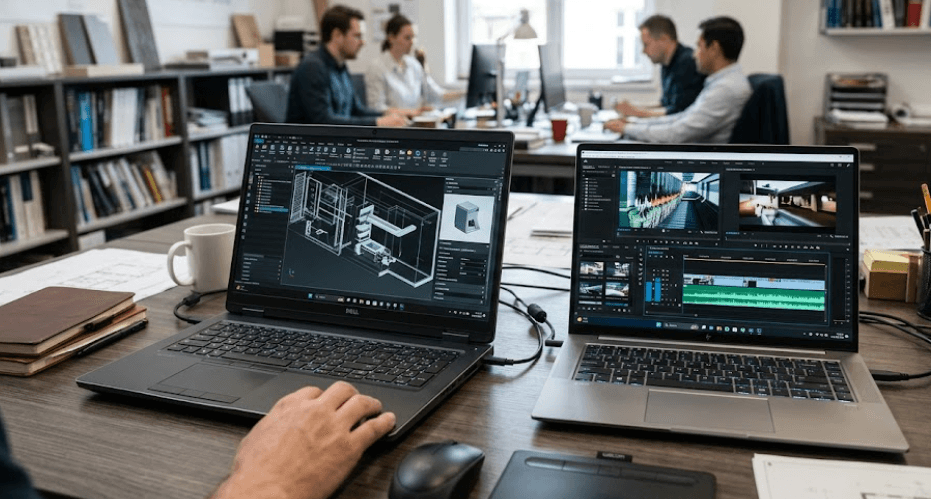
TL;DR Dell Precision and HP ZBook workstations are designed for demanding professional workloads where ordinary business laptops may not provide enough CPU, GPU, memory, or certification support. In 2026, Dell’s workstation portfolio has transitioned into the Dell Pro Precision range, with models such as the Pro Precision 5 and 7 Series offering professional NVIDIA RTX PRO graphics and high-speed memory options. HP’s ZBook family takes a similarly broad approach, ranging from relatively lightweight ZBook 8 systems to high-performance ZBook Fury configurations with powerful Intel Core Ultra processors, RTX PRO graphics, multiple SODIMM slots, and professional displays. The better workstation depends on the workload rather than the brand alone. Dell can be particularly attractive when you want a thinner professional system with high-speed onboard memory, while HP ZBook Fury is compelling when upgradeable RAM, multiple storage options, and maximum workstation expandability matter more.
Dell Precision Vs HP ZBook: What Sets Them Apart
Dell Precision and HP ZBook have traditionally occupied the same professional workstation category, but the current product naming is worth understanding before making a comparison. Dell has moved its newer commercial workstation lineup into the Dell Pro Precision family, while older Precision models such as the Precision 5680 and 5690 remain relevant when looking at existing inventory or refurbished workstations. Dell’s current Pro Precision 5 and 7 Series continue to target professional users with Windows 11 Pro options, professional graphics, high-resolution displays, and business-focused management features.
HP continues to use the ZBook name across several workstation classes. The current range includes models designed around different workloads, with the ZBook 8 focusing more on mobility and mainstream professional work and the ZBook Fury targeting heavier engineering, content creation, simulation, and GPU-intensive workloads. HP itself positions Fury toward users who need maximum specifications, while lighter ZBook models are intended for professionals who place greater importance on portability.
That means there is no single Dell Precision or HP ZBook specification that represents the entire range. A thin Dell Pro Precision 7 and a large HP ZBook Fury can be aimed at very different users, just as a refurbished Precision 5690 can have a completely different configuration from a newer workstation. The most useful comparison is therefore between the features that matter across workstation families: processor performance, professional GPU options, RAM, storage, display quality, portability, cooling, and upgradeability.
Workstation Positioning At A Glance
| Feature | Dell Pro Precision | HP ZBook |
|---|---|---|
| Product focus | Professional mobile workstations | Professional mobile workstations |
| Current high-end graphics | NVIDIA RTX PRO Blackwell options | NVIDIA RTX PRO Blackwell options |
| Memory approach | Depends on model, including LPDDR5X and LPCAMM2 | SODIMM options on many models |
| High-end option | Pro Precision 7 Series | ZBook Fury |
| Lightweight options | Pro Precision 14 and 16 configurations | ZBook 8 and other lighter ZBook models |
| Typical users | Engineers, analysts, creators, business professionals | Engineers, designers, creators, data professionals |
Performance And Professional Graphics
The processor and GPU are the first specifications to examine when comparing Dell Precision vs HP ZBook because workstation software can behave very differently from everyday office applications. A laptop used for Word, Excel, browser tabs, and video meetings does not need the same hardware as one running CAD assemblies, 3D rendering, simulation software, large datasets, or professional video applications. Current Dell Pro Precision systems can be configured with Intel Core Ultra processors and professional NVIDIA RTX PRO graphics, while HP’s ZBook Fury G1i can reach Intel Core Ultra 9 285HX processors and NVIDIA RTX PRO 5000 Blackwell graphics with 24GB of dedicated GDDR7 memory in specific configurations.
The GPU difference becomes particularly important for professional applications. RTX PRO graphics are designed for professional workstation workloads and can be paired with applications that benefit from certified drivers and professional GPU support. HP’s ZBook Fury G1i, for example, is available with RTX PRO graphics ranging from the RTX PRO 1000 to much more powerful configurations, while Dell’s Pro Precision 7 Series offers RTX PRO 1000, 2000, and 3000 Blackwell options depending on configuration. This gives both brands room to build systems for users who need professional graphics rather than simply a consumer gaming GPU.
The important point is that you should compare the exact GPU rather than simply choosing based on the workstation family. A ZBook with integrated graphics is obviously aimed at a different workload from a ZBook Fury with RTX PRO 5000, just as a Dell Pro Precision with integrated Intel graphics is different from a configuration with an RTX PRO GPU. If your work involves AutoCAD, SolidWorks, engineering simulation, 3D modeling, video production, or other GPU-heavy applications, the exact GPU configuration should carry more weight than the Dell or HP badge.
CPU And GPU Options
| Area | Dell Pro Precision 7 Series | HP ZBook Fury G1i |
|---|---|---|
| Processor family | Intel Core Ultra options | Intel Core Ultra 5, 7 and 9 options |
| Professional GPU | Up to RTX PRO 3000 Blackwell in listed configurations | Up to RTX PRO 5000 Blackwell in listed configurations |
| GPU memory | Up to 12GB GDDR7 on RTX PRO 3000 | Up to 24GB GDDR7 on RTX PRO 5000 |
| Intended workload | Professional productivity and demanding workstation tasks | Heavy professional and GPU-intensive workloads |
Memory And Storage Upgradeability
Memory is one of the biggest differences to examine because Dell and HP do not use the same memory design across their workstation families. Dell’s current Pro Precision 5 Series 16, for example, uses LPCAMM2 memory with 16GB, 32GB, and 64GB configurations listed at up to 8533 MT/s. The Pro Precision 7 Series 16 uses onboard LPDDR5X memory and is listed with 16GB, 32GB, and 64GB configurations. This allows Dell to build thinner systems while using very fast memory, but buyers need to pay close attention to the configuration they purchase because memory flexibility varies by model.
HP takes a different approach on several ZBook models. The ZBook Fury G1i uses four SODIMM slots and supports dual-channel memory, with current configurations including 32GB and 64GB DDR5-5600 options. That design can be useful for professionals whose memory requirements may grow over time. Instead of having to replace the entire machine when a workload becomes more demanding, an upgradeable workstation can potentially be expanded, subject to the model's supported memory limits and configuration.
Storage is similarly configuration-dependent, but workstation buyers should generally look beyond the base SSD capacity. Dell's current Pro Precision systems offer several SSD configurations, including Gen4 and Gen5 options on certain models. HP's ZBook Fury configurations can also include multiple SSDs, with some specifications listing two 1TB PCIe Gen4 NVMe SSDs. For large datasets, video projects, CAD libraries, or virtual machines, the ability to add or replace storage can become more useful than having a very fast SSD alone.
Memory And Storage Comparison
| Feature | Dell Pro Precision | HP ZBook Fury |
|---|---|---|
| Memory type | LPCAMM2 or onboard LPDDR5X depending on model | DDR5 SODIMM |
| High-speed memory | Up to 8533 MT/s on listed Dell models | Up to DDR5-5600 on listed Fury configurations |
| Maximum listed memory | Up to 64GB on referenced models | Configurations available with 64GB and higher options depending on model |
| Memory upgradeability | Model-dependent | Four SODIMM slots on Fury G1i |
| Storage | Gen4 and Gen5 SSD options depending on model | Multiple NVMe SSD configurations available |
Display Quality And Portability
Workstation users often spend more time looking at the display than they expect, particularly when reviewing CAD drawings, editing photographs, examining engineering models, or working with large spreadsheets. Dell's Pro Precision 7 Series 16 offers a 16-inch WUXGA 120Hz display with 100% DCI-P3 coverage, while an optional 4K tandem OLED configuration is listed with 120Hz refresh rate, 500-nit brightness, 100% DCI-P3 coverage, and VESA DisplayHDR True Black 1000 certification. That gives Dell some strong display choices for users who want both professional color and a premium viewing experience.
HP also has strong display configurations, particularly in the ZBook Fury family. A current ZBook Fury G1i configuration lists a 16-inch 3840 x 2400 IPS DreamColor display with 120Hz refresh rate, 500 nits brightness, and 100% DCI-P3 coverage. DreamColor is particularly relevant for professional creative work where color accuracy matters. However, not every ZBook comes with a high-end DreamColor panel, so the exact display specification should always be checked before buying.
Portability is where the two families can diverge considerably depending on configuration. A high-performance workstation with a powerful discrete GPU and large cooling system will naturally be heavier than a thin professional laptop using integrated graphics. HP's ZBook Fury G1i starts at around 2.43kg in the cited 16-inch configuration, while lighter ZBook models such as the ZBook 8 can start considerably lower. Dell similarly offers thinner Pro Precision systems alongside more powerful configurations. This makes the workload and travel schedule important parts of the buying decision.
Display And Mobility At A Glance
| Factor | Dell Pro Precision | HP ZBook |
|---|---|---|
| Premium display options | 4K tandem OLED available on Pro Precision 7 16 | DreamColor 4K options available on Fury |
| Color coverage | Up to 100% DCI-P3 on listed configurations | Up to 100% DCI-P3 on listed DreamColor configuration |
| High refresh-rate options | 120Hz available | 120Hz available on listed Fury display |
| Lightweight options | Yes, depending on series | Yes, particularly lighter ZBook models |
| Heavy workstation options | Yes | Yes, especially ZBook Fury |
Which Workstation Is Better For Different Users?
For engineers and architects, the decision should start with the software rather than the manufacturer. CAD and engineering applications can have different CPU, GPU, RAM, and certification requirements, so a workstation with a professional RTX PRO GPU may be more appropriate than a general-purpose laptop. HP ZBook Fury is particularly relevant when you need substantial GPU performance and expandable memory, while a Dell Pro Precision configuration can make more sense when you want a professional workstation in a comparatively streamlined chassis. The exact software certification requirements should still be checked before purchasing.
For creative professionals, display quality becomes more important. Photographers, video editors, and designers may benefit from a high-resolution panel with broad color coverage, particularly when working with professional color workflows. Both brands offer high-end display configurations, but the exact panel matters more than the family name. A Dell Pro Precision 7 with its listed 4K tandem OLED option and an HP ZBook Fury with a 4K DreamColor panel can both make sense for creative work, but buyers should compare the complete configuration rather than assuming every model in either range has the same display.
For business users, analysts, and professionals who primarily need Excel, coding, data analysis, presentations, and multiple applications, a workstation with a moderate professional configuration may be more practical than a maximum-spec model. Paying for an RTX PRO 5000 GPU makes little sense if your workload rarely uses it. In this scenario, memory capacity, SSD capacity, keyboard comfort, display quality, battery capacity, connectivity, warranty, and portability can have a greater impact on everyday use.
Workstation Choice By Workload
| User Type | What To Prioritize | Suitable Direction |
|---|---|---|
| CAD and engineering | Professional GPU, CPU, RAM | Dell Pro Precision or HP ZBook Fury |
| 3D rendering | High-end RTX PRO GPU, cooling, RAM | HP ZBook Fury or high-end Pro Precision |
| Video editing | GPU, display, RAM, storage | Either, depending on configuration |
| Photography | Color-accurate display, RAM, SSD | Either with premium display |
| Data analysis | RAM, CPU, SSD | Mid/high-tier Pro Precision or ZBook |
| Business productivity | RAM, battery, display, portability | Lighter Pro Precision or ZBook |
| Frequent travel | Weight, battery, charger size | Lighter workstation configuration |
Pricing And Long-Term Value
Workstation pricing is difficult to compare directly because both Dell and HP sell highly configurable systems. The price can change substantially when you move from integrated graphics to a professional NVIDIA GPU, increase RAM, select a higher-resolution display, or add additional storage. This is why a simple statement that Dell Precision or HP ZBook is cheaper can become misleading. The correct comparison is between two configurations that have similar processors, graphics, memory, storage, display, and warranty coverage.
Long-term value also depends on whether you intend to upgrade the machine. A workstation with replaceable SODIMM memory can be attractive for someone whose workload is likely to grow. HP's ZBook Fury G1i is a good example because its four SODIMM slots provide considerably more memory flexibility than systems where memory is integrated or otherwise fixed. Dell's newer designs can offer extremely fast memory and thinner chassis designs, but buyers should check the specific model's memory architecture before assuming future upgrades will be possible.
Warranty and professional support should also be part of the value calculation. A workstation is usually purchased because downtime has a business cost, so service availability can matter as much as benchmark performance. If the laptop is used by an engineer, designer, consultant, or content professional every day, spending slightly more on an appropriate business support package can be more sensible than choosing the cheapest configuration.
Common Buying Mistakes To Avoid
The first mistake is buying the workstation with the biggest number instead of buying the workstation that matches the workload. A Core Ultra 9 processor and high-end RTX PRO GPU may sound impressive, but they can add substantial cost and weight if the user mainly works in Office, browsers, meetings, and light data analysis. Workstation hardware should be selected around the applications you actually run rather than the specification that looks most impressive on a product page.
The second mistake is ignoring memory architecture. Two laptops can both advertise 64GB of RAM while offering very different upgrade paths. HP's ZBook Fury G1i, for example, uses four SODIMM slots, while Dell has current models using LPCAMM2 or onboard LPDDR5X memory depending on the series. If you expect your workload to increase over the next three to five years, this distinction can become important.
The third mistake is overlooking the display. A workstation used for engineering may not require a premium OLED panel, while a photographer or video editor may benefit substantially from a high-quality color-accurate display. Buyers should also check brightness, resolution, color gamut, refresh rate, and whether the display is matte or glossy. Looking only at the words "4K" or "workstation" does not tell you enough about the actual panel.
Frequently Asked Questions
Q. Is Dell Precision better than HP ZBook?
Neither family is universally better. Dell Pro Precision and HP ZBook offer different configurations, so the right choice depends on the processor, professional GPU, RAM, display, storage, portability, and upgradeability you need.
Q. Which is better for engineering, Dell Precision or HP ZBook?
Both can be suitable for engineering workloads when configured with the required professional GPU, processor, memory, and software support. HP ZBook Fury is particularly relevant for heavier workloads because current configurations offer high-end RTX PRO graphics and four SODIMM memory slots.
Q. Which has better upgradeability, Dell Precision or HP ZBook?
It depends on the model. HP ZBook Fury G1i provides four SODIMM slots, making memory expansion a major feature. Dell's current Pro Precision lineup uses different memory designs depending on the model, including LPCAMM2 and onboard LPDDR5X.
Q. Are Dell Precision laptops good for CAD?
Yes, appropriately configured Dell Precision and Pro Precision workstations can be suitable for CAD and other professional applications. The important consideration is selecting a configuration with sufficient CPU, RAM, and professional GPU performance for the specific CAD software and project size.
Q. Are HP ZBook laptops good for video editing?
Yes. Higher-end ZBook configurations can combine powerful Intel processors, professional NVIDIA graphics, large memory configurations, fast SSDs, and color-accurate displays. A ZBook Fury configuration is more appropriate for demanding editing than a lightweight ZBook designed primarily for mobility.
Q. Which has better displays, Dell Precision or HP ZBook?
Both offer high-end professional display options. Dell's Pro Precision 7 Series includes a listed 4K tandem OLED option with 100% DCI-P3 coverage, while HP ZBook Fury configurations include 4K DreamColor displays with 100% DCI-P3 coverage.
Q. Is HP ZBook Fury upgradeable?
Yes. Current ZBook Fury G1i specifications list four SODIMM memory slots, allowing greater memory flexibility than systems with integrated memory. Storage configurations can also include multiple NVMe SSDs depending on the model.
Q. Is Dell Pro Precision good for professional work?
Yes. Dell's current Pro Precision range is designed for professional workloads and offers options including NVIDIA RTX PRO graphics, high-speed memory, professional displays, and Windows 11 Pro. The appropriate series depends on the performance and portability requirements.
Q. Should I buy a workstation laptop for normal office work?
Usually, a business laptop is sufficient for standard office workloads. A workstation becomes more useful when you need professional graphics, large memory capacity, specialized software support, demanding processing, or other capabilities that exceed typical business laptop requirements.
Q. Which should I choose for long-term use, Dell Precision or HP ZBook?
Look at upgradeability, warranty support, thermals, battery, storage, and the workload you expect to have several years from now. A model with expandable memory and storage can provide more flexibility, while a thinner system may be preferable if portability is more important.
Final Recommendation
Dell Precision, now represented in Dell's newer commercial lineup by the Dell Pro Precision range, and HP ZBook are both serious mobile workstation families rather than ordinary premium laptops. The better choice depends on what you need the machine to do. Dell Pro Precision is a strong option when you want professional performance in a relatively streamlined workstation design, with current Pro Precision models offering RTX PRO graphics, high-speed memory, and premium display configurations.
HP ZBook becomes particularly interesting when expandability and heavy workstation performance are priorities. The ZBook Fury G1i can combine Core Ultra HX processors, professional RTX PRO graphics, four SODIMM slots, multiple SSD configurations, and high-end DreamColor displays. That makes it especially relevant for engineers, designers, 3D professionals, and other users whose workloads can benefit from substantial hardware and future memory flexibility.
The most practical way to choose is therefore to start with your software and workload, then select the GPU, processor, RAM, storage, display, and portability level around it. If you need a slimmer professional workstation and value modern memory technology and mobility, look closely at Dell Pro Precision. If you need maximum expandability and heavy-duty workstation hardware, the HP ZBook Fury range deserves close consideration. Instead of choosing based solely on the Dell Precision vs HP ZBook name, compare equivalent configurations and buy the workstation that matches the work you actually perform.






