

Dell Precision Resale Value: How Well Does It Hold Up After a Few Years?
Discover how well Dell Precision workstations hold their resale value after three to five years. Learn what affects depreciation, which specifications matter, and how to prepare your workstation for resale.

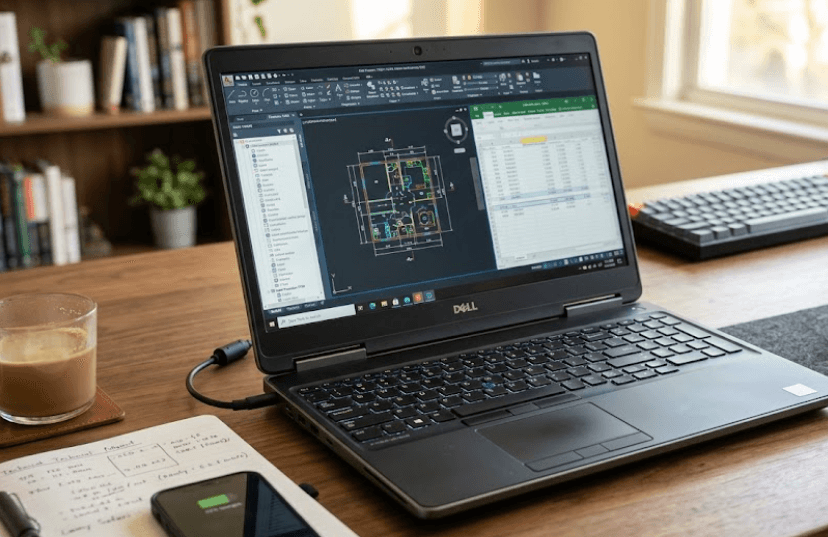
TL;DR: Dell Precision workstations can remain valuable in the refurbished market after several years because they are designed for demanding professional workloads, including CAD, engineering, 3D design, and technical computing. However, their resale value depends on more than the Dell Precision name. Processor generation, professional GPU, RAM, SSD capacity, physical condition, battery health, and warranty coverage all influence what a buyer will pay. Older models can offer excellent value to second-hand buyers, but sellers should not assume that workstation-grade hardware guarantees a high resale price. The smartest approach is to compare similar configurations, check current market demand, and assess the laptop's condition before setting a price.
Understanding Dell Precision Resale Value
Dell Precision laptops and desktop workstations are built for professional workloads that often require more computing power than everyday office applications. Depending on the model, they can feature powerful processors, professional graphics, substantial memory, and business-oriented security features. These specifications can make an older Precision attractive to engineers, designers, architects, and businesses looking for capable hardware at a lower price than a new workstation. However, professional positioning alone does not guarantee strong resale value, especially when newer hardware offers better performance, efficiency, or software compatibility.
The resale market also differs from the market for new laptops. A new workstation is sold with current specifications, a manufacturer's warranty, and the option to configure it for a particular workload. A used Dell Precision must compete with newer refurbished workstations, business laptops, and consumer laptops that may offer better battery life or more modern processors. Buyers therefore evaluate the machine's practical usefulness rather than simply its original purchase price. A well-maintained Precision with suitable graphics and sufficient RAM can remain attractive, while an older configuration with limited memory or an outdated GPU may require a substantial price reduction.
There is also an important distinction between asking prices and actual resale values. Online listings show what sellers hope to receive, while completed transactions and buyback offers provide different evidence of market demand. For example, used-market buyback platforms publish different offers for different Precision models and configurations, demonstrating how much specifications and condition can influence valuation. These figures should not be treated as guaranteed selling prices in India because market conditions, taxes, shipping, and buyer demand vary by region. Gadget Salvation's model-specific buyback information illustrates why checking the exact model is more useful than applying one depreciation percentage to the entire range.
Why Workstations Attract Second-Hand Buyers
A refurbished Precision can appeal to buyers who need dedicated graphics, workstation-class performance, or a sturdy business-oriented design without paying for a brand-new machine. Its value depends on whether those features remain useful for the buyer's intended applications.
| Buyer Type | What Matters Most |
|---|---|
| Engineers and CAD users | Compatible graphics, CPU performance, and memory |
| Designers and video editors | GPU capability, RAM, and display quality |
| Small businesses | Reliability, support, and total ownership cost |
| Students | Price, performance, battery life, and portability |
How Age Affects Dell Precision Resale Value
Age is one of the main factors affecting a workstation's resale price. During the first few years, a model may remain attractive because its processor and graphics hardware can still handle demanding applications. As newer generations arrive, however, buyers gain access to better performance, improved energy efficiency, and newer connectivity features. This gradually reduces the price they are willing to pay for older hardware, even when the original machine continues to function properly. The effect is especially noticeable when the newer model offers a meaningful improvement for the intended workload.
After three to five years, condition and configuration can become just as important as the launch date. A workstation with a clean display, functional keyboard, healthy battery, and reliable cooling system may be easier to sell than a newer device with visible damage or performance problems. Similarly, a model with adequate RAM, a capable GPU, and a healthy SSD may remain useful for professional tasks long after its original release. Nevertheless, software compatibility and operating-system support must also be considered, because an older workstation may eventually become less suitable for applications that require newer hardware or supported software environments.
Desktop Precision workstations can follow a different resale pattern from mobile workstations. Desktop systems may be easier to maintain or upgrade, depending on the chassis and components, while mobile workstations offer portability but introduce additional concerns such as battery degradation, hinge wear, and display condition. Neither format automatically retains more value. The outcome depends on the specific model, its specifications, the cost of replacement parts, and whether prospective buyers need a portable workstation or a fixed desktop system.
What Three To Five Years Of Use Means
| Approximate Age | Typical Resale Consideration |
|---|---|
| One to two years | Current specifications and remaining warranty can support buyer confidence |
| Three years | Condition, configuration, and competition from newer models become important |
| Four to five years | Price competitiveness and workload compatibility carry greater weight |
| More than five years | Repair costs, software support, and specialist demand can determine value |
These are general buying considerations, not a verified depreciation schedule. Dell Precision models differ considerably, so an exact valuation requires the model number and configuration.
Which Specifications Hold Their Value?
The processor and graphics card are often among the most important specifications when valuing a Dell Precision workstation. Buyers working with engineering software, CAD applications, simulations, and 3D workloads need hardware suited to their particular programs. A more capable processor or professional GPU can help an older workstation remain useful, but the model name alone is not enough. Graphics requirements differ between applications, and a newer consumer GPU may outperform an older professional GPU in some tasks. Buyers should check application compatibility and performance rather than assuming that every workstation GPU is superior.
Memory and storage also influence the appeal of a used workstation. A configuration with sufficient RAM for modern applications is easier to recommend than one that requires an immediate upgrade. SSD capacity matters for large projects, design files, and local media libraries, while an SSD in good health helps maintain responsiveness. Upgradeability can improve a workstation's practical value, but compatibility varies by model. Before investing in upgrades for resale, sellers should compare the upgrade cost with the likely increase in selling price. Spending heavily on a machine that has limited market demand may not produce a worthwhile return.
Display quality, battery condition, ports, cooling, and overall build condition also affect the buyer's decision. A high-resolution screen can be useful to designers, while a portable workstation with a weak battery may be less appealing to professionals who work away from a desk. Loud fans, overheating, damaged hinges, and worn keyboards can raise concerns about future repairs. Warranty coverage may improve buyer confidence, but the remaining coverage should be verified for the specific service tag. Dell provides official warranty and support-status tools to check available services and review ownership-transfer options.
Specifications That Influence Resale
| Component | Why It Matters |
|---|---|
| Processor | Determines suitability for demanding applications |
| Professional GPU | Important for supported CAD, 3D, and technical workloads |
| RAM | Affects multitasking and large project handling |
| SSD | Influences responsiveness and available storage |
| Display | Resolution, brightness, and condition affect usability |
| Battery | Important for mobile workstation buyers |
| Warranty | Can improve confidence if coverage is valid and transferable |
Refurbished Versus Used Dell Precision Workstations
A refurbished Dell Precision and a privately sold used workstation may look similar, but their selling conditions can be different. Refurbished machines may undergo inspection, functional testing, cleaning, repairs, or component replacement before resale. The exact process depends on the seller, so buyers should verify what was tested and whether any warranty is included. Dell's official Outlet information describes its inspection and warranty arrangements for eligible refurbished products. Those terms should not automatically be assumed to apply to every independent refurbisher or second-hand listing.
For buyers, refurbishment can reduce uncertainty when the seller provides a clear testing process, accurate condition grading, and written return or warranty terms. However, a refurbished label does not necessarily mean that every component is new. Batteries, displays, keyboards, and storage devices may have different histories, so the listing should explain the machine's condition. Buyers should also check the operating-system licence, BIOS settings, service-tag details, and whether the device is free from previous organizational management locks.
For sellers, a professionally refurbished machine may command a different price from an untested used device, but the refurbishment cost must be considered. Paying for repairs or cosmetic improvements does not guarantee that the final selling price will increase by the same amount. The most sensible approach is to address faults that materially affect functionality, document the work performed, and compare the resulting machine with similar listings. A clean, honestly described workstation can be easier to sell than one advertised with exaggerated claims about its condition.
What Buyers Should Check
| Check | What To Verify |
|---|---|
| Physical condition | Screen, hinges, keyboard, ports, and chassis |
| Hardware | CPU, GPU, RAM, SSD, and battery condition |
| BIOS and ownership | No unexpected locks or organizational restrictions |
| Warranty | Actual coverage and eligibility |
| Seller terms | Return window, repair history, and invoice |
How To Maximize Dell Precision Resale Value
If you plan to sell your Dell Precision after several years, maintaining it throughout ownership is more useful than trying to restore it just before listing. Keep the cooling vents clear, avoid repeated overheating, protect the display, and use appropriate charging practices. Routine maintenance can reduce avoidable wear, although it cannot prevent normal battery ageing or make outdated hardware equivalent to a new workstation. Keep the original charger and purchase documentation where possible, as these can make the listing more complete and help prospective buyers verify the device.
Before selling, back up your files and securely remove personal or business data. If the workstation contains confidential company information, follow the organization's approved data-erasure procedure. Clean the exterior carefully, test the ports and keyboard, check the battery condition, and record the exact processor, graphics card, memory, storage, and display configuration. Accurate specifications help attract the right buyers and reduce disputes. Avoid claiming that the laptop is professionally tested or refurbished unless that description is supported by work actually performed.
Finally, price the machine against comparable listings with the same generation, GPU, RAM, and storage. Account for visible wear, battery condition, remaining warranty, and any repairs a buyer may need. Asking prices can provide a starting point, but they do not establish what a buyer will actually pay. Compare multiple sources where possible, and consider a buyback quote alongside private-sale options. A buyback service may be more convenient, while a private sale may offer a higher price if you find a buyer who specifically needs your configuration.
A Practical Resale Preparation Checklist
| Step | Purpose |
|---|---|
| Confirm exact specifications | Makes comparison more accurate |
| Check battery and hardware | Identifies issues before negotiation |
| Clean and photograph the device | Improves listing clarity |
| Remove personal data securely | Protects privacy |
| Verify warranty status | Gives buyers reliable information |
| Compare similar models | Helps establish a realistic asking price |
Frequently Asked Questions
Q. Does Dell Precision hold its resale value well?
Dell Precision workstations can remain attractive in the second-hand market when their specifications suit professional workloads. However, resale performance varies by model, age, condition, and demand. A capable GPU, sufficient RAM, and a well-maintained chassis may help, but no particular resale percentage is guaranteed.
Q. How much value does a Dell Precision lose after three years?
There is no reliable single percentage for every Dell Precision model. A three-year-old mobile workstation with a sought-after GPU may be valued differently from an entry-level model with limited specifications. Compare similar configurations and actual selling evidence before estimating depreciation.
Q. Is a five-year-old Dell Precision worth buying?
It can be, provided the price reflects its age and the workstation meets your software requirements. Check processor and GPU performance, battery health, cooling, storage, and operating-system compatibility before buying. Also account for possible repair costs.
Q. Which Dell Precision models have the best resale value?
There is no universally best model for resale. Higher-specification mobile workstations may attract specialist buyers, but demand changes with hardware generations and professional requirements. Compare the exact model, GPU, processor, and condition rather than relying on the series name alone.
Q. Does a professional GPU increase resale value?
A professional GPU can make a workstation more appealing to buyers who need compatible graphics for CAD, 3D design, or engineering applications. Its effect on price depends on the GPU generation, performance, software compatibility, and competing hardware.
Q. Does upgrading RAM or SSD improve resale value?
An upgrade can make a workstation more useful and easier to sell, particularly if the original configuration is restrictive. However, the additional resale value may not cover the full upgrade cost. Compare the cost of the upgrade with prices for similarly configured machines.
Q. Is a refurbished Dell Precision better than a used one?
A refurbished workstation can offer more reassurance if it has been properly tested and comes with clear warranty and return terms. The word refurbished alone is not a guarantee of quality. Check the seller's process, component condition, and coverage before purchasing.
Q. Does battery health affect Dell Precision resale value?
Yes, especially for mobile workstations. A weak battery reduces portability and may require an additional expense after purchase. Buyers should review battery health and replacement availability rather than relying only on the laptop's stated battery capacity.
Q. Should I sell my Dell Precision privately or use a buyback service?
A private sale may provide a better price if you find a buyer who needs your particular configuration, but it can involve more time and negotiation. A buyback service can be simpler, although its offer may be lower than a successful private sale. Compare both options.
Q. How can I check my Dell Precision's warranty before selling it?
Use Dell's official support website and enter the device's service tag to review its available support information. Confirm the remaining coverage and whether ownership-transfer requirements apply. Do not advertise an active warranty until you have verified its status.
Final Recommendation
Dell Precision resale value is best understood through the workstation's remaining usefulness rather than its original price or professional branding. A well-maintained model with a capable processor, suitable GPU, sufficient RAM, healthy storage, and reasonable battery condition can still appeal to second-hand buyers after three to five years. Older workstations can be particularly attractive when their performance meets a buyer's needs at a competitive price. However, newer hardware, repair expenses, software requirements, and the availability of refurbished alternatives can all reduce what buyers are willing to pay.
If you are planning to sell, verify the exact configuration, inspect the machine, check its warranty, and compare it with similar listings before setting a price. If you are buying, focus on workload compatibility and total ownership cost rather than chasing the highest specifications. The best-value Dell Precision is the one that continues to meet professional needs reliably while costing less than a suitable newer alternative.
Ready to upgrade your tech?
Browse our collection of quality refurbished products at unbeatable prices.






