
Dell Precision Benchmark Scores Explained: What Cinebench and PugetBench Numbers Mean
Learn how to interpret Dell Precision benchmark scores from Cinebench and PugetBench, understand CPU and GPU performance, and choose a workstation for professional workloads.

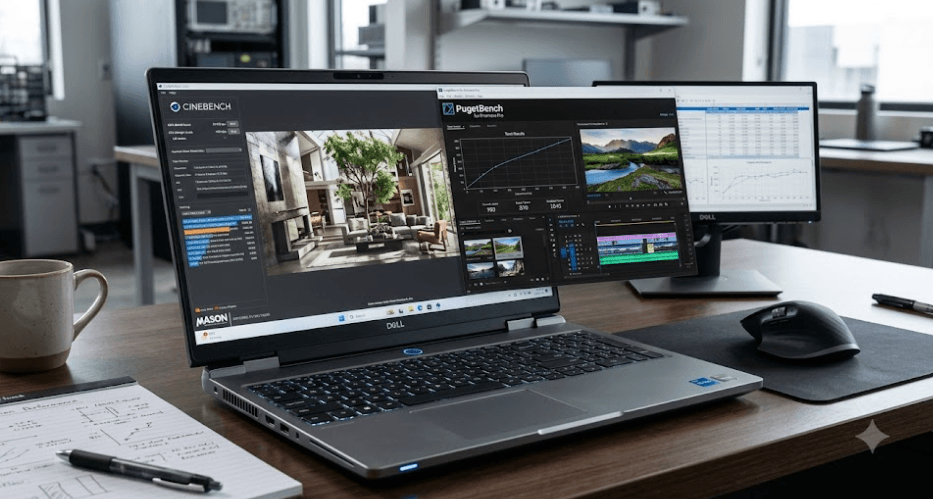
TL;DR Dell Precision benchmark scores help you understand how well a workstation handles demanding professional workloads, but the numbers only make sense when you know what each test measures. Cinebench evaluates CPU and GPU rendering performance, making it useful for comparing processing power and sustained performance under load. PugetBench tests real creative applications such as Adobe Premiere Pro, Photoshop, After Effects, and DaVinci Resolve to show how a system performs during practical work. When comparing Dell Precision workstations, consider benchmark version, processor, graphics card, cooling, power settings, and the software you actually use rather than choosing a laptop based on one impressive score.
Understanding Dell Precision Benchmark Scores
Dell Precision workstations are designed for professional workloads such as computer-aided design, engineering, 3D modeling, video editing, and other demanding applications. Benchmark scores help buyers evaluate their performance beyond the processor name, RAM capacity, or graphics specifications. Two workstations with similar components can produce different results because their cooling systems, power limits, and internal designs affect how much performance they sustain under load.
A benchmark is a standardized test that measures how a computer performs under a defined workload. Some tests focus on processor calculations, while others evaluate graphics rendering or specific creative applications. For Dell Precision systems, this distinction matters because a workstation used for CAD modeling may have different performance priorities from one used for video production or 3D rendering. A single overall score cannot accurately represent every professional workload.
The most useful approach is to treat benchmark results as evidence rather than a final buying decision. A high score can indicate strong performance in the tested workload, but it does not automatically guarantee faster exports, smoother editing, or shorter engineering simulations in every application. The software, project complexity, and hardware acceleration features you use determine how closely a benchmark result reflects your daily experience.
What Do Benchmark Scores Actually Tell You?
Benchmark results help answer three practical questions: how fast a component can perform a particular task, how consistently the system handles demanding workloads, and whether a configuration offers enough performance for your intended applications. Comparing scores from the same test version on similar systems provides a useful starting point.
What Cinebench Scores Mean
Cinebench is a benchmark developed by Maxon that evaluates hardware using rendering workloads associated with Cinema 4D and its Redshift rendering technology. Its CPU tests help compare processor performance, while its GPU test evaluates graphics performance using a rendering workload. Maxon explains the methodology in its official Cinebench measurement guide.
The multi-core CPU score is particularly useful when comparing Dell Precision workstations for heavily parallelized tasks. It shows how effectively a processor handles a workload across multiple processing threads. The single-thread result provides a different perspective, helping you assess performance in tasks that depend more heavily on one processing thread. Neither score directly measures every application, but both help explain the processor's capabilities.
Cinebench can also reveal how a laptop behaves during sustained workloads. A workstation might deliver a strong result during a short run but perform differently when the processor heats up and power limits take effect. For this reason, repeatable testing under consistent conditions is more useful than relying on a single result. Remember that Cinebench 2026 uses a different scoring range from earlier versions, so scores from different versions should not be compared directly.
How To Read Cinebench Results
| Benchmark Result | What It Tells You |
|---|---|
| CPU Single Core | Performance in single-threaded workloads |
| CPU Multi Core | Performance across multiple CPU threads |
| GPU | Performance in the supported GPU rendering workload |
| Repeated CPU runs | Consistency under sustained load |
A higher score generally indicates better performance within the same test version and category. It does not mean that a workstation will be proportionally faster in every application.
What PugetBench Scores Mean
PugetBench takes a different approach by testing performance within professional creative applications. Puget Systems develops benchmarks for software including Adobe Premiere Pro, Photoshop, After Effects, Lightroom Classic, and DaVinci Resolve. Instead of relying only on a synthetic rendering workload, these tests use application-specific tasks designed to reflect common creative workflows. See the official PugetBench overview.
This makes PugetBench particularly useful when you are buying a Dell Precision workstation for a defined creative workload. For example, someone editing footage in Premiere Pro needs to understand video playback, effects processing, and export performance. A Photoshop user may care more about image manipulation and filter operations. The results can help distinguish between systems that look similar on a specification sheet but behave differently in the relevant application.
PugetBench provides an overall score along with results for individual tests or groups of tests, depending on the application and benchmark version. Those detailed results are important because two systems can achieve similar overall scores while performing differently in specific tasks. Always check which application, benchmark version, preset, and subscore you are viewing before drawing conclusions.
How To Interpret PugetBench Results
| Result Type | What It Helps You Evaluate |
|---|---|
| Overall Score | General performance across the selected test suite |
| Individual Test Scores | Performance in particular operations |
| Category Scores | Performance across related tasks, where available |
| Comparison Results | Relative performance between tested systems |
PugetBench scores should be compared within the same application and compatible benchmark version. A Premiere Pro score and a Photoshop score measure different workloads, so they are not interchangeable.
Cinebench Vs. PugetBench For Dell Precision
Cinebench and PugetBench complement each other, but they answer different questions. Cinebench helps you understand rendering performance and processor behavior under a defined workload. PugetBench helps you assess performance in supported professional applications. Using both gives you a broader picture of a Dell Precision workstation than either benchmark can provide alone.
Consider a buyer choosing between two Precision mobile workstations with different processors and graphics configurations. Cinebench can help identify which system delivers stronger CPU rendering performance or GPU rendering performance in the tested configuration. PugetBench can then help establish whether that advantage translates into better performance in the buyer's preferred creative application. The results may align, but they do not have to.
For engineering and CAD users, these two tools may not fully represent the applications that matter most. Workloads in SOLIDWORKS, Revit, AutoCAD, and other professional programs can depend on different combinations of CPU speed, GPU capabilities, memory, drivers, and software optimization. If your primary application has a dedicated benchmark or published performance guidance, use that evidence alongside Cinebench and PugetBench.
Which Benchmark Should You Trust?
| Your Main Requirement | More Relevant Starting Point |
|---|---|
| Comparing CPU rendering performance | Cinebench CPU |
| Comparing supported GPU rendering performance | Cinebench GPU |
| Editing video in Premiere Pro | PugetBench for Premiere Pro |
| Editing photographs in Photoshop | PugetBench for Photoshop |
| Motion graphics and compositing | PugetBench for After Effects |
| Engineering or CAD applications | Application-specific benchmarks |
Neither benchmark is universally superior. The best evidence is the result that most closely matches your actual workload.
Why Dell Precision Scores Vary
A Dell Precision workstation's benchmark score depends on more than its processor or graphics card. Cooling design, power limits, firmware, and the selected performance profile can influence how much performance the hardware delivers. This is particularly important for mobile workstations, where a compact chassis must balance processing power, heat, fan noise, and battery consumption.
Power settings can also change results. Running a demanding benchmark while the laptop is on battery may produce different performance from running it with the appropriate power adapter and a performance-focused profile. Puget Systems specifically identifies power source, power profile, background activity, and software configuration as factors worth checking when interpreting benchmark results. Its benchmark user guide explains common causes of unexpectedly low scores.
Software and benchmark versions matter just as much. Updated graphics drivers, application releases, BIOS settings, and benchmark presets can affect results or change what a test measures. A result from an older version should not automatically be treated as equivalent to a newer result. Before assuming a workstation is underperforming, verify that the test conditions and software versions are comparable.
Checklist For Reliable Comparisons
| Factor | What To Check |
|---|---|
| Power source | Whether both systems were tested under comparable conditions |
| Performance profile | Whether power and thermal settings are similar |
| Cooling | Whether sustained workloads cause performance reductions |
| Software version | Whether the benchmark and application versions match |
| Background activity | Whether updates or other applications affected the run |
| Test duration | Whether results represent sustained performance |
A small difference between two runs may be normal. A substantial, repeatable difference deserves further investigation, particularly when the systems have similar specifications.
Choosing A Dell Precision By Workload
The right Dell Precision workstation depends on the software you use and the size of your projects. A professional who spends most of the day working with spreadsheets, technical documents, and lighter design applications may not benefit much from paying for the highest available rendering performance. In contrast, someone regularly working with complex 3D scenes, high-resolution footage, or computationally intensive projects may benefit from a more powerful configuration.
For video editors and motion graphics professionals, compare PugetBench results for the specific applications you use and examine the relevant subtests. Also consider graphics acceleration, available memory, storage speed, and the complexity of your media. A strong benchmark score cannot compensate for insufficient RAM, a nearly full SSD, or a configuration that struggles with your actual project files.
For engineers, architects, and 3D professionals, look beyond general benchmark results. Check the requirements of your primary software, its graphics compatibility guidance, and any application-specific performance tests available. A workstation that performs exceptionally well in CPU rendering is not necessarily the best choice for a GPU-intensive workflow. Matching the hardware to the software is more useful than simply buying the model with the highest benchmark number.
Match The Test To The Work
Before buying, identify your two or three most demanding applications and look for benchmark results that reflect their real workloads. Compare the exact processor and GPU configurations, rather than relying on the Precision model name alone. This is especially important when comparing mobile workstations with different power limits or cooling designs.
Common Mistakes When Reading Benchmark Scores
One frequent mistake is comparing numbers from different benchmark versions. Cinebench 2024 and Cinebench 2026, for example, use different scoring ranges, so their results are not directly interchangeable. The same caution applies when PugetBench changes the test procedures or scoring methodology for an application. Check the version before deciding that one machine is faster.
Another mistake is treating a CPU score as a complete measure of workstation performance. A strong multi-core score is useful for parallelized CPU workloads, but it cannot tell you everything about GPU acceleration, application responsiveness, display quality, memory capacity, or sustained performance in every program. Likewise, an impressive GPU result does not guarantee that a CPU-limited task will finish faster.
Finally, avoid relying on one unusually high or low run. Background processes, power settings, temperature, and driver versions can all influence the outcome. When results look unexpected, repeat the test under consistent conditions and examine detailed results where available. A repeatable pattern across relevant benchmarks provides a stronger basis for a purchase than one isolated score.
Frequently Asked Questions
Q. What are Dell Precision benchmark scores?
Dell Precision benchmark scores measure performance in specific standardized tests, helping buyers compare processing, rendering, and supported professional application workloads.
Q. What does a high Cinebench score mean?
A high Cinebench score indicates stronger performance in the corresponding CPU or GPU rendering test compared with results from the same benchmark version.
Q. What is PugetBench used for?
PugetBench evaluates performance in supported creative applications, including Premiere Pro, Photoshop, After Effects, Lightroom Classic, and DaVinci Resolve.
Q. Is Cinebench better than PugetBench?
Neither is universally better. Cinebench is useful for rendering performance comparisons, while PugetBench provides application-specific results for supported creative workflows.
Q. Why do two Dell Precision laptops with the same CPU get different scores?
Differences in cooling, power limits, performance profiles, firmware, background activity, and test conditions can produce different results.
Q. Should I compare Cinebench 2024 and Cinebench 2026 scores?
No. Cinebench 2026 uses a different scoring range, so its scores should not be directly compared with results from earlier versions.
Q. Does a higher Cinebench multi-core score mean faster video editing?
Not necessarily. Video editing performance also depends on the editing application, GPU acceleration, codecs, memory, and other workload-specific factors.
Q. Which PugetBench test should video editors use?
Editors working in Adobe Premiere Pro should start with PugetBench for Premiere Pro and review relevant detailed results alongside their actual editing requirements.
Q. Can benchmark scores reveal thermal throttling?
Repeated tests may help reveal performance reductions under sustained load, but benchmark scores alone cannot confirm the exact cause. Temperature and power monitoring can provide additional evidence.
Q. What should I check before buying a Dell Precision workstation?
Compare the exact CPU and GPU, RAM, storage, cooling behavior, application-specific benchmark results, warranty, and performance under conditions similar to your workload.
Final Recommendation
When comparing Dell Precision workstations, use Cinebench to understand CPU and GPU rendering performance and PugetBench to assess supported professional creative applications. Neither benchmark should be treated as a universal ranking of workstation quality. The most useful result is the one that reflects the software you rely on every day.
Before making a purchase, compare equivalent benchmark versions and hardware configurations, verify the power and performance settings, and review detailed results rather than focusing only on an overall score. If your work involves engineering, CAD, or other specialized applications, prioritize software-specific performance evidence as well. A well-matched Dell Precision workstation is one that delivers consistent performance in your real workload, not simply the highest number on a benchmark chart.
Ready to upgrade your tech?
Browse our collection of quality refurbished products at unbeatable prices.






