
Dell Precision 7750 Review: How Does a 10th Gen Workstation Hold Up Today?
The Dell Precision 7750 is a powerful 17.3-inch mobile workstation with 10th Gen Intel CPUs, professional Nvidia Quadro graphics, expandable RAM, and multiple SSD options. Here is what to know before buying it refurbished in India.

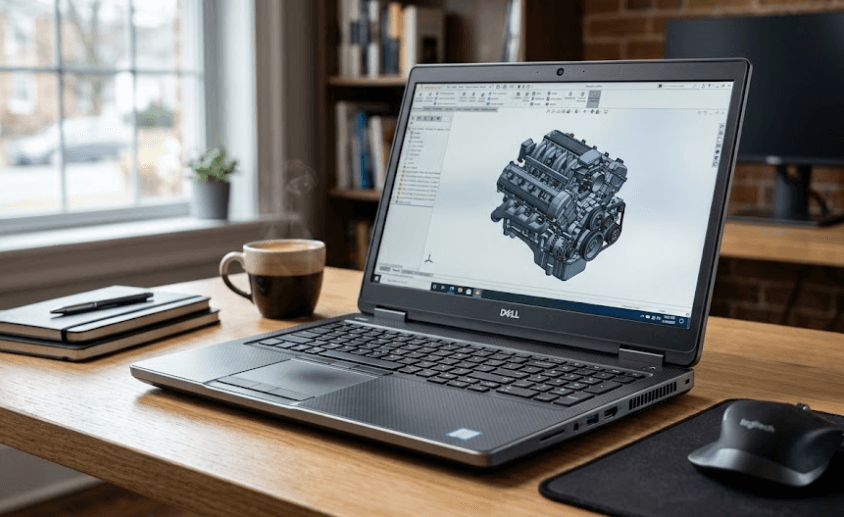
TL;DR The Dell Precision 7750 remains an interesting refurbished mobile workstation in 2026 because it combines a large 17.3-inch display, 10th Gen Intel processors, professional Nvidia Quadro graphics, expandable DDR4 memory, and multiple storage options in one substantial chassis. Dell offered it with Core i5, i7, i9, and Xeon processors, while graphics options included the Quadro T1000, RTX 3000, RTX 4000, and RTX 5000. Memory is particularly flexible because the laptop has four SODIMM slots and officially supports up to 128GB DDR4. The main drawback is its age, size, and weight compared with newer workstations. Current refurbished pricing varies by configuration, with a 32GB RAM and 512GB SSD Core i7 version currently listed by Refurbo at ₹72,000. For buyers who need workstation-class expandability at a refurbished price, the Precision 7750 can still make sense, but the exact CPU, GPU, display, battery condition, and SSD configuration should be checked before purchase.
Dell Precision 7750 Overview
The Dell Precision 7750 was designed as a professional mobile workstation rather than a conventional consumer laptop. That distinction is important when looking at it in 2026. It was built for users working with engineering software, professional graphics applications, development workloads, simulations, and other demanding tasks where expandable hardware and certified professional graphics can matter. Dell offered the machine with a range of 10th Gen Intel processors, including Core i5, Core i7, Core i9, and Xeon options. Depending on the configuration, buyers could also get Nvidia Quadro professional GPUs, making the 7750 much more specialized than an ordinary office laptop.
The large 17.3-inch chassis is another defining feature. Dell offered Full HD and Ultra HD display configurations, with the higher-end panel reaching 3840 x 2160 resolution. The display choices also differed in brightness and color coverage, so buyers should not assume that every refurbished Precision 7750 has the same screen. The better 17.3-inch options included a 500-nit panel with 100% DCI-P3 coverage or a 4K UHD panel with 100% Adobe RGB coverage, while the basic FHD configuration was rated at 220 nits and 45% NTSC.
The Precision 7750 also remains attractive because of its upgrade potential. Dell specifies four SODIMM slots and support for up to 128GB of DDR4 memory. Storage options included PCIe NVMe SSDs in different M.2 formats, with supported capacities reaching up to 2TB for one of the listed configurations. That flexibility is useful for professionals who need to upgrade a refurbished machine rather than replace it when their workload grows.
Dell Precision 7750 Specs At A Glance
| Specification | Dell Precision 7750 |
|---|---|
| Processor | 10th Gen Intel Core i5/i7/i9 or Xeon |
| Display | 17.3-inch FHD or UHD |
| Maximum Resolution | 3840 x 2160 |
| RAM | DDR4, 4 SODIMM slots |
| Maximum RAM | Up to 128GB |
| Graphics | Nvidia Quadro T1000 to RTX 5000 |
| Storage | PCIe NVMe SSD options |
| Wireless | Wi-Fi 6 |
| Thunderbolt | 2 x Thunderbolt 3 |
| Ethernet | Gigabit RJ45 |
| SD Card | Yes |
| Battery Options | 68Wh or 95Wh |
Dell Precision 7750 Performance
Performance is where the Precision 7750 still has a clear purpose. Dell offered processors ranging from the four-core Core i5-10400H to eight-core Core i7, Core i9, and Xeon configurations. The higher-end Core i7-10875H and Core i9-10885H provided eight cores and 16 threads, while the Xeon W-10855M and W-10885M brought workstation-oriented configurations. That means performance can vary considerably between two Precision 7750 units that look identical from the outside.
Graphics selection is equally important. The machine could be configured with the Nvidia Quadro T1000, Quadro RTX 3000, RTX 4000, or RTX 5000. These are professional workstation GPUs rather than modern gaming-focused graphics cards. For applications that benefit from professional GPU drivers and workstation certification, that distinction can be more important than simply comparing gaming benchmarks. An RTX 3000 configuration, for example, is a substantially different proposition from a T1000 model.
For everyday work, even a lower-end Precision 7750 configuration has more than enough hardware for documents, spreadsheets, web applications, video calls, and multitasking. Its real value appears when the workload becomes heavier. CAD, 3D work, engineering applications, development environments, large datasets, and professional creative workloads can benefit from the additional CPU and GPU options. However, buyers should remember that these are 2020-era components, so a 7750 should be evaluated as a refurbished workstation rather than compared directly with a current 2026 mobile workstation.
Performance Configuration Comparison
| Configuration | Suitable Workload |
|---|---|
| Core i5 + Quadro T1000 | Office, development, light professional work |
| Core i7 + Quadro T1000 | Multitasking and moderate professional workloads |
| Core i7 + Quadro RTX 3000 | CAD, 3D, rendering and demanding professional work |
| Core i7/i9 + Quadro RTX 4000 | Heavy professional graphics and workstation workloads |
| Xeon + Quadro RTX 5000 | High-end workstation workloads |
Dell Precision 7750 Display And Design
The 17.3-inch display is one of the strongest reasons to consider the Precision 7750. A large screen is useful when working with CAD drawings, timelines, spreadsheets, development environments, or multiple windows. Dell offered three main display configurations: two 17.3-inch FHD WVA panels and one 17.3-inch UHD WVA panel. The specifications differ substantially, however, so the exact screen installed in a refurbished unit needs to be confirmed.
The entry FHD panel was rated at 220 nits with 45% NTSC coverage, while another FHD option reached 500 nits and 100% DCI-P3 coverage. The 4K UHD option was also rated at 500 nits and covered 100% Adobe RGB. All three were 60Hz anti-glare displays. This makes the configuration particularly important for professionals doing color-sensitive work because the basic FHD screen and higher-end display are not equivalent.
The large chassis also creates a trade-off in portability. This is not a laptop designed to disappear into a small backpack and accompany you everywhere. Its workstation hardware, large screen, cooling requirements, and expansion options all contribute to a substantial machine. For someone who mainly works at a desk and occasionally moves between offices, that may not matter much. For frequent commuters, students, or travelers, a newer and lighter workstation can be considerably easier to carry.
Memory, Storage, And Upgradeability
Upgradeability is one of the biggest strengths of the Precision 7750. Dell specifies four SODIMM slots and support for up to 128GB of DDR4 memory. Supported configurations included 8GB, 16GB, 32GB, 64GB, and 128GB, with both ECC and non-ECC options depending on the configuration. This is significantly more flexible than many modern thin-and-light laptops that use soldered memory.
Storage is similarly flexible. Dell lists M.2 PCIe NVMe storage options, including configurations supporting drives up to 2TB. The exact number of installed drives depends on the configuration, so buyers of refurbished machines should check whether the unit contains one SSD or multiple drives and whether additional storage expansion is available.
For refurbished buyers, this upgradeability can make the 7750 more interesting than its age initially suggests. A machine with 16GB RAM and a 256GB SSD does not have to remain that way. Depending on the workload and configuration, memory and storage can be expanded later. That gives the workstation a practical advantage for professionals who would rather upgrade individual components than replace the entire laptop.
Upgrade Options
| Component | Precision 7750 Support |
|---|---|
| RAM | Four SODIMM slots |
| Maximum RAM | Up to 128GB DDR4 |
| Storage | M.2 PCIe NVMe |
| Maximum Listed SSD Capacity | Up to 2TB for supported configuration |
| RAM Upgrade | Yes |
| Storage Upgrade | Yes |
| Professional GPU | Configuration dependent |
Connectivity And Battery Life
Connectivity is another area where the Precision 7750 feels like a traditional professional workstation. Dell included two Thunderbolt 3 USB-C ports, three USB-A ports including one with PowerShare, HDMI 2.0, Mini DisplayPort 1.4, an RJ45 Ethernet port, an SD card reader, and a universal audio jack. Depending on configuration, a Smart Card reader and WWAN support were also available. For someone connecting external displays, wired networking, storage devices, cameras, and other peripherals, that selection remains practical.
Wireless connectivity includes Intel Wi-Fi 6 AX201 with Bluetooth 5.1. The integrated Gigabit Ethernet connection is useful for office environments and workstation tasks where a wired connection is preferred. The inclusion of an SD card reader also makes the laptop more convenient for photographers and creators who regularly move files from cameras or other media.
Battery capacity was available in 68Wh and 95Wh versions, including different ExpressCharge options. Dell notes that actual operating time varies significantly according to usage and power consumption. That is particularly relevant with refurbished units because battery health depends on the individual machine's previous usage. A 7750 with a heavily worn battery may behave very differently from one with a healthier battery, so battery condition should be checked rather than relying solely on the original rated capacity.
Dell Precision 7750 Price In India
The Precision 7750 is no longer a current Dell product. Dell's own product page now marks the workstation as discontinued, which means Indian buyers in 2026 will primarily encounter it through refurbished or used channels rather than as a new mainstream retail laptop. This changes how the price should be evaluated. There is no single current official new price that applies to every configuration.
Refurbo currently lists a Dell Precision 7750 with a 10th Gen Core i7, 32GB DDR4 RAM, 512GB SSD, and 17.3-inch FHD display at ₹72,000. The same marketplace also lists other 7750 configurations at different prices, including a 16GB/256GB configuration at ₹62,499. These differences show why buyers should compare the complete configuration instead of searching for one generic Precision 7750 price.
The price also needs to be judged against newer refurbished workstations. Refurbo's current listings include models such as the Precision 7560 and 7650, alongside newer Precision 7670 and 7770 systems. A 7750 can still make sense when its price is significantly lower than a newer equivalent and the configuration is strong, but paying too much for an older 10th Gen machine reduces its value proposition.
Current Refurbished Price Examples
| Configuration | Listed Price |
|---|---|
| Precision 7750, 16GB/256GB | ₹62,499 |
| Precision 7750, 32GB/512GB | ₹72,000 |
| Precision 7550, 16GB/512GB | ₹66,000 |
| Precision 7560, 16GB/512GB | ₹75,600 |
| Precision 7760, 32GB/512GB | ₹80,000 |
Prices can change with stock, condition, warranty, and configuration, so these figures should be treated as current listing examples rather than fixed market prices.
Who Should Buy The Dell Precision 7750?
The Precision 7750 makes the most sense for buyers who specifically need a large-screen mobile workstation and value upgradeability. Engineers, CAD users, developers, designers, and professionals working with workstation-oriented applications can benefit from the combination of professional Quadro graphics, expandable memory, multiple storage options, and a large display. A well-configured refurbished unit can therefore remain useful even though the underlying platform is several years old.
It can also work for a buyer who wants a powerful refurbished laptop for general productivity but does not care about carrying a lightweight machine. The four RAM slots and NVMe storage support provide room to adapt the system later. A 32GB configuration with a capable Core i7 processor and professional GPU can still handle demanding multitasking and many professional applications comfortably.
However, this is not the right type of laptop for everyone. Buyers prioritizing portability, modern efficiency, long unplugged use, the latest processors, or a thin chassis should look at newer workstation generations. The Precision 7750 is a large workstation first and a portable laptop second. Its age also means that configuration and condition matter enormously in the refurbished market.
Common Things To Check Before Buying
The first thing to check is the exact processor and GPU. A Core i7 with a Quadro RTX 3000 is a very different purchase from a Core i5 with a Quadro T1000. The same applies to the display. If the listing simply says "17.3-inch FHD," ask for the exact panel specifications because Dell offered both a 220-nit 45% NTSC screen and a 500-nit 100% DCI-P3 FHD option.
Next, check the RAM, SSD, battery health, and physical condition. Since the laptop supports substantial memory expansion, a lower-RAM configuration may still be worthwhile if the price leaves room for an upgrade. Storage should also be checked carefully because refurbished listings can contain different SSD capacities. Battery health is particularly important on an older workstation because the original battery capacity does not tell you how much usable capacity remains today.
Finally, check the warranty and replacement policy offered by the seller. Refurbo's current 32GB/512GB Precision 7750 listing, for example, specifies a six-month warranty and seven-day replacement policy. These terms are part of the purchase value, particularly with an older workstation. A slightly different price can make sense if the configuration, condition, and after-sales coverage are substantially better.
Frequently Asked Questions
Q. Is the Dell Precision 7750 still worth buying in 2026?
The Precision 7750 can still be worth considering as a refurbished workstation if the configuration and price are right. Its expandable RAM, professional GPU options, large display, and multiple storage possibilities remain useful, but it should be compared with newer refurbished Precision models before buying.
Q. What processor does the Dell Precision 7750 use?
The Precision 7750 was offered with 10th Gen Intel Core i5, Core i7, Core i9, and Xeon processors. Exact performance depends on the processor installed in the individual configuration.
Q. How much RAM can the Dell Precision 7750 support?
Dell officially specifies four SODIMM slots and up to 128GB of DDR4 memory. Supported memory configurations depend on the specific RAM type and processor configuration.
Q. Does the Dell Precision 7750 have a dedicated graphics card?
Yes. Dell offered professional Nvidia Quadro graphics options including the Quadro T1000, RTX 3000, RTX 4000, and RTX 5000. The exact GPU depends on the configuration.
Q. What display options are available on the Precision 7750?
The laptop was available with 17.3-inch FHD and UHD displays. The highest-resolution option was 3840 x 2160, while selected FHD and UHD panels offered 500-nit brightness and wide color coverage.
Q. Can I upgrade the RAM on the Dell Precision 7750?
Yes. Unlike laptops with soldered memory, the Precision 7750 uses four SODIMM slots, making RAM upgrades possible.
Q. Can the Dell Precision 7750 SSD be upgraded?
Yes. Dell lists M.2 PCIe NVMe storage options for the Precision 7750. The exact expansion capability depends on the configuration and installed drives.
Q. How much does the Dell Precision 7750 cost in India?
Current refurbished pricing varies by configuration. A 32GB RAM and 512GB SSD Core i7 configuration is currently listed at ₹72,000 on Refurbo, while other configurations are available at different prices.
Q. Is the Precision 7750 good for gaming?
It can run games depending on the installed Quadro GPU, but gaming is not its primary purpose. Its professional Quadro graphics are designed around workstation workloads rather than being optimized specifically for gaming.
Q. Who should buy the Dell Precision 7750?
It is best suited to buyers who need workstation-style performance, a large 17.3-inch display, professional graphics, and substantial RAM and storage upgradeability. Buyers who prioritize portability or newer hardware should consider newer workstation generations.
Final Recommendation
The Dell Precision 7750 remains a capable refurbished mobile workstation, but its value in 2026 depends heavily on configuration and price. Its 10th Gen Intel processors are older, yet the workstation still offers features that are useful in a refurbished system, particularly four RAM slots, support for up to 128GB DDR4, professional Nvidia Quadro graphics, multiple NVMe storage options, Thunderbolt 3, and a large 17.3-inch display.
At around ₹72,000 for the currently listed Core i7, 32GB RAM, and 512GB SSD configuration, it should be considered alongside newer refurbished Precision models rather than purchased solely because it has a workstation badge. The GPU and display specification are particularly important. A stronger Quadro configuration and better display can make the machine substantially more useful for professional workloads, while a basic configuration may not justify a high refurbished price.
For professionals who need a large, expandable workstation and find a well-maintained Precision 7750 at the right price, it remains a practical option. For buyers who want modern processors, lighter designs, better efficiency, and longer-term platform longevity, a newer Precision generation is the more relevant direction to investigate. The key is to judge the exact refurbished configuration, battery health, condition, warranty, and price rather than treating every Dell Precision 7750 as the same laptop.






