
Dell Precision 7670 Review: The 16-inch Workstation That Balances Power and Portability
The Dell Precision 7670 is a powerful 16-inch mobile workstation with HX processors, professional NVIDIA graphics, upgradeable RAM, and multiple SSD options. Its weight and battery life are the main trade-offs.

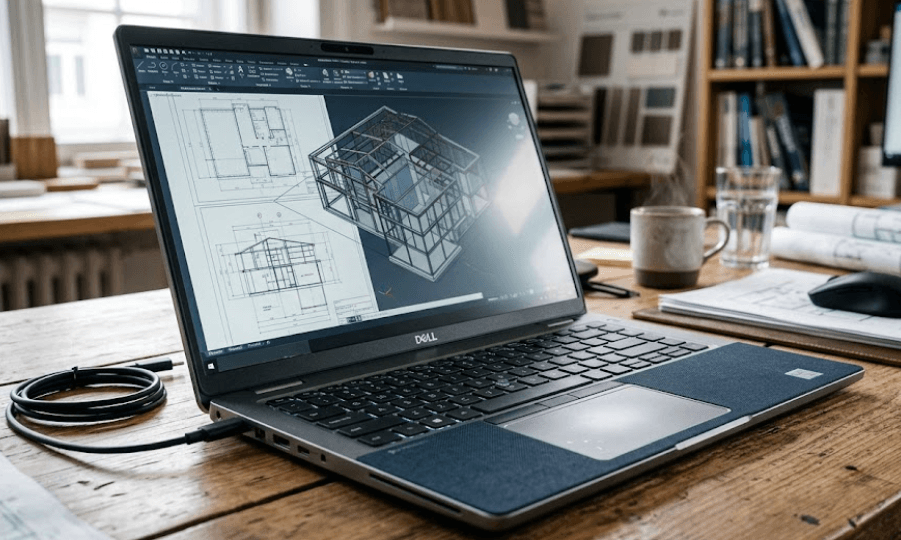
TL;DR The Dell Precision 7670 remains a serious mobile workstation for professionals who need desktop-class processing power in a laptop-sized system. Introduced as Dell's first 16-inch Precision workstation, it supports 12th Gen Intel Core HX processors, professional NVIDIA RTX graphics, up to 128GB of DDR5 memory through its CAMM interface, and multiple PCIe NVMe SSD configurations. It also offers a choice of 16-inch displays, including a 3840 x 2400 OLED touchscreen. The trade-off is portability: at around 2.60kg in Dell's listed thin configuration, it is substantially heavier than mainstream 16-inch laptops. Independent testing also found average battery life on an OLED configuration. For CAD, 3D work, engineering software, content creation, and other demanding professional workloads, the Precision 7670 still makes sense, particularly when purchased at the right price in the refurbished market.
Dell Precision 7670 Design And Build
The Dell Precision 7670 was designed as a full-size mobile workstation rather than an ultraportable laptop. Its 16-inch 16:10 chassis measures 356mm wide and 258.34mm deep, while Dell lists the thin configuration at 24.7mm at its thickest point and approximately 2.60kg. That immediately tells you what kind of machine this is. It is portable compared with a desktop workstation, but it is not designed to disappear into a small backpack. The larger chassis gives Dell room for powerful processors, professional graphics, multiple storage options, and substantial cooling hardware.
The design itself follows the traditional Precision workstation approach, with a business-focused appearance rather than the aggressive styling found on gaming laptops. Independent testing found the chassis sturdy overall, with a premium-feeling keyboard deck and a metal outer structure. Dell also offered two chassis configurations, with a thinner version and a Performance Base version that is thicker and slightly heavier. This distinction is important when shopping for a used or refurbished Dell Precision 7670 because two machines carrying the same model name can have different dimensions and weights depending on their configuration.
Portability is therefore relative. The Precision 7670 can move between an office, studio, classroom, client site, or work location, but carrying it every day is more demanding than carrying a thin 14-inch business laptop. Its weight is one of the clearest compromises in the design. At the same time, the larger chassis is part of what makes the machine useful as a workstation. If your priority is sustained professional workloads rather than minimum carrying weight, the size becomes easier to justify.
Build And Portability At A Glance
| Feature | Dell Precision 7670 |
|---|---|
| Screen size | 16 inches |
| Aspect ratio | 16:10 |
| Width | 356mm |
| Depth | 258.34mm |
| Listed thin configuration weight | Approx. 2.60kg |
| Thicker Performance Base | Approx. 2.67kg |
| Chassis type | Mobile workstation |
| Keyboard | Backlit, optional numeric keypad |
The Precision 7670 is best understood as a workstation that happens to be portable, rather than a portable laptop that happens to have workstation hardware.
Dell Precision 7670 Performance
Performance is where the Precision 7670 makes its strongest case. Dell offered the machine with 12th Gen Intel Core HX processors, including the Core i5-12600HX, Core i7-12800HX, Core i7-12850HX, Core i9-12900HX, and Core i9-12950HX. These are high-power processors designed for demanding workloads, and they give the 7670 substantially more processing headroom than ordinary thin-and-light business laptops from the same generation. The processor you get matters, however, because the model was sold in several configurations.
Graphics options were similarly workstation-focused. Dell offered professional NVIDIA GPUs ranging from the RTX A1000 and RTX A2000 to the RTX A3000, RTX A4500, and RTX A5500, alongside an optional GeForce RTX 3080 Ti Laptop GPU in its specifications. That makes the Precision 7670 suitable for workloads where GPU acceleration matters, including professional 3D applications, engineering software, rendering, simulation, and demanding creative workloads. The exact performance depends heavily on the GPU configuration, so a used Precision 7670 with an A1000 should not be treated as equivalent to one equipped with an A4500 or A5500.
Independent testing of a Core i7-12850HX and RTX A2000 configuration showed strong application and workstation performance, although the review also found that sustained CPU Turbo performance was limited by thermal and power behaviour. Under prolonged CPU stress, clock speeds and power consumption dropped after the initial boost period. That does not make the laptop slow, but it shows why workstation performance should be judged by sustained workloads rather than short benchmark bursts alone. For buyers, the configuration and cooling behaviour are more important than simply seeing "Core i7" or "RTX" on a listing.
Processor And GPU Options
| Component | Available Options |
|---|---|
| CPU | 12th Gen Intel Core i5, i7 and i9 HX |
| Integrated graphics | Intel UHD Graphics |
| Professional GPU | NVIDIA RTX A1000 to RTX A5500 |
| Other GPU option | GeForce RTX 3080 Ti Laptop GPU |
| Maximum listed RAM | 128GB DDR5 |
| Storage | Multiple PCIe NVMe SSD configurations |
For professional software, the Precision 7670's workstation-class configuration options are more important than gaming-style specifications. It was built around the needs of users who require high sustained compute and professional graphics capability.
Dell Precision 7670 Display
The Precision 7670 has an important advantage over many conventional workstations because Dell offered several display configurations rather than a single panel. The base option is a 16-inch 1920 x 1200 60Hz anti-glare display rated at 250 nits and 45% NTSC. Dell also offered a 1920 x 1200 60Hz panel with 99% DCI-P3 coverage and 500 nits, while the premium option is a 3840 x 2400 60Hz OLED touchscreen with 100% DCI-P3 coverage and a 400-nit rating. That means display quality varies substantially between configurations.
This is particularly important for creative professionals. The higher-end OLED configuration provides the resolution, contrast, and wide colour gamut expected from a premium workstation display. Independent testing of the 4K OLED configuration measured close to full Display P3 and sRGB coverage and found very fast response times. However, the same test measured average brightness at roughly 342 nits rather than Dell's advertised 400-nit figure, and noted that outdoor visibility could be limited.
The display choice therefore changes the character of the Precision 7670. The basic 250-nit panel is much less attractive for colour-sensitive work, while the higher-end OLED configuration is considerably more compelling for photography, video editing, design, and other visual workloads. If you are buying a used Dell Precision 7670, check the exact display configuration rather than assuming every 7670 has the same screen.
Display Options
| Display | Resolution | Refresh Rate | Brightness | Colour Coverage |
|---|---|---|---|---|
| FHD+ IPS | 1920 x 1200 | 60Hz | 250 nits | 45% NTSC |
| FHD+ Wide-Gamut | 1920 x 1200 | 60Hz | 500 nits | 99% DCI-P3 |
| UHD+ OLED Touch | 3840 x 2400 | 60Hz | 400 nits rated | 100% DCI-P3 |
For a workstation intended for professional visual work, the wide-gamut IPS or OLED configurations are considerably more appropriate than the entry-level 250-nit panel.
RAM And Storage Upgradeability
One of the most interesting features of the Dell Precision 7670 is its memory design. Dell introduced CAMM memory with this generation, offering DDR5 memory through a CAMM interface. The system guide lists configurations from 16GB through 128GB, with memory speeds of 3600MHz or 4800MHz depending on the configuration. This is important because the Precision 7670 is not a laptop with permanently soldered RAM. Its memory can be replaced or upgraded, although the exact process depends on whether the machine uses CAMM or a SODIMM configuration.
Dell also offered SODIMM-based memory configurations, including dual-channel setups, and the machine could be configured with an adapter for SODIMM memory. Independent testing found the memory system serviceable and highlighted the choice between CAMM and traditional SODIMM approaches. For professional users, this upgradeability is valuable because workloads can change over time. A laptop that starts with 32GB can potentially be expanded rather than replaced simply because a project requires more memory.
Storage is another strength. Dell lists multiple PCIe NVMe SSD capacities, including 256GB, 512GB, 1TB, 2TB, and 4TB options, with different M.2 configurations. Independent testing also noted the possibility of multiple M.2 SSDs. That makes the Precision 7670 more practical for users working with large CAD assemblies, video projects, datasets, virtual machines, or other files that can quickly consume a single drive.
Memory And Storage Options
| Component | Dell Precision 7670 |
|---|---|
| Memory type | DDR5 |
| Memory interface | CAMM or SODIMM depending on configuration |
| Maximum listed RAM | 128GB |
| SSD interface | PCIe NVMe |
| Listed SSD capacities | 256GB to 4TB |
| Upgrade potential | RAM and SSD upgradeable |
This upgradeability is one of the reasons the Precision 7670 remains relevant in the refurbished workstation market. Buyers can prioritize a strong CPU and GPU configuration and consider upgrading memory or storage later.
Battery Life And Connectivity
The Precision 7670 was offered with either an 83Wh or 93Wh six-cell battery, depending on configuration. Battery capacity is respectable for a workstation of this class, but actual runtime depends heavily on the display, CPU, GPU, brightness, and workload. Independent testing of an 83Wh OLED configuration recorded approximately 5 hours 55 minutes of Wi-Fi web browsing and about 1 hour 15 minutes under maximum load. That makes it clear that this is not a machine designed around all-day unplugged workstation use.
The display configuration can make a meaningful difference. Notebookcheck found that its OLED test unit had shorter battery life than some comparable Precision models, while a separate review of the WUXGA IPS version reported around 10.5 hours of web browsing and nearly 9 hours of video playback under its test conditions. These figures come from different configurations and test methodologies, so they should not be treated as directly equivalent laboratory measurements. Still, they reinforce an important buying point: the screen and configuration can materially change battery behaviour.
Connectivity is much less restrictive. Dell equipped the 7670 with two Thunderbolt 4 ports, an additional USB-C port, USB-A ports, HDMI, Gigabit Ethernet, an SD card slot, an audio combo jack, and a SmartCard reader. Wireless connectivity includes Wi-Fi 6E and Bluetooth, while Dell also offered optional 5G mobile broadband. One limitation identified in independent testing is that the machine does not support charging through USB-C Power Delivery, so the dedicated power adapter remains important when travelling.
Battery And Port Overview
| Feature | Dell Precision 7670 |
|---|---|
| Battery options | 83Wh / 93Wh |
| USB-C | Yes |
| Thunderbolt 4 | 2 ports |
| HDMI | HDMI 2.0a or 2.1 depending on graphics configuration |
| Ethernet | RJ45 Gigabit |
| SD card | Yes |
| Wi-Fi | Wi-Fi 6E |
| Optional mobile broadband | Up to 5G |
| USB-C charging | Not supported according to independent testing |
For desk-based professional work, the connectivity is excellent. For frequent travel, however, the weight, power adapter, and battery behaviour should be considered part of the overall ownership experience.
Who Should Buy The Dell Precision 7670?
The Dell Precision 7670 is aimed at users who need more than everyday productivity. Engineers working in CAD, architects handling large models, designers working with colour-sensitive applications, video professionals handling demanding projects, and technical users running virtual machines can all benefit from its high-power CPU and professional GPU options. The workstation certification and professional NVIDIA graphics configurations also make it more appropriate for specialized software than a conventional consumer laptop with similar headline specifications.
It is also a strong candidate for buyers who value upgradeability. The ability to configure or upgrade RAM and storage is particularly useful for professional users whose requirements increase over time. Someone working with large datasets may need considerably more than 16GB or 32GB of RAM, while a video editor or engineering professional may eventually need multiple terabytes of storage. The Precision 7670 gives those users more room to grow than many thin laptops with fixed memory and limited storage expansion.
The biggest question is whether you actually need workstation hardware. If your workload is primarily Microsoft Office, web browsing, video streaming, basic coding, and light photo editing, the Precision 7670 is likely more laptop than you need. Its size and weight become harder to justify when the extra CPU and GPU performance will rarely be used. In 2026, its strongest case is therefore as a powerful refurbished workstation rather than as a general-purpose laptop for every buyer.
Best Fit By User
| User Type | Fit |
|---|---|
| CAD and engineering professionals | Strong fit |
| 3D and rendering workloads | Strong fit with higher-end GPU |
| Video and creative professionals | Strong fit with wide-gamut display |
| Developers and technical users | Strong fit |
| Office and web users | More hardware than necessary |
| Frequent travellers | Less suitable because of weight |
| Students needing basic productivity | Usually excessive |
The Precision 7670 makes the most sense when its workstation capabilities directly match the workload rather than simply because the specifications look impressive.
Dell Precision 7670 Pros And Cons
The biggest advantage is performance flexibility. Dell offered a wide range of high-power Intel processors and professional NVIDIA graphics, while the memory and storage architecture gives users room to configure the machine around demanding workloads. The 16-inch 16:10 display also provides more vertical workspace than a traditional 16:9 panel, which can be useful when working with timelines, documents, code, CAD interfaces, and other professional applications.
The second major advantage is serviceability. The Precision 7670 was designed with professional users in mind, and its CAMM/SODIMM memory options and multiple SSD configurations give it a level of upgrade flexibility that many modern thin laptops do not offer. Its extensive selection of ports also reduces the need for dongles when connecting external displays, wired networks, storage devices, and other peripherals.
The main disadvantages are portability and battery life. The machine is heavy, and independent testing found average battery endurance on the OLED configuration. The entry-level display is also relatively limited, so buyers should not assume that every Precision 7670 has the premium OLED or wide-gamut panel. Finally, the platform is based on 12th Gen Intel processors, so buyers in 2026 should compare its price against newer-generation workstations before purchasing a new-old-stock or refurbished unit.
Dell Precision 7670 Pros And Cons
| Pros | Cons |
|---|---|
| Powerful HX-series processors | Heavy for everyday carrying |
| Professional NVIDIA RTX graphics | Battery life varies significantly by configuration |
| Up to 128GB listed RAM support | Entry-level display is basic |
| Multiple SSD options | 12th Gen platform is older by 2026 |
| Excellent port selection | No USB-C Power Delivery charging |
| 16:10 16-inch workspace | Performance Base is thicker and heavier |
Frequently Asked Questions
Q. Is the Dell Precision 7670 still worth buying in 2026?
The Dell Precision 7670 can still be worth buying in 2026 when its price reflects its older 12th Gen platform and workstation hardware. It remains capable for CAD, engineering, 3D, content creation, and other demanding workloads, especially in configurations with higher-end NVIDIA RTX professional GPUs.
Q. Is the Dell Precision 7670 a gaming laptop?
No. The Precision 7670 is a professional mobile workstation. Dell offered professional NVIDIA RTX A-series graphics as well as a GeForce RTX 3080 Ti Laptop GPU option, so some configurations can handle gaming, but the system is designed primarily around professional workloads.
Q. How much RAM can the Dell Precision 7670 support?
Dell's system guide lists support for up to 128GB of DDR5 memory through its CAMM interface. Some configurations use SODIMM memory instead, so the exact memory arrangement depends on the configuration.
Q. Does the Dell Precision 7670 have upgradeable RAM?
Yes. The Precision 7670 is not limited to soldered RAM. Dell offered CAMM memory and SODIMM configurations, and independent testing confirmed that the memory can be accessed and upgraded depending on the configuration.
Q. Does the Dell Precision 7670 have an OLED display?
Yes. Dell offered an optional 16-inch 3840 x 2400 OLED touchscreen with a 60Hz refresh rate, 400-nit rated brightness, and 100% DCI-P3 coverage. Other configurations used 1920 x 1200 IPS displays, so the exact panel must be checked before buying.
Q. How heavy is the Dell Precision 7670?
Dell lists the thin configuration at approximately 2.60kg, while the Performance Base configuration is approximately 2.67kg. Independent testing measured a configuration at around 2.72kg, showing that actual weight can vary by configuration.
Q. How is the battery life on the Dell Precision 7670?
Battery life depends heavily on the configuration. Notebookcheck measured approximately 5 hours 55 minutes of Wi-Fi browsing on an 83Wh OLED configuration, while a separate test of the WUXGA IPS version reported around 10.5 hours of web browsing. These results should not be directly compared because the configurations and test methods differ.
Q. Does the Dell Precision 7670 support USB-C charging?
Independent testing found that the Precision 7670 does not support USB-C Power Delivery input, meaning the dedicated Dell power adapter is required for charging. Its USB-C and Thunderbolt ports can still support display and peripheral connectivity.
Q. How many SSDs can the Dell Precision 7670 support?
Dell offers multiple M.2 NVMe SSD configurations, with capacities ranging from 256GB to 4TB depending on the configuration. Independent testing also identified configurations with multiple M.2 SSD slots, making the workstation suitable for large storage requirements.
Q. Who should buy the Dell Precision 7670?
The Precision 7670 is best suited to professionals and advanced users who need high CPU performance, professional graphics, expandable memory, and substantial storage. It is less suitable for buyers whose main requirements are web browsing, office work, media consumption, or lightweight travel because of its weight and workstation-focused hardware.
Final Recommendation
The Dell Precision 7670 remains a capable mobile workstation, but its value in 2026 depends heavily on configuration and price. Its 12th Gen Intel HX processors, professional NVIDIA RTX graphics, upgradeable DDR5 memory, multiple SSD options, extensive connectivity, and optional 4K OLED display give it considerably more flexibility than an ordinary productivity laptop. The 16-inch 16:10 format also provides a useful working area without moving into the much larger 17-inch workstation class.
Its compromises are equally clear. At roughly 2.60kg or more, it is not an ultraportable, and battery life can be modest on power-hungry configurations. The base 250-nit display is also considerably less attractive than the wide-gamut IPS and OLED options. Buyers should therefore check the exact CPU, GPU, display, RAM type, storage, and battery configuration before purchasing a used or refurbished unit.
For professionals who need genuine workstation performance and can accept the weight, the Dell Precision 7670 remains a practical option, particularly when found refurbished at a competitive price. For users who mainly need everyday productivity, newer and lighter laptops will make more sense. The key is to buy the Precision 7670 for its workstation capabilities, not simply because its specification sheet looks powerful.






