
Dell Precision 5000 Series vs 7000 Series: Which Fits Your Workload?
Dell Precision 5000 and 7000 Series workstations target different workloads. The 5000 Series focuses on portability and performance, while the 7000 Series prioritizes expansion, high-end hardware, and demanding professional workloads.

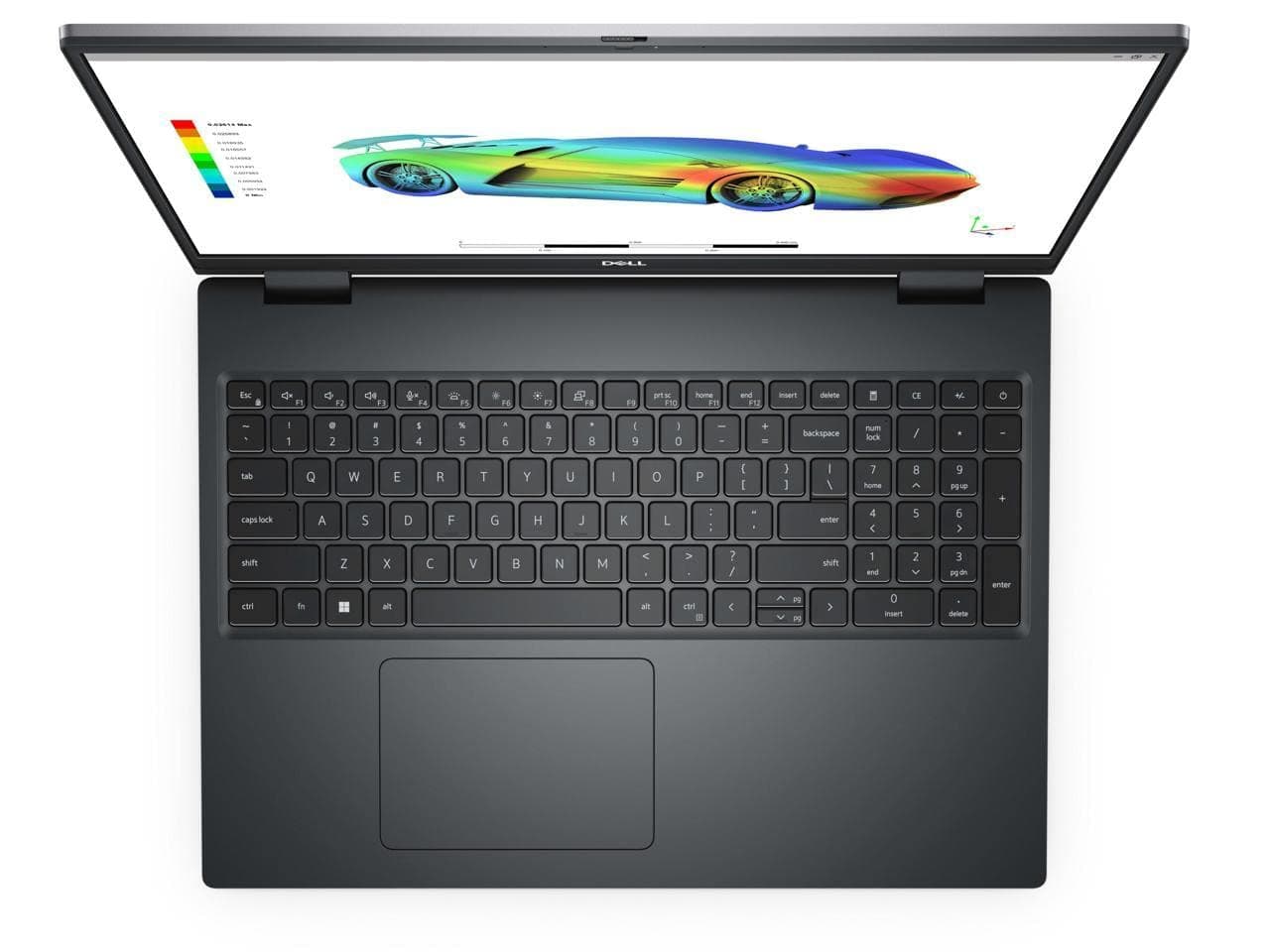
TL;DR Dell Precision 5000 Series and 7000 Series mobile workstations are designed for different types of professional users. The 5000 Series focuses on a thinner, lighter design while still offering professional-grade processors and discrete graphics, making it suitable for engineers, designers, developers, and creators who regularly work away from a desk. The 7000 Series is built around higher performance headroom, larger chassis designs, more expansion options, and greater memory flexibility, making it better suited to demanding CAD, 3D rendering, simulation, engineering, and other sustained professional workloads. Models such as the Precision 5690 use integrated LPDDR5x memory that cannot be upgraded, while the Precision 7680 and 7780 support DDR5 through CAMM or SODIMM configurations. Your workload, portability needs, and upgrade requirements should therefore determine which series makes more sense.
Understanding Dell Precision 5000 And 7000 Series
The Dell Precision 5000 Series has traditionally occupied the thinner and lighter side of Dell's mobile workstation portfolio. Models such as the Precision 5680 and Precision 5690 show how Dell approaches this category: professional workstation hardware is placed into a relatively portable chassis rather than a large desktop-replacement design. The Precision 5690, for example, weighs about 2.17 kg depending on configuration, while Dell lists processors up to the Intel Core Ultra 9 185H and up to 64 GB of LPDDR5x memory. That makes the series attractive to professionals who need workstation-class capabilities but still move between offices, meetings, client locations, classrooms, or home workspaces.
The Precision 7000 Series takes a different approach. Models such as the Precision 7680 and 7780 are designed around a larger chassis and greater hardware flexibility. Dell lists the Precision 7680 at about 2.60 kg and the Precision 7780 at about 3.02 kg, with weight varying by configuration. More importantly, both support DDR5 memory through CAMM and SODIMM options, with configurations reaching up to 128 GB through CAMM. That additional memory flexibility matters when professional applications become increasingly demanding or when a workstation needs to remain useful for several years.
The difference, therefore, is not simply that one series is faster than the other. It is about how Dell balances performance, portability, expandability, and sustained workloads. A professional who spends most of the day moving between locations may value the 5000 Series chassis more than the additional expansion capability of a 7000 Series machine. Someone working with large engineering assemblies, complex 3D scenes, simulations, or memory-intensive professional applications may benefit more from the 7000 Series design. The right choice depends on what your workload demands from the workstation rather than simply choosing the higher-numbered series.
Performance And Hardware Differences
The most important difference between the two series is how much hardware headroom the chassis is designed to accommodate. The 5000 Series can still be configured with powerful processors and professional GPUs, but its thinner design places greater emphasis on efficiency and portability. The Precision 5680, for example, was offered with processors such as the Core i9-13900H and professional NVIDIA RTX graphics, while the Precision 5690 moved to Intel Core Ultra processors. This means the 5000 Series is not a low-performance workstation category. Instead, it is a workstation family designed to deliver substantial performance in a more portable form.
The 7000 Series is more suitable when sustained workstation performance and hardware flexibility take priority. Dell's Precision 7680 and 7780 support higher-capacity DDR5 memory configurations, including up to 128 GB through CAMM. The series also supports professional configurations designed for demanding applications. This additional headroom is particularly relevant for workloads where the system needs to process large datasets, complex assemblies, high-resolution assets, or multiple professional applications simultaneously.
That does not mean every Precision 7000 configuration will automatically outperform every Precision 5000 configuration. Processor generation, GPU configuration, cooling, memory configuration, storage, and application optimization all affect real-world performance. A newer Precision 5000 configuration can outperform an older Precision 7000 configuration in some workloads. The useful distinction is that the 7000 Series generally gives you more room to configure a workstation around demanding professional requirements, while the 5000 Series places more emphasis on achieving strong performance without making the system unnecessarily large.
Hardware At A Glance
| Feature | Precision 5000 Series | Precision 7000 Series |
|---|---|---|
| Design focus | Thin and portable workstation | High-performance mobile workstation |
| Typical chassis | Slimmer and lighter | Larger and heavier |
| Memory approach | Some models use onboard LPDDR memory | CAMM and SODIMM options on models such as 7680/7780 |
| Maximum memory on cited models | Up to 64 GB on Precision 5690 | Up to 128 GB CAMM on Precision 7680/7780 |
| Upgrade flexibility | Limited on onboard-memory models | Greater memory flexibility |
| Best suited to | Mobile professional workloads | Demanding sustained workloads |
| Portability | Higher priority | Lower priority |
| Expansion | More limited on thin models | Greater emphasis on flexibility |
Portability And Everyday Use
Portability is where the Precision 5000 Series makes the most practical sense. The Precision 5690 is listed at approximately 2.17 kg, which is considerably easier to carry than the larger Precision 7780, listed at approximately 3.02 kg before considering accessories and power equipment. For professionals who commute with their workstation, that difference can become noticeable very quickly. Carrying a workstation between meetings or working from different locations is much easier when the laptop does not feel like a desktop replacement in your bag.
The thinner approach can also make the 5000 Series more appropriate for hybrid professionals who divide their time between demanding applications and ordinary productivity work. An architect may use CAD software for several hours and then move to presentations and email. A developer may run virtual machines or development environments during the day and travel to a client site afterward. A creative professional may work with large Photoshop or Premiere Pro projects while also needing a laptop that is comfortable to carry.
The 7000 Series makes more sense when portability is secondary to sustained performance and expansion. Its larger physical design provides room for workstation-oriented components and serviceable memory configurations. That can be valuable for users who primarily work from a fixed desk, connect multiple displays, use docking hardware, or run professional workloads for extended periods. If your workstation spends most of its life on a desk, carrying an extra kilogram may be less important than having the additional hardware flexibility.
Memory And Upgradeability
Memory is one of the clearest differences between specific Precision 5000 and 7000 models. The Precision 5690 uses dual-channel LPDDR5x memory integrated onto the motherboard, and Dell explicitly states that the memory is not replaceable or upgradeable. The machine can be configured with up to 64 GB, but that capacity needs to be selected when purchasing because you cannot simply open the laptop later and install more RAM.
The Precision 5680 follows a similar approach. Dell's documentation states that its LPDDR5 memory is integrated on the system board and is not replaceable or upgradeable, with configurations reaching up to 64 GB. For buyers considering a refurbished Precision 5000 Series workstation, this is especially important. A model with 16 GB of onboard memory cannot necessarily be upgraded to 32 GB later, so the original configuration should be checked before purchase.
The Precision 7000 Series offers considerably more flexibility on models such as the 7680 and 7780. Dell documents both CAMM and SODIMM memory interfaces, with the 7680 and 7780 supporting up to 128 GB using CAMM. The SODIMM route supports lower maximum capacities, while CAMM provides the higher-capacity option. This makes the 7000 Series more suitable for buyers who expect their memory requirements to increase over time.
Memory Comparison
| Memory Consideration | Precision 5000 | Precision 7000 |
|---|---|---|
| Typical memory technology | LPDDR5/LPDDR5x on selected models | DDR5 |
| Upgradeability | Model-dependent, with 5680/5690 memory integrated | CAMM/SODIMM options on 7680/7780 |
| Maximum cited capacity | Up to 64 GB on 5680/5690 | Up to 128 GB CAMM |
| Best for | Buyers who know their required capacity upfront | Users who need higher capacity or more flexibility |
Which Series Fits Different Workloads?
For office productivity, software development, business analytics, moderate content creation, and professional applications that do not constantly push the CPU and GPU, a Precision 5000 Series workstation can provide a better balance. Its smaller chassis is easier to carry, while configurations with modern processors and professional graphics can still handle demanding applications. If your work alternates between professional software and ordinary productivity tasks, the portable design can be a meaningful advantage.
For CAD, engineering, 3D modeling, simulation, rendering, and other workloads that can consume substantial CPU, GPU, or memory resources, the Precision 7000 Series deserves closer consideration. The larger platform and higher memory capacity available on models such as the 7680 and 7780 make it better suited to workloads where 32 GB or 64 GB may eventually become restrictive. Dell's support for CAMM configurations up to 128 GB provides additional headroom for professional users.
For creative professionals, the decision is more workload-dependent. A photographer or designer who values mobility may prefer the 5000 Series, particularly when display quality, weight, and everyday portability matter. A video editor, 3D artist, or professional working with very large projects may have stronger reasons to choose the 7000 Series. The important point is not to assume that every creator needs the larger workstation. Instead, look at the applications you actually use, the amount of memory they consume, and whether you regularly perform long rendering or simulation workloads.
Workload Comparison
| Workload | More Suitable Series | Main Reason |
|---|---|---|
| Office productivity | Precision 5000 | Portability and sufficient performance |
| Software development | Precision 5000 or 7000 | Depends on virtual machines and project size |
| Photo editing | Precision 5000 | Mobility can matter more |
| CAD | Precision 5000 or 7000 | Depends on model complexity |
| 3D rendering | Precision 7000 | Greater performance and memory headroom |
| Engineering simulation | Precision 7000 | Higher-capacity configurations |
| Large datasets | Precision 7000 | More memory flexibility |
| Frequent travel | Precision 5000 | Lower weight on relevant models |
Common Buying Mistakes To Avoid
One common mistake is assuming that the Precision 7000 Series is automatically the right choice because it carries a higher series number. The series distinction is really about design priorities. A larger workstation is not automatically more useful if your workload does not need its additional capacity. If you spend hours carrying the laptop between locations, the weight difference between models such as the Precision 5690 and Precision 7780 can become more important than having hardware that your applications rarely use.
Another mistake is overlooking RAM configuration when buying a Precision 5000 Series laptop. With models such as the Precision 5680 and 5690, the memory is integrated and cannot be upgraded. Buying a lower-memory configuration because it is cheaper can therefore become a long-term limitation. Buyers should check the exact service manual and configuration rather than assuming that every Precision laptop uses removable RAM.
The opposite mistake is paying for a 7000 Series workstation when the workload does not justify its size and hardware. If the laptop is primarily used for office applications, web-based tools, programming, light design work, and occasional professional applications, a portable Precision configuration may provide a more practical ownership experience. The right workstation is the one that leaves enough performance headroom without forcing you to carry hardware you do not actually need.
Frequently Asked Questions
Q. What is the main difference between Dell Precision 5000 and 7000 Series?
The 5000 Series emphasizes portability while the 7000 Series places more emphasis on performance headroom, memory flexibility, and workstation expansion. The exact specifications vary by model and generation.
Q. Is the Dell Precision 5000 Series good for professional work?
Yes. Models in the 5000 Series can use powerful professional processors and discrete graphics. They are designed for professional workloads w.
Q. Is Precision 7000 better for CAD and 3D work?
The 7000 Series can be a better fit for demanding CAD, 3D, rendering, and engineering workloads because its larger designs support higher-capacity memory and powerful workstation configurations.
Q. Can I upgrade RAM on a Precision 5000 laptop?
It depends on the model. Precision 5680 and 5690 use integrated memory that Dell states is not replaceable or upgradeable, so the required capacity should be selected when buying.
Q. Can I upgrade RAM on the Precision 7680?
The Precision 7680 supports CAMM and SODIMM memory configurations. Dell documents capacities up to 128 GB with CAMM and up to 64 GB with SODIMM.
Q. Is the Precision 5000 Series lighter than the 7000 Series?
Generally, the 5000 Series is designed around portability. For example, Dell lists the Precision 5690 at approximately 2.17 kg, while the Precision 7780 is approximately 3.02 kg, with configuration affecting weight.
Q. Is a Precision 7000 Series laptop suitable for travel?
It can be used for travel, but its larger chassis and higher weight make it less convenient than a thinner Precision model. It makes more sense when the performance and expansion benefits are important enough to justify the extra weight.
Q. Does the Precision 5000 Series have professional GPUs?
Selected Precision 5000 models have been offered with professional NVIDIA graphics. The exact GPU options depend on the model and generation, so the individual configuration should be checked before purchase.
Q. How much RAM should I choose for a Precision workstation?
For general professional work, 16 GB can be sufficient, while 32 GB provides more room for multitasking and demanding applications. Users working with large 3D projects, simulations, datasets, or other memory-heavy workloads may benefit from 64 GB or more.
Q. Which Dell Precision Series should I choose for long-term use?
Choose based on your expected workload rather than the series number alone. The 5000 Series is attractive when portability matters, while the 7000 Series is more appropriate when higher memory capacity, expansion, and sustained workstation workloads are priorities.
Final Recommendation
The Dell Precision 5000 Series and 7000 Series are best understood as two different approaches to a mobile workstation. The 5000 Series makes the most sense when you need professional performance but regularly carry your laptop. Models such as the Precision 5690 demonstrate this approach with a relatively light chassis, modern processors, and up to 64 GB of integrated LPDDR5x memory. The trade-off is that the memory cannot be upgraded later, so choosing the right configuration at purchase is important.
The 7000 Series is better aligned with users who prioritize workstation expansion and sustained professional workloads over portability. The Precision 7680 and 7780 support DDR5 through CAMM and SODIMM configurations, with up to 128 GB possible through CAMM. That additional memory flexibility can be valuable for engineering, simulation, 3D, rendering, and other applications that can grow more demanding over time.
For most mobile professionals, the 5000 Series is the more practical direction when carrying weight is a daily concern and the workload does not require maximum expansion. For engineers, designers, architects, data professionals, and creators running consistently heavy workloads, the 7000 Series provides more room to configure the workstation around those demands. Before buying a refurbished or new Precision laptop, check the exact processor, GPU, RAM type, maximum memory, storage configuration, and weight of the specific model because specifications can vary substantially between generations.






