
Dell Latitude 7420 vs 7430 vs 7440: What Changes Between Generations?
Compare the Dell Latitude 7420, 7430, and 7440 to understand their processor generations, display improvements, memory limitations, portability, and value when buying a refurbished business laptop.

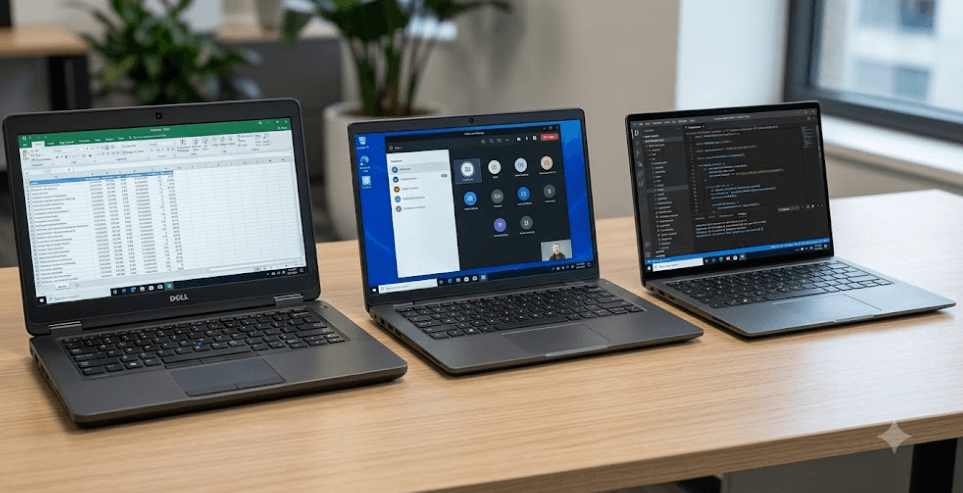
TL;DR: The Dell Latitude 7420, 7430, and 7440 are business laptops from three consecutive generations, with the biggest changes appearing in processor technology, display options, memory configurations, and overall design. The Latitude 7420 uses 11th-generation Intel Core processors, the 7430 moves to 12th-generation chips, and the 7440 introduces 13th-generation Intel Core options. All three are suitable for office work, meetings, and everyday productivity, but their exact performance depends on the processor and configuration. If you are buying a refurbished laptop in 2026, the Latitude 7440 is the more modern option, the 7430 can offer a sensible middle ground, and the 7420 remains worth considering when its price is significantly lower.
Understanding The Dell Latitude Generations
The Dell Latitude 7420, 7430, and 7440 belong to Dell's business laptop lineup, designed for professionals who need dependable everyday performance, practical connectivity, and a portable design. These laptops are suited to tasks such as managing spreadsheets, preparing presentations, attending video conferences, working with browser-based applications, and handling routine business software. Although they look similar in name, each model belongs to a different hardware generation, so the differences become more important when you compare performance, memory, and long-term usability.
The Latitude 7420 arrived with 11th-generation Intel Core processors, while the Latitude 7430 moved to 12th-generation Intel Core processors. The Latitude 7440 followed with 13th-generation Intel Core options. This progression matters because newer processor architectures can improve multitasking and efficiency, although the actual result depends on the specific chip, cooling system, and workload. A higher model number does not automatically guarantee a dramatic performance improvement in every task.
For refurbished laptop buyers, the choice is also about value rather than specifications alone. A well-maintained Latitude 7420 with sufficient RAM and a healthy battery can still handle everyday office work, while a Latitude 7440 may offer a longer practical runway thanks to its newer platform. Before deciding, compare the exact processor, RAM, SSD, display, battery condition, and warranty instead of relying on the model number alone.
Key Differences At A Glance
| Feature | Latitude 7420 | Latitude 7430 | Latitude 7440 |
|---|---|---|---|
| Processor generation | 11th Gen Intel Core | 12th Gen Intel Core | 13th Gen Intel Core |
| Display | 14-inch FHD or UHD options | 14-inch FHD or UHD options | 14-inch FHD+ or QHD+ options |
| Memory | Soldered, configuration-dependent | Integrated memory, configuration-dependent | Onboard LPDDR5, up to 32GB |
| Storage | M.2 SSD | M.2 SSD | M.2 SSD |
| Connectivity | Thunderbolt 4, USB-A, HDMI | Thunderbolt 4, USB-A, HDMI | Thunderbolt 4, USB-A, HDMI |
| Design options | Laptop and 2-in-1 | Laptop and 2-in-1 | Laptop, 2-in-1, and ultralight variants |
Specifications vary by configuration and region. Dell's official documentation should be checked against the exact model number and service tag before purchase.
Processor Performance And Everyday Use
The processor is one of the clearest differences between these three generations. The Latitude 7420 uses 11th-generation Intel Core processors, including options such as the Core i5-1135G7 and Core i7-1185G7. The Latitude 7430 moves to 12th-generation processors, with U-series and P-series options depending on the configuration. The Latitude 7440 offers 13th-generation Core i5 and Core i7 processors, including U-series and P-series variants. These processor families differ in core configuration and power requirements, so two laptops from the same generation may perform differently.
For everyday work, all three can handle documents, spreadsheets, email, video calls, and several browser tabs. The newer Latitude 7430 and 7440 can be more appealing when you regularly switch between multiple applications or work with larger files. However, it would be misleading to claim that every Latitude 7440 is faster than every Latitude 7420 in every situation. A higher-powered processor can perform well under sustained workloads, but cooling, power settings, and the specific processor model influence the result.
The best way to judge performance is to match the hardware to your workload. If you mainly use Microsoft Office, accounting software, web applications, and video conferencing, a Latitude 7420 may be sufficient at the right price. For heavier multitasking, development tools, or longer-term business use, the 7430 and 7440 deserve closer attention. For demanding creative work, 3D applications, or serious gaming, remember that these are primarily business laptops with integrated graphics on the configurations discussed here, not dedicated gaming machines.
Which Processor Should You Choose?
Choose based on the exact CPU rather than the generation label alone. An entry-level configuration from a newer generation is not automatically the best purchase if an older model has a stronger processor, more memory, and a much lower price. Check the complete processor name in the listing and compare independent benchmarks for the specific chips when performance is important.
Display Quality And Design Changes
The Latitude 7420 and 7430 offer 14-inch display configurations, including Full HD options and higher-resolution UHD options on selected models. The Latitude 7440 changes the standard display format to a 16:10 aspect ratio on its 14-inch panel, with FHD+ resolution of 1920 × 1200 and a QHD+ option of 2560 × 1600. The taller screen provides additional vertical workspace, which can be useful when reviewing long documents, working with spreadsheets, or keeping more lines of code visible.
However, screen quality is not determined by resolution alone. Dell offered different brightness levels, touch options, privacy-screen configurations, and color-gamut specifications across these generations. A Latitude 7420 or 7430 with a brighter, better-quality panel may be more comfortable to use than a basic Latitude 7440 display. If you work outdoors, near windows, or with color-sensitive content, check the exact panel specification rather than assuming the newest model has the best screen.
Design also varies within each generation. The Latitude 7420 and 7430 were available as conventional laptops and 2-in-1 convertibles, while the Latitude 7440 lineup included standard laptop, 2-in-1, and ultralight versions. The convertible models offer touchscreen flexibility, whereas the conventional laptop models are generally the more straightforward choice for desk-based work. The ultralight Latitude 7440 prioritizes portability, but its weight and construction should not be confused with those of every standard Latitude 7440 configuration.
Display Specifications Compared
| Display Feature | Latitude 7420 | Latitude 7430 | Latitude 7440 |
|---|---|---|---|
| Screen size | 14 inches | 14 inches | 14 inches |
| Common resolution | 1920 × 1080 | 1920 × 1080 | 1920 × 1200 |
| Higher-resolution option | 3840 × 2160 on selected models | 3840 × 2160 on selected models | 2560 × 1600 on selected models |
| Aspect ratio | 16:9 | 16:9 | 16:10 |
| Touchscreen | Configuration-dependent | Configuration-dependent | Configuration-dependent |
Memory, Storage, And Upgradeability
Memory deserves particular attention when buying any of these laptops refurbished. The Latitude 7420 uses onboard memory, while the Latitude 7430 has integrated memory configurations that vary with the processor family. Dell documents DDR4 memory at 3200 MT/s for supported U-series configurations and LPDDR5 at 4800 MT/s for supported P-series configurations, with a maximum of 32GB. The Latitude 7440 uses onboard LPDDR5 memory, with configurations ranging from 8GB to 32GB depending on the model. These differences make it important to verify the installed memory before paying for a laptop.
Because the memory is soldered or integrated on these models, a conventional user-performed RAM upgrade is generally not available. If you purchase a 8GB configuration, you should not assume you can add another memory module later. For a laptop intended to last several years, 16GB is a sensible starting point for general productivity, while 32GB is worth considering for heavier multitasking, software development, and demanding professional applications. The right capacity depends on your workload and budget.
Storage is more flexible. These models use M.2 solid-state storage, and the SSD can generally be replaced with a compatible drive, subject to the model's supported form factor and service requirements. A larger SSD can provide more room for files, applications, and offline work, but it does not compensate for insufficient RAM. Before buying a refurbished unit, check both the installed SSD capacity and whether the seller confirms that the drive is healthy.
Recommended Configuration For Different Users
| Usage | Recommended RAM | Suggested SSD |
|---|---|---|
| Browsing and basic office work | 8GB minimum; 16GB preferred | 256GB |
| Business and student productivity | 16GB | 512GB |
| Heavy multitasking and development | 32GB where available | 512GB or 1TB |
| Large professional files | 32GB where available | 1TB, depending on workload |
Ports, Connectivity, And Battery Life
All three generations offer useful business connectivity, including Thunderbolt 4 USB-C ports, USB-A connectivity, HDMI, and a combined audio jack on supported configurations. This makes them practical for users who connect external monitors, wired peripherals, docking stations, or presentation equipment. The Latitude 7420 also has a microSD card slot, while the Latitude 7440's documented port configuration does not include a media-card reader. Optional SIM, smart-card, and wireless features depend on the configuration, so check the specific unit if these are important for your work.
Battery life is more difficult to compare using specifications alone. A laptop's battery capacity, screen resolution, processor, brightness, age, and workload all influence how long it runs away from a charger. This is particularly important when buying a refurbished Latitude because battery wear can make a noticeable difference, even when the original model offered good battery life. A newer generation does not guarantee better endurance if its battery is worn or its display consumes more power.
For buyers in 2026, ask the seller for the battery health report or available battery-capacity information, and confirm whether the charger is included. Check that both USB-C charging ports work where applicable, inspect the charging connector, and test the external display output if you rely on a monitor. These checks are often more useful than choosing a laptop based only on its original advertised battery life.
Pricing And Refurbished Buying Value
The value of the Latitude 7420, 7430, and 7440 depends heavily on their current condition, specifications, warranty, and seller. Since refurbished prices change frequently in India, there is no reliable universal price ranking that applies to every listing. An older Latitude 7420 may be attractive when it costs substantially less, but a small price difference can make the newer 7430 or 7440 the more sensible purchase.
Compare laptops with similar RAM, SSD capacity, display quality, and condition. For example, a Latitude 7440 with 8GB RAM may be less suitable for your needs than a Latitude 7430 with 16GB, especially because the memory cannot ordinarily be upgraded. Likewise, a lower-priced Latitude 7420 with a worn battery or damaged display may not offer better value once repair or replacement costs are considered.
Warranty and after-sales support should be part of the final calculation. Ask whether the laptop is refurbished, used, or renewed; whether the battery has been tested; and whether the seller provides a return window. Verify the service tag and confirm that the delivered configuration matches the listing. A dependable seller and a well-tested unit can be more valuable than paying extra for a newer generation with no clear improvement in the specifications you actually need.
Common Buying Mistakes To Avoid
One common mistake is assuming that the Latitude 7440 is automatically the best choice because it has the highest model number. It is the newest of these three generations, but a particular unit may have less memory, a lower-quality display, or a weaker processor configuration than an alternative. The same applies to the Latitude 7430: its newer processor generation is useful, but it does not eliminate the need to check the rest of the hardware.
Another mistake is buying too little RAM because the laptop is intended for basic work today. Since memory is integrated on these models, selecting the right capacity upfront is important. A laptop with 16GB RAM and a suitable SSD is generally a more comfortable long-term choice for modern productivity than a comparable 8GB model, particularly when you keep many browser tabs and applications open at the same time.
Finally, do not overlook physical condition. Check the hinge, keyboard, touchpad, screen for bright spots or pressure marks, ports, webcam, speakers, and Wi-Fi connectivity. Confirm that the BIOS is accessible and that the laptop is not locked to a previous organization through device-management controls. A careful inspection can prevent an inexpensive-looking purchase from turning into an expensive repair.
Frequently Asked Questions
Q. What is the main difference between the Dell Latitude 7420, 7430, and 7440?
The main difference is the processor generation: the 7420 uses 11th-generation Intel Core processors, the 7430 uses 12th-generation options, and the 7440 uses 13th-generation options. Display formats and memory configurations also change across the models.
Q. Is the Dell Latitude 7440 better than the 7430?
The Latitude 7440 offers a newer processor platform and a 16:10 display format, but the better choice depends on the exact processor, RAM, display, condition, and price. A well-configured 7430 can still offer excellent value.
Q. Is the Dell Latitude 7420 still worth buying in 2026?
Yes, if it is in good condition, has enough RAM, and costs meaningfully less than comparable newer models. It remains suitable for office work, browsing, meetings, and everyday productivity.
Q. Can you upgrade the RAM on the Latitude 7420, 7430, or 7440?
These models use onboard or integrated memory, so a standard RAM-module upgrade is generally not possible. Check the exact model documentation before buying, and choose sufficient memory upfront.
Q. Which Latitude model is best for students?
All three can suit students who mainly use documents, presentations, online classes, and web applications. A 16GB configuration is preferable for comfortable multitasking and longer useful life.
Q. Which model is best for business professionals?
The Latitude 7430 and 7440 are worth prioritizing for users who want a newer processor platform. However, a Latitude 7420 with 16GB RAM, a healthy battery, and a good display can still be a practical business laptop.
Q. Does the Latitude 7440 have a better display?
It offers a taller 16:10 display format, with FHD+ and selected QHD+ options. Actual brightness, color coverage, and touch support vary by configuration, so compare the specific panels.
Q. Can you upgrade the SSD on these Latitude laptops?
Their M.2 SSDs are generally replaceable with compatible drives. Check the supported form factor, service instructions, and existing drive configuration before ordering a replacement.
Q. Which Dell Latitude has the best battery life?
There is no universal winner because battery condition, panel choice, processor, and workload affect runtime. For refurbished laptops, battery health is especially important and should be checked before purchase.
Q. What should you check before buying a refurbished Latitude laptop?
Verify the processor, installed RAM, SSD health, display condition, battery health, ports, charger, service tag, warranty, and return policy. Also confirm that the laptop is not restricted by a previous organization's device-management settings.
Final Recommendation
The Dell Latitude 7440 is the strongest starting point if you want the newest processor generation among these three models and prefer a taller 16:10 display. It is a sensible option for professionals who plan to keep their laptop for several years, provided the configuration includes sufficient RAM and the price is reasonable. However, its newer generation alone does not make every unit the best purchase.
The Dell Latitude 7430 is the middle-ground option. It offers 12th-generation Intel Core processors and a choice of memory configurations, making it worth considering when its price sits comfortably below a similarly equipped Latitude 7440. The Latitude 7420 remains a reasonable budget choice for everyday productivity, particularly when you find a well-maintained unit with 16GB RAM, a healthy battery, and a good display.
Before buying, compare the exact processor, memory, SSD, screen, battery health, and warranty rather than relying on the generation number. For most refurbished buyers, the best Latitude is the one that provides sufficient memory, reliable condition, and the right features at a fair price. That approach will deliver better long-term value than choosing the newest model without checking its configuration.
Ready to upgrade your tech?
Browse our collection of quality refurbished products at unbeatable prices.






