
Dell Latitude 5420 vs 5430 vs 5440: Which Mid-Range Latitude Should You Pick?
Choosing between the Dell Latitude 5420, 5430, and 5440? Compare processor generations, memory upgrades, display options, battery considerations, and refurbished value to find the right business laptop for your budget.

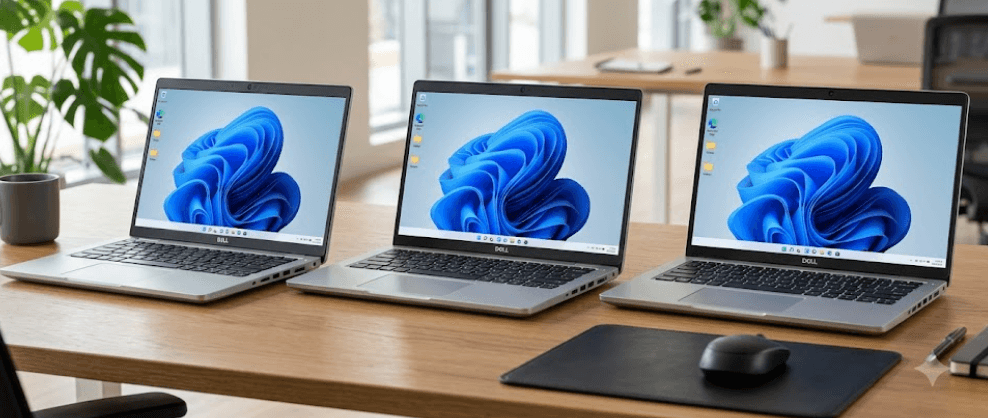
TL;DR: The Dell Latitude 5440 is the best choice if you want a newer business laptop with 13th Gen Intel processor options, while the Latitude 5430 offers a sensible balance between performance and cost. The Latitude 5420 remains worth considering if you find a well-maintained unit at a lower price and mainly need a laptop for office work, browsing, online meetings, and everyday multitasking. All three belong to Dell’s Latitude 5000 business series, but their actual performance depends on the processor, RAM configuration, SSD, display, and battery condition. If you are buying refurbished, compare the exact specifications and overall condition rather than choosing by model number alone.
Understanding the Dell Latitude 5420, 5430, and 5440
Dell’s Latitude 5000 series is designed primarily for business users who need reliable everyday performance, practical connectivity, and a professional laptop for office and remote work. The Latitude 5420, 5430, and 5440 follow the same general approach, with 14-inch designs, business-focused features, and configurations intended for different budgets. They are particularly relevant to buyers looking for refurbished business laptops because these models can provide useful productivity hardware without requiring the budget of a newer premium laptop.
The main difference between these three models is their processor generation and the platform options available with each. The Latitude 5420 primarily uses 11th Gen Intel Core processors, the Latitude 5430 moves to 12th Gen Intel Core options, and the Latitude 5440 offers 13th Gen Intel Core processors, alongside certain 12th Gen configurations. This distinction matters when comparing multitasking, application responsiveness, and expected performance in demanding office workloads. However, a higher model number does not automatically make every configuration faster than every older one.
For buyers in India, these laptops make sense for practical tasks such as Microsoft Office, browser-based applications, video calls, accounting software, and business travel. Their value also depends on the condition of the individual unit, particularly when shopping in the used or refurbished market. A Latitude 5420 with 16GB RAM and a healthy SSD can be a better purchase than a poorly configured Latitude 5440 with limited memory, a worn battery, or a low-quality display. The smartest approach is to compare the complete configuration against your workload and budget.
What Sets These Models Apart?
The Latitude 5420 is the oldest of the three, but it still offers a useful foundation for everyday productivity. The Latitude 5430 brings a newer processor platform, while the Latitude 5440 adds newer processor options and can support different memory technologies depending on the processor configuration. All three support memory upgrades through SO-DIMM slots, although the supported memory type and speed vary by model.
| Feature | Dell Latitude 5420 | Dell Latitude 5430 | Dell Latitude 5440 |
|---|---|---|---|
| Processor generation | Primarily 11th Gen Intel Core | 12th Gen Intel Core | Primarily 13th Gen, with some 12th Gen options |
| Memory | DDR4, up to 64GB | DDR4, up to 64GB | DDR4 or DDR5, up to 64GB, depending on configuration |
| Memory slots | 2 SO-DIMM slots | 2 SO-DIMM slots | 2 SO-DIMM slots |
| Display | 14-inch options | 14-inch options | 14-inch options |
| Best reason to consider it | Lower purchase cost | Balance of cost and newer hardware | Newer platform and longer-term usability |
Specifications are based on Dell documentation. Actual configurations may differ by region, processor, and individual unit.
Performance and Processor Comparison
The processor is one of the most important differences in the Dell Latitude 5420 vs 5430 vs 5440 comparison. The Latitude 5420 uses 11th Gen Intel Core processors, including options such as the Core i5-1135G7 and Core i5-1145G7. These processors remain capable of handling everyday productivity, spreadsheets, web browsing, and video conferencing. For buyers whose workloads mainly involve documents, email, and business applications, the Latitude 5420 can still provide a comfortable experience when paired with sufficient RAM and a healthy SSD.
The Latitude 5430 introduces 12th Gen Intel Core processors, including options such as the Core i5-1235U and Core i5-1245U. These processors use a hybrid architecture with performance cores and efficiency cores, allowing the system to distribute different workloads more effectively. This can benefit users who regularly keep multiple browser tabs open while working in Excel, joining meetings, and switching between business applications. The improvement you experience will still depend on the particular processor, cooling condition, and software you run.
The Latitude 5440 offers 13th Gen Intel Core options such as the Core i5-1335U and Core i7-1355U, although some configurations use 12th Gen processors. It is generally the strongest starting point if you want a newer processor platform for office multitasking and a longer period of practical use. However, you should not assume that every Core i7 configuration automatically outperforms every Core i5 configuration across all tasks. Processor generation, power limits, cooling, and the specific chip all matter.
Which Processor Is Best for Everyday Work?
For basic office work, all three models can be suitable. The Latitude 5420 is enough for users who mainly work with documents, email, spreadsheets, and video calls. The Latitude 5430 makes more sense if you frequently multitask and want a newer processor platform without necessarily paying more for the newest model available.
The Latitude 5440 is the better option for buyers who regularly use several demanding applications together or want a newer platform for the coming years. It is still a business laptop with integrated graphics in most configurations, so it should not be purchased as a dedicated gaming or high-performance graphics machine. For professional workloads involving advanced video editing, 3D rendering, or demanding GPU acceleration, a workstation-class laptop may be more appropriate.
RAM, Storage, and Upgradeability
Memory is a useful advantage across this Latitude generation because all three models offer two SO-DIMM memory slots. Dell specifies DDR4 memory up to 64GB for the Latitude 5420 and 5430, making both models practical for buyers who want to upgrade an older configuration. The Latitude 5420 and 5430 use DDR4 memory rated at 3200 MT/s. This upgradeability is especially helpful when buying a refurbished laptop that originally shipped with 8GB RAM.
The Latitude 5440 is more complicated because its supported memory type depends on the processor configuration. Dell lists DDR4 memory at 3200 MT/s for U-series processor configurations and DDR5 memory at 4800 MT/s for certain P-series configurations. Both memory types are installed in SO-DIMM slots, and the maximum supported capacity is configuration-dependent, with Dell documentation listing up to 64GB. DDR4 and DDR5 modules are not interchangeable, so check the exact laptop configuration before ordering memory.
Storage is another important factor when comparing these laptops. All three models use an M.2 SSD, with the supported drive type and capacity depending on the system configuration. An SSD helps Windows start quickly, reduces application loading times, and makes everyday multitasking feel more responsive than it would on a traditional hard drive. Before buying, confirm the installed SSD capacity, check its health where possible, and determine whether you need more space for business files, applications, or offline media.
Recommended Memory and Storage
For everyday office work, 16GB RAM and a 512GB SSD are a sensible starting point if the budget permits. An 8GB configuration may still work for light browsing and document editing, but it offers less flexibility when several applications are open. Users working with large spreadsheets, development tools, or multiple demanding applications should consider 32GB RAM where supported.
| Workload | Suggested RAM | Suggested SSD |
|---|---|---|
| Basic browsing and documents | 8GB to 16GB | 256GB |
| Office work and multitasking | 16GB | 512GB |
| Programming and larger spreadsheets | 16GB to 32GB | 512GB to 1TB |
| Heavier professional workloads | 32GB, subject to workload | 1TB or more if required |
These are practical buying recommendations, not mandatory system requirements. Choose based on the applications you use and the configuration the laptop supports.
Display, Design, and Everyday Usability
The Latitude 5420, 5430, and 5440 are all 14-inch business laptops, but their display options can vary significantly. Dell offered different panels across these models, including Full HD options and lower-resolution panels on certain configurations. Some versions also have touchscreens, higher-brightness displays, or low-power panels. Consequently, the model number alone does not tell you whether the screen will be comfortable for long working sessions.
For office use, a Full HD display is generally the more practical choice because it provides a sharper image for spreadsheets, documents, and browser windows than a 1366 x 768 panel. Brightness also matters if you work near windows or move between offices. A panel with better brightness and color coverage can be more comfortable and useful for visual work, although these Latitude models are not primarily designed as professional color-grading laptops.
Their business-focused design also makes them suitable for everyday mobility. You get a traditional laptop layout, a built-in keyboard and touchpad, and connectivity intended for office equipment and external displays. However, the exact port selection and optional features should be verified for the particular unit. For refurbished buyers, check the hinge, keyboard, touchpad, display for bright spots or pressure marks, and the condition of the charging port before making a decision.
What Should You Check on the Screen?
A Full HD panel is the safer choice for most buyers, particularly if the laptop will be used for several hours every day. If you often work outdoors or in brightly lit rooms, check the panel's rated brightness rather than assuming all Latitude displays are equally bright. If your work involves photo editing or other color-sensitive tasks, confirm the panel's color coverage instead of relying on the business-laptop label.
Battery Life, Ports, and Connectivity
Battery life is difficult to compare using model names alone because Dell offered different battery capacities and display configurations, and many used laptops now have years of battery wear. A Latitude 5440 with a healthy battery may last longer than an older Latitude 5420, but battery condition and workload can make a bigger difference than the generation number. Before purchasing a refurbished unit, ask for a battery health report or a recent battery diagnostic and confirm whether the original or a replacement battery is installed.
Connectivity is a strong practical feature of this series. Dell's Latitude 5420 documentation lists two Thunderbolt 4 ports, USB-A ports, HDMI 2.0, Ethernet, and a microSD card slot. This combination is useful for connecting external monitors, storage devices, wired networks, and office accessories. The Latitude 5430 and 5440 also offer business-oriented connectivity, but exact port availability can vary, so verify the official specification for the specific model and configuration.
For professionals who use docking stations, wired networks, external monitors, or USB peripherals, ports can make a real difference in daily convenience. Wireless features, including Wi-Fi and Bluetooth versions, can also vary with the installed hardware. If you buy used, test every USB port, the HDMI connection, audio jack, Wi-Fi, webcam, speakers, and charging function. A laptop that is slightly cheaper but has a faulty port or a weak battery may cost more to put right than a better-maintained alternative.
Price and Value: Which Latitude Is Worth Buying?
There is no single price that applies to every Latitude 5420, 5430, or 5440 in India. Prices change according to processor, RAM, SSD capacity, screen type, warranty, cosmetic condition, and whether the laptop is new, refurbished, or sold secondhand. For that reason, compare actual listings with matching specifications rather than relying on a generic model price. A higher price is only justified if the configuration and condition offer meaningful advantages.
The Latitude 5420 is most appealing when it costs noticeably less than the newer models and comes with adequate RAM, a good SSD, and a healthy battery. The Latitude 5430 is a sensible middle ground for buyers who want a 12th Gen processor without moving to the newest option in this comparison. The Latitude 5440 is worth paying more for when its newer processor configuration, memory support, warranty, or overall condition provides a tangible benefit.
For refurbished laptops, warranty coverage and seller reliability should be part of the value calculation. Check whether the device has been professionally tested, whether the charger is included, whether the battery is covered, and whether the seller provides a return window. Also verify the service tag and system configuration when possible. These checks are more useful than choosing a laptop solely because it has the newest model number.
| Buying priority | Model to consider | Why |
|---|---|---|
| Lowest purchase cost | Latitude 5420 | Can offer strong everyday value at the right price |
| Balanced price and performance | Latitude 5430 | Newer processor platform than the 5420 |
| Newer hardware options | Latitude 5440 | Offers 13th Gen processor configurations |
| Easy future RAM upgrades | All three | Two SO-DIMM slots, with model-specific memory support |
Common Buying Mistakes to Avoid
One common mistake is assuming that the Latitude 5440 is automatically the best deal simply because it has the highest model number. A poorly maintained Latitude 5440 with 8GB RAM and a degraded battery may be less appealing than a Latitude 5430 with 16GB RAM, a larger SSD, and a warranty. Always compare the complete specifications and condition, especially when shopping in the refurbished market.
Another mistake is overlooking the display configuration. Two laptops with the same model number can have noticeably different screens, and a low-resolution or dim panel can make long work sessions less comfortable. Buyers should also avoid assuming that every Latitude 5440 uses DDR5 memory, since Dell supports different memory types depending on the processor configuration. Confirm the exact specifications before purchasing upgrades or accessories.
Finally, do not ignore the cost of ownership. A replacement battery, charger, SSD, or repair can change the total amount you spend. Ask for a battery health report, test the keyboard and ports, inspect the screen, and confirm the warranty or return policy. A few careful checks before purchase can help you choose a laptop that remains practical well after the initial savings.
Frequently Asked Questions
Q. Which is better, the Dell Latitude 5420, 5430, or 5440?
The Latitude 5440 is generally the strongest starting point if you want a newer processor platform, while the Latitude 5430 offers a useful balance of performance and cost. The Latitude 5420 remains suitable for everyday office work when its configuration and condition are good.
Q. Is the Dell Latitude 5420 still worth buying?
Yes, if you find it at a competitive price with sufficient RAM, a healthy SSD, and a battery in good condition. Its 11th Gen Intel Core processors can handle documents, browsing, video calls, and routine office applications.
Q. Does the Latitude 5430 have a better processor than the 5420?
The Latitude 5430 uses 12th Gen Intel Core processor options, while the Latitude 5420 primarily uses 11th Gen Intel Core processors. The 5430 generally has a newer platform, although the exact performance difference depends on the specific processors being compared.
Q. Does the Dell Latitude 5440 use DDR5 RAM?
Some configurations support DDR5, but not all do. Dell lists DDR4 for certain U-series processor configurations and DDR5 for certain P-series configurations, so check the exact system specification before buying memory.
Q. Can you upgrade the RAM on these three Latitude laptops?
Yes. The Latitude 5420, 5430, and 5440 have two SO-DIMM memory slots. However, the supported memory type and maximum capacity depend on the model and configuration.
Q. Which Latitude is best for students and office work?
All three can work well for students and office users. A Latitude 5430 or 5440 is worth considering for a newer processor platform, while a well-maintained Latitude 5420 can offer better value when the price difference is substantial.
Q. Are these laptops suitable for gaming?
They are primarily business laptops and generally rely on integrated graphics. They can handle light games, but they are not ideal for demanding modern games or GPU-intensive creative work.
Q. What RAM configuration should I buy?
For general productivity, 16GB is a practical target. Users who work with large spreadsheets, development environments, or demanding applications may benefit from 32GB, provided the configuration supports it.
Q. Is the Latitude 5440 worth paying more for?
It can be, particularly if you want a 13th Gen processor configuration, a newer platform, and a laptop in better overall condition. Compare the actual processor, memory, screen, battery, and warranty before paying a premium.
Q. What should I check before buying a refurbished Latitude?
Check the battery health, screen condition, keyboard, touchpad, ports, webcam, speakers, SSD health, charger, and warranty. Confirm the exact processor and memory configuration as well, since specifications can differ between units of the same model.
Final Recommendation
The Dell Latitude 5440 is the best overall choice for buyers who want a newer business laptop and can find a configuration with a suitable processor, sufficient RAM, and a healthy battery. Its 13th Gen Intel Core options make it an attractive choice for office multitasking and everyday professional work, although some configurations use 12th Gen processors. Verify the exact configuration before deciding whether its price premium is justified.
The Dell Latitude 5430 is the practical middle option. It offers 12th Gen Intel Core processors and upgradeable DDR4 memory, making it a sensible choice for users who want a newer platform without automatically paying more for the 5440. The Latitude 5420 remains a good budget option if the laptop is well maintained and priced appropriately. For most buyers, the best purchase is the unit with the right processor, 16GB RAM where possible, a reliable SSD, a good Full HD display, and a battery that can still meet daily needs. Compare those factors first, then use the model number to make the final decision.
Ready to upgrade your tech?
Browse our collection of quality refurbished products at unbeatable prices.






