

Can You Run Linux on a Dell Precision Workstation? What to Know First
Dell Precision workstations can run Linux, with several models officially supporting Ubuntu and Red Hat Enterprise Linux. Here is what to check before installing Linux.

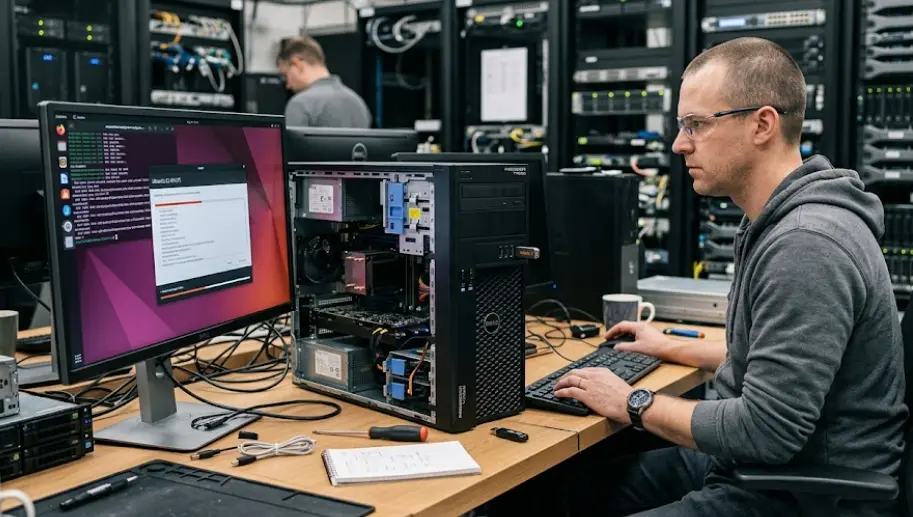
TL;DR Yes, you can run Linux on a Dell Precision workstation, and Dell officially supports Linux on several Precision models through distributions such as Ubuntu and Red Hat Enterprise Linux. The important point is that Linux compatibility depends on the exact Precision model, hardware configuration, and Linux release rather than the Precision name alone. Dell lists Ubuntu 22.04 LTS and Red Hat Enterprise Linux 9.2 for systems such as the Precision 7680, while newer Precision towers such as the 7960 support Ubuntu 22.04 LTS, Ubuntu 24.04 LTS, and selected RHEL releases. Canonical also maintains a certification database containing Dell Precision configurations tested for Ubuntu. That makes a Dell Precision a practical Linux workstation, but checking the exact model and components before installation remains essential.
Why Linux Works Well On Dell Precision Workstations
Dell Precision workstations are designed for professional workloads, and that makes them a natural fit for Linux users who need more than a basic desktop environment. Precision systems are sold with powerful processors, professional graphics options, large memory configurations, and workstation-oriented components. Those capabilities are useful for software development, engineering applications, scientific computing, virtualization, data work, and other workloads commonly associated with Linux.
Dell also provides explicit operating system information for individual Precision systems instead of treating every workstation as identical. For example, Dell lists Ubuntu 22.04 LTS and Red Hat Enterprise Linux 9.2 as supported operating systems for the Precision 7680. The Precision 7960 Tower has a broader documented list that includes Ubuntu 22.04 LTS, Ubuntu 24.04 LTS, and selected Red Hat Enterprise Linux releases. This is important because it shows that Linux support is part of the workstation platform rather than simply an unofficial installation possibility.
The other important factor is Ubuntu certification. Canonical maintains an Ubuntu Certified hardware database, where certified systems are tested across areas such as wireless, Bluetooth, USB, firmware, power management, memory, CPU, and other hardware functions. The database includes multiple Dell Precision configurations, including Precision 5680, 5690, 7680, and 7780 variants. For a buyer who wants fewer compatibility surprises, checking certification for the exact configuration is a useful step before installing Linux.
Dell Precision Linux Support
Linux support is therefore not simply a question of whether Linux can boot on a Precision. The more useful question is whether Dell officially supports the operating system version you intend to use on your exact machine. A workstation may run another Linux distribution successfully even when that particular combination is not listed by Dell, but official support gives you a clearer reference point for drivers, firmware, and troubleshooting.
| Precision Model | Linux Support Listed By Dell | Example Linux Versions |
|---|---|---|
| Precision 7680 | Yes | Ubuntu 22.04 LTS, RHEL 9.2 |
| Precision 7780 | Yes | Ubuntu 22.04 LTS, RHEL 9.2 |
| Precision 7960 Tower | Yes | Ubuntu 22.04 LTS, Ubuntu 24.04 LTS, RHEL 8.6/9.3 |
| Precision 7875 Tower | Yes | Ubuntu 22.04 LTS, Ubuntu 24.04 LTS, RHEL 9.3/9.6 |
The exact support list can vary by model and configuration, so the table should be treated as a starting point rather than a universal compatibility chart. Dell explicitly notes that operating systems not listed for a system may not be supported for several reasons. Checking the product-specific Dell support page before installation is therefore more reliable than assuming that another Precision model has the same support.
Check Hardware Compatibility Before Installing Linux
The hardware configuration is one of the most important things to check before installing Linux on a Dell Precision workstation. Two Precision workstations with similar model names can have different processors, graphics cards, wireless hardware, displays, storage configurations, and other components. Linux may support the overall platform while still requiring additional attention for a particular component.
Graphics deserve particular attention on workstation-class machines. Precision systems can be configured with professional NVIDIA or AMD graphics hardware, and Canonical's certification database shows that different Precision configurations can have different certified GPU combinations. This matters if your Linux workload depends heavily on GPU acceleration, such as 3D rendering, machine learning, CAD-related workflows, or compute workloads. Checking the exact GPU configuration is therefore more useful than checking only the Precision series name.
Wireless networking, Bluetooth, audio, external displays, docking hardware, and power management should also be considered. Canonical's certification process specifically includes tests for areas such as wireless, Bluetooth, USB, firmware, power management, and media-related hardware. That does not mean every Linux distribution will behave identically, but it demonstrates why hardware certification can be useful when choosing a workstation for Linux.
GPU And Driver Considerations
NVIDIA-equipped Precision workstations deserve extra planning because the graphics driver is often more important for professional Linux workloads than the basic desktop installation. A Linux system can boot and display the desktop while still requiring the appropriate graphics driver for full GPU acceleration. Users working with CUDA, professional 3D applications, rendering, or GPU compute should therefore verify support for their exact NVIDIA hardware and chosen Linux release before committing to the installation.
The same principle applies to AMD and Intel graphics. A workstation should not be judged only by whether the operating system starts successfully. Hardware acceleration, external monitor support, suspend and resume behavior, and application compatibility can matter much more during everyday use. For professional workloads, a few minutes spent checking the exact configuration can prevent much longer troubleshooting later.
| Hardware Area | What To Check Before Linux Installation |
|---|---|
| CPU | Processor support for the chosen Linux release |
| GPU | Exact NVIDIA, AMD, or Intel model and driver availability |
| Wi-Fi | Linux driver and kernel support |
| Storage | NVMe detection and firmware compatibility |
| Display | Resolution, external monitors, and graphics acceleration |
| Docking | USB, Thunderbolt, DisplayPort, and Ethernet behavior |
| Firmware | BIOS and firmware updates available for the Precision model |
The safest approach is to identify the complete service-tag configuration and then compare it with Dell's supported operating system information and Canonical's Ubuntu certification database. This is especially important for refurbished Dell Precision workstations, where the installed components may differ from the original factory configuration.
Ubuntu And RHEL Are Strong Choices
Ubuntu is one of the clearest Linux options for a Dell Precision workstation because Dell documents Ubuntu support for multiple Precision systems and Canonical maintains its own hardware certification programme. Dell's current documentation for the Precision 7960 Tower, for example, lists both Ubuntu 22.04 LTS and Ubuntu 24.04 LTS. Canonical's certification database also contains numerous Dell Precision configurations. This combination gives buyers two useful sources to check before installation.
Red Hat Enterprise Linux is another important option, particularly for professional and enterprise environments. Dell lists RHEL versions for several Precision systems, including RHEL 9.2 on the Precision 7680 and RHEL 9.3 on the Precision 7960 Tower. Red Hat also explains that its hardware certification programme covers specific hardware and RHEL version combinations. That means RHEL compatibility should likewise be checked at the model and release level rather than assumed for every Precision workstation.
Other distributions can also work on Precision hardware, but official Dell support and certification may not cover every distribution or release. Fedora, Debian, Arch Linux, Linux Mint, and other distributions have their own hardware and driver considerations. If you prefer one of these options, the important distinction is between "Linux can run on it" and "Dell officially supports this exact operating system configuration." The latter is especially relevant for businesses that depend on vendor support.
Choosing A Linux Distribution
| Linux Distribution | When It Makes Sense | What To Verify |
|---|---|---|
| Ubuntu LTS | General workstation use and development | Exact Precision certification |
| RHEL | Enterprise and professional environments | Certified hardware and RHEL release |
| Fedora | Users wanting newer Linux technologies | Hardware and driver support |
| Debian | Stable, customizable Linux setup | Component and firmware support |
| Linux Mint | Familiar desktop-focused experience | Ubuntu base compatibility |
For most users who want a straightforward installation, an Ubuntu LTS release that Dell lists for the specific Precision model provides a sensible starting point. Enterprise users may instead have reasons to choose RHEL, particularly where existing software, support contracts, or organizational infrastructure already depend on Red Hat.
Linux Installation Is Not The Whole Process
Installing Linux on a Precision workstation is only the beginning. Before replacing Windows, it is sensible to update the BIOS and firmware, back up important files, confirm that the Linux installer detects the storage device, and make sure you have a recovery option. Dell publishes BIOS and firmware updates for Precision systems through its support resources, although the exact update process varies by model.
The installation method also depends on how you want to use the workstation. A clean Linux installation gives Linux full control of the system, while dual booting allows Windows and Linux to coexist. Virtual machines provide another option when Linux applications are needed without replacing the primary operating system. For a professional workstation, the right approach depends on software requirements rather than simply choosing the most technical installation method.
You should also plan for updates after installation. Kernel updates, graphics drivers, firmware, and distribution updates can affect workstation behavior over time. Canonical says its certified hardware programme continues testing certified systems as Ubuntu Stable Release Updates are issued. This is one reason certified hardware can be useful for users who want a more predictable experience across the life of the machine.
Dual Boot Or Clean Install?
A clean Linux installation is generally simpler when the workstation will be used primarily for Linux. It avoids maintaining two operating systems and gives the Linux installation the full storage and hardware resources of the machine. This can be useful for developers, engineers, researchers, and other users whose daily workflow is already Linux-based.
Dual booting is more practical when you still need Windows-only software. A Precision workstation may be powerful enough to handle both operating systems, but storage planning becomes important because both systems need their own space. You should also back up important files before changing partitions, because operating system installation always carries some risk of data loss if the process is performed incorrectly.
| Installation Approach | Best Suited For | Main Consideration |
|---|---|---|
| Clean Linux install | Linux-first users | Windows applications are no longer installed natively |
| Dual boot | Users needing Windows and Linux | Requires careful partition and boot management |
| Virtual machine | Occasional Linux use | Linux shares resources with the host OS |
| Separate SSD | Professional multi-OS setups | Requires compatible storage hardware and configuration |
The choice should ultimately follow your software requirements. If your professional applications are available natively on Linux, a clean installation may be straightforward. If your workflow depends on Windows-only applications, keeping Windows available may be more practical.
Common Linux Problems To Watch For
The biggest mistake is assuming that successful installation means every workstation feature will work perfectly. Linux can boot correctly while a specific feature still needs configuration. Graphics drivers, docking stations, fingerprint readers, wireless adapters, suspend behavior, and specialized peripherals can all require additional attention depending on the exact hardware.
Another common issue is installing a newer Linux release simply because it is newer. A newer kernel or distribution release can add support for newer hardware, but Dell's official support list may specify particular releases for a given Precision system. If you need vendor-backed support, staying with a Dell-listed release is generally easier to manage than immediately moving to an unsupported combination. Dell's product-specific pages make this distinction clear by listing supported operating systems for each workstation.
Refurbished Precision systems require another layer of checking. A refurbished workstation may have been upgraded with different RAM, storage, or graphics hardware after leaving Dell's factory. The model number alone therefore may not tell you everything you need to know. Checking the actual configuration before purchasing or installing Linux is particularly important if the workstation will be used for professional graphics, engineering, or compute workloads.
What To Verify First
Before installing Linux, check the exact Precision model, processor, graphics card, wireless hardware, storage configuration, and BIOS version. Then compare that information against Dell's supported operating system page and Canonical's certified hardware database. For RHEL users, Red Hat recommends checking the Red Hat Ecosystem Catalog because certification applies to specific hardware and RHEL combinations.
This approach is more reliable than searching for a generic "Dell Precision Linux driver" and downloading random packages. Linux distributions generally provide their own package management and driver mechanisms, while Dell's support resources provide model-specific firmware and operating system information.
A little preparation is especially worthwhile for workstations because they often contain more specialized hardware than ordinary consumer laptops. The more professional the workload, the more important it becomes to verify the exact hardware and software combination before changing the operating system.
Frequently Asked Questions
Q. Can you run Linux on a Dell Precision workstation?
Yes. Dell officially supports Linux on multiple Precision workstations, including selected Ubuntu and Red Hat Enterprise Linux configurations. Support varies by exact model and Linux release, so the specific Dell support page should be checked before installation.
Q. Which Linux distributions are officially supported on Dell Precision workstations?
Ubuntu and Red Hat Enterprise Linux are among the Linux distributions explicitly listed by Dell for various Precision models. The supported version differs between models, so there is no single Linux release that applies to every Precision workstation.
Q. Does Dell Precision support Ubuntu 24.04 LTS?
Some Precision workstations do. Dell's Precision 7960 Tower documentation lists Ubuntu 24.04 LTS as a supported operating system, while other Precision models may list older Ubuntu releases instead. Always check the specific model.
Q. Does Dell Precision 7680 support Linux?
Yes. Dell lists Ubuntu 22.04 LTS and Red Hat Enterprise Linux 9.2 among the supported operating systems for the Precision 7680. Canonical also lists multiple Precision 7680 configurations in its Ubuntu certification database.
Q. Will NVIDIA graphics work with Linux on a Dell Precision?
NVIDIA-equipped Precision systems can run Linux, but the exact GPU and Linux release should be checked before installation. Canonical's certification database includes multiple Precision configurations with NVIDIA professional GPUs, showing that specific GPU combinations have been tested for Ubuntu.
Q. Is Ubuntu or RHEL better for a Dell Precision workstation?
The answer depends on your software and support requirements. Ubuntu is a common choice for general Linux desktop and development use, while RHEL can be appropriate for enterprise environments. Dell officially lists both on various Precision systems.
Q. Can I dual boot Windows and Linux on a Dell Precision?
Yes, dual booting is possible on compatible Precision systems. The main considerations are storage capacity, partitioning, boot configuration, and maintaining backups before installation.
Q. Should I update the BIOS before installing Linux?
Checking for available BIOS and firmware updates before installation is sensible. Dell provides model-specific BIOS updates for Precision systems, although the update procedure and available versions vary by model.
Q. Are refurbished Dell Precision workstations good for Linux?
They can be, particularly when the exact hardware configuration is compatible with the chosen Linux distribution. However, refurbished machines may have different components from their original factory configuration, so checking the installed GPU, Wi-Fi hardware, storage, and other components is important.
Q. How do I check whether my Dell Precision is Linux compatible?
Start with Dell's product-specific Supported Operating Systems page, then check Canonical's Ubuntu Certified hardware database if you plan to use Ubuntu. RHEL users can also check the Red Hat Ecosystem Catalog for certified hardware and supported RHEL combinations.
Final Recommendation
A Dell Precision workstation can be a strong Linux machine, but the safest buying decision starts with the exact configuration rather than the Precision name alone. Dell officially documents Ubuntu and Red Hat Enterprise Linux support across multiple Precision models, and Canonical's certification database provides additional confirmation for specific Ubuntu configurations. The Precision 7680, for example, is documented for Ubuntu 22.04 LTS and RHEL 9.2, while the Precision 7960 Tower supports Ubuntu 22.04 LTS, Ubuntu 24.04 LTS, and selected RHEL releases.
For a new or refurbished Precision, check the exact GPU, processor, wireless hardware, storage, and intended Linux release before installation. If the configuration appears in Dell's supported operating system documentation or Canonical's certification database, you have a much clearer starting point. For enterprise deployments, checking Red Hat certification is equally important.
The practical answer is therefore yes, you can run Linux on a Dell Precision workstation, and many configurations are designed with Linux support in mind. The key is to match the workstation's hardware with a supported Linux release before you install it. That small step can make the difference between a straightforward Linux workstation and a setup that requires unnecessary troubleshooting.
Ready to upgrade your tech?
Browse our collection of quality refurbished products at unbeatable prices.






