

Can You Game on a Dell Precision Workstation Laptop?
Dell Precision workstation laptops can handle gaming, but performance depends on the exact GPU, CPU, display, cooling, and configuration. Here is what to check before buying one.

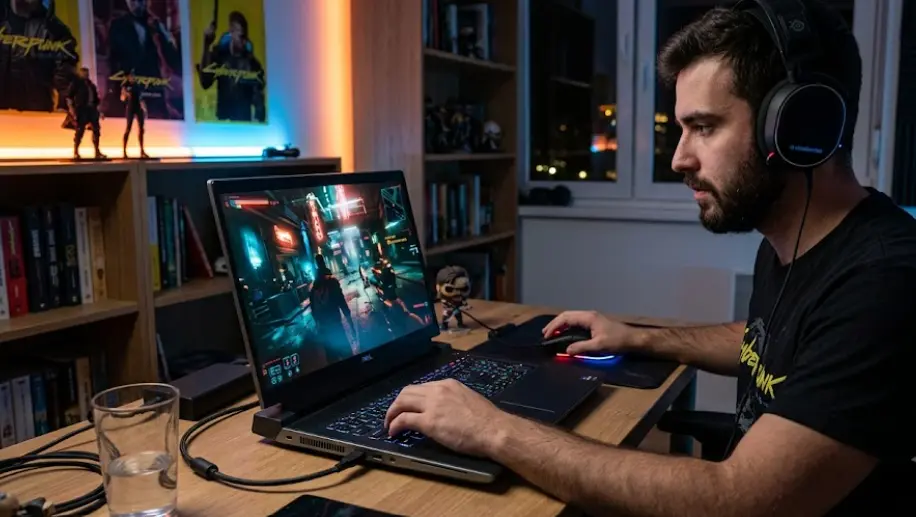
TL;DR Yes, you can game on a Dell Precision workstation laptop, but the experience depends heavily on the exact configuration. Precision mobile workstations are designed primarily for professional workloads such as CAD, 3D rendering, engineering, content creation, simulation, and other demanding applications rather than gaming. However, models equipped with dedicated NVIDIA graphics can have enough GPU and CPU performance to run many modern PC games. For example, the Precision 3591 can be configured with NVIDIA RTX 500, RTX 1000 Ada, or RTX 2000 Ada graphics, while the Precision 5690 can go as high as an RTX 5000 Ada Generation Laptop GPU with 16GB of GDDR6 memory. The important point is that a workstation GPU, professional driver stack, display, thermal design, and power limits can make the gaming experience different from a similarly priced gaming laptop. If you are buying a Dell Precision primarily for work and want gaming as a secondary use, the right configuration can make sense. If gaming is your main priority, you should compare its exact hardware against dedicated gaming laptops before making a decision.
What Makes A Dell Precision A Workstation Laptop?
Dell Precision mobile workstations are built around professional workloads rather than gaming as their primary purpose. Dell positions its Precision Mobile Workstations for demanding applications and professional users, with configurations designed for areas such as engineering, creative work, data science, rendering, and other advanced applications. That means the design priorities can be different from those of a typical gaming laptop. Professional graphics, ISV certification, enterprise support, reliability, and compatibility with specialist applications can matter more than maximum gaming frame rates.
This does not mean that a Precision laptop is slow. Quite the opposite. Higher-end Precision configurations can combine powerful Intel processors with dedicated NVIDIA RTX professional graphics. The Precision 5690, for example, was offered with processors including the Intel Core Ultra series and professional NVIDIA RTX graphics options reaching the RTX 5000 Ada Generation Laptop GPU with 16GB of GDDR6 memory. That level of hardware is capable of much more than office work and can provide substantial graphics performance for demanding applications and games.
The key difference is the purpose behind the hardware. A gaming laptop is generally designed around gaming performance, high-refresh displays, aggressive cooling, and gaming-oriented software. A Precision workstation is designed to provide dependable performance across professional workloads. That makes it possible to game on a Precision, but you should not assume that every Precision model will deliver the same gaming experience. A Precision with integrated graphics is a very different proposition from one equipped with a dedicated RTX GPU.
Precision Workstation Hardware At A Glance
| Precision Model | Graphics Options | Memory Options | Gaming Relevance |
|---|---|---|---|
| Precision 3591 | RTX 500 Ada, RTX 1000 Ada, RTX 2000 Ada | Up to 64GB DDR5 | Suitable for gaming depending on configuration |
| Precision 5680 | RTX A1000 to RTX 5000 Ada | Up to 64GB LPDDR5 | Stronger configurations can handle demanding games |
| Precision 5690 | RTX 1000 Ada to RTX 5000 Ada | Up to 64GB LPDDR5x | High-end configurations offer substantial GPU performance |
| Precision 7680 | Professional RTX options and RTX 4090 Laptop GPU | Up to 128GB CAMM or 64GB SODIMM | High-performance configurations can be gaming capable |
The exact configuration matters more than the Precision name itself. Dell's specifications show that different Precision generations and models can use very different graphics and memory configurations.
Can A Dell Precision Run Modern Games?
A Dell Precision can run PC games when it has suitable graphics hardware, but the results vary significantly between configurations. A model with only integrated graphics should not be treated like a gaming machine, while a Precision equipped with a dedicated NVIDIA RTX GPU has considerably more graphics capability. The Precision 3591, for example, offers dedicated RTX 500 Ada, RTX 1000 Ada, and RTX 2000 Ada configurations, giving buyers different levels of GPU performance.
Higher-end Precision models can go much further. Dell lists the Precision 5690 with professional NVIDIA RTX options ranging from the RTX 1000 Ada Generation Laptop GPU through the RTX 5000 Ada Generation Laptop GPU. The RTX 5000 Ada configuration has 16GB of GDDR6 memory, giving the workstation substantial graphics memory for professional applications as well as demanding graphical workloads.
There is another important factor: the GPU name alone does not tell you exactly how a laptop will perform in a particular game. Laptop GPUs operate within power and thermal limits, and the laptop's cooling system, processor, display resolution, memory configuration, and driver software all influence the final experience. This is why it is better to evaluate the complete configuration rather than simply seeing "RTX" in a refurbished Dell Precision listing and assuming it will perform like a gaming laptop with the same graphics branding.
Gaming Performance Depends On The GPU
For lighter games and older titles, a Precision with a suitable dedicated GPU can provide a comfortable gaming experience. More demanding modern games require substantially more graphics performance, especially at high resolutions and settings. A higher-end Precision with a powerful discrete GPU is therefore much better suited to this workload than an entry-level configuration.
| Workload | Suitable Precision Configuration |
|---|---|
| Older or lightweight games | Integrated or entry-level dedicated graphics, depending on game |
| Competitive games | Dedicated NVIDIA GPU recommended |
| Modern AAA games | Mid-range or higher dedicated GPU recommended |
| High-resolution gaming | Higher-end dedicated GPU recommended |
| Professional 3D rendering plus gaming | Higher-end RTX workstation configuration |
The table should be treated as a general buying framework rather than a guarantee of frame rates. Actual results depend on the game, resolution, graphics settings, drivers, and laptop configuration.
Workstation GPUs Vs Gaming GPUs
One of the biggest points of confusion is assuming that a professional NVIDIA RTX GPU and a GeForce RTX gaming GPU are interchangeable simply because both use RTX branding. They are related product families, but they are designed for different priorities. NVIDIA says its RTX professional solutions are built for professional workloads and are tested and optimized through enterprise drivers, with ISV certifications covering areas such as CAD, simulation, rendering, and animation.
Gaming GPUs, meanwhile, are supported by NVIDIA's GeForce Game Ready driver program. NVIDIA describes Game Ready Drivers as being tuned with game developers and tested across thousands of hardware configurations to improve gaming performance, reliability, and support for new gaming technologies. That driver focus is one reason a gaming laptop with a GeForce GPU can have a different software experience from a workstation equipped with a professional RTX GPU.
This does not mean a professional RTX GPU cannot play games. It means you should understand what you are buying. A Precision with an RTX professional GPU is optimized for a broader professional ecosystem, while a GeForce gaming laptop is more directly optimized around games. If gaming is an occasional activity alongside CAD, engineering, video production, or 3D work, the workstation approach can be perfectly reasonable. If gaming is your primary workload, a dedicated gaming laptop may offer a more appropriate combination of display, cooling, drivers, and performance tuning.
Professional GPU And Gaming GPU Differences
| Factor | Dell Precision Workstation | Gaming Laptop |
|---|---|---|
| Primary purpose | Professional applications | Gaming |
| GPU focus | Professional RTX graphics | GeForce gaming graphics |
| Driver priority | Professional application stability | Game optimization |
| ISV certifications | Common on workstation platforms | Generally not the focus |
| High-refresh displays | Configuration dependent | Common on gaming models |
| Gaming optimization | Configuration dependent | Primary design goal |
The important takeaway is that "workstation" does not mean "cannot game." It means gaming is not necessarily the main design objective.
Display And Cooling Matter For Gaming
The display can be one of the biggest limitations when using a Precision workstation for gaming. Some Precision configurations prioritize professional image quality rather than extremely high refresh rates. The Precision 5680, for example, was offered with a 16-inch FHD+ 60Hz display and a 16-inch 3840 x 2400 OLED 60Hz option. The Precision 5690 similarly lists 60Hz display configurations.
That can be excellent for professional work, photo editing, design, and general productivity, but gamers who specifically want very high refresh rates may find the experience less suited to competitive gaming. A 60Hz panel can still display games perfectly well, but it does not provide the same high-refresh experience associated with many gaming laptops. Therefore, a powerful GPU does not automatically make a laptop a gaming-first machine.
Cooling is equally important. Gaming can keep the CPU and GPU under sustained load for long periods, so the laptop needs to manage heat while maintaining performance. Workstation designs also need to handle sustained professional workloads, so a Precision can have substantial thermal hardware, but the exact thermal and power characteristics vary between models. A thin Precision and a larger high-performance Precision should not be expected to behave identically during extended gaming sessions.
Check These Specifications Before Gaming
| Specification | Why It Matters |
|---|---|
| Dedicated GPU | Determines much of the gaming graphics capability |
| GPU memory | Helps with demanding textures and graphical workloads |
| CPU | Affects game performance and overall responsiveness |
| Display refresh rate | Determines how smoothly high frame rates can be displayed |
| Display resolution | Higher resolutions demand more GPU performance |
| Cooling | Helps maintain performance during long sessions |
| RAM | Helps with modern games and multitasking |
| SSD | Improves loading times and general system responsiveness |
A workstation can therefore have excellent internal hardware but still feel less gaming-focused if its display and configuration are designed primarily for professional use.
RAM, Storage, And Upgradeability
RAM is another area worth checking before buying a refurbished Dell Precision for gaming. Different Precision models use different memory designs. The Precision 5680 uses integrated LPDDR5 memory, with configurations up to 64GB, and Dell explicitly states that its memory is integrated into the motherboard and is not replaceable or upgradeable.
The Precision 5690 similarly uses onboard LPDDR5x memory, with Dell listing 16GB, 32GB, and 64GB configurations. This means buyers should pay attention to the installed memory before purchasing because they cannot necessarily rely on a future RAM upgrade to extend the laptop's useful life.
Other Precision models offer considerably more flexibility. The Precision 3591, for example, supports DDR5 memory configurations up to 64GB, including dual-channel configurations using two modules. The Precision 7680 goes even further and supports CAMM memory up to 128GB or SODIMM configurations up to 64GB, depending on the setup.
Why RAM Configuration Matters
If you are buying a Precision for gaming and professional work, 16GB may be enough for lighter gaming and everyday tasks, but 32GB provides more headroom for demanding multitasking, creative applications, and modern games. If the RAM is soldered or integrated, choosing the right capacity at purchase becomes even more important.
Storage is generally easier to address because several Precision models support replaceable M.2 SSD configurations. The Precision 3591, for example, supports multiple M.2 storage options, while higher-end Precision models also offer substantial SSD capacity choices.
Should You Buy A Dell Precision For Gaming?
A Dell Precision can be a sensible choice if gaming is only one part of what you want the laptop to do. Someone working with CAD, engineering software, 3D applications, rendering, or professional creative software may value the workstation features and still want to play games after work. In that situation, buying a Precision with a sufficiently powerful dedicated GPU can give you one machine for both professional and personal workloads.
The situation changes if gaming is your main reason for buying the laptop. A gaming-focused laptop may offer a higher-refresh display, gaming-oriented GPU configuration, more aggressive cooling, and software designed specifically around gaming performance. Those features can matter more to a dedicated gamer than workstation certifications or professional drivers. NVIDIA itself separates its professional RTX ecosystem from its GeForce gaming driver ecosystem, reflecting these different priorities.
Price also needs careful attention, especially in the refurbished market. An older Precision can look attractive because it has a powerful professional GPU and high RAM capacity, but you should compare its actual specifications against newer gaming laptops before buying. Check the GPU generation, GPU power configuration, processor, display refresh rate, battery condition, storage, and warranty rather than buying solely because the listing says "workstation."
When A Precision Makes Sense
| Your Priority | Dell Precision Suitability |
|---|---|
| Professional applications first | Very suitable |
| CAD and engineering | Very suitable with the right GPU |
| 3D rendering | Suitable with a dedicated RTX GPU |
| Occasional gaming | Suitable with the right configuration |
| Competitive gaming | Configuration dependent |
| Gaming as the primary purpose | Compare with gaming laptops first |
| High-refresh gaming | Check display carefully |
| Professional work plus gaming | Strong use case for the right model |
The most important rule is simple: choose the Precision configuration, not just the Precision name.
Common Mistakes When Gaming On A Precision
One common mistake is assuming that every Dell Precision has a powerful dedicated GPU. Precision is a workstation family, and configurations vary considerably. Some models can use integrated graphics, while others offer professional NVIDIA RTX graphics ranging from entry-level options to high-end workstation GPUs. The Precision 5690, for example, can be configured with up to an RTX 5000 Ada Generation Laptop GPU, while the Precision 3591 has considerably lower GPU options.
Another mistake is looking only at GPU memory. More VRAM does not automatically mean higher gaming performance. The GPU architecture, power limit, cooling system, CPU, game engine, resolution, and settings all contribute to actual performance. A workstation GPU can also be optimized differently from a GeForce gaming GPU because professional graphics products prioritize professional software compatibility and enterprise drivers.
The third mistake is ignoring the screen. A Precision with an excellent professional display can be fantastic for design and content creation, but a 60Hz panel may not satisfy someone specifically looking for a high-refresh competitive gaming experience. Dell's Precision 5680 and 5690 specifications show several 60Hz display options, so checking the exact panel should be part of the buying process.
Who Should Buy A Dell Precision For Gaming?
A Dell Precision workstation laptop makes the most sense for someone who needs professional computing power first and gaming second. Engineers, architects, designers, developers, content creators, and other users who depend on workstation-oriented software can benefit from the professional features while still using the machine for gaming in their free time. The right dedicated GPU can make that combination considerably more practical.
It can also be attractive in the refurbished market because workstation laptops are often built around higher-end components and professional requirements. However, the age and exact configuration matter. A refurbished Precision with an older professional GPU may not provide the same gaming experience as a newer gaming laptop even if the workstation has impressive specifications on paper.
If gaming is your primary goal, compare a Precision directly with gaming-focused alternatives before purchasing. Look at GPU performance, display refresh rate, cooling, processor performance, upgradeability, and the overall price. If professional workloads are equally important, however, the Precision's workstation design can make the compromise worthwhile.
Frequently Asked Questions
Q. Can you play games on a Dell Precision workstation laptop?
Yes. A Dell Precision with a suitable dedicated GPU can run PC games. The gaming experience depends on the exact GPU, CPU, display, cooling system, drivers, and power configuration. Entry-level or integrated-graphics Precision configurations are much less suitable for demanding games than models with dedicated NVIDIA RTX graphics.
Q. Is a Dell Precision good for gaming?
It can be, but it depends on the configuration. Precision laptops are primarily professional workstations, not gaming laptops. A model with a powerful dedicated GPU can provide good gaming performance, while a lower-end configuration may be better suited to professional productivity and lighter games.
Q. Can Dell Precision run AAA games?
Higher-end Precision configurations can be capable of running demanding AAA games, particularly models equipped with powerful dedicated NVIDIA RTX GPUs. However, the exact resolution and graphics settings you can use depend on the GPU, CPU, cooling, display, and game.
Q. Is an RTX workstation GPU good for gaming?
An NVIDIA RTX professional GPU can run games, but it is designed primarily for professional workloads. NVIDIA's professional RTX platform focuses on enterprise drivers, professional applications, certifications, and stability, while GeForce Game Ready Drivers are specifically optimized for gaming.
Q. Can a Dell Precision 5690 be used for gaming?
Yes. The Precision 5690 has configurations with dedicated NVIDIA RTX professional GPUs, including options up to the RTX 5000 Ada Generation Laptop GPU with 16GB GDDR6. That gives the system substantial graphics capability, although its workstation design and available 60Hz displays mean it is not identical to a gaming-first laptop.
Q. Can a Dell Precision 3591 run games?
Yes. The Precision 3591 can be configured with NVIDIA RTX 500 Ada, RTX 1000 Ada, or RTX 2000 Ada graphics. Gaming performance will depend on which GPU is installed, along with the processor, RAM, display, cooling, and game settings.
Q. Does a Dell Precision have good cooling for gaming?
Precision workstations are designed to handle demanding professional workloads, but cooling performance varies by model and configuration. Sustained gaming creates a different workload from short everyday tasks, so the exact model and thermal design should be considered before buying.
Q. Can I upgrade RAM in a Dell Precision workstation?
It depends on the model. The Precision 5680 uses integrated LPDDR5 memory that Dell identifies as non-replaceable and non-upgradable. Other models, including the Precision 3591 and Precision 7680, offer replaceable memory configurations. Always check the exact model before assuming RAM can be upgraded.
Q. Is a Dell Precision better than a gaming laptop?
They are designed for different priorities. Precision workstations focus on professional applications, reliability, certifications, and professional graphics, while gaming laptops focus more directly on gaming performance, displays, cooling, and gaming-oriented software. The appropriate choice depends on which workload matters most.
Q. Should I buy a refurbished Dell Precision for gaming?
A refurbished Precision can make sense if you need workstation capabilities and want gaming as a secondary use. Before buying, check the exact GPU, CPU, RAM, storage, display refresh rate, battery condition, warranty, and overall price. Compare those specifications against current gaming laptops rather than relying only on the Precision branding.
Final Recommendation
You can absolutely game on a Dell Precision workstation laptop, but it should be bought as a workstation that can game, rather than automatically treated as a gaming laptop. The strongest configurations can deliver substantial CPU and GPU performance, particularly models equipped with dedicated NVIDIA RTX graphics. The Precision 5690, for example, reaches up to an RTX 5000 Ada Generation Laptop GPU, while the Precision 3591 provides more modest RTX options.
For buyers who need CAD, 3D rendering, engineering software, professional creative applications, or other workstation workloads during the day and gaming afterward, a suitably configured Precision can be a practical single-machine solution. Pay particular attention to the dedicated GPU, display refresh rate, RAM configuration, cooling, and SSD capacity before buying.
For someone whose main priority is gaming, a dedicated gaming laptop deserves a direct comparison because gaming-focused machines are designed around high-refresh displays, game-optimized drivers, cooling, and gaming performance. In short, yes, a Dell Precision can be a gaming-capable laptop, but the exact configuration determines whether it is merely capable of gaming or genuinely well suited to it.
Ready to upgrade your tech?
Browse our collection of quality refurbished products at unbeatable prices.






