
Building A Serious Productivity Desk In India
A detailed guide reviewing productivity monitors keyboards and mice and how they shape long term desk performance

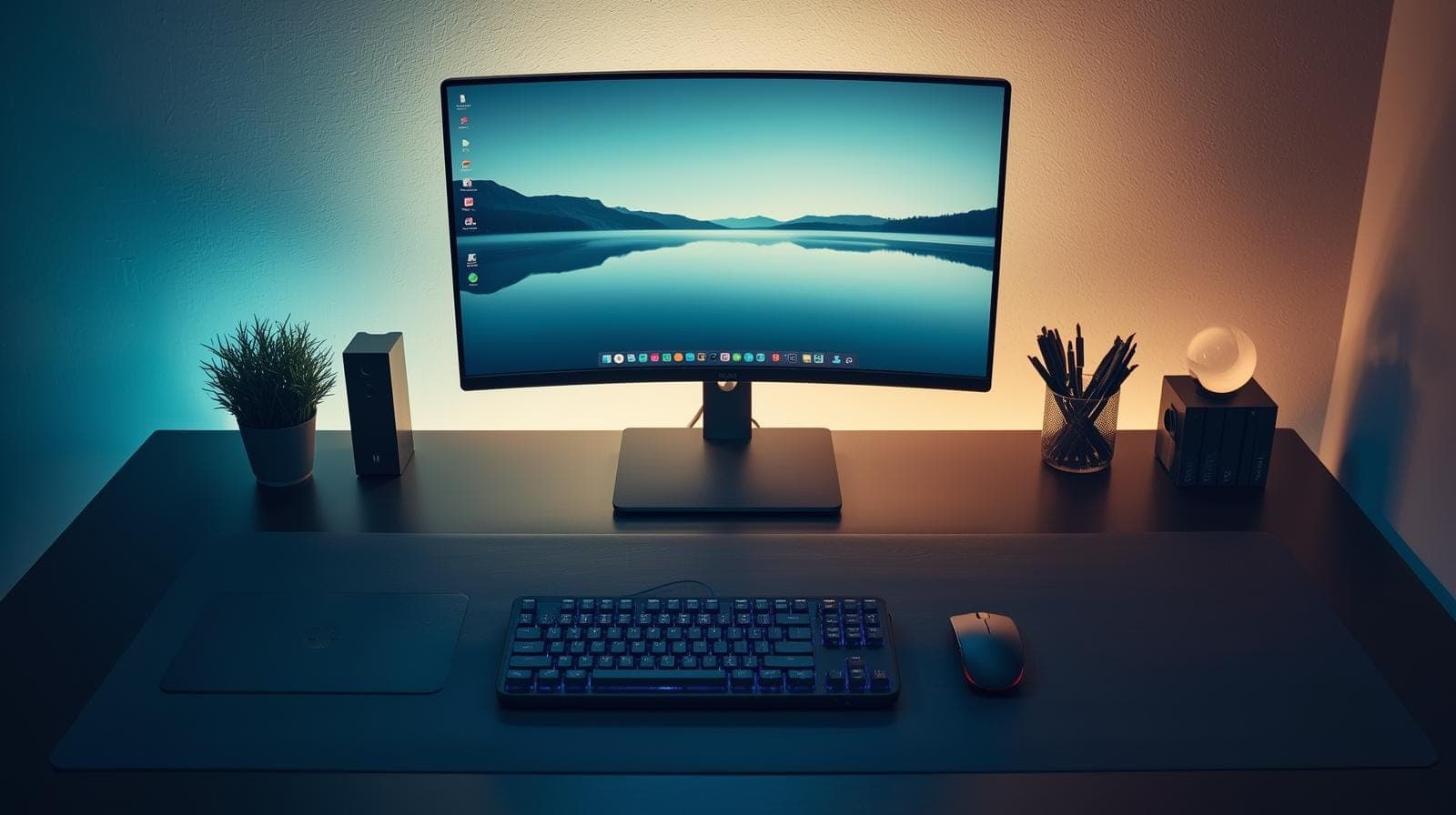
TL;DR A productive desk is built by reducing daily friction, not by chasing specifications. This guide reviews carefully chosen monitors, keyboards, and mice that suit Indian work environments, covering comfort, reliability, ergonomics, and long session usability. It explains how different peripherals support focus, reduce strain, and improve workflow consistency across varied budgets. Special attention is given to ergonomic designs that look unconventional but protect long term health, and to why Logitech has become the industry standard for computer peripherals through reliability, thoughtful ergonomics, and real world usability. Together, these tools form a desk system that supports sustained productivity rather than short term convenience.
Why These Desk Essentials Deserve Real Reviews
Most desk upgrades are purchased in a rush, usually after discomfort or frustration has already built up. A mouse starts double clicking, the laptop screen begins to feel cramped, or typing becomes tiring during long workdays. The problem with rushed upgrades is that peripherals are not like phones where you can tolerate minor annoyances and move on. A monitor, keyboard, and mouse shape the quality of every working hour, and small weaknesses become daily friction. When the goal is productivity, the right question is not whether a product is popular or looks premium, but whether it reduces strain, removes interruptions, and supports consistent work across months and years.
The products in this blog are organised as a practical desk system. Mice are reviewed for control, comfort, click behaviour, and how they fit different hand sizes and work styles. Keyboards are reviewed for typing flow, fatigue, layout practicality, and long session comfort. Monitors are reviewed for readability, desk friendliness, connectivity, and whether they genuinely improve focus for Indian home and office setups. The goal is not to treat peripherals like status symbols. The goal is to understand what each one does well, where it compromises, and which kind of user will feel the benefits the most.
How To Read These Reviews Like A Desk Builder
A good desk is not built by chasing the highest specifications. It is built by reducing daily friction. A mouse is only valuable if it helps your hand stay relaxed while navigating thousands of times per day. A keyboard is only valuable if your fingers can type for hours without building tension. A monitor is only valuable if it makes reading and multitasking easier without increasing eye strain. These reviews focus on the experience of using each product as a tool, not as a checklist of marketing features.
It also helps to keep your desk habits in mind. If your day is dominated by documents, email, research, and calls, you will benefit more from comfort, quiet operation, and reliability than from extreme performance. If you code or write for hours, typing flow and layout consistency matter more than flashy design. If you juggle multiple apps, the monitor decision becomes foundational because visual space reduces context switching. The best way to use this guide is to match each product to your dominant daily activity, then think about how it fits your long term comfort and workspace stability in India, where power, dust, heat, and hybrid work patterns add real constraints.
Mouse Reviews For Work And Productivity
Logitech MX Master 4
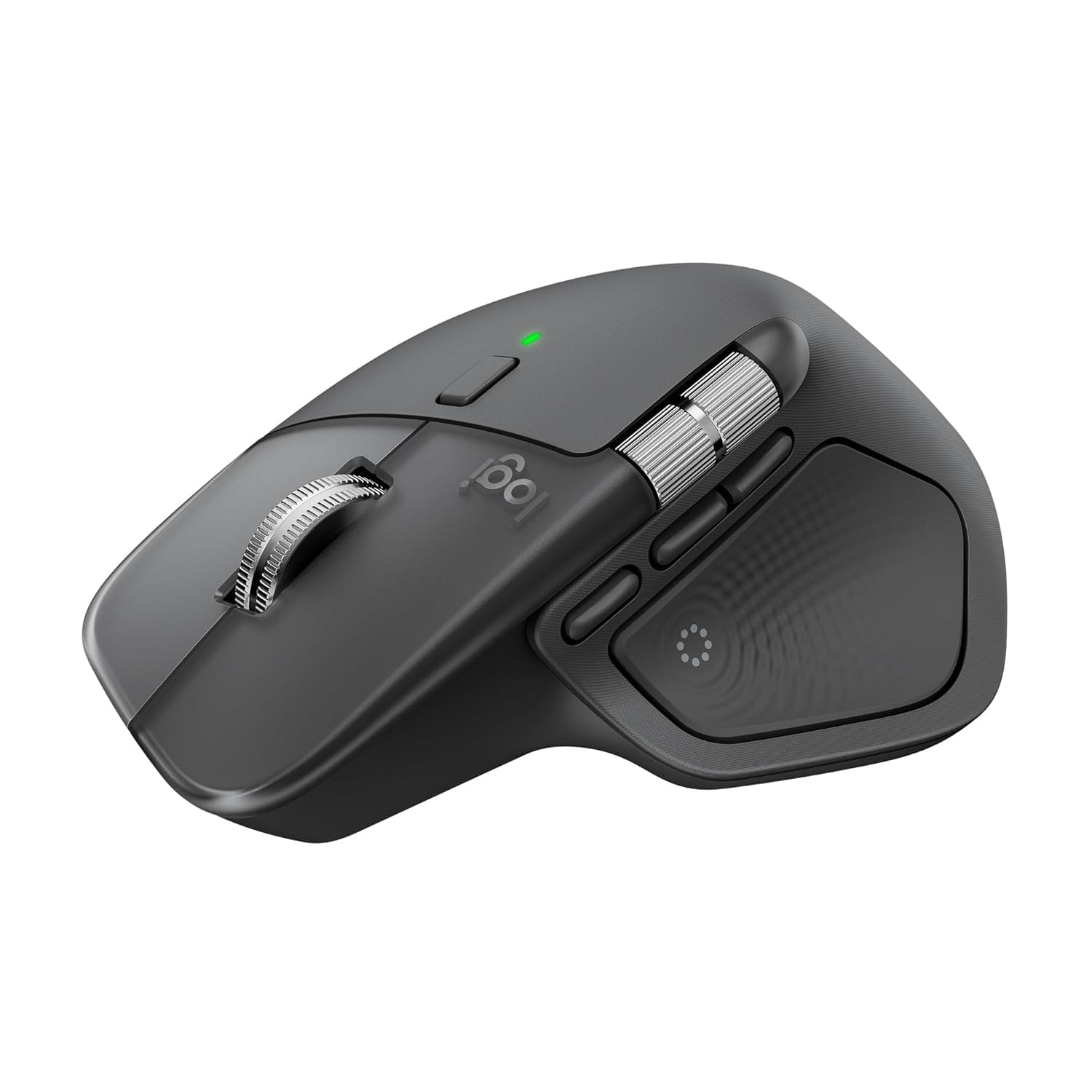
The Logitech MX Master 4 is designed for people whose work lives inside a cursor. It targets long hours of navigation across spreadsheets, dashboards, editing timelines, and multi window workflows where precision and comfort matter more than lightweight speed. The shape supports the palm and encourages a relaxed grip, which is exactly what a productivity mouse should do when you are working for six to ten hours at a desk. The real appeal is not a single headline feature, but the way the mouse reduces micro frustration. Scrolling feels deliberate and controlled, the click response is tuned for daily work, and the overall posture of the hand tends to reduce tension compared to flatter, smaller mice. For Indian desk setups where users often switch between a work laptop and a personal device, this mouse typically fits best when paired with a stable desk routine, because it is meant to become a default tool rather than something you casually throw into a bag. If your day includes heavy multitasking and you value a mouse that feels like an extension of your hand, this is built for that role.
Logitech MX Anywhere 3S
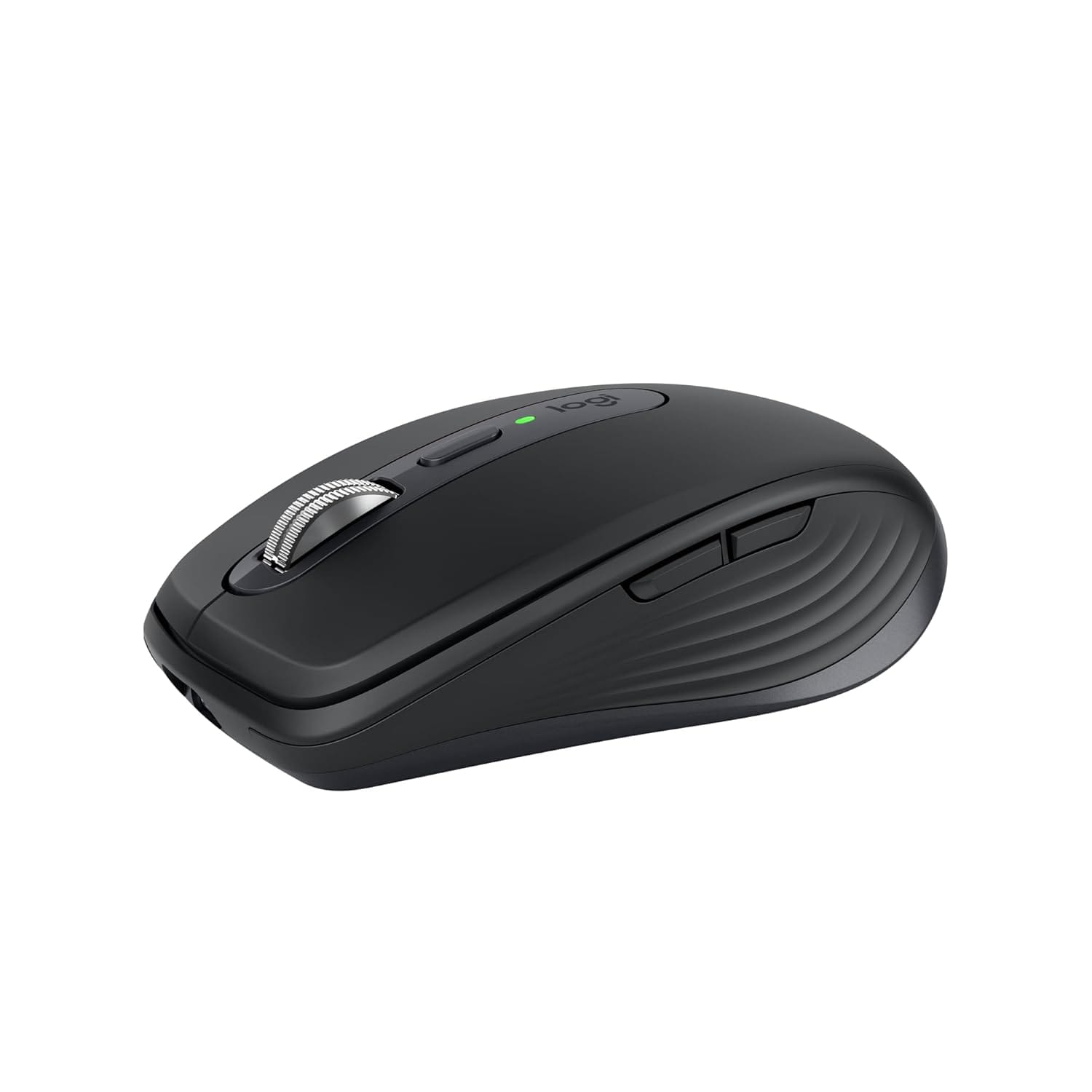
The Logitech MX Anywhere 3S is for people who want a premium work mouse but do not live at one fixed desk. It is compact, travel friendly, and designed to perform consistently across varied surfaces, which is useful in Indian work patterns where you might move between home, office, co working spaces, and client locations. The smaller size does not automatically mean less productivity, but it does change how the mouse feels over long sessions. For users with smaller hands, it can feel natural and precise. For users with larger hands, it may encourage a more fingertip heavy grip that can become tiring if you do long continuous editing or long spreadsheet sessions. Where it shines is controlled navigation and quiet, refined daily usage. It makes sense for professionals who work in multiple places, rely on a reliable wireless connection, and want smooth scrolling behaviour without carrying a bulky mouse. It is less of a desk anchor and more of a mobility focused productivity tool that still feels premium when you sit down to work.
Logitech MX Vertical
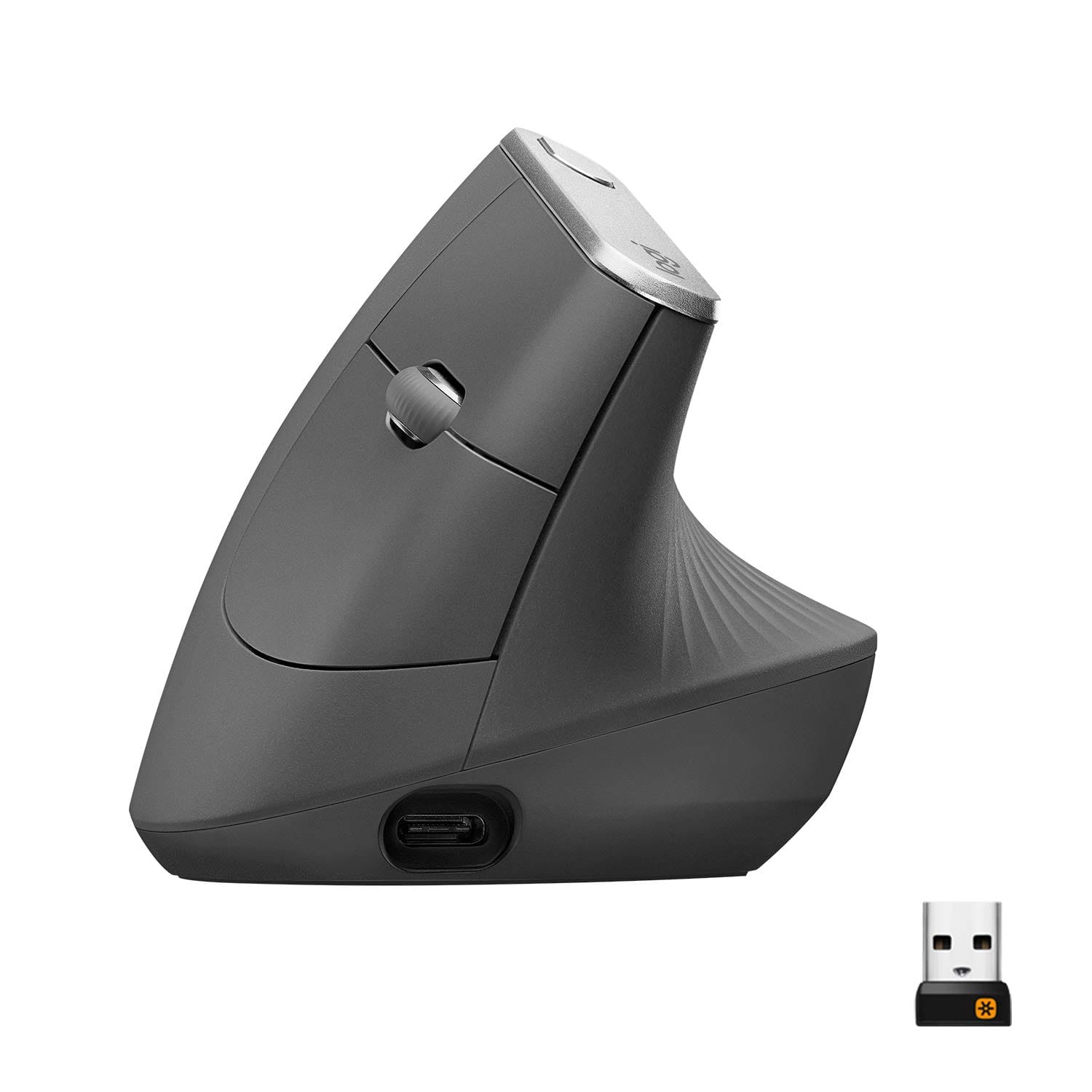
The Logitech MX Vertical is the mouse that looks unusual for a reason. It is built around the idea that the traditional flat mouse posture forces the forearm into a position that can create strain over time, especially when daily hours are high. The vertical design rotates the hand into a more natural handshake posture, reducing the inward twist that many users unconsciously tolerate for years. This mouse is rarely an impulse buy. It is usually purchased by people who have already begun to feel wrist discomfort, forearm tension, or shoulder fatigue and want an input device that supports long term sustainability. The adjustment period matters, because your hand needs time to adapt and your cursor control will initially feel unfamiliar. The payoff for many users is that the mouse encourages a calmer, more neutral posture that can reduce pain and extend endurance. In Indian home offices where ergonomic chairs and ideal desk heights are not always available, a vertical mouse can be a meaningful corrective tool because it improves posture even when the rest of the setup is not perfect.
Logitech Signature M650
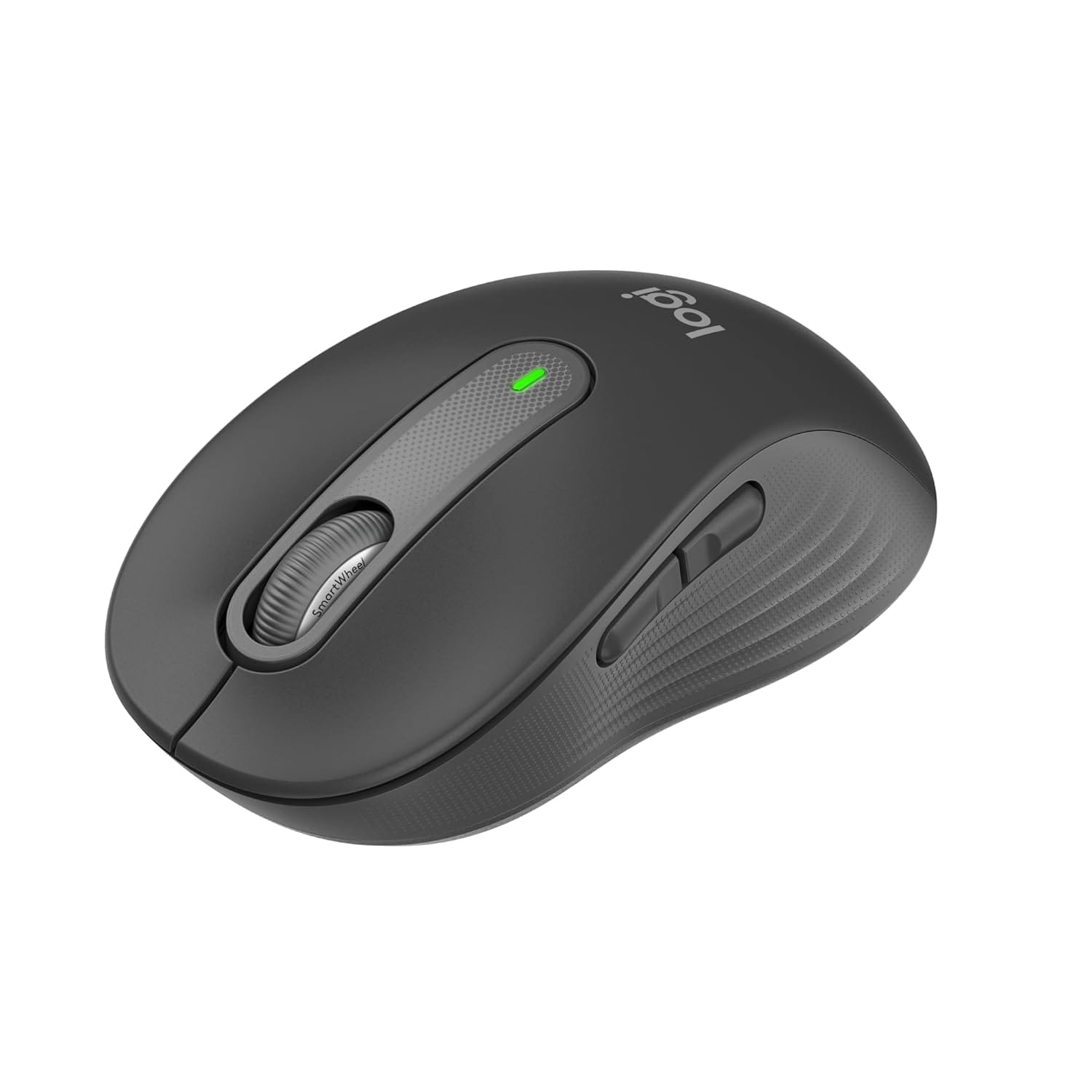
The Logitech Signature M650 sits in the practical middle where most Indian users should begin if they want a no drama upgrade. It focuses on daily usability, quieter clicks, and a comfortable shape for common work patterns. This is the kind of mouse that improves productivity not by feeling extraordinary, but by being consistently reliable and comfortable. For office work, study, browsing, and everyday productivity, the mouse fits naturally into the hand and reduces the small irritations that cheap mice introduce, such as harsh clicks, unpredictable scroll wheels, and uncomfortable shapes. It is especially relevant for people building a productivity setup step by step, because it provides a strong baseline experience without pushing you into premium pricing. If you are coming from a basic bundled mouse or a very cheap model, this upgrade tends to feel immediately noticeable in comfort and control. For long term desk stability, this is the type of mouse that quietly becomes the default because it rarely gives you a reason to think about it.
Keyboard Reviews For Typing And Long Work Sessions
Logitech MX Keys Mini
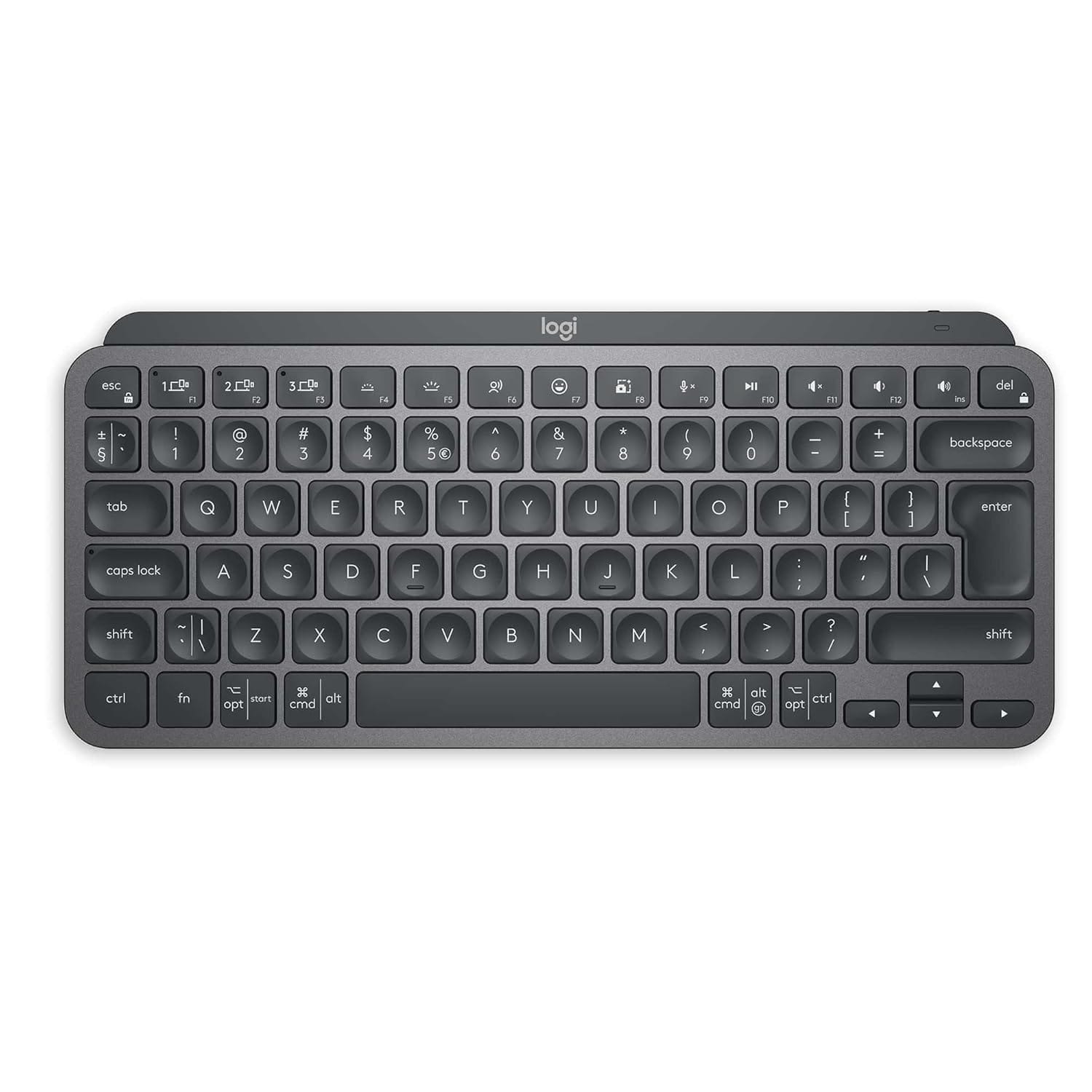
The Logitech MX Keys Mini is built for people who want a clean, compact desk without sacrificing serious typing quality. Its compact form reduces desk clutter and allows the mouse to sit closer to the keyboard, which can reduce shoulder strain over long sessions. This matters more than people expect because wide keyboard setups can push the mouse arm outward, creating tension that builds gradually. The typing feel is tuned for productivity, with a stable, controlled keypress that supports fast work without loud noise. For Indian users working in shared spaces or hybrid environments, quieter keyboards are often more practical, especially for late night work or calls. The backlit approach also fits real world use because many people work in changing light conditions. The main compromise is that compact layouts require some adjustment if you rely heavily on function keys or a dedicated number pad. However, for writers, developers, and general professionals who want a premium typing experience in a smaller footprint, this keyboard often feels like a long term desk upgrade rather than a temporary accessory.
Logitech Pebble Keys 2 K380s
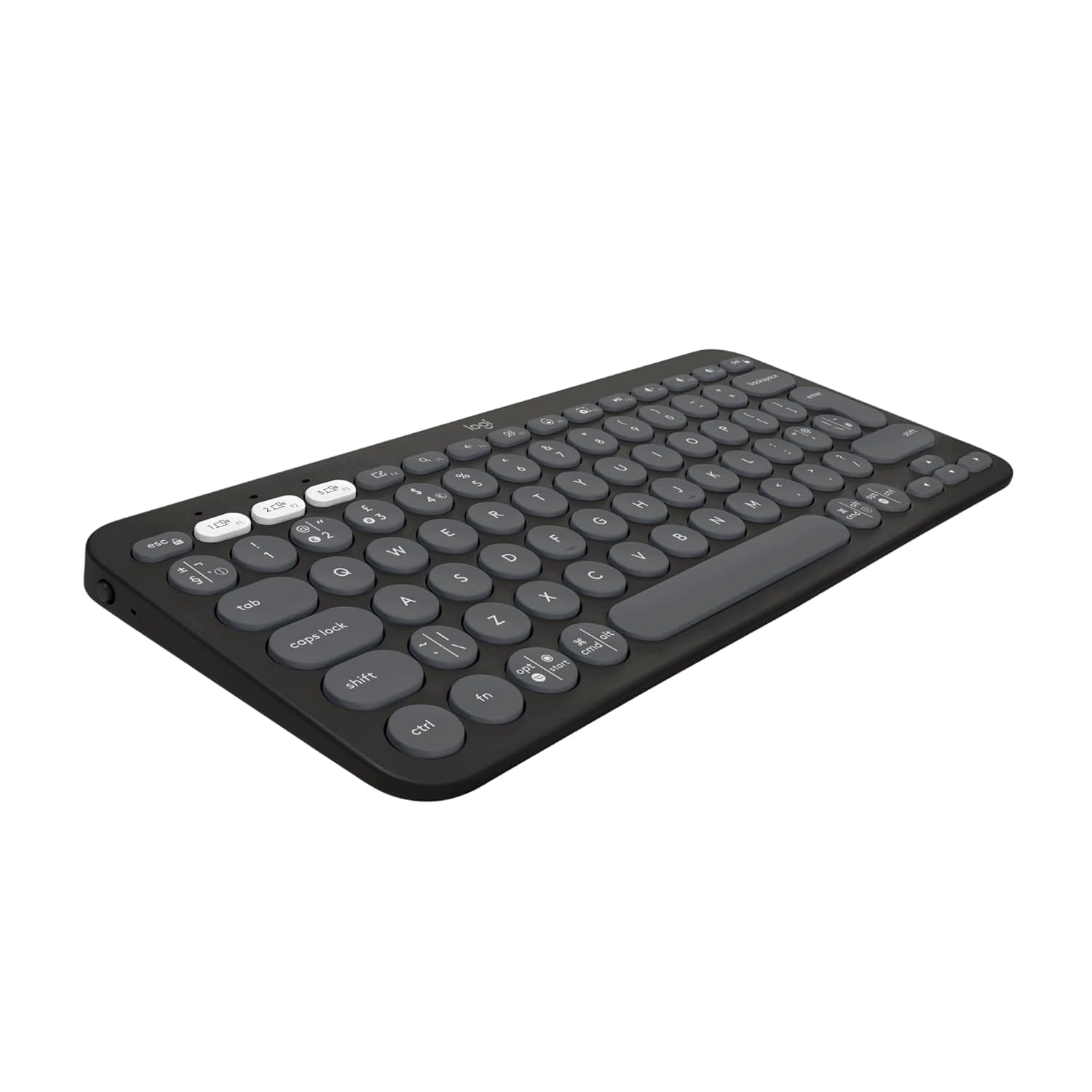
The Logitech Pebble Keys 2 K380s is designed for portability and multi device flexibility, which aligns strongly with modern Indian usage patterns where people move between phones, tablets, and laptops during a single day. The compact form makes it easy to position on small desks, and the multi device switching approach is valuable for people who reply to messages on a tablet, write on a laptop, and manage personal tasks on another device. The typing experience is not aimed at heavy mechanical feedback, but at clean, consistent everyday input. This keyboard works best for people who want a lightweight, simple tool that keeps the desk tidy and supports quick setup changes. The key point is expectation management. It is excellent for writing, messaging, light coding, and general productivity, but it is not a full size workstation keyboard. If you treat it as a portable productivity companion rather than a desktop anchor, it tends to deliver a smooth experience that fits small spaces and flexible work routines.
Logitech Wave Keys Wireless Ergonomic Keyboard
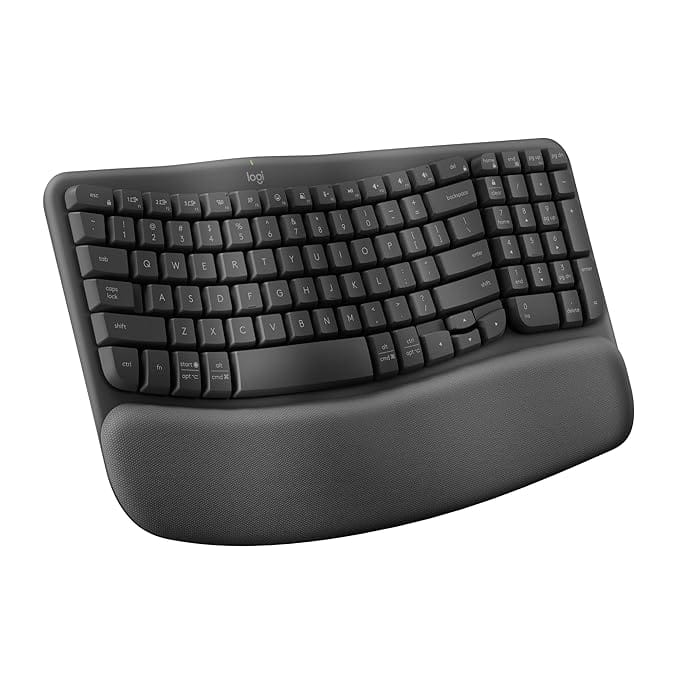
The Logitech Wave Keys wireless ergonomic keyboard looks different because it prioritises comfort over tradition. The wave shaped design aims to keep hands in a more natural position, reducing wrist bending and encouraging a relaxed posture. It is also paired with a cushioned palm rest, which matters for long typing sessions where the wrists otherwise hover under tension. For Indian professionals who spend long hours in email, documentation, writing, and spreadsheets, this type of keyboard can reduce fatigue in a way that feels subtle day to day but significant month to month. The biggest advantage is endurance. The keyboard is designed to make long sessions feel less draining rather than making short sessions faster. Like most ergonomic tools, it works best when paired with sensible desk height and chair posture, but it can still provide value even in imperfect setups because it changes how your wrists and hands rest. If you are already feeling hand fatigue or you want to prevent it before it starts, this keyboard is built for that long view.
Logitech MX Mechanical Wireless Illuminated Performance Keyboard
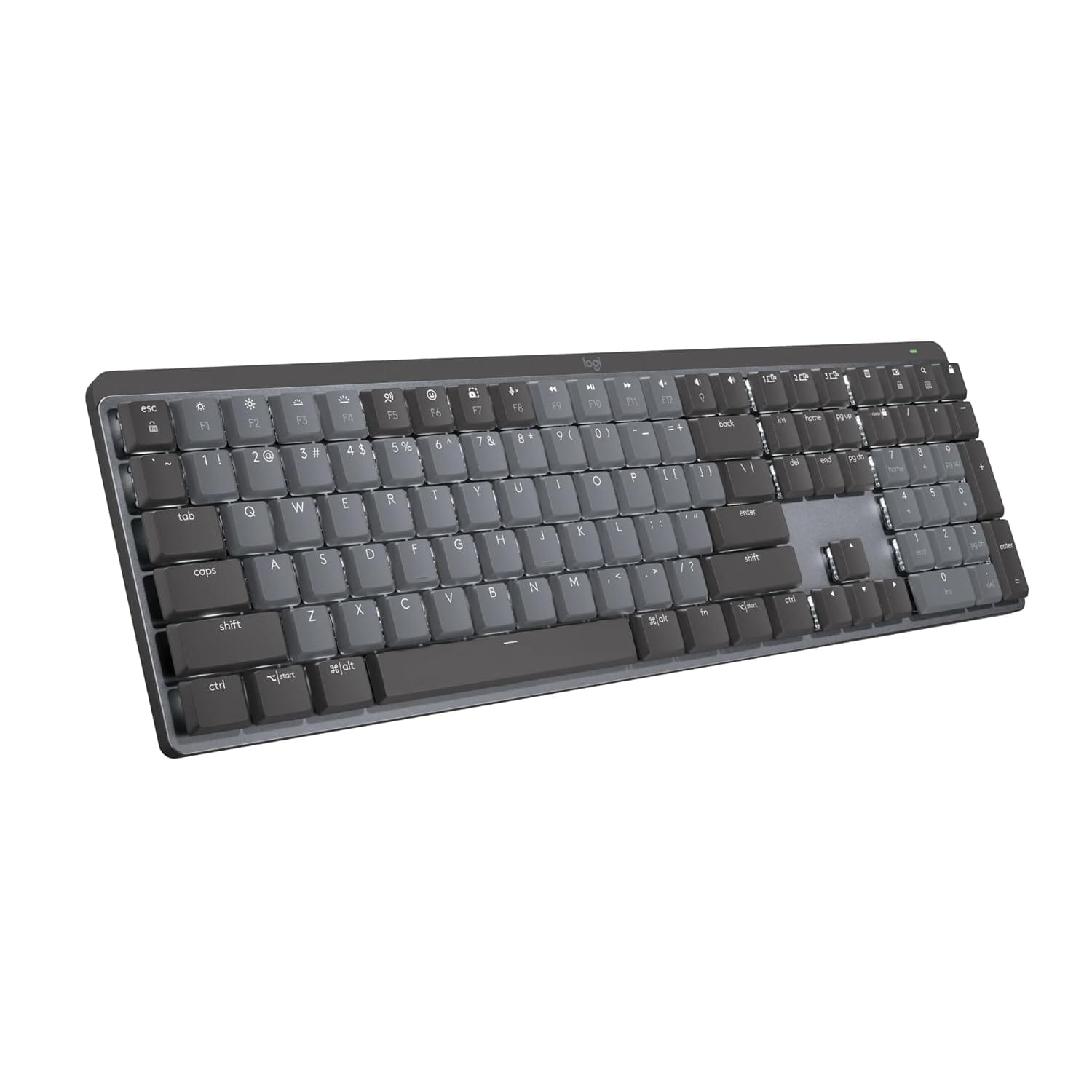
The Logitech MX Mechanical is aimed at users who want the clarity and precision of a mechanical keyboard but still want it to function as a professional productivity tool rather than a loud hobby device. Mechanical keyboards can improve typing accuracy for many users because actuation feels more defined and consistent. This becomes valuable for developers, writers, analysts, and anyone who types at speed for hours. The key difference in a productivity mechanical keyboard is control. It should feel stable, predictable, and refined rather than rattly or harsh. This keyboard is positioned for people who want a serious workstation typing experience with the benefits of strong key feedback, backlighting for changing lighting conditions, and a build that feels like a long term desk investment. In Indian desk setups where laptops are often the centre, a strong external keyboard changes the entire experience by turning typing into a smoother, less tiring action. The main consideration is whether you want that mechanical feel daily, because once you get used to consistent mechanical feedback, going back to a soft laptop keyboard often feels like a downgrade.
Monitor Reviews For Focus And Visual Comfort
LG 27U631A IPS QHD 27 Inch Monitor
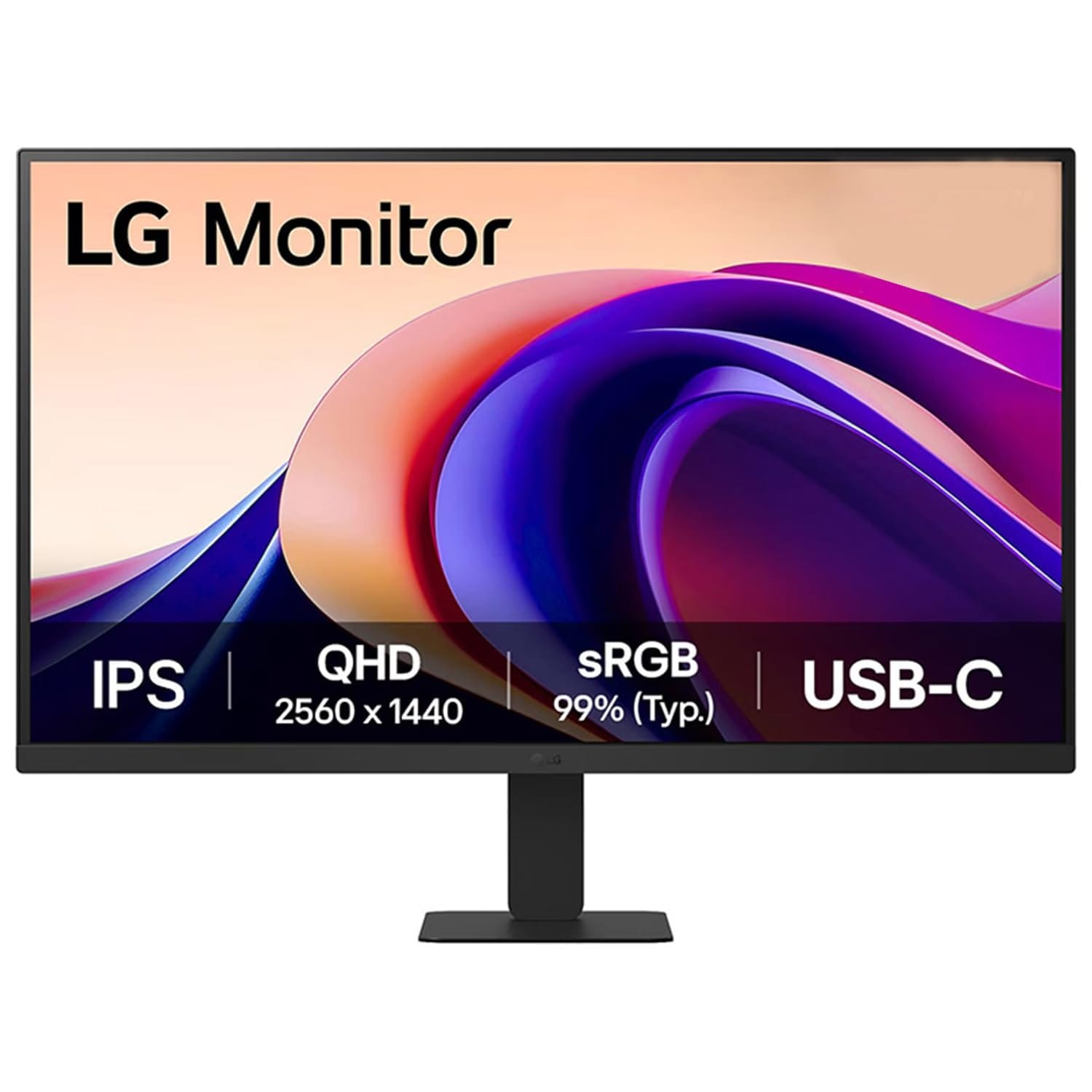
The LG 27U631A is positioned as a productivity focused monitor that combines a 27 inch size with QHD resolution, which is one of the most practical combinations for long workdays. QHD at this size tends to make text look cleaner and reduces the need for constant zooming, which directly improves reading comfort for documents, spreadsheets, and coding. The IPS panel approach supports stable viewing angles, which matters when you shift posture throughout the day or when multiple people glance at the screen during collaborative work. Features like reader modes are not magic, but they can reduce harshness during long reading sessions, which is valuable for Indian professionals who work late hours. USB C support can also simplify desk wiring because it reduces reliance on multiple adapters, especially when you use a laptop as the main computer. This monitor fits best for people who want a clean desk workflow, better text clarity than basic Full HD monitors, and a screen that can handle both productivity and casual entertainment without feeling compromised.
BenQ GW2790QT 27 Inch IPS QHD Coding Monitor
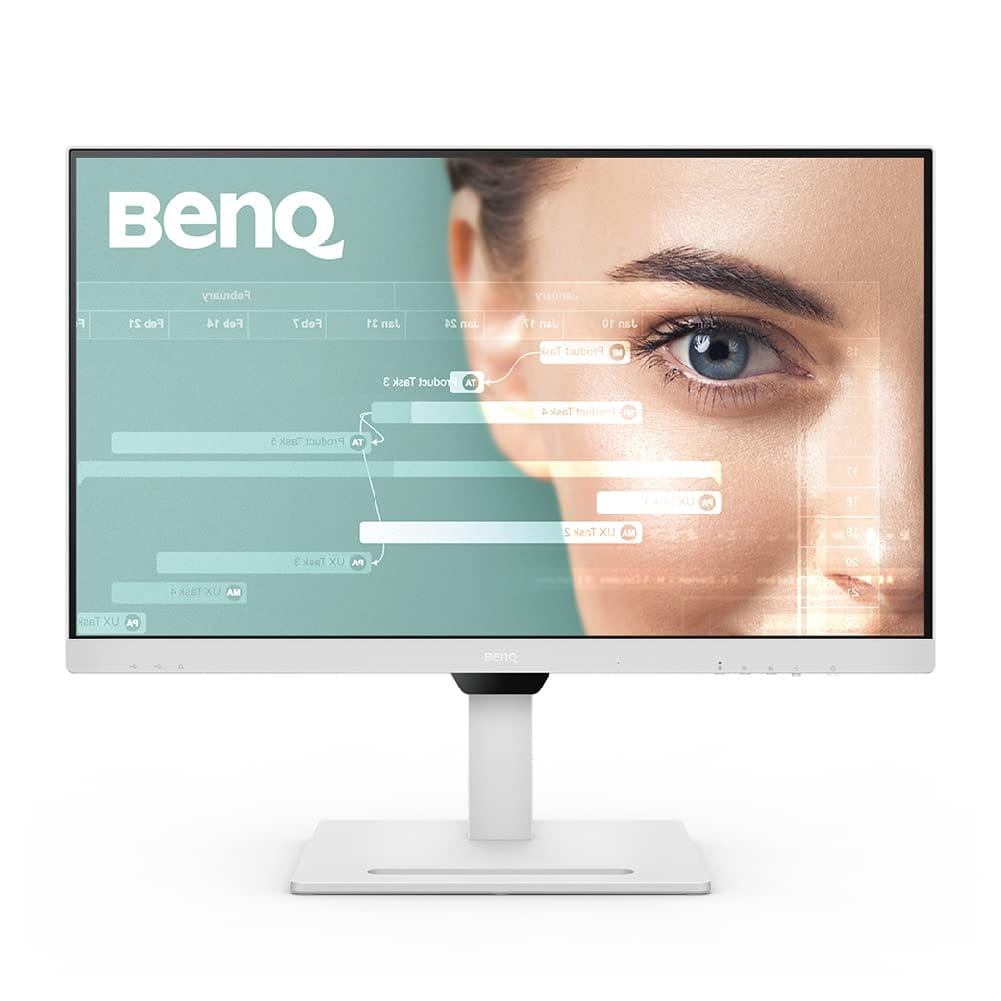
The BenQ GW2790QT is designed around the idea that reading and writing on screens is a daily strain problem, especially for people who spend hours in code, documents, and research. The monitor positions itself as a coding friendly display, which usually means it prioritises clarity, eye comfort behaviour, and practical desk features like strong stand adjustability. The QHD resolution and IPS panel format support the fundamentals of productivity by making text sharper and reducing visual fatigue. What makes a monitor like this appealing for serious desk users is not a single specification, but the combination of ergonomics and visual stability. Height adjustment matters because it protects posture. Comfortable brightness handling matters because it protects focus during long sessions. Connectivity options matter because they reduce desk chaos. In Indian hybrid work environments, a monitor like this can act as the stable centre of a workstation where laptops plug in and out, while the monitor remains the consistent visual workspace that makes long work sessions easier.
Samsung 32 Inch M5 Smart Monitor
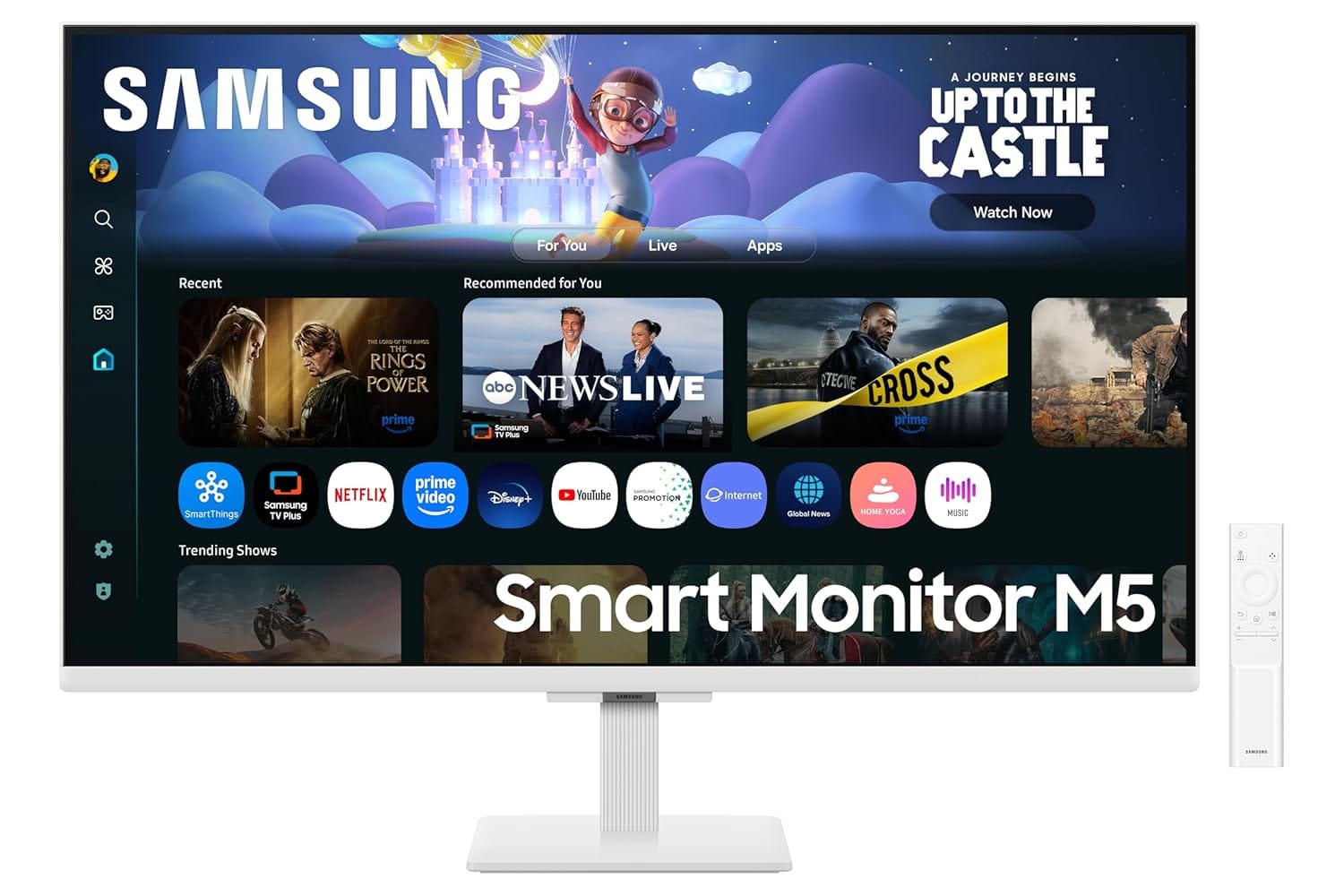
The Samsung 32 inch M5 smart monitor is a different kind of desk choice because it blends traditional monitor usage with a smart screen experience. This matters for Indian homes where one screen often serves multiple roles, such as work during the day and entertainment in the evening. The larger 32 inch size creates a wide canvas that can feel very comfortable for multitasking, especially when you do not want dual monitors. However, the Full HD resolution at 32 inches is a key factor to understand because text clarity depends on viewing distance and personal sensitivity. If you sit very close, you may notice that text does not look as crisp as it would on a QHD screen. If you sit slightly farther back, it can feel perfectly comfortable. The built in speaker and smart features can reduce the need for additional devices, which makes it attractive for compact setups. This monitor is best for users who want one large screen that supports both productivity and home use, and who value convenience and versatility as much as they value pure text sharpness.
ViewSonic VX2758A 2K Pro 3 27 Inch QHD 240Hz Gaming Monitor
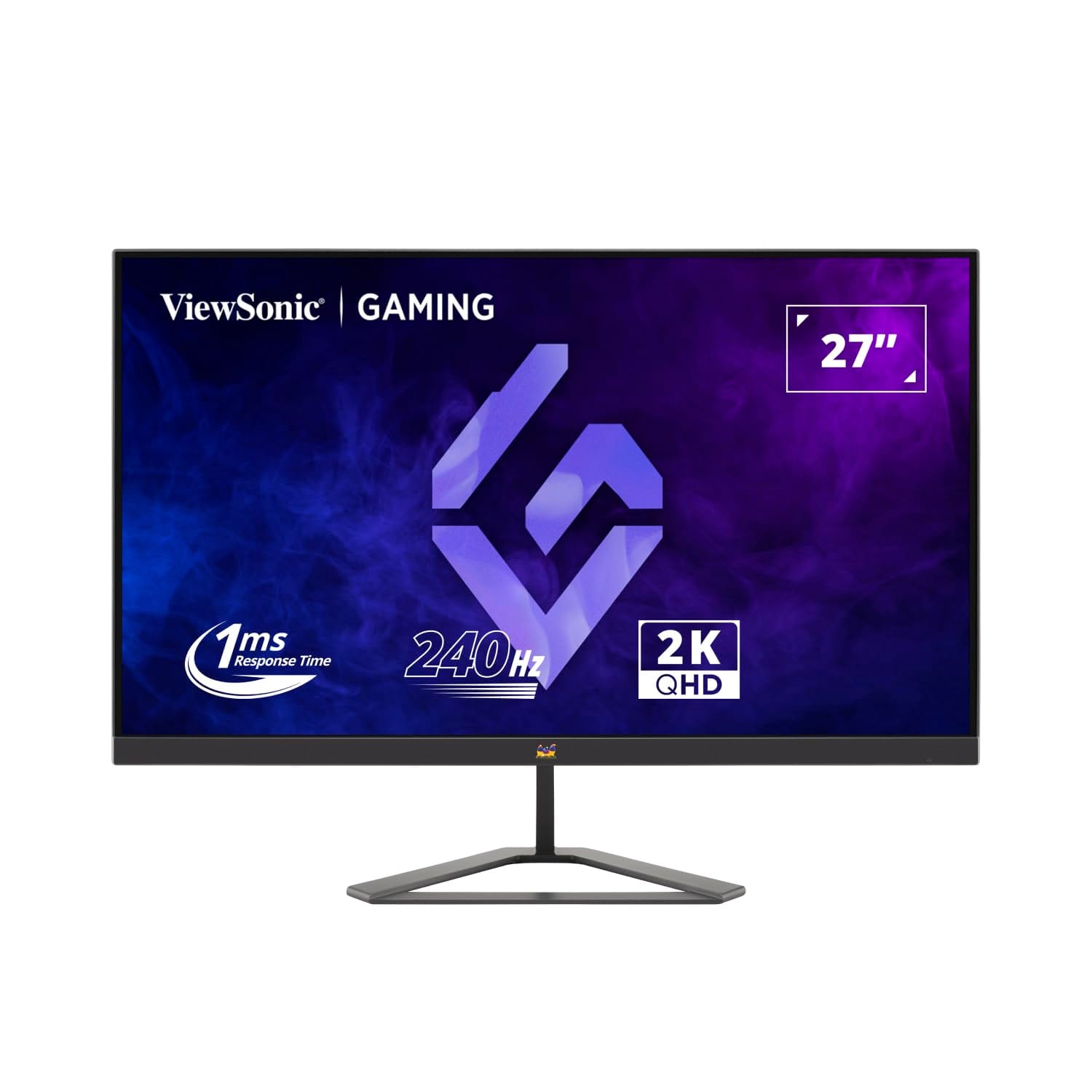
The ViewSonic VX2758A 2K Pro 3 is a high refresh rate QHD monitor, which places it in a category that can serve both gaming and serious desktop use. High refresh rate is often marketed for gaming, but it also affects everyday feel. Scrolling, cursor movement, and window transitions can look smoother, and that smoothness can reduce perceived strain for some users during long days. The QHD resolution at 27 inches supports sharp text and comfortable multitasking, which makes it usable as a productivity monitor even if gaming is not your main goal. The key difference with gaming oriented monitors is balance. Some models prioritise speed and compromise on colour tuning or stand ergonomics. In this case, the core appeal is that you get a fast, responsive screen that can handle gaming at night and still provide a sharp, comfortable workspace during the day. For Indian users who want one monitor for both work and play, this kind of monitor can be a practical compromise, provided the desk setup supports proper height and viewing distance.
Why Logitech Peripherals Became Industry Standard?
Logitech is often treated as a default recommendation in peripherals not because it is the cheapest or the flashiest, but because it has historically solved the problems that matter most in daily work. Reliability is the first reason. A mouse or keyboard that fails intermittently, disconnects randomly, or develops inconsistent buttons breaks focus instantly. Logitech built a reputation by making peripherals that behave predictably over long periods, which is what professionals value most. This predictability is a productivity feature, because it removes the low level anxiety of wondering whether your tools will behave during a meeting, a deadline, or a long work session.
The second reason is that Logitech treated ergonomics as mainstream, not niche. Many brands either ignore ergonomics or push extreme designs that feel inaccessible. Logitech introduced ergonomic options that still feel like professional tools rather than medical equipment. The MX Vertical is a clear example of a product that looks unusual but is built around a real strain problem, and the Wave Keys keyboard follows a similar comfort first philosophy. These products make it easier for people to choose comfort without feeling like they are stepping into an experimental category. This matters in India where many users do not build fully ergonomic desks, and peripherals become one of the easiest ways to reduce strain without changing furniture.
The third reason is workflow integration. Multi device switching, consistent wireless performance, and software based customisation for shortcuts turn a peripheral into a system tool rather than a generic accessory. Professionals increasingly use multiple devices across the day, and Logitech products are often built to support that reality smoothly. Over time, this combination of reliability, ergonomics, and workflow friendliness is what created the perception of Logitech as an industry standard. It is not a brand position built on hype. It is built on the idea that the best peripheral is the one you stop thinking about because it simply supports work without interruptions.
Why a Desk Setup Should Be Built Around Comfort and Workflow Instead of Specifications Alone
The most important takeaway is simple, a productive desk is not created by chasing the highest specifications or the most expensive accessories. Real productivity comes from reducing daily friction through tools that support comfort, consistency, and long-session usability. A mouse that fits naturally in the hand, a keyboard that reduces typing fatigue, and a monitor that improves readability collectively shape how sustainable work feels across months and years.
Another important factor is that peripherals should always be selected based on work patterns rather than marketing features. Users who spend most of the day writing, coding, researching, attending meetings, or managing spreadsheets benefit far more from ergonomics, reliability, and desk stability than from flashy designs or extreme performance specifications. The right peripherals gradually disappear into the background because they support workflow quietly without creating discomfort or interruptions.
At the same time, buyers should recognise that good desk setups are systems, not isolated purchases. A comfortable keyboard becomes more effective when paired with a properly positioned monitor, and an ergonomic mouse becomes more valuable during long sessions on stable desk layouts. In modern Indian work environments where hybrid work, small spaces, and long screen hours are increasingly common, investing in reliable and ergonomically sensible peripherals is not simply about convenience. It is a practical long-term decision that improves focus, reduces fatigue, and supports healthier work routines.
Frequently Asked Questions
Q. Why are ergonomic peripherals becoming more important for desk setups?
Ergonomic peripherals help reduce wrist strain, shoulder tension, and typing fatigue during long work sessions. Modern work routines involve significantly more screen time than before, which increases physical stress over time. Proper ergonomic tools improve long-term comfort and sustainability.
Q. Is a premium mouse really necessary for productivity?
A premium mouse is not mandatory, but a well-designed mouse can improve comfort, scrolling precision, and navigation consistency significantly. Small daily frustrations become noticeable during extended work hours. Comfortable control directly affects productivity and endurance.
Q. Why do many professionals prefer compact keyboards now?
Compact keyboards reduce desk clutter and allow the mouse to sit closer to the typing position. This helps reduce outward shoulder movement during long sessions. Many users also prefer cleaner desk layouts and better portability.
Q. Is QHD resolution actually useful for productivity work?
Yes, QHD monitors improve text clarity, workspace visibility, and multitasking comfort compared to standard Full HD displays. Sharper text reduces visual strain during reading-heavy workflows. This becomes especially noticeable during long office sessions.
Q. Why do ergonomic keyboards look unusual compared to regular keyboards?
Ergonomic keyboards are designed around natural wrist and hand positioning rather than traditional straight layouts. The unusual shape helps reduce wrist bending and tension buildup over time. Their goal is long-term comfort instead of visual familiarity.
Q. What makes reliable peripherals more valuable than feature-heavy ones?
Reliable peripherals reduce interruptions, connection problems, and inconsistent behaviour during daily work. Stability matters more than flashy features because work quality depends heavily on uninterrupted focus. Good peripherals become valuable when users stop noticing them entirely during use.
Ready to upgrade your tech?
Browse our collection of quality refurbished products at unbeatable prices.






