
Best Portable Scanners for Document Digitization
Portable scanners make document digitization easier when you need to scan contracts, receipts, IDs, forms, and business records away from a traditional office scanner. Here are the best options to consider in 2026.

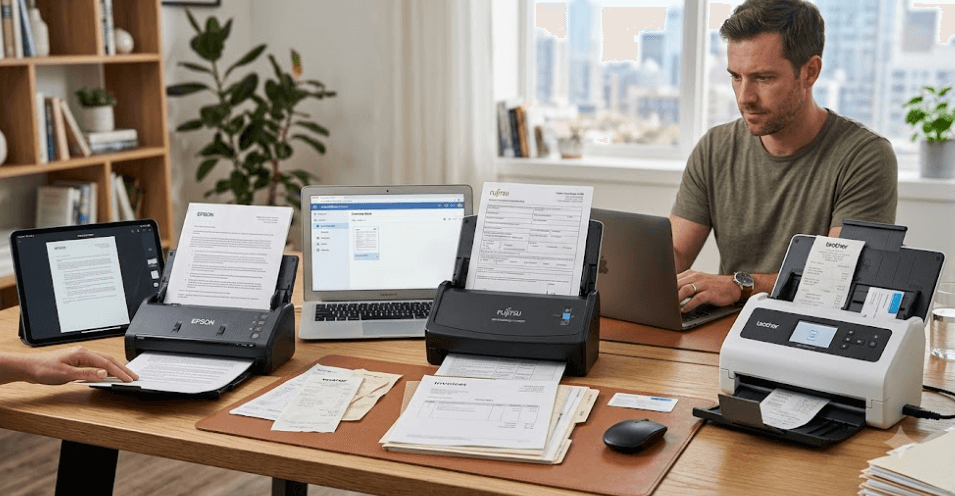
TL;DR The best portable scanner for document digitization depends on whether you prioritize duplex scanning, wireless connectivity, scan speed, or the smallest possible footprint. The Epson WorkForce ES-60W is a strong choice for users who want a lightweight scanner with Wi-Fi and a built-in battery, while the Canon image FORMULA P-215II is better suited to users who need faster duplex scanning and a more office-oriented workflow. The Canon image FORMULA P-208II is a compact option for lighter workloads, and the Brother DS-740D is worth considering when single-pass duplex scanning and USB-powered portability are the priorities. Portable scanners are especially useful for professionals who digitize documents while traveling, working from client locations, or operating from smaller workspaces.
Why Portable Scanners Matter For Digitization
Document digitization is no longer limited to large offices with dedicated scanning stations. Freelancers, students, sales professionals, accountants, consultants, and small businesses increasingly need to turn physical paperwork into searchable digital files while working away from a permanent desk. A portable document scanner addresses this need by combining a sheet-fed scanning mechanism with a compact body that can be carried between locations. Instead of waiting until you return to an office, you can digitize invoices, forms, receipts, contracts, business cards, and other paperwork close to where you receive or process it.
The main advantage is convenience rather than simply size. A portable scanner can reduce the friction involved in maintaining digital records because the device can sit beside a laptop and use USB power instead of requiring a dedicated workstation. Models such as the Canon image FORMULA P-208II are designed specifically around this type of workflow. Canon lists the P-208II at 600g with a compact 312.5 x 55.5 x 40mm body, USB power, an automatic document feeder, and duplex scanning. That combination makes it more practical for mobile work than a conventional flatbed scanner.
Portability also becomes important when document digitization involves different locations. A field employee may need to scan signed forms after a meeting, while an accountant may want to digitize receipts during a client visit. A student or researcher may need to capture documents without carrying a full-size scanner. This is where models with battery power or USB operation become useful. The Epson WorkForce ES-60W, for example, weighs 300g and includes both a built-in battery and Wi-Fi, allowing it to operate without being permanently connected to a computer or power outlet.
What Makes A Scanner Portable?
A portable scanner is generally designed around a compact sheet-fed body rather than a large flatbed glass surface. This makes it easier to carry and store, but it also means you should check the type and size of documents it supports before buying. Portable models are usually well suited to standard paperwork, receipts, business cards, and identification documents, although exact handling capabilities vary between models.
Best Portable Scanners To Consider
The portable scanner market includes several designs, so there is no single model that is automatically best for every digitization workflow. The Epson WorkForce ES-60W focuses heavily on mobility, with a 300g body, USB and battery operation, Wi-Fi connectivity, 600 x 600 dpi optical resolution, and support for documents ranging from 35gsm paper to cards up to 270gsm. Epson also specifies a daily scan volume of up to 300 sheets, although actual workload suitability depends on the documents and operating conditions.
The Canon image FORMULA P-208II takes a slightly different approach. It weighs 600g and includes an automatic document feeder with support for up to 10 documents, while its one-pass duplex function can scan both sides of a document. Canon rates it at up to 8 pages per minute and 16 images per minute, depending on the scanning mode. It is therefore a practical option when you want a compact scanner but still regularly handle double-sided paperwork.
For users who process more documents, the Canon imageFORMULA P-215II is a stronger step up. Canon lists speeds of up to 15 pages per minute and 30 images per minute for black-and-white or grayscale scanning, along with one-pass duplex scanning. It also supports up to 600 x 600 dpi and can operate through USB power. The Brother DS-740D is another compact duplex option, with Brother specifying up to 16ppm scanning and a 600 x 600 dpi optical resolution.
| Model | Optical Resolution | Duplex Scanning | Power | Key Strength |
|---|---|---|---|---|
| Epson WorkForce ES-60W | 600 x 600 dpi | No | USB, battery, AC | Wireless portability |
| Canon imageFORMULA P-208II | Up to 600 x 600 dpi | Yes | USB | Compact duplex scanning |
| Canon imageFORMULA P-215II | Up to 600 x 600 dpi | Yes | USB, optional AC | Faster document processing |
| Brother DS-740D | 600 x 600 dpi | Yes | USB | Compact duplex scanning |
Epson WorkForce ES-60W For Mobile Scanning
The Epson WorkForce ES-60W is particularly interesting if portability is your first priority. At 300g, it is lighter than the Canon P-208II and P-215II, and its built-in battery means you do not always need to connect it directly to a power source while scanning. Epson also includes Wi-Fi and Wi-Fi Access Point connectivity, allowing compatible mobile devices to connect through Epson ScanSmart. This makes the ES-60W a useful option for people who frequently work away from a traditional office setup.
Its document handling is broader than its small body might suggest. Epson states that the ES-60W supports standard paper types, ID cards, business cards, thin paper from 35gsm, and cards up to 270gsm. Its automatic feeding mode can also combine individually scanned documents into a single PDF, which can be useful when digitizing a mixed set of paperwork. The scanner uses a CIS sensor and offers 600 x 600 dpi optical resolution.
The main consideration is that the ES-60W is a single-sheet portable scanner rather than a high-volume desktop document scanner. It is designed around mobility and convenience, so buyers processing hundreds of pages every day may be better served by a larger ADF scanner. For mobile professionals, however, the combination of low weight, battery operation, Wi-Fi, and document flexibility makes it one of the most practical portable options. Epson India currently lists the ES-60W in its portable scanner range.
Canon Portable Scanners For Office Work
The Canon image FORMULA P-208II is a good middle ground when you want portability without giving up an automatic document feeder or duplex scanning. Its 600g weight keeps it reasonably easy to carry, while the ADF can hold up to 10 documents. One-pass duplex scanning means both sides of a document can be captured during the same pass, which is useful when contracts, forms, or business records contain information on both sides.
The Canon imageFORMULA P-215II is more appropriate when speed matters. Canon rates it at up to 15ppm and 30ipm for black-and-white and grayscale documents, while colour scanning is slower depending on resolution and mode. It also supports A4 documents, USB 2.0 and USB 3.0 connectivity, and one-pass duplex scanning. That makes it closer to a compact office document scanner than a basic travel scanner.
Canon's India website currently lists both the P-208II and P-215II as portable document scanners, although buyers should check current stock before purchasing because availability can change. The P-215II is also listed as in stock on Canon India's online store at the time of checking. This makes Canon particularly relevant for Indian buyers who want an established portable scanning option with local product and service information.
| Scanner | Weight | Speed | Duplex | Best Suited For |
| Canon P-208II | 600g | Up to 8ppm / 16ipm | Yes | Light office digitization |
| Canon P-215II | 1kg | Up to 15ppm / 30ipm | Yes | Higher-volume mobile work |
| Epson ES-60W | 300g | Up to 4 sec/sheet on battery | No | Travel and wireless scanning |
| Brother DS-740D | Approx. 1.427lb | Up to 16ppm | Yes | Compact duplex workflows |
What To Look For In A Portable Scanner
Scan speed should be considered alongside the type of documents you actually digitize. A scanner rated at a higher pages-per-minute figure can save time when processing a stack of documents, but speed figures are normally measured under specific resolution, paper-size, and colour conditions. For example, Canon's P-215II speed varies between black-and-white, grayscale, and colour scanning. This means you should not compare headline ppm numbers without checking how each manufacturer measured them.
Duplex scanning is another feature worth prioritizing if your documents commonly contain information on both sides. A single-pass duplex scanner can capture the front and back during one pass, reducing the need to manually turn pages. That can make a significant difference when digitizing signed contracts, application forms, invoices, or multi-page business documents. The Canon P-208II, P-215II, and Brother DS-740D all support duplex scanning.
Connectivity and power requirements also affect how portable the scanner feels. USB-powered models are convenient because they can draw power from a laptop, while battery-powered models offer more freedom when you are away from a desk. The Epson ES-60W goes further with built-in Wi-Fi and battery operation, whereas the Canon P-series models rely primarily on USB power. Your choice should therefore reflect whether you normally scan beside a laptop or need a scanner that can operate more independently.
| Feature | Why It Matters |
| Duplex scanning | Captures both sides without manually turning pages |
| Optical resolution | Determines the scanner's native image capture capability |
| USB power | Reduces the need for a separate power adapter |
| Battery | Useful when scanning away from a power source |
| Wi-Fi | Allows compatible wireless scanning workflows |
| OCR support | Helps convert scanned documents into searchable or editable text |
| Paper handling | Determines whether receipts, cards, and different paper weights can be scanned |
Who Should Buy A Portable Scanner?
A portable scanner makes the most sense when document digitization is part of your regular workflow rather than an occasional task. Professionals who travel between offices, meet clients, work from shared spaces, or manage paperwork away from a central office can benefit from having a dedicated scanner nearby. It can also be useful for small businesses that need to digitize records but do not have space for a larger scanner. In these situations, the portability of the device can matter more than maximum scanning speed.
Students, researchers, accountants, consultants, insurance professionals, and field workers can also benefit from portable scanning. The Epson ES-60W is particularly suited to this kind of mobile use because its battery and Wi-Fi reduce dependence on a fixed desk. Someone who mainly scans one document at a time may not need an ADF-heavy desktop model, making a compact portable scanner easier to justify.
However, a portable scanner is not automatically the right choice for every business. If you regularly digitize large stacks of documents, a desktop scanner with a larger automatic document feeder and a higher duty cycle will usually be more appropriate. Portable scanners are designed to balance convenience and functionality, so choosing one should start with your daily document volume, followed by your requirements for duplex scanning, connectivity, document types, and mobility.
Common Mistakes When Buying A Portable Scanner
One common mistake is choosing a scanner purely because it is small. Portability is valuable, but a tiny scanner that only handles one sheet at a time may become frustrating if your workload involves frequent multi-page documents. Buyers should look at scan speed, duplex support, paper handling, software compatibility, and power requirements before deciding. A 300g scanner can be an excellent travel companion, but it may not replace a desktop document scanner for a busy accounting office.
Another mistake is treating optical and interpolated resolution as the same thing. For document digitization, a scanner's optical resolution is the more meaningful specification because it represents the native capture capability of the scanner. The Epson ES-60W and Brother DS-740D both list 600 x 600 dpi optical resolution, while their higher interpolated figures should not be interpreted as equivalent to native optical detail.
It is also easy to overlook software and OCR capabilities. Digitization is not simply about creating an image of a page. Searchable PDFs and OCR can make digital records substantially more useful because text can be searched and, where supported by the software, converted into editable formats. Brother, for example, lists OCR and searchable PDF capabilities for the DS-740D, while Epson provides ScanSmart software for document workflows.
Frequently Asked Questions
Q. What is the best portable scanner for document digitization?
The best option depends on the workload. The Epson WorkForce ES-60W is a strong choice for mobility because it weighs 300g and includes battery and Wi-Fi connectivity. The Canon P-215II is better for users who prioritize faster duplex scanning.
Q. Is a portable scanner better than a flatbed scanner?
A portable scanner is better when mobility and sheet-fed document scanning are priorities. A flatbed scanner is generally more suitable for books, fragile originals, photographs, and documents that cannot be fed through a sheet-fed mechanism.
Q. Which portable scanner supports duplex scanning?
The Canon P-208II, Canon P-215II, and Brother DS-740D support duplex scanning. The Epson ES-60W is designed around single-sheet scanning rather than duplex capture.
Q. Is 600 dpi enough for document scanning?
Yes. A 600 dpi optical resolution is more than sufficient for many everyday document digitization tasks, particularly when the goal is to create clear digital records and searchable documents rather than high-end photographic scans.
Q. Can portable scanners scan receipts and business cards?
Yes. Several portable models support smaller documents. Epson specifically lists receipts, business cards, ID cards, and other paper types among the supported documents for the ES-60W.
Q. Does a portable scanner need a separate power adapter?
Not always. USB-powered models can draw power from a laptop or computer. The Epson ES-60W also includes a built-in battery, giving it more flexibility when a direct power connection is unavailable.
Q. Is duplex scanning important for document digitization?
It is useful when your documents commonly contain information on both sides. One-pass duplex scanning can reduce manual page handling and make multi-page document workflows more efficient.
Q. Can portable scanners create searchable PDFs?
Many portable scanning workflows support OCR and searchable PDF creation through their software. The Brother DS-740D, for example, supports searchable PDF formats and OCR-related scanning functions.
Q. Which portable scanner is best for travel?
The Epson WorkForce ES-60W is particularly well suited to travel because it weighs 300g and has a built-in battery and Wi-Fi connectivity. These features reduce the need to carry additional equipment.
Q. Should businesses buy a portable scanner for high-volume scanning?
Only if the daily workload is relatively moderate. Businesses scanning large volumes every day should generally consider a desktop document scanner with a larger feeder and a higher duty cycle. Portable scanners are primarily designed to balance mobility with practical document scanning.
Final Recommendation
For most users focused on mobile document digitization, the Epson WorkForce ES-60W is the most convenient all-round portable option because it combines a 300g design with a built-in battery, Wi-Fi, USB operation, 600 x 600 dpi optical resolution, and support for several document types. It is particularly appealing to professionals who regularly move between locations and want to scan without setting up a traditional office scanner.
If duplex scanning is more important than absolute portability, the Canon imageFORMULA P-208II is a sensible choice for lighter workloads, while the P-215II is better suited to users who need faster document processing. The Brother DS-740D is another capable compact duplex option, particularly for users who prefer a USB-powered workflow.
The right portable scanner should therefore be chosen around your actual digitization routine. Prioritize battery and wireless connectivity if you work away from a desk, choose duplex scanning if you regularly handle double-sided paperwork, and look toward a larger desktop scanner if your daily volume is high. A portable scanner is most valuable when it removes friction from document digitization without becoming another piece of equipment that you rarely use.






