
Best MacBook Pro Competitors in 2026: Powerful Windows Alternatives
Best MacBook Pro competitors 2026 for creators video editing graphic design and AI machine learning heavy workflows.

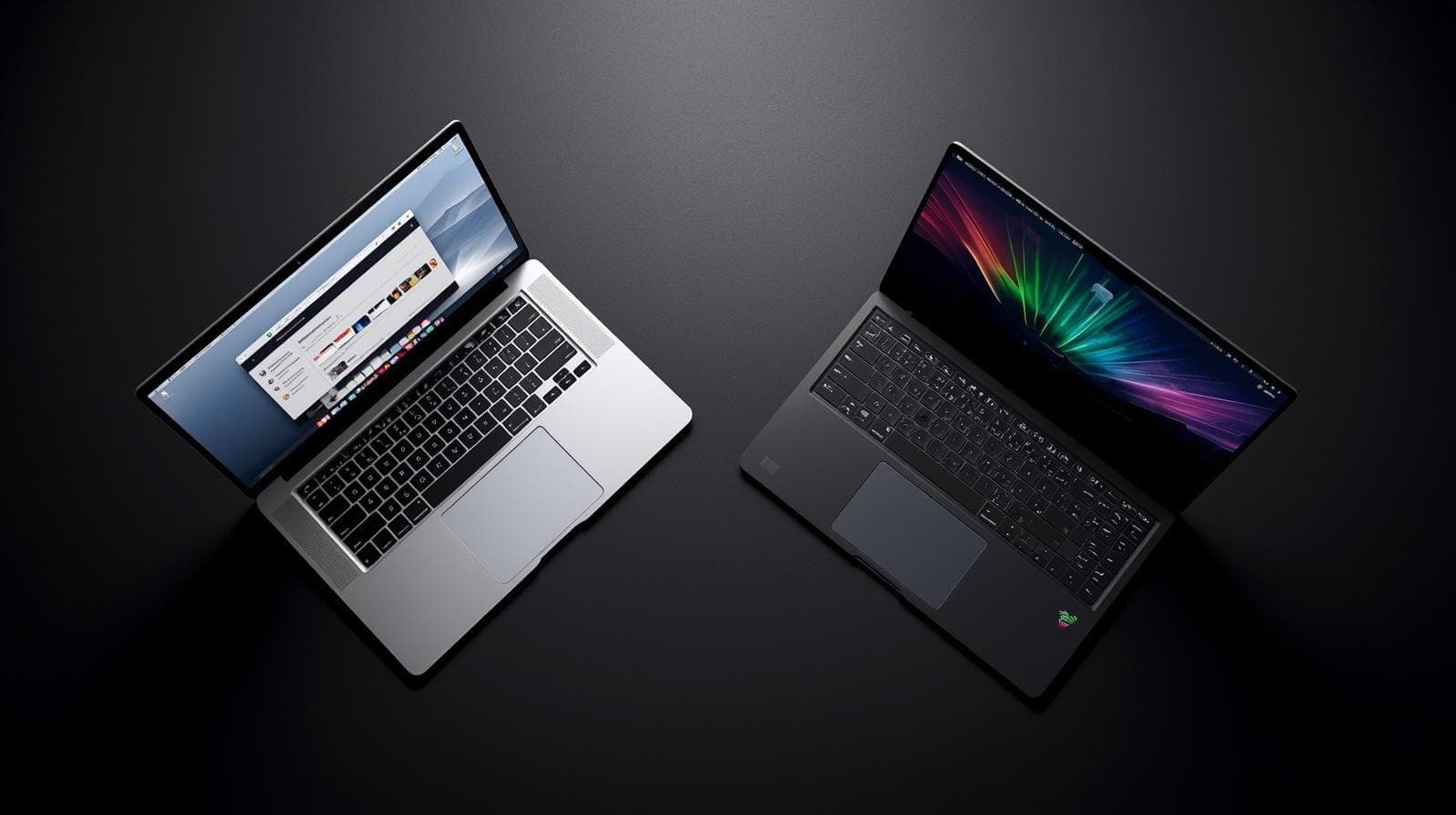
TL;DR The best MacBook Pro competitors in 2026 for creators and AI professionals are the Razer Blade 14, HP ZBook Fury 16 G11, Asus ProArt P16, and ROG Strix Scar G16. Each laptop excels in different areas such as portability, workstation performance, OLED display quality, or raw GPU power. For graphic design and video editing, the Asus ProArt P16 offers the most balanced creator experience. For AI and machine learning workloads, the HP ZBook Fury and ROG Strix Scar G16 are stronger due to NVIDIA GPUs and CUDA support. However, many still prefer the MacBook Pro for its battery life, silence, efficiency, and overall refinement.
Why MacBook Pro Alternatives Matter More in 2026
The MacBook Pro continues to be one of the most respected laptops for creative professionals in 2026. Its combination of exceptional display quality, excellent battery life, powerful media engines, and highly efficient Apple silicon makes it the default recommendation for video editors, graphic designers, music producers, and photographers. However, the Windows ecosystem has evolved significantly, and several laptops now challenge the MacBook Pro in areas that matter deeply to professional creators.
This shift is especially important because modern creative workflows are no longer limited to Photoshop layers or Premiere Pro timelines. In 2026, many professionals are also running GPU accelerated AI tools, local machine learning workflows, image generation models, and highly demanding 3D rendering pipelines. These tasks often depend heavily on NVIDIA GPUs, CUDA acceleration, and larger VRAM pools, which gives certain Windows laptops a strong advantage over Apple’s ecosystem.
That is why the idea of a “MacBook Pro competitor” has changed. It is no longer about simply matching Apple in raw benchmark scores. The real comparison now involves display accuracy, sustained export performance, battery life during travel, portability, thermals, AI readiness, and how the laptop behaves during hours of GPU intensive workloads. Once gaming is removed from the discussion, the focus becomes far more interesting because the decision revolves around workflow efficiency rather than frame rates.
In this blog, we will explore four of the strongest MacBook Pro competitors in 2026: the Razer Blade 14, HP ZBook Fury 16 G11, Asus ProArt P16, and ROG Strix Scar G16. Each of these machines targets creators, developers, and professionals in different ways, and understanding their strengths helps explain why the MacBook Pro still remains the benchmark despite fierce competition.
Quick Comparison Table: Best MacBook Pro Alternatives in 2026
Before diving into the detailed analysis, here is a high level comparison of the four strongest MacBook Pro competitors for creative and AI heavy workflows.
| Laptop | Best For | GPU Heavy AI and ML | Portability | Battery Life | Creator Display |
|---|---|---|---|---|---|
| Razer Blade 14 | Portable editing and hybrid creators | Strong | Excellent | Good | Excellent |
| HP ZBook Fury 16 G11 | Studio workstation and 3D pipelines | Exceptional | Moderate | Moderate | Very good |
| Asus ProArt P16 | Graphic design, video, AI creators | Excellent | Very good | Good | Exceptional |
| ROG Strix Scar G16 | GPU rendering and local model training | Exceptional | Moderate | Average | Very good |
This table immediately highlights the core tradeoff. Some laptops prioritise portability and premium design, while others focus entirely on GPU throughput and sustained workstation performance. The best choice depends entirely on the kind of creative workflow you run every day.
Razer Blade 14: The Best Portable MacBook Pro Alternative
The Razer Blade 14 is perhaps the closest Windows laptop to the MacBook Pro philosophy. It combines premium aluminium construction, strong GPU options, high end displays, and impressive portability in a compact 14 inch body. For creators who travel frequently, work from cafés, edit on flights, or need a powerful machine in a small footprint, the Blade 14 is one of the most compelling alternatives available.
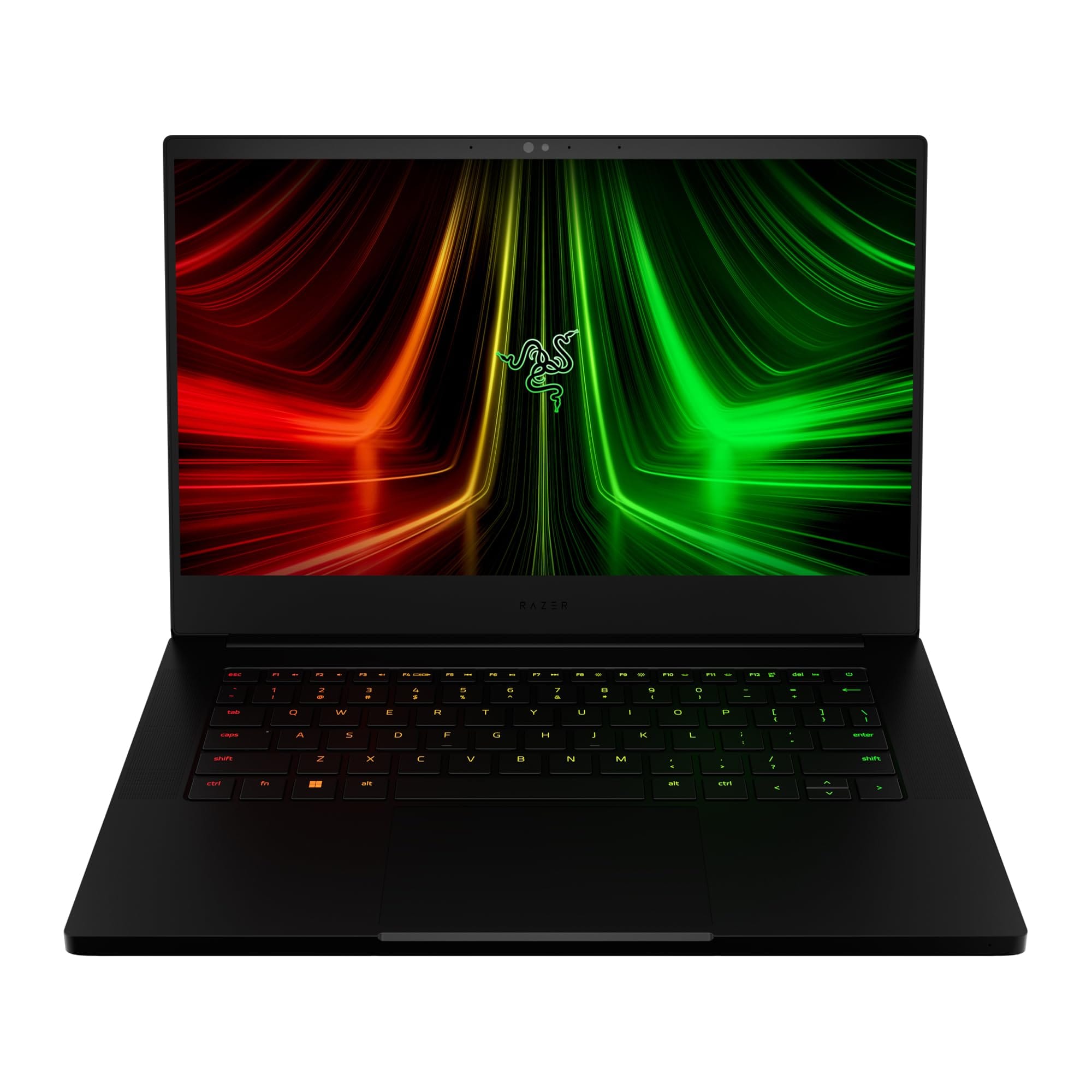
For creative workflows, the Blade 14 performs exceptionally well in Adobe Premiere Pro, Photoshop, Lightroom, DaVinci Resolve, and After Effects. The NVIDIA GPU acceleration allows faster timeline playback, quicker rendering, and smoother handling of effects heavy projects. This becomes especially useful for creators working with 4K footage, layered compositions, and advanced colour grading pipelines.
Its portability is one of its biggest strengths. Unlike larger Windows creator laptops, the Blade 14 actually feels premium and travel friendly. The chassis quality, keyboard experience, and overall design language make it one of the few Windows laptops that genuinely feels as polished as a MacBook Pro.
On the AI and machine learning side, the Blade 14 is surprisingly capable. CUDA support allows local LLM inference, Stable Diffusion image generation, PyTorch experimentation, and smaller fine tuning workloads. While it cannot replace a desktop workstation for serious model training, it offers far greater flexibility than the MacBook Pro for GPU dependent AI workflows.
HP ZBook Fury 16 G11: The Mobile Workstation for Serious Creators
The HP ZBook Fury 16 G11 is less of a laptop and more of a portable workstation. This is the machine designed for professionals working in VFX studios, CAD pipelines, engineering simulations, architecture visualisation, advanced 3D workflows, and AI development environments. If the MacBook Pro is a premium creator laptop, the ZBook Fury is a true mobile workstation built for sustained heavy loads.
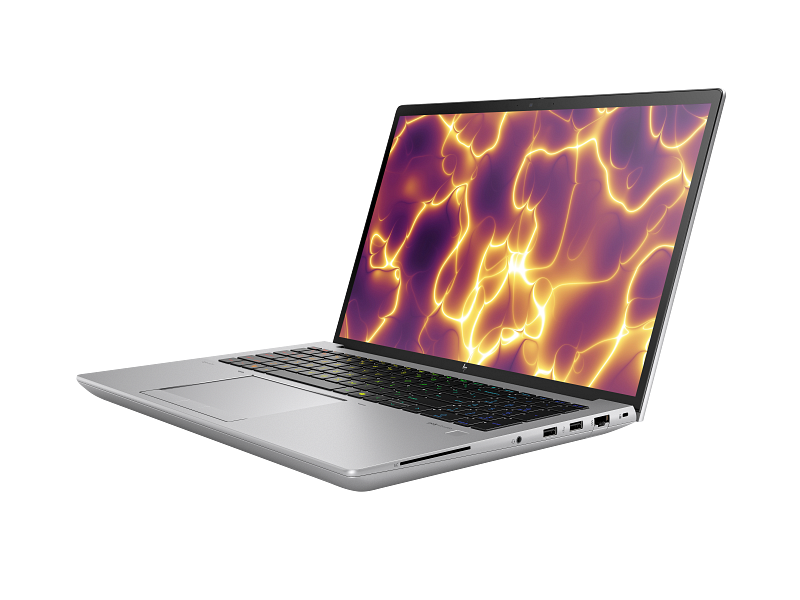
Its biggest strength is sustained performance over long sessions. Unlike thinner laptops that may throttle under prolonged rendering or exports, the ZBook Fury is designed to maintain high power delivery for extended periods. This makes it ideal for Blender rendering, Unreal Engine lighting builds, Cinema 4D projects, and simulation workloads that may run for hours.
For video editors working on long 6K or 8K timelines, the machine offers a significant advantage in GPU accelerated pipelines. The larger thermal headroom ensures consistent export performance even under long rendering sessions. This reliability is crucial in professional production environments where delays directly impact deadlines.
For AI and machine learning professionals, the ZBook Fury 16 G11 is one of the strongest MacBook Pro alternatives in the market. NVIDIA workstation GPUs, higher VRAM options, CUDA support, and excellent Linux compatibility make it ideal for tensor operations, local fine tuning, data science pipelines, and GPU intensive model training. If your workflow involves serious AI experimentation, this laptop is in a different class altogether.
The tradeoff is portability. It is heavier, bulkier, and less elegant than the MacBook Pro. However, for professionals prioritising performance over mobility, that compromise is completely justified.
Asus ProArt P16: The Best Creator First MacBook Pro Competitor
The Asus ProArt P16 is arguably the most direct creator focused competitor to the MacBook Pro in 2026. Unlike gaming laptops that happen to be powerful enough for editing, the ProArt lineup is intentionally designed around professional creator workflows. This means colour accuracy, creator shortcuts, display calibration, GPU acceleration, and media performance are all tuned specifically for professionals.
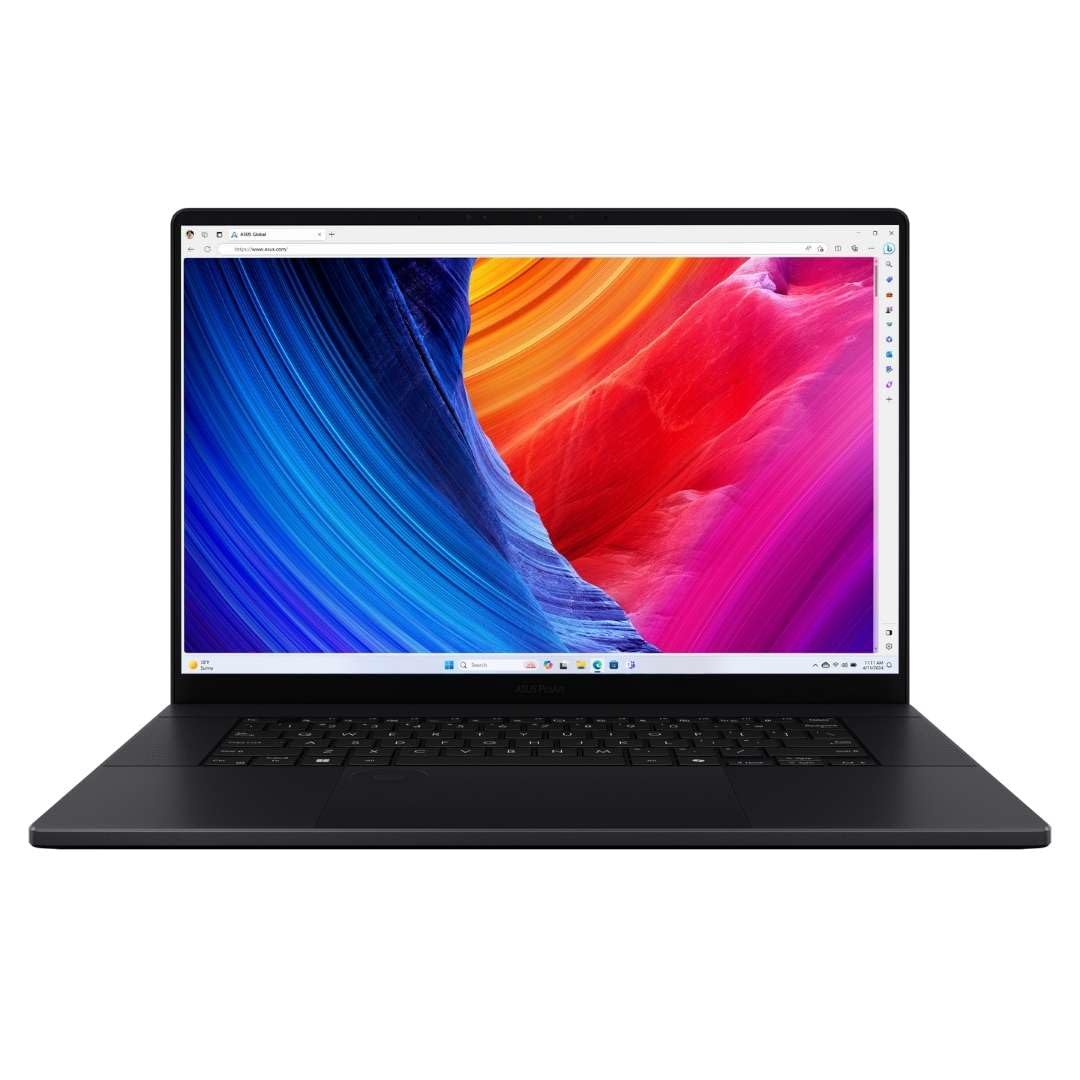
Its OLED display is one of the best in the Windows ecosystem. For graphic designers, photographers, and video editors, this matters enormously. Accurate colour reproduction, deep contrast, and strong factory calibration make it highly suitable for Photoshop, Illustrator, Figma, colour grading, and client facing visual work. This is one of the few Windows laptops where the display can genuinely compete with the MacBook Pro.
Video editing workflows also benefit from its balanced design. The laptop offers strong GPU acceleration for Adobe and DaVinci workloads while maintaining a relatively portable and elegant chassis. This makes it ideal for creators who need a laptop that travels well without sacrificing serious production capabilities.
The ProArt P16 also shines in AI workflows. Modern Ryzen AI silicon combined with RTX GPUs makes it excellent for local AI tooling, CUDA based inference, Stable Diffusion, local image generation, and GPU accelerated machine learning experiments. For creators whose work increasingly overlaps with AI, this laptop offers one of the most balanced solutions available today.
ROG Strix Scar G16: The Raw GPU Powerhouse
Once gaming is removed from the conversation, the ROG Strix Scar G16 becomes interesting for a completely different reason: sheer GPU power. This machine is built for users who need the maximum amount of portable GPU performance possible. While it is often marketed as a gaming laptop, creators and AI engineers increasingly use it as a high performance GPU workstation.
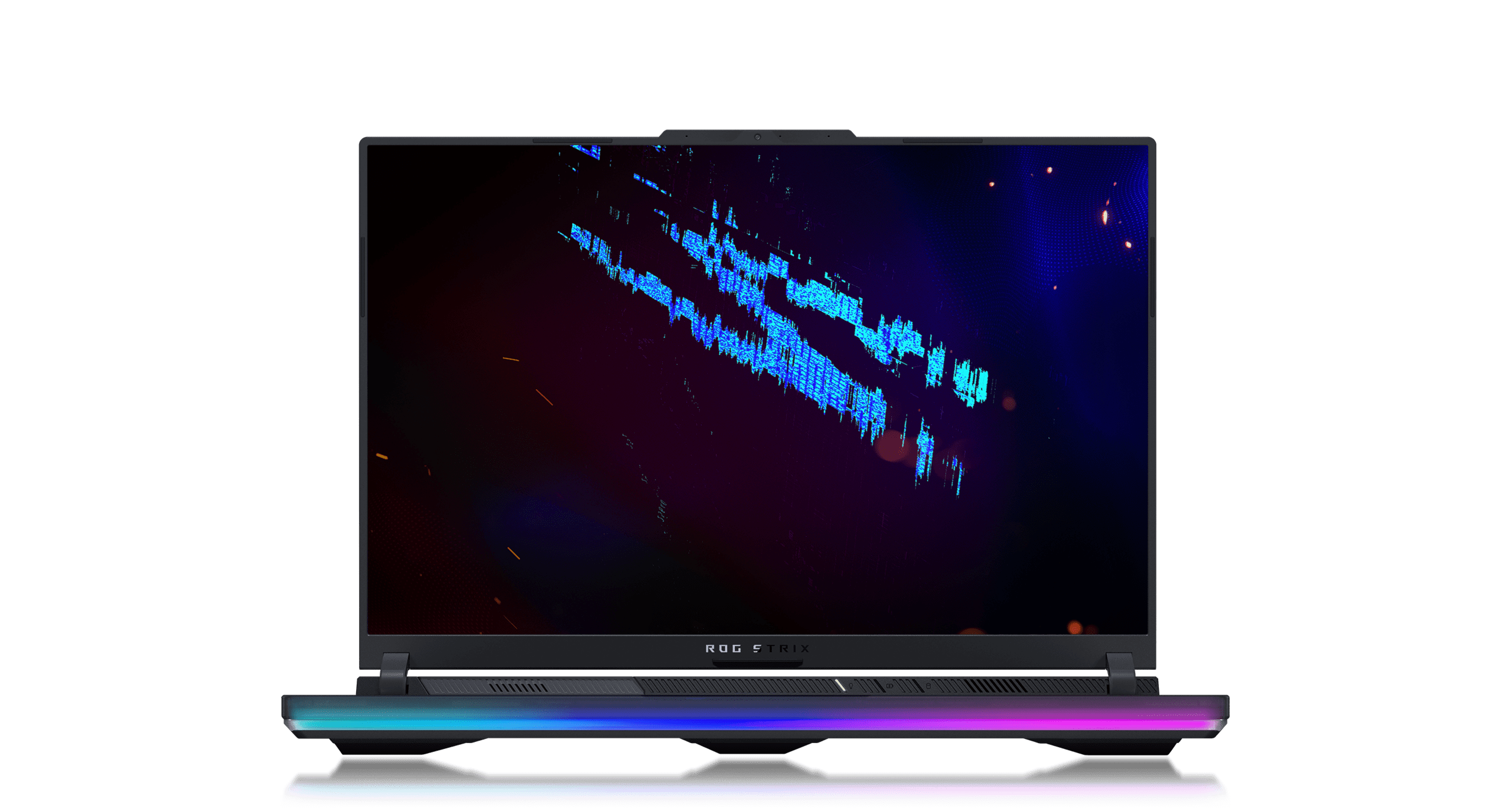
For video editors working with 8K footage, advanced Fusion compositions, heavy motion graphics, and layered VFX timelines, the Scar G16 can outperform many creator focused laptops simply because of its NVIDIA GPU power. CUDA acceleration dramatically improves export speeds, GPU rendering, and AI assisted effects pipelines.
The same applies to machine learning. Local LLM experimentation, LoRA training, Stable Diffusion fine tuning, and PyTorch based workflows all benefit from the higher VRAM configurations available in the Scar G16. For AI researchers or enthusiasts who want to run large local models without relying entirely on cloud resources, this machine offers tremendous flexibility.
The downside is refinement. Compared to the MacBook Pro, it is louder, bulkier, and less battery efficient. It behaves more like a transportable GPU workstation than a premium creator laptop. Still, for users who prioritise GPU throughput above everything else, it is one of the most powerful MacBook Pro alternatives available.
Creative Workflows: Which Laptop Is Best for Designers and Editors
Different creative professionals require different strengths from a laptop. Graphic designers often prioritise display calibration and portability. Video editors need sustained GPU acceleration and media performance. 3D artists care about thermal headroom and rendering consistency.
Here is how these laptops map to creative use cases.
| Workflow | Best Pick |
|---|---|
| Graphic design and colour work | Asus ProArt P16 |
| Video editing and portable creator work | Razer Blade 14 |
| Studio VFX and 3D pipelines | HP ZBook Fury 16 G11 |
| GPU rendering and AI creators | ROG Strix Scar G16 |
This makes it clear that there is no single universal winner. The best MacBook Pro competitor depends entirely on the software stack and the nature of your creative workflow.
AI and Machine Learning Workloads: Why Windows Alternatives Often Win
This is the single biggest reason many professionals choose expensive Windows alternatives over the MacBook Pro. Apple silicon is extremely efficient, but when workloads become highly GPU dependent, NVIDIA still dominates.
CUDA, TensorRT, PyTorch optimisations, local diffusion tools, GPU based tensor operations, and LLM fine tuning are all easier on Windows laptops with RTX GPUs. The HP ZBook Fury and ROG Strix Scar G16 are particularly strong because they combine higher VRAM ceilings with better thermal headroom.
The Asus ProArt P16 offers the best balance here because it combines creator friendly hardware with strong AI readiness. For professionals whose workflows blend editing, design, and AI experimentation, it may be the most practical MacBook Pro competitor available today.
Why Many Creators Still Prefer the MacBook Pro
Despite all these powerful Windows alternatives, many creators still continue choosing the MacBook Pro when gaming is not part of the equation. The reason is simple: Apple still wins in efficiency, silence, battery life, and overall refinement.
The MacBook Pro remains dramatically quieter under sustained workloads. Its battery life away from the charger is often far better than Windows alternatives. The trackpad, display consistency, and chassis quality still set the benchmark for premium creator laptops.
Most importantly, it offers a highly predictable and stable experience. Even if Windows machines outperform it in GPU dependent AI or CUDA heavy tasks, the MacBook Pro still feels more polished for everyday professional use. That consistency is why many creators continue to choose Apple despite the growing strength of Windows competitors.
Final Verdict: The Best MacBook Pro Competitor in 2026
If you want the most balanced creator focused Windows alternative, the Asus ProArt P16 is the strongest MacBook Pro competitor in 2026. It delivers exceptional display quality, strong GPU acceleration, creator first design, and growing AI readiness.
If your workflow is heavily workstation driven, the HP ZBook Fury 16 G11 is unmatched. If portability matters most, the Razer Blade 14 is the best choice. If your work revolves around CUDA, rendering, and AI heavy GPU pipelines, the ROG Strix Scar G16 offers the most raw power.
The reason the MacBook Pro still remains so relevant is simple. Windows alternatives can often beat it in raw GPU performance, but Apple still wins in refinement, efficiency, silence, and battery life. Once gaming is removed, the final decision depends less on benchmarks and more on whether your workflow depends on NVIDIA’s GPU ecosystem.
Frequently Asked Questions
Q. Which is the best MacBook Pro competitor for creators in 2026
The Asus ProArt P16 is the best overall creator focused competitor because of its OLED display strong GPU acceleration and balanced portability.
Q. Which laptop is best for AI and machine learning workloads
The HP ZBook Fury 16 G11 and ROG Strix Scar G16 are the strongest options due to NVIDIA GPUs CUDA support and higher VRAM configurations.
Q. Is Razer Blade 14 good for video editing
Yes it is excellent for portable video editing thanks to strong RTX GPU acceleration premium build quality and travel friendly design.
Q. Why do creators still prefer MacBook Pro over Windows alternatives
Creators still prefer MacBook Pro for better battery life quieter thermals premium trackpad display consistency and overall workflow refinement.
Q. Which laptop is best for graphic design and colour accurate work
The Asus ProArt P16 is best for graphic design because of its highly accurate OLED panel and creator focused display tuning.
Q. Is ROG Strix Scar G16 only good for gaming
No once gaming is removed it becomes an excellent choice for GPU rendering AI model training and CUDA heavy creative workflows.
Q. Which MacBook Pro alternative offers the best portability
The Razer Blade 14 offers the best portability while still maintaining high end GPU performance for creators and editors.
Q. Should AI engineers choose Windows laptops over MacBook Pro in 2026
Yes if the workflow depends on CUDA PyTorch TensorRT or large VRAM GPUs Windows laptops are often the better choice.






