
Best laptops with Intel Core Ultra Series 3 (Panther Lake) you can buy right now
Intel Core Ultra Series 3 laptops are now available across premium, business, and mainstream categories. Here are the best Panther Lake laptops to consider in 2026.

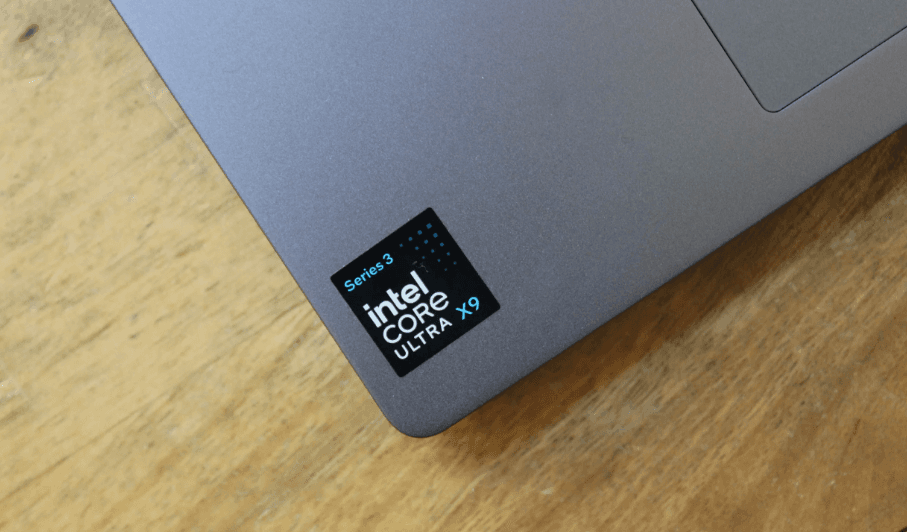
TL;DR Intel Core Ultra Series 3, also known as Panther Lake, is Intel's 2026 mobile processor family built around its newer Intel 18A process and designed to combine CPU performance, integrated graphics, and on-device AI capabilities in modern laptops. The line-up ranges from the Core Ultra 5 322 and 325 to higher-end Core Ultra 7, Core Ultra X7, and Core Ultra X9 processors, so performance varies considerably between models. Among the laptops available now, the ASUS Zenbook S 14 with the Core Ultra 7 355 is one of the strongest choices for everyday premium use because it combines a 14-inch 3K OLED touchscreen, 16GB RAM, 512GB SSD, and a lightweight 1.2kg design. The Lenovo Yoga Slim 7 Ultra is another strong option if you want a thin laptop with higher memory configurations, while Dell's XPS 14 and XPS 16 target buyers who prioritize premium design and long battery life.
What Is Intel Core Ultra Series 3 Panther Lake?
Intel Core Ultra Series 3 is the company's 2026 mobile processor generation, with Panther Lake being the architecture codename used for these chips. Unlike older Intel naming where a processor number alone could tell you relatively little about the overall platform, Series 3 brings together CPU cores, integrated graphics, and a dedicated NPU for AI workloads. Intel's official specifications show that the family includes processors with very different configurations, so Core Ultra 5, Core Ultra 7, Core Ultra X7, and Core Ultra X9 should not be treated as interchangeable chips simply because they carry the Series 3 name.
The Core Ultra 7 355 is a good example of the mainstream side of Panther Lake. It has eight cores made up of four Performance-cores and four Low Power Efficient-cores, eight threads, a maximum turbo frequency of 4.7GHz, and 12MB of Intel Smart Cache. Intel lists its processor base power at 25W and maximum turbo power at 55W. It also includes Intel Graphics and an NPU capable of up to 49 TOPS, making it particularly suited to thin-and-light laptops that need a combination of responsiveness, efficiency, and local AI acceleration.
At the higher end, Panther Lake scales much further. The Core Ultra X7 368H has 16 cores and 16 threads, with four Performance-cores, eight Efficient-cores, and four Low Power Efficient-cores. It can reach 5GHz and carries an 18MB cache, while its integrated Intel Arc B390 graphics and NPU are designed for substantially heavier workloads than the Core Ultra 7 355. This is why choosing a Panther Lake laptop should start with the exact processor rather than simply looking for the words "Core Ultra Series 3" on the product page.
Intel Core Ultra Series 3 At A Glance
| Processor | Cores/Threads | Max Turbo | NPU | Graphics |
|---|---|---|---|---|
| Core Ultra 5 322 | 6/6 | Up to 4.4GHz | Up to 46 TOPS | Intel Graphics |
| Core Ultra 5 325 | 8/8 | Up to 4.5GHz | Up to 47 TOPS | Intel Graphics |
| Core Ultra 7 355 | 8/8 | Up to 4.7GHz | Up to 49 TOPS | Intel Graphics |
| Core Ultra X7 368H | 16/16 | Up to 5.0GHz | Up to 50 TOPS | Intel Arc B390 |
Specifications vary by processor, so buyers should check the exact CPU listed in the laptop configuration rather than relying on the Series 3 branding alone.
Best Intel Core Ultra Series 3 Laptops You Can Buy Right Now
The ASUS Zenbook S 14 is one of the clearest examples of what Panther Lake is designed to enable. The Indian ASUS Store lists a configuration with the Core Ultra 7 355, 16GB LPDDR5X RAM, a 512GB PCIe 4.0 SSD, and a 14-inch 3K OLED touchscreen. The laptop weighs 1.2kg and is 1.1cm thin, making it a particularly attractive option for students, professionals, and anyone who carries their laptop throughout the day. ASUS also lists a 120Hz refresh rate, 500-nit brightness, and up to 1,100 nits HDR peak brightness for the display.
The Lenovo Yoga Slim 7 Ultra is another strong Panther Lake option, particularly if you want a thin-and-light machine but need more memory. Lenovo's specifications list the Core Ultra 7 355 alongside configurations with 32GB of soldered LPDDR5X-7467 memory and a 1TB PCIe 4.0 SSD. Lenovo also offers the same platform with more powerful Core Ultra X7 and X9 processors, so the Yoga Slim 7 Ultra family can scale beyond the standard Core Ultra 7 configuration. This makes it interesting for users who want a premium portable machine without automatically moving to a large workstation-style laptop.
Dell's 2026 XPS line-up takes a different approach. The XPS 14 and XPS 16 are available with Intel Core Ultra Series 3 processors and integrated Intel Arc graphics in selected configurations. Dell has positioned both machines as premium, thin laptops, with the XPS 14 weighing roughly three pounds and measuring 14.6mm thick. Dell's own testing also shows strong battery results for configurations using the Core Ultra 7 355, although those figures are laboratory results and should not be treated as guaranteed real-world battery life.
Top Panther Lake Laptops Compared
| Laptop | Panther Lake Processor | RAM | Storage | Display | Best For |
| ASUS Zenbook S 14 | Core Ultra 7 355 | 16GB | 512GB | 14-inch 3K OLED, 120Hz | Premium portability |
| Lenovo Yoga Slim 7 Ultra | Core Ultra 7 355 and higher options | Up to 32GB | Up to 1TB | 14-inch class | Portable productivity |
| Dell XPS 14 | Core Ultra 7 355 and other options | Configuration dependent | Configuration dependent | 14-inch class | Premium productivity |
| Dell XPS 16 | Core Ultra 7 355 and higher options | Configuration dependent | Configuration dependent | 16-inch class | Large-screen productivity |
| ASUS Vivobook S16 | Core Ultra 7 Series 3 option | 16GB | 512GB/1TB | 16-inch OLED | Large-screen value |
Exact configurations and prices vary by market and retailer, so check the specific SKU before purchasing.
ASUS Zenbook S 14 Is The Best Overall Choice
The ASUS Zenbook S 14 is the easiest Panther Lake laptop to recommend for most buyers because it does not focus on just one specification. The Core Ultra 7 355 gives it a modern eight-core platform with a 49 TOPS NPU, while the 14-inch 3K OLED touchscreen provides a premium display experience. The 16GB LPDDR5X memory and 512GB SSD are also sensible for everyday productivity, studying, coding, browsing, office work, and moderate creative workloads.
Its portability is another major advantage. At 1.2kg and approximately 1.1cm thin, the Zenbook S 14 is much easier to carry than a conventional 15- or 16-inch performance laptop. That makes it particularly useful for people who move between classrooms, offices, meetings, cafes, and home. ASUS also lists two Thunderbolt 4 USB-C ports, alongside other connectivity options, so the thin design does not mean the laptop has to depend entirely on dongles.
The display is arguably its biggest selling point. ASUS lists a 2880 x 1800 OLED panel with a 120Hz refresh rate, 500-nit brightness, and up to 1,100-nit HDR peak brightness. That combination makes the Zenbook S 14 much more than a basic office laptop. It is suitable for users who spend long hours reading, editing images, watching content, or working across multiple applications and want the display itself to feel premium.
ASUS Zenbook S 14 Specifications
| Specification | Details |
| Processor | Intel Core Ultra 7 355 |
| Cores/Threads | 8/8 |
| Max Turbo | Up to 4.7GHz |
| NPU | Up to 49 TOPS |
| Display | 14-inch 3K OLED Touch |
| Refresh Rate | 120Hz |
| RAM | 16GB LPDDR5X |
| Storage | 512GB PCIe 4.0 SSD |
| Weight | 1.2kg |
| Graphics | Intel Graphics |
ASUS lists this configuration at a special price of ₹1,67,990 on its Indian store at the time of checking, although laptop pricing and promotions can change.
Lenovo Yoga Slim 7 Ultra Is Better For Higher Memory
The Lenovo Yoga Slim 7 Ultra deserves attention if your workload involves heavier multitasking. Lenovo lists the Core Ultra 7 355 with up to 32GB of soldered LPDDR5X-7467 memory and a 1TB PCIe 4.0 SSD. That configuration gives you considerably more headroom than a 16GB machine when you are running multiple browser windows, development tools, office applications, and background processes at the same time.
The important detail here is that the Yoga Slim 7 Ultra is not restricted to the Core Ultra 7 355. Lenovo's specification sheet also lists Core Ultra X7 358H and Core Ultra X9 378H and 388H options. Those processors move into a substantially higher performance category, with 16 cores and integrated Arc B390 graphics. That means the same laptop family can appeal to users with very different performance requirements, although the exact configuration needs to be checked before buying.
For buyers who specifically want a portable Panther Lake laptop with 32GB RAM, the Yoga Slim 7 Ultra is therefore one of the more interesting options. The main thing to remember is that Lenovo's 32GB configuration uses soldered memory. That is not automatically a disadvantage in a thin laptop, but you should choose the RAM capacity carefully because you cannot assume that you will be able to upgrade it later.
Dell XPS 14 And XPS 16 Are Premium Alternatives
Dell's XPS 14 and XPS 16 are aimed at buyers who care about premium construction, portability, and battery life alongside Intel's latest mobile platform. Dell says the 2026 XPS 14 and XPS 16 are available with Intel Core Ultra Series 3 processors and integrated Intel Arc graphics, with both machines using CNC-machined aluminium designs. The XPS 14 is roughly three pounds, while the XPS 16 is around 3.6 pounds, making the former the more travel-friendly option.
Battery life is one of Dell's major selling points, but this is an area where buyers need to read the fine print. Dell reports more than 40 hours of local video playback in its specific laboratory configuration using the Core Ultra 7 355, 16GB RAM, 1TB SSD, and 2K LCD. The XPS 14 achieved 40 hours and 27 minutes in that test, while the XPS 16 reached 43 hours and 20 minutes. Dell itself notes that actual battery life can be significantly lower depending on configuration and usage.
The XPS range makes the most sense when you want a premium Windows laptop rather than simply the cheapest way to get Panther Lake. The XPS 14 is particularly appealing for people who travel frequently and prefer a smaller chassis, while the XPS 16 makes more sense if screen size and a larger working area matter more. Both should be evaluated by their exact configuration because processor, display, memory, storage, and graphics options can change the overall experience significantly.
How To Choose The Right Panther Lake Laptop?
The first thing to check is the exact processor. A Core Ultra 5 322 is not equivalent to a Core Ultra 7 355, and neither should be compared directly with a Core Ultra X7 368H. The Core Ultra 7 355 has eight cores and integrated Intel Graphics, while the X7 368H moves to 16 cores and Intel Arc B390 graphics. If your workload is mainly browsing, Office, coding, video calls, and media consumption, the Core Ultra 7 355 is already a strong fit. More demanding workloads can justify moving higher in the range.
RAM is the second specification to check carefully. For a laptop you plan to keep for several years, 16GB should be treated as a practical starting point rather than an invitation to buy the lowest configuration available. If you work with large projects, virtual machines, heavy multitasking, or creative applications, 32GB provides more breathing room. This is particularly important on thin-and-light Panther Lake laptops where memory may be soldered and therefore cannot be upgraded later. Lenovo, for example, explicitly lists the Yoga Slim 7's 16GB and 32GB memory as soldered and not upgradeable.
The display and battery should then be matched to your routine. An OLED panel makes sense if you care about contrast, colour, and media consumption, while a conventional IPS panel may be perfectly adequate for office work. Battery claims should also be treated as manufacturer test results rather than guarantees. The right Panther Lake laptop is therefore not necessarily the one with the fastest processor. It is the one that gives you enough performance, RAM, storage, display quality, and portability without paying for hardware your workload will never use.
Buying Guide By User Type
| User | Recommended Type | Why |
| Student | Core Ultra 5/7 thin-and-light | Good balance of portability and performance |
| Office Professional | Core Ultra 7 355 | Strong productivity and AI capability |
| Frequent Traveler | Zenbook S 14 or XPS 14 | Lightweight premium designs |
| Developer | Core Ultra 7 with 32GB RAM | Better for multitasking and development tools |
| Creator | Higher-end Panther Lake or dedicated GPU laptop | More graphics performance may be required |
| Power User | Core Ultra X7/X9 | More cores and stronger integrated graphics |
Are Panther Lake Laptops Worth Buying In 2026?
For most people buying a new Windows laptop in 2026, Panther Lake is a platform worth considering because it brings together CPU, graphics, and AI processing in one modern mobile architecture. Intel's official lineup includes processors with NPUs reaching up to 50 TOPS, while compatible systems can qualify as Copilot+ PCs when they meet Microsoft's hardware requirements. Lenovo, for example, lists its Panther Lake Yoga systems with NPUs of up to 50 TOPS and identifies compatible configurations as Copilot+ PCs.
However, the processor name should not become the only reason to buy a laptop. A Core Ultra Series 3 machine with 16GB of memory, a poor display, limited storage, or an unsuitable keyboard can still be a worse purchase than an older laptop with a better overall configuration. This is particularly relevant when comparing discounted previous-generation laptops against newly launched Panther Lake models. The complete laptop matters more than the generation label printed on the box.
The strongest reason to buy Panther Lake is therefore longevity rather than simply chasing the newest processor. A well-configured Core Ultra 7 355 laptop with 16GB or 32GB RAM, a fast SSD, a good display, and strong battery life can remain a capable productivity machine for years. For buyers who want a premium laptop today, the ASUS Zenbook S 14, Lenovo Yoga Slim 7 Ultra, and Dell XPS 14 are among the most compelling options to investigate based on their currently documented configurations.
Frequently Asked Questions
Q. What is Intel Core Ultra Series 3?
Intel Core Ultra Series 3 is Intel's 2026 mobile processor family, formerly known by the Panther Lake codename. It combines CPU cores, integrated graphics, and an NPU for AI workloads in supported laptops.
Q. Is Panther Lake the same as Core Ultra Series 3?
Yes. Panther Lake is the codename used for Intel's Core Ultra Series 3 mobile processors. Intel's official product pages identify Series 3 processors as products formerly known as Panther Lake.
Q. Which Panther Lake laptop is best overall?
The ASUS Zenbook S 14 is one of the strongest all-round options because its Core Ultra 7 355 is paired with a 14-inch 3K OLED touchscreen, 16GB LPDDR5X memory, 512GB SSD, and a 1.2kg chassis.
Q. Is Intel Core Ultra 7 355 good for everyday use?
Yes. The Core Ultra 7 355 has eight cores, a maximum turbo frequency of 4.7GHz, integrated Intel Graphics, and an NPU rated at up to 49 TOPS, making it well suited to productivity, multitasking, and supported AI workloads.
Q. Does Core Ultra Series 3 have an NPU?
Yes. Panther Lake processors include an NPU for AI workloads, although NPU performance varies between models. Intel lists up to 49 TOPS for the Core Ultra 7 355 and up to 50 TOPS for the Core Ultra X7 368H.
Q. How much RAM should I get with a Panther Lake laptop?
For general productivity, 16GB is a sensible starting point. If you regularly multitask heavily, develop software, use virtual machines, or work with demanding creative applications, 32GB is a better long-term choice.
Q. Can I upgrade RAM in Panther Lake laptops?
It depends on the laptop. Some models use soldered memory, while others can provide upgradeable memory. Lenovo's Yoga Slim 7, for example, lists 16GB and 32GB soldered memory configurations that are not upgradeable.
Q. Is the Core Ultra 7 355 good for gaming?
It can handle lighter gaming workloads using its integrated Intel Graphics, but buyers seeking demanding modern games should look for a Panther Lake laptop with stronger integrated Arc graphics or a dedicated GPU.
Q. Which is better, Core Ultra 7 355 or Core Ultra X7 368H?
The Core Ultra X7 368H is the more powerful processor on paper, with 16 cores, 16 threads, higher maximum turbo frequency, and Intel Arc B390 graphics. The Core Ultra 7 355 is designed for a more power-efficient thin-and-light class of laptop.
Q. Should I buy a Panther Lake laptop in 2026?
Yes, if the complete laptop fits your needs and budget. Panther Lake is a current Intel mobile platform with strong AI capabilities, but buyers should compare the processor, RAM, SSD, display, battery, weight, and upgradeability rather than buying based on the processor generation alone.
Final Recommendation
The ASUS Zenbook S 14 is the best overall Panther Lake laptop for most buyers because it combines the Core Ultra 7 355 with a premium 3K OLED touchscreen, 16GB LPDDR5X memory, 512GB SSD, and a 1.2kg chassis. It is especially well suited to students, professionals, developers, and frequent travellers who want a premium Windows laptop without carrying a heavy machine.
If 32GB memory is more important to you, the Lenovo Yoga Slim 7 Ultra deserves a closer look because Lenovo lists configurations with 32GB soldered LPDDR5X memory and a 1TB SSD, along with higher-end Panther Lake processors in the same family. For buyers who prefer the XPS design and want a larger premium Windows laptop, Dell's XPS 14 and XPS 16 are compelling alternatives, particularly if battery life and build quality are high priorities.
The important takeaway is that Intel Core Ultra Series 3 is a platform, not a guarantee of identical performance across every laptop. Check the exact processor, RAM configuration, display, storage, battery, and graphics before buying. If you want the safest all-round choice right now, the ASUS Zenbook S 14 with Core Ultra 7 355 is the one to start with.






