
Best Dell Precision for Premiere Pro and DaVinci Resolve
The Dell Precision 7680 stands out for demanding Premiere Pro and DaVinci Resolve workflows, combining powerful CPUs, professional GPUs, upgradeable memory, and high-resolution display options.

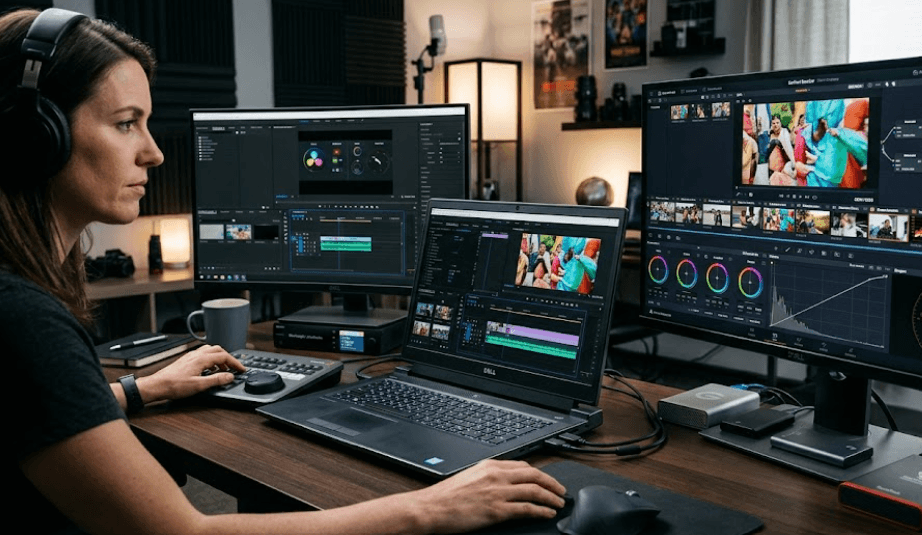
TL;DR: The Dell Precision 7680 is the most practical Dell Precision mobile workstation for demanding Premiere Pro and DaVinci Resolve workflows because it can be configured with powerful HX-series processors, up to NVIDIA RTX 5000-class professional graphics, and substantial memory and storage options. The Precision 5690 is a slimmer alternative with up to an RTX 5000 Ada GPU and 64GB of onboard LPDDR5x memory, but its RAM cannot be upgraded later. For professional 4K editing, color grading, effects, and longer projects, the Precision 7680 gives you more room to configure the system around your workload, while the Precision 5690 makes more sense when portability is a higher priority.
Why Dell Precision Workstations Suit Video Editing
Dell Precision workstations are designed for professional workloads where sustained processing, graphics performance, memory capacity, and reliability matter more than simply having a fast consumer laptop. That makes the Precision family relevant to editors working in Adobe Premiere Pro and DaVinci Resolve. The Precision 7680, for example, can be configured with 13th Gen Intel Core HX processors and professional NVIDIA RTX graphics, including RTX 4000 and RTX 5000-class options. Dell also offers higher-capacity memory configurations and multiple SSD options, giving editors more flexibility when building a workstation around large video projects.
Premiere Pro makes use of both the CPU and GPU. Adobe's current requirements recommend 32GB or more of RAM for 4K and higher-resolution media, while its GPU guidance recommends at least 6GB of GPU memory for 4K and higher workloads. Premiere also uses GPU acceleration for effects, rendering, playback, scaling, color conversion, and hardware-accelerated encoding and decoding. That means a Precision configuration with a capable discrete GPU is much more appropriate for serious editing than one relying only on integrated graphics.
DaVinci Resolve places even greater emphasis on GPU performance for many professional workflows. GPU acceleration is used extensively for effects, color processing, Fusion work, and other demanding tasks, particularly in Resolve Studio. Puget Systems' current Resolve benchmarking guidance recommends 32GB of system memory for full performance and a discrete GPU with 6GB or more VRAM depending on the benchmark workload. This is why choosing the Precision configuration is more important than simply choosing the Precision brand. The processor, GPU, RAM, storage, and display all need to match the type of footage and projects you work with.
Dell Precision 7680 For Premiere Pro And Resolve
The Precision 7680 is the strongest fit in this comparison when your priority is demanding video production rather than maximum portability. Dell positions it as a 16-inch mobile workstation, and its configuration options include Intel Core i5, i7, and i9 HX processors, along with professional NVIDIA graphics ranging from RTX A1000-class hardware to RTX A5500-class configurations in Dell's listed specifications. Dell also lists a 16-inch UHD+ 3840 x 2400 OLED display option with 100% DCI-P3 coverage, which is particularly relevant to creators who need a higher-quality built-in display for editing and color-focused work.
Memory is another major advantage. Unlike the Precision 5690, the 7680 supports memory configurations using CAMM or SODIMM depending on the configuration. Dell lists options ranging from 16GB to 128GB with CAMM, as well as SODIMM configurations. That matters for professional editors because project requirements can grow over time. A system that can accommodate more memory gives you greater flexibility if you move from occasional 1080p projects to large 4K timelines, multicamera work, heavy effects, or complex Resolve projects.
Storage also deserves attention because video editing quickly consumes capacity. Dell lists multiple PCIe NVMe SSD configurations for the Precision 7680, including capacities up to 4TB. For an editor, a large internal SSD can be useful for active projects, cache files, applications, and frequently accessed media. You should still consider external or network storage for a larger media library, but having a fast internal SSD gives Premiere Pro and Resolve a strong foundation for day-to-day project work.
Precision 7680 Key Specifications
| Feature | Dell Precision 7680 |
|---|---|
| Processor options | Up to Intel Core i9-13950HX |
| GPU options | Up to NVIDIA RTX A5500 / RTX 5000-class configurations depending on market |
| GPU memory | Up to 16GB on listed professional GPU options |
| Display | Up to 16-inch UHD+ 3840 x 2400 OLED |
| Colour coverage | Up to 100% DCI-P3 |
| RAM | Up to 128GB CAMM on listed configuration |
| Storage | Up to 4TB listed SSD capacity |
| Weight | From about 2.60kg |
| Battery | Up to 93Wh |
Dell Precision 5690 For Premiere Pro And Resolve
The Precision 5690 takes a different approach. It is a slimmer 16-inch mobile workstation designed for professionals who still need serious hardware but place more importance on portability. Dell lists Intel Core Ultra 5, Core Ultra 7, and Core Ultra 9 processors, along with NVIDIA RTX 1000, 2000, 3500, 4000, and 5000 Ada Generation laptop graphics. That makes the 5690 capable of handling demanding editing workloads when configured with a sufficiently powerful discrete GPU.
The display options are also well suited to content creation. Dell lists a 16-inch 1920 x 1200 display with 100% DCI-P3 coverage and a 3840 x 2400 OLED touchscreen option with 100% DCI-P3 coverage. A wide-gamut display is useful for creators because the screen can represent a broader range of colours than a basic office-oriented panel. However, professional colour work should still be performed with a properly calibrated workflow and, where required, a dedicated reference display.
The biggest limitation for long-term workstation planning is the memory design. The Precision 5690 uses onboard LPDDR5x memory, and Dell's documentation explicitly states that the memory is integrated on the system board and is not replaceable or upgradeable. It is available with up to 64GB. That makes the initial configuration particularly important. If you are buying a 5690 for professional video editing, choosing 32GB or 64GB from the beginning is much more sensible than buying a lower-memory configuration and expecting to upgrade it later.
Precision 5690 Key Specifications
| Feature | Dell Precision 5690 |
|---|---|
| Processor options | Up to Intel Core Ultra 9 185H |
| GPU options | Up to NVIDIA RTX 5000 Ada Generation |
| GPU memory | Up to 16GB GDDR6 |
| Display | Up to 16-inch UHD+ 3840 x 2400 OLED |
| Colour coverage | Up to 100% DCI-P3 |
| RAM | 16GB, 32GB, or 64GB LPDDR5x |
| RAM upgradeable | No |
| Storage | Up to 4TB listed SSD capacity |
| Weight | From about 2.01kg |
| Ports | Thunderbolt 4, USB-C, HDMI 2.1 |
Premiere Pro And DaVinci Resolve Hardware Requirements
Premiere Pro and DaVinci Resolve overlap in their hardware needs, but they do not place exactly the same emphasis on every component. Adobe recommends 32GB or more RAM for 4K and higher-resolution media and at least 6GB of GPU memory for 4K and higher workloads. Premiere also benefits from modern CPUs with technologies such as Intel Quick Sync for supported codecs. This makes a well-configured Precision workstation particularly useful for editors who regularly work with compressed camera footage, multicamera timelines, and GPU-accelerated effects.
DaVinci Resolve is particularly GPU-focused. Blackmagic's Resolve Studio documentation highlights GPU acceleration through CUDA and OpenCL on Windows and Linux, while Puget Systems' current benchmark requirements recommend a discrete GPU with at least 6GB VRAM for its basic preset and 8GB for standard or extended testing. For professional Resolve work involving noise reduction, advanced OpenFX, Fusion, or AI-assisted features, additional GPU capability can make a meaningful difference.
For both applications, RAM should be treated as a workload requirement rather than simply a specification to maximize. A 32GB configuration is a sensible starting point for serious 4K editing, while 64GB becomes more attractive for heavier projects, large compositions, multicamera workflows, and demanding Resolve sessions. If your work involves 6K, 8K, complex effects, or large professional projects, a higher-memory Precision configuration gives you more headroom.
Recommended Configuration By Workload
| Workload | Recommended RAM | GPU Direction | Suitable Precision |
|---|---|---|---|
| 1080p editing | 16GB–32GB | 4GB+ VRAM | Precision 5690 |
| 4K Premiere Pro | 32GB+ | 6GB+ VRAM | Precision 5690 / 7680 |
| 4K Resolve | 32GB+ | 8GB+ preferred | Precision 7680 |
| Heavy colour grading | 64GB | Higher-end RTX | Precision 7680 |
| Fusion and complex effects | 64GB+ | High-VRAM RTX | Precision 7680 |
| Large professional projects | 64GB–128GB | RTX 4000/5000-class | Precision 7680 |
Display, Storage, And Connectivity Matter
A powerful processor and GPU are only part of an editing workstation. The display matters because you spend hours looking at your timeline, footage, scopes, and colour information. The Precision 7680's optional 3840 x 2400 OLED display covers 100% DCI-P3 according to Dell, while the 5690 also offers a UHD+ OLED option with 100% DCI-P3. These specifications make either model potentially suitable for creators who want a wide-gamut built-in screen, although display calibration remains important for colour-critical work.
Storage is equally important. Video projects can consume hundreds of gigabytes surprisingly quickly, especially when you are working with high-bitrate footage, proxies, cache files, previews, and multiple project versions. Dell lists SSD configurations up to 4TB for both Precision models. A large internal SSD is useful for active projects, but editors with extensive footage libraries should still plan a separate external SSD, RAID, NAS, or other storage system rather than keeping every project on the laptop.
Connectivity can also influence which workstation makes more sense. The Precision 7680 includes Thunderbolt 4, USB-C, USB-A, HDMI, Ethernet, and an SD card slot in Dell's listed configuration, making it easier to build a workstation around external displays, storage, card readers, and other production equipment. The 5690 is slimmer and includes Thunderbolt 4, USB-C, HDMI 2.1, and an optional SD card slot. For a creator who regularly transfers footage from cameras and connects multiple peripherals, the larger 7680 has a more workstation-oriented design.
Precision 7680 Vs Precision 5690
The decision between these two models is mainly about performance headroom and portability. The Precision 7680 is physically heavier, but its larger chassis supports more flexible memory configurations and powerful workstation-class hardware. The 5690 is considerably easier to carry at around 2.01kg minimum, compared with approximately 2.60kg for the 7680, making it more practical if your editing workflow involves frequent travel between home, office, college, or production locations.
For Premiere Pro, both can be configured with hardware that comfortably exceeds Adobe's recommended 4K requirements. For Resolve, the higher-end GPU configurations become particularly interesting because GPU performance and VRAM can have a greater influence on demanding effects and colour workflows. The 7680 therefore makes more sense for an editor who expects projects to become increasingly demanding over the next several years.
The 5690 remains attractive for creators who need a professional mobile workstation without carrying a heavier machine. Its RTX 5000 Ada option gives it serious graphics capability, while the OLED display option is useful for creators who value a high-quality integrated screen. The important point is to buy enough RAM at the start because Dell confirms that the 5690's onboard memory cannot be upgraded later.
Precision 7680 Vs Precision 5690
| Feature | Precision 7680 | Precision 5690 |
|---|---|---|
| Form factor | Performance-focused mobile workstation | Slimmer mobile workstation |
| Maximum listed RAM | Up to 128GB CAMM | Up to 64GB onboard |
| RAM upgrade | Configuration dependent | Not upgradeable |
| Top listed GPU class | RTX 5000-class professional graphics | RTX 5000 Ada |
| OLED option | Yes | Yes |
| Maximum listed display resolution | 3840 x 2400 | 3840 x 2400 |
| Starting weight | About 2.60kg | About 2.01kg |
| Best suited to | Heavy professional editing | Portable professional editing |
Who Should Buy A Dell Precision For Video Editing?
A Dell Precision makes the most sense when video editing is more than an occasional hobby. If you work with client footage, professional projects, long-form videos, colour grading, multicamera timelines, or demanding effects, a workstation-class system can provide the combination of graphics, memory, storage, and sustained performance that a thin consumer laptop may not prioritize. The Precision 7680 is especially relevant when you need more memory headroom and a powerful discrete GPU.
For freelance editors and content creators who travel frequently, the Precision 5690 can be easier to justify. Its lower minimum weight and slimmer chassis make it more convenient to carry, while its available RTX 5000 Ada configuration provides substantial GPU capability. However, because its RAM is soldered to the motherboard, the initial configuration matters considerably. For professional use, choosing 32GB or 64GB from the beginning is preferable to relying on a later upgrade.
Students and occasional creators may not need the highest-end Precision configuration. If your projects are mainly 1080p videos, short social-media edits, basic colour correction, and occasional 4K projects, a lower configuration can be sufficient. The important thing is to avoid paying for professional GPU and memory capacity that your workload will never use. For editors working primarily in 4K Resolve or Premiere Pro, however, 32GB RAM and a discrete GPU with at least 6GB VRAM provide a more sensible baseline.
Common Buying Mistakes To Avoid
One common mistake is buying a Precision based only on its processor. Video editing performance depends on the entire configuration, and Premiere Pro and Resolve both make significant use of the GPU. A workstation with a powerful CPU but a weak graphics configuration can therefore be poorly balanced for a GPU-heavy workflow. Check the exact GPU and VRAM configuration rather than assuming every Precision model performs the same way.
Another mistake is choosing 16GB RAM for a machine intended for serious 4K work. Adobe currently recommends 32GB or more for 4K and higher-resolution Premiere workflows, while current Resolve benchmarking guidance also points toward 32GB for full performance. That does not mean every 4K project will immediately consume 32GB, but it gives you more room for large timelines, browser tabs, After Effects, Photoshop, and other applications running alongside your editor.
Finally, pay attention to the exact configuration and upgrade path. The Precision 5690's RAM is integrated and cannot be replaced, while the Precision 7680 offers CAMM and SODIMM-based memory configurations. Buying the wrong memory configuration can therefore have a very different long-term impact on each machine. The same principle applies to storage and GPU selection. A workstation should be configured for the projects you expect to edit, not just the projects you are editing today.
Frequently Asked Questions
Q. Which Dell Precision is best for Premiere Pro and DaVinci Resolve?
The Precision 7680 is the strongest fit for demanding Premiere Pro and DaVinci Resolve work because it offers high-end processor options, professional NVIDIA graphics, large memory configurations, and a workstation-focused chassis. Its upgradeable memory options also give it more long-term flexibility than the Precision 5690.
Q. Is the Dell Precision 5690 good for video editing?
Yes. The Precision 5690 can be configured with up to an NVIDIA RTX 5000 Ada Generation laptop GPU, 64GB of LPDDR5x memory, and a 4K OLED display option. It is suitable for serious editing, although its RAM is integrated and cannot be upgraded later.
Q. How much RAM do I need for Premiere Pro?
Adobe currently recommends 32GB or more RAM for editing 4K and higher-resolution media. For lighter HD projects, 16GB can be sufficient, but 32GB provides more headroom for professional editing and multitasking.
Q. How much RAM do I need for DaVinci Resolve?
For professional Resolve work, 32GB is a sensible target. Puget Systems' current DaVinci Resolve benchmark requirements specify 16GB as a baseline and 32GB as recommended for full performance. Heavier Fusion, colour, and AI workloads can benefit from additional memory.
Q. Is an NVIDIA RTX GPU important for DaVinci Resolve?
A capable discrete GPU is important for demanding Resolve workflows because the software makes extensive use of GPU acceleration. Higher-VRAM GPUs become particularly useful for complex effects, high-resolution footage, and professional colour and Fusion workloads.
Q. Is 16GB RAM enough for 4K video editing?
It can run some 4K workflows, but 16GB is not the configuration I would target for a professional 4K editing workstation. Adobe recommends 32GB or more for 4K and higher-resolution Premiere projects, making 32GB a more appropriate starting point.
Q. Can you upgrade RAM on the Dell Precision 5690?
No. Dell states that the Precision 5690's LPDDR5x memory is integrated on the system board and is not replaceable or upgradeable. Buyers should therefore choose the required memory capacity when purchasing the laptop.
Q. Can you upgrade RAM on the Dell Precision 7680?
The Precision 7680 supports different memory configurations, including CAMM and SODIMM options. Dell lists configurations up to 128GB using CAMM, so it provides substantially more memory flexibility than the Precision 5690.
Q. Is the Precision 7680 too heavy for video editors?
At around 2.60kg minimum, the Precision 7680 is heavier than the Precision 5690. That makes it less convenient for frequent travel, but the larger chassis allows Dell to offer more workstation-oriented hardware and memory configurations.
Q. Should I choose the Precision 5690 or Precision 7680 for 4K editing?
Choose the Precision 5690 if portability is important and you are comfortable selecting the required RAM configuration upfront. Choose the Precision 7680 if your priority is sustained professional editing performance, higher memory capacity, and greater configuration flexibility.
Final Recommendation
For most professionals choosing a Dell Precision specifically for Premiere Pro and DaVinci Resolve, the Precision 7680 is the configuration to focus on. Its combination of HX-series processors, professional NVIDIA graphics, high memory capacity, fast NVMe storage options, and colour-focused display choices makes it better suited to demanding 4K editing, colour grading, effects, and longer professional projects. Its larger chassis and higher weight are the trade-offs for that additional performance and flexibility.
The Precision 5690 is the better alternative when portability matters more. It can still be configured with an RTX 5000 Ada GPU and a high-quality 4K OLED display, making it a capable mobile editing workstation. The important limitation is its soldered memory, so choosing 32GB or 64GB at purchase is essential if you expect your editing workload to grow.
For a serious Premiere Pro and DaVinci Resolve workflow, the priority should be the GPU and VRAM first, followed by RAM, processor, storage, and display. A well-configured Precision 7680 with at least 32GB of RAM and a capable discrete NVIDIA GPU gives you the headroom needed for modern 4K editing without forcing you to compromise on workstation flexibility.






