

Best Dell Precision for Game Development and Unreal Engine
Dell Precision workstations can handle Unreal Engine development, but the right model depends on GPU VRAM, CPU power, RAM, storage, and portability. Here is how the Precision 7680, 7780, and 5690 compare.

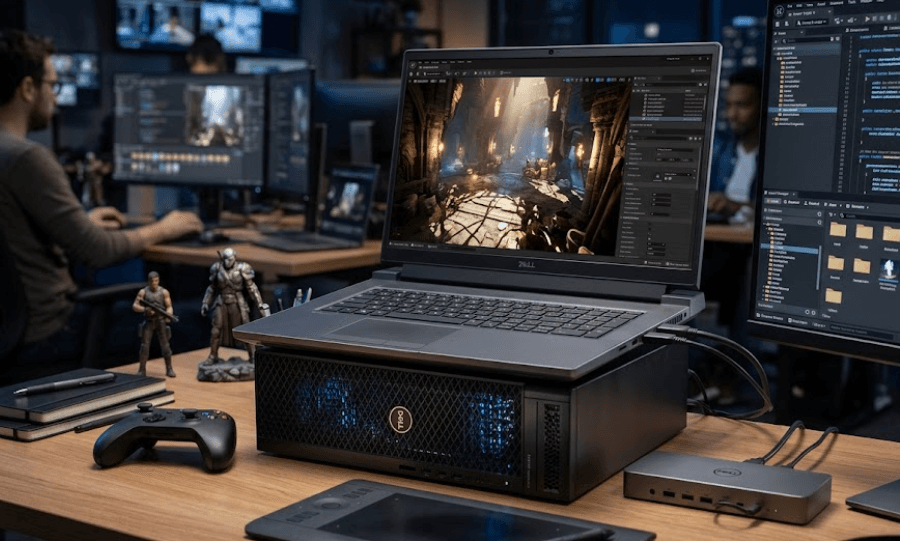
TL;DR For Unreal Engine game development, the Dell Precision 7680 is the most balanced Precision workstation in this comparison because it combines high-end HX-series processors, professional NVIDIA RTX graphics, large memory configurations, and a 16-inch display in a workstation designed for demanding creative and technical workloads. The Precision 7780 is better suited to developers who want a larger 17.3-inch display and extensive memory and GPU options, while the slimmer Precision 5690 makes more sense when portability matters. Epic Games recommends at least 32GB of RAM and 8GB or more of graphics memory for Unreal Engine development, so configurations with 32GB RAM and a discrete RTX GPU should be treated as a practical starting point rather than a luxury.
Why Dell Precision Works For Unreal Engine
Unreal Engine development places very different demands on a laptop compared with ordinary gaming. You are not simply running a finished game at a high frame rate. You may have the Unreal Editor open alongside Visual Studio, browser tabs, asset-management tools, 3D software, source-control software, and other development utilities. Lighting builds, shader compilation, large environments, texture-heavy assets, and real-time features such as Lumen and Nanite can also increase the workload. Epic Games currently recommends Windows 11, 32GB of RAM, 8GB or more of graphics memory, and a DirectX 12-compatible graphics card for Unreal Engine development.
That makes the Dell Precision family relevant because these machines are built as mobile workstations rather than conventional consumer laptops. The Precision 7680, for example, supports HX-series Intel processors and professional NVIDIA RTX graphics ranging from lower-tier configurations through the RTX 5000 Ada Generation with 16GB of GDDR6 memory. Dell also positions the 7680 for demanding applications, including gaming development, VR/AR, AI, and other compute-heavy workloads.
The important point is that you should not choose a Precision simply because it carries a workstation label. The exact configuration matters more. A Precision with 16GB of RAM and a lower-end GPU can be far less comfortable for large Unreal Engine projects than a properly configured model with 32GB or 64GB of RAM and a GPU with substantially more VRAM. For developers, the configuration is therefore more important than the name printed on the laptop.
What Unreal Engine Needs
| Component | Practical Starting Point | Why It Matters |
|---|---|---|
| Operating System | Windows 11 | Recommended by Epic for development |
| RAM | 32GB | Useful for editor, assets and development tools |
| GPU VRAM | 8GB or more | Recommended by Epic for development |
| GPU | DirectX 12 compatible | Important for modern UE5 rendering |
| Storage | 1TB SSD preferred | Large projects and assets consume space |
| CPU | Modern multi-core processor | Helps with compilation and multitasking |
Dell Precision 7680 For Game Development
The Precision 7680 is the most compelling configuration to examine when your priority is Unreal Engine development rather than simply carrying a workstation around. Dell offers it with 13th Generation Intel Core processors including the Core i9-13950HX, which has 24 cores and can reach up to 5.5GHz, along with professional NVIDIA graphics options extending to the RTX 5000 Ada Generation with 16GB of GDDR6 memory. That combination gives developers considerable headroom for demanding editor workloads, real-time rendering, asset processing, and other CPU- and GPU-intensive tasks.
Memory is another major advantage. Dell lists CAMM and SODIMM memory options for the Precision 7680, with configurations reaching 128GB through a CAMM module. It can also be configured with 64GB of DDR5 SODIMM memory. This is useful for professional development because large Unreal projects can consume significant memory once the editor, assets, browser windows, Visual Studio, and other applications are open simultaneously.
The 7680 also gives you a 16-inch 16:10 display, with options including a 3840 x 2400 OLED panel or a 1920 x 1200 display depending on configuration. Its starting weight is around 2.60kg, so this is clearly a workstation rather than an ultraportable. If you regularly work on complex Unreal Engine projects and want a machine that can also handle demanding creative applications, the size and weight are trade-offs worth considering.
Precision 7680 Key Specifications
| Specification | Dell Precision 7680 |
|---|---|
| CPU Options | Up to Core i9-13950HX |
| Maximum CPU Cores | 24 |
| GPU Options | Up to RTX 5000 Ada |
| GPU Memory | Up to 16GB GDDR6 |
| Maximum RAM | Up to 128GB CAMM |
| Display | Up to 16-inch 3840 x 2400 OLED |
| Storage | Up to 4TB SSD listed |
| Starting Weight | About 2.60kg |
Dell Precision 7780 For Larger Projects
The Precision 7780 takes the workstation concept further with a larger 17.3-inch display and a similarly broad range of professional GPU options. Dell lists processors up to the 13th Generation Core i9-13950HX and graphics options up to the NVIDIA RTX 5000 Ada Generation with 16GB of GDDR6. It can also be configured with up to 128GB of CAMM memory or up to 64GB through SODIMM configurations.
For Unreal Engine development, that larger chassis can be useful when your work involves large editor windows, multiple panels, asset browsers, debugging tools, and other applications. A 17.3-inch display gives you more physical screen area than the 16-inch Precision 7680. Dell also lists 4K 120Hz and FHD display options, depending on configuration, so developers should pay attention to the exact panel rather than assuming every Precision 7780 has the same screen.
The trade-off is portability. A larger workstation is less convenient for developers who regularly move between classrooms, offices, studios, and client locations. It makes more sense when the laptop spends most of its time on a desk and acts as a mobile development workstation. If your projects involve heavy compilation, large environments, advanced lighting, or high-resolution assets, the ability to configure substantial RAM and professional GPU hardware makes the 7780 worth considering.
Precision 7680 vs Precision 7780
| Feature | Precision 7680 | Precision 7780 |
|---|---|---|
| Screen Size | 16-inch | 17.3-inch |
| CPU | Up to Core i9-13950HX | Up to Core i9-13950HX |
| GPU | Up to RTX 5000 Ada | Up to RTX 5000 Ada |
| GPU VRAM | Up to 16GB | Up to 16GB |
| Maximum RAM | Up to 128GB CAMM | Up to 128GB CAMM |
| Display Options | Up to 3840 x 2400 OLED | Up to 3840 x 2160 |
| Best Suited To | Powerful mobile development | Large-screen workstation use |
Dell Precision 5690 For Portable Development
The Precision 5690 takes a different approach. It is a 16-inch workstation designed around a thinner and lighter chassis, with a starting weight of about 1.91kg. Dell lists Intel Core Ultra processors up to the Core Ultra 9 185H and professional NVIDIA RTX graphics up to the RTX 5000 Ada Generation with 16GB of GDDR6 memory. That makes it considerably easier to carry than the larger Precision workstations while still offering serious graphics hardware.
The biggest limitation is memory configuration. Dell lists 16GB, 32GB, and 64GB of LPDDR5X memory for the Precision 5690, and the memory is onboard rather than conventional removable SODIMM memory. That means you need to choose your RAM configuration carefully when purchasing. For Unreal Engine development, 32GB is a much more sensible starting point than 16GB if your projects are expected to become more demanding.
The 5690 therefore makes the most sense for developers who want workstation-class graphics without carrying a 2.6kg-plus machine. It can be configured with an RTX 5000 Ada GPU, which gives it substantial graphics memory, but its thinner design and onboard memory make it a different proposition from the more expandable 7680 and 7780. For a developer who travels frequently, however, that reduction in size can make a meaningful difference.
Which Precision Fits Your Workflow?
| Model | Main Strength | Main Trade-Off | Suitable For |
|---|---|---|---|
| Precision 5690 | Portability | Onboard RAM | Mobile developers |
| Precision 7680 | Balance of power and size | Heavy chassis | Most demanding development |
| Precision 7780 | Large display and scalability | Largest form factor | Desk-based development |
GPU And VRAM Matter Most
When choosing a Dell Precision for Unreal Engine, the GPU deserves particular attention. Epic Games recommends a DirectX 12-compatible graphics card with at least 8GB of graphics memory for Unreal Engine development. Modern Unreal Engine features such as Lumen and hardware ray tracing can impose additional requirements, and Epic specifically lists NVIDIA RTX 2000-series or newer GPUs among the supported hardware for Lumen hardware ray tracing.
This is why configurations with 12GB or 16GB of dedicated GPU memory become attractive for more demanding projects. The Precision 7680, 7780, and 5690 can all be configured with professional RTX GPUs reaching the RTX 5000 Ada Generation and 16GB of GDDR6 memory. That does not automatically make them faster than every gaming laptop, because performance depends on the exact GPU, power configuration, cooling, drivers, and workload. It does, however, give developers access to substantial GPU memory for professional workloads.
It is also important not to confuse GPU memory with system RAM. The 16GB of VRAM on an RTX 5000 Ada configuration is separate from the laptop's main memory. Unreal Engine uses both, but for different purposes. If you have 64GB of system RAM but only a GPU with limited VRAM, graphics-heavy workloads can still become constrained. Likewise, a powerful GPU does not compensate for insufficient system memory when you are running large projects and several development applications together.
GPU Memory Guide
| GPU VRAM | Unreal Engine Use |
|---|---|
| 6GB | Smaller projects and lighter workloads |
| 8GB | Practical development baseline |
| 12GB | Better headroom for demanding scenes |
| 16GB | Useful for large and graphics-heavy projects |
RAM, Storage And CPU For Unreal Engine
RAM becomes particularly important once an Unreal Engine project grows beyond a simple prototype. Epic's current recommended specification calls for 32GB of system memory, while its own high-end development reference system uses substantially more. That does not mean every developer needs 256GB, but it demonstrates how quickly memory requirements can rise in professional workflows. For most developers, 32GB is a sensible starting point, while 64GB becomes more attractive for large projects, virtual machines, heavy multitasking, or other demanding software running alongside Unreal Engine.
Storage is another area where it is worth spending more at the configuration stage. Unreal projects can include large texture libraries, source assets, engine installations, derived data, builds, and version-control files. Dell lists SSD configurations up to 4TB on the Precision 7680 and 7780, although the exact available configuration can vary. A 1TB SSD is a practical starting point for many developers, while 2TB or more can be more comfortable when Unreal projects and other creative applications are stored locally.
CPU performance matters particularly during code compilation and other CPU-heavy development tasks. Epic notes that a machine with at least 12 to 16 cores is a practical local-compilation baseline when distributed build solutions are not being used. The Precision 7680 and 7780 can therefore be configured with processors such as the 24-core Core i9-13950HX, giving them the multi-core capacity expected from a workstation in this class.
Recommended Configuration
| Component | Recommended Starting Point |
|---|---|
| RAM | 32GB |
| RAM for Large Projects | 64GB or more |
| GPU VRAM | 8GB minimum, more for demanding work |
| SSD | 1TB |
| SSD for Large Projects | 2TB or more |
| CPU | Modern high-core-count processor |
| OS | Windows 11 |
Common Buying Mistakes
One common mistake is choosing a Precision based only on the RTX badge. Two laptops can both carry an RTX GPU while having very different power limits, cooling systems, CPU configurations, and memory capacities. For Unreal Engine development, you should evaluate the complete configuration rather than assuming that a higher model number automatically delivers the performance you need. The RTX 5000 Ada option, for example, is available across several Precision models, but the surrounding hardware and chassis differ between them.
Another mistake is buying too little RAM because the laptop will initially be used for small projects. Unreal Engine development often expands as projects become more complex, and developers may eventually add Visual Studio, Blender, Photoshop, Perforce or Git tools, browsers, communication applications, and other software to the workflow. Starting with 32GB gives you substantially more breathing room than an entry configuration with 16GB.
The final mistake is assuming that a workstation automatically beats a gaming laptop for every game-development task. Precision machines are designed for professional workstation workloads, while gaming laptops may offer different GPU configurations, cooling approaches, display refresh rates, and price-to-performance ratios. The Precision becomes particularly interesting when you value workstation features, professional graphics options, large memory configurations, business support, and a machine designed for professional applications alongside Unreal Engine.
Which Dell Precision Should You Choose?
The Precision 5690 is the sensible choice when portability is a major part of your development routine. Its 1.91kg starting weight is considerably easier to manage than the larger Precision workstations, while its configuration options include powerful Core Ultra processors and professional NVIDIA RTX graphics up to the RTX 5000 Ada Generation. The compromise is that its LPDDR5X memory is onboard and tops out at 64GB in Dell's listed configurations.
The Precision 7680 is the strongest overall fit for developers who want a workstation that balances screen size, processing power, graphics capability, and memory scalability. Its 16-inch display is large enough for an Unreal Engine editor workflow, while its CPU and GPU options extend into workstation-class territory. Dell specifically identifies gaming developers among the users for the Precision 7680, making it particularly relevant to this use case.
The Precision 7780 is the option to consider when screen size and maximum configuration flexibility matter more than portability. Its 17.3-inch display, up to 128GB CAMM memory, and RTX 5000 Ada option give it substantial headroom for demanding development environments. For developers who primarily work at a desk and occasionally move their workstation, that larger format can be practical.
Frequently Asked Questions
Q. Which Dell Precision is best for Unreal Engine?
The Precision 7680 is the most balanced option in this comparison. It supports high-end HX-series processors, up to the RTX 5000 Ada with 16GB of GDDR6 memory, and up to 128GB of CAMM memory.
Q. Is Dell Precision good for game development?
Yes. Precision workstations can be configured with powerful CPUs, professional NVIDIA RTX GPUs, substantial RAM, and fast NVMe SSDs. Dell also specifically lists game development among the use cases for the Precision 7680.
Q. How much RAM does Unreal Engine need?
Epic Games currently recommends 32GB of RAM for Unreal Engine development. Larger projects and multitasking workloads can benefit from 64GB or more.
Q. How much GPU VRAM does Unreal Engine need?
Epic's recommended Unreal Engine development specification calls for 8GB or more of graphics memory. More VRAM can provide additional headroom for demanding projects and graphics-heavy workloads.
Q. Is the Precision 5690 good for Unreal Engine?
The Precision 5690 can be suitable for Unreal Engine, particularly when portability matters. It supports professional NVIDIA RTX graphics up to the RTX 5000 Ada Generation and up to 64GB of onboard LPDDR5X memory.
Q. Is the Precision 7780 better for large Unreal Engine projects?
Its larger chassis and memory options make it well suited to demanding workstation workloads. Dell lists up to 128GB of CAMM memory and RTX 5000 Ada graphics, although the right configuration depends on the project.
Q. Can a Dell Precision run Lumen and Nanite?
Compatible configurations can support these Unreal Engine features. Epic lists RTX 2000-series or newer NVIDIA GPUs as supporting Lumen hardware ray tracing, while Nanite requires compatible DirectX 12 or Vulkan support and up-to-date graphics drivers.
Q. Is 16GB RAM enough for Unreal Engine development?
It can work for lighter projects, but Epic's current recommended development specification is 32GB. For professional development, choosing 32GB or more provides more room for the editor and other applications.
Q. Should I choose RTX 5000 Ada for Unreal Engine?
The RTX 5000 Ada is a high-end professional GPU option with 16GB of GDDR6 memory in supported Precision configurations. It is more relevant when your projects demand substantial GPU resources rather than for simple Unreal Engine learning projects.
Q. Is Precision 7680 upgradeable?
The Precision 7680 supports both CAMM and SODIMM memory configurations, depending on the system configuration. Dell lists up to 128GB through CAMM and up to 64GB through SODIMM configurations. Storage is also available through M.2 NVMe SSD configurations.
Final Recommendation
For most developers looking for a Dell Precision specifically for Unreal Engine, the Precision 7680 is the configuration to focus on first. It combines a 16-inch workstation design with high-core-count Intel HX processors, professional NVIDIA RTX graphics up to the RTX 5000 Ada with 16GB VRAM, and memory configurations reaching 128GB. Dell also explicitly includes gaming developers among its intended professional use cases.
Choose the Precision 5690 when carrying the workstation regularly is more important and 64GB of onboard memory is sufficient for your projects. Choose the Precision 7780 when you want a larger 17.3-inch workspace and extensive memory and GPU configuration options. Whichever model you choose, a 32GB RAM configuration, a dedicated GPU with at least 8GB VRAM, and a 1TB SSD are sensible starting points for serious Unreal Engine development. Larger projects can justify moving to 64GB or more RAM, additional storage, and a higher-VRAM GPU.
Ready to upgrade your tech?
Browse our collection of quality refurbished products at unbeatable prices.






