
Best Dell Precision for Data Science and Machine Learning
The Dell Precision 7680 is the strongest all-round workstation for demanding data science and machine learning, while the 5690 suits users who prioritise portability.

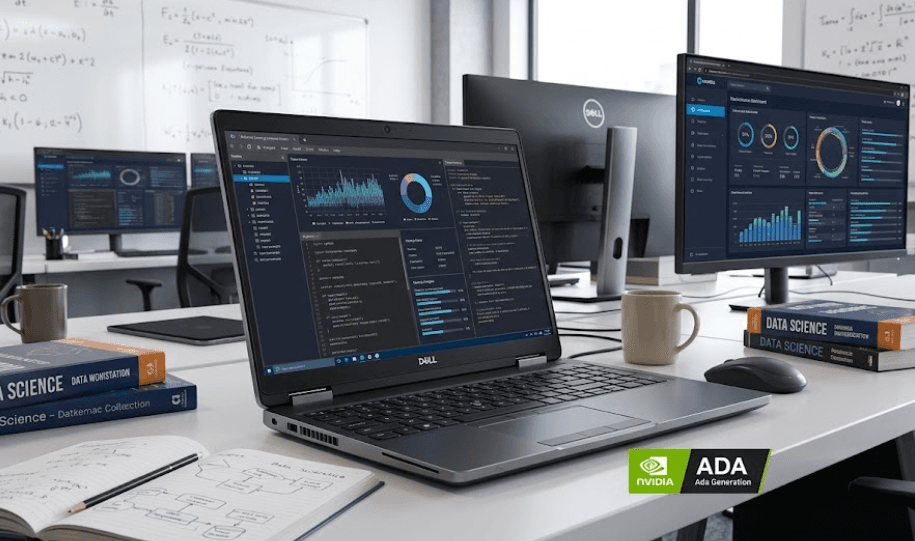
TL;DR: The best Dell Precision for data science and machine learning depends on how much computing you plan to do locally. The Precision 7680 is the strongest all-round choice because it combines powerful HX-series processors, up to 128GB of DDR5 memory, and NVIDIA RTX 5000 Ada graphics with 16GB of GDDR6 memory. The Precision 7780 offers similar high-end hardware in a larger 17.3-inch workstation, while the Precision 5690 is easier to carry but is limited to 64GB of non-upgradeable LPDDR5x memory. For lighter Python, SQL, Jupyter, analytics, and conventional machine learning workloads, the Precision 3591 can be a more practical option.
Why Dell Precision Works For Data Science
Data science workloads can start with simple tools such as Python, SQL, pandas, NumPy, Jupyter, and Power BI, but the hardware requirements can change quickly when datasets become larger or projects become more complex. A professional data science setup may involve a notebook, database, browser, IDE, virtual environment, containers, and visualisation tools running at the same time. Dell positions its Precision workstations for professional application performance and AI workloads, including machine learning, deep learning, computer vision, and generative AI development. That makes the Precision range more appropriate for demanding professional workloads than a standard office laptop.
Machine learning also makes the graphics processor more important than it is for conventional business work. A dedicated NVIDIA RTX GPU can accelerate supported workloads through its CUDA and Tensor Core capabilities, but the GPU model alone does not tell the whole story. VRAM is particularly important because models, tensors, batches, and other data need to fit into available graphics memory. A Precision configured with the RTX 5000 Ada Generation Laptop GPU and its 16GB of GDDR6 therefore provides considerably more room for local GPU-accelerated experimentation than an entry-level configuration with a smaller GPU.
System memory is equally important when working with large datasets or multiple development environments. A laptop can technically run Python and machine learning software with 16GB of RAM, but that does not mean it will remain comfortable as projects become larger. The Precision 7680 and 7780 can be configured with up to 128GB of DDR5 memory, giving them considerably more headroom than the Precision 5690, whose LPDDR5x memory is integrated into the system board and cannot be upgraded. For professionals planning to keep their workstation for several years, that difference is worth considering before purchase.
Best Dell Precision Models For Machine Learning
Dell Precision 7680
The Precision 7680 is the most balanced choice for buyers who want serious data science and machine learning capability without moving to the largest mobile workstation. Dell lists 13th Gen Intel Core HX processors, including the Core i9-13950HX, and professional NVIDIA graphics options up to the RTX 5000 Ada Generation with 16GB GDDR6. Its memory options extend to 128GB through CAMM, although Dell notes that the 128GB configuration operates at 3600 MT/s because of processor limitations. That combination gives the 7680 substantial capacity for demanding local workloads.
The 16-inch design also makes the 7680 easier to manage as a daily workstation than a 17.3-inch model. Dell offers 83Wh and 93Wh battery configurations, while the higher-performance versions require substantial power adapters to deliver their intended performance. This is important because the machine is designed for sustained professional workloads rather than ultrabook-style portability. If you are running a model, processing a large dataset, compiling code, or using several demanding applications at once, workstation-class cooling and power delivery become more important than simply having the lightest possible laptop.
The biggest advantage of the 7680 is its configuration flexibility. You can choose the memory and GPU level according to the actual workload instead of automatically paying for the highest specification. For a professional working with Python, SQL, Jupyter, large datasets, computer vision, classical machine learning, and some local deep-learning experiments, a 64GB or 128GB configuration with a high-end RTX Ada GPU provides considerably more room to grow than a basic business laptop.
Dell Precision 7780
The Precision 7780 is the larger alternative for users who want maximum mobile workstation capacity. Dell lists a 17.3-inch display and NVIDIA professional graphics options extending to the RTX 5000 Ada Generation with 16GB GDDR6. Like the 7680, it can reach 128GB of DDR5 memory through a CAMM configuration. This makes it particularly useful when a large screen, substantial memory capacity, and high-end GPU performance are more important than keeping the machine compact.
The larger display can also improve a data science workflow. A Jupyter notebook can remain open beside a terminal, browser, database tool, or documentation without forcing everything into a small working area. That does not mean the 7780 is automatically faster than the 7680 because both can use similar high-end GPU and memory configurations. Its main advantage is the larger chassis and display, which can be valuable for professionals who spend long hours working directly from the laptop.
For machine learning, however, it is still important to keep expectations realistic. An RTX 5000 Ada with 16GB of VRAM can provide a strong platform for local development, inference, experimentation, computer vision, and smaller model training. Very large models can exceed the capabilities of a single mobile GPU, so even a high-end Precision should be viewed as a powerful development workstation rather than a replacement for a multi-GPU server or cloud AI infrastructure.
Dell Precision 5690
The Precision 5690 takes a more portable approach. Dell lists Intel Core Ultra processors up to the Core Ultra 9 185H and NVIDIA RTX graphics ranging from the RTX 1000 Ada through the RTX 5000 Ada Generation. Its highest GPU configuration therefore reaches the same 16GB RTX 5000 Ada class as the larger Precision models, making it much more capable than its slimmer design might suggest.
The important trade-off is memory. The Precision 5690 uses dual-channel LPDDR5x memory integrated on the system board, with 16GB, 32GB, and 64GB configurations. Dell explicitly states that this memory is not replaceable or upgradeable. That makes the 5690 less flexible for data scientists who expect their datasets and workloads to grow significantly. The machine is better suited to users who value mobility and either work with moderate datasets or use remote servers and cloud GPUs for their heaviest workloads.
| Model | Maximum RAM | GPU Ceiling | Screen | Best For |
|---|---|---|---|---|
| Precision 3591 | 64GB DDR5 | RTX 2000 Ada, 8GB | 15.6-inch | General data science |
| Precision 5690 | 64GB LPDDR5x | RTX 5000 Ada, 16GB | 16-inch | Portable ML development |
| Precision 7680 | 128GB DDR5 | RTX 5000 Ada, 16GB | 16-inch | Demanding local ML |
| Precision 7780 | 128GB DDR5 | RTX 5000 Ada, 16GB | 17.3-inch | Maximum mobile capacity |
Hardware To Prioritise For Data Science
GPU And VRAM
For machine learning, the GPU should be selected according to the software and workload rather than simply choosing the most expensive option. NVIDIA RTX professional GPUs can accelerate supported AI workloads, and the Precision family offers several performance levels. The RTX 5000 Ada Generation Laptop GPU has 16GB of GDDR6 memory, while lower-tier configurations have less VRAM. More VRAM can make it easier to work with larger batches and models locally, although software compatibility and model size still determine what can realistically run on the machine.
System RAM is the next major consideration. Thirty-two gigabytes is a comfortable starting point for many professional data science workloads, including Python, Jupyter, SQL, visualisation, and conventional machine learning. Sixty-four gigabytes becomes more useful when datasets are larger or several applications are running together. The 128GB ceiling of the Precision 7680 and 7780 becomes particularly relevant for professionals using large datasets, virtual machines, containers, or multiple development environments.
Storage should also receive attention because datasets and development environments can become surprisingly large. A project can accumulate raw data, processed datasets, model checkpoints, Docker images, Python environments, notebooks, and logs over time. A 1TB SSD is a sensible starting point for many users, while 2TB or more provides additional room for people who keep large datasets and models locally.
| Workload | RAM Target | GPU Guidance | Storage |
|---|---|---|---|
| Python, SQL and BI | 16GB–32GB | Integrated or entry GPU | 512GB–1TB |
| Jupyter and classical ML | 32GB | Entry RTX | 1TB |
| Large datasets | 64GB | RTX 2000 Ada or higher | 1TB–2TB |
| Deep-learning development | 64GB–128GB | RTX 4000/5000 Ada | 2TB+ |
Precision 7680 Vs 5690 For Data Science
The main difference between the Precision 7680 and 5690 is the amount of memory flexibility available. The 5690 uses integrated LPDDR5x memory and tops out at 64GB, while the 7680 supports higher-capacity DDR5 configurations and can reach 128GB. For someone working with growing datasets, containers, virtual machines, and multiple applications, that additional headroom can make a meaningful difference over the useful life of the workstation.
Portability is where the 5690 becomes more attractive. Dell lists the Precision 5690 at a minimum weight of about 2.01kg, while the Precision 7680 starts at roughly 2.60kg in its thin configuration. Neither is an ultralight laptop, but the 5690 is easier to move between an office, university, home, or client location. If heavy training happens on a remote server or cloud GPU, carrying a lighter workstation can be a sensible trade-off.
The 7680 makes more sense when the laptop itself is expected to handle substantial computational workloads. Its higher memory ceiling, HX-class processors, professional GPU options, and larger chassis provide more room for sustained work. The 5690 is better suited to professionals who value mobility, while the 7680 is better suited to users who want a desktop-replacement style workstation that can still be carried when necessary.
| Factor | Precision 5690 | Precision 7680 |
|---|---|---|
| Portability | Better | Lower |
| Maximum RAM | 64GB | 128GB |
| RAM Upgradeability | No | Yes, configuration-dependent |
| GPU Ceiling | RTX 5000 Ada, 16GB | RTX 5000 Ada, 16GB |
| Display | 16-inch | 16-inch |
| Heavy Local ML | Good | Better suited |
| Remote/Cloud ML | Excellent | More than needed for some users |
Who Should Buy The Precision 7680
The Precision 7680 is particularly well suited to professionals who expect the laptop itself to handle substantial data science work. A configuration with 64GB or 128GB RAM, a high-end RTX Ada GPU, and sufficient NVMe storage can provide plenty of room for Python environments, large datasets, computer vision projects, local model development, and GPU-accelerated experimentation. It is also useful for professionals who want one workstation for analytics, development, visualisation, and other engineering applications.
Students and early-career data scientists do not necessarily need an RTX 5000 Ada workstation. If the workload mainly consists of SQL, pandas, NumPy, scikit-learn, Jupyter, statistics, Power BI, Tableau, and smaller datasets, a lower Precision configuration can be sufficient. Paying for the highest GPU tier only makes sense when the workload actually uses GPU acceleration. For many conventional machine learning workflows, additional RAM and SSD capacity may provide more practical value than an unnecessarily powerful graphics processor.
The 7680 becomes easier to justify when computer vision, deep learning, large datasets, local inference, or several development environments are part of the regular workflow. It is also a better fit for professionals who need workstation-oriented hardware and business support rather than a gaming laptop. Dell specifically positions its Precision workstations for AI and data science applications, including machine learning and deep learning, which aligns with the type of professional workload the 7680 is designed to handle.
Common Buying Mistakes To Avoid
The first mistake is choosing a workstation based mainly on the processor. CPU performance matters for data preparation, compilation, multitasking, and many conventional workloads, but GPU-accelerated machine learning depends heavily on the graphics processor and its available VRAM. A high-end CPU paired with an entry-level GPU may not provide the experience you expect for deep learning. At the same time, buying an expensive GPU makes little sense if your actual workload is primarily SQL, Excel, statistics, and conventional machine learning.
The second mistake is buying too little RAM because the current workload fits. Data science projects tend to become larger as they develop. A small dataset can become several processed datasets, while a simple notebook can turn into a project involving databases, containers, model files, and several development tools. The 5690's 64GB maximum may be perfectly adequate for many users, but professionals expecting heavier local workloads should consider the higher memory ceiling of the 7680 or 7780.
The third mistake is assuming that even the most powerful Precision can replace dedicated AI infrastructure. The RTX 5000 Ada is a serious professional mobile GPU, but its 16GB VRAM still imposes a physical limit on what can be trained locally. Large language models and large deep-learning workloads may require cloud GPUs or dedicated servers. A Precision is often most valuable as a local development, pre-processing, experimentation, inference, and smaller-scale training machine that can connect to larger compute resources when required.
Frequently Asked Questions
Q. Which Dell Precision is best for data science and machine learning?
The Precision 7680 is the strongest all-round choice for demanding local data science and machine learning because it can combine up to 128GB of DDR5 memory with an RTX 5000 Ada GPU offering 16GB of GDDR6 memory.
Q. Is the Dell Precision 5690 good for machine learning?
Yes. It can be configured with an RTX 5000 Ada GPU with 16GB GDDR6. Its main limitation is its 64GB maximum onboard memory, which cannot be upgraded.
Q. How much RAM should a data science laptop have?
Thirty-two gigabytes is a comfortable starting point for many professional workloads, while 64GB is preferable for larger datasets and heavier multitasking. Users with substantial local workloads can consider 128GB.
Q. Is an RTX 5000 Ada necessary for machine learning?
No. It is most useful for workloads that benefit from GPU acceleration and additional VRAM. Python, SQL, pandas, statistics, and many conventional machine learning workloads do not require an RTX 5000 Ada.
Q. Can the Precision 7680 run deep-learning models locally?
Yes. Configurations with an RTX 5000 Ada can support GPU-accelerated deep-learning development and experimentation. Very large models can still exceed the limits of a single mobile GPU.
Q. Is the Precision 7780 better than the Precision 7680 for machine learning?
Both can reach the RTX 5000 Ada 16GB GPU and 128GB memory configuration. The 7780 mainly provides a larger 17.3-inch chassis and display, so the decision depends on workspace and portability.
Q. Can I upgrade RAM on the Precision 5690?
No. Dell states that its LPDDR5x memory is integrated on the system board and is not replaceable or upgradeable. Its maximum supported configuration is 64GB.
Q. Is 32GB RAM enough for a data science student?
For most students, yes. Thirty-two gigabytes is suitable for Python, Jupyter, SQL, statistics, visualisation, and conventional machine learning. Larger datasets and heavier local environments may justify 64GB.
Q. Should I buy a Dell Precision or a gaming laptop for machine learning?
A gaming laptop can provide strong GPU performance, sometimes at a lower price. A Precision is designed as a professional workstation platform and can be preferable when workstation features, professional configurations, business support, and long-term professional use matter.
Q. Is the Dell Precision 7680 worth buying in 2026?
It can be, particularly if you need its combination of high memory capacity and professional NVIDIA graphics. Because it is an older-generation platform, compare its current price and exact configuration with Dell's newer workstation offerings before purchasing.
Final Recommendation
The Dell Precision 7680 is the strongest choice for most professionals specifically looking for a Precision workstation for data science and machine learning. Its combination of up to 128GB of DDR5 memory, HX-class processors, and an RTX 5000 Ada option with 16GB GDDR6 gives it the configuration flexibility that demanding local workloads need. Its 16-inch format also provides a practical middle ground between portability and workstation performance.
The Precision 7780 is worth considering if the larger 17.3-inch display is useful for your workflow and portability is less important. The Precision 5690 is the better fit when mobility matters and heavy computation is handled through cloud or remote infrastructure, but its non-upgradeable 64GB memory ceiling should be considered before buying.
For lighter data science workloads, a lower Precision configuration can make more sense than paying for the highest GPU tier. For deep learning, computer vision, local inference, and GPU-accelerated development, prioritise an RTX configuration with sufficient VRAM and pair it with at least 64GB of system memory if your budget allows. For most demanding local workflows, that makes the Precision 7680 the most balanced Dell Precision to target in 2026.






