
Best Dell Precision for Blender, Maya and 3D Rendering
The Dell Precision 7680 is the strongest Precision choice for demanding Blender, Maya and 3D rendering workloads, while the Precision 5690 suits creators who need more portability.

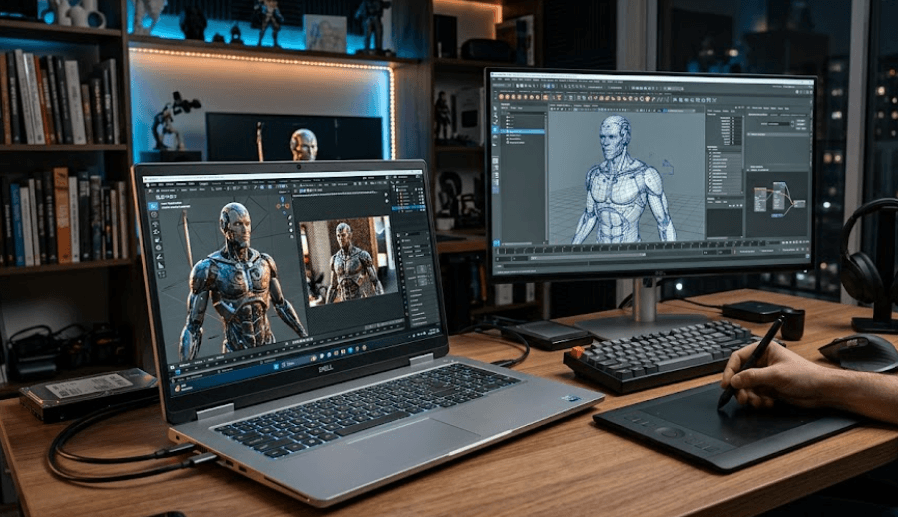
TL;DR Dell Precision mobile workstations are designed for demanding professional workloads, but the right configuration matters more than the Precision name itself. For Blender, Maya and serious 3D rendering, the Dell Precision 7680 is the strongest choice in this comparison because it supports high-end NVIDIA professional graphics, up to 128GB of DDR5 memory in supported configurations, and a 16-inch display. The Precision 5690 is a more portable alternative with NVIDIA RTX Ada graphics and up to 64GB of onboard LPDDR5x memory. For heavy scenes, GPU rendering and large projects, prioritize an NVIDIA GPU with plenty of VRAM, at least 32GB of system RAM, and a fast SSD.
Why Precision Works for 3D Work
A Dell Precision is different from a typical consumer laptop because the range is designed around professional workloads where sustained performance, memory capacity and graphics capability matter. That makes the series relevant for 3D artists working in Blender and Maya, particularly when projects involve detailed models, high-resolution textures, complex materials, animation and repeated rendering. Autodesk lists 8GB of RAM as the minimum for Maya 2026 and 16GB or more as recommended, while Blender currently recommends 32GB of RAM and an 8GB VRAM GPU for a more capable Windows system. For professional 3D work, that makes a Precision configuration with 32GB or 64GB RAM a much more sensible starting point than an entry-level configuration.
GPU performance is particularly important when rendering is part of the workload. Blender's Cycles renderer supports NVIDIA CUDA and OptiX, with OptiX taking advantage of hardware ray tracing on RTX graphics cards. Arnold for Maya also supports GPU rendering on Windows and Linux with compatible NVIDIA GPUs. This is why a Precision configured with a capable NVIDIA RTX GPU can be considerably more useful for rendering than one that relies only on integrated graphics. The GPU is not the only component that matters, but it becomes one of the most important pieces once your work moves beyond basic modelling.
The other advantage of the Precision range is configuration flexibility. Dell's Precision 7680, for example, can be configured with professional NVIDIA graphics and different memory arrangements, including higher-capacity DDR5 options. The Precision 5690 takes a thinner approach and uses onboard LPDDR5x memory, with configurations up to 64GB. That difference becomes important when you are deciding whether the laptop is mainly a portable modelling machine or a workstation that needs to handle large scenes, simulations and rendering workloads for several years.
What 3D Software Actually Needs
For Blender, the official recommended Windows configuration includes an 8-core CPU, 32GB of RAM and a GPU with 8GB of VRAM. Maya 2026 has a lower official memory recommendation, but complex professional scenes can place much heavier demands on both system memory and graphics memory. In practice, artists working with large assets, high-resolution textures and animation should think beyond the software's minimum requirements.
| Component | Practical 3D Target | Why It Matters |
|---|---|---|
| CPU | High-performance Core i7, Core i9 or equivalent | Modelling, simulation and CPU rendering |
| RAM | 32GB minimum for serious work | Large scenes and multitasking |
| RAM for heavy projects | 64GB or more | Complex scenes, simulations and professional workflows |
| GPU | NVIDIA RTX with 8GB VRAM or more | GPU rendering and viewport work |
| GPU for demanding scenes | 12GB to 16GB VRAM | More room for complex assets and textures |
| Storage | 1TB SSD or more | Projects, assets, caches and applications |
| Display | 16-inch high-resolution option | More workspace for timelines and 3D interfaces |
Best Dell Precision Model for 3D
The Dell Precision 7680 is the strongest configuration to look at when the priority is demanding Blender, Maya and 3D rendering work. Dell lists the 7680 as a 16-inch mobile workstation and offers professional NVIDIA graphics options including the RTX A1000, A2000, A3000, A4500 and A5500, with the A5500 carrying 16GB of GDDR6 memory. Dell also lists the GeForce RTX 4090 Laptop GPU with 16GB in its specifications. For a professional workstation article, the RTX A-series configurations are particularly relevant because they are part of Dell's professional graphics offering.
The memory options are another reason the Precision 7680 stands out. Dell lists configurations ranging from 16GB through 128GB, depending on the memory type and configuration selected. The workstation can use DDR5 CAMM or SODIMM configurations, giving it substantially more memory headroom than the Precision 5690. If your Blender projects regularly include dense geometry, large texture libraries, simulation caches or multiple applications open simultaneously, that additional capacity can be more useful than simply chasing a newer CPU generation.
The Precision 7680 is also physically larger and heavier than Dell's thinner Precision models. Dell lists a starting weight of about 2.60kg for the thin chassis and about 2.67kg for the performance chassis. That is not an ultraportable machine, but it is a reasonable trade-off for a workstation designed around higher power limits, larger graphics options and greater memory capacity. Dell currently lists the Precision 7680 in India as available by contacting Dell rather than as a standard online purchase, so buyers should confirm configuration and stock before planning a purchase.
Precision Models Compared
| Model | GPU Options | Maximum Listed RAM | Display Options | Best Suited For |
|---|---|---|---|---|
| Precision 5690 | Up to RTX 5000 Ada 16GB | 64GB | 16-inch FHD+ or UHD+ OLED | Portable 3D work |
| Precision 7680 | Up to RTX A5500 16GB | 128GB | 16-inch FHD+ or UHD+ OLED | Heavy 3D and rendering |
| Precision 5490 | Up to RTX 3000 Ada 8GB | 64GB | 14-inch FHD+ or QHD+ | Mobile modelling and lighter 3D |
GPU Matters Most for Rendering
If rendering is a major part of your work, the GPU should be one of the first specifications you check. Blender's Cycles renderer can use NVIDIA CUDA and OptiX, and OptiX can take advantage of the hardware ray-tracing capabilities of RTX GPUs. Arnold for Maya also supports GPU rendering through NVIDIA hardware. That makes the GPU especially important for artists who regularly render final frames rather than only building models and working in the viewport.
VRAM deserves just as much attention as the GPU name. A powerful GPU with limited VRAM can still become a constraint when a scene contains high-resolution textures, complex geometry, large environments or other memory-heavy assets. Blender's documentation specifically notes that GPU memory can become a limitation for complex scenes. Once GPU memory is full, Blender can fall back to system memory in supported rendering paths, but this comes with a performance impact. For that reason, a 12GB or 16GB RTX configuration can make more sense for demanding work than a lower-VRAM option.
For a professional Blender or Maya user, the Precision 7680's higher-end NVIDIA configurations are therefore more interesting than its entry graphics options. The RTX A5500 configuration provides 16GB of GDDR6 memory, while Dell also lists the RTX 4090 Laptop GPU with 16GB. The Precision 5690 can also reach a 16GB RTX 5000 Ada configuration, but its thinner design and onboard memory configuration make it more focused on mobility. The best GPU ultimately depends on whether rendering speed, viewport performance or portability is the bigger priority.
GPU Selection Guide
| GPU Configuration | VRAM | Suitable Workload |
|---|---|---|
| RTX A1000 | 6GB | Basic 3D and viewport work |
| RTX A2000 | 8GB | Entry professional 3D |
| RTX A3000 | 12GB | More demanding modelling and rendering |
| RTX A4500 | 16GB | Heavy professional 3D workloads |
| RTX A5500 | 16GB | High-end workstation rendering |
| RTX 5000 Ada | 16GB | High-end portable professional work |
RAM And Storage For 3D
RAM becomes important when a project stops being a simple model and starts becoming a complete production scene. Blender and Maya can consume memory through geometry, textures, caches, simulations and background applications, so 16GB can become restrictive surprisingly quickly in professional workflows. Blender's current recommendation is 32GB, which is a useful baseline for serious work. If your projects involve large scenes or you frequently move between Maya, Photoshop, After Effects, browsers and other applications, 64GB gives you considerably more working room.
The Precision 7680 is particularly attractive here because Dell lists memory configurations up to 128GB. That does not mean every user needs 128GB, but it gives professional users room to configure the machine around their actual workload. A student learning Blender can reasonably work with 32GB, while a professional artist working with large environments, simulations or multiple applications can justify 64GB or more. The important point is to buy enough RAM at the beginning because replacing a workstation is far more expensive than choosing an appropriate memory configuration.
Storage is another area where it is easy to underestimate requirements. A 3D workstation does not only store the operating system and applications. Project files, texture libraries, HDRIs, downloaded assets, caches, exported renders and backups can consume hundreds of gigabytes. Dell lists multiple NVMe SSD capacities on the Precision 7680, including 512GB, 1TB, 2TB and 4TB options. For professional 3D work, 1TB should be treated as a practical starting point, while 2TB becomes more comfortable if the laptop is also your main project machine.
Recommended Configuration
| Workload | RAM | Storage | GPU VRAM |
|---|---|---|---|
| Learning Blender or Maya | 32GB | 1TB | 8GB |
| Student 3D projects | 32GB | 1TB | 8GB to 12GB |
| Professional modelling | 64GB | 1TB to 2TB | 12GB to 16GB |
| Heavy rendering | 64GB or more | 2TB or more | 16GB |
| Large scenes and simulations | 64GB to 128GB | 2TB to 4TB | 16GB |
Display And Portability
A good display matters more in 3D work than it might seem. Blender and Maya put a lot of information on screen at once, including viewports, timelines, property panels, outliners and toolbars. A larger 16-inch panel gives you more room to work without constantly collapsing interface sections. The Precision 7680 offers 16-inch display configurations ranging from FHD+ to a UHD+ OLED option, while the Precision 5690 also offers a 16-inch form factor with FHD+ and UHD+ OLED choices.
For artists working with textures, materials and colour-sensitive assets, the higher-quality display options are worth considering. Dell lists a 16-inch UHD+ OLED configuration for both the Precision 7680 and Precision 5690, with 100% DCI-P3 coverage specified on the relevant configurations. However, the display should not be allowed to consume the entire budget if the machine will be used primarily for GPU rendering. For 3D work, a stronger GPU and sufficient VRAM generally have a more direct effect on rendering capability than moving from a good FHD+ panel to a higher-resolution panel.
Portability is where the Precision 5690 becomes more interesting. Dell lists a minimum weight of about 2.01kg for the 5690, compared with roughly 2.60kg or more for the Precision 7680 depending on chassis. That difference is noticeable if you carry the laptop between college, studio, office and home every day. The 5690 also offers up to an RTX 5000 Ada GPU with 16GB of GDDR6 and up to 64GB of onboard LPDDR5x memory, so it is not a lightweight machine in terms of performance.
Precision 5690 Vs 7680
The choice between the Precision 5690 and Precision 7680 comes down mainly to portability versus expansion and sustained workstation capability. The 5690 is the slimmer option and still reaches an RTX 5000 Ada GPU with 16GB VRAM. Its Intel Core Ultra processors also make it a modern mobile workstation platform. For an artist who travels frequently but still needs serious Blender or Maya capability, that combination can be attractive.
The Precision 7680 takes a different approach. Its larger chassis supports more substantial memory configurations, including up to 128GB in Dell's listed options, and it provides access to high-end professional NVIDIA graphics including the RTX A5500 with 16GB VRAM. Dell describes the 7680 as its scalable 16-inch workstation and lists it for complex graphical and heavy-compute applications. That makes its design better aligned with users who spend long hours working on demanding scenes rather than users who simply need occasional 3D capability.
There is also an important availability point for Indian buyers. Dell's current India page marks the Precision 5690 as unavailable, while the Precision 7680 is listed as call-to-order rather than as a normal online purchase. That means buyers should verify the exact configuration, price and availability directly with Dell before treating either model as an immediately available retail option. If a current replacement workstation is being considered, it is also worth checking Dell's newer workstation lineup rather than assuming every older Precision configuration is still being sold.
| Factor | Precision 5690 | Precision 7680 |
|---|---|---|
| Screen | 16-inch | 16-inch |
| Maximum listed GPU | RTX 5000 Ada 16GB | RTX A5500 16GB |
| Maximum listed RAM | 64GB | Up to 128GB |
| Memory type | LPDDR5x onboard | DDR5 CAMM or SODIMM options |
| Starting weight | About 2.01kg | About 2.60kg |
| Best fit | Mobile 3D work | Heavy 3D workstation work |
Who Should Buy Which Precision?
The Precision 7680 makes the most sense for a professional 3D artist, animator, architect or designer whose workload regularly includes complex Blender or Maya scenes and GPU rendering. Its larger chassis, higher memory ceiling and professional GPU options give you more room to configure the machine around demanding workloads. If you are building detailed environments, working with large texture sets or rendering frequently, those capabilities matter more than having the thinnest possible workstation.
The Precision 5690 makes more sense when portability is part of the job. It still offers serious graphics hardware, including the RTX 5000 Ada with 16GB of VRAM, but it weighs substantially less than the Precision 7680. That makes it easier to carry between locations while retaining the kind of GPU capability that Blender and Arnold can use for accelerated rendering. Its 64GB memory ceiling is also enough for many professional workflows, although users with very large scenes should consider the 7680's greater memory headroom.
For beginners, students and occasional 3D users, it is not necessary to buy the most expensive Precision configuration available. A 32GB system with an 8GB or better NVIDIA RTX GPU can already meet Blender's current recommended hardware level, while 12GB to 16GB of VRAM becomes more attractive as scene complexity increases. The important thing is to avoid paying for workstation hardware that your actual workload will never use. A balanced configuration is generally more useful than a specification sheet filled with high-end components.
Frequently Asked Questions
Q. Which Dell Precision is best for Blender and Maya?
The Precision 7680 is the strongest fit for demanding Blender and Maya work among the Precision models covered here because it supports high-end NVIDIA professional graphics and substantially higher memory configurations. The Precision 5690 is a better fit when portability is more important.
Q. Is the Dell Precision 7680 good for 3D rendering?
Yes. The Precision 7680 supports high-end NVIDIA graphics options, including the RTX A5500 with 16GB of GDDR6 memory. Its higher memory capacity also makes it suitable for demanding scenes and professional 3D workloads.
Q. How much RAM do I need for Blender in 2026?
Blender currently lists 32GB as its recommended RAM level. For professional work involving large scenes, simulations or multiple creative applications, 64GB provides more practical headroom.
Q. Is 16GB RAM enough for Maya?
Autodesk lists 16GB or more as the recommended RAM level for Maya 2026. However, complex professional scenes can require more memory, so 32GB is a more practical target for serious 3D work.
Q. How much VRAM is recommended for Blender?
Blender currently recommends a GPU with 8GB of VRAM. For demanding professional scenes, 12GB or 16GB can provide additional room for complex geometry and high-resolution textures.
Q. Is NVIDIA RTX good for Blender rendering?
Yes. Blender's Cycles renderer supports NVIDIA CUDA and OptiX. OptiX can use the hardware ray-tracing capabilities found in RTX GPUs, making NVIDIA RTX configurations relevant for GPU rendering.
Q. Can the Precision 5690 handle Maya?
Yes. The Precision 5690 supports professional NVIDIA RTX graphics, including configurations with up to an RTX 5000 Ada GPU with 16GB of GDDR6 memory. Its 64GB maximum onboard memory configuration also gives it room for demanding workloads.
Q. Is the Precision 7680 better than the Precision 5690 for rendering?
The Precision 7680 is better suited to heavier workstation workloads because it supports a higher system memory ceiling and high-end professional graphics. The Precision 5690 has the advantage when portability matters more.
Q. Do I need a workstation GPU for Blender?
Blender does not require a professional workstation GPU specifically. It supports a range of NVIDIA and AMD GPUs. A workstation-class Precision can still be useful when you value professional workstation design, memory capacity and business-focused support alongside 3D performance.
Q. Is 1TB SSD enough for Blender and Maya?
A 1TB SSD is a reasonable starting point for Blender and Maya, but professional users may quickly accumulate project files, texture libraries, caches and rendered output. A 2TB SSD is more comfortable if the laptop will hold a large active project library.
Final Recommendation
For demanding Blender, Maya and 3D rendering workloads, the Dell Precision 7680 is the configuration to prioritize when you want maximum workstation headroom within the Precision models covered here. Its support for high-end NVIDIA professional graphics, up to 128GB of listed memory and 16-inch display options gives it the kind of configuration flexibility that matters when projects become larger and more complicated. A configuration with an RTX A4500 or RTX A5500, 64GB RAM and at least a 1TB SSD would be a strong professional starting point, with more storage and RAM making sense for larger production workloads.
The Precision 5690 is the more practical alternative for creators who move around frequently. It can be configured with an RTX 5000 Ada GPU with 16GB VRAM and up to 64GB of onboard LPDDR5x memory, while its approximately 2.01kg starting weight makes it considerably easier to carry than the Precision 7680. It is therefore better suited to artists who need serious 3D performance without carrying a larger workstation every day.
The most important buying rule is to prioritize the GPU and VRAM first, then RAM, CPU and storage according to the type of scenes you create. Blender's current recommendations already point toward 32GB RAM and 8GB VRAM, while demanding professional work benefits from going beyond those figures. For users working with complex Blender scenes, Maya animation and frequent GPU rendering, the Precision 7680 with 64GB or more RAM and a 16GB NVIDIA RTX configuration is the most appropriate target.






