
Best Budget Laptops For Video Editors And Filmmakers In India 2026
Budget laptops help beginner filmmakers and editors handle essential tasks while learning modern editing tools in India in 2026.

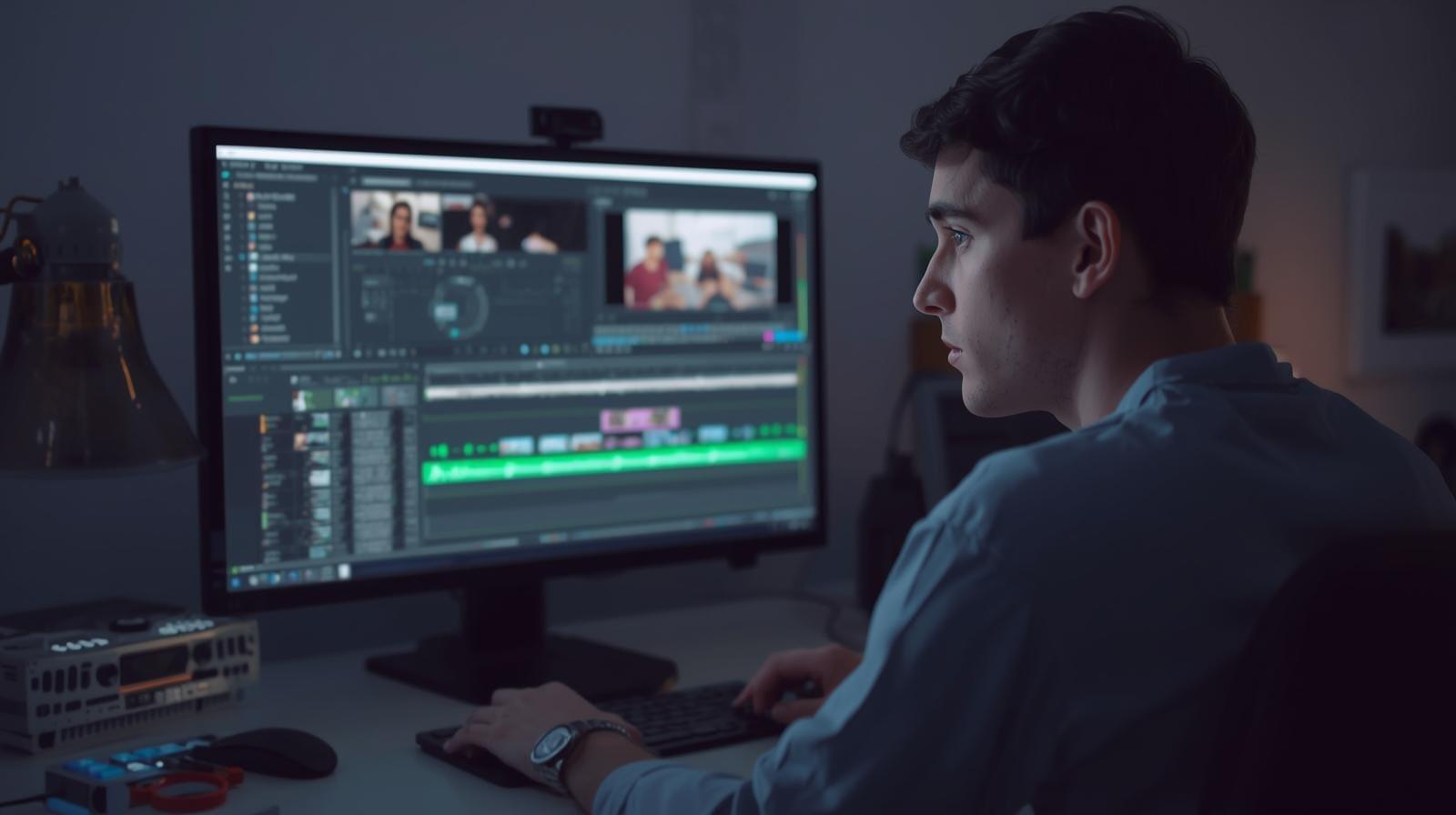
TL;DR Beginner filmmakers and video editors in India need budget laptops that handle essential editing tasks smoothly while remaining affordable. Models like the ASUS TUF Gaming, HP Pavilion, Lenovo IdeaPad Gaming, Acer Nitro and MSI GF series offer strong GPU performance, fast storage and reliable thermals for early creative work. Essential components such as RAM, NVMe storage, display quality and cooling affect editing speed and stability. Refurbished high performance laptops offer even better value and help beginners handle heavier projects as they grow.
Introduction
Video editors and filmmakers entering the creative industry in 2026 require laptops that support their early learning stages while providing enough performance headroom to handle demanding software environments. Many of these creators are beginners or early professionals who work with small to medium editing workloads, learn colour grading, explore transitions, experiment with timelines and gradually understand modern editing software. They may not yet require premium workstations, but they still need hardware capable of handling realistic production tasks without constant lag or instability. Their laptops must therefore deliver a balance between affordability and real world editing capability, enabling them to grow their creative skill set steadily.
New video editors often begin their journey using applications like DaVinci Resolve, Premiere Pro and After Effects. These tools demand more processing power than regular office applications because editing workflows involve decoding footage, rendering previews, managing multiple layers of effects and exporting final videos. Beginner filmmakers may experiment with short films, event mixes, travel videos or freelance client projects, so their laptop must handle timelines smoothly and allow reliable playback during editing sessions. A poorly equipped system disrupts workflow and undermines learning. Budget laptops therefore provide a gateway for aspiring creators while keeping them within an accessible price range.
Budget video editing laptops in India in 2026 fall within a practical price bracket of ₹65,000 to ₹1,00,000, offering enough performance for beginners and early stage filmmakers who want to start editing without overspending. These creators often experiment with short videos, event compilations, travel films and basic freelance projects, so they need a laptop that balances affordability with the capability to run essential editing software smoothly. A good budget laptop allows them to learn timelines, colour basics and transitions without constant lag or workflow interruptions, giving them a reliable foundation for improving their craft.
Many beginner filmmakers also learn to work with cameras that produce compressed formats such as H.264 or H.265. These codecs require significant processing power to decode during editing. A laptop with a weak processor or inadequate graphics capability will stutter in preview windows, forcing editors to render repeatedly just to view their work. To prevent constant interruptions, a budget laptop must include a dedicated GPU or at least strong integrated graphics capable of supporting essential acceleration. This ensures smooth editing sessions even at early skill levels. With this stability, editors can focus on storytelling rather than battling system limitations.
Aspiring video editors also gradually expand their creative ecosystem by learning colour correction, motion design and audio synchronisation. These skills require reliable hardware that remains responsive under moderate complexity. Budget editing laptops offer creators enough performance to build strong foundational work before transitioning to more powerful mid range or flagship systems. They provide a stepping stone into the professional world where creators refine workflows, create more demanding projects and build a portfolio that attracts commercial opportunities. Understanding these early needs is essential in choosing the right laptop for a beginner filmmaker or video editor in India in 2026.
Video Editor Laptop Essentials For 2026
A beginner video editor needs a laptop with specific internal components that support smooth editing performance. The processor must be capable of decoding modern codecs efficiently, especially H.264 and H.265 which are commonly used in DSLR, mirrorless and smartphone footage. Strong multi core performance reduces stuttering during playback and accelerates preview rendering. A dedicated GPU or powerful integrated graphics enhances video decoding and speeds up GPU accelerated effects. This combination ensures that timelines remain responsive when creators experiment with cuts, transitions or slow motion.
Memory is also crucial because editing software loads multiple assets simultaneously. Clips, effects, transitions and audio tracks consume RAM during playback. Insufficient memory forces the system to rely on slower storage, causing lag during creative work. Sixteen gigabytes is a practical minimum for beginners because it accommodates timelines, background processes and project assets comfortably. Storage speed is equally important since large video files need fast read and write access. NVMe SSDs reduce waiting times when importing footage, caching previews or exporting final edits.
Display quality matters significantly for video editing because creators rely on accurate visuals to judge exposure, colour balance and contrast. A laptop with a bright panel and decent colour coverage helps beginners learn essential visual principles while producing more professional looking results. Although budget laptops may not deliver perfect accuracy, they should still offer a visually comfortable experience. Thermal stability is another vital factor because rendering workloads generate heat. A laptop that overheats slows down and disrupts editing consistency. A balanced thermal design ensures sustained performance throughout longer projects.
Budget Video Editing Laptops In India 2026
ASUS TUF Gaming
The ASUS TUF Gaming laptop is a strong option for beginner filmmakers because of its dedicated GPU and dependable processing power. Many creators appreciate the stability it provides during timeline playback and effect rendering. The high refresh display enhances editing clarity, while the NVMe storage accelerates import and export processes. The cooling system is robust enough to handle prolonged sessions of rendering or preview caching. Creators producing travel vlogs, music videos or basic client work will find the TUF Gaming model reliable for early career editing.
HP Pavilion
The HP Pavilion offers balanced performance for video editors who need a dependable machine without pushing budget limits too far. It handles compressed footage smoothly and supports beginner level colour grading. The pavilion's processor is strong enough for multi layer editing, and the SSD ensures quick file loading. The display is suitable for basic colour work, helping editors evaluate exposure and tone accurately. Filmmakers who create lifestyle content, educational videos or short cinematic projects will appreciate the Pavilion’s comfortable workflow.
Lenovo IdeaPad Gaming
The Lenovo IdeaPad Gaming laptop provides enough power for editors who work with moderate timeline complexity. Its dedicated GPU assists with decoding and effects acceleration, making transitions smoother and previews more reliable. The keyboard is comfortable for long editing hours, and the display supports clarity essential for basic grading. The IdeaPad handles rendering jobs better than many entry level systems, giving new creators the confidence to experiment with more demanding edits. It suits editors refining their storytelling and pacing techniques.
Acer Nitro
The Acer Nitro is a practical choice for budget filmmakers who need strong GPU performance without entering mid range pricing. It manages high bitrate footage better than typical entry level laptops and provides a smoother editing experience in Resolve and Premiere Pro. The thermal system is designed for gaming but translates effectively to video workloads by maintaining consistent performance. Video editors learning advanced transitions, speed ramping or simple VFX will find the Nitro supportive of their growing skill set.
MSI GF Series
The MSI GF series provides editors with responsive performance and a reliable GPU that enhances playback in editing software. It supports projects with multiple audio tracks, adjustment layers and basic effects without noticeable struggle. The display offers adequate brightness for indoor editing and helps beginners understand colour relations better. The MSI GF series is well suited for editors producing YouTube content, short commercial videos or wedding highlights as they develop their portfolio and technical ability.
Professional Creator Laptops For Growing Editors
Editors transitioning from beginner to intermediate skill levels require laptops that deliver higher performance without crossing into flagship pricing. These systems bridge the gap between early experimentation and more serious filmmaking work. They support larger timelines, complex transitions, stabilisation effects and more demanding colour grading. Editors ready to accept longer projects or freelance work need machines capable of sustaining heavier workloads without slowing down. Mid range laptops therefore support the growth phase of creators who refine their style and handle more client oriented output.
Many emerging editors start working with higher resolution footage during this stage. They may experiment with 4K timelines, more detailed grading tools or advanced motion design elements. This requires stronger processors, better GPUs and larger memory capacity than budget systems offer. A laptop in the mid range category reduces waiting times during preview rendering and accelerates export operations. It helps editors remain efficient and professional, improving turnaround time and increasing project value for clients.
Premium Filmmaking Workstations For Serious Professionals
Filmmakers moving into commercial video production require premium laptops with workstation capabilities. These systems offer sustained performance, superior displays and large memory pools suitable for 4K or even 8K editing. They handle advanced grading workflows, sophisticated VFX, multiple adjustment layers and complex sound design without performance constraints. Serious editors rely on these laptops to maintain smooth previews, quick renders and stable processing even during demanding timelines. Premium systems become essential tools for creators working on high level deliverables.
These laptops often include workstation GPUs that accelerate editing software more effectively than consumer level cards. They also provide superior cooling systems that maintain performance during long render cycles. Filmmakers producing ad films, music videos, narrative shorts or corporate work benefit greatly from such consistency. A premium workstation becomes a long term investment for editors who require reliability under pressure and expect their tools to grow alongside their professional ambitions.
GPU Comparison For Video Rendering
A GPU significantly influences video editing performance because modern software depends heavily on parallel processing. Many editing operations, including playback, transitions, stabilisation and effects, use GPU acceleration to improve speed and responsiveness. A strong GPU ensures that timelines remain smooth even when editors add multiple correction layers or experiment with frame interpolation features. Without GPU support, preview windows lag, making the editing experience slower and less accurate.
Dedicated GPUs handle large volumes of video data more effectively than integrated graphics. They improve rendering speed, allowing editors to export projects faster. This becomes increasingly important as editors deal with longer videos, higher resolutions and more demanding effects. A beginner may not require the highest end GPU, but a budget laptop with at least a mid tier graphics card ensures a smoother progression into professional editing. Understanding GPU strengths helps editors select systems based on their intended workload.
RAM And Cache Requirements For 4K Editing
Video editing consumes significant memory because multiple assets are loaded simultaneously. Clips, audio tracks, adjustment layers, effects and cached frames occupy RAM during playback. Editing 4K footage requires even more memory because the data per frame is larger. A system with inadequate RAM will struggle to keep timelines responsive. Sixteen gigabytes is generally the minimum for beginners, but editors moving into serious work benefit from thirty two gigabytes.
Cache performance also plays a role. Editing software frequently accesses cached frames to deliver smooth playback. A fast SSD improves cache handling, reducing stuttering and improving timeline responsiveness. Editors working with long form 4K videos or projects with heavy grading must prioritise memory and cache speed. Understanding these requirements ensures that creators choose laptops capable of supporting their workflow without forcing constant optimisation or proxy usage.
Display Color Accuracy And Brightness
Video editors rely on accurate displays to judge exposure, colour tone and contrast. A budget laptop may not offer perfect calibration, but it should still provide a bright and reasonably accurate panel. Editors learning colour correction depend on visual consistency because incorrect display colours lead to poor grading decisions. A bright display is especially important in environments with unpredictable lighting, where clarity affects how confidently editors manipulate footage.
Many beginner editors work from home, cafés or shared spaces. A display with adequate viewing angles and stable colour reproduction ensures they can work reliably even in non controlled environments. As editors progress, they may eventually use external calibrated monitors. However, in the early stages, the laptop display forms the primary creative reference. Good brightness and decent colour accuracy therefore support proper skill development and help editors create visually consistent content.
Thermal Management For Rendering
Rendering generates significant heat because the processor and GPU must run at full load for extended periods. A laptop with poor thermal management may throttle performance, causing slower exports and reducing efficiency during complex edits. Beginner editors may not notice these limitations initially, but as they begin tackling longer projects or heavier effects, thermal constraints become more visible. A budget laptop must therefore include a cooling system capable of handling moderate rendering tasks.
Sustained heat also affects overall stability. Overheating systems may crash during export, corrupt cached data or slow down dramatically. This disrupts workflow and reduces reliability for freelance editors or beginner filmmakers delivering client work. Laptops designed with gaming or heavy performance use in mind often translate well to editing tasks because they prioritise long term heat dissipation. Understanding thermal behaviour helps editors choose systems capable of supporting their creative workflow consistently.
Storage Speed For RAW Footage
Storage plays a critical role in video editing because footage files are large and require rapid access. NVMe SSDs significantly reduce waiting times when importing clips, caching previews or exporting final videos. Editors working with RAW or high bitrate footage require fast sequential and random read performance to avoid bottlenecks during timeline playback. Slow storage forces the software to delay frame loading, resulting in choppy previews.
Editors also benefit from larger storage capacities because video projects consume considerable space. A beginner may underestimate how quickly footage accumulates, especially when working with 4K resolution. Choosing a laptop with expandable storage or at least adequate initial capacity prevents constant file management. Fast SSD performance therefore supports both workflow speed and organisational efficiency, making it an essential component for budget filmmaking laptops.
DaVinci Resolve Versus Premiere Pro Performance
DaVinci Resolve and Premiere Pro have different hardware preferences, and understanding these helps beginners choose the right laptop. Resolve relies heavily on GPU acceleration for colour grading, effects and playback. A budget laptop with a decent GPU performs well in Resolve for basic to moderate tasks. Premiere Pro distributes load across CPU and GPU, so a balanced processor and graphics card combination yields better results for Adobe workflows.
Beginners often test both applications before committing to a primary editing platform. Having a laptop that performs reasonably well in both environments ensures flexibility. Resolve is popular among colourists due to its advanced grading tools, while Premiere Pro integrates effectively with After Effects and Photoshop. A budget laptop that handles both applications smoothly enables editors to explore various editing styles and transition between creative workflows confidently.
Portability For On Location Work
Many beginner filmmakers work on location for travel films, event videography or documentary style storytelling. A portable laptop helps them review footage immediately after shooting, check exposure, test audio and evaluate composition. Portability also enables on site editing for quick social media uploads or client previews. A lightweight laptop with solid battery performance supports creators working in dynamic environments where access to charging points may be limited.
Editors also benefit from portability when traveling between classrooms, workshops or editing meetups. Having the ability to carry their editing system everywhere accelerates learning and supports consistent practice. Portability becomes essential for filmmakers who shoot frequently or move between multiple production environments. Even a budget laptop, if lightweight and well balanced, can serve as a versatile companion for creative work on the go.
Refurbished High End Creative Laptops
Refurbished laptops provide an excellent opportunity for beginner video editors to access higher performance systems at significantly lower cost. These devices often include stronger GPUs, better displays and more advanced thermal designs than new laptops in the budget category. A refurbished creative workstation offers editors smoother playback, faster renders and better grading accuracy without exceeding their financial limits. This allows beginners to experience near professional performance while keeping expenses manageable.
Refurbished units also handle RAW and high bitrate footage more efficiently because they often include larger memory pools and superior NVMe storage. Editors can build more complex timelines and experiment with heavier effects without lag. Refurbished gaming laptops with strong GPUs deliver improved decoding performance, allowing beginner editors to attempt more challenging creative tasks. Choosing refurbished devices allows editors to enter the filmmaking industry with hardware that grows alongside their skills.
Some Of refurbo's Picks
Conclusion
Beginner video editors and filmmakers in India in 2026 require laptops that balance affordability with genuine creative performance. Their early work involves learning timelines, experimenting with grading, exploring transitions and producing basic freelance projects. A budget laptop must therefore handle editing software reliably, support moderate rendering workloads and maintain smooth playback during essential tasks. Options like the ASUS TUF Gaming, HP Pavilion, Lenovo IdeaPad Gaming, Acer Nitro and MSI GF series deliver strong value for creators building foundational skills.
Editors gradually expand their workflow to include heavier grading, more complex edits and higher resolution footage. Budget laptops remain essential during this growth stage because they provide the stability and responsiveness needed to refine storytelling and technique. GPU capability, fast storage, adequate memory and thermal design all influence how effectively beginners learn and progress. Refurbished high performance laptops further enhance accessibility by offering stronger specifications at reduced cost, allowing creators to attempt more ambitious projects early in their careers.
A well chosen budget laptop becomes a reliable learning platform that enables beginners to become confident editors and eventually transition to mid range or flagship systems. With the right hardware, filmmakers can focus on creativity, improve their craft and steadily advance to professional work in India’s rapidly expanding video production ecosystem.
Ready to upgrade your tech?
Browse our collection of quality refurbished products at unbeatable prices.






