
Windows vs Mac for AI: Best OS Compared
Windows offers affordability, upgrades, and compatibility, while Mac delivers stability, battery life, and simplicity for lighter AI workflows and productivity.

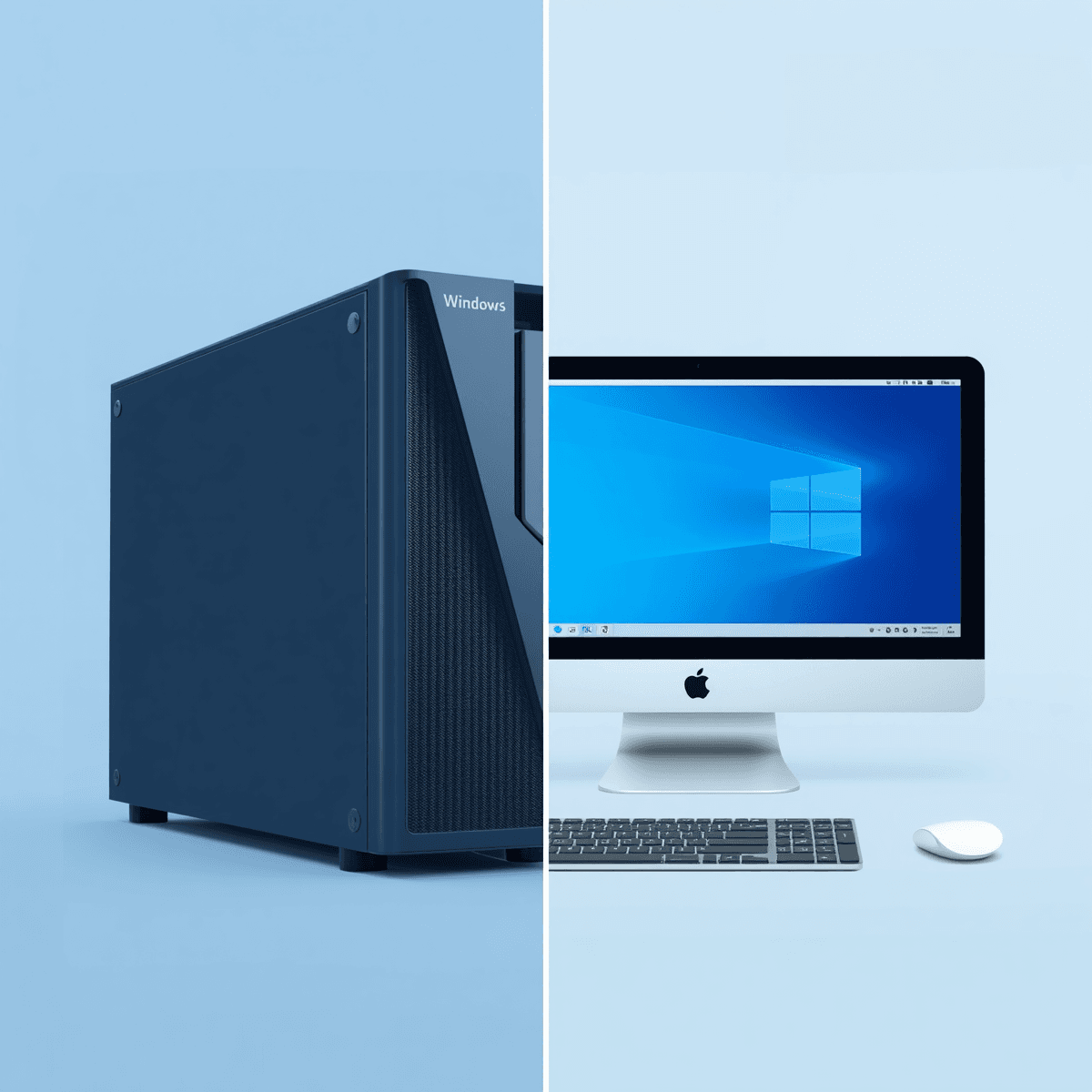
TL;DR Windows vs Mac is a close contest, but Windows is the better all-around pick for most users because it offers broader software support, stronger GPU flexibility, and more affordable entry points. In practical terms, that gives you more room to scale your setup without paying a premium upfront, whether you want to try a simple starter build or push into heavier tasks later. Mac still stands out for its stability, simple setup, and better battery life, which makes it appealing for lighter AI work and everyday productivity. That makes it a solid fit for users who value convenience over customization.
Quick Verdict and Key Differences
macOS is the better pick if you want a polished, stable system that is easy to use out of the box and does not demand much setup. That difference matters because AI work is not just about opening a chatbot; it can include data prep, notebook work, model testing, and creative tools that need different system resources. In the windows vs mac os debate, the winner depends on whether you value control or convenience. The tool stack you rely on can also shape that choice, especially if your workflow spans multiple apps and services.
The biggest windows and mac difference for AI is upgradeability. Windows PCs often let you replace RAM, storage, and sometimes graphics cards, which means you can extend the life of the machine or improve it later as your workload grows. Macs are generally harder to upgrade because memory and storage are usually soldered to the motherboard, so you need to buy the right configuration upfront. For AI users, that matters a lot once datasets, caches, and model files start consuming space and memory.
Windows also has broader support for engineering, architecture, and 3D modeling software, which is useful if your AI workflow overlaps with tools like Blender, AutoCAD, or other technical applications. A developer building an AI-assisted project can move through Python, VS Code, and GPU-heavy rendering on a Windows machine with fewer compromises. That is one reason windows vs mac for programming often tilts toward Windows for mixed technical workflows, while windows vs mac vs linux usually ends with Windows as the most accessible mainstream option.
macOS still has clear strengths. Apple’s M-series chips are known for energy efficiency and strong performance in thin and light computers, which makes the windows vs mac laptop comparison especially relevant for people who work unplugged. Features like Spotlight Search make it easy to find files or do quick calculations, so everyday work feels smooth and uncluttered. Since that simplicity can matter in a long work session, it may feel especially useful during a Sunday work session.
Pricing pushes the verdict further toward Windows for most buyers. Windows laptops can start below ₹40,000, while the most affordable MacBook M1 starts near ₹75,000. The MacBook Neo starts at ₹69,900 in India, and AI PC entry-level pricing is around ₹1,00,000, which puts the newest AI-focused hardware into a premium bracket. If your goal is to enter AI learning or development without overspending, Windows is the more affordable path.
The market data also supports that view. India’s AI market is still growing, and many users are choosing systems based on budget, flexibility, and workflow needs. If you rely on Google tools, local development, or mixed software stacks, Windows often fits more naturally. India’s AI market is growing quickly enough that OS choice now affects real buying decisions.
The decision is not just about specs; it is about how each system fits the work, the tools, and the long-term device setup already in place. Windows aligns better with the current AI PC hardware push, which makes it a practical fit for buyers focused on newer devices and broader compatibility. That matters for teams comparing options across gaming, production, and everyday use, where support and flexibility can influence the final choice. Mac is strong for keeping older machines useful with less effort, so it can feel more efficient for users who want a simpler setup. For production teams, compatibility and support often matter more than raw specs. That is why the decision is less about headline performance and more about which system fits the workflow and the long-term setup already in place.
Pricing and Value Comparison
Windows offers the strongest value story in this comparison because it starts much cheaper. A Windows laptop can cover the lower end of that range well. A MacBook asks you to pay more up front for a tighter, more polished experience. The hardware price difference is not just sticker shock. It also affects how much room you have before your first project begins.
Price Comparison Table
| Model / Category | India Price | AI-Relevant Take |
|---|---|---|
| Entry Windows laptops | Below ₹40,000 | Cheapest entry for basic AI tools and coding |
| MacBook Neo | ₹69,900 | Mid-range Apple option with AI-focused chip design |
| Most affordable MacBook M1 | ₹75,000,₹85,000 | Older Apple entry point with a higher starting cost |
| AI PC entry-level | Around ₹1,00,000 | Premium-priced category for dedicated AI hardware |
Value Beyond Sticker Price
The cheapest Windows laptops are not automatically the best AI machines. They do let you experiment without a large upfront commitment. If your workflow is mostly cloud-based, a lower-cost Windows machine can be enough to get started. The catch is configuration. Cheap hardware can become a bottleneck once you move into heavier local work.
Mac pricing makes more sense when you value longevity, battery life, and a smoother user experience. The MacBook Neo at ₹69,900 sits in a useful middle ground compared to other laptops. It is not cheap, but it is lower than many older Apple entry points and far below the AI PC premium tier. If you want a laptop that feels stable for writing, coding, and lighter AI tasks, that price can be easier to justify than a top-end AI PC.
- Choose entry Windows laptops if you want the lowest upfront cost.
- Choose the MacBook Neo if you want a mid-range Apple machine with AI focus.
- Choose an AI PC only if you need the newer hardware class and can justify ₹1,00,000.
- Skip the cheapest Windows tier if your AI work will depend on heavy local models or large datasets.
For users who want a controlled, efficient laptop with good battery life, the MacBook Neo is the cleaner value play. It keeps the experience tight without jumping to the highest price bracket.
Choosing the Right OS for AI: Recommendations
When choosing the build for AI, the key is to match the OS to your workload rather than the logo on the lid. If your day is mostly browser-based AI, writing, meetings, and light coding, Mac can be a very pleasant daily driver. The best OS is the one that removes friction from the work you actually do. The Windows and Mac difference becomes clearer when you look at mixed technical workflows. That makes it easier to move between Python, design tools, and GPU-heavy apps without constantly worrying about compatibility.
When Mac Fits Best
macOS is known for simplicity and a polished environment that works well out of the box. This is also why the parts for programming often end with Windows for builders and Mac for people who want a calmer laptop. Windows gives you more hardware options, more upgrade paths, and more flexibility if your projects grow. That is fine for users who know their workload, but it is less forgiving if your needs change. For some users, that balance is something they notice right away in day-to-day use.
Mac is a strong fit if you want battery life, quiet operation, and a machine that feels easy to live with. It is also a good match for lighter AI tasks, writing, and coding in a more controlled environment. If you prefer a system that stays simple after setup, macOS is the cleaner choice.
When Windows Makes More Sense
You need engineering, architecture, or 3D software alongside AI tools. You want a lower entry price for AI learning and experimentation. You value broad compatibility with different hardware brands and configurations. You care about battery life and quiet operation on Apple silicon. You prefer a system that requires less setup and maintenance. You want older Mac models to stay useful with Apple’s AI features. You are comfortable paying more for a tightly integrated experience.
Pricing remains a major factor in the these components laptop decision. The MacBook Neo starts at ₹69,900, which is a more accessible Apple option, but the AI PC entry point is around ₹1,00,000, which is clearly premium. That means both platforms are evolving, but they are evolving differently: Windows is chasing flexible hardware-driven AI, while Mac is focusing on continuity and efficiency.
Practical Recommendation
In your build vs linux terms, Windows remains the most practical mainstream compromise for people who want choice without going fully into Linux territory. A real-world example makes the recommendation easy to understand. If you are a student or freelancer using Python, VS Code, and occasional 3D tools, Windows gives you better room to grow because you can pick stronger hardware and upgrade later. If you mostly work in browser apps, write code, and want a machine that stays quiet and efficient, Mac is a strong fit.
Workflow and Compatibility
In practice, the build decision for AI starts with how you plan to work. If you are running local models, training on a discrete GPU, or using tools like PyTorch, TensorFlow, or GPU-heavy 3D software, Windows usually offers the broader and more flexible path. That is because Windows has broader support for engineering, architecture, and 3D modeling software, and it also supports a wider range of hardware brands and configurations. macOS, on the other hand, is often chosen for its simplicity, intuitive interface, and the way it helps users get started quickly. In both cases, the OS shapes the workflow, not just the device.
Final Thoughts
Choosing the right hardware for AI comes down to flexibility versus polish. Windows wins on broader software support, stronger GPU options, and upgradeability. Mac wins on battery life, stability, and a cleaner out-of-box experience. If you want the most practical AI machine for growth and experimentation, Windows is usually the stronger answer. It gives you more room to continue without forcing a premium price on day one.
Choose Windows if you want to upgrade RAM, storage, or GPU later, or if you are building a budget AI machine and want the lowest entry price. Choose Mac if you care more about battery life, stability, and a fixed, low-maintenance design. For most people who want one machine for AI, programming, and general work, Windows is the better choice.
Why Windows Continues to Be the More Practical Choice for Most AI Users and Where macOS Still Makes Sense
The most important takeaway is simple, the Windows versus Mac decision for AI work is no longer just about operating systems. It is about flexibility, workflow compatibility, upgrade potential, and how comfortably a machine can adapt as workloads grow over time. Windows continues to remain the more practical choice for most users because it offers broader software compatibility, stronger GPU flexibility, easier hardware upgrades, and significantly lower entry pricing. This creates a much easier path for students, developers, and professionals who want room to experiment without immediately entering premium pricing tiers.
Another important factor is that AI workflows rarely remain static. A user may begin with browser-based AI tools and lightweight coding, then gradually move toward local models, GPU-heavy workloads, engineering applications, or mixed production pipelines involving Python, Blender, or technical software. Windows systems adapt more comfortably to these evolving requirements because they support a wider variety of hardware configurations and upgrade paths. This flexibility becomes increasingly valuable as datasets, local models, and workflow complexity continue growing.
At the same time, macOS still remains extremely strong for users who prioritise simplicity, stability, battery efficiency, and a cleaner out-of-box experience over hardware customisation. Apple Silicon systems deliver impressive efficiency for lighter AI tasks, writing, development, and productivity-focused workflows, especially for users who prefer low-maintenance systems that remain quiet and reliable throughout the day. For most mainstream AI learners and mixed technical workflows, however, Windows continues to provide the better long-term balance between affordability, flexibility, compatibility, and growth potential.
Frequently Asked Questions
Q. Why is Windows generally considered better for AI workflows?
Windows supports a much wider range of hardware configurations, GPUs, and technical software compared to macOS. This flexibility becomes important for local AI models, engineering workflows, and GPU-heavy applications. It also allows users to upgrade systems more easily over time.
Q. Is macOS still good for AI-related work?
Yes, macOS works very well for lighter AI tasks, coding, browser-based workflows, and productivity-focused environments. Apple Silicon systems are especially known for strong battery efficiency and stable day-to-day performance. The experience is cleaner and more controlled compared to many Windows systems.
Q. Why do many developers still choose macOS?
Many developers prefer macOS because of its Unix-based environment, terminal workflow, and stable software ecosystem. It also offers strong battery life and quiet operation during long work sessions. These qualities make it highly comfortable for coding-focused workflows.
Q. Can entry-level Windows laptops handle AI learning?
Yes, entry-level Windows laptops can comfortably support beginner AI learning, browser-based tools, lightweight Python projects, and cloud-focused workflows. However, heavier local models and GPU-intensive tasks will eventually require stronger hardware. Upgrade flexibility helps Windows systems scale more easily later.
Q. Why are GPUs more important on Windows systems for AI?
Windows supports a much larger ecosystem of dedicated GPUs and AI-focused hardware configurations. This becomes critical for local inference, machine learning training, rendering, and technical production workloads. macOS currently offers fewer hardware upgrade paths in comparison.
Q. Which operating system is better for long-term flexibility?
Windows is generally better for long-term flexibility because users can often upgrade RAM, storage, and sometimes GPUs as workloads increase. This allows systems to evolve gradually instead of requiring complete replacement. macOS focuses more on stability and tightly integrated hardware design rather than modular flexibility.






