
USB-C Future Guide: One Charger for Phones, Laptops, and Gaming Devices
The best USB-C chargers combine proper wattage, USB Power Delivery support, reliable cable quality, and efficient multi-device charging for phones, laptops, tablets, and gaming handhelds.

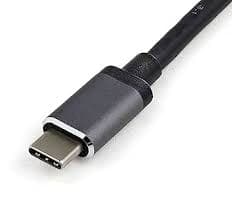
TL;DR A proper USB-C charging setup depends far more on wattage, charging protocol support, cable quality, and multi-device power management than the connector shape itself. The UGREEN Nexode 100W USB-C Charger remains the strongest overall option for users charging laptops, tablets, handheld gaming devices, and phones together because it provides enough power headroom for demanding workloads without feeling restrictive later. Meanwhile, compact chargers such as the Anker 511 Nano 3 20W USB-C PD Charger remain better suited for lightweight smartphone charging where portability matters more than maximum output. The most important buying strategy remains simple, match wattage first, verify USB Power Delivery compatibility second, and never ignore cable quality when building a USB-C charging setup.
Why USB-C Charging Matters More Than Ever
USB-C charging has become increasingly important because modern devices now rely on one common connector standard for power delivery, file transfer, docking, and accessory support. Smartphones, ultrabooks, tablets, handheld gaming devices, wireless accessories, and even external monitors increasingly use USB-C instead of older proprietary connectors. This creates a much more unified charging ecosystem for everyday users.
Another important factor is convenience because users no longer want separate chargers for every device inside their bag, workspace, or travel setup. A properly selected USB-C charger can power multiple devices efficiently while reducing cable clutter and adapter confusion. This dramatically improves portability and desk organization.
The biggest misconception, however, is assuming every USB-C charger behaves the same simply because the connector shape matches. USB-C connectors may look identical externally, but charging speed, power delivery capability, thermal behavior, and compatibility vary significantly depending on charger design. This is exactly why understanding USB-C specifications matters before purchasing.
Best USB-C Chargers and Accessories Overview
| Product | Best For | Main Strength |
|---|---|---|
| Anker 511 Nano 3 20W USB-C PD Charger | Smartphone charging | Compact portability |
| Fingers 65W USB-C Ports & USB-A Mobile Adapter | Mixed-device use | Balanced versatility |
| UGREEN 240W USB-C Cable | High-power setups | Better cable stability |
| UGREEN Nexode 100W USB-C Charger | Laptop charging | Premium wattage headroom |
The table immediately highlights how different USB-C accessories target very different usage scenarios because not every charger needs to support workstation-level power delivery. Smaller 20W adapters work perfectly well for smartphones and compact tablets, while laptops and gaming devices often require substantially higher output. Buyers should therefore focus on actual device requirements instead of blindly purchasing the highest wattage available.
Another important factor is scalability because many users eventually expand beyond single-device charging into desk setups involving tablets, wireless earbuds, handheld gaming devices, and ultrabooks simultaneously. Choosing a charger with enough flexibility early often prevents unnecessary upgrades later. Long-term usability matters heavily in charging setups.
Understanding USB-C Wattage Properly
Wattage is the single most important specification while buying a USB-C charger because it determines how much power the charger can actually deliver to connected devices. A charger may still connect successfully even with insufficient wattage, but the device may charge extremely slowly or continue draining battery during active usage. This creates a frustrating experience during real-world workloads.
Smartphones generally work comfortably within the 20W to 45W range, while ultrabooks, creator laptops, and gaming handhelds often require 65W to 100W depending on workload intensity. A lightweight productivity laptop may survive comfortably on 45W charging, but performance-oriented machines often demand significantly higher sustained power. Matching charger output to the heaviest device in the setup therefore remains the safest strategy.
Another important factor is active workload behavior because devices consume more power during gaming, video rendering, exports, multitasking, or large software installations. A charger that feels adequate during idle browsing may become insufficient during heavier sessions. Buyers should therefore avoid purchasing chargers too close to the bare minimum requirement.
Why Underpowered Chargers Create Everyday Frustration
Many users assume any USB-C charger can handle any USB-C device because the physical connector fits correctly. In practice, however, underpowered chargers frequently create unstable charging behavior, battery drain under load, slower top-ups, and inconsistent performance during active usage. This becomes especially noticeable on laptops and gaming devices.
A compact 20W smartphone charger may technically connect to a laptop, but it cannot realistically sustain workloads involving browser multitasking, Teams calls, coding environments, or creative applications. The laptop may continue losing battery while plugged in because power demand exceeds charging capability. This is one of the most common USB-C buying mistakes.
Another important factor is future flexibility because modern devices increasingly support higher charging standards compared to older hardware. Buying a charger with reasonable wattage headroom improves long-term usability substantially. A slightly more powerful charger therefore often delivers better long-term value than an aggressively budget-focused option.
Why USB Power Delivery Support Matters
USB Power Delivery, commonly called USB PD, is one of the most important technologies inside modern USB-C charging systems because it allows devices and chargers to negotiate appropriate charging speeds safely and efficiently. Without proper protocol support, a charger may fall back to slower charging modes even if the wattage rating appears impressive on paper.
This negotiation process becomes especially important for laptops, tablets, handheld gaming devices, and fast-charging smartphones because these devices expect specific voltage and current profiles during charging. Poor protocol implementation often causes slow charging, inconsistent behavior, or compatibility issues. Proper USB PD support therefore matters just as much as raw wattage numbers.
Another important factor is device protection because USB Power Delivery helps prevent unsafe charging conditions by intelligently regulating power delivery between the charger and connected hardware. Modern high-power charging depends heavily on these negotiation systems working correctly. Reliable protocol support improves both charging performance and long-term device safety.
Why Cable Quality Is No Longer Optional
Cable quality has become increasingly important because modern USB-C cables now handle extremely high charging output along with fast data transfer speeds simultaneously. Weak or poorly rated cables can bottleneck performance even when paired with powerful chargers and compatible devices. The cable therefore becomes part of the overall charging system instead of acting like a simple accessory.
High-performance setups involving docks, external SSDs, ultrabooks, creator workstations, and gaming handhelds especially benefit from stronger USB-C cables capable of stable high-wattage charging and reliable data transfer. This becomes highly noticeable during file transfers, external display usage, and multi-device desk environments. Poor-quality cables often create inconsistent charging behavior and unstable peripheral connections.
Another important factor is long-term reliability because better cables generally handle bending, heat, repeated movement, and sustained charging loads more effectively. A powerful charger paired with a weak cable creates an imbalanced setup that cannot fully utilize available charging capability. Cable quality therefore directly affects real-world charging experience.
Smart Power Management and Multi-Device Charging
Modern USB-C chargers increasingly support charging multiple devices simultaneously because users now commonly carry phones, tablets, wireless earbuds, laptops, smartwatches, and gaming handhelds together. Smart power management helps distribute available power intelligently across connected devices instead of splitting output inefficiently. This improves charging stability significantly.
Without proper power management, one device may consume excessive power while others charge slowly or inconsistently. Multi-device desk setups especially benefit from intelligent charging allocation because workloads constantly shift throughout the day. Efficient power balancing therefore matters much more than port count alone.
Another important factor is desk simplicity because one properly configured multi-port USB-C charger can often replace several separate charging adapters entirely. This reduces clutter while improving travel convenience and workspace organization substantially. Multi-device charging therefore becomes a major long-term usability advantage.
Common Mistakes Buyers Should Avoid
The biggest mistake buyers make is assuming every USB-C charger behaves identically simply because the connector fits physically. Charging speed, compatibility, thermal efficiency, and power delivery behavior vary dramatically depending on charger design and protocol support. This misunderstanding often leads to disappointing charging performance.
Another common mistake is pairing powerful chargers with weak cables because lower-rated cables may prevent higher charging speeds entirely. Users frequently blame the charger when the real limitation comes from the cable itself. Proper charger and cable pairing therefore matters heavily for high-power charging setups.
Many buyers also underestimate laptop charging requirements because office laptops, gaming handhelds, creator machines, and productivity workflows consume substantially more power under load compared to smartphones. Choosing chargers too close to minimum wattage often creates unstable charging during active usage. Slightly higher headroom generally improves long-term reliability significantly.
Major USB-C Charging Trends
USB-C charging continues evolving rapidly because manufacturers increasingly standardize charging ecosystems across phones, tablets, laptops, accessories, and gaming devices. The shift away from proprietary charging standards improves compatibility and reduces charger fragmentation across product categories. This creates a much more unified technology ecosystem overall.
GaN charging technology remains one of the most important developments because it allows chargers to become smaller, cooler, and more efficient while still supporting higher power delivery levels. This dramatically improves travel convenience and desk usability. Compact high-output chargers therefore become much more practical than older bulky adapters.
Another important factor is growing USB4 and 240W cable adoption because higher-power charging and faster data transfer increasingly matter for creator workflows, external SSD usage, docking systems, and multi-monitor desk environments. USB-C therefore continues evolving beyond simple smartphone charging into a broader connectivity standard. The ecosystem is becoming significantly more powerful and flexible.
| Trend | Impact |
|---|---|
| GaN Chargers | Smaller and cooler charging adapters |
| USB4 Support | Faster data transfer speeds |
| 240W USB-C Cables | Better support for high-power charging |
| Universal USB-C Adoption | Reduced dependence on proprietary chargers |
| AI Power Optimization | Smarter charging efficiency |
Why the Right USB-C Setup Matters More Than Buying the Most Expensive Charger
The most important takeaway is simple, the best USB-C charging setup depends entirely on actual device requirements rather than chasing the highest wattage or most expensive charger available. Smartphones, tablets, ultrabooks, creator laptops, and gaming handhelds all demand very different charging behavior during real-world usage. Matching the charger to the heaviest workload in the setup remains the smartest long-term strategy.
The UGREEN Nexode 100W USB-C Charger remains one of the strongest overall choices for mixed-device users because it provides enough headroom for laptops, tablets, handheld consoles, and heavier multitasking workloads without becoming restrictive later. Meanwhile, compact chargers such as the Anker 511 Nano 3 20W USB-C PD Charger continue making more sense for lightweight phone-focused setups where portability matters more than maximum output. Different charging environments require different priorities.
At the same time, buyers should never ignore cable quality, USB Power Delivery compatibility, thermal efficiency, and multi-device power management because these factors directly determine how stable and reliable the charging experience feels over time. A balanced charging setup almost always performs better than blindly chasing marketing numbers or oversized wattage ratings. Long-term usability ultimately matters much more than specifications alone.
Frequently Asked Questions
Q. What is the best USB-C charger for laptops?
The UGREEN Nexode 100W USB-C Charger is one of the strongest options for laptop charging because it provides enough wattage for most modern ultrabooks, productivity laptops, and mixed-device charging setups. It also offers stronger long-term flexibility for users handling tablets, handheld gaming devices, and smartphones together. Higher wattage headroom helps maintain stable charging during heavier workloads.
Q. Is a 20W USB-C charger enough for laptops?
No, a 20W USB-C charger is generally suitable only for smartphones and lightweight tablets. Most laptops require between 45W and 100W depending on workload intensity, processor power, and display size. Underpowered chargers may still connect successfully but fail to keep the laptop charged during active usage.
Q. Why does USB-C charging speed vary so much?
USB-C charging speed depends on charger wattage, USB Power Delivery support, cable quality, thermal behavior, and the charging limitations of the connected device itself. A powerful charger alone cannot guarantee maximum speed if the cable or device restricts power delivery. The entire charging chain must work correctly together.
Q. Do USB-C cables affect charging performance?
Yes, USB-C cables directly affect charging stability, power delivery capability, and data transfer performance. Lower-quality cables may bottleneck charging speed or create inconsistent behavior during high-power workloads. Better cables become especially important for laptops, docks, creator setups, and gaming handheld charging.
Q. Are GaN chargers better than traditional chargers?
Yes, GaN chargers are generally more compact, efficient, and cooler compared to traditional silicon-based chargers. They allow manufacturers to deliver higher wattage inside smaller charger designs without excessive heat generation. This makes them especially useful for travel and multi-device desk setups.
Q. What should buyers check before purchasing a USB-C charger?
Buyers should always check wattage support, USB Power Delivery compatibility, cable capability, thermal efficiency, number of ports, and multi-device charging behavior before purchasing a USB-C charger. Matching the charger to the most demanding device in the setup is usually the safest approach. Proper balance between charger quality and cable quality matters heavily for long-term reliability.






