
Thunderbolt 5 Docks vs USB4 Docks: Which One Should Professionals Buy?
Choose between Thunderbolt 5 and USB4 docks with this guide covering bandwidth, power delivery, display support, compatibility, pricing in India, and the best option for gaming, creators, and everyday office setups.

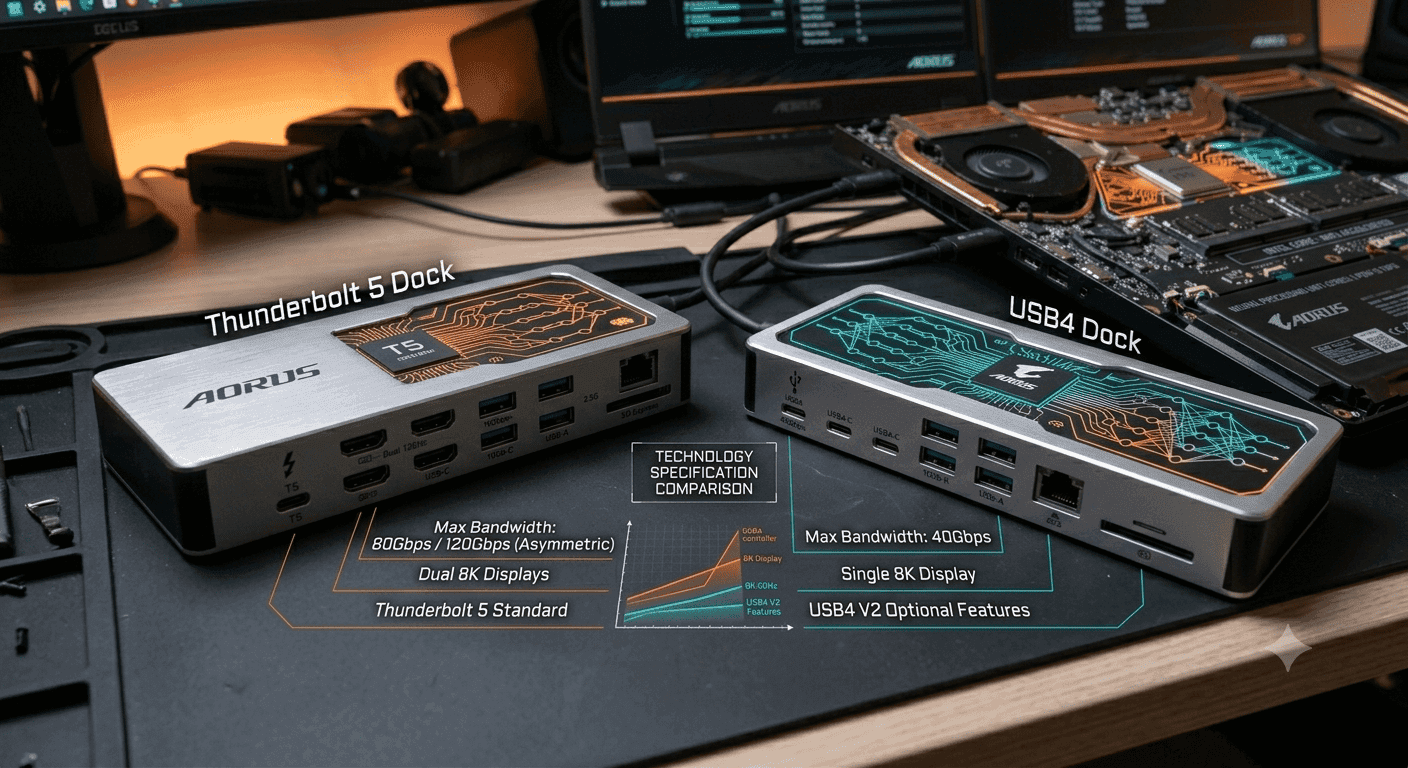
TL;DR Thunderbolt 5 docks are the better choice for heavier desks because they offer up to 120Gbps of bandwidth and up to 240W of power delivery, while USB4 docks are the cheaper, simpler option for lighter setups.
Overview of Thunderbolt 5 and USB4 Docks
A docking station is still the cleanest way to turn a laptop into a proper desk machine. One cable can handle charging, displays, external storage, and accessories, which is why a good station matters more than most people admit. The real split in Thunderbolt 5 Docks vs USB4 Docks is how much load the dock can carry before it starts to feel cramped.
Thunderbolt 5 is the more capable technology. It delivers up to 120Gbps of bandwidth with Bandwidth Boost and can provide up to 240W of power delivery, so it suits laptops that need serious charging and fast data at the same time. USB4 supports speeds up to 40Gbps, which is enough for many desks, but it has less room for video, storage, and charging together.
Why the standard matters
The difference shows up fast when you connect a monitor, an SSD, and a charger through the same station. Thunderbolt 5 has more capacity to move video and data without turning the dock into a bottleneck. USB4 is still useful for office work, but it is easier to overload once the desk gets busy.
That matters for software too. A spreadsheet in Excel, a timeline in Adobe Premiere Pro, and a VM in Parallels all stress a dock in different ways. Thunderbolt 5 keeps that mix calmer, especially when you are also pushing external drives or a high-refresh display.
- Thunderbolt 5 is the safer pick for heavier desks.
- USB4 is fine for a simpler station with fewer connections.
- Thunderbolt 5 gives you more room for data, video, and power at once.
- USB4 keeps the entry cost lower when you do not need all that overhead.
What this means in practice
The practical takeaway is simple. Thunderbolt 5 is built for heavier traffic, while USB4 is built for simpler needs. If your setup is mostly one monitor, a keyboard, a mouse, and occasional file transfers, USB4 can do the job without much fuss.
Thunderbolt 5 offers more bandwidth headroom for demanding external devices, and that extra space matters when the desk grows. If you move large Lightroom catalogs, edit 4K footage, or bounce between Chrome, Slack, and VS Code all day, the stronger station is easier to live with.
| Feature | Thunderbolt 5 Docks | USB4 Docks |
|---|---|---|
| Maximum bandwidth | Up to 120Gbps | Up to 40Gbps |
| Bidirectional transfer | 80Gbps | Not guaranteed here |
| Power delivery | Up to 240W | Up to 100W |
| Multi-display support | Multiple 8K or three 4K at 144Hz | Not guaranteed |
| Best fit | Gaming and creator setups | Basic expansion and office use |
Practical Usage and Device Compatibility
Compatibility is one of the biggest reasons Thunderbolt 5 docks make sense as a long-term purchase. Thunderbolt 5 is backward compatible with Thunderbolt 4 and USB4, so it can work with a wide range of laptops. That makes it easier to buy a better station now and keep using it after your next laptop upgrade.
In real homes and offices, not every machine is identical, so a Thunderbolt dock can serve one laptop today and another tomorrow without forcing you to rebuild the desk from scratch. USB4 docks are simpler, but Thunderbolt 5 gives you more flexibility if your setup changes over time. That matters when you want a dock that can keep up with a changing desk.
Daisy-chaining and desk expansion
Thunderbolt 5 also allows daisy-chaining of multiple devices, which can make a crowded desk much easier to manage. Instead of using every port on the dock, you can chain compatible hardware together and keep the station cleaner. That is especially useful if you run storage, displays, and peripherals from the same laptop port.
For a video editor in Premiere Pro or a developer in Docker Desktop, that flexibility matters. You can keep external drives, a capture device, and a monitor connected without treating the desk like a tangle of adapters. USB4 can still be useful, but it is less clearly positioned as a scalable desk backbone.
Who each dock type fits best
Thunderbolt 5 is particularly beneficial for gamers and creative professionals because both groups stress the station in different ways. Gamers care about refresh rates, display stability, and low-latency connections. Creators care about storage speed, large file transfers, and the ability to run multiple apps and displays without the dock becoming the weak link.
USB4 is better for users with modest external needs. If you mostly connect a monitor, a keyboard, a mouse, and maybe an external drive, it covers the basics well. The key is to match the dock to the workload instead of paying for capabilities you will not use.
- Thunderbolt 5 suits users who expect their desk to grow.
- USB4 suits users who want a simple, reliable port hub.
- Thunderbolt 5 is the stronger choice for gaming and creator laptops.
- USB4 is enough for general office work and lighter home setups.
Real-world buying implications
The hidden value of Thunderbolt 5 is that it reduces the chance you will outgrow the dock quickly. If your setup is fixed and uncomplicated, USB4 avoids paying for headroom that will sit unused. That is why the right choice depends on your future desk, not only your current one.
A user editing in Lightroom or coding across multiple windows may appreciate Thunderbolt 5 immediately. A user who just wants a clean one-screen desk will often be happier saving money with USB4. The station should fit the work you actually do, not the work you imagine doing someday.
Price Comparison and Value Analysis
Price is where the India market makes the Thunderbolt 5 versus USB4 decision more concrete. The UGREEN Revodok Maxidok Thunderbolt 5 Dock is priced at ₹31,000, the Dell Pro Thunderbolt 5 Smart Dock costs ₹39,999, the WAVLINK 12-in-1 TB5 Docking Station is ₹51,949, and the CalDigit TS5 Thunderbolt 5 Dock sits at ₹67,020. That gives buyers a clear ladder from entry premium to top-end premium.
UGREEN is the most affordable Thunderbolt 5 option in the list, while CalDigit is the most expensive. Dell and WAVLINK sit in the middle, but they target different buyers depending on how much desk hardware and headroom you need. Thunderbolt 5 pricing is no longer locked to one ultra-premium tier, even if it still costs more than basic USB4 docks.
The price bands
USB4 docks remain the budget-friendly alternative because they do not need to support the same level of bandwidth, power delivery, or display reliability. If your setup is basic, USB4 can save a meaningful amount of money. If your workflow is already pushing your current station, though, the extra spend on Thunderbolt 5 is easier to defend, especially for a dual 4K setup.
Value for different user types
The right answer depends on whether you are buying for today’s desk or for the desk you expect to build over the next few years. A desk that only needs one monitor and a few peripherals does not need the full cost of a high-end Thunderbolt dock.
- UGREEN is the most affordable Thunderbolt 5 entry point at ₹31,000.
- Dell at ₹39,999 is the most balanced mid-range purchase.
- WAVLINK at ₹51,949 is for buyers who need more features and can spend more.
- CalDigit at ₹67,020 is the premium choice for users who want top-end dock hardware.
A dock should be judged by how much friction it removes. If your needs are simple, USB4 keeps the purchase easier on the budget and still delivers useful expansion.
India market context
That tells you USB4 is still a real category, but Thunderbolt 5 is the more ambitious technology when performance and display support matter more than the lowest entry price. A dual 4K workflow is one example of where that extra headroom can matter.
Choosing Between Thunderbolt 5 and USB4 Docks
The choice between these dock standards becomes easier when you separate performance needs from budget needs. Thunderbolt 5 is for users who want the station to disappear into the background, and USB4 is for users who just need enough ports to get work done. USB4’s 40Gbps ceiling is still respectable, but it is easier to max out once you add storage, video, and charging together.
That is why the decision is less about brand prestige and more about load. The right call depends on the number of ports you use, the monitors you connect, and how often you move large files. Thunderbolt 5 makes sense when you want one dock to support a serious workstation with Thunderbolt ports and room to spare.
Where Thunderbolt 5 pulls ahead?
Thunderbolt 5 is the stronger option when your desk includes high-bandwidth external drives, multiple displays, and a laptop that charges hard during use. It can transfer data at 80Gbps bidirectionally and supports multiple 8K displays or three 4K displays at 144Hz. That kind of capacity is exactly why it feels more future-proof.
It also uses PAM-3 modulation for improved data encoding, which is one reason the standard can push higher rates without collapsing under load. That matters when the dock has to keep everything moving at once.
Where USB4 still makes sense?
USB4 works well for office tasks, single-monitor use, and basic peripheral expansion. If you do not need guaranteed multi-monitor support or daisy-chaining, USB4 is often the smarter spend. It keeps the station simpler and leaves more money for the laptop itself.
USB4 is also enough for a lot of mixed home use. A browser-heavy day in Chrome, a few spreadsheets in Excel, and an external keyboard do not need the full weight of Thunderbolt 5. The catch is that once you add a fast SSD and a second display, the gap becomes obvious.
Real-world examples that make the choice clearer
A designer working in Photoshop and Figma will feel the difference when assets live on an external drive and a second display stays active all day. A programmer in VS Code and WSL will care less about raw peak speed than about steady connections and a dock that does not choke when compiling code and syncing files at the same time.
A gamer using a 4K 144Hz panel has a different problem. The station has to move video cleanly while still leaving enough bandwidth for storage and charging. That is where Thunderbolt 5’s higher ceiling is easier to justify than USB4’s simpler approach.
- USB4 is best for office tasks and lighter home desks.
- Thunderbolt 5 is the safer choice for triple-display setups.
- USB4 is fine when you only need one display and a few ports.
- For most people who use a laptop as their main workstation, Thunderbolt 5 is the better choice because it gives you more room before the dock becomes the bottleneck.
- If your desk is light, USB4 is enough, but if your workflow includes external storage, multiple displays, and serious charging needs, Thunderbolt 5 is the safer buy.
Thunderbolt 5 Docks vs USB4 Docks Overview
Thunderbolt 5 Docks vs USB4 Docks is really a comparison between headroom and efficiency. Both standards let a laptop connect to displays, storage, and charging through a single cable, but Thunderbolt 5 is designed to handle more traffic at once. USB4 is still relevant because it keeps the docking experience simple and affordable.
With speeds up to 40Gbps, USB4 is enough for many users who only need a monitor, a few ports, and routine charging. The limitation is that USB4 does not guarantee multi-monitor support, so buyers who expect more complex display setups need to be careful about what their laptop and dock combination actually supports.
High-level feature split
Thunderbolt 5 is the better fit for users who want a dock to serve as a workstation hub. It can handle demanding workloads, support daisy-chaining, and keep external devices moving without feeling constrained. USB4 is more of a practical expansion standard, designed to cover common use cases without pushing the price or complexity too far.
That difference is why Thunderbolt 5 is especially attractive for creators and gamers. These users care about performance, transfer speeds, and display quality at the same time. USB4 can still be good enough for office work, but it is less convincing when the desk includes multiple monitors or high-speed storage.
Display and cable behavior
Thunderbolt 5 also allows higher refresh rates on high-resolution displays. That matters if you want a 4K 144Hz panel to feel fully usable instead of compromised by the station in the middle. USB4 can still output video, but the experience depends more heavily on the exact laptop and dock pairing.
The cable itself also matters more than people think. A good Thunderbolt cable keeps the whole station predictable, while a cheaper USB cable can turn a capable dock into a frustrating one. That is why the same hardware can feel either polished or clumsy depending on the connection quality.
Target audience and best fit
- USB4 is best for office users and lighter home desks.
- Thunderbolt 5 is better when you want the station to stay useful after a laptop upgrade.
- USB4 is better when you only need the basics.
The simplest way to think about it is this: Thunderbolt 5 is built for more demanding users, while USB4 is built for more modest ones. Thunderbolt 5 gives you more bandwidth, more charging headroom, and more confidence with external displays. USB4 gives you a lower-cost path to useful docking without paying for capabilities you may not need.
Frequently Asked Questions
Q. What are the main differences in data transfer speeds between Thunderbolt 5 and USB4 docks?
Thunderbolt 5 reaches up to 120Gbps with Bandwidth Boost, while USB4 supports speeds up to 40Gbps. That extra headroom matters when the dock is moving video, storage data, and charging traffic at the same time. In everyday use, Thunderbolt 5 is better for demanding external setups, while USB4 is fine for lighter expansion.
Q. Can I use a Thunderbolt 5 dock with USB4 laptops?
Yes, Thunderbolt 5 docks are backward compatible with Thunderbolt 4 and USB4 devices. That makes them easier to keep using across laptop upgrades and mixed setups. USB4 docks are simpler, but they do not offer the same long-term flexibility or daisy-chaining advantages.
Q. Which dock type is better for multi-monitor setups and gaming?
Thunderbolt 5 is the stronger choice for dual and triple display setups because it has more bandwidth and better display headroom. That difference matters for refresh rates, display stability, and overall smoothness. USB4 can still work for a basic one- or two-screen setup, but it is not the safer choice for demanding gaming or creator desks.
Q. Are Thunderbolt 5 docks significantly more expensive than USB4 docks in India?
Yes, Thunderbolt 5 docks in India range from ₹31,000 for the UGREEN Revodok Maxidok to ₹67,020 for the CalDigit TS5, with Dell at ₹39,999 and WAVLINK at ₹51,949 in between. USB4 docks usually cost less because they do not need to support the same bandwidth, power delivery, and display guarantees. The price gap is real, but so is the performance gap.
Q. Does Power Delivery compare between Thunderbolt 5 and USB4 docks?
Thunderbolt 5 can provide up to 240W of power delivery, which is useful for performance laptops that draw more power under load, especially during rendering, compiling, or gaming. USB4 can still charge many thin-and-light laptops effectively, but it has less headroom for high-power systems. If your laptop stays busy for long periods, Thunderbolt 5 gives you more charging margin.
Q. What are the best budget-friendly Thunderbolt 5 docks available?
The UGREEN Revodok Maxidok Thunderbolt 5 Dock at ₹31,000 is the most budget-friendly Thunderbolt 5 option in the current India pricing list. Dell Pro Thunderbolt 5 Smart at ₹39,999 is the next sensible step up if you want a mid-range choice without jumping to premium pricing. WAVLINK at ₹51,949 and CalDigit at ₹67,020 are more expensive, so they make sense only if you need their extra desk hardware.
Which Dock Standard Fits Your Desk Best?
Thunderbolt 5 docks make the most sense for users who treat the desk as a full workstation. They also suit buyers who want one docking station to handle future upgrades without rethinking the whole setup. In that kind of setup, the extra room for bandwidth and USB ports helps keep more of the desk connected without forcing trade-offs.
USB4 docks fit lighter desks and simpler routines. If you only need a few USB ports, one monitor, and dependable charging, USB4 keeps the setup cleaner and the purchase easier to justify. It is the more straightforward choice when the desk does not need to do everything at once.
The price gap in India makes that trade-off easy to see, with Thunderbolt 5 docks starting at ₹31,000 and climbing to ₹67,020. USB4 remains the lower-cost path for lighter use, while Thunderbolt 5 gives you more room for growth, stronger display support, and more charging headroom. If your desk is simple today, USB4 is enough, but if your workflow already includes external storage, multiple displays, and serious charging needs, Thunderbolt 5 is the safer long-term buy.
If you are choosing between the two, start with your monitors, storage, and charging needs, then match the dock to that load. That approach keeps you from overspending on unused headroom or underbuying a dock that will feel cramped too soon. For most heavier desks, Thunderbolt 5 is the better fit, and for lighter desks, USB4 remains the practical choice.






