
Should You Buy a 14-inch or 16-inch Laptop for Productivity?
14-inch laptops are lighter and travel-friendly, while 16-inch laptops offer better screen space, cooling, and productivity for desk work. Choose 14-inch for portability and 16-inch for performance, multitasking, and long work sessions.

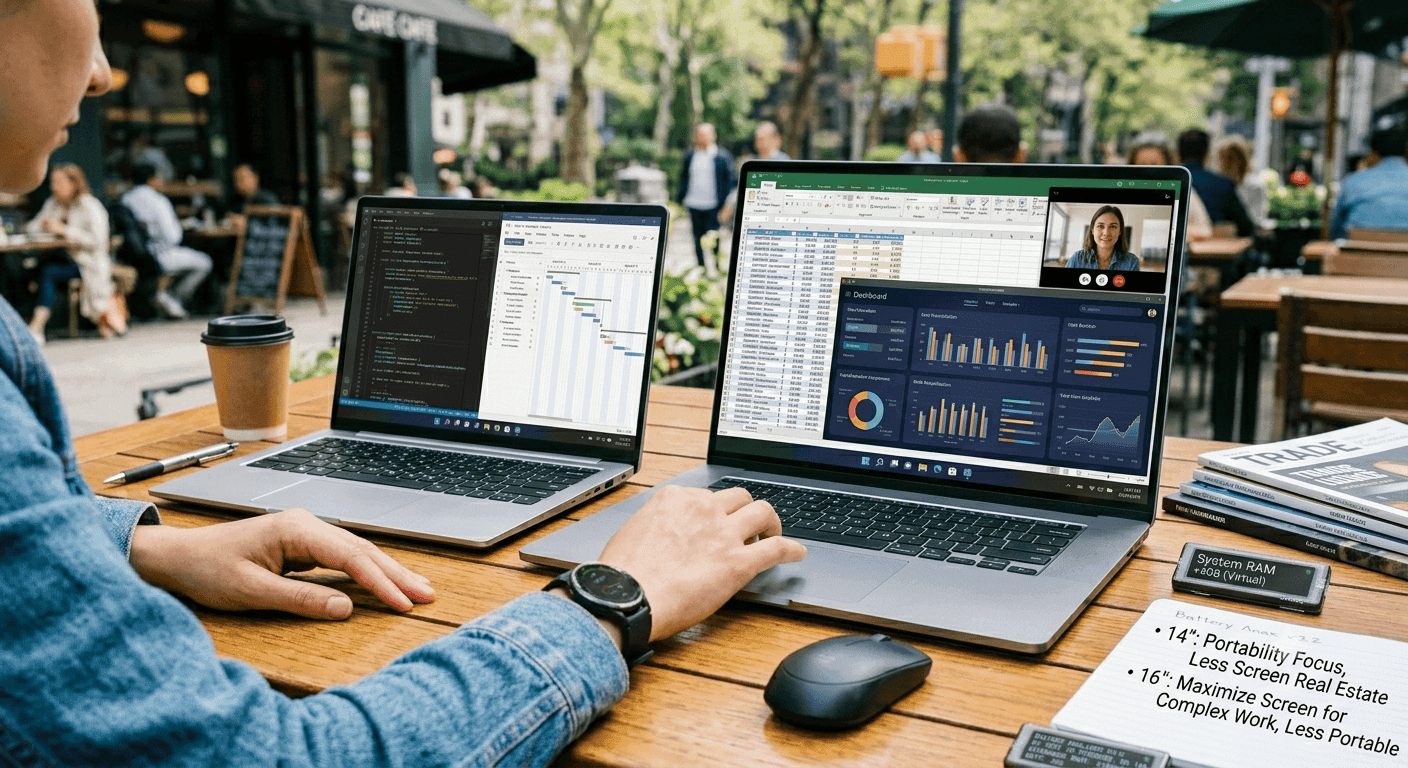
TL;DR The 14-inch vs 16-inch Laptop choice comes down to portability versus desk comfort, and the 16-inch laptop is the better pick for sustained work because it offers more screen space and stronger cooling. The MSI Modern 14 C12MO at ₹49,491 is the cheaper option, while the Apple MacBook Pro 16 at ₹3,39,900 sits at the premium end.
Understanding 14-inch and 16-inch Laptops for Productivity
A 14-inch vs 16-inch laptop comparison sounds small on paper, but the difference changes how a machine feels after a full workday. The diagonal gap is roughly 5 cm, and that extra room makes documents easier to read, timelines less cramped, and side-by-side windows less annoying. ASUS says 16-inch laptops provide about 10% more screen real estate than 15-inch laptops, and that matters when you keep Slack, Google Docs, and Chrome open together.
If you spend your day switching between tabs, the larger panel cuts down on constant zooming and scrolling. The 14-inch class is the safer pick for people who carry a laptop to college or the office every day. Laptopinsights.in recommends 14-inch models for that exact routine, and it matches real life when you are moving between meetings, classrooms, or a home desk. The 16-inch class is better suited to users who primarily work from a desk.
That is where the extra workspace starts paying off in Excel, Photoshop, Figma, VS Code, and research-heavy browser sessions.
Why does the screen feel different in real work?
The screen is not just about inches; it changes how much you can keep visible at once. On a 14-inch panel, you usually work in a tighter, more focused way, which is fine for email, writing, and quick browsing. On a 16-inch panel, the extra width and height make it easier to keep a reference PDF open beside a spreadsheet or design file.
That matters in PowerPoint, Notion, and Adobe Premiere Pro, where constant switching slows you down. The size gap is about 5 cm diagonally, and the 16-inch format gives you more breathing room for reading and comparison work. If your laptop spends more time on your lap than on your desk, the smaller chassis is easier to live with.
If your routine involves long sessions in Excel or coding in VS Code, the 16-inch format feels less cramped. ASUS says its 16-inch laptops use a taller 16:10 aspect ratio, which gives you more vertical room for documents, code, and browser pages. The ASUS ProArt Studiobook 16 OLED (H7604) features a 16-inch 3.2K 120Hz display.
That combination is especially useful in Lightroom, DaVinci Resolve, and Figma, where you want sharp detail and smooth movement while scrubbing or zooming. ASUS also says 16-inch laptops can be designed to stay compact even compared with modern 15-inch machines. The 16-inch panel gives you more room for split-screen work in Chrome, Sheets, and Notion.
You can keep a research tab open while writing, which saves time because you are not constantly alt-tabbing. The extra real estate also helps in Adobe Photoshop and Blender, where tool palettes eat into the visible workspace. When the interface stops fighting for space, the work feels less cramped.
A 14-inch laptop can still be excellent for reading and note-taking, especially in Google Docs or OneNote. The trade-off is that you will zoom more often and see less at once. That is a small comfort, but it adds up over a full day.
Performance and Cooling Differences
The 16-inch laptops are generally better for performance because they have room for larger components. MacRumors says the 16-inch MacBook Pro has a larger cooling system than the 14-inch model, and that difference matters when the workload stays heavy for hours. The 14-inch MacBook Pro can overheat and throttle more quickly than the 16-inch model.
In plain terms, a smaller chassis has less thermal headroom, so sustained exports or long compiles can slow down sooner. That is why the 16-inch class is often recommended for heavy processing tasks. BlenderArtists points to that advantage for users doing rendering, editing, or other demanding work.
For a long Blender render or a YouTube work session, the larger model is better at holding pace.
Where the extra cooling matters
In Blender, it matters when you leave a scene processing for a while and want consistent performance. The same applies in VS Code, Xcode, and Android Studio when you are compiling large projects. The machine does not need to sprint for a minute, it needs to hold pace for a long stretch.
A 14-inch laptop is still fine for lighter work, including writing, browsing, and office apps. The catch is that it is easier to hit thermal limits when you push it hard. If you mostly use Google Docs, Gmail, and browser tabs, the smaller machine is enough.
If your day includes long exports or heavy builds, the 16-inch laptop is the safer choice.
Portability and Everyday Carry
The 14-inch laptops are often lighter and easier to carry than 16-inch models. Laptopinsights.in puts the typical 14-inch weight between 1.4 kg and 1.7 kg, while 16-inch laptops usually land between 1.8 kg and 2.4 kg. That difference is easy to feel in a backpack, especially if you already carry a charger, notebook, and water bottle.
It also matters on trains, in airports, and when you want a setup that is easier to move between home and office. MacRumors says the 14-inch MacBook Pro is preferred by users who prioritize portability. That makes sense, since a lighter machine is less annoying to carry every day.
For users who want a simpler everyday carry, the smaller size can be the more practical choice.
What lighter-weight changes?
A 14-inch laptop is easier to pull out for quick work in a café, on a train, or in a lecture hall. It is also less tiring if you carry it across campus or across town. The smaller size helps when you work in tight spaces, like a tray table or a crowded meeting room.
You do not need as much desk depth, which sounds minor until you use the laptop in the real world. That extra convenience is often what makes the smaller format feel easier to live with.
Usability, Ports, and Layout
The 14-inch laptops often lack a numpad, which can be inconvenient for 3D work and number-heavy tasks. The ASUS Vivobook 16 (M1605) includes a full array of ports, including USB-C and HDMI. That makes it easier to connect external displays, projectors, and storage without living on dongles.
Small things that become big annoyances
A numpad is not essential for everyone, but it is hard to ignore if you live in spreadsheets. In Excel, even a few hundred extra number entries a day make a full keypad feel worth it. USB-C and HDMI are practical because they keep your desk cleaner.
If you connect to a monitor at home, in office, or in a studio, fewer adapters means less friction. The ASUS Vivobook 16 is also one of the most affordable 16-inch laptops, which makes the larger format more accessible than many buyers expect. The ASUS ROG Zephyrus G16 weighs 1.9 kg, showing that some 16-inch models stay reasonably portable.
If you use a second monitor, a webcam, and a wired mouse, the 16-inch layout usually feels more natural. If you mostly type in Google Docs and attend meetings in Microsoft Teams, the 14-inch layout is simpler.
Pricing Comparison and Value Analysis
Price changes the 14-inch vs 16-inch Laptop decision fast, especially in India. The MSI Modern 14 C12MO costs INR 49,491, making it the cheapest option here. The Acer Swift Neo OLED AI costs INR 72,999, the Lenovo ThinkBook 16 costs INR 1,02,990, and the Apple MacBook Pro 16 costs INR 3,39,900.
That gives you a clear ladder from budget to premium, though the middle ground is where many buyers will land. The MSI Modern 14 C12MO is the more affordable choice, while the Apple MacBook Pro 16 is the most expensive by a wide margin. The middle ground is where many buyers will land because it balances screen size with sane pricing.
For many readers, the budget and premium ends are easy to spot, while the middle is the most practical.
What the price tiers actually mean
The MSI Modern 14 C12MO at INR 49,491 is the budget-friendly carry option. It makes sense if you want a basic work machine for browser tabs, documents, and meetings. The Acer Swift Neo OLED AI at INR 72,999 is the display-first 14-inch option.
It is the one to consider if you care more about panel quality than raw size. The Lenovo ThinkBook 16 at INR 1,02,990 is the desk-friendly middle path. The Apple MacBook Pro 16 at INR 3,39,900 is for buyers who want the premium end of the market.
That price only makes sense if you actually use the extra performance and screen space.
Budget, mid-range, and premium signals
That spread explains why both compact and large laptops keep finding buyers. A 14-inch machine is easier to justify when you want to keep costs down. A 16-inch model is easier to justify when your laptop is a work tool first and a travel item second.
For readers comparing options, the same logic applies across budget, mid-range, and premium choices. The right value depends on whether you care more about portability, display space, or long-session comfort.
Real-World Use Cases and Workflows
A 14-inch vs 16-inch laptop decision becomes clearer once you think about actual software. In Google Docs, Gmail, and Chrome, the 14-inch machine feels lighter and easier to carry, which is useful when your work is mostly writing and communication. It is the better choice when portability matters most and you do not want a bulky device slowing you down.
For everyday browsing and email, the smaller size is often the easier fit. In Excel, Power BI, and accounting tools, the 16-inch machine is easier to live with because the extra screen space reduces constant horizontal scrolling. That is where the larger format starts earning its keep.
For Blender, Premiere Pro, and DaVinci Resolve, the 16-inch laptop is the better fit because it handles longer, heavier sessions more comfortably. At home, a 16-inch laptop makes sense if it sits on a desk with an external monitor nearby. It feels closer to a compact desktop replacement than a travel device.
Home, office, and creative work
In office use, a 14-inch laptop is easier to carry between meetings and workstations. If you spend half the day moving around, the lighter machine is the one you will actually use. The 16-inch size works better when your desk setup stays in one place.
Creative work also benefits from the larger panel because toolbars and timelines do not crowd the canvas as much. That makes the 16-inch format easier to live with for editing, design, and multitasking.
How to Choose the Right Size?
The 14-inch vs 16-inch laptop choice comes down to what you do most days, not what looks better in a spec sheet. A 16-inch laptop is the better call if you work mostly at a desk and want more room for apps, timelines, and documents. It is also the stronger choice if you run heavy processing tasks that stay under load for long periods.
The 14-inch category is easier on your shoulder and easier to pack. The 16-inch category is easier on your eyes and easier on your workflow once you sit down. For anyone deciding between the two, the right pick is usually the one that fits your routine and your carrying habits.
If your laptop lives on your desk, go 16-inch. If it lives in your bag, go 14-inch.
Quick decision points
- Choose 14-inch if you commute every day, travel often, or want the lighter bag.
- Choose 14-inch if your work is mostly Google Docs, email, and browser tabs.
- Choose 16-inch if you want more room for Excel, Photoshop, Figma, or VS Code.
- Choose 16-inch if you care more about sustained performance and cooling than portability.
Frequently Asked Questions
Q. Which is better for productivity, a 14-inch or 16-inch laptop?
The 16-inch laptop is better for productivity if you work at a desk for long stretches. It gives you more screen real estate, stronger cooling, and less cramped multitasking in Excel, Photoshop, and VS Code. The 14-inch size still works well for lighter writing and communication tasks.
Q. Are 14-inch laptops better for travel and college?
The 14-inch laptop is better for travel and college because it is lighter and easier to carry. Laptopinsights.in recommends 14-inch models for users who move between classes or office spaces every day. Typical 14-inch weights run from 1.4 kg to 1.7 kg, which helps in backpacks and crowded commutes.
Q. Does a 16-inch laptop always perform better?
The 16-inch laptop usually performs better under sustained load because it has room for larger components and a larger cooling system. That matters in Premiere Pro, Blender, and long compile jobs in Xcode or Android Studio. The 14-inch model can still handle lighter work, but it reaches thermal limits sooner.
Q. Is the price gap between 14-inch and 16-inch laptops worth it?
The price gap is worth it if you will use the bigger screen every day. The MSI Modern 14 C12MO at ₹49,491 is the cheaper carry option, while the Lenovo ThinkBook 16 at ₹1,02,990 is the more comfortable desk option. If you work mostly from one place, the larger format can justify the higher cost.
Q. What should I watch for besides screen size?
The keyboard layout, port selection, cooling, and weight matter just as much as screen size. A 14-inch laptop often lacks a numpad, while the ASUS Vivobook 16 (M1605) includes USB-C and HDMI for easier desk use. The ASUS ROG Zephyrus G16 weighs 1.9 kg, which shows that some 16-inch models still stay manageable.
Q. Can a 14-inch laptop handle creative work?
A 14-inch laptop can handle lighter creative work in apps like Canva, Photoshop, and Lightroom. It is not the better choice for long renders or heavy editing, where the 16-inch format is the safer pick. The ASUS ProArt StudioBook 16 OLED (H7604) with its 16-inch 3.2K 120Hz display is better suited to that kind of workload.
Which Laptop Size Fits Your Routine Best?
The hardware debate is easy to overcomplicate, but the real answer is simple. The main factor is how you actually use the machine day to day. Choose 14-inch if you need a laptop that disappears into your bag and stays easy to carry.
That size makes the most sense when portability matters more than anything else, especially for users who move around often. For most people who work from a desk more than they commute, the 16-inch laptop is the better overall choice. It gives you more room, better thermals, and fewer compromises, which is exactly what productivity hardware should do.
If your laptop lives on your desk, go 16-inch. If it lives in your bag, go 14-inch. That is the simplest way to think about it, and it is the most practical way to choose.






