
Portable Monitors Guide: Best Picks, Prices, Uses
Compare portable monitors by display, refresh rate, compatibility, and India prices, with clear picks for work, gaming, and travel.

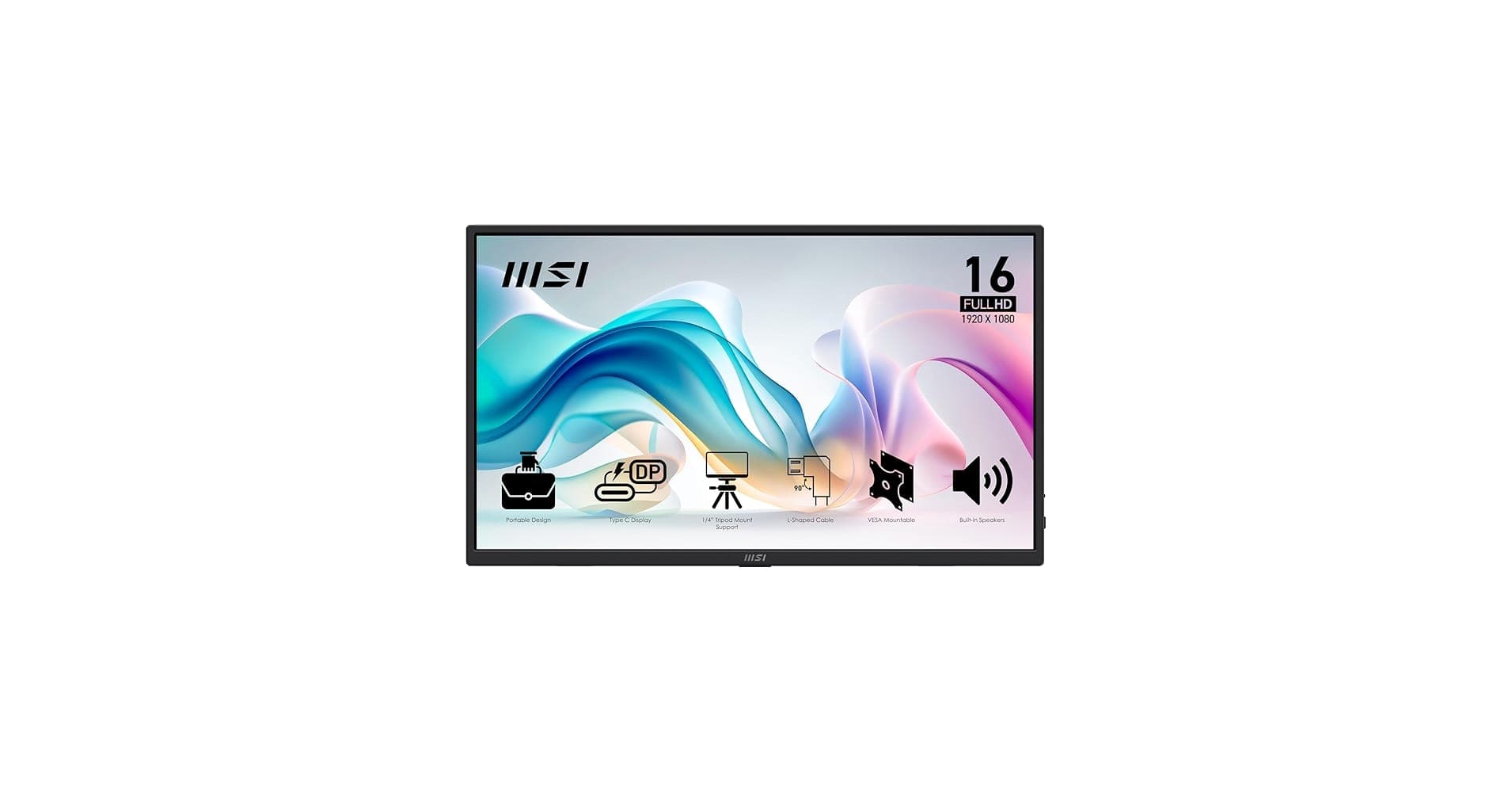
TL;DR Portable monitors are a practical second-screen upgrade for work, travel, and gaming, and the MSI PRO MP165 E6 is the budget-friendly pick at ₹8,500 to ₹9,500 for everyday productivity.
Why Portable Monitors Matter
Portable monitors have moved from a convenience item to a real productivity tool. They help people who work across laptops, gaming handhelds, and compact desk setups add screen space without committing to a full monitor. That shift matters because buyers now expect more than portability alone.
The appeal is immediate for laptop users. A portable monitor for laptops gives you a second workspace for documents, browsers, chats, or timelines, which reduces constant window switching. It also helps on the road, where a portable monitor setup can be created quickly with a single USB cable and a stand.
Gaming is another major reason the category keeps growing. Portable monitors for gaming can extend a handheld console or gaming laptop into a more comfortable dual display setup, especially when you want one screen for the game and another for voice chat, guides, or streaming tools. Buyers now expect better color, faster refresh rates, and more flexible port support from the same product class.
Common Real-World Uses
- A laptop user can keep email on one screen and a spreadsheet or browser on the other, which makes multitasking more efficient and less tiring.
- A gaming user can dedicate the portable panel to chat, maps, or OBS controls while the main device handles the game.
- A Mac mini user can build a compact workstation without buying a full desktop monitor, which is useful in smaller rooms.
- A traveler can pack a lightweight screen that still gives them a proper dual display when they reach a hotel or office.
ASUS ZenScreen models are a strong example of why this category matters. That makes them easy to move between devices and use in different mode options without turning setup into a chore.
Key Factors to Consider When Choosing Your Setup
Your setup starts with understanding what actually affects daily use. Screen size, resolution, refresh rate, color gamut, connectivity, weight, and power options all matter, but not equally for every buyer. A 15.6-inch panel is a common sweet spot because it is large enough to feel useful beside a laptop yet still small enough to carry easily.
The ViewSonic VX1655-4K-OLED also uses a 15.6-inch form factor, but its 3840 x 2160 resolution changes the experience completely for text clarity and detailed visuals. If your work involves design, photo editing, or sharp text, the extra pixels can make the monitor feel much more premium. The MSI PRO MP165 E6, by contrast, keeps things practical with a 15.6-inch IPS 1080p display, making it a straightforward fit for everyday use.
Display Quality And Motion
Refresh rate matters most when the monitor will be used for gaming. The MSI PRO MP165 E6 runs at 60 Hz, which is fine for productivity but not ideal for fast games. The ASUS ZenScreen Go MB16AWP reaches up to 144 Hz, and the Arzopa Z1FC 16.1 inch Full HD Gaming Monitor also runs at 144 Hz, which gives smoother motion and more responsive cursor movement.
Color performance is just as important as motion for many buyers. The MSI PRO MP165 E6 covers 64% sRGB, which is acceptable for basic tasks but not a top choice for color-sensitive work. If you edit photos or want more lifelike video playback, color and contrast should be high on your list.
Connectivity And Compatibility
Port selection can make or break the experience. USB Type-C is the cleanest option because it can often carry both power and video, while mini HDMI or HDMI remains important for gaming devices and older laptops. If you are considering a build for MacBook or Mac mini, check whether the monitor supports the right combination of USB-C, HDMI, or DP Alt Mode before buying.
A screen with the wrong ports can turn a good product into a frustrating one. ASUS ZenScreen models are especially strong here because they are compatible with any laptop that has a USB Type-C or Type A port. That is useful when you want a simple plug-and-play setup rather than a table full of adapters, and it helps the screen stay practical across different devices.
Portability And Comfort
Weight matters more than many buyers expect. The MSI PRO MP165 E6 weighs 0.78 kg, and the ViewSonic VX1655-4K-OLED weighs about 0.68 kg, which keeps both in a travel-friendly range. If a monitor is too heavy, you will stop carrying it, and then the whole portability advantage disappears.
A built-in battery can be useful, but many of these components still rely on USB power, so cable quality and power delivery remain important. ASUS also adds practical confidence with TÜV Rheinland certification for low blue light and flicker-free operation, plus a three-year warranty. Those details matter if you use the display for long work sessions, because comfort and reliability are part of the real value.
Comparing Popular Portable Monitor Models and Their Specifications
The systems are not interchangeable, and the specs explain why. A budget IPS panel, a high-refresh gaming screen, and an OLED model all solve different problems. If you are comparing portable monitor hardware for work or play, the right choice depends on whether you care most about price, motion, or image quality.
| Model | Screen Size | Resolution | Refresh Rate | Color Gamut | Contrast Ratio | Weight | Special Features |
|---|---|---|---|---|---|---|---|
| MSI PRO MP165 E6 | 15.6-inch | 1920 x 1080 | 60 Hz | 64% sRGB | 1000:1 | 0.78 kg | IPS panel, practical entry-level screen |
| ViewSonic VX1655-4K-OLED | 15.6-inch | 3840 x 2160 | 60 Hz | 100% DCI-P3 | 100,000:1 | 1.5 lbs, about 0.68 kg | OLED display, 400 cd/m² brightness, 0.05 ms response time |
| InnoView INVPM501 | 15.6-inch | 1920 x 1080 | 100 Hz | 72% NTSC | 1000:1 | 0.75 kg | Faster than basic office panels |
What The Specs Mean In Practice
The ViewSonic VX1655-4K-OLED stands out immediately because of its OLED panel, 3840 x 2160 resolution, 100,000:1 static contrast ratio, 400 cd/m² brightness, and 0.05 ms response time. Those numbers translate into deeper blacks, sharper detail, and cleaner motion. If you use it for creative work, media viewing, or visually rich games, it feels like a premium display rather than a compromise.
The MSI PRO MP165 E6 sits at the practical end of the spectrum. Its 15.6-inch IPS 1080p panel, 60 Hz refresh rate, 64% sRGB coverage, and 1000:1 contrast ratio are all reasonable for everyday productivity. It is not built to impress, but that is not the point. This is the kind of screen you buy when you want a dependable second display for emails, spreadsheets, and browser tabs.
The InnoView INVPM501 adds a middle ground with a 100 Hz refresh rate and 1920 x 1080 resolution. It is not as fast as the 144 Hz class, but it is noticeably more responsive than a standard 60 Hz panel. That makes it a useful control point for comparing speed without moving into premium territory.
Gaming And Mid-Tier Options
The ASUS ZenScreen Go MB16AWP and the Arzopa Z1FC are the most relevant options for gaming. A 144 Hz refresh rate gives smoother motion and better responsiveness, which matters in shooters, racing titles, and fast camera movement. The difference is easy to notice once you use both classes side by side.
The LG 40.6cm (16) +view for LG gram adds another useful reference point with its WQXGA (2560x1600) display. That higher resolution can help if you want more workspace in a compact panel.
Model Strengths And Tradeoffs
The Arzopa Z1FC is the clearest mid-range gaming option in this group because it pairs a 144 Hz panel with a Full HD resolution. The ViewSonic VX1655-4K-OLED is the strongest choice for image quality because of its OLED panel and 4K resolution. The MSI PRO MP165 E6 is the value pick for basic work, and the InnoView INVPM501 sits between office use and gaming with its 100 Hz refresh rate.
The most important lesson from this comparison is that the best portable monitor depends on purpose. If you want image quality, the ViewSonic is the obvious leader. If you want value, the MSI makes sense. If you want smoother motion, ASUS and Arzopa are the models to watch.
Recommendations for Various Budgets
Price is where these components become easier to compare, because the category spans a wide range of budgets. The MSI PRO MP165 E6 is the most affordable realistic option at ₹8,500 to ₹9,500, while the Arzopa A1 15.6 inch Full HD Portable Monitor is priced at ₹11,999. The Arzopa Z1FC 16.1 inch Full HD Gaming Monitor is available for ₹12,990 to ₹15,990, and the Arzopa A1M 17.3 Inch Full HD Portable Monitor is priced at ₹16,990.
The Arzopa 16.1''144Hz Portable Monitor is also priced at ₹16,990, which puts it in a more premium-priced bracket than the MSI. The ViewSonic VX1655-4K-OLED is the premium outlier, and its price only makes sense if you care about the panel itself. If your main task is spreadsheets or email, the premium is hard to justify.
| Model | Price in India | Budget Tier | Best Fit |
|---|---|---|---|
| MSI PRO MP165 E6 | ₹8,500 to ₹9,500 | Affordable | Basic laptop work, email, spreadsheets |
| Arzopa A1 15.6 inch Full HD Portable Monitor | ₹11,999 | Mid-range | General portable use |
| Arzopa Z1FC 16.1 inch Full HD Gaming Monitor | ₹12,990 to ₹15,990 | Mid-range | Gaming and smoother motion |
| Arzopa A1M 17.3 Inch Full HD Portable Monitor | ₹16,990 | Upper mid-range | Larger portable workspace |
| Arzopa 16.1''144Hz Portable Monitor | ₹16,990 | Premium-priced | Gaming-focused buyers |
| ViewSonic VX1655-4K-OLED | Premium | Picture quality and creative work |
Budget Tiers Explained
The affordable tier is about utility first. At ₹8,500 to ₹9,500, the MSI PRO MP165 E6 gives you a 15.6-inch IPS 1080p display with 60 Hz refresh, 64% sRGB, and 1000:1 contrast. That is enough for office work, browsing, and general laptop use.
The mid-range tier is where the market gets more interesting. The Arzopa A1 at ₹11,999 is a straightforward portable screen for general use, while the Arzopa Z1FC at ₹12,990 to ₹15,990 starts to make sense for gaming because of its 144 Hz refresh rate. This is the range where your setup for laptops and the system for gaming start to diverge more clearly.
The cheapest model is not always the best portable monitor, but it is often the best starting point for basic work. If you want a second screen for documents, email, and browsing, the lower-priced options cover that need without pushing you into features you may never use.
When Premium Pricing Makes Sense
If visuals matter, it is easier to defend. The ViewSonic VX1655-4K-OLED justifies its premium because it combines a 15.6-inch OLED panel, 3840 x 2160 resolution, 100,000:1 contrast, 400 cd/m² brightness, and 0.05 ms response time. Those specs are far beyond a basic office screen and make a real difference in image quality.
Common Mistakes to Avoid When Buying
The biggest mistake is buying these components as if every use case were identical. That seems obvious, but it is one of the most common ways people overspend. They end up paying for a feature they never use while missing the one spec that would have improved their actual workflow.
Compatibility is the next major trap. A portable monitor for MacBook or a build for Mac mini should be chosen with port support in mind, not just screen size. Check the USB port options on the device and the monitor before you buy.
What Buyers Often Overlook
Refresh rate is especially important for the system for gaming. A 60 Hz panel is fine for office tasks, but it will feel limited in fast-moving games. Color performance is another common blind spot.
A screen with modest color gamut can still look fine in a store and disappoint later in creative work. The MSI PRO MP165 E6 covers 64% sRGB, which is acceptable for basic use but not ideal for color-sensitive editing. If you work in design or media, think about contrast, color gamut, and panel type before you focus only on price.
What To Check Before You Buy
- Confirm the port mix on your laptop, MacBook, Mac mini, or gaming device before ordering.
- Match refresh rate to your use case instead of buying the highest number blindly.
- Check weight if the monitor will travel every day.
- Look at warranty terms if you expect the screen to move between locations often.
- Pay attention to low blue light and flicker-free certification for long work sessions.
That matters if you spend long hours in front of the display, because comfort is part of the product value. A screen that is easy on the eyes is more useful over time than one that only looks good on paper.
Which Portable Monitor Fits Your Setup Best
The best portable monitor depends on how you work, play, and travel. The MSI PRO MP165 E6 fits buyers who want the lowest practical price and a simple 15.6-inch IPS 1080p display. The ViewSonic VX1655-4K-OLED fits buyers who care most about picture quality and can justify the premium.
The Arzopa Z1FC 16.1 inch Full HD Gaming Monitor fits buyers who want smoother motion without jumping straight to the most expensive option. The Arzopa A1 15.6 inch Full HD Portable Monitor makes sense for general use, while the Arzopa A1M 17.3 Inch Full HD Portable Monitor gives you more workspace at a higher price. The Arzopa 16.1''144Hz Portable Monitor also belongs in the higher-priced group and suits gaming-focused buyers who want a fast panel.
If you want the cheapest sensible option, the MSI is the clear starting point. If you want a better gaming experience, the 144 Hz options deserve attention. If you want the best image quality, the ViewSonic stands apart because of its 4K OLED panel.
You should buy the MSI if your main goal is a second screen for documents, browsing, and email. You should buy the Arzopa Z1FC or another 144 Hz model if smoother motion matters more than price. You should buy the ViewSonic if you want the sharpest and most premium-looking display in this group.
Is a Portable Monitor Worth Buying in 2026?
Portable monitors are worth buying if you need more screen space without committing to a full desktop setup. The clearest value comes from the MSI PRO MP165 E6 at ₹8,500 to ₹9,500, because it gives you a 15.6-inch IPS 1080p display for basic productivity at a manageable price. The ViewSonic VX1655-4K-OLED is worth considering only if you care about 4K detail, OLED contrast, and the 0.05 ms response time.
If you are a student, remote worker, or frequent traveler, the lower-priced models make the most sense. If you game often, the 144 Hz options from ASUS and Arzopa are better matches because they improve motion and responsiveness. If you edit photos or want the sharpest visuals, the ViewSonic is the one that stands out most clearly.
The best next step is to match the monitor to your actual device and use case before you buy. Check the port layout, compare the refresh rate, and decide whether you need value, speed, or image quality. Once you do that, the right choice becomes much easier to see.
Frequently Asked Questions
Q. Which portable monitor is the best budget option in this guide?
The MSI PRO MP165 E6 is the budget option at ₹8,500 to ₹9,500. It uses a 15.6-inch IPS 1080p display, a 60 Hz refresh rate, and 64% sRGB coverage. That combination makes it a practical choice for email, spreadsheets, and general laptop work.
Q. Which portable monitor is best for gaming?
The ASUS ZenScreen Go MB16AWP and the Arzopa Z1FC are the most relevant gaming picks because both reach 144 Hz. That higher refresh rate gives smoother motion than the MSI PRO MP165 E6 at 60 Hz. If you want a mid-range gaming option, the Arzopa Z1FC at ₹12,990 to ₹15,990 is easier to justify.
Q. Which model has the best picture quality?
The ViewSonic VX1655-4K-OLED has the strongest image quality in this article. It combines a 15.6-inch OLED panel, 3840 x 2160 resolution, 100,000:1 contrast, and 400 cd/m² brightness. Those specs make it the most premium-looking screen in the comparison.
Q. What size is the most practical for portable use?
A 15.6-inch panel is the most practical size for most buyers in this guide. It appears in the MSI PRO MP165 E6 and the ViewSonic VX1655-4K-OLED, and it balances screen space with travel convenience. That size is large enough for work but still easy to carry.
Q. What should I check before buying a portable monitor for a laptop or Mac mini?
Check the port mix first, especially USB Type-C, HDMI, and DP Alt Mode support. The article also notes that ASUS ZenScreen models work with laptops that have USB Type-C or Type A ports. Matching the ports to your device matters more than choosing the biggest screen.
Q. Is a 60 Hz portable monitor enough for everyday use?
Yes, 60 Hz is enough for productivity tasks like browsing, email, and spreadsheets. The MSI PRO MP165 E6 uses 60 Hz, and the article positions it as a practical everyday display. If you want smoother motion for gaming, the 144 Hz models are the better fit.
Which Portable Monitor Makes the Most Sense for Your Needs
The clearest value choice is the MSI PRO MP165 E6 at ₹8,500 to ₹9,500, because it gives you a 15.6-inch IPS 1080p display for everyday productivity without pushing you into higher-cost features. The ViewSonic VX1655-4K-OLED is the best fit for buyers who care about image quality, thanks to its 4K resolution, OLED panel, and 0.05 ms response time. The Arzopa Z1FC and ASUS ZenScreen Go MB16AWP are better for gaming because their 144 Hz refresh rates improve motion.
If you mostly work on documents, email, and browser tabs, the MSI is the most sensible starting point. If you want smoother gameplay or a more premium visual experience, move up to the higher-refresh or OLED options. If you need a compact second screen for travel or a small desk, the 15.6-inch class remains the easiest place to start.
Before you buy, confirm your device ports, decide how much motion smoothness matters, and compare the price bands against your actual use. That simple check will keep you from overspending on features you do not need. It will also help you choose a screen that fits your setup for the long term.





